
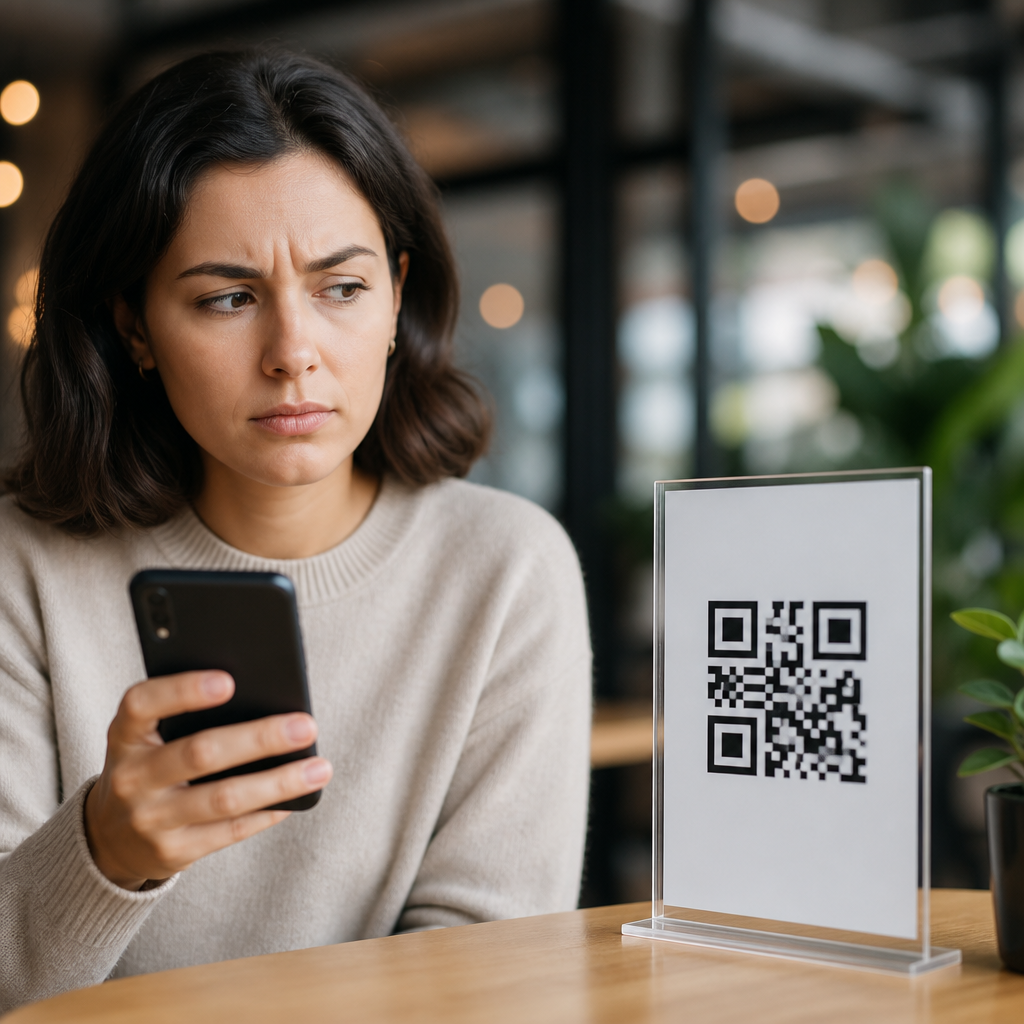
QR codes are everywhere, yet many people still hesitate before scanning one because they associate the square pattern with scams, surveillance, or technology they do not fully understand. In plain terms, a QR code is a two-dimensional barcode that stores information such as a website address, payment request, file download, contact card, or product identifier, and a smartphone camera or scanning app converts that pattern into an action. I have worked with QR code campaigns in retail, hospitality, events, and packaging, and the trust gap is real: customers often ask whether a code can hack their phone, track their location, or send them to a fake payment page. Those concerns matter because QR codes are now tied to menus, tickets, authentication, logistics, and marketing, so mistrust can slow adoption, hurt conversions, and expose people to avoidable risks when they rely on guesswork instead of basic verification. Understanding why some people do not trust QR codes requires separating myths from genuine security issues, then explaining how design, context, and user education change behavior.
The Trust Problem Starts With Visibility and Context
People tend to trust technologies they can interpret, and QR codes are visually opaque. A URL printed on a flyer can be read before someone clicks it, but a QR code hides its destination until after the scan. That lack of visible intent creates uncertainty, especially for users who remember phishing emails, fake login pages, and malicious shortened links. In store audits I have run, customers were far more willing to scan when the code was paired with a branded domain, a short explanation such as “View ingredients” or “Register warranty,” and a clear callout showing where the code would lead. When a code appears without context on a lamp post, parking meter, restaurant table, or social post, people have to make a trust decision with almost no evidence.
This is one reason some consumers say QR codes feel “sketchy” even when the technology itself is neutral. The symbol does not explain who created it, whether it has been tampered with, what data will be collected, or whether a payment request is legitimate. Trust depends less on the code pattern and more on the surrounding signals: brand recognition, physical placement, print quality, signage, secure domain names, and whether the requested action seems appropriate. A museum QR code linking to an audio guide makes sense. A random QR code requesting a bank transfer in a stairwell does not. Most mistrust starts as a context problem, not a technical one.
Common QR Code Myths and What Is Actually True
Several persistent myths shape public perception. The first is that scanning any QR code automatically infects a phone. In reality, a QR code is a container for data, not malware by itself. The risk comes from the destination or action it triggers. A code can open a malicious website, prefill a deceptive message, or launch a payment flow, but infection still depends on what software vulnerabilities exist and what the user approves. Modern iOS and Android devices include permission models, browser protections, and app sandboxing that reduce direct compromise, although no mobile platform is immune to social engineering.
The second myth is that all QR codes track users. Some do support analytics, especially dynamic QR codes used in marketing, where scans can be counted by time, device type, campaign source, or approximate location inferred from IP data. But a static QR code that directly encodes a URL or text has no built-in tracking function. Tracking happens on the landing page or redirect service, not inside the pattern itself. Another myth is that QR codes are only for payments or only for restaurants. They are widely used for inventory control, Wi-Fi sharing, digital business cards, package authentication, event check-in, and device setup. Misunderstanding their range of uses makes them seem more suspicious than they are.
There is also a belief that “real companies do not use QR codes,” which became outdated years ago. Major brands, airlines, transit systems, banks, and healthcare providers use them every day. During the pandemic, contactless interactions accelerated use across menus, vaccine records, and appointment check-ins. The issue is not whether legitimate organizations use QR codes; they do. The issue is that scammers use the same format because it is easy to print, easy to replace, and hard for users to inspect before scanning. That overlap between legitimate convenience and criminal opportunity is what sustains mistrust.
Why QR Code Scams Feel So Personal
QR code scams work because they compress several risks into one quick action. A person scans, lands on a page, and is often urged to move fast: pay for parking, sign in to view a message, confirm a delivery, or claim a coupon. I have reviewed incidents where fake stickers were placed over real parking payment codes, rerouting users to counterfeit payment forms that captured card details. Security teams often call this “quishing,” or QR phishing, because it uses a QR code to drive the victim to a phishing site. The method is effective because the first decision point happens before the user sees the destination URL clearly.
These scams feel personal because they often appear in trusted physical environments. People assume a code on a restaurant table, utility bill, or public notice has already been vetted. Attackers exploit that assumption. They also exploit mobile behavior: small screens hide full URLs, users skim quickly, and many people have been trained to “go contactless” without pausing. In practice, the scam is not sophisticated software exploitation; it is classic impersonation adapted to a scannable format. That distinction matters because the best defenses are also classic: inspect the source, verify the domain, avoid urgency, and use official apps or websites when possible.
What Actually Makes a QR Code Trustworthy
Trustworthy QR code use follows clear patterns. First, the code appears where it logically belongs and is tied to a recognizable process. A boarding pass code inside an airline app is credible because it serves a known function within a controlled environment. Second, the destination is transparent. Good implementations show the brand name, explain the action, and often use a custom domain or branded short link rather than an unfamiliar redirect chain. Third, the organization minimizes surprise. If a code is for a menu, it should open a menu, not a data capture form asking for unnecessary personal details.
Operational controls matter too. Businesses that use QR codes responsibly manage version control, monitor redirects, secure landing pages with HTTPS, and inspect physical placements for tampering. Dynamic QR platforms from vendors such as Bitly, QR Code Generator Pro, Flowcode, and Uniqode can improve campaign management, but they also introduce responsibility because redirect settings, analytics, and destination changes must be governed carefully. In my experience, the most trusted deployments combine physical design and digital hygiene: high-quality print, plain-language instructions, secure domains, minimal data collection, and a fallback option for people who prefer typing a URL manually.
| Concern | Myth or Reality | What Users Should Check | What Businesses Should Do |
|---|---|---|---|
| Scanning infects the phone instantly | Mostly myth | Preview the link and avoid unexpected downloads | Link only to secure pages and avoid forced installs |
| Any QR code can steal money | Reality in phishing scenarios | Confirm the domain before entering payment details | Use branded payment flows and official apps |
| All QR codes track users | Partial myth | Read the privacy notice on the landing page | Disclose analytics and minimize data collection |
| Printed QR codes cannot be altered | False | Look for stickers placed over existing codes | Inspect locations regularly and use tamper-evident designs |
How Design Choices Influence Public Confidence
Design has a direct effect on whether people trust a QR code enough to engage. A code placed next to explanatory copy like “Scan to verify product authenticity” performs differently from a bare code with no label. People want to know the benefit before they accept the risk. In usability tests, response rates improve when the expected result is concrete: “Download warranty PDF,” “See nutrition facts,” or “Pay table 12 bill.” Vague prompts such as “Scan me” create friction because they force users to guess. Good QR education starts with that simple rule: state the purpose before asking for the scan.
Branding also matters, but it can be overdone. Adding a logo to the center of a QR code can improve recognition if error correction is configured correctly and print quality remains high. However, stylized codes with poor contrast, decorative backgrounds, or oversized logos can fail to scan, and repeated failure damages trust quickly. Accessibility matters as well. Printed codes should be large enough for typical camera focus distances, have adequate quiet zones, and appear in locations with sufficient lighting. If users struggle physically to scan the code, they often blame the technology rather than the execution. Reliable performance is one of the strongest trust signals available.
Privacy Fears Are Not Imaginary, but They Are Often Misstated
Some people do not trust QR codes because they believe scanning hands over personal data automatically. That is not usually how the process works. A scan can open a page, launch an app, or fill a field, but meaningful data collection generally occurs only after the destination receives device, browser, and network information or after the user submits a form. That said, privacy concerns are legitimate. Marketers use dynamic links, cookies, and campaign parameters to attribute scans, and location can sometimes be approximated through IP addresses. If a code leads to a page with trackers and no explanation, distrust is rational.
The better framing is this: QR codes are not uniquely invasive, but they can serve as an entry point to invasive experiences. The same privacy standards that apply to mobile websites, payment pages, and signup forms apply here. Organizations should provide concise disclosure, collect only necessary information, and avoid pairing a simple utility action with aggressive lead capture. For example, asking for a full registration just to view a restaurant menu is excessive and signals disrespect for user intent. By contrast, a product manual or transit schedule that opens without friction feels appropriate and earns confidence through restraint.
Generational Habits and Cultural Experience Shape Trust
Trust in QR codes varies by age, region, and exposure. In markets where mobile payments and super apps normalized QR interactions early, consumers often view them as practical infrastructure. In other places, adoption accelerated later, sometimes under emergency conditions such as pandemic distancing measures, which created compliance rather than confidence. Older adults may be less comfortable because the scan-to-action flow is invisible, while younger users may scan reflexively but underestimate phishing risk. Neither group is uniformly right. Familiarity increases convenience, but not always judgment.
Cultural experience also matters. If someone’s first encounter with a QR code was a broken menu link, a suspicious parking payment page, or a confusing app prompt, they may generalize that bad experience to the entire format. I have seen this repeatedly in hospitality settings: one failed menu deployment can make staff conclude that customers “hate QR codes,” when the real issue was poor Wi-Fi, an expired certificate, or a landing page overloaded with pop-ups. Education works best when it addresses the user’s lived experience. Explaining the difference between a legitimate code in an official app and a random sticker on a pole is more effective than offering abstract reassurance.
How Businesses Can Reduce QR Code Skepticism
Companies that want higher scan rates should treat trust as part of implementation, not as an afterthought. Start with purpose clarity. Tell people exactly what they will get, whether that is product details, a payment screen, a coupon, support documentation, or account login. Next, make the destination recognizable. Use a branded domain, maintain HTTPS, and avoid redirect mazes that make the final page look unrelated to the printed source. If you use dynamic QR codes for campaign flexibility, document ownership and approval workflows so no one changes a destination without review.
Then address the physical environment. Inspect public-facing codes for tampering, especially on parking machines, posters, outdoor signage, and tabletop displays. Consider tamper-evident labels or integrated printing that makes sticker overlays obvious. Provide an alternative path such as a short URL or NFC tap for users who prefer not to scan. Train frontline staff to answer practical questions: “Where does this go?” “Do I need to download anything?” “Is this the official payment page?” The brands that build confidence are the ones that assume skepticism is reasonable and respond with transparency, not pressure.
What Consumers Should Do Before Scanning Any Code
Consumers do not need to avoid QR codes entirely; they need a repeatable safety routine. First, consider context. Is the code on an official package, inside a trusted app, on a company website, or in a setting where the action makes sense? Second, inspect for tampering. A sticker over another code is an immediate warning sign. Third, preview the link if your phone shows it, and read the domain carefully. Attackers rely on lookalike addresses, extra words, and unfamiliar subdomains. Fourth, do not enter payment details or login credentials unless you are confident you are on the official site.
It is also wise to keep your phone updated, use reputable browsers, and rely on official brand apps when available for payments, tickets, and account access. If a code claims to be from your bank, utility, or delivery service, you can always open the official app or type the company’s main web address instead. That extra step costs seconds and blocks many common scams. QR code safety is less about technical mastery than disciplined verification. The people who trust QR codes appropriately are not blindly optimistic; they have learned how to pause, inspect, and confirm.
Some people do not trust QR codes because the technology hides intent, scammers abuse that opacity, and many organizations deploy codes without enough context, design discipline, or privacy care. Those concerns are understandable, but they do not mean QR codes are inherently unsafe or deceptive. A QR code is simply a machine-readable shortcut. Whether it deserves trust depends on where it appears, what it asks the user to do, how transparent the destination is, and how responsibly the organization manages security, analytics, and physical placement. When people understand that distinction, the conversation shifts from fear of the symbol to evaluation of the experience around it.
For anyone building or using QR code systems, the practical takeaway is straightforward: replace assumptions with verification. Businesses should explain the purpose, show recognizable destinations, secure the full path, and provide alternatives. Consumers should scan in context, preview links, and avoid entering sensitive information on pages they did not independently verify. That balanced approach addresses the real causes of mistrust without repeating outdated myths. If you are creating a QR Code Basics and Education hub, use this page as the starting point for deeper guidance on QR phishing, dynamic versus static codes, privacy implications, design best practices, and safe scanning habits, then apply those lessons to every code you publish or encounter.
Frequently Asked Questions
Why do some people still distrust QR codes?
Many people distrust QR codes because the code itself does not clearly show what will happen after they scan it. A printed web address can be read before visiting, but a QR code hides the destination inside a pattern of black and white squares. For cautious users, that lack of visibility creates immediate uncertainty. They may worry that the code leads to a fake website, installs something unwanted, triggers a payment request, or collects data without their knowledge. Even when the code is legitimate, the experience can feel opaque, especially to people who prefer to see and evaluate information before taking action.
Trust is also shaped by context. QR codes became much more common in restaurants, retail stores, hotels, packaging, and public signage, but rapid adoption did not always come with clear consumer education. As a result, some people encountered QR codes as a convenience tool before they understood what the tool was actually doing. In my experience with QR code campaigns in retail and hospitality, hesitation often has less to do with the technology itself and more to do with the feeling of being asked to take a digital leap without enough reassurance. When businesses explain what the code does, where it goes, and why it is being used, skepticism usually drops significantly.
Are QR codes actually dangerous to scan?
QR codes are not inherently dangerous, but they can be used in unsafe ways, just like email links, text messages, or online ads. A QR code is simply a method of storing information in a scannable format. The risk comes from what that information points to. If the code opens a malicious website, directs users to a phishing page, starts a fraudulent payment flow, or prompts a file download from an untrusted source, then scanning it can become a security problem. In other words, the code itself is neutral; the destination determines whether it is safe.
That distinction matters because it helps people respond rationally instead of treating all QR codes as suspicious by default. A QR code printed on official product packaging, inside a hotel room for guest services, or on in-store signage from a known brand is usually part of a controlled customer experience. By contrast, a random sticker placed over a parking meter sign or a code shared in an unsolicited message deserves much more caution. Most modern smartphones also help by previewing the link before opening it, giving users a chance to inspect the destination. Good security habits still apply: verify the source, avoid scanning codes from tampered signage, and be especially careful when a code asks for login credentials or payment information.
Why do QR codes make people think about scams and surveillance?
QR codes trigger scam concerns because they remove the visual clues people normally use to judge trust online. With a standard URL, users can often notice spelling errors, suspicious domains, or strange wording before clicking. With a QR code, that information is hidden until after the scan. This creates a perfect environment for anxiety, especially in an era when phishing, fake payment pages, and identity theft are widely reported. Consumers know that bad actors look for shortcuts into trust, and a code posted in a physical location can appear more credible than a link sent in an email. That mix of convenience and concealment is exactly why some people remain wary.
Surveillance concerns come from a different but related place. People increasingly understand that digital interactions can be measured, logged, and linked to marketing systems. When someone scans a QR code, the business behind it may be able to track time, location, device type, campaign source, and resulting actions such as page visits or purchases. In legitimate business settings, this tracking is often used to improve customer experience, measure campaign performance, or connect offline materials to online behavior. Still, if companies are not transparent, users may interpret the scan as a form of hidden monitoring. The best way to reduce that fear is simple: tell people what the code is for, what kind of data may be collected, and what they will get in return for scanning.
How can businesses make QR codes feel more trustworthy?
Businesses build trust by giving people context before asking them to scan. A QR code should never appear alone without explanation. It should be accompanied by plain-language text that says exactly what the user will get, such as “View the menu,” “Check product authenticity,” “Download care instructions,” or “Join guest Wi-Fi.” That small amount of clarity makes a major difference because it replaces ambiguity with expectation. Branded design also helps. When the code appears in a clean, professional setting with recognizable logos, consistent typography, and a visible web address nearby, users are far more likely to believe it is part of a legitimate experience rather than a random digital prompt.
Trust also improves when the user journey is smooth and respectful. In retail and hospitality campaigns, I have seen much stronger engagement when the code opens a mobile-friendly page, matches the promise on the sign, and does not immediately demand personal information. If a QR code is supposed to show a menu, it should show the menu right away. If it is meant for registration or payment, the page should clearly display the company name, security indicators, and support information. Businesses should also regularly inspect physical placements to make sure codes have not been damaged, covered, or replaced with fraudulent stickers. Transparency, visual consistency, and reliable follow-through are what turn a QR code from a suspicious square into a useful customer tool.
What should someone check before scanning a QR code?
Before scanning a QR code, the first thing to check is the source. Ask whether the code is coming from a business, venue, product, or person you already recognize and trust. Look at the physical environment as well. Is the code professionally printed as part of original signage, packaging, or tabletop material, or does it look like a sticker that may have been added later? Tampering is a real concern in places like public kiosks, parking areas, and shared spaces. If something looks misaligned, covered over, or oddly placed, it is smart to avoid scanning until you can verify it another way.
Next, pay attention to what your phone shows after the scan. Many devices display a preview of the destination link before opening it. That preview is important because it lets you look for a legitimate domain name and avoid suspicious URLs. If the code leads to a site that asks for passwords, payment details, or personal information, pause and confirm that the request makes sense. It is also wise to avoid scanning codes from unsolicited emails, text messages, or social media posts unless you were expecting them. The basic rule is the same one used for any digital interaction: if the source is unclear, the destination looks strange, or the request feels urgent or inconsistent, stop and verify before proceeding.





