
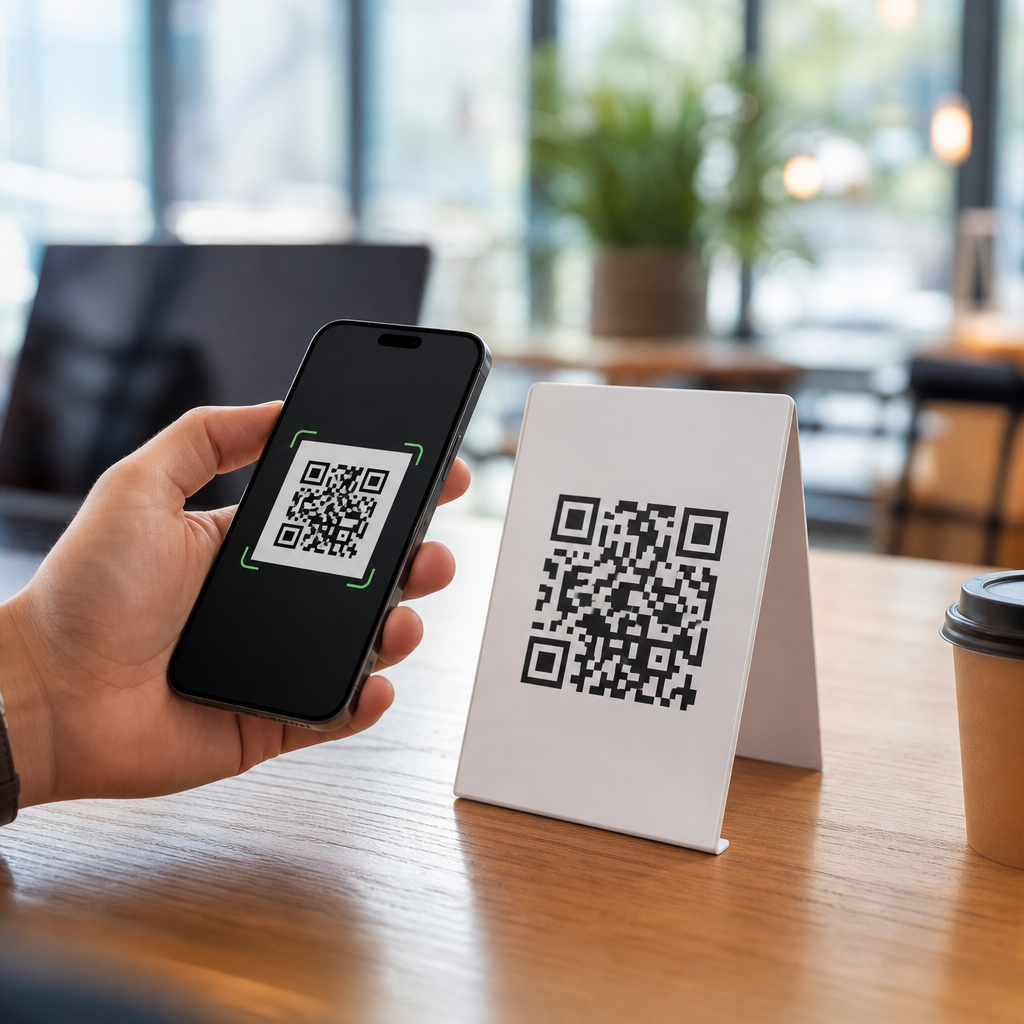
QR codes feel simple: point your phone, tap the link, and move on. That simplicity fuels a common fear: do QR codes track you? The short answer is no, not by themselves. A QR code is just a machine-readable pattern that stores data such as a web address, contact card, Wi-Fi credential, payment string, or product identifier. It does not contain a GPS chip, a camera, a cookie, or software that secretly follows you around. What people often describe as QR code tracking usually happens after the scan, when your phone opens a website, app, form, or payment flow that can collect information in the same way any digital experience can.
That distinction matters because QR codes now sit at the center of everyday commerce, marketing, logistics, restaurants, healthcare intake, event check-in, and packaging. In my own work auditing campaigns and printed materials, I have seen teams blame the square itself for privacy problems that were actually caused by landing page analytics, dynamic redirect platforms, app permissions, or poor disclosure practices. Understanding where data collection really happens helps consumers make better choices and helps businesses deploy QR codes responsibly. It also cuts through the broader set of QR code myths and misconceptions that confuse adoption, from claims that every code is dangerous to the idea that static codes can report scans on their own.
To explain the truth clearly, it helps to define a few key terms. A static QR code contains fixed information directly in the pattern. If it encodes a URL, that exact URL is printed and cannot be edited later without changing the image. A dynamic QR code usually points to a short redirect URL controlled by a service provider. Because the destination can be changed behind the scenes, dynamic systems can also log scan events such as time, approximate location derived from IP address, device type, and referral context. Tracking, then, is not a magical property of the image. It is a function of the destination, the redirect layer, the browser, the app, and any analytics software attached to them. That is the core truth behind the question, and it frames every myth worth unpacking.
Do QR codes track you by themselves?
No. A printed QR code on a poster, label, menu, or business card cannot track you on its own because it is not an active technology. It does not transmit data, sense motion, read your contacts, or know who scanned it. Think of it as a barcode with more storage. If the code contains plain text, your phone simply displays that text. If it contains a phone number, your device offers to call. If it contains a URL, your camera or scanner app hands that URL to your browser. The act of tracking begins only if the destination system records the visit or if an app involved in the process collects data.
This is why two QR codes that look almost identical can behave very differently. One may link directly to a static PDF on a company server with no analytics beyond standard web logs. Another may route through a dynamic QR platform such as Bitly, Scanova, Beaconstac, Flowcode, or QR Code Generator Pro, where the redirect creates a measurable event before sending the visitor onward. In privacy terms, the code image is passive; the infrastructure around it is where the meaningful difference lies. That is the first myth to correct in any QR code basics conversation.
What data can be collected after a QR code scan?
After a scan, several layers can capture information, and none of them are unique to QR technology. The redirect service may log timestamp, scan count, rough geography based on IP lookup, operating system, and device category. The destination website may run Google Analytics 4, Adobe Analytics, Matomo, server logs, tag managers, heatmaps, consent platforms, and advertising pixels. If the page includes a form, the site owner can collect anything the user submits, from email addresses to appointment details. If the scan opens an app, the app can process data based on its permissions and privacy policy.
Approximate location is one of the biggest sources of confusion. A business may report that a QR campaign showed scans from Chicago, London, or Manila, but that location usually comes from IP geolocation databases, not from the QR code knowing where you stood. IP geolocation is often city-level at best and can be wrong, especially on mobile networks, VPNs, or corporate gateways. Likewise, device data is generally inferred from the user agent string or browser hints, not from hidden capabilities inside the code itself. Understanding this prevents overstatement on both sides: scans can be measured, but the measurement is limited and contextual.
Static versus dynamic QR codes: where the tracking difference lives
When people ask whether QR codes track you, they are often really asking whether static and dynamic QR codes behave differently. They do. A static QR code cannot be edited after printing and cannot generate scan analytics unless the destination website itself measures traffic. A dynamic QR code uses an intermediary link, so the platform can count scans before redirecting users. That makes dynamic codes valuable for campaign management, A/B testing, regional routing, offline attribution, and replacing broken links without reprinting signs or packaging. It also creates additional privacy considerations because another party may sit between the user and the final destination.
| Type | How it works | Can scan analytics be measured? | Main privacy implication |
|---|---|---|---|
| Static QR code | Encodes final data directly, such as a full URL | Only through the destination system, not the code itself | Fewer intermediaries, but website analytics may still collect data |
| Dynamic QR code | Encodes a short redirect URL managed by a platform | Yes, the redirect service can log scan events | Additional data processing by the QR service provider |
In practice, I advise businesses to choose static codes for durable, low-risk uses like plain contact details, direct links to stable resources, or internal asset labels. Dynamic codes make sense when marketing teams need flexibility or measurement, but they should be paired with a clear privacy notice, a vetted vendor, and retention settings that match the organization’s policy. The tradeoff is not mysterious: more control and analytics usually mean more data processing.
Common QR code myths and misconceptions
The biggest myth is that every QR code is a privacy threat. That is false. A code linking to a restaurant menu is not inherently more invasive than typing the same URL by hand. The second myth is that scanning a QR code automatically gives the sender your personal identity. Usually it does not. Unless you log in, submit a form, complete a purchase, or use an authenticated app, the destination may know only technical metadata. The third myth is that a static code printed on paper can report scan numbers by magic. It cannot. Without a measuring destination or redirect layer, there is nothing to count.
Another misconception is that QR codes are always safe because they are “just links.” They are not automatically safe. Attackers can place malicious stickers over legitimate codes, send users to lookalike login pages, trigger unwanted app downloads, or start phishing flows. The security risk is real, but it comes from deceptive destinations and human trust, not from tracking chips hidden in the matrix. There is also a belief that using a QR code means consent no longer matters. In regulated contexts such as healthcare, finance, or European consumer services, data collection triggered by a scan still falls under the same disclosure, lawful basis, and security expectations as any other digital interaction.
How businesses use QR code analytics responsibly
Responsible use starts with data minimization. A retailer running in-store signage may only need total scan counts by campaign and broad region, not persistent identifiers or detailed behavioral profiles. A museum can measure which exhibits drive engagement by using separate dynamic codes for each display without collecting names unless visitors voluntarily join a mailing list. An event organizer can use check-in QR codes tied to registration records, but access control data should be retained only as long as operationally necessary. Good deployment means deciding what problem the data solves before turning on every metric a platform offers.
Transparency matters just as much. If a code leads to a form, say so nearby. If a scan opens a third-party platform, disclose that in the linked privacy notice. If children may scan the code, avoid unnecessary profiling and follow applicable age-related rules. Teams should also review vendor contracts, subprocessor lists, data hosting regions, and deletion options. Many QR platforms market dashboards heavily, but mature organizations examine logging defaults, custom domains, TLS support, link expiration, role-based access controls, and whether the service supports first-party analytics integration. Those operational details matter more than marketing claims.
How consumers can protect privacy when scanning QR codes
The simplest protection is to preview the link before tapping. Most modern phone cameras display the destination domain, and some scanner apps offer an explicit preview mode. Check for misspellings, suspicious subdomains, or unrelated brands. Be cautious with codes placed in public areas such as parking meters, utility payment notices, transit posters, and storefront windows, where sticker replacement attacks are common. If the code asks you to sign in, enter payment details, or install an app, verify the organization through an official website or customer support channel first.
Use your device’s built-in browser protections and keep the operating system updated. Safari, Chrome, and Android system components regularly improve phishing detection and certificate handling. Consider limiting ad tracking, reviewing app permissions, and using private relay, VPN, or privacy-focused browsers if that fits your needs, while recognizing that such tools may affect location accuracy and site functionality. Most importantly, remember that the same rules apply here as with email links: a QR code is a shortcut, not a trust signal. Convenience should never replace verification.
Legal and compliance realities behind QR code data collection
Privacy law evaluates what data is collected, why it is collected, who controls it, and how long it is retained. In the European Union and United Kingdom, a QR-driven website that uses nonessential cookies or identifiable analytics may trigger consent requirements under ePrivacy rules and broader obligations under the GDPR. In California, businesses may need to disclose categories of personal information collected after the scan and honor applicable consumer rights. In healthcare settings, a QR code leading to patient intake or appointment information can implicate HIPAA workflows in the United States when handled by covered entities or business associates.
Accessibility and consumer protection also matter. If a restaurant uses QR-only menus, it should still provide an alternative for customers without smartphones or with assistive technology needs. If a product package uses a QR code for warranty registration, the linked page should accurately explain data use and not bury key facts behind vague language. Regulators generally do not care that the journey started with a square pattern. They care about the substance of the data practice. That is why privacy reviews should focus on the full scan-to-destination path.
The bottom line on whether QR codes track you
QR codes do not track you by themselves. They store information, usually a link, and any tracking happens in the systems that respond after you scan. That means the right question is not “Is this code tracking me?” but “What opens when I scan, who operates it, and what data do they collect?” Once you separate the passive code from the active destination, most QR code myths and misconceptions fall away. Static codes are not secretly reporting on you, dynamic codes are measurable because of redirects, and privacy risk depends on the surrounding technology and policies.
For businesses, the practical benefit of understanding this is better design. You can use QR codes to reduce friction, connect print to digital, and measure outcomes without creating unnecessary privacy risk if you choose vendors carefully, limit data collection, and disclose your practices clearly. For consumers, the benefit is confidence. You can scan useful codes without assuming every square is spying on you, while still staying alert for phishing, fake overlays, and invasive landing pages. If you are building or reviewing a QR program, start by mapping the full user journey from scan to destination and tighten the points where data is actually collected. That is where the truth lives, and that is where good decisions begin.
Frequently Asked Questions
Do QR codes track you by themselves?
No. A QR code does not track you on its own. A QR code is simply a visual way to store information in a machine-readable format. It can contain a website URL, contact details, payment information, Wi-Fi login credentials, product data, or other plain encoded content. By itself, the code has no GPS, no camera, no microphone, no active internet connection, and no ability to monitor your behavior. It is not a tiny device hiding inside a square image. The confusion usually starts because scanning a QR code often leads to a website or app, and that destination can collect data the same way any digital service can. In other words, the QR code is just the doorway, not the tracker. If any tracking happens, it typically happens after you scan and open the linked content.
What information can be collected after I scan a QR code?
Once you scan a QR code and visit the linked page, the same kinds of data collection that happen on normal websites can happen there too. That may include your IP address, device type, browser, approximate location based on network data, time of visit, referral details, and actions you take on the page. If the site uses analytics tools, cookies, ad trackers, or marketing platforms, it may also measure clicks, visits, conversions, and repeat sessions. If you fill out a form, log in, make a purchase, or grant permissions, you may share even more information. None of that means the QR code itself was tracking you. It means the website, app, or platform you reached may be collecting data as part of its normal operation. This is an important distinction because it separates the harmless code image from the online system behind it.
Can a dynamic QR code be used for tracking?
Yes, but only in a limited and indirect sense. A dynamic QR code usually points to a short redirect link managed through a QR code platform. That allows the owner to change the destination later without replacing the printed code. Because scans pass through that platform first, the owner may be able to see analytics such as how many times the code was scanned, when scans happened, roughly where they came from, and what type of device was used. Businesses often use this for campaign measurement, inventory labeling, packaging performance, restaurant menus, event check-ins, or print advertising analysis. Even so, the tracking still does not come from the QR code image itself. It comes from the web infrastructure connected to it. Think of a dynamic QR code as a smart redirect, not a surveillance device. Whether it feels invasive depends on what data is collected, how it is disclosed, and what happens after the user lands on the destination page.
Are QR codes dangerous for privacy or security?
They can be, but the risk usually comes from malicious destinations rather than the code pattern itself. A QR code can send you to a phishing website, a fake payment page, a malware download, or a fraudulent login screen if a scammer created it. In public places, criminals sometimes place fake QR stickers over legitimate ones to redirect people to harmful sites. From a privacy perspective, scanning a code can also expose you to normal web tracking if the destination uses cookies, analytics, and advertising technology. The safest approach is to preview the link before opening it when your phone allows that, inspect the domain name carefully, avoid entering sensitive information on unfamiliar pages, and be especially cautious with QR codes used for payments or account access. Keeping your phone updated and using built-in browser protections also reduces risk. So yes, QR codes can be part of a privacy or security problem, but they are not inherently dangerous just for existing.
How can I scan QR codes more safely and protect my privacy?
Start by treating a QR code the same way you would treat any unknown link. Before tapping through, look for a URL preview and confirm the web address makes sense. Be skeptical of codes posted in random public places, attached as stickers over existing signs, or sent in unsolicited messages. If the code claims to lead to a bank, delivery company, login portal, or payment page, consider going directly to the official website or app instead. After opening a QR-linked page, limit what you share unless you trust the source. Do not grant unnecessary permissions, avoid downloading files from unverified sites, and watch for signs of phishing such as misspellings, urgency, or unusual requests. For additional privacy, you can use browser settings that block third-party cookies, clear site data regularly, or rely on privacy-focused browsers and security tools. The bottom line is simple: the QR code itself is not secretly tracking you, but the page behind it may collect information just like any other online destination, so smart scanning habits matter.





