
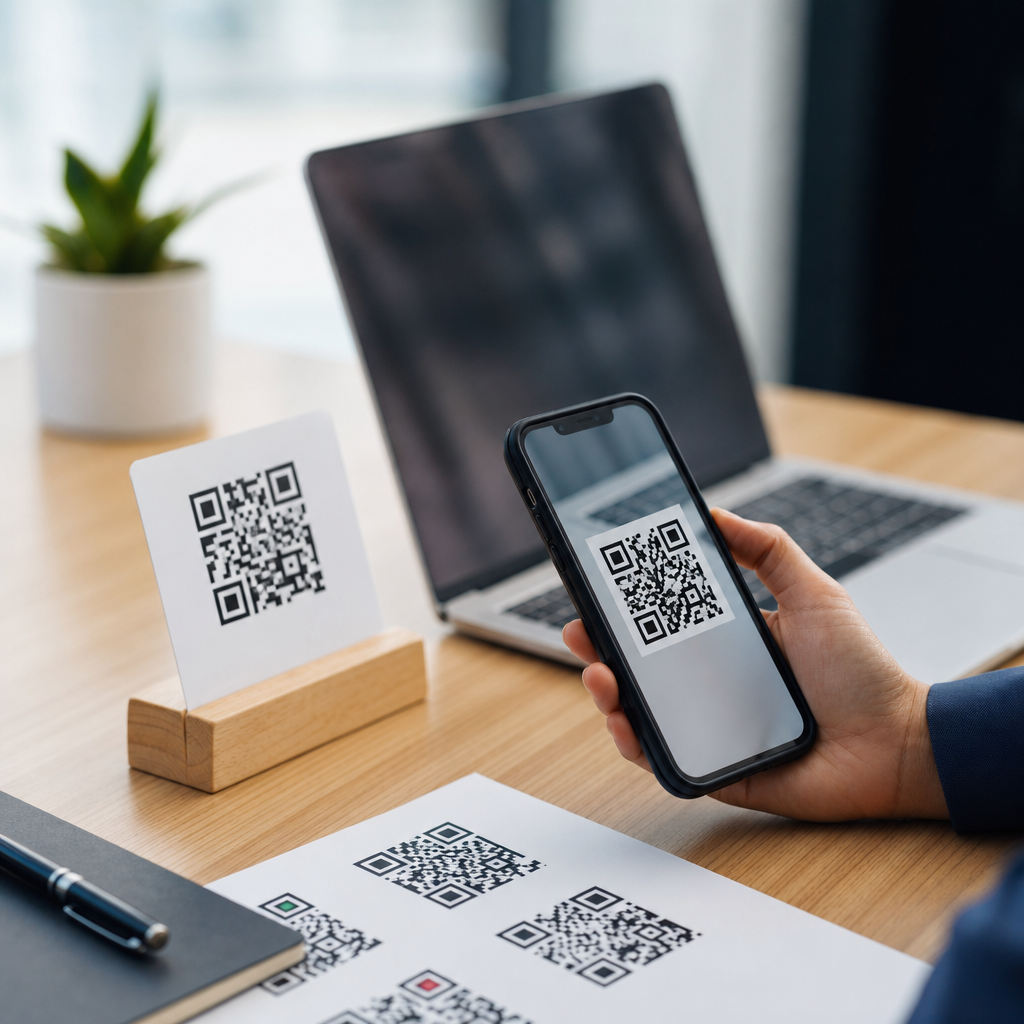
Choosing the right QR code starts with one practical question: what do you need the code to do after someone scans it? In projects I have managed for restaurants, product packaging, event check-in, and print advertising, that single decision has determined whether a campaign stayed flexible, tracked results accurately, and remained scannable months later. A QR code is a two-dimensional barcode that stores machine-readable data, typically a web address, contact details, text, payment information, or an action trigger such as opening an app. “Types of QR codes” can mean two related things: the technical structure of the code and the content or use case encoded inside it. Both matter, because a code’s architecture affects editability and analytics, while its content determines the user experience and business outcome.
Understanding the different types of QR codes matters because the wrong choice creates avoidable problems. A static code printed on 50,000 flyers cannot be updated if the destination link changes. A dynamic code offers flexibility and scan analytics, but usually depends on a managed redirect and may involve subscription costs. A vCard QR code can simplify networking, while a PDF QR code can remove friction from product manuals. Payment QR codes need compatibility with local banking standards. Wi-Fi QR codes are excellent in hospitality but useless if guests do not trust the network. When companies treat all QR codes as interchangeable, they often end up with dead links, poor adoption, or data they cannot measure. This guide explains the major QR code types, when to use each one, and how to choose a format that serves both the scanner and the organization behind the campaign.
Static vs dynamic QR codes: the first decision that matters most
The most important distinction is between static QR codes and dynamic QR codes. A static QR code stores the final destination directly in the pattern itself. If it contains a URL, phone number, email address, plain text message, or Wi-Fi credentials, that information is permanently embedded. Once created and printed, it cannot be edited without generating a new code. Static QR codes are best for information that will not change: a permanent homepage URL, fixed contact details, a short text string, or a one-time internal label. They are simple, low-cost, and independent of a third-party platform after creation.
A dynamic QR code works differently. Instead of storing the final content, it typically stores a short redirect URL controlled by a QR platform. That redirect sends the user to the current destination you set in the dashboard. Because of that indirection, you can change the landing page later without reprinting the code. You can also measure scans by date, device, location, and campaign source, depending on the provider and privacy settings. In practice, dynamic QR codes are the default for marketing, packaging, menus, event materials, real estate signage, and any campaign where links may change or performance data matters.
The tradeoff is dependence. If the platform subscription lapses, the redirect service fails, or the provider changes terms, your code can stop working. That is why I advise clients to review export options, custom domain support, redirect reliability, and service-level commitments before committing to a vendor. If you need absolute permanence, static wins. If you need editability and analytics, dynamic wins. For most business uses beyond a fixed informational link, dynamic QR codes are the better operational choice.
URL, landing page, and file QR codes for content delivery
URL QR codes are the most common type because they are versatile and intuitive. They send scanners to a website, product page, booking form, coupon, menu, app page, video, or campaign-specific landing page. Their strength is flexibility: almost any digital experience can begin with a URL. Best practice is to send users to a mobile-optimized page with a clear next step, not a generic homepage. For example, a restaurant table QR code should open the exact menu, not the brand’s corporate site. A product box should open setup instructions for that model, not the company’s main support portal.
Landing page QR codes are often a dynamic variant of a URL code, but they deserve separate treatment because many platforms let you build lightweight mobile pages inside the QR software. These pages can include buttons, videos, store locations, forms, image galleries, or link collections. They are useful when you need a fast campaign launch without involving a web team. They are less ideal when you need full design control, deeper analytics integration, or long-term content governance.
File QR codes usually point to PDFs, images, presentation decks, or downloadable documents. Common examples include restaurant menus, warranty guides, installation manuals, event agendas, and classroom handouts. PDF QR codes are particularly popular because PDFs preserve layout and are easy to update in dynamic systems. Still, files can create friction. Large PDFs load slowly on cellular networks, and many users prefer responsive web pages over pinch-and-zoom documents. If the content must be searchable, accessible, and easy to update section by section, a web page often outperforms a PDF. Use file QR codes when document fidelity matters; use URL pages when usability matters more.
Contact, communication, and messaging QR code types
Some QR codes are designed to trigger communication actions directly. A vCard QR code stores contact information such as name, phone number, email, company, title, and address, allowing the user to save a contact without typing. This is useful on business cards, trade show booths, email signatures, sales one-pagers, and storefront displays. The main advantage is convenience. The main limitation is maintenance: if the person changes roles or numbers, a static vCard code becomes outdated. For professionals whose details may change, a dynamic profile page linked from a QR code is usually safer.
Email QR codes open the user’s mail app with a prefilled address, subject line, and sometimes body text. These work well for customer support requests, quote inquiries, and feedback prompts. SMS QR codes similarly open the text messaging app with a pre-addressed number and optional message template. I have seen them work especially well in local service businesses where customers are comfortable texting for appointments. Phone QR codes trigger a call to a stored number, useful for roadside assistance, property signage, senior care facilities, or urgent support contexts where speed matters.
WhatsApp and other chat-app QR codes are increasingly used for sales conversations, reservations, and support, especially in markets where messaging apps outperform email. The key to success with any communication QR code is expectation setting. Tell users exactly what will happen after scanning: “Save our contact,” “Text for a quote,” or “Call 24/7 support.” That clarity increases scans and reduces abandonment.
Wi-Fi, app, payment, and social QR codes by use case
Wi-Fi QR codes encode network credentials so users can join a wireless network without manually entering the SSID and password. In hotels, cafes, clinics, waiting rooms, and offices, they reduce frontline staff interruptions and improve guest experience. However, security and trust still matter. A guest may hesitate to join an unfamiliar network from a printed sign, so include the network name and reassure users that it is the official guest network. If your password rotates frequently, static Wi-Fi QR codes become an operational burden, so place them where reprinting is easy or use a digital display instead.
App store QR codes direct users to install an app. Better implementations use a smart link that detects device type and sends iPhone users to the Apple App Store and Android users to Google Play. These codes work well on product packaging, in-store displays, and onboarding materials. A direct app install prompt can be effective, but adoption improves when the code explains the user benefit clearly, such as faster checkout, loyalty points, or exclusive content.
Payment QR codes enable transactions by linking to a payment page or by encoding payment data in a supported standard. Their specifics vary by region. In China, QR payments dominate through ecosystem wallets. In India, UPI QR codes are widely used across merchants. In many Western markets, payment QR codes often route to a web checkout, Stripe payment link, PayPal page, or point-of-sale flow. Compatibility is critical; use the standard your customers already trust.
Social media QR codes usually open a profile or a link hub containing multiple channels. They are common on packaging, receipts, posters, creator merchandise, and event signage. A single social profile code is simple, but a curated mobile landing page often performs better because it gives users options: Instagram, TikTok, YouTube, newsletter, and store locator in one place. The right use depends on whether you want one action or several.
How the main QR code types compare in practice
When teams evaluate QR code types, they usually care about five things: whether the content can be changed later, whether scans can be measured, whether the user experience is immediate, whether the code will remain reliable long term, and whether the format fits the channel. The table below summarizes the practical differences among the most common options used in business today.
| QR code type | Best use case | Can edit after printing? | Analytics available? | Main limitation |
|---|---|---|---|---|
| Static URL | Permanent web destination | No | Only through website analytics | Broken if the destination changes |
| Dynamic URL | Marketing campaigns, packaging, signage | Yes | Usually yes | Depends on provider and redirect service |
| PDF or file | Menus, manuals, brochures | Yes if dynamic | Usually yes if dynamic | Slow loading and poor mobile readability |
| vCard | Networking and sales contacts | No if static | Limited | Contact data can become outdated quickly |
| Wi-Fi | Guest network access | No | No | Needs reprint if credentials change |
| Payment | Merchant checkout or donations | Varies | Varies by payment platform | Regional compatibility differences |
In my experience, this comparison resolves most selection questions quickly. If the campaign is printed, public, and expected to last more than a few weeks, dynamic URL codes are usually the safest default. If the code must work indefinitely without vendor dependence, static is safer. If the real goal is document distribution, ask whether a responsive page would serve users better than a file. And if a direct action like joining Wi-Fi or saving a contact is the priority, the specialized code type often produces the least friction.
Design, scanning performance, and operational mistakes to avoid
Not every QR code that looks attractive scans well. The technical quality of the code matters as much as the type. Dense codes become harder to scan, especially if they contain long static data strings. That is another reason dynamic codes often perform better: the embedded data is shorter. Error correction levels allow a QR code to remain scannable even if part of it is obscured or damaged, but higher error correction also increases density. Adding a logo, changing colors, or rounding modules can work, yet every design change should be tested across iPhone and Android cameras, in bright and dim light, at realistic printing sizes, and at the expected scanning distance.
Size and placement are common failure points. A code on a highway billboard must be much larger than a code on product packaging. A code near a door handle may crease, and a code on a glossy curved bottle may reflect light. Quiet zone, the blank margin around the code, is essential for scanner recognition and should never be crowded by text or graphics. A short call-to-action nearby consistently improves usage. “Scan to view ingredients,” “Scan to pay,” or “Scan for setup video” performs better than a bare code with no explanation.
Operationally, the biggest mistake is treating the QR code as the endpoint instead of the beginning of an experience. The destination page must load fast, match the promise on the printed material, and present a clear next action. Tag dynamic campaigns with analytics parameters where appropriate, monitor scan trends, and test links after every content update. Reliable QR deployment is less about generating the image and more about managing the full journey from scan to outcome.
The best type of QR code depends on your goal, your need for flexibility, and the level of measurement you expect after launch. Start by separating permanent information from campaign content. If the destination will never change and you do not need platform-level scan analytics, a static QR code is efficient and durable. If you may update the link, run tests, personalize by location, or measure engagement over time, choose a dynamic QR code. Then match the format to the user task: URL and landing page QR codes for web experiences, file QR codes for documents, vCard and communication QR codes for direct contact actions, Wi-Fi QR codes for guest access, and payment QR codes for transactions.
As a hub for types of QR codes, this guide should help you avoid the most common planning errors: printing static codes for changing campaigns, forcing users into awkward PDFs when mobile pages would be easier, and ignoring design or testing standards that affect scan rates. A strong QR strategy is simple: pick the right code type, place it where it can be scanned easily, and send users to a destination that fulfills the promise instantly. Review your current QR uses, identify where flexibility or better user experience is missing, and update your next code with intention rather than habit.
Frequently Asked Questions
What is the difference between a static QR code and a dynamic QR code?
A static QR code contains fixed information that cannot be changed after the code is created. If it links to a URL, displays plain text, stores contact details, or contains Wi-Fi credentials, that data is permanently embedded in the code itself. Static codes are often a practical choice for simple, permanent uses where the destination will never need to change, such as a stable homepage URL, a plain text message, or basic contact information. They are usually easy to generate and may not require an ongoing subscription or management platform.
A dynamic QR code works differently. Instead of storing the final destination directly, it typically stores a short redirect link that sends the scanner to the intended content. That means you can update the destination later without reprinting the QR code. In real-world marketing, packaging, restaurant menus, and event materials, this flexibility is often the deciding factor. If a landing page changes, a campaign gets extended, or you want to redirect users to a new offer, a dynamic code lets you do that while keeping the printed code the same. Dynamic codes also commonly support scan tracking, including metrics such as number of scans, time, location, and device type. If you need flexibility, analytics, or long-term campaign management, dynamic is usually the better option. If you need simplicity and permanence, static may be enough.
Which type of QR code is best for marketing campaigns and print advertising?
For most marketing campaigns and print advertising, a dynamic QR code is the strongest choice. Printed materials are difficult and expensive to replace once they are distributed, so using a code that can be updated later gives you much more control. If the destination page changes, a promotion expires, a product sells out, or you want to test a different landing page, you can make those updates behind the scenes without changing the printed QR code on flyers, posters, brochures, direct mail, or packaging.
Dynamic QR codes also support better measurement. In campaign work, one of the biggest advantages is being able to see how many people scanned, when they scanned, and in many cases what type of device they used or where they were located. That makes it much easier to evaluate performance and compare results across placements, channels, or creative versions. For example, if the same campaign appears in-store, on product packaging, and in magazine ads, separate dynamic QR codes can help identify which placement is driving the most engagement. For serious marketing use, that visibility is extremely valuable.
Another reason dynamic codes are preferred in advertising is risk reduction. A static QR code tied to a page that later breaks, gets removed, or becomes outdated can make the entire campaign ineffective. With a dynamic code, you can recover quickly by redirecting traffic to a live page. For temporary campaigns, limited-time offers, event registration, coupon distribution, app downloads, and lead generation, dynamic QR codes give marketers the flexibility and reporting needed to make print behave more like a measurable digital channel.
When should you use a static QR code instead of a dynamic one?
A static QR code is best when the information is truly permanent and does not need to be updated, tracked, or managed over time. Good examples include linking to a homepage that is unlikely to change, displaying a block of text, sharing an email address, generating a phone call prompt, storing basic contact details in a vCard, or providing Wi-Fi login details in a location where the credentials will remain the same. In these cases, the simplicity of a static QR code can be an advantage.
Static codes can also be useful when you want a low-maintenance solution with no dependence on a third-party dashboard or redirection service. Because the data is embedded directly into the code, the QR code itself does not rely on an active management platform to function. That can be appealing for internal signage, simple informational materials, classroom resources, or small projects where analytics and future edits are not necessary. If your main priority is direct access to fixed data and you are confident the destination will not change, static is often a sensible option.
That said, it is important to think carefully before choosing static for anything printed at scale. Even a small change to a URL, landing page structure, or business process can make a static code inconvenient or unusable. If there is any chance you will want to edit the destination, monitor performance, or extend the code to new uses later, a dynamic code usually offers better long-term value.
What kind of content can a QR code link to or store?
A QR code can support a wide range of content types, and the right choice depends on what you want someone to do immediately after scanning. The most common use is a URL, which can send users to a website, product page, digital menu, registration form, video, PDF, coupon, payment page, or app download destination. This is often the most versatile option because a web page can hold richer content and be updated more easily than data stored directly inside the code.
QR codes can also store non-URL data directly. Common examples include plain text, email addresses, phone numbers, SMS prompts, contact cards, calendar event details, and Wi-Fi credentials. In business settings, they are often used for digital business cards, quick access to support information, customer feedback forms, inventory labeling, authentication flows, and touchless interactions. Restaurants may use them for menus and ordering, event teams for check-in and ticket validation, and product teams for packaging that connects buyers to instructions, warranty registration, or product verification.
The key consideration is usability after the scan. If the goal is to provide something simple and self-contained, storing the information directly may work well. If the goal is to guide the user into a broader experience, such as browsing products, watching a demo, redeeming an offer, or submitting a form, linking to a web-based destination is usually better. In many cases, the question is less about what a QR code can hold and more about what action you want the user to take next.
How do you choose the right QR code for restaurants, packaging, events, or long-term use?
The best way to choose is to start with the operational need behind the scan. For restaurants, a dynamic QR code is often ideal because menus, specials, pricing, hours, and ordering links can change frequently. Reprinting table tents, window signs, and takeout inserts every time a menu changes is inefficient, so a code that can be updated behind the scenes usually saves time and money. If the restaurant also wants to measure engagement by location or campaign, dynamic tracking adds another layer of value.
For product packaging, dynamic QR codes are commonly the safer choice because packaging often has a long shelf life. A code printed today may be scanned months later by someone who bought the product in a different region or from old inventory. If the destination page moves, the support resources change, or the company wants to promote a new product line, a dynamic code keeps the packaging useful without requiring a redesign. This is especially important for consumer goods, electronics, supplements, and any product that may remain in distribution for an extended period.
For events, the right answer depends on the purpose. If the QR code is used for a simple public information page that will stay the same, static may work. But for registration, schedule updates, venue changes, sponsor offers, digital tickets, or post-event follow-up, dynamic codes are usually more practical. Events often change quickly, and being able to edit destinations in real time is a major advantage. For long-term use in any category, the general rule is simple: if the destination may change, if you need analytics, or if the code will live on printed material for months or years, choose dynamic. If the content is permanent and straightforward, static can be perfectly appropriate.





