
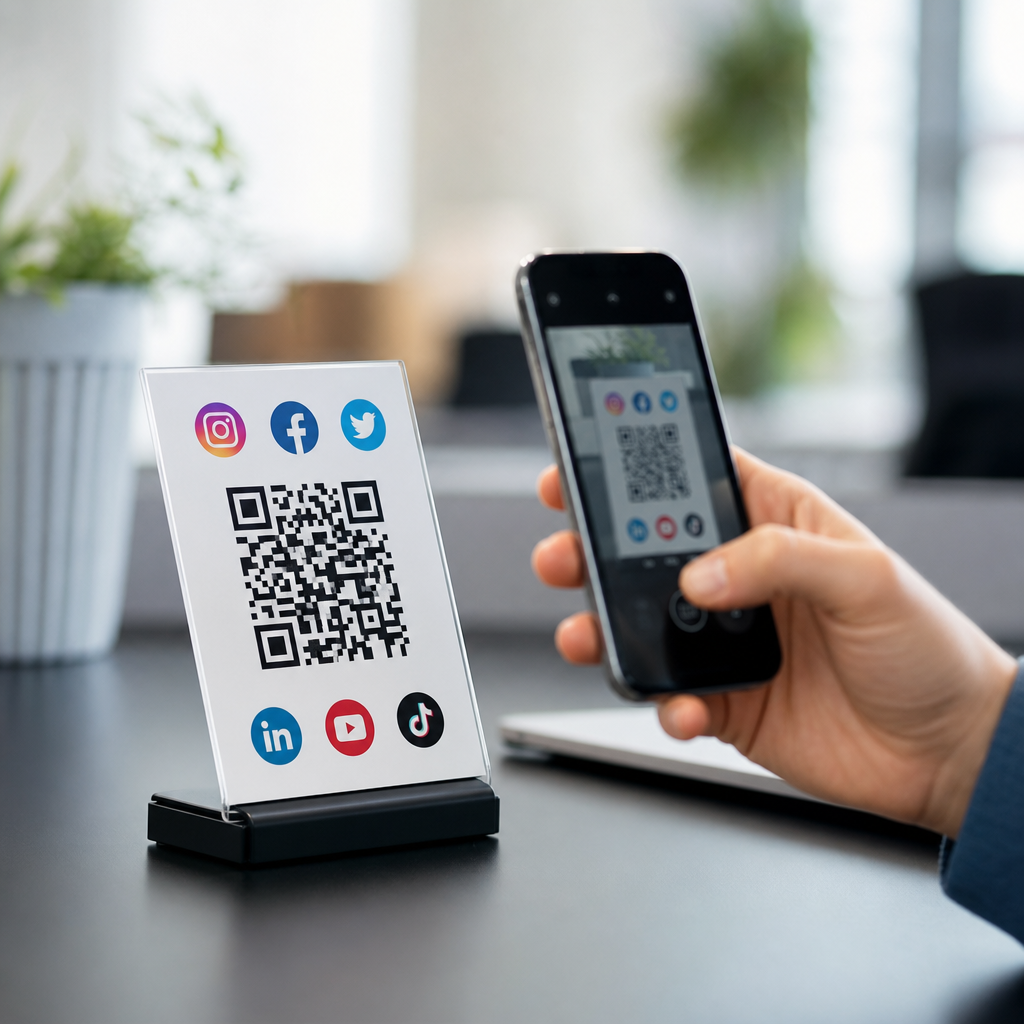
A social media QR code is a scannable code that sends people to a social profile, a group of profiles, or a landing page that organizes multiple social links in one mobile-friendly destination. Within QR Code Basics & Education, it sits at the intersection of two practical topics: how QR codes work and how different QR code types solve different business goals. I have used social media QR codes in retail stores, event booths, restaurant tables, packaging inserts, and sales decks, and the pattern is consistent: when the scan path is simple, more people follow, click, and connect. That matters because social discovery now happens in physical spaces as often as it happens online, and a code bridges those spaces instantly.
To define the term clearly, a QR code is a two-dimensional matrix barcode that stores data such as a URL, text string, phone number, or app action. A social media QR code usually stores a URL that points either to one social platform, like Instagram or LinkedIn, or to a mobile landing page listing several platforms at once. In practice, marketers often prefer the second format because one printed code can support profile changes later if the underlying destination is dynamic. Static codes lock the destination at creation; dynamic codes redirect through a short URL and can be edited, tracked, and updated without reprinting the image.
This distinction is central to understanding types of QR codes. Not every QR code serves the same purpose. URL codes open websites, vCard codes save contact details, PDF codes deliver documents, app store codes route by device type, and payment codes trigger transactions. A social media QR code is best understood as a specialized URL code designed to increase follows, profile visits, direct messages, and cross-platform discovery. For a sub-pillar page on types of QR codes, that makes it a useful hub example: it demonstrates how the same scanning technology adapts to awareness, engagement, support, commerce, and retention depending on the encoded action.
Why does this matter now? Smartphone cameras scan QR codes natively on iPhone and Android, so user friction is lower than it was a few years ago. Physical marketing has also become measurable. By using dynamic QR codes with analytics, teams can track scan counts, time of day, approximate location, and conversion paths in tools such as Bitly, QR Code Generator Pro, Flowcode, Beaconstac, and Uniqode. When combined with UTM parameters in Google Analytics 4, a business can connect a printed flyer or in-store sign to social traffic with surprising precision. That turns a simple square code into a reliable attribution point.
A social media QR code matters because it compresses several user decisions into one scan. Instead of asking someone to search a brand name, choose the right account, and navigate to the follow button, it sends them directly to the intended profile or link hub. That saves time and reduces search errors caused by duplicate names, outdated handles, or fake accounts. It also helps smaller organizations compete for attention in crowded spaces where every extra step costs engagement. As a hub topic under QR Code Basics & Education, social media QR codes also open the door to broader questions: which QR code type should you use, when should you use static or dynamic, how should you design and test the destination, and what mistakes reduce scans?
How a Social Media QR Code Works
At a technical level, the code stores machine-readable data in a grid of black and white modules. A smartphone camera detects the finder patterns in the corners, decodes the data, and prompts the user to open the destination. In most campaigns, the destination is a URL. If the code is static, that URL is embedded directly in the image. If the code is dynamic, the image points to a short redirect URL managed by a QR platform, which then forwards the user to the current landing page or social profile. Dynamic delivery is the standard choice for social media because profiles, priorities, and campaign links change often.
The destination itself can take several forms. The simplest is a single-profile link, such as an Instagram page printed on product packaging. A more flexible version is a multi-link landing page containing icons for TikTok, Facebook, YouTube, LinkedIn, X, Pinterest, WhatsApp, and other channels. Some tools call this a social link page, bio page, or mini mobile site. The key requirement is mobile usability: large tap targets, fast load times, secure HTTPS delivery, and clear platform labels. If the page is slow or cluttered, scans may not translate into follows.
Error correction also matters. QR codes commonly use Reed-Solomon error correction, allowing partial recovery if part of the code is smudged or covered. That is useful for packaging, posters, and outdoor signs. However, higher error correction increases density, which can make the code harder to scan if the printed size is too small. In real deployments, I keep social media QR codes at least 0.8 by 0.8 inches for close-range use and larger for signage viewed from several feet away. Good contrast, quiet zone spacing, and print testing across different phone models are not optional; they determine whether the code works under real lighting conditions.
Where Social Media QR Codes Fit Among Types of QR Codes
Social media QR codes belong to the broader family of destination-based QR codes, but they are only one category. Understanding the main types helps you choose the right format for the job. URL QR codes open web pages. Social media QR codes typically use that same mechanics but apply it to profile growth and community engagement. vCard QR codes save contact details into a phone, making them ideal for networking. SMS and email QR codes prefill a message or address, reducing friction for support requests. App QR codes send users to a download page or route them to the correct app store by device.
Other common types include PDF or file QR codes for manuals and brochures, menu QR codes for hospitality, Wi-Fi QR codes that join a network without manual password entry, payment QR codes using standards such as EMVCo specifications, and event QR codes for registration or ticket validation. There are also location QR codes that open map coordinates, phone QR codes that initiate a call, and form QR codes that drive surveys, lead capture, or feedback collection. The code itself may look similar, but the encoded payload, redirect method, and user intent differ significantly.
For a hub page on types of QR codes, the takeaway is straightforward: social media QR codes are best when your primary goal is audience connection, while other QR code types are better suited to transactions, downloads, contacts, access, or operational tasks. Many organizations combine them. A trade show booth might use one code for following the brand on LinkedIn and another for downloading a spec sheet PDF. A restaurant might place a social media QR code on packaging for community building and a menu QR code on the table for ordering. Matching code type to intent is the first strategic decision.
| QR code type | Primary purpose | Best use case | Typical destination |
|---|---|---|---|
| Social media | Grow followers and profile visits | Packaging, events, storefronts | Profile page or social link hub |
| URL | Send users to a webpage | Campaigns, brochures, signage | Website or landing page |
| vCard | Save contact information | Business cards, conferences | Phone contact entry |
| PDF/file | Deliver documents | Manuals, menus, catalogs | Hosted file download or viewer |
| Wi-Fi | Simplify network access | Cafes, hotels, offices | Wireless network credentials |
| Payment | Collect money | Retail, donations, bill pay | Payment app or gateway |
Static vs Dynamic Social Media QR Codes
If you need a direct answer, use a dynamic social media QR code in most business cases. Static codes are acceptable only when the destination will never change and analytics are unnecessary. The reason is simple: social campaigns evolve. Platforms rise and fall, usernames change, seasonal promotions rotate, and landing pages need testing. A dynamic code lets you edit the destination after printing, which protects the value of packaging, posters, cards, and permanent displays. It also provides scan reporting, device data, and sometimes retargeting integrations, depending on the provider.
There are tradeoffs. Dynamic codes usually require a subscription, and if that subscription lapses, redirects can stop working. That risk is manageable if you choose a reputable platform and document ownership. Static codes do not depend on a third-party redirect, which can make them more durable over very long timeframes. They are also cheaper. Yet in practical marketing operations, the inability to update a static code often costs more than the subscription savings. Reprinting menus, signage, or labels because a social handle changed is far more expensive than maintaining a dynamic plan.
My rule is to choose static for personal projects, one-off classroom materials, or truly permanent URLs, and choose dynamic for anything customer-facing that might be reused. Add UTM tags to the dynamic destination, label the campaign source clearly, and test the redirect chain so users do not experience delay. Keeping redirects short improves trust and speed. A social media QR code should feel instant, especially on mobile data.
Best Practices for Design, Placement, and Measurement
A social media QR code performs well when the destination, creative, and context all align. Start with a clear call to action. “Follow us on Instagram” is stronger than “Scan me,” and “Scan for tutorials and updates” is stronger than both because it tells users the reward. Visual branding can help, but not at the expense of scan reliability. Use high contrast, preserve the quiet zone, and avoid overly decorative patterns that break detection. If you place a logo in the center, compensate with adequate error correction and test across current iPhone and Samsung devices.
Placement should match user behavior. At checkout counters, the code should be visible while customers wait. On product packaging, place it near usage instructions or warranty information, where attention is already focused. At events, position it at eye level on booth panels and again on leave-behind materials. In restaurants and salons, table tents and mirrors often outperform wall posters because they sit within easy scanning distance. Distance matters: a common field rule is roughly one inch of code size for every ten inches of scanning distance, though larger is safer in busy environments.
Measurement should go beyond scan counts. Scans indicate curiosity, not outcomes. Use Google Analytics 4 events, social platform analytics, and tagged URLs to measure profile visits, follows, clicks to site, form completions, or purchases from social traffic. If you are using a social link hub, rank links by business value, not internal politics. I have seen brands bury their highest-converting channel under six low-value icons because every department wanted equal placement. Users do not want a directory; they want the quickest path to the next action.
Common Mistakes and When Another QR Code Type Is Better
The most common mistake is using a social media QR code when the user really needs a different outcome. If the goal is to download a warranty guide, use a file QR code. If the goal is to capture a lead, send the scan to a short form. If the goal is contact exchange at a conference, a vCard code beats a social link page every time. Another mistake is linking to a desktop-heavy destination. Social scans are overwhelmingly mobile, so pages must load fast, fit small screens, and make the intended action obvious within seconds.
Other failures are avoidable. Tiny print sizes, low contrast, reflective surfaces, and poor placement reduce scans. So does asking users to do too much after scanning. A sign that opens a link hub, then a website, then a platform, then a profile, then a form is overengineered. The best social media QR code journeys are short and purpose-built. Security also deserves attention. Use branded domains where possible, maintain HTTPS, and avoid opaque redirect chains that can make users hesitant. If trust is low, scan rates drop.
Choosing the right QR code type is ultimately about intent, destination stability, and measurement needs. A social media QR code is powerful because it connects offline attention to ongoing digital relationships, but it is not a universal solution. Use it when social growth, community participation, and brand recall are the priority. Use other QR code types when the user needs information, access, payment, contact transfer, or immediate conversion. If you are building out your QR Code Basics & Education content, treat this page as the hub: from here, branch into static vs dynamic QR codes, URL QR codes, vCard QR codes, payment QR codes, menu QR codes, and QR code design best practices. That structure mirrors how people actually learn the topic and helps them choose confidently.
A social media QR code is, at its core, a practical way to turn physical attention into digital connection with a single scan. It belongs within the wider landscape of QR code types, but its role is distinct: it helps people discover, follow, message, and revisit a brand across social platforms without manual searching. The most effective implementations use dynamic redirects, mobile-first landing pages, strong calls to action, and analytics tied to real outcomes rather than vanity metrics.
The broader lesson is that QR codes work best when the code type matches user intent. Social media codes support community growth. URL codes support content access. vCard codes support networking. Payment, Wi-Fi, menu, file, and form codes each solve a different friction point. Once you understand those differences, your campaigns become easier to design and easier to measure. That is why this topic works as a sub-pillar hub under QR Code Basics & Education: it introduces the social media use case while guiding readers toward the full taxonomy of QR code applications.
If you are deciding what to implement next, start by mapping the user action you want after the scan, then choose the QR code type that removes the most friction. For social growth, build a dynamic social media QR code, test it in real conditions, and track what happens after the scan. Then expand into the related QR code types your audience needs most.
Frequently Asked Questions
What is a social media QR code, and how does it work?
A social media QR code is a scannable code that directs someone to a social destination when they scan it with a smartphone camera. That destination might be a single social profile, such as Instagram, LinkedIn, TikTok, or Facebook, or it might be a mobile-friendly landing page that gathers several social links in one place. In practice, that makes it much easier for people to find, follow, and engage with a brand or individual without having to search manually, type usernames, or click through multiple pages.
From a basic QR code education standpoint, it works like any other QR code: the code stores or points to a digital destination, usually a URL. When scanned, the user’s phone opens the link instantly. The difference is in the purpose. A social media QR code is designed specifically to support social discovery and engagement. Instead of sending people to a generic homepage, it sends them to a place where they can connect on the platforms that matter most. This is why it sits at the intersection of QR code basics and QR code types: it uses standard QR technology, but it solves a very specific business goal—making social connections faster and more convenient.
Many businesses use social media QR codes in real-world touchpoints where attention is limited and convenience matters. In retail stores, a code on signage can turn foot traffic into followers. At event booths, it can help attendees connect without waiting in line or collecting paper cards. On restaurant tables, it can encourage guests to follow for specials and updates. On packaging inserts, it can extend the customer relationship after purchase. In sales decks, it can give prospects an easy way to explore brand credibility across platforms. The code itself is simple, but the value comes from removing friction between interest and action.
What is the difference between a social media QR code and a regular URL QR code?
A regular URL QR code sends users to one specific web page, such as a homepage, product page, contact form, or blog post. A social media QR code can do that too, but its main purpose is more targeted: it helps users reach social profiles or a social link hub built to organize multiple channels in one destination. That distinction matters because the user intent is different. If someone scans a standard URL QR code, they are usually looking for information. If they scan a social media QR code, they are usually being invited to connect, follow, engage, message, or share.
Another important difference is how the landing experience is structured. A basic URL QR code often drops users onto a single page with one primary message. A social media QR code may lead to a specialized landing page that displays icons or buttons for Instagram, Facebook, TikTok, YouTube, X, LinkedIn, Pinterest, WhatsApp, and more. This gives the user options and lets them choose the platform they prefer. For brands with audiences spread across multiple networks, that flexibility is extremely useful.
There is also a strategic difference. A standard URL QR code is often campaign-specific, while a social media QR code is often relationship-focused. The goal is not just one visit, but ongoing connection over time. That makes it especially valuable for businesses trying to build community, increase repeat engagement, support influencer campaigns, or make it easier for customers to stay in touch after an in-person interaction. In short, both codes may technically link to a URL, but a social media QR code is built around the goal of sustained social engagement rather than a one-time click.
When should you use a social media QR code for a business or brand?
You should use a social media QR code anytime you want to turn offline attention into online social engagement quickly and with minimal effort. It is especially effective in places where people are already interacting with your brand physically but may not take the extra step to look you up later. For example, in a retail store, shoppers may notice your products but forget your social handle by the time they leave. A QR code on shelf talkers, counter displays, or fitting room signage gives them an immediate way to connect while interest is high.
It is also a strong fit for events and trade shows. Event booths are busy environments, and attendees are often overloaded with printed materials and conversations. A social media QR code lets them scan once and follow your brand on the spot, which can be far more effective than hoping they remember your name later. The same principle applies to conferences, pop-ups, networking sessions, and speaking engagements. If people are already curious about your brand, the QR code captures that momentum in real time.
Other common use cases include restaurant tables, packaging inserts, product labels, receipts, business cards, sales presentations, and direct mail. Restaurants can use social media QR codes to build a following for promotions, menu updates, and user-generated content. Packaging inserts can invite customers to follow for tutorials, loyalty offers, or community updates after the sale. Sales decks and printed leave-behinds can make it easy for prospects to review your brand’s social proof without searching manually. In each case, the code works best when the next step is obvious and valuable. If following you gives the customer something meaningful—updates, inspiration, support, exclusive offers, or trust signals—a social media QR code is often a smart choice.
What are the benefits of using a social media QR code instead of listing social handles manually?
The biggest benefit is convenience. Manually listing social handles asks users to stop what they are doing, open an app, search for your profile, and hope they find the right account. That process creates friction at every step. A social media QR code reduces the experience to a scan and a tap. The easier you make the action, the more likely people are to complete it. This is especially important in fast-moving environments like stores, events, restaurants, and meetings, where attention spans are short and distractions are constant.
Another major advantage is accuracy. Brand names and usernames are not always consistent across platforms. You may have one handle on Instagram, another on TikTok, and a slightly different version on LinkedIn or YouTube. A QR code eliminates the guesswork and helps users land in the right place immediately. It also avoids common issues such as misspellings, impersonator accounts, outdated profile names, or the simple frustration of typing on a mobile device. If you use a landing page that organizes multiple social links, the QR code can also present your full social presence in a clean, mobile-friendly format.
There are branding and measurement benefits as well. A well-designed social media QR code can feel more polished and modern than a block of usernames, especially on packaging, signage, menus, or presentations. Depending on the platform or QR code generator you use, you may also be able to track scan activity, which gives insight into how often people engage and where certain placements perform best. That can help you improve campaigns over time. Most importantly, a social media QR code turns passive exposure into an active connection. Instead of simply showing people where you exist online, it makes joining your community immediate and practical.
What should you include on the landing page or social destination linked to a social media QR code?
The destination should be simple, mobile-friendly, and focused on the action you want people to take. If the QR code leads to a single social profile, make sure that profile is current, branded, and clearly communicates who you are. Your bio, profile image, pinned content, and call to action should all be aligned so that a new visitor immediately understands the value of following you. If the QR code leads to a social link hub or landing page, the page should prioritize the platforms that matter most to your audience instead of overwhelming them with too many choices.
At minimum, the page should include recognizable social icons or buttons, clear labels, and a layout that works well on phones. You may also want to include a short headline, a brief brand description, and one or two supporting actions beyond social follows, such as visiting your website, joining an email list, downloading an app, or contacting your team. The key is organization. A strong landing page helps users make a decision quickly. It should feel intentional, not cluttered. If you serve different audience segments, it may also make sense to highlight the most relevant channels first—for example, Instagram and TikTok for consumers, LinkedIn for B2B prospects, or YouTube for tutorial-heavy brands.
It is also worth thinking strategically about context. Someone scanning from a restaurant table may want promotions and food photos. Someone scanning from packaging may want how-to videos, support content, or loyalty perks. Someone scanning from a sales deck may be evaluating credibility and thought leadership. The best social media QR code destinations match the moment of the scan. Keep the page fast, clear, and aligned with user intent, and update it regularly so the experience stays useful over time. A QR code may earn the scan, but the landing page is what turns that scan into a meaningful follow or conversion.





