
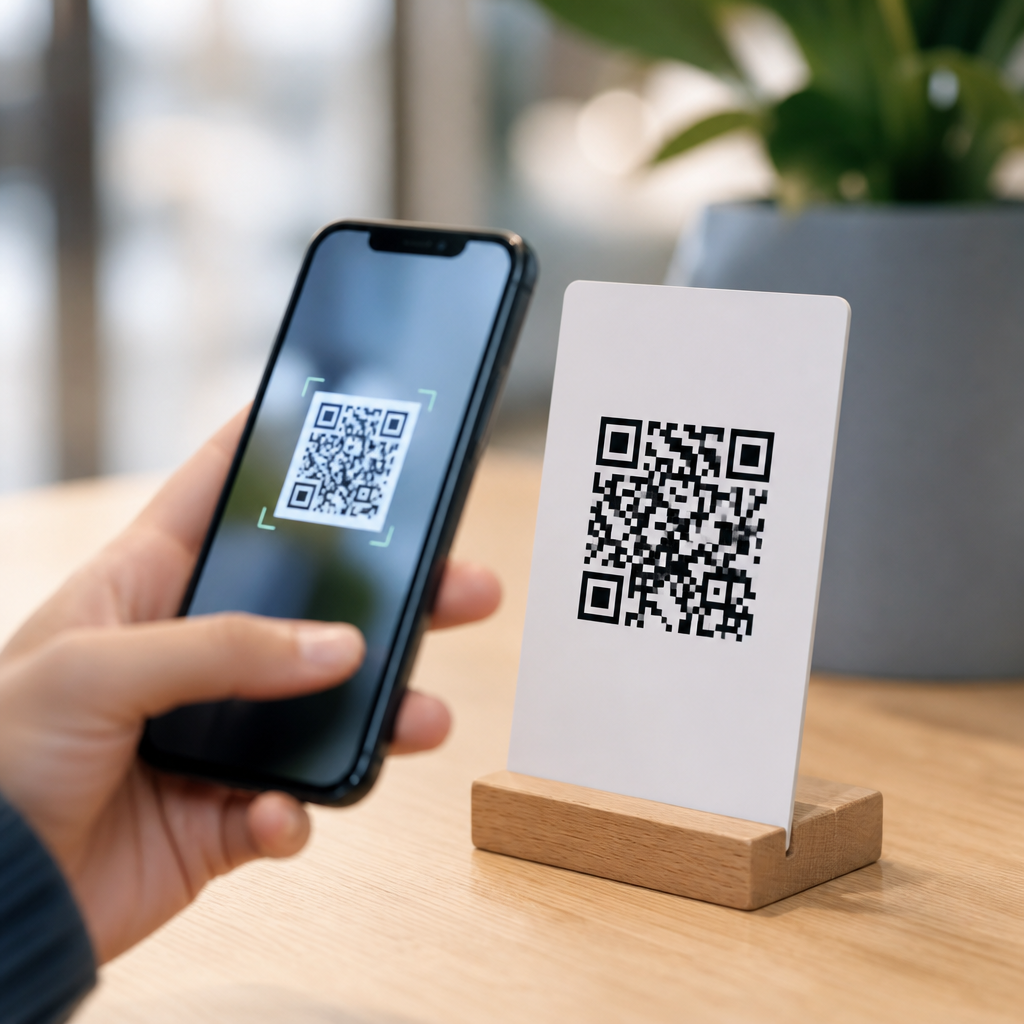
An app download QR code is a scannable code that sends people directly to the correct app store listing for an iPhone or Android device, reducing friction between interest and installation. In practice, it acts as a smart shortcut: a user opens a camera, scans the code, and lands on the relevant download page without typing an app name, searching an app store, or risking a click on the wrong result. Within QR Code Basics & Education, this topic matters because it sits at the intersection of mobile marketing, user experience, attribution, and the broader landscape of QR code types. I have implemented these codes for retail launches, event check-ins, and software onboarding, and the pattern is consistent: every unnecessary tap lowers conversion. Understanding what an app download QR code is therefore requires understanding the main types of QR codes, how they behave, and when each type is the right fit.
At the simplest level, a QR code stores data that a phone can read instantly. That data may be plain text, a URL, contact information, Wi-Fi credentials, a payment request, or an action such as opening an app store page. App download QR codes usually rely on a URL, but not all URLs behave the same way. Some point directly to a single destination, such as an Apple App Store listing. Others use a smart redirect service that detects device type, operating system, language, geography, or campaign source before sending the user to Google Play, the App Store, an APK page, or a fallback landing page. That distinction is foundational because it determines whether the code is static or dynamic, whether it can be edited later, and whether performance can be measured accurately.
For businesses, educators, developers, and marketers, the value is practical. App discovery is crowded, app names are often similar, and spoken instructions are unreliable. A well-built QR code removes ambiguity at the exact moment a user is ready to act, whether that moment occurs on product packaging, a checkout counter, a trade show booth, a vehicle wrap, a TV spot, or a printed manual. It also supports offline-to-online tracking, a capability many teams overlook until after launch. If this page is your hub for the types of QR codes, the app download format is a useful anchor because it reveals the broader taxonomy: static versus dynamic codes, direct URL versus smart link codes, platform-specific versus multi-platform codes, and campaign-specific variants designed for attribution and testing. Once you grasp those categories, the rest of the QR code ecosystem becomes much easier to navigate.
How an App Download QR Code Works
An app download QR code works by encoding a destination that a mobile device can interpret and open. Most often, the destination is a web link. When scanned, the phone resolves that link and follows the redirect logic behind it. If the link is a direct App Store URL, every user goes to the same iOS listing. If it is a direct Google Play URL, every user lands on Android. If the link is a smart app link managed by a QR platform, the service inspects the device and routes the person accordingly. On iOS, it may send to apps.apple.com. On Android, it may send to play.google.com. On desktop, it may open a landing page with store badges and product information. This simple routing step is what turns a basic QR code into an app download QR code.
In production environments, the best implementations also include fallback logic and campaign parameters. Fallbacks matter because not every scan comes from a supported device. A user may scan from a laptop webcam, an older phone, or a region where a store listing is unavailable. A fallback page prevents dead ends by explaining the app, providing alternate links, or collecting an email reminder. Campaign parameters matter because teams need attribution. By appending UTM parameters or using analytics built into platforms such as Branch, AppsFlyer, Adjust, Bitly, QR Code Generator Pro, or Beaconstac, you can separate installs driven by packaging from installs driven by out-of-home ads or conference signage. That level of detail is what lets teams optimize creative, placement, and spend rather than guessing what worked.
From a technical standpoint, scan reliability depends on more than the encoded URL. Size, contrast, quiet zone, error correction, and print context all influence performance. I generally avoid placing dense dynamic codes below about 2 x 2 centimeters on print unless testing proves otherwise, and I keep dark modules on a light background with a clear margin. A glossy poster under bright lighting can be harder to scan than a matte card with the same code. These details are not cosmetic. They determine whether the user reaches the app store at all, which is why app download QR codes should be treated as conversion assets, not decorative design elements.
Types of QR Codes You Need to Know
The broadest classification is static versus dynamic. A static QR code contains fixed data that cannot be changed after creation. If you encode a direct Google Play link and later need to point users to a revised landing page, you must replace the code everywhere it appears. Static codes are simple, inexpensive, and suitable for permanent destinations that are unlikely to change. Dynamic QR codes, by contrast, encode a short redirect URL controlled by a platform. You can update the final destination without changing the printed code, pause campaigns, add retargeting pixels where permitted, and review analytics such as scans by date, device, and location. For app download campaigns, dynamic codes are usually the better choice because store URLs, campaign logic, and fallback paths evolve.
A second classification is based on payload. URL QR codes open web pages, app stores, or smart links. App Store and Google Play QR codes are really specialized URL codes with platform-specific destinations. Deep link QR codes attempt to open content inside an installed app and may fall back to the store if the app is absent. vCard QR codes save contact information. Wi-Fi QR codes join a network without manual password entry. PDF QR codes open documents. Menu QR codes serve restaurants. Payment QR codes initiate transactions using standards such as EMVCo in supported markets. Event QR codes may add a calendar file. SMS, email, and telephone QR codes trigger communication actions. Each type solves a different user task, and confusing them leads to weak user experiences.
| QR code type | Main purpose | Typical use case | Best fit for app downloads? |
|---|---|---|---|
| Static URL | Send users to one fixed web destination | Permanent brochure link | Only if one platform and no edits are needed |
| Dynamic URL | Redirect users through an editable short link | Campaign tracking and destination updates | Yes, often the strongest option |
| Smart app link | Detect device and route to the right store or fallback page | Cross-platform app promotion | Yes, ideal for iOS and Android together |
| Deep link | Open specific in-app content if installed | Promo offer inside an existing app | Useful after install, not just for first-time downloads |
| App store direct link | Open a single store listing | Android-only kiosk or iPhone-only audience | Good for single-platform contexts |
For a hub page on types of QR codes, the key takeaway is that an app download QR code is not one single technical format. It is a use case built from several QR code types. If your audience uses both iPhone and Android, you likely need a dynamic smart link. If your audience is limited to one platform, a direct static URL may be enough. If existing users should open a feature inside the app while new users go to the store, you need deferred deep linking through tools such as Firebase Dynamic Links alternatives, Branch, or AppsFlyer OneLink. The right type depends on your destination logic, your need for analytics, and how often the campaign will change.
Benefits, Limitations, and Real-World Use Cases
The main benefit of an app download QR code is reduced friction. In stores, on packaging, or at live events, people are often willing to scan but not willing to search. A cosmetics brand can print a code on the box that sends shoppers to its loyalty app. A museum can place a code beside an exhibit label that opens its audio guide app. A SaaS company can add a code to a desktop onboarding screen so users install the companion mobile app in seconds. In each case, the code shortens the path from intent to install. Shorter paths usually improve conversion because they remove opportunities for distraction, misspelling, and app-store search competition.
Another benefit is measurement across physical channels. Suppose a restaurant franchise runs app download campaigns on tray liners, window decals, and direct mail. If each placement uses a unique dynamic code, the marketing team can compare scans, click-through to store, and downstream installs or sign-ups where mobile measurement partners are configured correctly. This is especially valuable for offline media, where performance is often hard to attribute. Combined with mobile measurement tools and analytics platforms, QR campaigns can reveal which store locations, creatives, and offers produce the highest quality users rather than just the most scans.
There are limitations. A scan does not guarantee an install, and an install does not guarantee activation. Privacy rules, app tracking restrictions, and platform reporting gaps mean attribution is never perfect. Creative also matters more than many teams assume. If the code appears without context, users may ignore it or distrust it. The strongest-performing designs usually answer three questions beside the code: what happens after the scan, why it is worth doing, and whether the action is free. For example, “Scan to download our app and get 10% off your first order” consistently outperforms a bare code. Accessibility matters too. Include a short URL as a backup for users who cannot scan, and make sure the landing experience is localized for language and region where needed.
Best Practices for Creating an Effective App Download QR Code
Start with the destination strategy, not the artwork. If you support both iOS and Android, use a smart link that detects device type and offers a fallback page for desktops and unsupported devices. If the app is available only in one ecosystem, link directly to that store listing and verify the URL opens the official page. Keep the redirect chain short because every extra hop can slow the experience and introduce failure points. Test on current iPhone and Android models, on Wi-Fi and cellular, and in the real environments where the code will appear. I always test from printed proofs because a code that works on a monitor can fail when reduced, stretched, or placed on reflective material.
Next, design for scanability before branding. Use sufficient contrast, preserve the quiet zone, and avoid warping the code into shapes that compromise detection. Most modern generators support error correction, but higher error correction creates denser patterns, so use it deliberately rather than assuming more is always better. Add a clear call to action near the code, and tell users exactly what they get: “Scan to install the app,” “Scan for the iPhone and Android app,” or “Scan to download and start your free trial.” If the code appears in a fast-moving environment such as transit advertising, make it physically large enough to scan at a distance and avoid placing it where glare, folds, or vehicle contours distort the modules.
Finally, manage the code like a living campaign asset. Use dynamic QR codes when there is any chance the destination will change. Assign naming conventions so placements are easy to identify in analytics. Create separate codes for each channel, location, or creative variant. Review scan metrics alongside app store analytics, mobile measurement partner reports, and in-app activation data so you do not optimize for scans alone. Security matters as well. Users have learned to be cautious, so use recognizable branded domains when possible and send them to legitimate store pages or trusted landing pages. If you are building a content cluster around this hub, your next step is to map each QR code type to a clear user intent, then choose the format that delivers the fastest, safest path to that action.
An app download QR code is best understood as a practical application of several QR code types rather than a standalone category with one fixed technical definition. It can be a static URL code, a dynamic redirect code, a smart platform-detection link, or even a deep-linking setup that sends existing users into the app while new users go to the store. The common goal is always the same: remove friction and guide people from a physical or digital touchpoint to installation with as few steps as possible. That is why this topic belongs at the center of any Types of QR Codes hub. It connects the basic mechanics of QR technology with real business outcomes such as higher conversion, cleaner attribution, and better mobile onboarding.
The most reliable implementations share a few traits. They use the right QR code type for the job, point to trustworthy destinations, include a clear call to action, and are tested in real conditions before launch. They also account for the limits of attribution and the realities of user behavior. A code on packaging may drive many scans but fewer completed installs than a code shown during onboarding to an already engaged customer. A direct store link may be enough for a single-platform audience, while a dynamic smart link is essential for mixed-device traffic. The right decision depends on platform mix, campaign lifespan, reporting needs, and how much control you need after printing.
If you are building or auditing QR code content under QR Code Basics & Education, use this page as your starting point for the wider taxonomy. From here, branch into static versus dynamic QR codes, URL QR codes, deep links, vCard codes, Wi-Fi codes, payment codes, and measurement best practices. Then apply those lessons to your own app promotion workflow. Choose one live campaign, create a properly tested app download QR code, and measure how much easier you make the path from interest to install.
Frequently Asked Questions
What is an app download QR code, and how does it work?
An app download QR code is a scannable code designed to send someone straight to the correct app store page for an app. Instead of manually searching in the Apple App Store or Google Play, the user simply opens their phone camera, scans the code, and taps the prompt that appears. From there, they are taken directly to the app’s listing, where they can review details and install it.
What makes it especially useful is that it can work as a smart shortcut for different devices. A well-configured app download QR code can detect whether the person scanning is using an iPhone or an Android phone and then route them to the appropriate destination automatically. That removes several common points of friction: typing errors, confusion between similar app names, and the risk of choosing the wrong listing. In the broader context of QR Code Basics & Education, this kind of code is important because it shows how QR technology can simplify a user journey at the exact moment of interest, turning offline attention or on-screen curiosity into a faster path to installation.
Why would a business or app marketer use an app download QR code instead of a regular link?
A regular link can certainly lead to an app store page, but an app download QR code is often more effective because it bridges the gap between the physical world and the digital action of installing an app. If someone sees a poster, product package, event sign, brochure, storefront display, or even a presentation slide, they cannot click a normal link. A QR code makes that call to action instantly usable in those environments. It turns passive visibility into a direct, measurable interaction.
There is also a user-experience advantage. Asking people to remember an app name, open their app store, search for it, and identify the correct result creates avoidable drop-off. Every extra step lowers the likelihood of installation. An app download QR code reduces those steps to scan and tap. For businesses, that can improve conversion rates, support app promotion campaigns, and create a more seamless customer journey. It also helps maintain brand accuracy by sending users to the intended listing rather than leaving them to sort through competing or similarly named apps on their own.
Can one app download QR code work for both iPhone and Android users?
Yes, and that is one of the biggest reasons app download QR codes are so valuable. Rather than creating separate codes for iOS and Android and hoping users choose the right one, a single smart QR code can route each person based on their device type. If an iPhone user scans it, they are directed to the Apple App Store listing. If an Android user scans the same code, they are sent to the Google Play listing. This creates a cleaner experience for the user and a simpler setup for the business promoting the app.
From a practical standpoint, this matters because it removes uncertainty at the moment of scan. People do not have to decide which code applies to them, and marketers do not need to crowd ads or packaging with multiple download options. In educational terms, it is a strong example of how QR codes can do more than hold a static URL. They can act as flexible routing tools that adapt to context. That adaptability is especially helpful when the goal is to reduce friction and get as many interested users as possible to the right download destination with minimal effort.
Where should an app download QR code be used for the best results?
App download QR codes work best anywhere people already have interest and can act on it immediately. Common placements include product packaging, retail displays, receipts, flyers, posters, trade show booths, direct mail, business cards, menus, window signage, and in-store promotional materials. They are also useful in digital settings where scanning from another device makes sense, such as presentation screens, desktop websites, online ads viewed on a computer, livestream overlays, or email campaigns opened on a laptop.
The most effective placements are usually the ones that match user intent. For example, if the app supports an in-store experience, placing the QR code near checkout or on shelf displays can capture attention at the right moment. If the app is part of an event experience, signage at entrances, registration desks, or printed agendas can encourage immediate downloads. Good placement should also be supported by a clear call to action, such as “Scan to download the app,” along with enough visual space for easy scanning. In short, the best results come from placing the code where motivation is already high and where the next step can be taken in seconds.
What are the best practices for creating an effective app download QR code?
An effective app download QR code starts with the right destination setup. It should send users to the correct app store listing for their device, and the landing experience should be tested on both iPhone and Android before publication. If possible, using a dynamic QR code is often beneficial because it allows updates to the destination without replacing the printed code, and it may also support analytics such as scan counts, locations, or campaign performance. This is useful for marketers who want to track results and refine promotions over time.
Design and usability matter just as much. The code should be large enough to scan easily, printed with strong contrast, and placed on a clean background. Avoid distorting the code or surrounding it with visual clutter that makes scanning difficult. It is also smart to include a short instruction or benefit-focused call to action, such as “Scan to install” or “Get the app for faster ordering.” If branding is added, it should never compromise readability. Finally, always think about context: make sure the code is placed where people have enough time, lighting, and phone access to scan successfully. A technically correct QR code is only part of the equation; a high-performing one is also easy to notice, easy to understand, and easy to use.





