
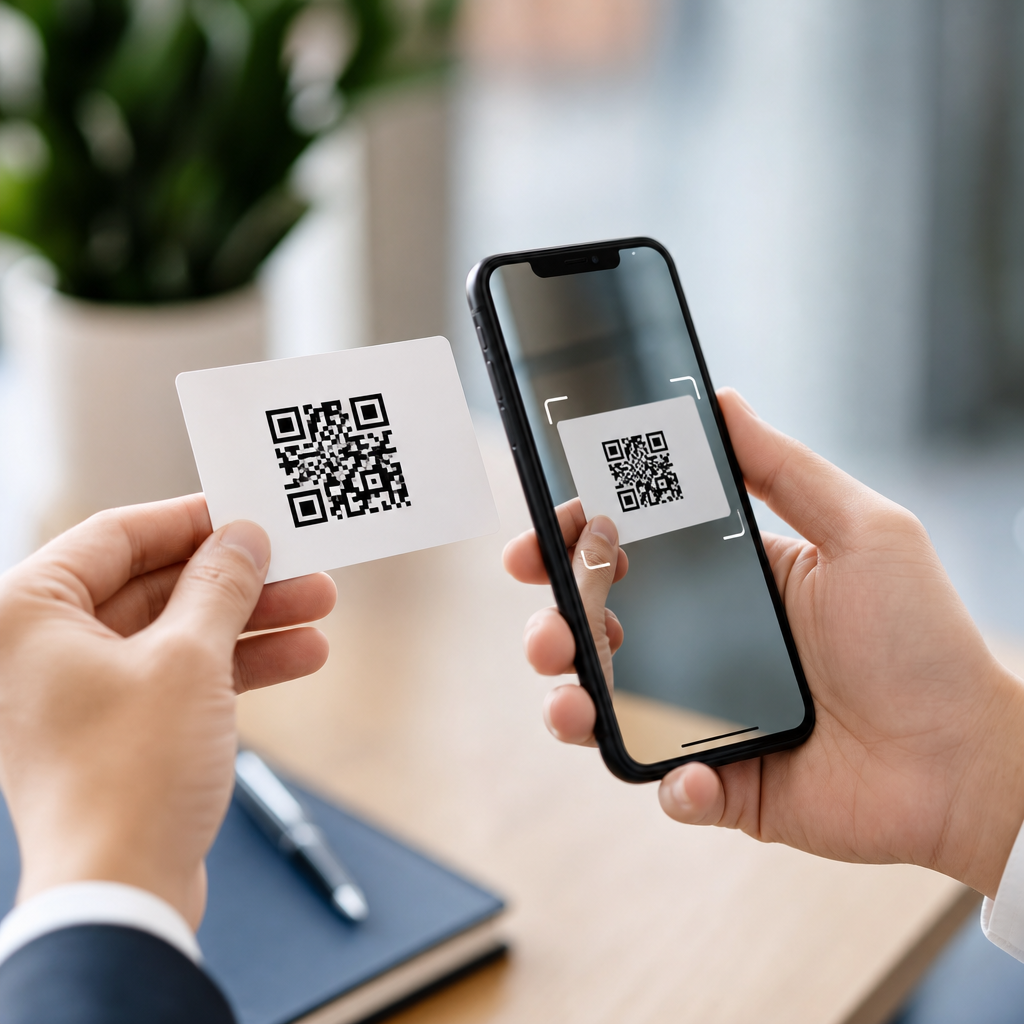
A vCard QR code is a QR code that stores contact information in the vCard format, letting a phone scan instantly create a new contact without manual typing. For businesses, sales teams, event organizers, and independent professionals, that simple action removes friction at the exact moment someone is willing to connect. I have implemented QR contact sharing for trade shows, storefront displays, conference badges, restaurant counters, and field-service teams, and the pattern is consistent: when contact capture is easy, more people actually save the details.
To understand why this matters, start with the two key terms. A QR code is a two-dimensional barcode readable by smartphone cameras and scanning apps. A vCard is a standardized electronic business card format used to store fields such as full name, organization, title, phone number, email address, website, street address, and notes. Put them together and you get a scannable shortcut that turns printed material, digital screens, packaging, or signage into a one-step contact exchange.
This topic sits inside a broader category of QR code types. Some QR codes open a website, some send an email, some connect to Wi-Fi, some launch a payment flow, and some trigger app actions. A vCard QR code is distinct because its core purpose is identity and contact transfer. Instead of asking a user to visit a landing page first, it packages contact data in a structure most modern devices understand. That makes it especially useful when speed matters, internet access is inconsistent, or the user is standing face to face with the person they want to remember.
It also matters because contact-sharing mistakes are expensive. Manually entering names causes misspellings. Phone numbers get dropped. Sales reps lose follow-up opportunities because a prospect intended to save details but never did. In physical environments, every extra step lowers completion rates. A vCard QR code reduces those drop-offs by replacing typing with scanning. As a result, it supports lead generation, networking, customer service, and brand recall while fitting naturally into the broader landscape of QR code types every organization should understand.
How a vCard QR code works
A vCard QR code encodes a text payload that follows vCard syntax, typically including fields like FN for formatted name, ORG for organization, TITLE for job title, TEL for phone number, EMAIL for email address, URL for website, and ADR for postal address. When scanned, the phone reads that payload and maps the fields into a contact card. On iPhone and Android devices, the user is usually prompted to review the parsed details and save them into the default contacts app. The exact screen varies by operating system and camera software, but the basic workflow is stable.
There are two implementation models. A static vCard QR code contains the contact details directly in the code pattern. It works offline because the information is embedded. A dynamic vCard QR code uses the scan to open a hosted contact profile or redirect URL, where the information can be updated after printing. In practice, static codes are simple and dependable for fixed contact details, while dynamic codes are better for teams that change phone numbers, campaigns, roles, or destination logic over time.
Capacity and error correction matter here. QR codes can hold enough text for a practical vCard, but adding many fields, a long note, multiple phone numbers, and long URLs increases code density. Dense codes are harder to scan when printed small or displayed on low-resolution screens. In projects I have managed, the most reliable approach is to include only the fields users actually need immediately, then add a website or profile URL for everything else. That keeps the symbol clean and scan performance high.
Why businesses use vCard QR codes
The clearest benefit is convenience. A traditional business card asks the recipient to type details later, and often later never happens. A vCard QR code compresses that process into a few seconds. At events, this means more saved contacts. In retail, it gives customers an immediate way to keep a manager’s details. In healthcare, real estate, automotive sales, and home services, it allows staff to hand off contact information with less risk of transcription errors.
There is also an attribution advantage when vCard functionality is deployed through dynamic QR platforms. Teams can track scans by date, device, location, and campaign source, then compare placement performance across badges, brochures, table tents, direct mail, product inserts, and storefront posters. Tools such as Bitly, Beaconstac, Uniqode, QR Code Generator, and enterprise campaign platforms provide dashboards for this. The result is not just easier contact sharing, but measurable offline-to-online interaction.
Another practical reason is professionalism. A scannable contact exchange signals that a business understands modern user behavior. Customers expect tap-and-scan interactions because digital wallets, mobile tickets, restaurant menus, and payment codes normalized them. A vCard QR code meets that expectation with a low learning curve. It also supports accessibility in a simple way: large printed contact text can still accompany the code, while users who prefer scanning can save details without handling a small physical card or typing on the spot.
Where vCard QR codes fit among the main types of QR codes
Within the larger topic of types of QR codes, the easiest way to classify them is by what they make the user do next: visit, save, connect, message, pay, or authenticate. A website QR code opens a URL. A PDF QR code points to a downloadable document. An app store QR code routes by device. A Wi-Fi QR code pre-fills network credentials. An email or SMS QR code drafts a message. A payment QR code initiates a transaction. A vCard QR code, by contrast, is designed to save a person or business as a contact.
That difference affects both strategy and design. If the goal is lead nurturing, a landing page QR code may be better because it can capture forms, cookies, and analytics events. If the goal is immediate recall after a brief in-person interaction, a vCard QR code is usually superior. I often advise clients to decide based on the primary conversion they want in the next ten seconds. If that conversion is “save me,” use vCard. If it is “learn more,” use URL. If it is “call now,” consider a phone action or a landing page with click options.
| QR code type | Primary action | Best use case | Main limitation |
|---|---|---|---|
| vCard | Save contact details | Networking, sales, service teams | Limited space for rich content |
| URL | Open a webpage | Campaigns, product info, forms | Usually requires internet access |
| Wi-Fi | Join a network | Hotels, cafes, offices, events | Security and guest access concerns |
| Email/SMS | Draft a message | Support and response workflows | User still must send manually |
| Payment | Start a payment flow | Retail, donations, peer payments | Platform compatibility varies |
Static versus dynamic vCard QR codes
Static versus dynamic is one of the most important distinctions across all QR code types, and it deserves special attention for contact sharing. A static vCard QR code permanently contains the data. Once printed, it cannot be edited without generating and redistributing a new code. The upside is durability and offline use. The downside is rigidity. If your job title changes, your company rebrands, or your phone number is updated, every printed asset becomes outdated.
Dynamic vCard QR codes solve that by placing the editable data behind a short URL or hosted profile. You can update the contact details, destination page, tracking parameters, and sometimes even branding without changing the printed symbol. For organizations managing multiple employees, seasonal campaigns, or distributed field teams, this flexibility is significant. It also enables governance, because marketing or operations can maintain brand consistency and remove stale records centrally.
There are tradeoffs. Dynamic codes depend on the provider’s infrastructure, so uptime, redirect speed, privacy controls, and subscription continuity matter. Static codes avoid vendor dependency but sacrifice agility. For most enterprise use cases, I recommend dynamic management with documented ownership, export options, and clear retention policies. For simple one-person cards or long-term signage with stable details, static can be entirely appropriate.
Best practices for creating a vCard QR code that scans reliably
Reliable scanning comes from disciplined design, not decoration. Use sufficient contrast, ideally dark modules on a light background. Avoid low-contrast brand color combinations that look attractive on a mockup but fail under glare or dim lighting. Preserve the quiet zone around the code, typically a margin of at least four modules. Size the code according to expected scan distance; a common practical rule is about one inch for close-range use on business cards, increasing substantially for posters and booth graphics.
Test on multiple devices before launch. Native iPhone camera behavior, Google Lens, Samsung camera software, and third-party scanners do not always parse contact data identically. Print tests matter as much as screen tests because coated stock, textured paper, reflective lamination, and low-resolution office printers can all reduce readability. If you place a logo inside the code, keep it modest and verify that error correction levels still permit quick scans.
Content discipline is equally important. Include a full name, primary phone number, primary email, organization, and website at minimum. Add address fields only when relevant. Avoid stuffing every social profile and department line into the vCard if it makes the code too dense. A better pattern is to save the core contact and link to a profile page that contains extended information. This approach improves scan reliability and keeps the user journey focused.
Use cases, limitations, and what to do next
The most effective vCard QR code use cases are situations where people meet briefly and need to reconnect later. Think conference exhibitors, account executives, consultants, recruiters, insurance agents, dentists, real estate brokers, restaurant managers, and service technicians leaving behind service reports or leave-behind cards. It also works well on email signatures, presentation decks, trade show backdrops, direct-mail pieces, and product packaging when customer support contact details are valuable after purchase.
Still, a vCard QR code is not always the best choice. If your real objective is to educate, book appointments, gather consent, or drive e-commerce, a landing page QR code usually gives you more control and richer analytics. Privacy also deserves attention. Do not publish personal mobile numbers or home addresses casually on assets that may circulate widely. Use business contact channels, and make sure hosted profile pages comply with your organization’s privacy policy and applicable regulations.
The key takeaway is simple: a vCard QR code turns contact sharing into a fast, scannable action, and that makes it one of the most practical QR code types in everyday business. As the hub page for types of QR codes, this topic should guide readers toward the right format for the right intent: save a contact, open a page, join Wi-Fi, send a message, or complete a payment. Start by identifying the single action you want after the scan, choose static or dynamic based on change frequency, and test the code in real conditions before rollout. If contact capture is your goal, create a vCard QR code and make saving your details effortless.
Frequently Asked Questions
What is a vCard QR code and how does it work?
A vCard QR code is a QR code that contains contact details in the standardized vCard format. When someone scans it with a smartphone camera or QR scanner, their device can immediately read information such as a person’s name, company, job title, phone number, email address, website, and physical address. On most modern phones, the scan opens a contact preview with an option to save the information directly into the user’s address book, which eliminates the need to manually type each field.
This is what makes a vCard QR code so useful in real-world networking and customer-facing situations. Instead of relying on someone to keep a business card, retype a phone number, or remember to follow up later, the QR code captures intent in the moment. If a person is interested enough to scan, they can usually save the contact in seconds. That small reduction in effort often leads to more completed saves, fewer data-entry mistakes, and better conversion from introduction to actual follow-up.
What information can be included in a vCard QR code?
A vCard QR code can store a wide range of contact fields, depending on how it is generated and what devices will be reading it. Common fields include first name, last name, organization or company name, title or role, mobile number, office number, email address, website URL, street address, city, state, postal code, country, and notes. Some formats and generators also support social profile links, multiple phone numbers, multiple emails, and profile images, although image support is less universally reliable across devices.
In practice, the best vCard QR codes focus on the information someone truly needs to take the next step. For a salesperson, that may mean name, title, mobile number, email, and company website. For an event organizer, it may include the organization name, support line, and registration page. For a local service professional, adding a phone number, booking link, and service area may matter more than a full mailing address. The goal is not simply to include every possible field, but to create a clean, useful contact record that is easy to save and immediately actionable after scanning.
Why is a vCard QR code useful for businesses and professionals?
A vCard QR code is useful because it removes friction at the exact moment a person is ready to connect. That matters more than many organizations realize. In busy environments like trade shows, conferences, retail counters, hospitality settings, field-service visits, and networking events, people are often moving quickly and juggling distractions. If saving contact information requires manual typing, many potential connections are delayed or lost. A vCard QR code turns that process into a quick scan-and-save action.
For businesses and independent professionals, the benefits are practical and measurable. It can improve lead capture, reduce errors in saved phone numbers and email addresses, make offline marketing materials more interactive, and increase the chance that follow-up actually happens. It also works well across many touchpoints, including business cards, conference badges, product packaging, storefront signs, service vehicles, menus, and presentation slides. In settings where first impressions and convenience matter, a vCard QR code helps bridge physical interactions and digital contact management in a way that feels natural to users.
Is a vCard QR code better than a traditional business card?
A vCard QR code is not necessarily a replacement for a traditional business card in every situation, but it is often more efficient when the goal is to get contact information saved accurately and immediately. A printed business card can still be valuable for branding, professionalism, and personal interaction. However, printed details alone require the recipient to hold onto the card and manually enter the information later, which introduces delay and drop-off. A vCard QR code closes that gap by letting the recipient save the contact while interest is still high.
In many cases, the strongest approach is to combine both. A physical business card, badge, flyer, sign, or display can include a clearly visible vCard QR code so people have options. Those who prefer traditional exchange can keep the card, while those who want speed can scan and save instantly. This hybrid approach is especially effective in high-traffic environments where you may only have a few seconds of attention. It supports different user preferences while improving the likelihood that your information makes it into the person’s phone, where it is far more likely to be used.
Do vCard QR codes work on all phones, and are there any limitations?
vCard QR codes work on most modern smartphones, especially iPhones and Android devices with built-in camera scanning support. In many cases, users simply open the camera app, point it at the code, and tap the prompt that appears. The phone then displays the contact details and offers a way to create a new contact. This broad compatibility is one reason vCard QR codes have become so practical for everyday business use.
That said, there are some limitations to keep in mind. Different devices and operating systems may display contact fields slightly differently, and not every phone handles advanced vCard elements in the same way. Older devices may require a separate QR scanner app. Some generators also produce more complex data structures than certain devices parse cleanly, so testing is important before large-scale use. In addition, QR code readability depends on design choices such as size, contrast, quiet zone spacing, and print quality. For best results, keep the design simple, test on multiple phone types, and make sure the code appears in a location where people can scan it comfortably and quickly.





