Scanning a QR code feels instant, but several tightly coordinated steps occur between pointing a camera at the symbol and seeing a web page load. A QR code, short for Quick Response code, is a two-dimensional barcode that stores data in a grid of black and white modules. In most consumer uses, that data is a URL, but it can also be plain text, contact details, Wi-Fi credentials, app deep links, payment payloads, or device instructions. The process matters because marketers, retailers, educators, and IT teams often treat QR codes as simple images when they are actually machine-readable entry points into a broader technical chain that includes optics, decoding, error correction, operating system handling, DNS, TLS, HTTP, redirects, analytics, and rendering inside a browser or app.
After years of implementing QR campaigns and troubleshooting broken scans in stores, packaging, PDFs, restaurant tables, and factory labels, I have learned that the user sees one action while the system performs many. A successful scan depends on print quality, lighting, camera focus, symbol size, data density, contrast ratio, and whether the encoded destination is still valid. Once the camera recognizes the code, software has to identify finder patterns, correct perspective distortion, sample the module grid, decode the payload, and hand the result to the right application. If the payload is a web address, the device then starts the same networking sequence used when someone types a URL manually. Understanding that chain is the foundation for creating reliable QR experiences, improving scan rates, reducing abandoned visits, and diagnosing why one code opens instantly while another fails or lands on an unexpected page.
How a camera turns a printed code into usable data
The first stage is image capture. A smartphone camera or dedicated scanner frames the QR code and looks for three large square finder patterns located in the corners. Those patterns are not decoration; they let the software determine orientation, approximate size, and whether the image contains a QR symbol at all. Most decoding libraries, including ZXing and ZBar-derived implementations, begin by converting the image to grayscale, increasing contrast, and locating these geometric markers. If the code is tilted, curved on packaging, or photographed from an angle, the decoder applies perspective correction so the module grid can be sampled as if viewed straight on.
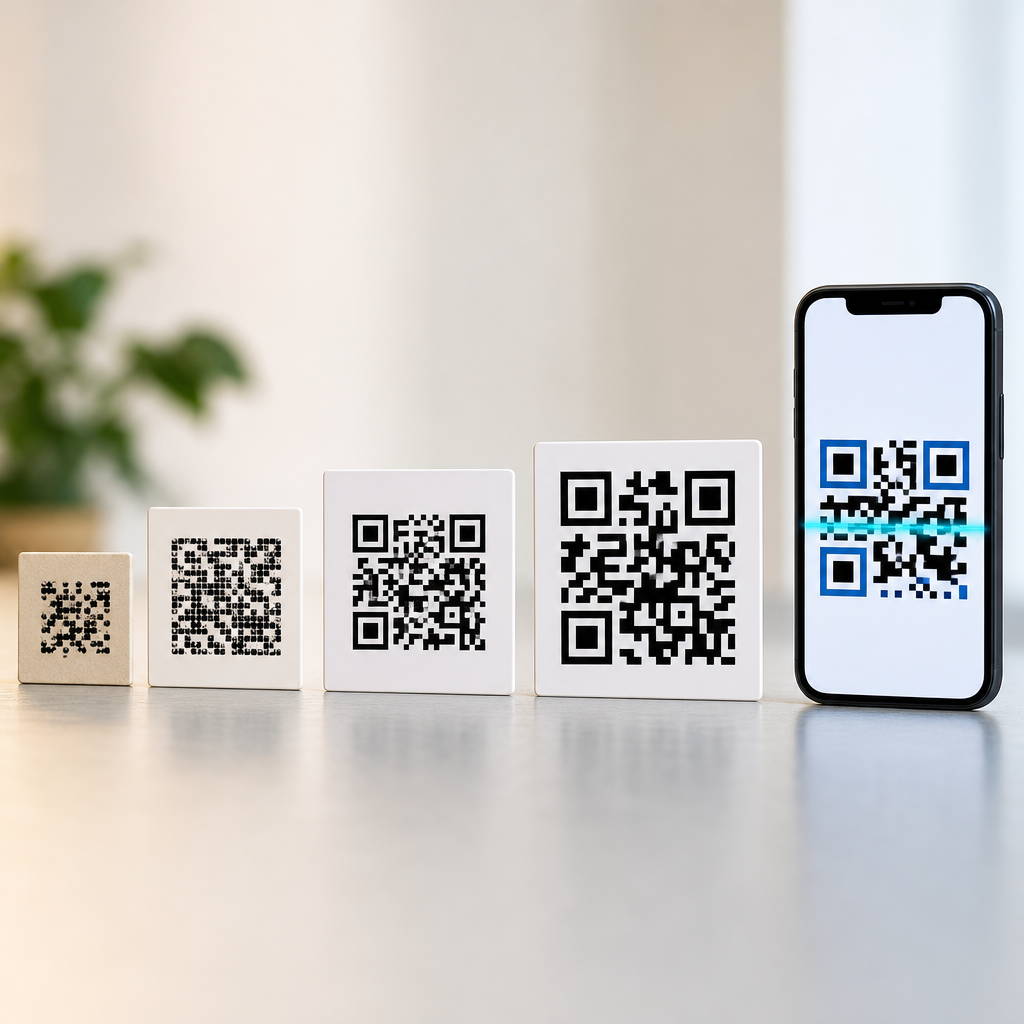
Once the software aligns the image, it reads timing patterns and alignment patterns to map the exact rows and columns. Every tiny square in the symbol is a module representing binary information. The decoder samples those modules, reconstructs codewords, and applies Reed-Solomon error correction, the same class of mathematical protection used in CDs and other digital media. That is why a QR code can often still scan even when part of it is scratched, printed on textured cardboard, or partially obscured by a logo. Error correction improves resilience, but it also increases symbol density, so there is a tradeoff: more recovery capacity generally means a busier code that can be harder to scan at small sizes.
The decoded payload is not always a URL. A scanner may recover a mailto link, vCard, SMS command, geo coordinate, or Wi-Fi string such as WIFI:T:WPA;S:OfficeGuest;P:example123;;. The scanning application interprets that payload according to common URI schemes and platform rules. On iPhone and Android, the camera app typically presents a tappable banner rather than opening content immediately, which is a security measure against unwanted redirects. On purpose-built warehouse scanners, the decoded string may be sent directly into inventory software as keyboard input. In other words, scanning ends when the symbol is translated into data; opening a web page is the next system decision.
What the phone does after it reads a URL
If the QR code contains a web address, the operating system hands it to a browser or in-app web view. Before any page can appear, the device has to parse the URL into components: scheme, host, path, query string, and sometimes fragment. For example, in https://www.example.com/menu?location=12, HTTPS tells the device to use encrypted web transport, the host is www.example.com, the path is /menu, and the query parameter location=12 helps the server return the right version of the page. If the code uses a shortened link or dynamic QR platform URL, the first request may not be the final destination. Redirects are common because they enable analytics, destination updates, campaign segmentation, and A/B testing.
Next comes name resolution. The browser asks the device resolver, often assisted by the operating system cache, for the IP address of the domain. If it is not cached, the request goes to a recursive DNS resolver, which may contact authoritative nameservers. This step is usually fast, but poor mobile connectivity, misconfigured DNS records, or expired domains can stop a QR experience before the first byte of the page is delivered. Once the IP address is known, the device opens a TCP connection or QUIC session depending on whether the site uses HTTP/1.1, HTTP/2, or HTTP/3. Then the browser performs the TLS handshake, validates the site certificate, agrees on encryption parameters, and only after that sends the HTTP request.
The server receives the request and decides how to respond. It may serve a static page from a CDN, generate content dynamically, apply geolocation logic, inspect the user agent, or redirect based on campaign rules. If the response is an HTTP 301 or 302, the browser repeats the request process for the new URL. I regularly see QR campaigns slowed by chains of three or four redirects: QR platform to tracking link, tracking link to marketing automation, automation to final landing page. Each hop adds latency. A well-built QR journey keeps redirects minimal, serves content over HTTPS, and uses mobile-optimized pages because most scans happen on phones, often on cellular networks with fluctuating bandwidth.
Why QR codes can survive damage and still scan
One of the most important reasons QR codes work reliably in real life is their structured redundancy. The symbol format includes mode indicators, character count data, masking patterns, format information, version details for larger codes, and error correction blocks. Reed-Solomon error correction allows the decoder to reconstruct missing or corrupted codewords up to the limits of the selected level. The four standard levels are L, M, Q, and H, roughly protecting about 7 percent, 15 percent, 25 percent, and 30 percent of codewords respectively. Those percentages are often quoted loosely, but the practical takeaway is clear: higher levels tolerate more damage yet require more modules.
That tradeoff becomes visible in design decisions. Suppose a retailer wants to place a branded logo in the center of a packaging QR code. The logo covers modules, so the generator must usually increase error correction, enlarge the code, or reduce the amount of stored data. If the team insists on encoding a long URL with UTM parameters directly, the symbol becomes denser and the logo margin for safety shrinks. In production, I have seen beautifully branded codes fail on matte pouches because the print size was too small and the URL too long. Switching to a short HTTPS URL and preserving a proper quiet zone solved the problem without changing the destination page.
Quiet zone is another underappreciated element. A QR code needs a blank margin around the symbol, typically four modules wide, so scanners can distinguish the code from surrounding graphics. Remove that margin with decorative borders, and detection rates drop sharply. Contrast matters too. Black on white remains the safest choice, while light gray on pastel backgrounds often looks elegant in mockups but performs poorly under restaurant lighting or on reflective labels. Error correction is not a substitute for good production discipline; it is a safety net, not permission to ignore sizing, contrast, and spacing rules.
Static and dynamic QR codes: what changes after the scan
Not all QR codes behave the same once scanned. A static QR code contains the final payload directly inside the symbol. If it encodes https://example.com/offer, every scan sends users to that exact address unless the destination website itself redirects elsewhere. A dynamic QR code usually stores a short tracking URL controlled by a service provider. That URL resolves to a dashboard-managed rule set, which can forward scanners to different destinations over time. The printed image stays the same, but the server-side mapping can change. This is why dynamic QR codes are common in marketing, events, product manuals, and out-of-home advertising.
Dynamic behavior creates operational advantages. A museum can print one QR code beside an exhibit and later update the landing page from a temporary campaign page to a permanent archive without reprinting signage. A restaurant can point a table code to breakfast menus in the morning and dinner menus at night. A manufacturer can route different countries to localized instructions using language or region rules. The same setup also supports scan analytics, including timestamp, approximate location, device type, and total scans. Those metrics help teams measure engagement, but they depend on the redirect layer working correctly and respecting privacy obligations.
| Type | What the code stores | Can destination change? | Best use case |
|---|---|---|---|
| Static QR code | Final URL or data payload | No, not without replacing the image | Permanent links, Wi-Fi setup, fixed contact cards |
| Dynamic QR code | Short redirect URL managed on a server | Yes, destination can be updated anytime | Campaigns, analytics, localization, editable signage |
The choice is not purely about flexibility. Static codes remove one point of failure because there is no third-party redirect platform in the middle. If the destination domain remains active, the code keeps working. Dynamic codes add control but also dependency. If the service subscription lapses, the platform suffers downtime, or the account settings are misconfigured, scans can fail even though the printed symbol is perfectly readable. For hub-level QR education, this distinction is essential: scanning reliability depends on both the image and the infrastructure behind it.
What affects speed, reliability, and user trust
The time between scan and page view is shaped by design, network conditions, and website quality. On the design side, low contrast, tiny modules, glossy surfaces, curved bottles, and codes placed too high or too far away all reduce scan success. As a practical baseline, many print teams follow a rough rule of ten-to-one: for every ten units of scanning distance, the code should be about one unit wide. That is not a formal standard for every scenario, but it is a useful field guideline. For a poster scanned from two meters away, a very small code will underperform no matter how good the landing page is.
On the network side, QR scans frequently happen in environments with weak service: transit stations, basements, stadiums, trade show halls, and storefronts with metal interference. A page that performs acceptably on office Wi-Fi may feel broken on 4G or overloaded public networks. Core web performance metrics matter here. Slow server response, render-blocking scripts, oversized hero images, cookie banners that cover the content, and intrusive interstitials all increase abandonment. If the QR code promises a menu, ticket, coupon, or instruction page, the destination should load fast, surface the expected information immediately, and avoid forcing unnecessary app installs.
Trust is equally important. Users have become more cautious because QR phishing, sometimes called quishing, has increased. A safe QR experience uses recognizable domains, HTTPS, and clear surrounding context explaining what the code does. In controlled environments, I advise clients to print the destination domain near the code, such as Scan to view menu at brand.com/menu. That small cue reassures users and helps them detect tampering. For organizations, good QR hygiene includes redirect monitoring, certificate renewal, domain ownership continuity, and testing on both major mobile platforms before launch.
Common failure points and how to prevent them
When a QR code does not open a web page, the cause usually falls into one of four categories: unreadable symbol, invalid payload, network problem, or poor destination experience. Unreadable symbols come from design errors like insufficient quiet zone, low contrast, excessive data density, compression artifacts in exported graphics, or printing at too low a resolution. Invalid payloads include malformed URLs, outdated shortened links, unsupported URI schemes, or links that were copied with hidden characters. Network problems range from no mobile signal to captive portals and DNS failures. Destination problems include 404 pages, redirect loops, expired TLS certificates, blocked mobile user agents, or pages that crash in embedded browsers.
Prevention requires a disciplined workflow. Generate the code with a reputable encoder. Test it as a vector asset where possible. Verify scannability at actual production size, not just on a large desktop proof. Print samples on the final material, then test under realistic lighting, viewing angles, and devices. Confirm that the landing page is mobile-first, accessible, and fast. Check redirects with tools such as Redirect Path, Chrome DevTools, or command-line cURL. Validate certificates and DNS records. If analytics are important, ensure that consent and privacy disclosures align with local requirements. The strongest QR deployments are not creative-first or technical-first; they are operationally complete from symbol design through final page delivery.
For anyone building a strong foundation in how QR codes work, the key lesson is simple: the image is only the starting point. A successful scan depends on computer vision, data encoding rules, application handling, internet infrastructure, and web performance all working together. When each layer is designed carefully, QR codes become dependable bridges from physical objects to digital experiences. Review your current codes, test the full scan-to-page journey on real devices, and fix weak links before your users find them first.
Frequently Asked Questions
1. What actually happens the moment a QR code is scanned?
When a QR code is scanned, the device goes through a rapid chain of steps that usually feels instantaneous to the user. First, the camera captures the image of the code, and the scanning software identifies the square finder patterns that help it locate and orient the symbol. It then corrects for angle, distance, lighting, and minor distortion so the code can be read accurately even if the phone is tilted or the print is slightly curved. After that, the software converts the grid of black and white modules into binary data and applies the QR code standard’s error-correction rules to recover the stored information even if part of the code is smudged, scratched, or partially hidden.
Once the data is decoded, the phone interprets what type of content it contains. In many cases, that content is a URL, but it could also be text, contact information, a payment request, Wi-Fi credentials, or a deep link intended to open a specific app. If the result is a web address, the operating system or scanning app presents it to the user or opens it directly, depending on the device settings and the app being used. At that point, the browser takes over and begins the normal web-loading process, including DNS lookup, server connection, security checks, and content retrieval.
What makes this process so useful is how many technologies are working together in sequence: camera hardware, image recognition, QR decoding logic, operating system handling, networking, and browser rendering. For marketers, retailers, educators, and businesses, understanding these steps helps explain why a QR experience can succeed or fail based on print quality, internet speed, redirect setup, or mobile page performance. The scan itself is only the beginning; the real user experience depends on everything that follows.
2. How does a phone know whether a QR code contains a website, Wi-Fi login, text, or something else?
A phone determines what a QR code contains by decoding the raw data and then checking its structure and formatting. QR codes do not inherently mean “open a website.” They simply store encoded data. The scanning software reads that data and looks for recognizable patterns. For example, if the content begins with http:// or https://, the software treats it as a web link. If it follows the standard formatting for Wi-Fi credentials, the device can offer to connect to a network. If it matches a contact card structure such as vCard or MeCard, the phone may prompt the user to save a new contact. If it is plain text, it may simply display the text on screen.
This interpretation layer is important because QR codes are often used for much more than websites. Businesses may use them for digital menus, event check-ins, app downloads, product authentication, payment systems, or support instructions. Schools and educators might use them to route students to assignments, videos, or classroom resources. Retailers may link to coupons, product pages, loyalty sign-ups, or location-based offers. In every case, the scan is just reading stored data, and the phone’s software decides the most appropriate action based on known content types and supported formats.
That is also why behavior can vary slightly between devices and apps. One scanner may open a link automatically, while another may show a preview first. One phone may recognize a calendar event embedded in a QR code, while another may display the raw text. The underlying decode step is the same, but the interpretation and handoff experience depend on the operating system, the scanner, and the content format used when the QR code was generated.
3. Why does opening a web page from a QR code sometimes feel slow if the scan itself is fast?
The scanning part and the web-loading part are separate stages, and the second stage is usually where delays happen. Reading the QR code itself generally takes only a fraction of a second once the camera has a clear view. After that, if the code contains a website address, the phone must open a browser and begin a normal web request. That means checking the URL, performing a DNS lookup to translate the domain name into an IP address, establishing a network connection, and often negotiating a secure HTTPS session. Only then can the browser request the page and start downloading its HTML, images, scripts, fonts, and other assets.
If the QR code points to a shortened link or a tracking URL, there may be one or more redirects before the final page even begins loading. That can add measurable delay, especially on mobile networks. In addition, the destination page itself may be heavy, poorly optimized, or dependent on numerous third-party tools such as analytics scripts, ad tags, personalization engines, or embedded media. A page that performs well on desktop broadband can still feel sluggish on a phone if it was not designed for quick mobile access.
This is especially important in real-world QR campaigns. A well-printed code may scan perfectly, but the user experience can still break down if the landing page is slow, the domain is misconfigured, the SSL certificate has a problem, or the cellular connection is weak. For marketers and site owners, optimizing the page after the scan is just as important as making the code easy to read. Fast redirects, lightweight mobile pages, reliable hosting, and clean URL structure all help preserve the sense of immediacy people expect from QR interactions.
4. Can a damaged or partially covered QR code still work, and if so, how?
Yes, a QR code can often still work even when part of it is damaged, dirty, faded, or covered. That resilience comes from built-in error correction. QR codes use mathematical error-correction techniques that allow missing or corrupted portions of the data to be reconstructed during decoding. This is one reason QR codes became so practical for packaging, posters, signage, tickets, and retail displays, where perfect scanning conditions cannot always be guaranteed. As long as enough of the symbol remains readable, the scanner may still decode it successfully.
Several factors affect whether a damaged code will still scan. The amount of error correction chosen when the code was created matters a great deal. Higher error correction allows more recovery from damage, but it also increases the density of the code, which can make scanning harder if the symbol becomes too small. Print quality, contrast, lighting, glare, and the presence of the three large position markers also influence success. If those key visual anchors are obscured or the code is too distorted, the software may not even be able to identify the symbol well enough to begin decoding.
Design choices can also help or hurt reliability. A branded QR code with a centered logo may still work if it was created correctly and enough error correction was built in. But excessive customization, low contrast, crowded backgrounds, or tiny placement on packaging can reduce scan performance. For businesses using QR codes in campaigns or customer journeys, testing across different phones, distances, and lighting conditions is essential. The technology is forgiving, but not unlimited, and a code that works in ideal conditions may fail in a store aisle, classroom, or outdoor setting if the design was pushed too far.
5. Are there security or privacy risks between scanning a QR code and opening the page?
Yes, there can be security and privacy risks, which is why users should treat QR codes with the same caution they would use with any unfamiliar link. A QR code can hide the destination from plain sight, making it easier for bad actors to direct users to phishing pages, fake login forms, malware-hosting sites, or scam payment requests. The code itself is not dangerous simply because it is scanned, but the action it triggers can lead to harmful outcomes if the destination is malicious. That is why many scanning tools display a URL preview before opening it, giving the user a chance to inspect the domain.
There are also privacy considerations on the legitimate side. Many organizations use QR codes for analytics, campaign attribution, customer journey tracking, and location-specific engagement. A scan may route through a redirect server that records details such as time, device type, approximate location, referral campaign, or other interaction data before forwarding the user to the final page. This is common in marketing, retail, events, and education, and it can be useful for measuring effectiveness, but it should be handled transparently and responsibly.
For users, the safest habits are straightforward: scan codes from trusted sources, preview the link when possible, watch for misspelled or suspicious domains, and avoid entering sensitive information unless the site is clearly legitimate and secured with HTTPS. For organizations deploying QR codes, best practices include using reputable domains, minimizing unnecessary redirects, securing landing pages properly, and making the destination experience clear and trustworthy. A QR code may look simple on the surface, but it acts as a gateway to digital actions, so both usability and security deserve careful attention.