
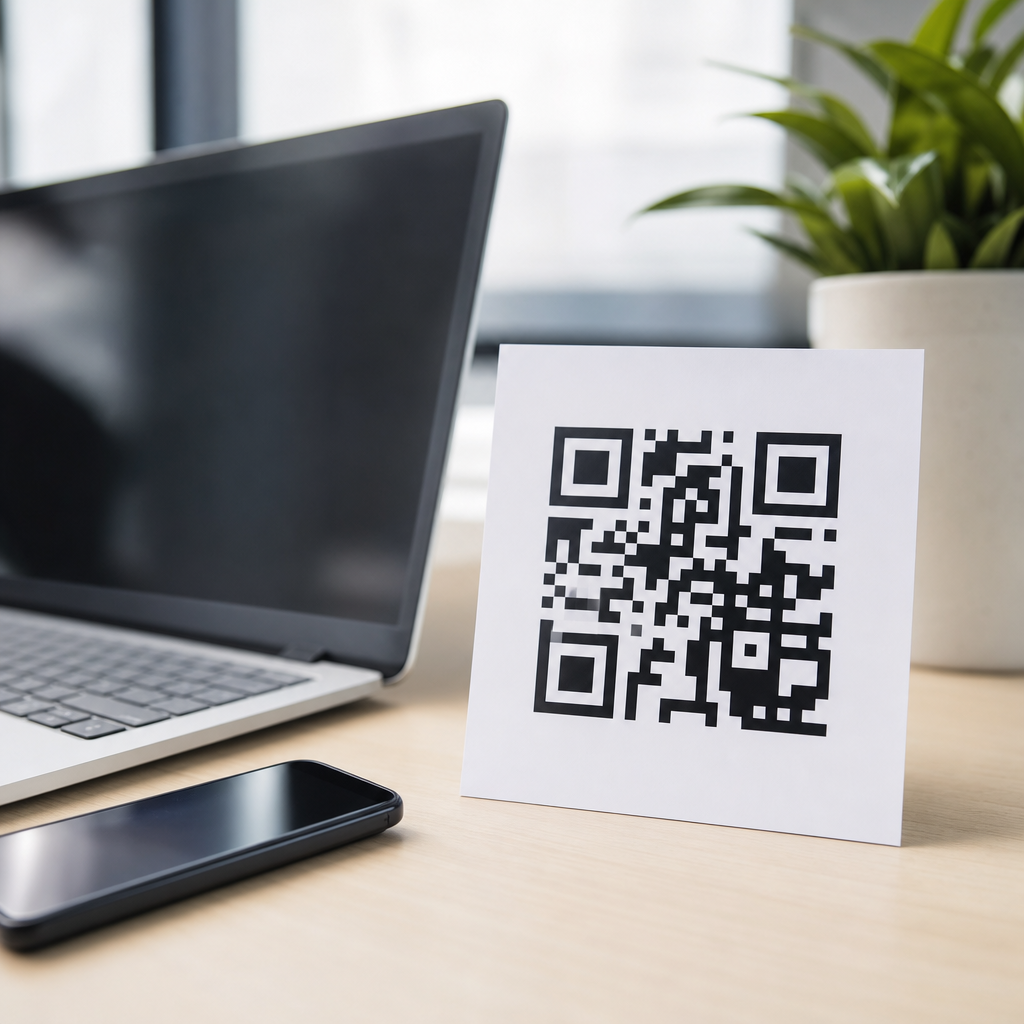
QR codes are stored, printed, and shared in several file formats, and choosing the right one affects scan reliability, print quality, editing flexibility, and long-term reuse. In practical work with packaging teams, print vendors, and app developers, I have seen the same problem repeat: a perfectly valid QR code becomes unusable because it was exported in the wrong format for the job. That is why understanding QR code file formats is not a minor technical detail; it is a core part of QR code technology and standards.
A QR code, short for Quick Response code, is a two-dimensional matrix barcode defined by ISO/IEC 18004. The code itself is format-agnostic at the data level: the encoded content, error correction level, version, mask pattern, and module structure remain the same whether the image is saved as PNG, SVG, EPS, PDF, or JPG. What changes is how that symbol is represented in a file. Raster formats store the code as pixels. Vector formats store it as paths, shapes, or mathematical instructions. Document formats may embed either raster or vector artwork inside a broader layout file.
This distinction matters because QR codes have strict scanning requirements. Modules must remain sharp, quiet zones must stay intact, contrast must be high, and distortion must be controlled. A file format can help preserve those conditions or undermine them. For example, a vector SVG can scale from a business card to a billboard without losing edge definition, while a low-resolution JPG may introduce compression artifacts that blur module boundaries. A print-ready PDF can travel cleanly through a commercial print workflow, while a transparent PNG may be ideal for web placement and quick digital distribution.
As a hub for QR Code Technology & Standards, this article explains the main file formats used for QR codes, when each format is appropriate, how standards influence file choice, and what tradeoffs to watch before publishing. If you need to answer simple questions like “What is the best QR code format for printing?” or more technical ones like “Should a QR code be vector or raster?” this guide covers both clearly and completely.
How QR code standards shape file format decisions
QR code standards describe the symbol, not the export type. ISO/IEC 18004 governs the encoding structure, finder patterns, alignment patterns, timing patterns, data modes, and error correction behavior. DENSO WAVE created the original system, and modern generators follow the international standard. In production, that means your format decision starts after the symbol has been correctly generated. The file must preserve the standard-compliant structure without introducing visual damage.
The most important technical rule is simple: scanners read contrast and geometry, not your design intent. Every module must remain distinct. The quiet zone, typically four modules wide, must stay clear around the code. If a format causes anti-aliasing, aggressive compression, or accidental resizing that lands on uneven pixel boundaries, scan performance drops. This is why the “best” file format depends on output conditions such as screen use, office printing, offset printing, large-format signage, product labels, or embedding in design software like Adobe Illustrator, InDesign, Figma, or Canva.
Another standards-related factor is durability across workflows. A QR code may begin in a generator, move into a brand template, pass through prepress, then be exported again for production. In those handoffs, vector-based formats usually preserve fidelity better than raster files. However, digital teams often prefer PNG because browsers, CMS platforms, email builders, and mobile apps handle it predictably. The practical standard is therefore not one universal file, but a file matched to the use case while preserving the code’s measurable scan characteristics.
Raster QR code file formats: PNG, JPG, GIF, and WebP
Raster formats represent a QR code as a grid of pixels. The most common raster QR code file format is PNG. PNG is widely supported, compresses without losing detail, supports transparency, and keeps the hard edges that QR modules need. For website use, app screens, slide decks, social media graphics, and general office documents, PNG is usually the safest choice. When clients ask me for one universal digital asset, PNG is the default because it balances compatibility and visual integrity.
JPG, sometimes written JPEG, is common but usually not ideal for QR codes. JPG uses lossy compression, which is designed for photographs, not high-contrast geometric symbols. Compression can create ringing, blockiness, and fuzzy transitions along the module edges. Those distortions may not be obvious at first glance, yet they can reduce first-pass scan success, especially on small codes or codes printed from a compressed source. JPG can work at high quality settings for large, simple placements, but it should not be the first recommendation for mission-critical scanning.
GIF is an older raster format with limited color support. Because most QR codes are black and white, that palette limitation is not a direct problem, but GIF offers no real advantage over PNG in modern workflows. WebP can produce smaller files and is increasingly supported on the web, though production and print teams still rely more heavily on PNG. If a QR code is meant strictly for web performance optimization, WebP may be acceptable, but compatibility testing is essential before making it the primary distribution file.
| Format | Type | Best use | Main advantage | Main limitation |
|---|---|---|---|---|
| PNG | Raster | Web, apps, documents | Lossless, transparent, widely supported | Not infinitely scalable |
| JPG | Raster | Limited general graphics use | Small file sizes at high compression | Lossy artifacts can hurt scanning |
| GIF | Raster | Legacy workflows | Broad historical support | Few benefits versus PNG |
| WebP | Raster | Modern web delivery | Efficient compression | Less universal in older systems |
For raster QR codes, resolution matters more than file extension alone. A PNG exported at 150 pixels square may fail where the same code exported at 1200 pixels square works perfectly. The rule I use is to size the image for the final display dimensions, then test scanning on multiple phones under realistic lighting. A good raster file can be reliable, but only when pixel density, contrast, and export settings are controlled.
Vector QR code file formats: SVG, EPS, AI, and PDF
Vector formats store QR codes as paths, shapes, and mathematical instructions rather than fixed pixels. For print production, they are usually the best option. SVG is the most versatile vector QR code file format because it scales cleanly, stays sharp at any size, and is supported by many design and web tools. When a marketing team needs one QR code for a flyer, a retail poster, a trade show wall, and a landing page mockup, SVG gives them flexible reuse without rebuilding the symbol.
EPS remains common in professional printing and legacy prepress environments. Many packaging suppliers and sign manufacturers still request EPS because their workflows are built around Adobe and RIP systems that have used EPS for years. PDF is another strong option because it can preserve vector artwork while fitting naturally into print-ready approval and handoff processes. If the PDF contains vector data and the code has not been flattened into a low-resolution bitmap, scan quality remains excellent.
AI, the native Adobe Illustrator format, is often used internally rather than as a delivery standard. It is helpful when a designer needs editable source artwork, especially if the QR code is being placed into a larger composition with brand elements. The downside is interoperability. Outside Adobe-centric workflows, SVG or PDF is usually easier to exchange. In client projects, I keep the editable source in AI or SVG, then export final delivery files according to channel: SVG for web-capable systems, PDF or EPS for print vendors, and PNG for general digital use.
Vector files also reduce a common production risk: accidental softening during resizing. Because the code is recalculated rather than resampled, module edges remain crisp. That matters on small labels and oversized environmental graphics alike. Still, vector is not a magic fix. A badly styled code with inadequate contrast, reversed colors, or a damaged quiet zone will fail regardless of file type. Vector preserves quality; it does not compensate for poor QR code design decisions.
Print, digital, and packaging use cases
The right QR code file format depends on where the code will live. For websites, email footers, mobile apps, and presentation slides, PNG is usually the practical winner because it is easy to place, transparent when needed, and reliably displayed across platforms. For responsive web design, SVG can be even better if the environment supports it, since the code scales cleanly across screen sizes and densities. I recommend keeping both: SVG as the master digital asset and PNG as the fallback.
For brochures, posters, magazine ads, direct mail, and product packaging, vector formats are generally superior. A QR code on packaging may be printed by flexography, digital press, offset lithography, or thermal transfer, and each process can affect edge sharpness. Starting with SVG, EPS, or vector PDF gives prepress teams the highest-quality source. On corrugated boxes or curved containers, where printing conditions are less forgiving, preserving clean geometry from the source file becomes even more important.
Labels deserve special attention because they combine small sizes with variable production environments. A tiny code printed from a low-resolution raster source may become unreadable after ink spread, substrate absorption, or thermal printing limitations. In pharmaceuticals, food packaging, and logistics labels, I have repeatedly seen vector originals improve outcomes because they allow exact scaling before output. Even then, proofing is essential. Standards define the symbol, but the substrate, ink, adhesive, and printer calibration decide whether that standard survives physical production.
Large-format graphics create the opposite challenge. Designers sometimes assume a QR code on a billboard can be low quality because it appears physically large. In reality, viewing distance, camera zoom behavior, glare, and motion can all affect scans. A vector source ensures the printed symbol stays sharp, while careful testing confirms the code can be captured from the intended distance. Format choice should always support the real-world scanning context, not just the artwork stage.
Common mistakes when choosing a QR code format
The most common mistake is exporting a QR code as a tiny JPG and then enlarging it for print. This adds blur and compression damage at the same time. Another frequent error is taking a screenshot of a QR code from a generator preview and using that screenshot as final artwork. Screenshots often have inconsistent scaling, anti-aliasing, and unpredictable resolution metadata. They are convenient, but they are not production assets.
Design modifications create another layer of risk. Rounded modules, embedded logos, gradients, and inverted color schemes can be acceptable, but only within tested limits. If those customizations are applied to a raster file, editing may introduce additional softness or alignment drift. Starting from vector artwork gives more control, but every design treatment still needs device testing. High error correction helps recover some damage, yet it should not be treated as permission to over-design the code.
A quieter but serious mistake is file handling after export. Messaging apps, office suites, and content management systems sometimes recompress uploaded images automatically. I have seen a clean PNG uploaded to a platform and returned as a heavily compressed JPG thumbnail. Teams then copy that derivative file into print or social assets, not realizing the code has degraded. The fix is process discipline: keep a master QR code file, store channel-specific exports separately, and verify the final published version rather than assuming the original quality survived.
Best practices for creating and maintaining QR code assets
A robust QR code workflow starts with a standards-compliant generator, a clear naming convention, and a master vector file. Generate the code with the right destination URL or payload, choose an appropriate error correction level, and export at least one vector format and one raster format. I typically store SVG as the editable master, PDF for print handoff, and PNG in several tested pixel sizes for digital teams. That small asset library prevents rushed conversions later.
Testing should be formal, not casual. Scan the code on iPhone and Android devices, in bright and dim conditions, at expected viewing distances, and after placement in the final layout. If the code appears on packaging, test from actual printed proofs, not only on-screen files. If it appears in a mobile app, test on different display densities. Professional teams also document minimum size, required quiet zone, approved colorways, and forbidden edits inside a brand or production guide.
The main takeaway is straightforward: QR codes do not have one universal best file format. They have best-fit formats. PNG is usually best for everyday digital distribution. SVG is often best for flexible digital design and scaling. EPS and vector PDF are strong choices for commercial print and packaging workflows. JPG should be used cautiously because compression can reduce scan reliability. If you manage QR code assets, build a master file set, preserve vector originals, and test every final output before launch. That approach protects scan performance, reduces rework, and keeps your QR code technology aligned with real production standards. Review your current QR code files today and replace weak source assets before they become a costly problem.
Frequently Asked Questions
What file formats are commonly used for QR codes?
The most common QR code file formats fall into two main categories: raster formats and vector formats. Raster formats include PNG, JPG or JPEG, GIF, and sometimes WebP. These formats store the QR code as pixels, which makes them easy to use on websites, in email, in apps, and in general digital publishing. PNG is especially popular because it supports sharp edges, lossless compression, and transparent backgrounds, all of which help preserve the clean square patterns that scanners need to read accurately. JPG is also widely recognized, but because it uses lossy compression, it can introduce blur or artifacts around the edges of the code, which makes it less ideal for QR codes.
Vector formats include SVG, EPS, AI, and PDF. These formats describe the QR code using mathematical paths instead of fixed pixels, which means they can be scaled up or down without losing clarity. That makes vector files the preferred choice for packaging, labels, posters, signage, and professional print production. In real-world use, this distinction matters a great deal. A QR code that looks fine in a small web image can fail badly when enlarged for a product box or retail display if it was exported only as a low-resolution raster file. Understanding whether you need a raster or vector format is usually the first and most important decision when choosing how to save, share, or print a QR code.
Which QR code file format is best for printing?
For print, vector formats are usually the best choice. SVG, EPS, and print-ready PDF files are especially valuable because they allow the QR code to remain perfectly sharp at any size. This is essential in professional printing, where a code might appear on a business card one day and a large point-of-sale display the next. Unlike raster images, vector files do not become blurry or pixelated when scaled. That makes them much safer for packaging teams, designers, and print vendors who need flexibility during layout and production.
If a raster format must be used for print, PNG is generally the strongest option, provided it is exported at a sufficiently high resolution and at the final intended size or larger. Even then, care is needed. A low-resolution PNG may scan well on a screen but become unreliable when printed. JPG should generally be avoided for print QR codes because compression can soften the crisp contrast between the black modules and the white background. In practice, the safest workflow for print is to start with a vector master file, then generate any needed raster versions from that source. That approach protects print quality, improves scan reliability, and reduces the risk of costly production errors.
Is PNG better than JPG for QR codes?
Yes, in most cases PNG is better than JPG for QR codes. The reason comes down to how each format handles image data. PNG uses lossless compression, which preserves the exact hard edges and high contrast of the QR code’s square modules. Those clean edges are important because scanners rely on precise visual boundaries to interpret the pattern correctly. PNG also supports transparency, which can be useful when placing a QR code over a design while still maintaining a proper quiet zone and sufficient contrast.
JPG, by contrast, uses lossy compression. It is designed for photographs and complex images, not sharp geometric patterns. When a QR code is saved as JPG, the compression process can create visual artifacts, soften corners, and slightly distort the pattern. Even if the damage is not obvious to the eye, it can reduce scan consistency, especially on smaller codes, lower-quality prints, or devices scanning in poor lighting. JPG can sometimes work for casual digital use, but it is rarely the best choice when reliability matters. If you want a raster QR code format that is dependable, widely supported, and suitable for both web and general distribution, PNG is usually the better answer.
When should I use SVG instead of PNG for a QR code?
You should use SVG instead of PNG when scalability, editability, or professional output matters. SVG is a vector format, so it keeps the QR code sharp at any size without introducing pixelation. That makes it ideal for logos, packaging artwork, brochures, product labels, event banners, and any situation where the QR code may be resized during design or production. SVG files are also easier for designers to integrate into layout software, and they can often be edited without degrading quality, which is helpful if branding, spacing, or placement needs to be adjusted later.
PNG is still very useful, especially for websites, email campaigns, app screens, slide decks, and social posts, because it is simple, widely compatible, and easy to preview. But PNG is a fixed-size image. If someone enlarges it beyond its intended dimensions, it can lose the crisp definition that QR scanning depends on. In practical workflows, SVG is often the best master format for long-term reuse, while PNG serves as a convenient export for specific screen-based uses. If you are handing a QR code to a designer, printer, or packaging team, SVG is usually the safer and more flexible choice. If you are uploading a code to a webpage or app interface at a known size, PNG is often enough.
Why does choosing the wrong QR code file format cause scanning problems?
Choosing the wrong file format can damage the visual integrity of a QR code even when the encoded data itself is perfectly valid. QR scanners need clear contrast, clean module edges, and an unobstructed quiet zone around the symbol. When the format is poorly matched to the job, those essentials can be compromised. A low-resolution raster file may become blurry in print. A JPG may introduce compression artifacts. A screenshot may include scaling distortions. A file copied from one design program into another may be resampled in a way that changes the sharpness of the code. Any of these issues can turn a technically correct QR code into one that scans inconsistently or fails entirely.
This is why file format selection is not just a design preference; it is a performance decision. For web use, a properly sized PNG usually delivers reliable results. For print and long-term reuse, vector formats such as SVG, EPS, or PDF are much safer. The wrong format often creates problems late in the process, after the QR code has already been approved and placed into packaging, ads, or signage. By then, the issue may not be obvious until customers try to scan it. Selecting the correct format from the beginning helps preserve scan reliability, avoids production delays, and ensures the QR code remains usable across different devices, print methods, and future revisions.





