
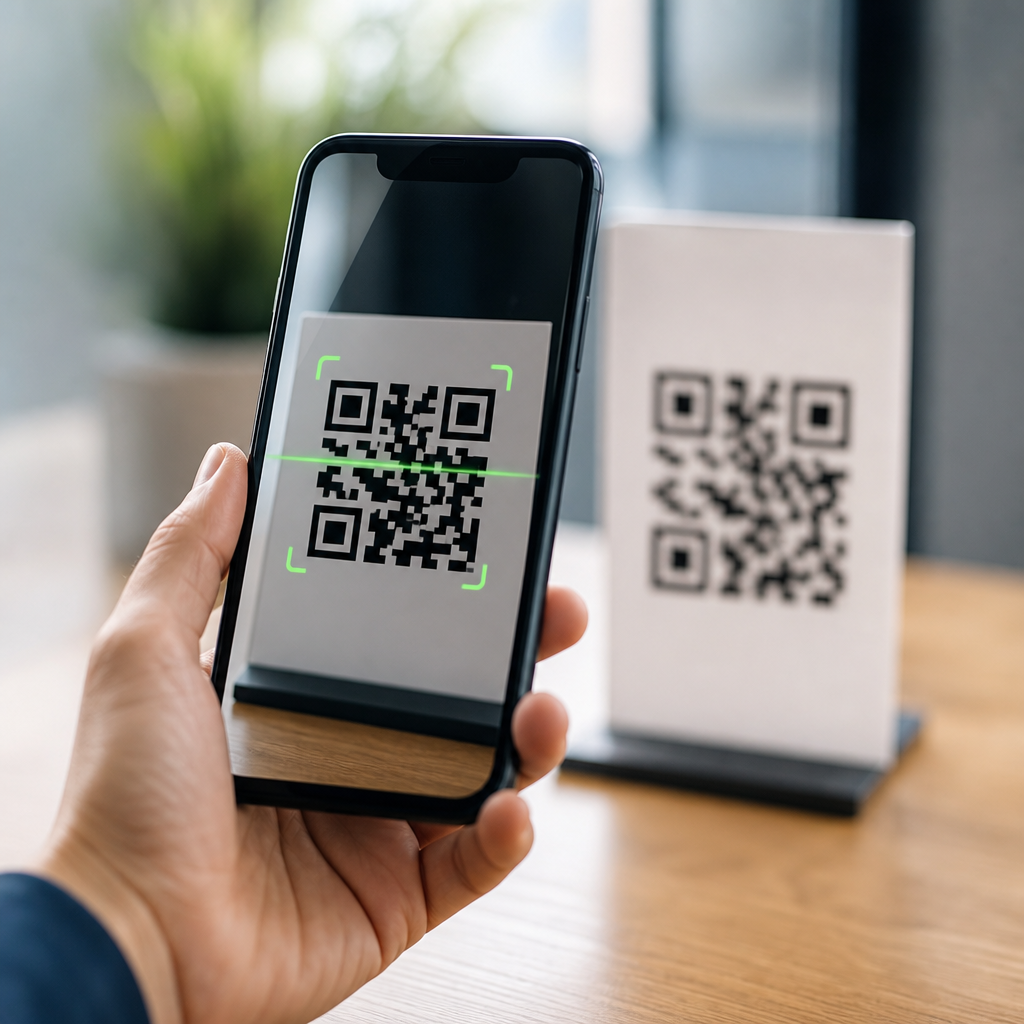
QR code scanning accuracy depends on a chain of technical decisions, from symbol design and print quality to camera optics, decoding software, and international standards. In practical terms, accuracy means the scanner reads the intended data quickly, on the first try, and without misinterpreting damaged modules, poor contrast, or perspective distortion. As someone who has tested QR symbols on packaging, posters, receipts, warehouse labels, and phone screens, I can say the difference between a code that scans instantly and one that frustrates users is rarely luck. It is usually the result of measurable factors defined by QR code technology and standards.
A QR code is a two-dimensional matrix barcode made of square modules arranged in a grid. Unlike a traditional one-dimensional barcode, it stores data both horizontally and vertically, which allows higher capacity and stronger error recovery. Scanning accuracy is the ability of a reader, typically a smartphone camera or industrial imager, to detect the code, locate orientation markers, sample module values correctly, apply error correction, decode the data stream, and confirm the payload. That process sounds simple to users because mature readers hide the complexity. Under the surface, however, a successful read relies on ISO specifications, Reed-Solomon error correction, image processing, and careful physical deployment.
This matters because QR codes now sit in critical customer and operational journeys. Restaurants use them for menus and payments, manufacturers for traceability, logistics firms for inventory movement, and marketers for product authentication and campaigns. A failed scan can mean an abandoned purchase, a delayed shipment, or a security risk if users try random alternatives. For a hub page on QR Code Technology and Standards, the goal is to explain not just what improves readability, but why scanners succeed or fail under real conditions. Once you understand the underlying mechanics, design choices become easier, testing becomes more disciplined, and every related article in the broader QR Code Basics and Education section has a stronger foundation.
How a Scanner Reads a QR Code
Every accurate scan begins with image capture. The device camera collects a frame, then the decoding engine searches for the three large finder patterns placed at three corners of the symbol. These markers tell the reader that a QR code is present and reveal its approximate orientation. Next, the software identifies the timing patterns, alignment patterns on larger versions, and the quiet zone, the empty margin around the code. If any of these structures are obscured, cropped, or merged into the background, detection becomes slower or fails entirely.
After detection, the decoder applies geometric correction. Real-world scans rarely happen head-on. Users tilt phones, labels wrap around bottles, and signs hang above eye level. The software compensates for skew and perspective so that the module grid can be sampled at the correct positions. Once the grid is mapped, each module is interpreted as dark or light, the format and version information are read, the mask pattern is removed, and the encoded codewords are reconstructed. Finally, Reed-Solomon error correction repairs a limited number of damaged or uncertain codewords, and the payload is validated based on mode indicators and structural rules.
In testing environments, this pipeline explains why two codes that look similar can perform very differently. A design may seem sharp to the eye, yet fail because glare wipes out the quiet zone or because downsampling blurs adjacent modules together. Good scanners use adaptive thresholding, edge detection, and subpixel sampling to improve resilience, but no decoder can recover information that is physically missing beyond the correction limit. Accuracy is therefore shared between the symbol, the environment, and the reader.
Standards That Define QR Code Performance
QR code technology is not informal artwork. It is governed by established standards that define symbol structure, encoding rules, dimensions, and print quality assessment. The foundational specification for QR Code symbology is ISO/IEC 18004, which describes model 2 QR codes, module placement, data modes, error correction levels, and version sizes from 21 by 21 modules up to 177 by 177. If you generate a standards-compliant code, any standards-compliant reader should be able to decode it, assuming the symbol is produced and presented correctly.
Print and direct part quality are evaluated through barcode verification standards rather than casual scanning with a phone. In production settings, teams often use ISO/IEC 15415 for printed two-dimensional symbols and ISO/IEC TR 29158, often called DPM grading, for direct part marks. These frameworks grade characteristics such as symbol contrast, modulation, fixed pattern damage, axial non-uniformity, grid non-uniformity, and unused error correction. That matters because a code that scans on one flagship phone under office lighting may still be too fragile for field use. Verification measures the margin of safety, not just basic readability.
I have seen companies skip verification because “it scans on my device,” then discover failure rates after changing label stock or printer ribbons. Standards prevent that guesswork. They also create consistency across packaging lines, POS counters, and warehouse operations. For a hub on QR Code Technology and Standards, this is the key principle: scanning accuracy improves when you design and test to a specification, not to a single anecdotal success.
Core Factors That Change Scanning Accuracy
Several variables have a direct, repeatable effect on QR code scanning accuracy. Module size is one of the most important. If modules are too small relative to viewing distance and camera resolution, the reader cannot separate dark and light cells cleanly. Contrast is equally critical; black on white remains the most reliable combination because it maximizes luminance difference. The quiet zone should be at least four modules wide on all sides. Remove that margin with decorative borders or tight cropping, and detection reliability drops fast.
Error correction level affects how much damage a symbol can tolerate. QR codes typically use L, M, Q, or H, which recover roughly 7 percent, 15 percent, 25 percent, or 30 percent of codewords respectively. Higher correction helps when labels may crease, scratch, or print on uneven surfaces, but it also increases symbol density for the same payload. Density creates smaller modules, which can lower scan performance at distance or on low-resolution cameras. There is no universal best level; the right choice depends on payload length, print size, and environment.
Environmental conditions are often overlooked. Glossy packaging causes specular reflection, low light adds image noise, and curved containers distort the grid. Screen-displayed QR codes introduce moire patterns, brightness fluctuations, and cracked glass. Color choices matter more than many marketers expect. A light foreground on a dark background can work with some readers if contrast is high, but inverted or low-contrast designs increase failure risk. Logos placed over the center can be acceptable when the code has enough correction headroom, yet oversized overlays often damage alignment and timing interpretation.
| Factor | What Good Looks Like | Common Failure Mode | Practical Example |
|---|---|---|---|
| Module size | Large enough for camera resolution and scan distance | Blurred modules merge together | Poster code scans nearby but fails from two meters |
| Quiet zone | Minimum four modules on each side | Reader cannot isolate the symbol | Code cropped tightly inside a label border |
| Contrast | Dark modules on a light background | Thresholding misclassifies cells | Gray code printed on kraft paper |
| Error correction | Matched to damage risk and data density | Either insufficient recovery or overly dense symbol | High-density payment code on a tiny receipt |
| Surface and lighting | Matte finish with even illumination | Glare or curvature hides modules | Glossy bottle label under supermarket lights |
Encoding, Versions, and Error Correction in Plain Terms
QR code accuracy is shaped before printing begins, at the encoding stage. Data can be stored in numeric, alphanumeric, byte, or Kanji mode. Choosing the most efficient mode reduces the number of codewords required, which can keep the symbol in a smaller version or permit larger modules at the same print size. Dynamic QR platforms often encode a short URL rather than a long destination, not only for analytics and redirects but also because a shorter payload produces a less dense, easier-to-scan code.
Versions determine grid size. Version 1 is 21 by 21 modules, and each higher version adds four modules per side. Larger versions support more data but also require tighter print precision and better sampling. In real deployments, overspecifying version size for unnecessary data is one of the most common self-inflicted problems. If all you need is a short web address or identifier, forcing a compact payload can materially improve first-scan success.
Reed-Solomon error correction is the reason QR codes remain readable after partial damage. The decoder uses redundant codewords to reconstruct missing data, but this capability is often misunderstood. It does not mean you can cover 30 percent of the visible area anywhere you like and expect reliable reads. Damage concentrated over finder patterns, timing patterns, or the quiet zone can break detection before error correction even starts. The safe lesson is simple: redundancy helps, but structural patterns still must remain clear.
Printing, Display, and Material Considerations
Print production determines whether the symbol generated in software survives contact with physical reality. Thermal printers can produce excellent codes for shipping labels, but worn printheads, low heat, or poor ribbon-stock pairing create voids and edge roughness. Inkjet can feather on absorbent substrates, expanding modules and reducing separation. Flexographic printing on packaging can suffer from dot gain, especially on corrugated materials. Laser printing usually gives crisp office output, yet toner scatter on textured paper can still lower contrast.
Material choice changes performance as much as printer choice. White matte label stock is forgiving. Metallic films, transparent labels, and textured cardboard are not. On transparent packaging, the background seen through the label can ruin contrast or create busy patterns that interfere with detection. On curved objects, the code should be sized and positioned so the scanner sees a mostly flat section. If wraparound placement is unavoidable, increasing symbol size and reducing data density usually helps more than adding a larger logo or darker brand colors.
Screen-based QR codes deserve separate treatment because phones often scan other phones, kiosks, or laptop displays. Here, brightness, refresh behavior, pixel structure, and screen protector glare matter. A code that is technically sharp but displayed too small can alias against the screen’s subpixel grid. In my own testing, increasing on-screen size and keeping the background plain improves scan speed far more reliably than boosting contrast beyond sensible levels. For digital display, clarity beats decoration.
How to Test and Improve Real-World Scan Reliability
The best way to improve QR code scanning accuracy is to test with a repeatable protocol. Start with intended use conditions: expected distance, likely phone models, lighting, movement, and surface type. Then test multiple samples from actual production, not ideal artwork exports. Include lower-end Android devices, older iPhones, and any dedicated scanners used in operations. Measure first-pass read rate, time to decode, and failure reasons such as glare, distance, or cropping. One successful scan is not evidence of robustness.
Verification tools add discipline. Barcode verifiers from companies such as Cognex, Keyence, and Axicon grade symbol quality against recognized methods, helping teams catch problems before launch. For app-based or web QR workflows, analytics on scan opens, bounce points, and device breakdowns can reveal friction after deployment. If a retail display gets many impressions but few successful landings, the issue may be placement height, code size, or reflective lamination rather than campaign messaging.
Most fixes are straightforward. Shorten the payload. Increase physical size. Restore the quiet zone. Use dark-on-light contrast. Choose a less glossy finish. Avoid placing the code across folds, seams, or bottle shoulders. If branding is necessary, add it outside the symbol area rather than sacrificing core geometry. As the central resource for QR Code Technology and Standards, this hub should point every related article back to the same truth: accuracy is engineered. When you respect the specification, optimize for the camera, and validate in realistic conditions, QR codes become one of the most dependable bridges between physical and digital experiences.
QR code scanning accuracy is not mysterious, and it is not determined by a single setting in a generator. It comes from the interaction of standards-compliant encoding, readable symbol structure, suitable error correction, adequate module size, strong contrast, dependable printing or display, and realistic testing. The strongest results come from treating QR codes as technical assets rather than decorative graphics. That approach reduces failed scans, protects user trust, and supports every use case from packaging and payments to logistics and authentication.
For teams building a deeper understanding of QR Code Basics and Education, this page serves as the hub because technology and standards sit underneath every practical decision. If you know how scanners detect finder patterns, why quiet zones matter, how versions and data modes affect density, and when verification is necessary, you can evaluate any QR deployment more intelligently. You can also diagnose failure faster, because the likely causes become visible: poor contrast, insufficient margin, oversize payloads, reflective materials, or weak production control.
The main benefit of learning how QR code scanning accuracy works is simple: better performance with fewer surprises. Users get faster scans, operators see fewer exceptions, and brands avoid preventable frustration in the moment that matters. Review your current QR codes against the factors outlined here, test them in the environments where people actually scan, and use this hub as the starting point for every related article on QR code technology, standards, design, printing, and verification.
Frequently Asked Questions
What does QR code scanning accuracy actually mean?
QR code scanning accuracy is the ability of a scanner or camera-based reader to capture the symbol, identify its structure correctly, decode the stored data, and return the intended result quickly and reliably. In real-world use, accuracy is not just about whether a code eventually scans. It is about whether it scans on the first attempt, under normal lighting, at a reasonable distance, and without the software confusing damaged, blurred, or low-contrast modules for valid data. A highly accurate scan experience feels effortless to the user because the scanner consistently interprets the code as intended.
From a technical standpoint, accuracy depends on multiple stages working together. The camera must resolve the modules sharply enough, the software must detect finder patterns and alignment features correctly, perspective distortion must be corrected, and error correction must recover missing or damaged data without introducing mistakes. If any one part of that chain is weak, performance drops. That is why two QR codes containing the same link can behave very differently in practice. One may scan instantly from a curved package or dim phone screen, while another struggles because of poor sizing, weak contrast, glare, or compression artifacts.
It is also important to distinguish accuracy from raw readability claims. A code can be technically decodable in a lab and still perform poorly in everyday settings. True scanning accuracy reflects practical reliability across common conditions such as retail packaging, warehouse labels, receipts, posters, kiosk screens, and mobile displays. In other words, accuracy is the combination of correct decoding, speed, resilience, and consistency.
What factors have the biggest impact on whether a QR code scans accurately?
The biggest factors are symbol design, print or display quality, contrast, size, quiet zone, surface conditions, camera quality, and decoding software. QR codes are built from small square modules, and scanners need to separate those modules clearly from the background. If the code is too small, printed with soft edges, distorted by a curved surface, or surrounded by clutter that interferes with the quiet zone, the software has a harder time locating the code and interpreting the grid accurately. The more complex the symbol version and the denser the data, the more these issues matter.
Contrast is one of the most underestimated variables. A strong dark-on-light combination generally performs best because scanners rely on clear luminance differences to isolate the modules. Low-contrast combinations, glossy finishes, metallic inks, transparent substrates, or stylized color choices may look attractive but often reduce reliability. Even when a phone camera can visibly see the code, the decoding software may still struggle if reflections, shadows, or uneven lighting hide enough module edges to confuse detection.
Camera and software quality matter just as much as the symbol itself. A high-resolution camera with good autofocus and exposure control can recover detail that a weaker camera would miss. On the software side, the decoder must identify finder patterns, compensate for rotation and perspective skew, estimate the sampling grid, and apply error correction correctly. Modern smartphone scanners do this remarkably well, but they still depend on having enough usable image data. That is why the same code may scan instantly on one device and poorly on another.
Environmental conditions can also be decisive. Motion blur, distance, screen glare, crumpled labels, wrinkled receipts, and worn packaging all interfere with accurate sampling of the module grid. In testing, I have seen excellent-looking QR codes fail because they were placed too close to folds, printed on reflective film, or reduced below a practical size for the expected scanning distance. Good scanning accuracy comes from treating the QR code as part of a full imaging system, not just as a graphic placed on a layout.
How do print quality, size, and contrast affect scan performance?
Print quality, size, and contrast are foundational because they determine how clearly the QR code exists in the physical or digital world before any scanner even attempts to decode it. If the printed modules are not crisp, if ink spreads into adjacent squares, if edges are ragged, or if the symbol becomes muddy at small sizes, the scanner receives an imperfect pattern. QR decoding can tolerate some damage, but it still needs enough clean structure to map the code properly. In packaging, receipts, and labels especially, low-quality printing is one of the most common reasons scan performance becomes inconsistent.
Size directly affects how many pixels each module occupies in the camera image. A QR code is not decoded as a single block; the software samples individual modules across the grid. If the symbol is too small relative to the scanning distance, the camera may not capture enough detail per module to distinguish black from white reliably. This problem becomes more severe with higher data density, since more modules must fit into the same space. A compact code with a long URL or additional tracking parameters may look acceptable on screen but become much less forgiving once printed small on a receipt or bottle label.
Contrast influences how easily the scanner separates modules from the background. Standard best practice is a dark foreground on a light, matte background with a clear quiet zone around the code. When brands reverse that, use pastel colors, apply gradients, print over textures, or place the code on reflective materials, the scanner has less clean signal to work with. The human eye may still recognize the pattern, but the camera sensor and decoding algorithm need stable tonal boundaries. Strong contrast is especially important in low light, at oblique angles, and on lower-end mobile devices.
Taken together, these three elements often explain why one QR code scans instantly while another feels unreliable. A well-sized symbol with sharp module edges and strong contrast gives the camera and decoder the best possible starting point. That reduces the burden on autofocus, perspective correction, and error correction, which in turn improves first-pass scan success in real usage.
Does error correction guarantee that a damaged QR code will still scan?
No. Error correction improves resilience, but it does not guarantee a successful scan under all conditions. QR codes include Reed-Solomon error correction, which allows a scanner to reconstruct some missing or corrupted data. That is one of the reasons QR codes are so durable in the first place. However, error correction is often misunderstood as a safety net that can compensate for poor design, tiny sizing, weak contrast, glare, or severe distortion. In reality, the scanner still has to find the code, identify its orientation, sample the module grid accurately, and extract enough correct information before error correction can do its job.
There are different error correction levels, and higher levels can recover more damage, but they also reduce available data capacity because more of the symbol is dedicated to recovery information. That means there is always a tradeoff. Choosing a higher error correction level may help for applications where logos, abrasion, or light damage are expected, but it does not eliminate the need for good print quality, proper quiet zones, and practical symbol sizing. If the scanner cannot detect the grid reliably, error correction never gets the chance to help.
Another key point is that not all damage is equal. Random scratches or partial occlusion may be recoverable, while glare across finder patterns, severe motion blur, warped printing, or low-resolution reproduction can cause failure much earlier in the pipeline. In field testing, I have seen heavily scuffed warehouse labels still decode because the overall module structure remained intact, while visually cleaner codes failed because reflections or design choices interfered with the scanner’s ability to detect the symbol correctly. So yes, error correction is powerful, but it is one part of a larger accuracy system, not a substitute for sound implementation.
How can you improve QR code scanning accuracy in real-world applications?
The most effective approach is to optimize the full path from symbol creation to user scanning conditions. Start with a properly generated QR code from a reliable encoder, keep the data payload as compact as possible, and avoid creating unnecessarily dense symbols. A shorter destination URL or cleaner data structure often allows a lower symbol version, which makes the modules larger and easier to scan. Maintain a proper quiet zone, use strong dark-on-light contrast, and do not let logos, decorative frames, or background graphics interfere with the core pattern.
For print applications, select a size that matches the expected scanning distance and device quality. Codes on posters, shelf tags, packaging, receipts, and warehouse labels each need different practical dimensions. Use production methods that preserve sharp edges, and test on the actual substrate rather than assuming a proof tells the whole story. Glossy laminates, curved bottles, crinkled pouches, thermal paper, and textured cartons all affect readability differently. If the code will appear on a screen, check brightness, anti-aliasing, moiré effects, and how the code behaves when photographed by another screen or a mid-range mobile device.
Testing is where scanning accuracy really gets validated. Do not rely on a single phone in ideal office lighting. Test across iPhone and Android devices, older and newer cameras, short and long distances, portrait and landscape orientation, low and bright light, and realistic user handling. Scan from the angles people will actually use. If the code is on a package, test it while the package is curved, moving slightly, or partially wrinkled. If it is on a receipt, test after folding and handling. If it is on a label in a warehouse, test under industrial lighting and from operational scan distances.
Finally, align your implementation with recognized standards and quality verification practices. International standards and print quality grading methods exist for a





