
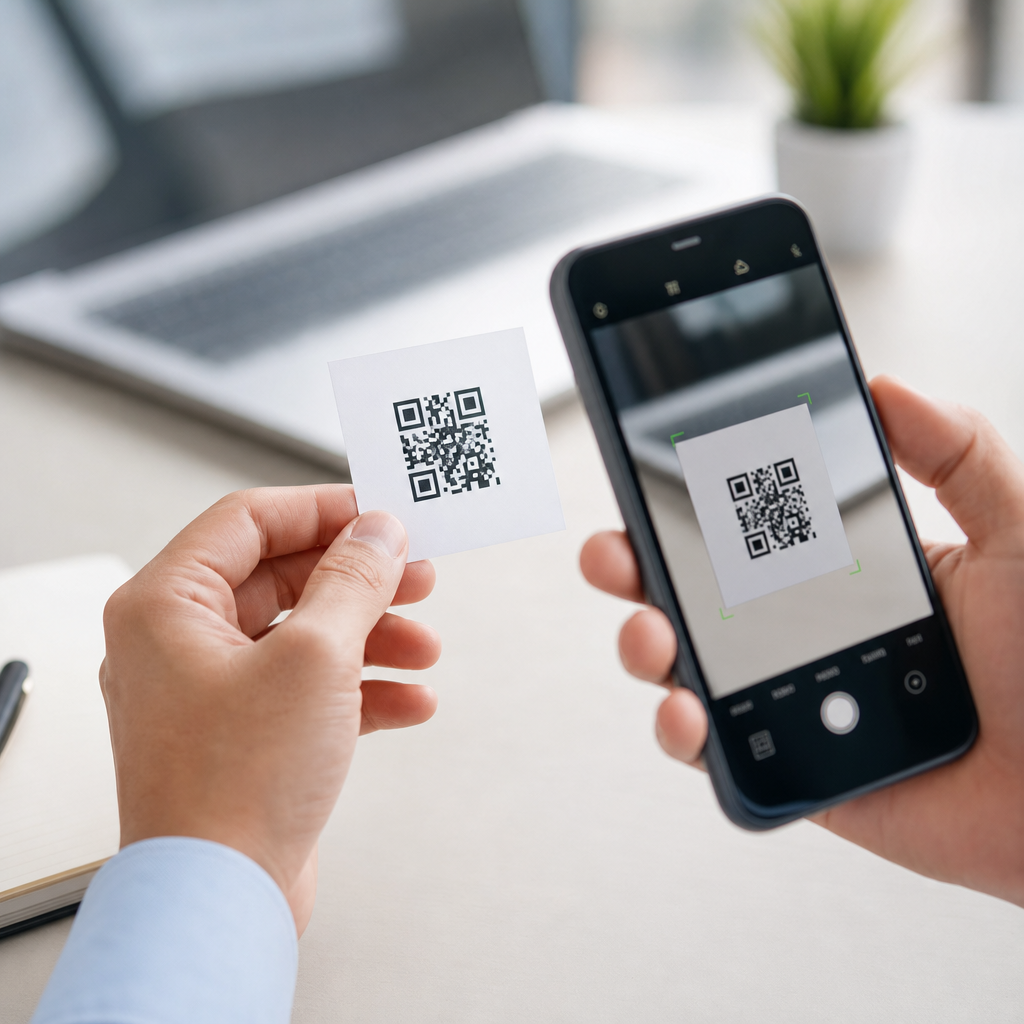
QR codes look simple, but the question “What is the minimum size for a QR code to work?” has no one-size-fits-all answer. In practice, the smallest usable QR code depends on four variables: the amount of data encoded, the print or display quality, the scanning distance, and the camera or scanner reading it. When I test QR campaigns for packaging, posters, menus, and product labels, I use one rule first: a QR code should usually be at least 2 x 2 centimeters, or about 0.8 x 0.8 inches, for comfortable smartphone scanning at close range. That is a practical baseline, not a hard standard.
To understand minimum QR code size, it helps to define key terms. A QR code is a two-dimensional matrix barcode made of square modules arranged in a grid. The “module” is the smallest black or white square in the pattern. The total symbol size is determined by the number of modules across and the physical size of each module. Version 1 QR codes are 21 x 21 modules, while each higher version adds four modules per side, up to Version 40 at 177 x 177. Error correction, standardized under ISO/IEC 18004, allows damaged or partially obscured codes to remain readable, but higher correction levels increase density and can force a larger printed size.
This matters because businesses often try to shrink QR codes to fit labels, business cards, medical packaging, event badges, and product inserts. If the code is too small, users must hunt for focus, tilt the item under better light, or give up entirely. Scan failure is not a minor design problem; it directly affects conversions, check-ins, payments, registrations, and customer trust. A code that works in the studio may fail in a dim store aisle or on a curved bottle. The real goal is not the smallest possible QR code. It is the smallest reliable QR code for the context where real people scan it.
As a hub for QR Code Technology & Standards, this guide explains the minimum size rules, the standards behind them, the role of module size and quiet zone, how print and display conditions change results, and how to test for dependable performance. If you need a direct answer before the deeper explanation, use this: for most consumer use cases, start at 20 x 20 mm, maintain a four-module quiet zone on every side, keep strong contrast, and increase size as data density or scan distance increases. That approach prevents most failures before they happen.
How minimum QR code size is actually calculated
The minimum working size of a QR code is calculated from module size, not from the outer dimensions alone. The basic formula is straightforward: physical QR code size = number of modules x module size, plus the quiet zone around the code. The quiet zone is the blank margin required around the symbol so the scanner can distinguish the code from surrounding graphics. Under the standard, that margin should be four modules wide on every side. If you ignore the quiet zone, you can print a code that looks sharp but still scans poorly because the reader cannot detect the symbol boundary.
Here is a practical example. A Version 1 QR code has 21 modules per side. Add a four-module quiet zone to the left and right, and the total width becomes 29 modules. If each module is printed at 0.4 mm, the full symbol width is 11.6 mm. In controlled conditions, that can scan. In real consumer use, especially on phones, 0.4 mm modules are often too aggressive. If you raise module size to 0.8 mm, the same Version 1 code becomes 23.2 mm wide including quiet zone, which is far more reliable. This is why a simple “make it one centimeter” rule fails: the same outer dimension can represent very different amounts of encoded data.
A useful field guideline is the 10:1 distance-to-size relationship. If users scan from 10 inches away, the code should be about 1 inch wide. If they scan from 1 meter away, a code near 10 centimeters wide is a better starting point. That is not a formal rule from the standard, but it aligns well with real camera behavior and has held up repeatedly in signage testing. Small labels scanned from a few inches away can be compact. Posters, window decals, and warehouse signs need much larger symbols because the camera must resolve each module from farther back.
What standards and technical factors determine readability
QR code readability is shaped by several standardized and practical factors: version, data capacity, encoding mode, error correction level, contrast, print gain, substrate, and scanner optics. ISO/IEC 18004 defines the QR Code symbology itself, including finder patterns, alignment patterns, timing patterns, data masking, and Reed-Solomon error correction. In production environments, print quality is often assessed using verifier methodologies aligned with ISO/IEC 15415 for two-dimensional symbols. These standards matter because they turn QR performance from guesswork into measurable quality.
Version affects size because more data requires more modules. Encoding mode matters because numeric data is denser than alphanumeric, which is denser than byte mode for many common strings. A short dynamic URL can fit in a low version code, but a long static URL packed with tracking parameters can push the symbol into a much denser version. I regularly see marketers enlarge a logo in the middle of a code, keep a long destination URL, select high error correction, and then wonder why the symbol becomes too dense for small-format print. The issue is cumulative: every design and data decision changes the minimum viable size.
Error correction has four common levels: L, M, Q, and H. Higher levels improve resilience to damage or partial obstruction, roughly allowing recovery from about 7 percent, 15 percent, 25 percent, and 30 percent symbol damage respectively. The tradeoff is density. If a code will live on outdoor equipment, food packaging, or shipping labels exposed to abrasion, extra error correction may be worth the added size. If it appears on a clean digital screen or a protected brochure panel, moderate error correction is often the better balance. The smallest QR code that works is rarely the one with maximum redundancy.
Contrast is equally decisive. Black on white remains the safest combination because scanners identify dark modules against a light background most reliably. Inverted codes, low-contrast brand colors, metallic inks, transparent labels, and glossy laminates all reduce scan consistency. On corrugated cardboard or textured paper, dot gain can thicken dark modules and close small white spaces. On thermal printers, low resolution and ribbon variation can soften module edges. In these cases, increasing physical size is often more effective than forcing the artwork to stay tiny.
Recommended minimum sizes by common use case
The best minimum QR code size depends on where the code appears and how people scan it. For close-range consumer scanning with modern smartphones, 20 x 20 mm is a dependable floor for low-density codes. Below that, success rates drop quickly unless the code is very simple, sharply printed, and scanned under good lighting. For compact packaging, I usually recommend 25 x 25 mm. For business cards and product tags, 20 to 25 mm works well. For tabletop displays and menu inserts, 25 to 30 mm gives users a more forgiving experience. For posters viewed at arm’s length or beyond, 40 mm and up is safer.
| Use case | Typical scan distance | Recommended minimum size | Notes |
|---|---|---|---|
| Business card | 15 to 25 cm | 20 x 20 mm | Use short dynamic URL and strong contrast |
| Product label | 10 to 20 cm | 20 to 25 mm | Avoid curves and textured stock when possible |
| Food or cosmetic packaging | 10 to 30 cm | 25 x 25 mm | Allow for glare, shrink wrap, and handling wear |
| Flyer or brochure | 20 to 40 cm | 25 to 30 mm | Keep clear of folds and busy graphics |
| Poster or window sign | 50 cm to 2 m | 40 to 100 mm | Scale with viewing distance using 10:1 rule |
| Equipment label or warehouse sign | 1 to 5 m | 100 mm and up | Industrial scanners may read smaller than phones |
Digital display changes the equation slightly. A QR code on a smartphone screen can be smaller than a printed one if the display is bright, sharp, and not covered by reflections. Yet tiny on-screen codes still fail when users try to scan from another phone at awkward angles or when the displayed code occupies only a small part of the screen. For QR codes shown in slide decks, self-checkout kiosks, airline apps, or POS terminals, visible size on the screen should be treated much like print size. The camera still needs enough pixel detail to separate modules cleanly.
Special environments call for extra margin. On curved surfaces such as bottles, cans, and small tubes, the symbol can distort enough to reduce readability, especially if wrapped around the curve. On flexible films, seams and wrinkles can break module geometry. On outdoor signage, sunlight glare and weathering add difficulty. In manufacturing and healthcare, where labels may be disinfected, scratched, or printed at high speed, conservative sizing is the smarter choice. A few extra millimeters cost less than failed scans in the field.
How data length, dynamic links, and design choices change minimum size
One of the fastest ways to reduce the minimum required QR code size is to reduce the data payload. A direct, static URL with many parameters creates a denser symbol than a short redirect managed through a dynamic QR platform. In real projects, I almost always recommend dynamic links for marketing, packaging, and documentation because they keep the code visually simpler while allowing destination updates, analytics, and campaign changes without reprinting. A cleaner symbol is easier to scan at smaller sizes and under less-than-ideal conditions.
Design customizations also affect size tolerance. Adding a centered logo, changing the eye shapes, rounding modules, or using brand colors can work, but every customization consumes readability margin. If you add a logo, increase the physical size and test multiple phones. If you choose color, preserve strong luminance contrast rather than relying on hue differences alone. Dark blue on white is usually fine; pale gray on cream is not. Gradient fills, patterned backgrounds, and transparent overlays often look polished in a mockup yet fail quickly once the code is reduced.
There is also a common misconception that higher smartphone camera quality eliminates size constraints. Better cameras help, but they do not repeal optics or physics. Autofocus distance, motion blur, lens distortion, sensor noise in low light, and software decoding thresholds still matter. Mid-range phones often struggle before premium devices do, and older enterprise handhelds may behave differently from consumer phones. If your audience is broad, optimize for ordinary devices in ordinary conditions, not the best phone in your office under perfect lighting.
Testing methods that prevent scan failures
The only reliable way to confirm minimum QR code size is to test the actual code in the actual medium and environment. I treat QR testing in three stages. First, test the digital artwork before production using multiple scanning apps and native camera apps on iPhone and Android. Second, test printed proofs at final size on the actual stock, finish, and printer that will be used. Third, perform environmental testing: different lighting, different users, different devices, and different scan angles. A code that passes only in one controlled setup is not production-ready.
Use objective checks where possible. If you have access to a barcode verifier, measure symbol quality rather than relying only on casual scans. For consumer campaigns, record practical metrics: first-attempt scan rate, average time to successful scan, and success across several phone models. Include edge cases such as cracked screens, dim rooms, glossy lamination, and wrinkled labels. Test after abrasion if the code will be handled repeatedly. In retail and logistics, I also check whether surrounding graphics, pricing stickers, or packaging folds encroach on the quiet zone, because that is a frequent source of preventable failure.
A strong QA checklist includes these questions: Is the quiet zone intact on all sides? Is the code still readable when reduced to final size? Is the destination link short enough? Is error correction appropriate for the use case? Does contrast remain high after printing? Can the code be scanned quickly by at least three recent phones and one older phone? Is the placement free from curves, seams, glare, and folds? If the answer to any of those is no, the safest fix is usually to simplify the code or make it larger.
Best-practice standards for this QR code technology hub
If you need a practical standard to apply across projects, use this hierarchy. Start with the smallest feasible data payload, ideally through a dynamic short link. Choose a moderate error correction level unless the environment is harsh. Maintain a four-module quiet zone without compromise. Print in dark-on-light colors with crisp edges. Use at least 20 x 20 mm for close-range consumer scans, move to 25 mm or more for packaging, and scale upward based on distance using the 10:1 guideline. Then validate with real devices, real materials, and real lighting before release. That sequence produces dependable results more consistently than any single “minimum size” number.
As a hub page for QR Code Technology & Standards, the key takeaway is simple: minimum size is a systems question, not just a design setting. Module size, version, quiet zone, error correction, contrast, substrate, and scan distance all combine to determine whether a QR code works. Businesses that treat QR codes as technical assets rather than decorative graphics get better scan rates and fewer support issues. If you are building labels, packaging, signage, menus, or digital passes, standardize your sizing rules now, document your testing process, and review every code before launch. That discipline turns QR codes from a gamble into a reliable access point.
Frequently Asked Questions
What is the minimum size for a QR code to work reliably?
There is no single universal minimum size for every QR code, because readability depends on several real-world factors working together. In practical use, a QR code should usually be at least 2 x 2 centimeters, or about 0.8 x 0.8 inches, to scan comfortably in most everyday situations. That guideline is a strong starting point for packaging, menus, labels, small signage, and other common print applications. However, that does not mean every 2-centimeter code will work equally well, or that a smaller one will always fail.
The true minimum usable size depends on four main variables: how much data is encoded, the quality of the print or display, the expected scanning distance, and the camera or scanner being used. A simple QR code containing a short URL can often be printed smaller than a code holding a long web address, contact card, or other dense data. Higher-density codes create smaller individual squares, called modules, which become harder for cameras to distinguish when the code is reduced too much. That is why two QR codes with the same outer dimensions can perform very differently.
If you want dependable results, think in terms of “minimum reliable size,” not just “smallest possible size.” A code that technically scans under perfect lighting with a brand-new phone is not the same as one that scans quickly for most users in normal conditions. In professional settings, aiming for a comfortable scan experience is far more important than pushing the size to its absolute limit.
Why does the amount of data in a QR code affect how small it can be?
The more information you store in a QR code, the more complex the pattern becomes. QR codes are made up of tiny black and white squares, and when you add more data, the code needs more of those squares to represent it. If the overall printed size stays the same while the data increases, each square becomes smaller. Once those modules become too tiny, cameras struggle to separate one square from another, especially in less-than-perfect lighting or when the print is not crisp.
This is why a short URL usually produces a more forgiving QR code than a long string of text, a detailed vCard, or a code loaded with tracking parameters. A low-data code can often remain readable at smaller dimensions because its modules are larger and easier to resolve. A dense code may still scan at a larger size, but if you shrink it too far, readability drops quickly. In other words, the issue is not just the size of the QR code itself, but the size of each individual module inside it.
For that reason, one of the smartest ways to make a QR code smaller without hurting performance is to reduce the amount of encoded data. Using a short URL instead of a long one is often the easiest fix. It simplifies the code, improves scan reliability, and gives you more flexibility if space on a label, package, or sign is limited.
How do scanning distance and placement change the recommended QR code size?
Scanning distance has a major impact on QR code sizing. A code meant to be scanned from a person’s hand, such as on product packaging or a business card, can be much smaller than one placed on a wall poster, storefront window, or event sign. A common rule of thumb is that the farther away someone will be when scanning, the larger the QR code needs to be. If users must step back to view the full code, the modules need to be large enough for the camera to capture clearly from that distance.
Placement matters just as much as distance. A QR code on a curved bottle, reflective pouch, glossy menu, or textured cardboard may need to be larger than the same code printed flat on matte paper. Angles, glare, wrinkles, and low contrast can all make scanning harder. Likewise, if the code is positioned in a cramped corner, near a fold, or too close to other design elements, users may have trouble framing it correctly with their phones. In those cases, a larger code improves usability.
As a practical approach, small handheld items often work well starting around 2 x 2 centimeters, while posters and signs usually need noticeably larger dimensions depending on how far away people will stand. The best choice is always based on actual use. If a customer is expected to scan the code from arm’s length, you can size for close-range performance. If they may scan from several feet away, increase the size accordingly and test in the same environment where the code will appear.
Does print quality or screen quality matter as much as the QR code’s size?
Yes, absolutely. Size alone does not guarantee readability. A QR code can be large enough on paper or on a screen and still perform poorly if the output quality is weak. In print, blurry edges, ink spread, low-resolution artwork, poor contrast, or material texture can all reduce scanning reliability. On screens, brightness, glare, pixelation, and display scaling can affect how cleanly the code appears to the scanner. A sharp, high-contrast QR code at a modest size often works better than a larger code with fuzzy edges or visual interference.
Print production is one of the most common places where good QR codes become bad performers. If the code is exported at low resolution, compressed, or resized incorrectly by a designer or printer, the modules may lose their crisp boundaries. Dark colors on dark backgrounds, reversed-out styles, heavy branding overlays, or decorative treatments can also interfere with readability. While some customization is possible, scan performance should always come before visual flair, especially if the code is being printed small.
For digital use, the same principle applies. A QR code displayed on a phone, tablet, kiosk, or monitor needs enough clarity and contrast for another camera to read it. If the screen is dim, reflective, or viewed at an angle, a code that seems large enough may still scan slowly. That is why testing under realistic conditions matters so much. The best QR code is not just appropriately sized; it is also clean, high contrast, and reproduced with enough quality for the intended device to read it quickly.
What is the best way to test whether a QR code is too small before publishing it?
The best method is simple: test the exact QR code, at the exact size, on the exact material or display where it will be used. Do not rely only on on-screen previews or assumptions based on general guidelines. Print the code on the actual packaging, label, menu, flyer, or sign stock if possible, or display it on the real screen type and brightness level if it will be digital. Then scan it with multiple phones, in normal lighting, from the distance users are likely to stand. This is the fastest way to catch issues that sizing rules alone cannot predict.
When testing, check more than whether the code scans eventually. You want it to scan quickly, consistently, and without users needing to reposition their phone repeatedly. Try older phones as well as newer ones, because camera quality varies. Test in bright light, indoor light, and any environment relevant to the final use case. If the QR code will appear on curved packaging, glossy surfaces, or small labels, test those exact conditions. A code that works in a flat office printout may fail in production once material, finish, and placement change.
As a safe workflow, start around 2 x 2 centimeters for close-range use, keep the encoded data as short as possible, maintain strong contrast, and leave sufficient white space around the code. Then test and adjust upward if scanning feels slow or inconsistent. That approach gives you a practical, reliable answer to the minimum-size question: the smallest working QR code is the one that scans easily for real users in real conditions, not just the smallest one that works once in a controlled test.





