
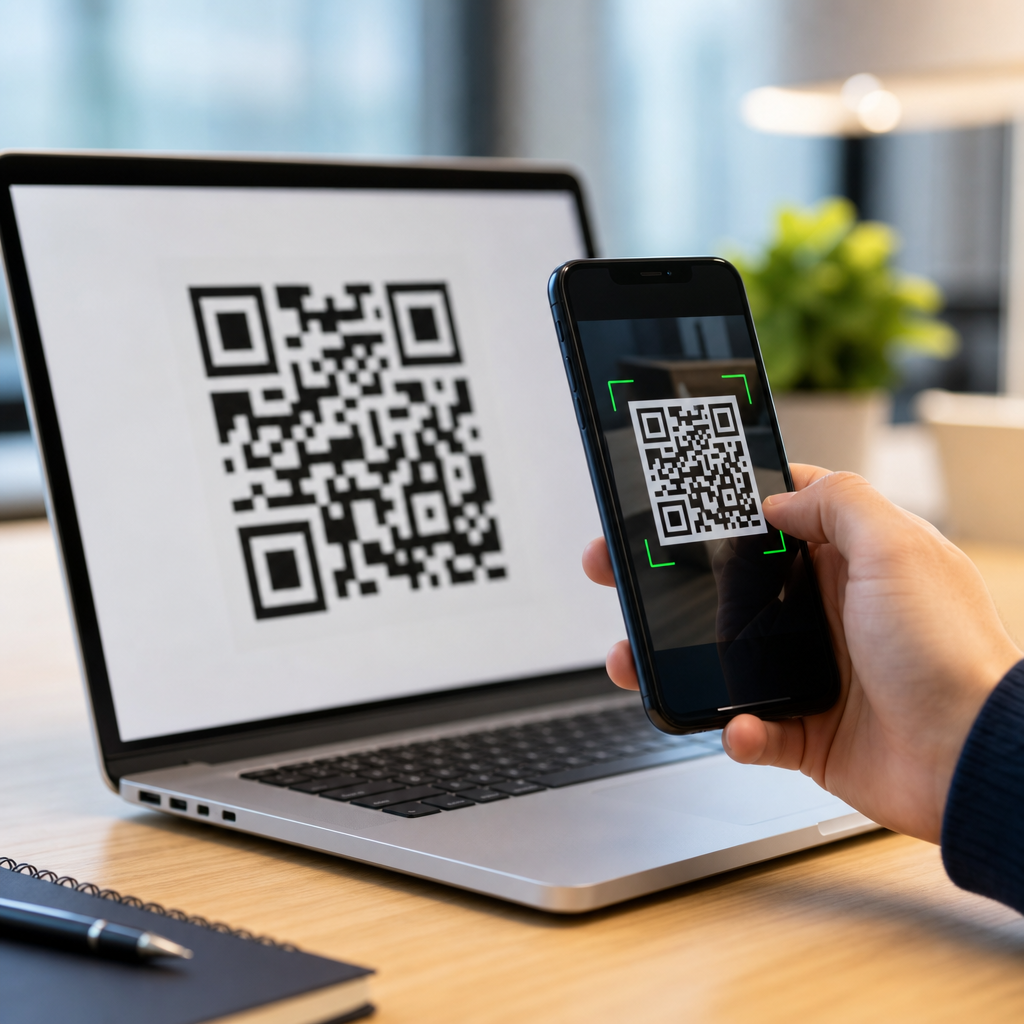
QR code encoding and decoding turn text, numbers, links, and structured data into a compact square symbol that cameras and scanners can read quickly and reliably. If you want to understand how QR codes work, you need to know more than the familiar black-and-white pattern. You need to understand the encoding rules that convert information into bits, the symbol structure that stores those bits, and the decoding process that reconstructs the original message even when the code is tilted, dirty, or partially damaged. This matters because QR codes now sit at the center of payments, product packaging, tickets, restaurant menus, device pairing, logistics, and manufacturing traceability.
A QR code, short for Quick Response code, is a two-dimensional matrix barcode first developed by Denso Wave in 1994 for tracking automotive components. Unlike a one-dimensional barcode, which stores data across a single axis, a QR code stores data both horizontally and vertically. That design gives it much higher capacity and stronger scanning resilience. In practice, I have seen teams assume a QR code is just an image of a URL. It is not. It is a standards-based symbol built from modules, codewords, masking patterns, format information, and error correction blocks defined in ISO/IEC 18004.
Encoding is the process of taking source data and converting it into the bitstream and error-corrected structure required by the symbol. Decoding is the reverse: finding the symbol in an image, correcting perspective, reading modules, undoing the mask, correcting errors, and interpreting the final data stream according to the original mode. Together, these processes explain why a QR code can be scanned from paper, screens, labels, and etched metal parts under imperfect conditions.
This hub article explains the full lifecycle of a QR code, from choosing an encoding mode to understanding version size, Reed-Solomon error correction, masking, scanning, and practical design tradeoffs. It is useful for marketers generating campaign links, developers building onboarding flows, operations teams labeling assets, and anyone comparing static versus dynamic QR implementations. If you understand the mechanics, you make better decisions about capacity, print quality, scan performance, and long-term reliability.
What a QR Code Is Made Of
A QR code is a grid of tiny square modules arranged in a square matrix. Some modules carry data, while others exist purely to help scanners locate and interpret the symbol. The three large squares in the corners are finder patterns. They allow a scanner to detect the code’s position, orientation, and rough scale. Smaller alignment patterns, present in larger versions, help correct distortion. Timing patterns, which are alternating modules running between finder patterns, help the reader determine the grid spacing. There is also a quiet zone, a blank margin around the code, which is essential for separating the symbol from surrounding graphics.
Versions define the overall grid size. Version 1 is 21 by 21 modules, and each higher version adds four modules per side, up to Version 40 at 177 by 177. Capacity increases with version, but larger symbols need more space and are harder to scan when printed small. In production settings, I usually advise starting with the smallest version that safely fits the payload and desired error correction level. Oversizing a code can create unnecessary design problems, while undersizing can force a dense symbol that fails on lower-quality cameras.
QR codes support four main data modes: numeric, alphanumeric, byte, and Kanji. Numeric mode is the most efficient for digits. Alphanumeric supports digits, uppercase letters, spaces, and a limited set of symbols. Byte mode is the most common for URLs and UTF-8 text because it can store general binary data. Kanji mode uses a specialized encoding optimized for certain Japanese characters. Mode selection matters because it directly affects how many characters fit into a given version.
How QR Code Encoding Works Step by Step
The encoding process begins with identifying the payload and the most efficient mode or combination of modes. A simple string like 1234567890 can use numeric mode, packing digits densely. A URL such as https://example.com uses byte mode in most generators, although some segments may be compressed differently by advanced encoders. Once the mode is chosen, the encoder writes a mode indicator, then a character count indicator, then the actual data bits according to the rules for that mode.
After the payload bits are generated, the encoder adds a terminator if space remains, then pads the stream to align with codeword boundaries. Codewords are eight-bit units. If the symbol still has unused capacity, the encoder adds standard pad bytes, typically 11101100 and 00010001 alternating, until the data region is full. This is one of those implementation details that seems minor until you debug interoperability between libraries. Standards-compliant padding is not optional; scanners expect the final structure to conform exactly.
Error correction codewords are then generated using Reed-Solomon algorithms over finite fields. These codewords let the decoder recover missing or corrupted data. The data and error correction codewords are split into blocks and interleaved according to the selected version and correction level. Interleaving spreads localized damage across multiple blocks so that a smudge or scratch is less likely to destroy one contiguous segment of the message.
The final bitstream is placed into the matrix in a prescribed zigzag pattern, moving upward and downward through columns from the lower right area while skipping reserved function patterns. Then a mask pattern is applied. Masks flip certain modules according to a rule, not to hide data, but to avoid problematic visual patterns such as large blank areas or long runs of identical modules. The encoder evaluates eight mask patterns and selects the one with the lowest penalty score based on standard criteria.
Error Correction, Masking, and Capacity Tradeoffs
Error correction is the reason QR codes remain readable after wear, glare, or partial obstruction. There are four standard levels: L, M, Q, and H. Level L restores about 7 percent of codewords, M about 15 percent, Q about 25 percent, and H about 30 percent, though exact recoverability depends on where the damage occurs. Higher correction improves resilience but reduces data capacity. That tradeoff becomes critical on small labels, business cards, product packaging, and industrial parts where available space is limited.
| Error correction level | Approximate recovery capacity | Best use case | Main tradeoff |
|---|---|---|---|
| L | ~7% | Clean digital display, short-term use | Lowest resilience |
| M | ~15% | General marketing, posters, packaging | Moderate protection |
| Q | ~25% | Labels exposed to wear, light branding overlays | Reduced payload capacity |
| H | ~30% | Harsh environments, dense branding, industrial use | Largest symbol for same data |
Masking is equally important for scan reliability. A raw matrix can produce patterns that confuse thresholding algorithms or camera sensors. By testing all eight masks, the encoder minimizes penalties for undesirable arrangements. In real scanning tests, poor masking can make a technically valid symbol noticeably slower to read, especially on glossy print, low-contrast surfaces, or mobile devices with aggressive image sharpening. Good QR generators do this automatically, but understanding the role of masks helps explain why two codes with identical content can have different visual patterns.
Capacity is often misunderstood. The headline maximum of thousands of characters applies only under specific modes and versions. A practical URL in byte mode with high error correction fits far less. This is why URL shortening, dynamic redirection, or reducing query parameters can materially improve scan performance. Less data generally means a lower version, larger effective module size, and more forgiving real-world scanning.
How QR Code Decoding Works in the Real World
Decoding starts with image capture. A scanner, phone camera, or machine vision system locates the finder patterns and confirms their geometric relationship. From there, the decoder estimates orientation, corrects perspective distortion, and samples the module grid. This is why QR codes can still scan when viewed at an angle. The software is not reading an image as a whole; it is reconstructing the intended square matrix from the captured perspective.
Once the matrix is sampled, the decoder reads format information, which contains the error correction level and mask pattern. It removes the mask, extracts codewords in the standard traversal order, and applies Reed-Solomon error correction to recover damaged data. If errors exceed the correction capacity, decoding fails or returns no result. Strong decoders such as ZXing, ZBar, Dynamsoft, Scandit, and Cognex readers differ in speed and tolerance, but they all follow the same core logic defined by the standard.
After error correction, the decoder parses the bitstream by mode. It reads the mode indicator, character count, and payload segments, converting bits back into digits, alphanumeric characters, bytes, or Kanji values. For structured content such as MECARD, vCard, Wi-Fi credentials, or payment payloads, the scanning app may perform additional interpretation after base decoding. The QR symbol itself stores data. Meaning is added by the application layer that receives it.
Environmental conditions matter. Glare can wash out contrast. Motion blur can smear module edges. Tiny print can push modules below the camera’s resolving power. Missing quiet zones can prevent detection entirely. In warehouse trials, I have seen a perfectly valid code fail simply because a designer placed a border too close to the symbol. The encoding was correct; the presentation was not. Successful decoding always depends on both standards compliance and deployment quality.
Static vs Dynamic QR Codes and Common Data Types
A static QR code contains the final destination or payload directly inside the symbol. If it encodes a URL, the exact URL is stored in the matrix forever. A dynamic QR code usually stores a short redirect URL that points to a server-side record. That record can then be updated without changing the printed code. From an encoding perspective, both are ordinary QR symbols. The difference is in what the payload represents and how the destination is managed after scanning.
Dynamic implementations offer practical advantages. They allow link updates, campaign attribution, scan analytics, device-specific redirects, expiration rules, and A/B testing. They also reduce symbol density because a short redirect domain typically requires fewer bytes than a long destination URL with tracking parameters. The drawback is dependency on the redirect service. If the domain expires, the service goes offline, or governance is poor, the code stops being useful. Static codes are simpler and more durable, but less flexible.
Common payload types include plain text, URLs, telephone numbers, SMS templates, email actions, calendar events, geographic coordinates, and Wi-Fi network credentials. Business card data often uses vCard. Payments may follow regional standards such as EMVCo merchant-presented QR specifications. In industrial settings, QR symbols may encode part numbers, serial numbers, lot identifiers, or GS1 Digital Link URIs. The encoding process does not care whether the content is marketing or manufacturing data; it only cares about mode, length, and error correction requirements.
Design, Printing, and Scanning Best Practices
The most important design rule is simple: preserve scanner readability before branding. Keep high contrast, maintain a proper quiet zone, and choose a module size appropriate for the expected scan distance and camera quality. Black on white remains the safest option because scanners are optimized for dark modules on a light background. In general, the darker color should have strong luminance contrast, not just visual contrast to the human eye. A stylish color palette can fail if the camera sees both tones as similar gray values.
Logo overlays, rounded modules, gradients, and custom frames can work, but only within limits. If you add branding, compensate with higher error correction and thorough device testing. Do not alter finder patterns beyond recognition. Do not let text or graphics intrude into the quiet zone. For print, verify the final output after rasterization, ink spread, lamination, or material texture changes. On screens, ensure the code appears large enough and sharp enough at expected viewing distances. Test on older phones, not just flagship devices.
Operationally, establish a quality checklist. Confirm the payload resolves correctly. Confirm the redirect domain is controlled by your organization. Validate scan performance under indoor and outdoor lighting. Test portrait and landscape orientation, iOS and Android cameras, and at least one dedicated scanning library if the code appears in an app workflow. When teams treat QR creation as a publishing process rather than a design afterthought, failure rates drop sharply.
Where QR Code Encoding Knowledge Delivers Business Value
Understanding QR code encoding and decoding improves decisions across marketing, product, operations, and IT. Marketers can choose shorter links and better error correction instead of assuming every code scans equally. Product teams can design smoother app onboarding, device pairing, and authentication flows by matching payload type to user context. Operations teams can label assets and inventory with symbols sized for scanner capability and environmental wear. Developers can troubleshoot failures by checking version growth, quiet zone loss, mask selection, or library compatibility instead of blaming the camera.
The biggest practical lesson is that QR performance is engineered, not accidental. Good results come from the right payload, the right symbol size, the right correction level, and disciplined testing in the conditions where the code will actually be scanned. If you are building your QR code basics program, use this article as the hub for future deep dives into versions, error correction mathematics, scanner software, dynamic QR infrastructure, and print specifications. Master the mechanics first, then apply them with intent.
Frequently Asked Questions
1. What does QR code encoding actually mean?
QR code encoding is the process of taking readable information such as plain text, numbers, website URLs, contact details, payment data, or other structured content and converting it into a standardized binary format that can be placed inside a QR symbol. In practical terms, encoding is what turns a message into a pattern of modules, the small black and white squares that make up the code. The encoder does not simply “draw” the content directly. Instead, it analyzes the input, chooses an appropriate data mode such as numeric, alphanumeric, byte, or kanji, converts the content into bits according to QR code rules, adds metadata that tells scanners how to interpret the data, and then includes error correction information so the symbol can still be read if part of it is damaged or obscured.
That is why QR encoding is more sophisticated than many people assume. A short numeric string can be stored more efficiently than a full text sentence because numeric mode uses fewer bits per character. A URL containing symbols and lowercase letters may require byte mode, which uses a different bit structure. The encoder also determines the QR version, which affects the symbol’s dimensions, and the error correction level, which affects how much damage the code can tolerate. Once those choices are made, the bitstream is placed into the QR matrix in a defined order around reserved structural areas such as finder patterns, timing patterns, alignment patterns, and format information. The result is a compact machine-readable symbol that balances capacity, resilience, and scan speed.
2. How is information stored inside a QR code?
Information in a QR code is stored as encoded bits distributed across the symbol’s data modules. Although the finished code looks like a random arrangement of black and white squares, its layout is highly organized. Some sections are not data at all. The large squares in three corners are finder patterns, which help a scanner locate the code and determine orientation. Timing patterns help the scanner understand the grid spacing. In larger versions, alignment patterns help correct distortion. Format information stores the error correction level and mask pattern, while version information appears in higher-capacity codes. Only after these structural elements are reserved does the remaining space get used for actual data and error correction codewords.
The data itself is first converted into a stream of bits based on the selected encoding mode. Those bits are grouped into codewords, and then additional Reed-Solomon error correction codewords are generated and interleaved with the original data. Interleaving improves reliability because localized damage is less likely to wipe out a whole section of meaningful data. The combined codewords are then placed into the matrix in a zigzag pattern following the QR specification. Before the symbol is finalized, a mask pattern is applied to improve readability by preventing problematic visual patterns such as large blank areas or dense repeated blocks. This is why QR codes remain scannable across many lighting conditions, print qualities, and camera angles. The visual pattern may appear chaotic, but it is the product of strict rules designed for efficient storage and dependable decoding.
3. What happens during QR code decoding?
QR code decoding is the reverse of encoding, but it involves more than just reading black and white squares. When a camera or scanner sees a QR code, the decoder first detects the symbol in the image by identifying the finder patterns. From there, it determines the code’s orientation, estimates the grid, and compensates for perspective distortion if the code is tilted or viewed at an angle. It also identifies the module boundaries so it can decide which squares are black and which are white. This image-processing stage is critical because real-world QR codes are often captured under imperfect conditions, including glare, blur, skew, low contrast, or partial obstruction.
Once the symbol is localized and sampled correctly, the decoder reads the format and version information, removes the mask pattern, extracts the codewords, and applies error correction algorithms to repair damaged or ambiguous data. After recovering the original bitstream, it interprets the mode indicators and character count values, then reconstructs the original message according to the relevant encoding rules. For example, numeric mode is decoded differently from byte mode. If everything is successful, the scanner outputs the intended content, whether that is a URL, text string, app deep link, or structured record. The reliability of this process is one of the main reasons QR codes are so widely used. A well-designed decoder can recover data even when the symbol is dirty, slightly torn, rotated, or printed on a curved surface.
4. Why can a QR code still work when it is damaged or partly covered?
A QR code can still function when damaged because it includes built-in error correction. This is one of its most important design features. QR codes use Reed-Solomon error correction, which adds redundant information to the symbol so that missing or corrupted data can be reconstructed during decoding. Depending on the chosen error correction level, a QR code may remain readable even if a significant portion of the symbol is obscured, scratched, stained, or poorly printed. The standard levels are commonly referred to as L, M, Q, and H, with higher levels offering more resilience at the cost of reduced data capacity. In other words, stronger protection means less room for the actual message.
This resilience is also helped by the way data and error correction codewords are distributed throughout the symbol. Because the information is interleaved, localized damage does not necessarily destroy a continuous chunk of the message. Instead, the decoder may still be able to reconstruct the original content from the intact portions. Structural patterns such as finder and alignment patterns also help the scanner identify and interpret the symbol correctly even when the image is distorted. That said, error correction is not unlimited. If too much of the code is hidden, if critical structural areas are destroyed, or if the print quality is extremely poor, decoding can fail. That is why good QR design still matters. Adequate contrast, proper quiet zones, appropriate size, and a sensible error correction level all contribute to reliable scanning in real-world use.
5. What factors affect QR code capacity, efficiency, and scan reliability?
Several factors determine how much data a QR code can hold and how easily it can be decoded. One of the biggest is the encoding mode. Numeric data is the most space-efficient because it can be compressed into fewer bits than general text. Alphanumeric mode is also efficient for a limited character set, while byte mode is more flexible but usually consumes more space. Another major factor is the QR version, which defines the grid size. Higher versions contain more modules and can store more information, but they also become denser and may require larger print sizes for dependable scanning. Error correction level plays a major role as well. Higher error correction improves durability but reduces usable capacity because more space is reserved for recovery data.
Scan reliability is influenced not just by the encoded data, but also by physical and environmental conditions. A code that is technically valid may still be hard to scan if it is too small, printed with low contrast, placed on a reflective surface, distorted by curvature, or surrounded by insufficient quiet space. Dense codes carrying long strings of data are more demanding than simple URL codes because each module becomes smaller relative to the printed area. Mask selection and symbol construction also affect readability by reducing visually confusing patterns. In practice, the most effective QR codes are those that balance data size, error correction, symbol size, and intended use conditions. If fast and dependable scanning matters, it is usually better to encode only the necessary data, choose an appropriate correction level, and ensure the final symbol is printed or displayed clearly enough for cameras to resolve the grid accurately.





