
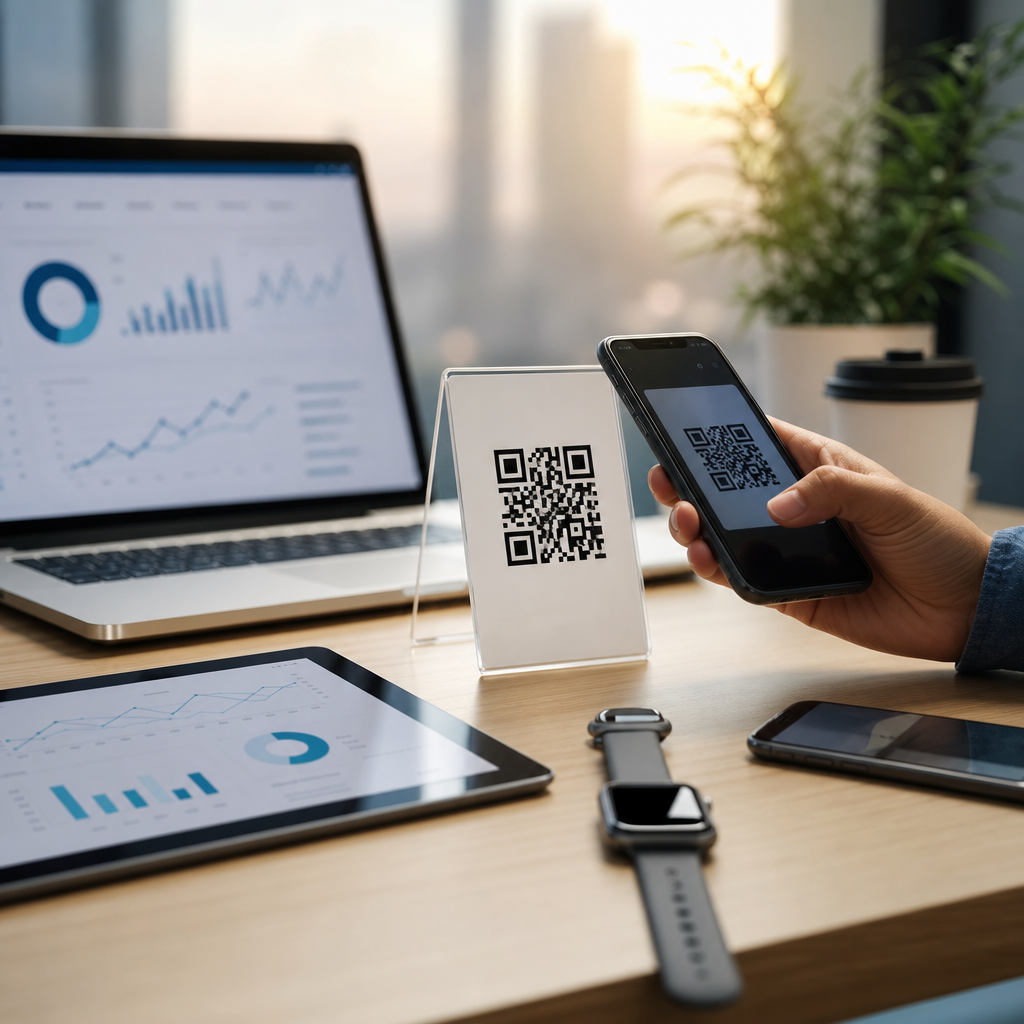
QR code scan behavior varies sharply by device, operating system, camera software, and time of day, which is why heatmaps and behavioral analysis have become essential parts of QR code analytics, tracking, and optimization. In this context, scan behavior means the measurable pattern of when, where, how, and on what device a person scans a code, while a heatmap is a visual layer that highlights concentration, frequency, or intensity across time, geography, pages, screens, campaigns, or placements. I have used these datasets to diagnose underperforming campaigns in retail stores, event venues, restaurant tables, packaging programs, and out-of-home placements, and the same lesson appears repeatedly: a QR code is not just scanned or ignored. It is scanned under conditions. Those conditions leave a pattern. If you can read the pattern, you can improve performance.
This matters because raw scan totals hide operational truth. A campaign with 10,000 scans may look successful until device segmentation reveals that older Android models are failing after launch, or time-of-day reporting shows that a restaurant table tent converts strongly at lunch but collapses after 8 p.m. when lighting changes. Heatmaps and scan behavior analysis answer practical questions that marketers, product teams, and operators actually need to solve: Which placements attract attention? Which devices encounter friction? What hours produce the best post-scan conversion? Which locations deserve more budget? Which codes should be redesigned, relocated, or split into separate variants for cleaner attribution? For a sub-pillar focused on heatmaps and scan behavior, those are the central questions, and each one leads to concrete optimization decisions.
Device and timing data are especially important because QR scanning sits at the intersection of hardware, software, environment, and intent. A customer may use a native iPhone camera, Google Lens, a social app scanner, or a third-party utility, and each path introduces differences in detection speed, preview behavior, permission handling, and browser handoff. Time creates another layer. Morning commuter scans are usually faster and more transactional than late-evening scans from couch-based browsing, and weekday office scans behave differently from weekend leisure scans. Once those variables are mapped in a heatmap and tied to downstream outcomes such as page views, form fills, purchases, or app installs, QR code analytics becomes a decision system rather than a vanity report.
What heatmaps reveal in QR code analytics
A heatmap in QR code analytics shows concentration, not just count. Depending on the platform, it may display scan density by hour, day, city, venue zone, shelf position, screen placement, or campaign asset. The point is not decoration. The point is pattern recognition. In one retail audit I ran, two codes printed on nearly identical endcap displays generated similar weekly scan totals, but the location heatmap showed one display drawing scans from the front aisle while the other only activated when shoppers were already in the category. That changed the interpretation completely. The first code was discovery oriented; the second was comparison oriented. We adjusted the landing pages accordingly, and conversion rates improved because intent was better matched to context.
Heatmaps also help separate visibility problems from relevance problems. If a code receives little scan activity across all hours and devices, placement or creative may be at fault. If scans cluster around a narrow window, the offer may only resonate under certain conditions. If scan density is high but downstream completion is low, the problem often sits after the scan: page speed, mobile form friction, weak message match, or app deep-link errors. This is why a heatmap should never be viewed alone. It should be tied to session analytics, UTMs, event tracking, and ideally server-side validation so you can distinguish genuine user behavior from accidental scans, bot traffic, and duplicate opens.
How device type changes scan behavior
Device type changes both the probability of a successful scan and the quality of the session that follows. The broadest divide is usually between iOS and Android, but useful analysis goes further: native camera versus embedded scanner, flagship versus budget hardware, newer OS versions versus older builds, and phone versus tablet. iPhones typically show more consistent native camera behavior because Apple standardized QR recognition across supported versions years ago. Android is more variable. Pixel devices often scan quickly through the camera app, while other manufacturers may route users through different interfaces, slower autofocus, or inconsistent prompts. In campaign data, that variance often appears as higher bounce rates or slower clickthrough-to-land times on certain Android cohorts.
Hardware limitations matter in the real world. Lower-end devices struggle more with small codes, reflective surfaces, curved packaging, low contrast, and poor lighting. A code that scans instantly on an iPhone 15 Pro may fail repeatedly on an older budget handset in a dim restaurant. That does not mean the user lacked intent. It means the campaign was not robust enough for mixed-device environments. For printed placements, I treat scan distance, module size, quiet zone integrity, and contrast ratio as device-accessibility issues, not just design details. The common standard guidance from ISO/IEC 18004 and practical recommendations from generators and testing suites exist for a reason: minor production choices create major behavioral differences once thousands of users with different cameras encounter the code.
Browser behavior after the scan is another device-dependent variable. Safari, Chrome, Samsung Internet, and in-app browsers handle redirects, cookie consent banners, geolocation prompts, and app store handoffs differently. If your QR code redirects through multiple hops for tracking, lower-powered devices on weak networks may time out or degrade the user experience. I have seen campaigns lose meaningful conversion volume simply because an unnecessary redirect chain added a second or two on midrange Android devices over mobile data. Good scan behavior analysis therefore tracks not only scans by device, but latency, landing-page render time, and conversion completion by device family.
Why time-based scan patterns matter
Time-based scan behavior reveals intent, context, and staffing needs. Hourly and daily heatmaps show when a code is discovered, but more importantly, they show when a user is willing to complete the next action. In restaurant environments, scans often spike when customers first sit down, then again when the bill arrives. In transit advertising, commuter windows dominate, but post-scan conversion may lag until lunch or evening because users save the page and return later. In B2B environments, scans from trade show booths often cluster during floor hours, while meaningful follow-up actions happen after attendees return to hotels. If you only report raw scan timestamps, you miss the full behavior pattern.
Time segmentation also surfaces operational constraints. A code that performs poorly after dark may indicate lighting issues, not weak creative. A code on product packaging that spikes on weekends may reflect home usage rather than point-of-sale behavior, which should change your landing page message. Seasonality matters too. Retail QR codes often see stronger scan volume during promotional periods, but post-scan drop-off can rise if mobile sites are overloaded or inventory is depleted. Reliable analysis therefore compares time periods against campaign context: weekday versus weekend, business hours versus after hours, launch phase versus steady state, and local time versus user device time where available.
| Pattern observed | Likely cause | Recommended action |
|---|---|---|
| High scans at lunch, low conversions later | Users browse quickly during break, complete later on desktop or not at all | Shorten mobile path, add save/share option, retarget visitors |
| Evening scan drop on printed signage | Poor lighting or reflective surface | Increase code size, improve contrast, relocate under better light |
| Android scans bounce more than iOS | Redirect latency, browser incompatibility, or older camera hardware | Reduce redirects, test on common Android devices, simplify landing page |
| Weekend spikes from packaging codes | Product used at home rather than scanned in store | Align message to post-purchase support, recipes, setup, or loyalty |
Building useful heatmaps from scan data
Useful heatmaps depend on clean data design. The minimum setup includes dynamic QR codes, campaign-level naming conventions, UTM parameters, event tracking in analytics, and consistent timestamp handling. Static codes can work for simple destinations, but they limit optimization because you cannot change the destination or isolate placement-level performance without reprinting. Dynamic codes let you assign unique identifiers to each asset, location, shelf, table, package run, direct mail cohort, or event zone. Once those identifiers are in place, scan logs can be joined with web analytics, CRM records, and conversion events to create behavior maps that actually support decisions.
Location data requires caution. IP-based geolocation is useful for regional heatmaps, but it is not precise enough for indoor attribution without supporting systems. If you need aisle, booth, or venue-zone heatmaps, use separate codes per placement or pair QR scans with first-party context such as kiosk ID, table number, poster ID, or event check-in metadata. Time normalization is equally important. Global campaigns often look chaotic until all timestamps are converted into local reporting views. I recommend storing event time in UTC, then presenting reports in both campaign local time and viewer local time when regional teams need to act on them. That avoids false interpretations caused by mixed time zones.
Data quality controls are nonnegotiable. Filter known bots, monitor duplicate rapid-fire scans, and distinguish unique users from total scans where possible. A single user may scan the same code multiple times because the page failed to load, because they shared the experience with a friend, or because they revisited later with higher intent. Those are different behaviors. Good platforms let you compare raw scans, unique scans, sessions, and conversions so you can understand whether repeat activity signals friction or engagement. That distinction is central to heatmap interpretation.
Optimization strategies for device and time behavior
The strongest optimization strategy is to design for the weakest realistic scan condition, then personalize after the scan. That means using sufficient code size, strong contrast, clean quiet zones, short redirect paths, and mobile-first landing experiences that load quickly on average networks. For physical media, test under glare, distance, angle, and low-light conditions using a mix of current iPhones and common Android models, not just office devices. For digital displays, verify refresh rates, screen brightness, and motion do not interfere with capture. If a code is meant for fast public scanning, every additional cognitive or technical step reduces success.
Timing insights should influence both placement and content. If a poster is scanned mainly during commute hours, prioritize concise value propositions, map links, wallet passes, or click-to-call actions. If a product insert is scanned on weekends, lead with setup help, support videos, recipes, or loyalty enrollment rather than store-locator content. If device reports show older Android users underperforming, reduce scripts, compress images, and test browser compatibility. This subtopic connects naturally to related work on QR code placement testing, landing-page optimization, conversion tracking, and campaign attribution because heatmaps only become valuable when they trigger changes. The best teams review scan behavior weekly during active campaigns, compare placements against expected intent, and treat every anomaly as a clue. Audit your top codes, segment performance by device and hour, and refine the experience where the pattern says friction lives.
Frequently Asked Questions
What does “QR code scan behavior” actually mean in analytics?
QR code scan behavior refers to the measurable patterns behind how people interact with a QR code over time. Instead of only counting total scans, it looks at the full context of each interaction, including when the scan happened, what type of device was used, which operating system was involved, what camera or scanning app triggered the action, where the user was located, and what happened after the scan. In practical terms, this turns a QR code from a simple bridge to a URL into a trackable touchpoint that reveals audience habits and campaign performance.
This matters because two campaigns with the same number of scans can perform very differently once behavior is examined. One code might be scanned mostly on newer iPhones during commuting hours, while another gets stronger engagement from Android users late in the evening. Those differences affect landing page design, page speed requirements, session quality, conversion likelihood, and the best time to promote or refresh a campaign. Behavioral analysis helps identify those patterns so marketers can optimize based on real usage instead of assumptions.
When paired with heatmaps, scan behavior becomes even more useful. A heatmap visually highlights concentration and intensity across time periods, geographies, pages, campaigns, screens, or placements. That means teams can quickly spot where scanning activity clusters, where engagement drops, and which combinations of device and time are producing the strongest results. In short, QR code scan behavior is the operational data layer that explains not just how many scans occurred, but how those scans happened and what they suggest about user intent.
Why do QR code scans vary so much by device, operating system, and camera software?
QR code scans vary by device because the scanning experience is not standardized across all hardware and software environments. Different phones use different camera sensors, autofocus behavior, low-light performance, image processing pipelines, and screen rendering quality. A modern flagship phone may detect and parse a code almost instantly, while an older device may require better lighting, a steadier hand, or a shorter scan distance. These differences directly influence how quickly a code is recognized and whether the scan is completed at all.
Operating systems also shape scan behavior. Native camera support for QR codes differs between iOS and Android versions, and even within Android, manufacturer overlays can change how scanning prompts appear. Some users scan directly through the camera app, others rely on browser-integrated scanners, and some use third-party apps with additional security prompts or permission requirements. Each of these introduces friction or convenience, which can influence scan completion rates, drop-off patterns, and post-scan engagement.
Camera software plays an equally important role because recognition speed, error tolerance, and user guidance differ widely. Some camera apps automatically detect a code and display a clean, immediate action prompt. Others require the user to hold position longer, tap manually, or navigate confirmation dialogs before visiting the destination. Those extra steps matter, especially in fast-moving real-world settings like retail aisles, transit stations, packaging, posters, or event signage. That is why serious QR analytics segments scans by device family, OS version, and software environment: these variables are not minor technical details, but major drivers of observable scan behavior and campaign performance.
How does time of day affect QR code scan behavior and conversion performance?
Time of day is one of the most important variables in QR code analytics because scanning behavior changes with user context. A scan at 8:00 a.m. often reflects a very different mindset than a scan at 10:00 p.m. Morning scans may happen during commutes, quick errands, or workday transitions, which usually means shorter attention spans and stronger preference for fast-loading, mobile-first experiences. Evening scans may come from users who have more time to browse, compare products, read details, or complete purchases. The same QR code can therefore produce different engagement depth and conversion rates depending on when it is scanned.
Time-based heatmaps help reveal these patterns clearly. Instead of looking only at a daily total, marketers can see hourly concentration, identify peaks, and compare those peaks with downstream actions such as page views, form fills, purchases, app downloads, or coupon redemptions. In many campaigns, the highest scan volume is not always the highest-converting period. For example, lunch-hour scans may spike because foot traffic is high, but evening scans may convert better because users are no longer rushed. Without time-layered analysis, that distinction is easy to miss.
Understanding time-of-day behavior also improves operational decisions. Teams can schedule ads, rotate placements, adjust staffing, launch time-sensitive offers, or A/B test landing pages for specific usage windows. If late-night Android traffic shows high scan rates but poor conversion, the issue may be page speed, interface complexity, or network conditions rather than audience quality. If midday iPhone scans convert well from in-store signage, that may justify expanding those placements. In short, time is not just a reporting field; it is a behavioral signal that often determines whether a QR interaction becomes a meaningful result.
What is a heatmap in QR code analytics, and how does it help with optimization?
In QR code analytics, a heatmap is a visual layer that highlights concentration, frequency, or intensity across a chosen dimension such as time, geography, page activity, campaign placement, screen interaction, or device usage. Rather than forcing analysts to read rows of raw data, a heatmap makes patterns immediately visible. Areas with stronger activity appear more prominent, helping teams identify where scans cluster, where engagement is strongest, and where performance weakens. This turns large volumes of scan data into a format that is easier to interpret and act on.
Heatmaps are especially valuable because QR performance is often influenced by multiple overlapping variables. A code might perform well on one device type in one location during one part of the day, but underperform elsewhere. Standard reports can show the numbers, but heatmaps make relationships easier to spot. A time heatmap may reveal that most scans occur in late afternoon, while a geographic heatmap may show that one region consistently outperforms others. A page or screen heatmap can then show whether users are engaging deeply after the scan or leaving quickly. Together, these views create a much fuller picture of user behavior.
For optimization, this is extremely useful. Heatmaps can guide decisions about where to place QR codes, when to promote them, which landing pages need improvement, and how to tailor experiences for different devices or traffic sources. If a placement produces many scans but low-quality sessions, the issue may be misleading context or a mismatch between user expectations and landing page content. If one campaign location generates fewer scans but much stronger conversions, that placement may deserve more budget or visibility. Heatmaps do not replace detailed analytics, but they dramatically improve the speed and accuracy of identifying meaningful patterns in QR code scan behavior.
How can marketers use device and time-based scan data to improve QR code campaigns?
Marketers can use device and time-based scan data to move from generic QR deployments to targeted, evidence-based optimization. The first step is segmentation: break scan activity down by device type, operating system, browser or camera environment, hour of day, day of week, location, and campaign placement. This shows whether certain audiences are engaging differently and whether technical conditions are affecting the experience. For example, if scans from older Android devices show high bounce rates, the landing page may need lighter assets, simpler scripts, and clearer calls to action. If iPhone users scanning in the evening convert at a higher rate, that time window may be ideal for stronger promotional messaging.
The next step is matching the post-scan experience to the observed behavior. Fast, low-friction mobile pages are essential for all users, but especially for high-volume scan periods when people are in motion or multitasking. Device-specific analysis can also influence design priorities such as button size, form length, page weight, image compression, and app deep-link behavior. Time-based findings can shape scheduling decisions, limited-time offers, staffing support, push campaigns, and retargeting windows. When a campaign is informed by actual scan conditions, it becomes easier to reduce friction and increase conversion efficiency.
Finally, marketers should treat scan behavior as an ongoing feedback loop rather than a one-time report. Heatmaps and behavioral analytics should be reviewed regularly to test placement changes, compare locations, identify technical issues, and validate new creative or landing page versions. The goal is not only to increase scan volume, but to improve scan quality and downstream outcomes. When teams understand how device, OS, camera software, and time interact, they can build QR campaigns that are more resilient, more relevant, and far more effective in real-world conditions.




