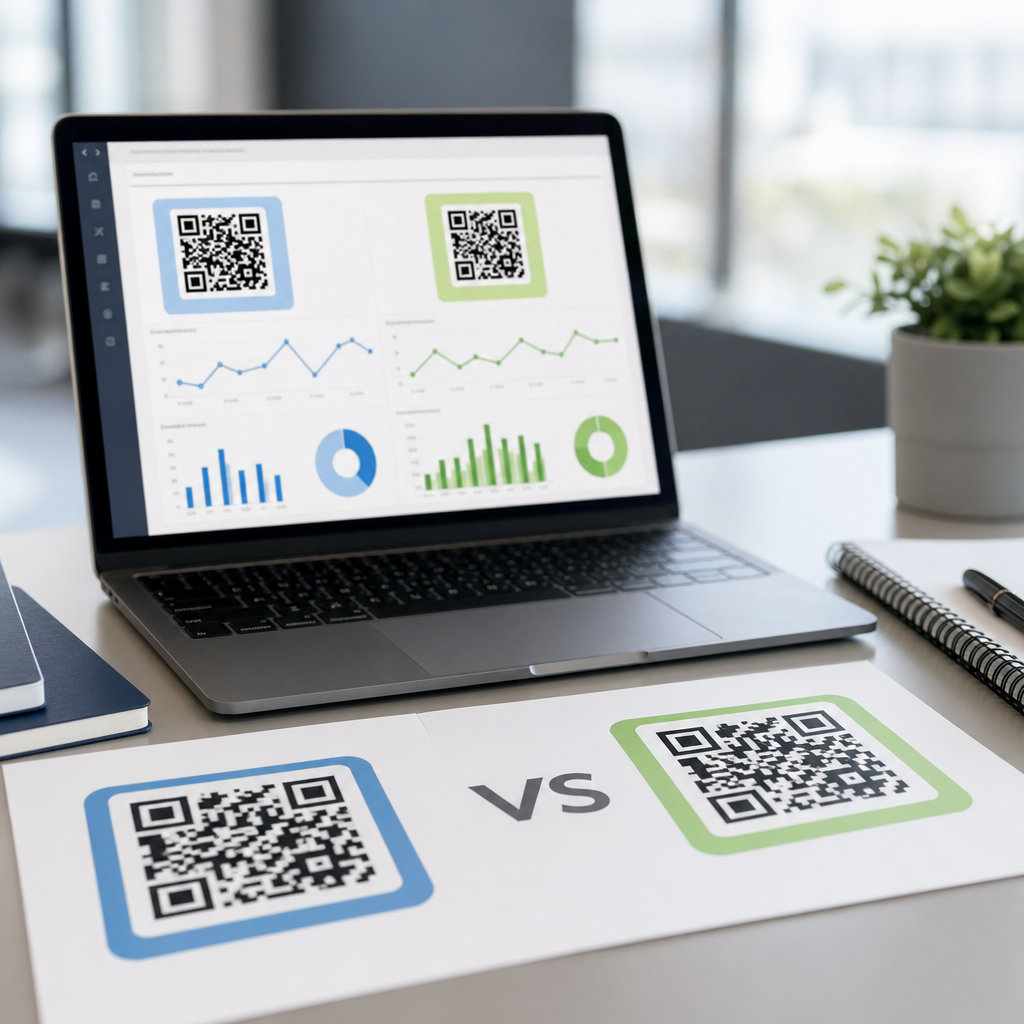
QR codes look simple, but improving QR code scan rates is a disciplined testing problem. If your team prints thousands of codes on packaging, menus, direct mail, retail signage, or event materials, small design and placement choices can swing performance dramatically. I have seen a code with identical destination content produce a weak response on a poster and a strong response on a countertop card simply because the size, quiet zone, call to action, and viewing distance were handled differently. That is why A/B testing QR codes deserves to be treated as a repeatable optimization process, not a one-time design decision.
In practical terms, QR code scan rate usually means the percentage of people who had a realistic opportunity to scan and actually did. The exact denominator varies by channel. On a product package, you might compare scans to units sold. In direct mail, you might compare scans to delivered pieces. In a store, you might estimate scan rate using footfall or impressions. The related metrics matter too: unique scans, total scans, first-time versus repeat scans, bounce rate after the scan, conversion rate, and time-to-scan. A code that earns more scans but attracts low-intent traffic may be less valuable than one with fewer scans and stronger downstream conversions.
Testing matters because QR performance is highly sensitive to context. Lighting, viewing angle, print finish, camera quality, and even the user’s confidence that the code is safe all influence behavior. Dynamic QR codes make optimization possible because you can route multiple creative variants through separate destinations or tagged URLs, then compare results in analytics tools. When teams combine controlled tests with QR code analytics, campaign tracking, and post-scan behavior analysis, they stop guessing. They learn which variables actually move scan rates, where tradeoffs exist, and how to build a reliable testing program that improves every new campaign.
What A/B testing QR codes means in practice
A/B testing QR codes means presenting two or more versions of a scannable experience to comparable audiences and measuring which variant performs better against a defined goal. The goal can be scan rate, unique scans, conversions after the scan, revenue per scan, or assisted outcomes such as app installs, lead submissions, coupon redemptions, or in-store visits. In most business settings, the cleanest approach is to keep the destination experience aligned while changing one major variable at a time. That could be the code size, surrounding copy, placement, color treatment, incentive, or landing page content.
For example, a restaurant chain testing table tents might compare Variant A, which says “Scan for the full drinks menu,” against Variant B, which says “Scan for happy hour prices and limited specials.” The code itself may be visually identical, but the promise changes. If B lifts scans by 28 percent and also improves average order value because more guests see premium add-ons, the winning insight is not just about the QR code. It is about message-market fit at the moment of attention. Good testing captures both the scan event and the business outcome that follows.
A common mistake is running “A/B tests” where multiple factors change at once. If one version uses a larger code, different CTA language, a brighter background, and a different landing page, you cannot isolate the cause. Multivariate testing has its place, especially for high-volume digital screens or packaging programs, but most teams get better answers by controlling variables tightly. In my experience, a disciplined test matrix beats creative chaos every time because the results can be applied confidently across future assets.
The variables that most often change QR code scan rates
The strongest levers are usually visibility, motivation, and trust. Visibility includes code size, contrast, error correction, print quality, quiet zone, viewing distance, and physical placement. Motivation includes the value proposition, urgency, and clarity of the next step. Trust includes recognizable branding, secure destinations, and confidence that the scan will not waste time or expose the user to risk. People scan when the code is easy to notice, easy to use, and worth the effort.
Size is often underestimated. A practical rule used in print is that scanning distance should be roughly ten times the code’s width, though real-world conditions vary. A code that works on a handout can fail on a transit poster because the user first notices it from farther away. Placement also changes outcomes. On shelf wobblers, I have seen top-right placement outperform bottom-center because it catches the eye earlier in the approach path. On product packaging, side panels may earn fewer scans than back panels if the back already contains mandatory information users are reading.
Copy around the code is another major variable. “Scan me” is weak because it explains the action but not the reward. “Scan for setup video in 30 seconds” or “Scan to compare sizes before you buy” performs better because it removes uncertainty. Incentives can help, but they need relevance. A generic giveaway may raise scans while lowering lead quality. Landing pages matter as well. If the QR code promises a menu, coupon, assembly guide, or event check-in, the destination must deliver that exact outcome immediately on mobile. Otherwise, the campaign may show healthy scans and poor conversions, which is still a failed test.
| Test Variable | What to Compare | Primary Metric | Common Risk |
|---|---|---|---|
| Code size | Small versus large at the same placement | Unique scans per impression | Large code helps visibility but may crowd out CTA text |
| CTA wording | Generic action versus specific benefit | Scan rate and post-scan conversion | Higher scans from vague offers can reduce qualified traffic |
| Placement | Eye-level versus lower placement | Scan rate by location | Different foot traffic can skew results |
| Color and contrast | Brand colors versus black on white | Successful scan completion rate | Low contrast can hurt readability |
| Landing page | Short form versus long form page | Conversion rate after scan | Best scanner experience may not produce best business result |
How to design a valid QR code testing program
Start with a narrow hypothesis. “A clearer value proposition will improve scan rate” is testable. “Make the QR campaign better” is not. Then define the audience, environment, and success metric before any creative work starts. For a retail endcap test, for instance, you may choose unique scans per 1,000 store visitors as the primary metric and coupon redemption rate as the secondary metric. If the environment differs sharply across stores, stratify by store type or run matched pairs so one flagship location does not distort the result.
Next, use dynamic QR codes and consistent campaign tagging. UTM parameters in Google Analytics 4, Adobe Analytics campaign codes, or equivalent first-party tracking allow you to attribute traffic correctly. Separate each variant at the redirect level, not just with visual changes, so analytics remain clean even if two printed assets look similar. If the test spans physical locations, add metadata such as store ID, placement type, and install date. In larger programs, a QR management platform with bulk generation, redirect rules, and dashboard exports saves significant time and reduces labeling errors.
Sample size and duration matter. A test that ends after three days because one variant looks better is often just measuring noise. You need enough observations to separate real lift from random fluctuation. The exact threshold depends on traffic volume and baseline scan rate, but the principle is simple: run long enough to capture normal behavior across weekdays, weather changes, and operational differences. If one version is deployed during a promotion and the other is not, the result is contaminated. A valid program controls timing, environment, and exposure as tightly as possible.
Measurement: scan rate is only the first layer
Many teams stop at scans, yet the most useful QR code analytics start after the camera opens the link. Measure unique versus total scans to understand repeat behavior. Capture device type, operating system, timestamp, and rough location when privacy policies and local law permit. Review engagement metrics such as dwell time, scroll depth, form completion, add-to-cart rate, and revenue. If your QR code directs to an app store, mobile measurement partners or app analytics platforms can connect scans to installs and downstream events. The more tightly you connect physical touchpoint data to business outcomes, the better your optimization decisions become.
Consider a manufacturer that adds QR codes to equipment packaging. Version A sends users to a general support homepage. Version B lands on a model-specific setup page with a two-minute video, quick-start PDF, and parts registration form. B may produce similar scan volume but much higher completion of setup and lower support ticket volume. In that case, the test reveals operational value, not just marketing value. This is common with QR deployments in service, logistics, healthcare, and education, where the best result is friction reduction rather than direct revenue.
Attribution always has limits. A person may see the code, remember the brand, and visit later through organic search or a bookmarked page. Another may scan on one device and convert on another. That does not make testing useless; it means you should interpret results with context. Use holdout groups when possible, compare trends against baseline periods, and combine analytics with field observations. If store staff report that customers struggle to find the code because it is hidden behind a display lip, that qualitative insight can explain an underperforming test faster than dashboards alone.
Common A/B testing scenarios across channels
On packaging, the central question is often whether the code supports education, loyalty, warranty registration, or cross-sell. A skincare brand might test “Scan for ingredient guide” against “Scan for your routine builder.” The first attracts users seeking transparency; the second attracts users wanting personalized advice. Both can work, but they attract different intent profiles. For mailers, teams frequently test envelope teaser copy, code placement, and incentive framing. “Scan to activate your offer” can underperform “Scan to see your personalized rate” because specificity lowers uncertainty.
In retail signage, environment control is harder because foot traffic changes by hour and store. Here, matched-store testing and rotation schedules help. For events, QR code scan optimization often depends on urgency and convenience. Entry check-in, agenda access, networking profiles, and giveaway registration each require different CTA language and different landing page speed. In restaurants, menu QR codes are a mature use case, but there is still room for testing: tabletop versus window placement, branded frame versus plain code, and single menu versus segmented menu pages can all influence scan completion and order flow.
For out-of-home advertising, distance and motion dominate. On a bus shelter, a code can work if the audience has dwell time. On a highway billboard, it usually should not be the primary response mechanism because safe scanning is unrealistic. The lesson is straightforward: optimize for the context users actually experience. The best A/B Testing QR Codes program does not ask only, “Which design wins?” It asks, “Is a QR code the right response device for this moment, and if so, what removes friction most effectively?”
Best practices, limitations, and the next steps for a subtopic hub
The best-performing teams document every test in a shared log: hypothesis, assets, exposure dates, locations, metrics, result, and decision. That creates institutional memory, which matters because QR learnings are surprisingly transferable. A win in direct mail around benefit-led CTA language often informs packaging. A failure in low-contrast brand colors on a poster warns the events team before the same mistake appears on badges. Use established standards for code generation and testing, verify scans across iPhone and Android camera apps, and print proof at final size before full production. Seemingly minor production issues such as glossy glare, warped surfaces, or trimmed quiet zones can invalidate a promising concept.
There are real limitations. Low-volume campaigns may never reach clean statistical confidence. Some environments cannot support randomized exposure. Privacy requirements can restrict location and user-level tracking. And not every improvement in scans improves business outcomes. That is why the right discipline is iterative testing tied to intent. Start with the strongest variables first: offer, placement, size, and landing page relevance. Then refine visual treatment, copy length, and audience segmentation. As this hub expands, related articles should go deeper into QR code CTA testing, packaging optimization, landing page experiments, store-level attribution, and statistical methods for physical-world campaigns.
Optimizing QR code scan rates with testing is ultimately about replacing assumptions with evidence. When you define the metric clearly, isolate variables, deploy dynamic codes, and measure what happens after the scan, QR programs become far more predictable and profitable. The immediate benefit is higher scan rate, but the larger benefit is better customer experience: people find what they were promised faster, with less friction, in the moment they need it. Review your current QR assets, choose one high-impact variable to test, and build a repeatable process from there. The gains compound quickly when every new code is informed by what the last one taught you.
Frequently Asked Questions
What factors have the biggest impact on QR code scan rates?
The biggest drivers of QR code scan rates are usually size, placement, contrast, quiet zone, call to action, and how well the code matches the real-world scanning environment. A QR code may technically be valid and still underperform because it is too small for the expected viewing distance, placed where glare or shadows interfere, or printed without enough white space around it. The quiet zone matters more than many teams realize, because scanners need clear visual separation between the code and surrounding design elements. If the code is crowded by borders, text, patterns, or imagery, scan reliability often drops.
Context also changes performance dramatically. A code on product packaging behaves differently than one on a restaurant table tent, bus shelter, retail shelf sign, or event banner. The user’s posture, urgency, lighting conditions, and distance from the code all influence whether they even attempt to scan. A strong-performing QR code does not just scan easily; it looks intentional, trustworthy, and worth the effort. That is why the best results usually come from testing the full package: the code design, the visual hierarchy around it, the CTA, and the destination experience after the scan. Teams that focus only on the code itself often miss the larger conversion problem.
How should I test QR code size and viewing distance?
Start by treating size and viewing distance as a practical usability test, not just a design preference. A QR code that works well in someone’s hand may fail on a poster across a room. The general principle is simple: the farther away people are when they first notice the code, the larger it needs to be. In testing, create multiple size variations for the same placement and compare scan rate, scan success, and downstream engagement. For example, if you are testing retail signage, try several versions with different code dimensions and place them in real store conditions rather than reviewing them only on a monitor or printed proof sheet.
You should also test for actual human behavior. Ask where people stand when they scan, how quickly they can frame the code with their camera, and whether they need to move closer than expected. If users have to adjust repeatedly, crouch, step around obstacles, or tilt their phones to avoid glare, scan rates will suffer. Good tests account for traffic flow, line of sight, and motion. A code on packaging may be scanned from inches away, while one on a poster may need to work from several feet. The best approach is to run side-by-side tests in the same environment, hold the landing page constant, and isolate size as the variable. That helps you identify the minimum viable size that still delivers reliable scans without wasting layout space.
Why do quiet zone and contrast matter so much in QR code performance?
Quiet zone and contrast are foundational to scan reliability because they help camera software distinguish the QR code from everything around it. The quiet zone is the blank margin around the code, and without enough of it, scanners can struggle to recognize the boundaries. This is one of the most common reasons a code that looked fine in a design file performs poorly after printing. Teams often place the code too close to headlines, icons, patterns, packaging edges, or brand graphics. The result is visual interference that reduces scanning accuracy, especially on older devices or in low-light conditions.
Contrast is equally important. Dark code modules on a light background usually perform best because they create a clear signal for the camera to read. Problems arise when brands reverse the colors, use low-contrast combinations, place the code over photography, or apply gradients and textures that weaken edge definition. A branded QR code can still perform well, but branding should never come at the expense of readability. The safest strategy is to test branded versions against a plain high-contrast control version in the actual production medium, whether that is matte packaging, glossy mail, window clings, menus, or outdoor signage. If the branded version loses scans, the design may need to be simplified. Reliable scanning should always take priority over decoration.
What should I include in the call to action around a QR code?
A QR code without a clear call to action often gets ignored because people do not know what they will get by scanning. The most effective CTAs tell users exactly what to do and why it is worth doing. Instead of generic language like “Scan me,” use a benefit-driven prompt such as “Scan to view the menu,” “Scan for 20% off,” “Scan to check in,” or “Scan to watch the demo.” Specificity reduces hesitation and sets expectations. In many cases, adding a short line about what happens next can improve trust, especially if users are deciding quickly in a public setting.
It is also important to match the CTA to the context and intent of the audience. Someone standing in a store aisle may respond to “Compare sizes and colors,” while an event attendee may respond to “Get the schedule instantly.” Testing should compare not just wording, but also CTA placement, font size, supporting copy, and visual emphasis relative to the code. Sometimes the code is easy to scan but underperforms because the surrounding message is weak. Strong scan rates usually come from reducing uncertainty and making the value obvious. If users understand the immediate benefit and the next step feels low effort, they are far more likely to scan.
How can I run a meaningful QR code testing program at scale?
A meaningful QR code testing program starts with clear hypotheses, controlled variables, and reliable measurement. Begin by defining the business outcome you care about, such as scan rate, successful load rate, coupon redemption, form completion, or purchase. Then test one major variable at a time whenever possible: code size, placement, CTA, color treatment, print finish, or destination page. If too many elements change at once, it becomes difficult to know what actually caused the result. Use unique tracking links or dynamic QR codes so each variation can be measured separately across packaging, direct mail, signage, in-store displays, and event materials.
At scale, you also need to account for operational realities. Print quality can vary by vendor, surfaces can distort codes, and different locations can produce different lighting or traffic conditions. That means a strong testing program should include both controlled pilot tests and field validation. Review performance by environment, device type, and time period, and look beyond scans alone. A high scan rate means little if the landing page loads slowly or fails to convert. The most effective teams treat QR optimization as an ongoing conversion process, not a one-time design task. They build a baseline, test systematically, document learnings, and roll winning patterns into future campaigns. Over time, that discipline produces consistently better scan rates and better business results.