
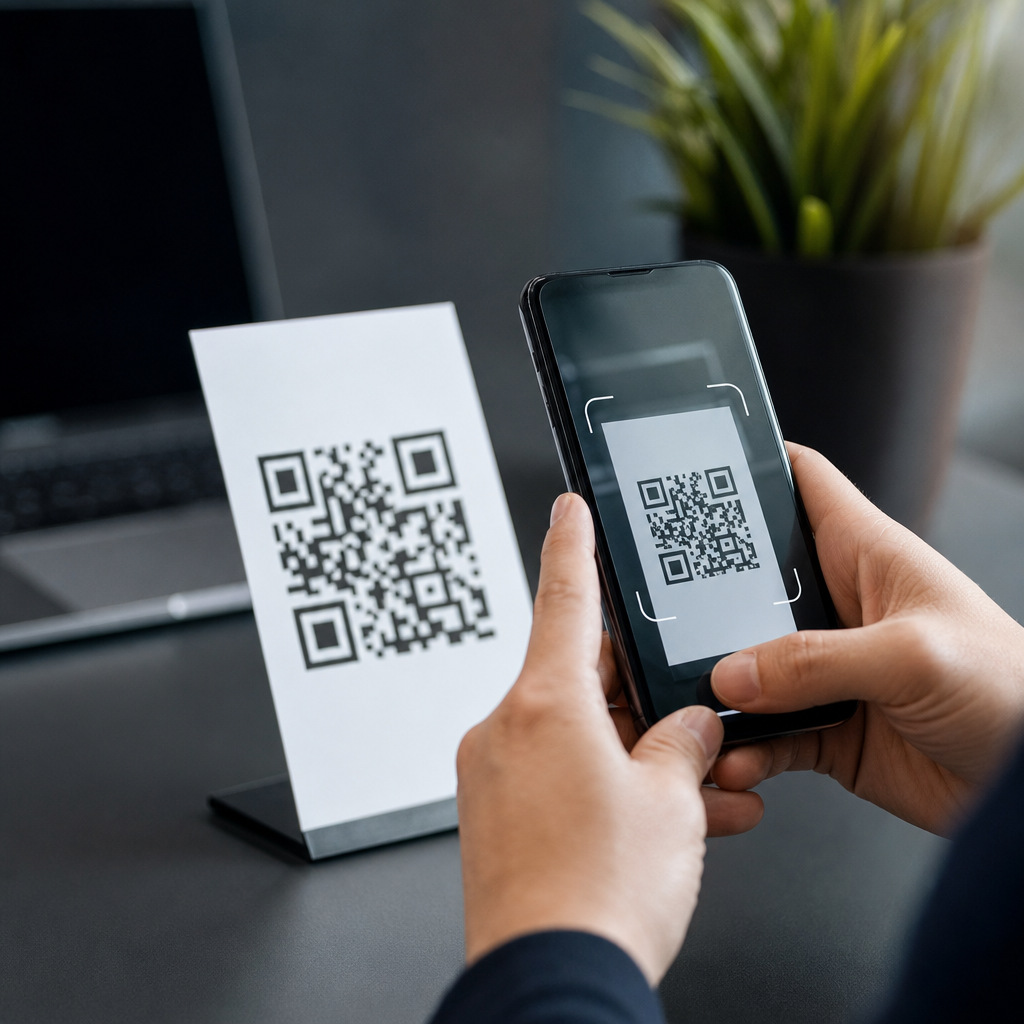
QR code phishing, often called quishing, is a social engineering attack that hides a malicious link inside a quick response code and relies on a smartphone camera to deliver the victim to a harmful destination. The method is simple: a target scans a code that appears routine, and the scan opens a website, payment page, login form, app store listing, or file download controlled by an attacker. Because people have been trained to trust QR codes on parking meters, menus, invoices, and product packaging, quishing exploits habit more than technology. That combination of convenience, speed, and low scrutiny makes it one of the fastest-growing QR code scams and risks facing businesses and consumers.
A QR code is a machine-readable matrix barcode that stores data such as a URL, email address, payment payload, Wi-Fi credential, or contact card. Phishing is the practice of impersonating a trusted entity to steal credentials, money, or sensitive information. Quishing merges the two. In incident reviews I have worked on, the attack rarely begins with advanced malware. It begins with a believable prompt: scan to pay, scan to verify your account, scan to track a package, scan to view a secure document. The code itself looks neutral, so the human decision happens before the user sees the destination. That is the core risk. Traditional email filters can inspect visible links, but a printed or embedded QR code often bypasses the guardrails people expect.
This matters because QR codes now sit at the intersection of physical and digital trust. Restaurants use them for menus, cities use them for parking, warehouses use them for inventory, and finance teams use them on bills and remittance slips. Cybercriminals follow whatever channel lowers friction, and QR code security has not kept pace with adoption. The FBI warned in 2022 that cybercriminals were tampering with QR codes to redirect payments and steal login information. Security teams have also documented campaigns that place fraudulent stickers over legitimate public codes, send emails with embedded QR codes instead of clickable links, and abuse dynamic QR services to change a safe destination into a malicious one after distribution. As a hub for QR code scams and risks, this guide explains what quishing is, how it works, why it succeeds, and how to avoid it with practical controls.
How quishing attacks work in the real world
Most quishing attacks follow the same chain. First, the attacker chooses a pretext that feels urgent or routine. Common examples include unpaid parking, failed package delivery, multifactor authentication reset, payroll review, secure voicemail, document signature, or account verification. Second, the attacker places the QR code where the target will encounter it: on a poster, a meter, a letter, an invoice, a text message image, or an email attachment. Third, the victim scans the code and lands on a website designed to capture credentials, card details, one-time passcodes, or personal data. In some cases, the site triggers a malicious download or asks the user to install a mobile configuration profile. The attack succeeds because scanning shifts attention from the sender to the action.
Two technical details make quishing effective. The first is destination opacity. Many users scan a code without previewing the full URL, especially on mobile devices where browser chrome is compressed and screen space is limited. The second is context hijacking. A fake code placed on top of a real one inherits the trust of the original environment. A parking kiosk in a city center, a conference badge, or a utility bill carries enough legitimacy that a user may not ask whether the code has been replaced. I have seen sticker overlays printed with brand colors and support numbers so convincing that the fraud was reported as a vendor issue rather than a crime for the first several days.
Attackers also use dynamic QR codes, which point to a short URL or redirect service rather than a permanent final destination. Dynamic codes are legitimate marketing tools, but in the wrong hands they allow rapid changes after the code has been distributed. A benign landing page can become a credential harvesting page without any visible change to the printed asset. That is why security review must include the redirect chain, domain age, TLS certificate details, and ownership records, not just the appearance of the code itself.
Common QR code scams and risks to know
QR code scams cluster into several repeatable categories. Payment diversion is one of the most damaging. A criminal places a fake code on a parking meter, charity sign, restaurant bill holder, or utility invoice. The victim thinks they are paying a legitimate merchant, but the funds go to the attacker. Credential theft is equally common. The code opens a fake Microsoft 365, Google Workspace, bank, or payroll login page, often optimized for mobile and branded to match the expected service. Malware delivery is less common than headlines suggest, but it happens through fake app download prompts, malicious APK links, or pages that request mobile device management profiles.
Data harvesting campaigns use QR codes to collect names, phone numbers, card numbers, and addresses under the guise of surveys, giveaways, or compliance forms. Business email compromise operators increasingly use QR codes in invoices and procurement threads because some secure email gateways inspect text and hyperlinks more effectively than embedded images. Another growing risk is physical tampering in high-traffic areas. Fraud crews target airports, transit stations, university campuses, and event venues because users are distracted, time-pressed, and likely to use a personal phone outside managed corporate controls.
| Scam type | How it appears | Main risk | Typical red flags |
|---|---|---|---|
| Payment diversion | Fake code on meter, invoice, table tent | Money sent to attacker | Unfamiliar payment domain, no receipt, pressure to act fast |
| Credential theft | Code in email or poster opens login page | Account takeover | Brand mismatch, unusual sign-in prompt, MFA code request after login |
| Malware delivery | Prompt to install app, profile, or update | Device compromise | Side-loaded app, certificate warnings, excessive permissions |
| Data harvesting | Survey, prize, compliance check | Identity fraud and spam | Requests for unnecessary personal information |
| Redirect abuse | Dynamic short link behind code | Late-stage switch to malicious page | Multiple redirects, newly registered domain |
These patterns matter because they inform prevention. If a team understands that QR code scams usually seek payments, credentials, or installs, then signage design, payment workflows, email filtering, and user training can be adjusted around those high-probability outcomes. Risk becomes manageable when it is categorized instead of treated as a novelty.
Why people fall for quishing
People do not fall for quishing because they are careless. They fall for it because the attack fits normal behavior. Scanning a code feels safer than typing a long URL, especially on a phone. In user interviews after incidents, I routinely hear the same reasoning: the code was on official-looking material, the task was familiar, and the phone opened the site automatically. That sequence reduces reflection time. On a desktop, a user often hovers over a link or notices a suspicious domain in the status bar. On mobile, the transition from camera to browser is faster and less transparent.
Attackers also exploit authority, urgency, and convenience, the same persuasion principles seen in other phishing campaigns. A fake invoice says payment is overdue. A parking sticker says enforcement begins in ten minutes. A message from “IT” says your multifactor authentication session has expired. The QR code itself acts like a shortcut that removes the pause created by manual navigation. There is also a design issue: many camera apps display only a partial preview of the destination, and some users have trained themselves to tap instantly because legitimate codes usually work that way.
Organizations contribute to the problem when they deploy QR codes without context. If a company puts codes on posters, lobbies, kiosks, and paperwork but does not teach people what legitimate destinations look like, users cannot distinguish approved use from abuse. Secure design means pairing every public code with plain-language context, a recognizable domain, and an alternate path for users who prefer not to scan.
How to spot a malicious QR code before you scan or pay
The safest approach is to treat every QR code as an untrusted link until verified. Start with the environment. Is the code on a sticker placed over another code, or does it look newer than the surrounding sign? Are there spelling errors, mismatched logos, odd spacing, or generic instructions such as “scan here now” without any brand or purpose? Physical tampering is one of the easiest signs to catch if you slow down for three seconds and look at the label rather than the square pattern.
Next, inspect the destination preview before opening it. Modern smartphones often show a notification or preview URL after a scan. Read the domain carefully from right to left. In a domain such as secure-pay.example.com.evilsite.net, the real registrable domain is evilsite.net, not example.com. Watch for lookalike characters, extra words, and suspicious top-level domains. If the code claims to belong to your bank, employer, or a city parking service, the domain should clearly reflect that organization, not a generic redirector or link shortener.
Once a page opens, assess the request. A payment page should show the merchant name, amount, and contact details. A login page should match the normal sign-in flow you already use. Be suspicious if the site asks for a one-time passcode immediately after you enter credentials, demands unusual personal information, or pushes an app install before you can continue. On mobile devices, full-screen pages can hide browser details, so use the browser menu to view site information when in doubt. If anything feels off, stop and navigate through the official app or website manually instead.
How individuals can avoid QR code phishing
For consumers and employees, prevention comes down to verification, controlled habits, and device hygiene. First, prefer trusted channels over public scans. If you need to pay for parking, use the official city parking app found through your app store or municipal website rather than a sticker on the meter. If an email asks you to scan a code to log in, ignore the code and open the service directly from your saved bookmark or official app. This single habit breaks many quishing attacks because it removes the attacker’s link from the process.
Second, keep your phone updated and avoid side-loading apps unless your organization explicitly requires it and manages the process. Operating system updates close browser, WebView, and permission-related weaknesses that criminals may try to exploit after the scan. Use a password manager that fills credentials only on the correct domain. That feature is one of the strongest practical defenses against mobile phishing because it refuses to autofill on impostor sites. Enable multifactor authentication, but never approve a login or share a one-time code unless you initiated the sign-in yourself.
Third, use security settings available on modern devices. Disable automatic Wi-Fi joining, review installed configuration profiles, and limit camera scanning from lock-screen workflows if your device policy allows it. If you scanned a suspicious QR code, do four things immediately: close the page, do not enter any data, change the password for any account you may have used, and contact the relevant institution through a verified channel. If payment information was submitted, call the card issuer promptly and monitor statements for fraud.
How businesses should reduce QR code scam risk
Organizations need controls at both the physical and digital layers. On the physical side, inventory every public-facing QR code, assign an owner, and document the approved destination. Use tamper-evident labels or printed materials that make overlays obvious. In locations such as parking terminals, reception desks, and event booths, include a visible human-readable URL next to the QR code so users can compare it with the preview on their phone. During site inspections, train staff to look specifically for sticker replacement, unauthorized signage, and brand inconsistencies.
On the digital side, establish a QR code governance process. Security, marketing, operations, and compliance teams should agree on approved generators, redirect services, analytics tools, and domain standards. Dynamic QR codes should resolve only through company-controlled domains with HTTPS, logging, and change management. If a destination must change, it should require documented approval and produce an audit trail. In several rollouts I have reviewed, the absence of ownership over marketing redirect links created silent risk; no one knew who could change the destination or whether the short domain had reputation issues.
Email security also needs adjustment. Secure email gateways should inspect images for embedded QR codes using optical character recognition and computer vision features now offered by vendors such as Microsoft Defender for Office 365, Proofpoint, Mimecast, and Barracuda. Awareness training should include mobile-first phishing examples, not only desktop screenshots. Finally, build an incident playbook that covers fraudulent codes in physical locations, malicious QR codes in messages, takedown requests, payment reversals, and customer communication. Fast response limits downstream harm because quishing campaigns often scale quickly once a code is in place.
Compliance, privacy, and the bigger QR security picture
Quishing is part of a broader QR code security, privacy, and compliance landscape. Any organization that uses QR codes should evaluate not just fraud risk but also data collection, consent, retention, and vendor management. A QR code that sends users to a form may collect personal data subject to GDPR, CCPA, HIPAA, PCI DSS, or sector-specific rules depending on the context. If the code opens a payment page, the processor and redirect path must be reviewed carefully. If it opens a healthcare intake form, privacy notices and secure transmission become mandatory, not optional.
The practical takeaway is that QR code programs need the same governance applied to email links, landing pages, and mobile apps. Maintain destination inventories, approved domains, access controls, and retention policies. Test codes regularly from different devices. Monitor for domain spoofing and newly registered lookalikes. Provide alternate access methods for accessibility and security. When companies do this well, QR codes remain useful without becoming a blind spot. Quishing thrives where convenience outruns verification. To reduce QR code scams and risks, verify before you scan, standardize how codes are deployed, and build clear reporting paths so suspicious codes are removed quickly. Review your public QR code inventory this week and close the gaps before attackers find them.
Frequently Asked Questions
What is QR code phishing, and why is it called quishing?
QR code phishing, often shortened to quishing, is a phishing attack that uses a QR code to hide a malicious destination from the victim. Instead of sending a suspicious-looking link by email or text, the attacker embeds the harmful URL inside a quick response code and relies on the victim’s smartphone camera to open it. Once scanned, the code can send someone to a fake login page, a fraudulent payment portal, a malicious app listing, or a file download designed to steal data or install malware.
The reason quishing works so well is that QR codes feel familiar and routine. People regularly scan them to view restaurant menus, pay for parking, access event tickets, track packages, log in to services, or visit product pages. That everyday comfort lowers suspicion. Unlike a visible hyperlink, the real destination is not obvious until after the scan, and many users move quickly from camera to browser without stopping to verify where they are going. That combination of convenience, trust, and reduced visibility makes quishing a powerful form of social engineering.
How do quishing attacks usually work in the real world?
Most quishing attacks follow a simple pattern: the attacker creates a QR code that points to a malicious resource, places it where a legitimate code would normally appear, and then waits for someone to scan it. In practice, this can happen in both physical and digital settings. A scammer might place a sticker over a real QR code on a parking meter, table tent, poster, or public notice. They may also include a fake QR code in an email, invoice, shipping message, or printed mailer that appears to come from a trusted organization.
After the scan, the victim is taken to a destination controlled by the attacker. That destination could be a counterfeit Microsoft 365, Google, bank, or payroll login page intended to steal usernames, passwords, and multifactor authentication codes. It could also be a payment page requesting immediate action, such as paying a toll, parking fee, late invoice, or package release charge. In some cases, the code leads to an app download or prompts the user to install a configuration profile, which can create a longer-term security risk. The attack succeeds when the victim acts quickly, trusts the context, and does not verify the destination before entering information or approving a transaction.
What are the most common warning signs that a QR code may be malicious?
There are several red flags that suggest a QR code may not be safe. One of the biggest is context that feels off or unusually urgent. If a code appears in an unexpected email, a random text message, an invoice you were not expecting, or a public sign demanding immediate payment or account verification, pause before scanning. Attackers often create pressure by claiming there is a missed delivery, account problem, unpaid fine, or limited-time requirement. That urgency is designed to reduce careful thinking.
Physical clues also matter. A QR code sticker placed on top of another code, a code that looks newly added to a sign, or one that appears poorly printed or tampered with should be treated as suspicious. On the digital side, be cautious if your phone preview shows a strange domain, a shortened link, a misspelled brand name, or a URL that does not match the company supposedly requesting the scan. Once the site opens, warning signs include login pages that look slightly different than normal, payment pages with unusual wording, prompts to download software, and requests for sensitive data that seem unnecessary. In general, if the code appears in a place where trust is assumed but verification is difficult, that is exactly the environment a quishing attacker wants.
How can I protect myself from quishing attacks?
The most effective defense is to slow down and verify before you scan or before you act after scanning. If your phone shows a link preview, read it carefully and make sure the domain is legitimate. Look for exact brand spelling, proper top-level domains, and secure connections. If the QR code claims to be from your bank, employer, parking provider, or delivery company, consider bypassing the code entirely and visiting the official website or app directly. That simple habit removes the attacker’s advantage.
It also helps to be selective about where you scan. Avoid using QR codes from unsolicited emails, unexpected text messages, flyers, or altered public signs. In physical locations, inspect the code for signs of tampering, especially stickers placed over existing labels. Keep your phone’s operating system and browser updated, and use mobile security tools if appropriate for your environment. For businesses, user awareness training is important because employees may encounter quishing in invoices, HR messages, and workplace signage. Finally, never enter credentials, payment details, or one-time passcodes into a page you reached through a QR code unless you have independently confirmed that the destination is authentic.
What should I do if I scanned a suspicious QR code or entered information after scanning one?
If you scanned a suspicious QR code but did not enter any information, close the page immediately and avoid downloading anything or granting permissions. Clear the browser tab, and if a file was downloaded, do not open it. If the page asked you to install an app, profile, or certificate, cancel the action. It is also wise to run a mobile security scan if you have a trusted security app installed, and to review your phone for newly installed apps, unusual profiles, or unexpected browser notifications.
If you entered login credentials, payment details, or other sensitive information, act quickly. Change the affected password right away and update any other accounts where that password was reused. Enable or review multifactor authentication settings, and check account activity for suspicious logins or changes. If payment information was exposed, contact your bank or card issuer to report potential fraud and monitor transactions closely. In a workplace setting, notify your IT or security team immediately so they can investigate, reset accounts, block domains, and protect other users. Quick reporting can prevent a single scan from becoming a larger compromise.





