
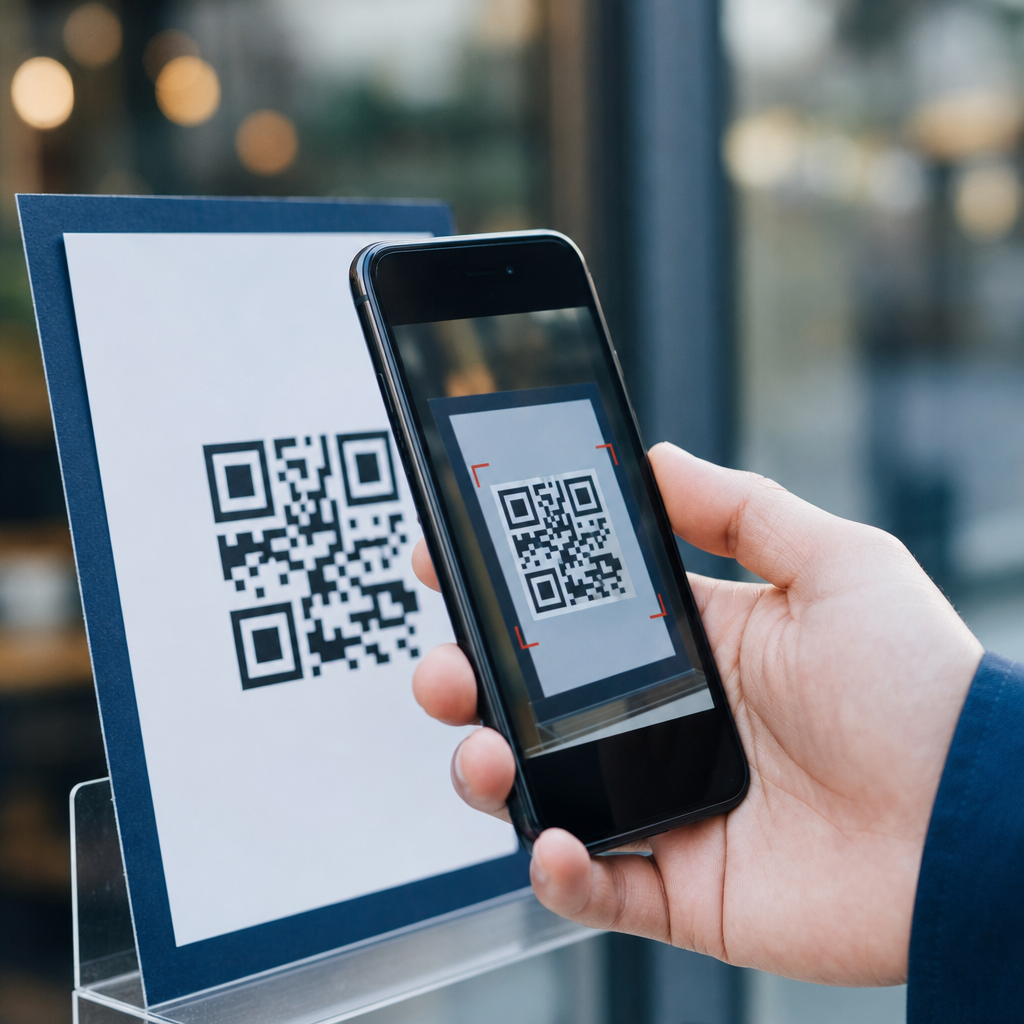
QR codes have become a routine part of modern life, but their convenience has also created a fast-growing fraud channel that many people still underestimate. A QR code, short for Quick Response code, is a two-dimensional barcode that can store links, payment details, contact information, login prompts, and other machine-readable data. When a smartphone camera scans the code, the device opens the embedded destination in seconds. That speed is the core benefit of QR technology, and it is also the core security problem. People often scan first and inspect later, which gives attackers an opening to redirect users to phishing pages, fraudulent payment portals, malicious app downloads, and data-harvesting forms.
I have worked with QR code campaigns for retail, events, and payments, and the pattern is consistent: organizations focus on adoption and overlook abuse cases until an incident forces a review. Unlike a suspicious email, a QR code does not immediately show its true destination. A printed sticker on a parking meter, restaurant table, package label, or poster can look legitimate because the code itself is unreadable to the human eye. That opacity makes QR code scams especially effective in public places, high-traffic environments, and mobile-first interactions where users are in a hurry. Criminals exploit trust in familiar brands, urgency around payments, and the assumption that anything physically posted must have been authorized.
Understanding common QR code scams matters because these attacks blend digital deception with real-world placement. They can lead to stolen credentials, unauthorized card charges, account takeover, malware installation, and exposure of personal data. They also create business risk: brands may face chargebacks, customer support costs, and reputational damage after fake codes appear on premises or packaging. In security teams, this threat is often called quishing, meaning phishing delivered through QR codes. The most effective defense is not avoiding QR codes entirely; it is learning how scams work, where they appear, and what warning signs consistently show up before harm occurs. This guide explains the main QR code scams and risks, with practical examples you can recognize quickly.
Fake payment QR codes in public places
The most common QR code scam is payment redirection. An attacker places a fake QR code sticker over a legitimate one on a parking meter, vending machine, transit kiosk, donation sign, or restaurant bill folder. When the victim scans it, the code opens a counterfeit payment page designed to capture card details or route money to the criminal’s account. I have seen this attack succeed because people expect mobile payment flows to look slightly different across vendors, so they ignore small branding inconsistencies and proceed. In many cases the fake site uses HTTPS, a copied logo, and a mobile layout that appears credible at a glance.
Parking scams are especially effective because users are often standing outside, in a rush, and focused on avoiding a fine. A fraudulent code may ask for card number, billing ZIP code, and even vehicle details, then either steal the payment information or initiate recurring charges. Restaurant table tents and tip jars are another target. A criminal can replace a payment code with one linked to a personal wallet or clone a charity donation page with a lookalike domain. If the page asks for excessive information unrelated to the transaction, that is a strong sign of abuse. Legitimate payment QR codes usually lead to a recognizable processor, a merchant app, or a short, purpose-specific checkout flow.
QR phishing and account takeover schemes
QR phishing works by sending users to a fake login page that copies a real service such as Microsoft 365, Google, Apple, or a banking portal. The code may appear in an email attachment, printed letter, poster, or text message claiming the user must verify payroll details, reset multifactor authentication, collect a package, or view a secure document. Because mobile users are accustomed to signing in on small screens, they may not scrutinize the full URL, especially if the page opens inside an in-app browser. Once the victim enters credentials, the attacker captures them and attempts immediate account access.
This tactic has become popular in enterprise environments. Security vendors including Microsoft and Cisco have documented campaigns where threat actors embed QR codes in emails to bypass traditional link inspection and encourage employees to complete the action on personal phones. That shift matters because the phone may not have the same web filtering, endpoint monitoring, or corporate browser protections as a managed laptop. A stolen cloud account can expose email, files, invoices, customer data, and internal chat history. If the account lacks strong multifactor protections, the attacker can pivot quickly. Even with multifactor authentication, an attacker may use the fake page to trick the victim into approving a push notification or entering a one-time passcode.
Malicious downloads and device compromise
Some QR code scams do not ask for payment or credentials at all. Instead, they push the user toward downloading a malicious application, configuration profile, or fake software update. The scam often claims that scanning is required to install a secure messaging app, redeem a coupon, track a shipment, claim event photos, or update a device utility. On Android, attackers may try to persuade users to sideload an APK from outside the official app store. On iPhone, scams may use mobile device management profiles or deceptive prompts to collect permissions and route traffic through attacker-controlled systems. The exact mechanics vary, but the principle is the same: the QR code gets the victim to trust a risky installation step.
Device compromise through QR codes is less common than payment or credential theft, but the impact can be broader. Malware can harvest contacts, messages, saved passwords, or authentication tokens. In business settings, a compromised mobile device may also expose corporate email or collaboration platforms. A useful rule is simple: a legitimate QR code should rarely be the first step toward installing software unless it comes from a trusted vendor in a verified setting. Official app stores, publisher verification, and known domain names remain important controls. If a QR code initiates a file download or asks you to change security settings, stop and verify through an independent source.
Package, delivery, and support impersonation scams
Another common pattern uses QR codes in fake delivery notices, invoices, warranty cards, or customer support materials. The message says a package could not be delivered, a shipment fee is outstanding, a refund is waiting, or product registration is required. The code sends the user to a payment page or login form that appears to belong to a courier, marketplace, telecom provider, or electronics brand. Criminals know that people are now comfortable managing deliveries and returns on mobile devices, so the QR format feels normal. A printed notice left on a door or included in a package can increase credibility because it blends physical and digital trust signals.
Tech support variations are also dangerous. A pop-up, email, or printed sign may instruct the user to scan a QR code for “secure assistance” or “priority verification.” The destination may open a remote access tool download, a chat window that collects personal data, or a payment page for fake support services. Older adults are frequently targeted in these campaigns because scammers combine urgency, authority, and step-by-step coaching. Legitimate brands do use QR codes for setup and support, but they direct users to official help centers, not surprise payment demands or remote access installations. If support begins with a code, verify the company’s published support channel before taking any action.
Where QR code scams appear and how risks differ
QR code scams are not limited to one industry. Attackers choose environments where scanning feels routine and inspection is low. The risk changes based on placement, user intent, and whether money, credentials, or software permissions are involved. The table below summarizes common scenarios and the primary danger in each one.
| Scenario | Typical scam method | Primary risk | Best immediate check |
|---|---|---|---|
| Parking meter or transit kiosk | Sticker placed over real payment code | Card theft or payment diversion | Compare domain name with city or operator website |
| Restaurant table, tip jar, donation sign | Replacement code linked to criminal wallet or clone checkout | Money sent to attacker, card exposure | Confirm merchant name and payment processor before paying |
| Email or printed notice | QR leads to fake Microsoft, Google, or bank login page | Credential theft and account takeover | Open the service manually instead of through the code |
| Package insert or delivery card | Fee collection or redelivery phishing page | Card theft and personal data capture | Check tracking through the carrier’s official app |
| Poster, event sign, coupon, contest | Malicious download or data-harvesting form | Device compromise or privacy loss | Avoid app installs and verify the organizer’s domain |
Warning signs that a QR code may be fraudulent
Several signals appear repeatedly across QR code scams. The first is physical tampering. If the code is a sticker placed over another code, misaligned, scratched, or attached in an unusual way, treat it as suspicious. The second is destination mismatch. Many phone cameras now preview the URL before opening it. If the domain is misspelled, overly long, uses random characters, or does not match the expected brand, do not continue. Lookalike domains such as payrnents-example.com, where letters mimic other characters, remain a standard phishing technique. On mobile screens, users often miss these details unless they deliberately pause to inspect them.
Other warning signs involve behavior after the scan. Be cautious if the page immediately asks for a login unrelated to the task, requests full card details for a tiny fee, pressures you with countdown timers, or prompts an app installation outside normal channels. Forms that request excessive personal information, such as Social Security numbers for parking payments or bank credentials for package redelivery, are almost certainly fraudulent. Also watch for poor localization, awkward language, generic greetings, and support numbers that do not match the organization’s public listings. None of these clues alone proves a scam, but multiple small inconsistencies usually indicate that something is wrong.
How to use QR codes safely without giving them up
The safest approach is controlled skepticism. Before scanning, ask whether a QR code is necessary at all. If you can reach the service through a saved app, typed web address, or official search result, that is usually safer. When you do scan, use the camera preview to inspect the destination URL before opening it. Prefer codes that resolve to short, recognizable domains owned by the business or institution. If you are making a payment, verify the merchant name on the checkout page and look for signs that the flow is handled by a known processor such as Stripe, Square, PayPal, Adyen, or a bank-branded gateway. Familiar processors are not a guarantee, but they reduce uncertainty.
On mobile devices, keep the operating system updated, enable built-in safe browsing protections, and avoid sideloading apps. For business users, mobile threat defense, DNS filtering, and conditional access policies materially reduce exposure. Organizations should also inspect physical locations regularly, train staff to spot sticker replacement, and publish official payment and support routes clearly so customers can verify them. If you suspect fraud, do not finish the transaction. Take a photo of the code, note the location, report it to the venue or local authority, and contact your card issuer or IT team if any data was entered. Fast reporting can limit losses and help remove the scam before more people are affected.
QR code scams work because they compress trust, urgency, and action into one quick scan, but that same speed can be interrupted with a few disciplined checks. The most common schemes involve fake payment pages, phishing logins, malicious downloads, and impersonation of delivery or support services. In every case, the attacker relies on the fact that the code hides the destination until the user opens it. That is why the best defense is verification before interaction: inspect the URL, compare it with the expected brand, use official apps or typed addresses when possible, and avoid any flow that asks for more information or permissions than the task requires.
For organizations, this topic is not just consumer awareness; it is an operational security issue. Public-facing QR codes should be inventoried, monitored, and tied to clear customer guidance. Staff should know how to identify tampering, and incident response plans should include fraudulent code reporting and takedown steps. For individuals, the habit to build is simple: pause before you scan, and pause again before you submit payment, credentials, or downloads. That small delay is often enough to break the scam. Review the QR code touchpoints you use most often, share these warning signs with your team or family, and make verification your default behavior.
Frequently Asked Questions
What is a QR code scam, and why are these scams becoming more common?
A QR code scam happens when a criminal uses a QR code to send someone to a harmful destination without the person realizing it. Because QR codes are designed to be scanned quickly, people often trust them without stopping to verify where they lead. A code can direct a phone to a fake website, a fraudulent payment page, a malicious app download, a phishing login form, or even a prompt that encourages the user to share private information. In many cases, the victim never sees the full destination URL until after the code has already been scanned and the page has opened.
These scams are becoming more common because QR codes are now everywhere. People use them to view menus, pay bills, log in to services, download apps, join Wi-Fi networks, and access event information. That wide adoption gives scammers more opportunities to exploit routine behavior. Attackers may place fake QR code stickers over legitimate ones in parking meters, restaurants, public posters, or retail checkout areas. They may also include QR codes in emails, text messages, printed mail, or social media posts to bypass traditional skepticism about clickable links.
Another reason QR scams are growing is that mobile users tend to move fast. On a smartphone screen, it is easier to miss warning signs such as a suspicious domain name, poor website design, or unusual permission requests. The convenience of scanning reduces hesitation, which is exactly what fraudsters want. QR technology itself is not unsafe, but the trust people place in it can make it a powerful tool for deception when used by criminals.
What are the most common types of QR code scams people should watch for?
Several QR code scams appear again and again, and knowing the patterns can help you avoid them. One of the most common is the fake payment scam. In this setup, a scammer replaces a real payment QR code with their own, causing the victim to send money directly to the criminal instead of the intended business, charity, landlord, or service provider. This is especially common in public parking, vending, donations, and small business transactions where a posted code is scanned quickly and rarely verified.
Another major category is QR phishing, sometimes called “quishing.” Here, the code leads to a fake login page for a bank, email account, payroll portal, package delivery service, or cloud platform. The page looks convincing, but any username, password, or verification code entered goes straight to the attacker. Some scams also try to capture payment card numbers, account details, or personal identity information under the guise of account verification or urgent security updates.
There are also malicious download scams, where a QR code pushes the user toward installing an unsafe app or opening a file that compromises the device. In business settings, attackers may use QR codes to target employees with fraudulent login prompts or fake multi-factor authentication pages. In more aggressive versions, the scammer uses urgency, such as “Your account will be locked,” “Delivery failed,” or “Immediate payment required,” to pressure the user into acting before thinking carefully. While the methods differ, the goal is usually the same: steal money, credentials, or sensitive personal data.
How can I tell whether a QR code is legitimate before I scan it?
The safest approach is to treat a QR code the same way you would treat an unknown link. Start by looking at where the code appears and whether it makes sense in context. If a QR code is posted in a public place, check whether it looks tampered with. A sticker placed over another sticker, a label that seems misaligned, or a code that appears unofficial compared with the surrounding branding can all be warning signs. If a business normally uses printed signage but one code looks newly added or out of place, pause before scanning.
You should also think about the source. A QR code from a trusted company’s official website, app, or verified customer communication is usually safer than one from an unsolicited email, random flyer, or text message. If you receive a message urging you to scan a code to resolve a problem, confirm the request through an official channel first. For example, instead of scanning a code in a suspicious bank email, visit the bank’s website manually or call the number listed on your statement or official app.
Many smartphones now show a preview of the destination before opening it fully. Always review that preview carefully. Look for misspellings, strange domain names, extra words, unusual subdomains, or shortened links that hide the real destination. If the code points to a website asking for passwords, payment information, or identity details, be especially cautious. Legitimate organizations generally do not rely on surprise QR codes to collect sensitive information without warning. A moment of verification before scanning can prevent a costly mistake.
What should I do if I scanned a suspicious QR code or entered information on a site it opened?
If you scanned a suspicious QR code but did not interact with the page, close the page immediately and avoid downloading anything or granting any permissions. Clear the browser tab, and if your phone prompted you to connect to a network, install an app, or save a profile, decline those actions unless you are absolutely certain the request was legitimate. Then monitor your device and accounts for any unusual behavior, especially if the code led somewhere unexpected.
If you entered a username and password, change that password right away on the real website or app, not through the page opened by the QR code. If you reused that password anywhere else, update those accounts too. Enable multi-factor authentication if it is not already active. If you entered payment card information, contact your bank or card issuer immediately, explain what happened, and ask them to monitor or freeze the card if necessary. If you sent money through a fraudulent payment QR code, report the transaction as quickly as possible to the payment provider, bank, or platform involved, because fast action may improve the chances of limiting the damage.
It is also wise to run a mobile security scan if you downloaded anything or suspect your device may have been exposed to malware. Watch for signs such as unfamiliar apps, unusual pop-ups, battery drain, or login alerts from unknown locations. Report the scam to the business or organization being impersonated and, when appropriate, to consumer protection agencies, your workplace security team, or local law enforcement. Quick response matters with QR fraud because attackers often try to use stolen information immediately.
What are the best ways to protect myself from QR code scams in everyday life?
The best protection starts with slowing down. QR scams depend on speed, routine, and trust. Before scanning, ask yourself whether the code is expected, whether the source is trustworthy, and whether there is a safer alternative. When possible, type the website address manually, use the company’s official app, or navigate from a verified bookmark instead of relying on a QR code. This is especially important for banking, account logins, password resets, and payments.
In public places, inspect physical QR codes before using them. If you see signs of tampering, avoid the code and tell the business or property owner. When paying, confirm that the recipient name, payment details, or merchant information matches what you expect before completing the transaction. On mobile devices, keep your operating system, browser, and security software updated, because current protections can help block known malicious sites and unsafe downloads. Take advantage of URL previews and built-in phishing warnings rather than clicking through them automatically.
Finally, build habits that reduce your exposure across the board. Use unique passwords, enable multi-factor authentication, review financial transactions regularly, and stay skeptical of urgent requests delivered by email, text, or posted signs. If a QR code asks for something sensitive, such as login credentials, payment details, or identity verification, treat that request with extra caution. The biggest defense against QR code scams is not technical expertise but consistent verification. A few extra seconds of scrutiny can make the difference between convenience and compromise.





