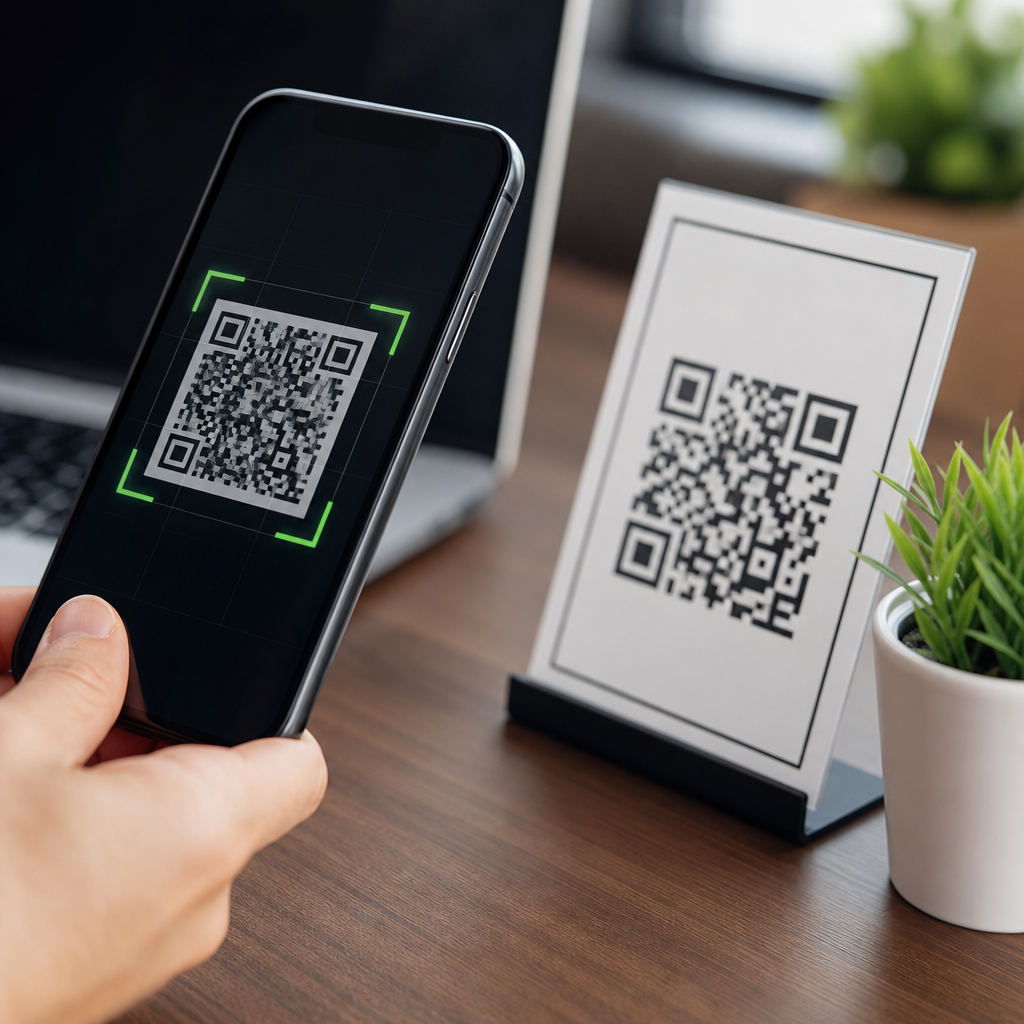
QR codes are safe for businesses when they are deployed with clear governance, secure link management, privacy controls, and routine monitoring, but they are not inherently safe simply because the symbol itself is easy to scan. A QR code is a two-dimensional barcode that stores data such as a URL, contact card, payment string, Wi-Fi credential, app link, or product identifier. For businesses, that convenience creates value across packaging, menus, logistics, authentication, support, and payments. It also creates a risk surface, because every scan is a bridge between the physical world and a digital destination that can be changed, spoofed, or abused. I have seen companies treat QR codes as harmless artwork, only to discover that an expired domain, a sticker swap in a retail aisle, or a poorly configured redirect exposed customers to phishing and the brand to avoidable trust damage.
The practical question is not whether QR codes are safe in the abstract. The right question is: under what conditions are QR codes safe enough for business use? The answer depends on how the code is generated, where it points, who controls the destination, what data is collected, how users are informed, and how fast the organization can respond if something goes wrong. Businesses also need to separate different use cases. A static QR code on printed packaging that leads to a product page has a very different risk profile from a dynamic payment QR code, a code used for visitor check-in, or a code embedded in a customer onboarding flow. Each use case carries its own threats, compliance duties, and operational controls.
Why this matters is straightforward. Consumers increasingly trust the scan action because smartphone cameras make it frictionless. Attackers know this, and so do regulators. A single unsafe implementation can affect fraud exposure, privacy obligations, customer experience, and incident response costs. This hub explains where QR code risk really comes from, which business use cases are low or high risk, what security controls work in practice, and how to evaluate vendors and internal processes before scaling QR code programs across marketing, operations, and payments.
What makes QR codes risky or safe in business use
QR codes do not execute malware by themselves; they encode data. The danger comes from what happens after the scan. In most business programs, the code resolves to a URL, and that URL can deliver a legitimate landing page, trigger a deep link into an app, open a payment request, or send a user to a malicious site. That is why safe QR code deployment starts with destination control rather than with graphic design. In security reviews, I focus on five variables: destination integrity, domain trust, redirect behavior, data minimization, and change management. If a business can verify all five, the scan flow is usually defensible.
Destination integrity means the code must resolve only to approved content. Domain trust means the visible domain should be recognizable, monitored, and protected with HTTPS, HSTS, and strong DNS controls such as registrar lock and multifactor authentication on DNS provider accounts. Redirect behavior matters because attackers often exploit open redirects or overlong redirect chains to hide the true landing page. Data minimization matters because a QR scan is often used to gather analytics, but collecting device identifiers, precise location, or unnecessary form fields can transform a low-risk marketing scan into a privacy headache. Change management matters because dynamic QR codes are valuable precisely because marketers can update destinations later; without approval workflows and logging, that flexibility becomes a security weakness.
A useful rule is simple: the more a QR code triggers identity, payment, or sensitive data collection, the more controls it needs. A code printed on a cereal box linking to recipes is relatively low risk. A code used to approve invoice payments or access a patient intake form is materially higher risk and should be treated like any other sensitive digital channel.
Common QR code threats businesses should understand
The most common threat is QR phishing, often called quishing. An attacker places a malicious code over a legitimate one on posters, tables, kiosks, parking meters, or product packaging. Because users cannot visually inspect the encoded destination, they rely on context and brand cues. If the landing page imitates a bank, delivery service, or corporate login screen, theft can happen quickly. I have investigated incidents where a simple overlay sticker redirected customers to a fake survey page that harvested emails, passwords, and card numbers before anyone in the store noticed.
Another frequent issue is domain drift. A business launches a campaign, prints thousands of codes, then lets the linked microsite expire or moves content without setting proper redirects. An abandoned domain can be purchased by a third party and repurposed. This is not hypothetical; expired marketing domains are regularly acquired because they already have traffic and trust. Broken governance, not the QR format, causes the exposure.
There is also risk in payment fraud. QR payment systems can be legitimate and efficient, especially in hospitality, transport, and peer-to-peer commerce, but fraud appears when static payment codes are swapped or when staff are not trained to verify merchant names before transactions are approved. In environments with shared surfaces, like restaurant tables or event booths, tampering is easier than many managers assume. Finally, poorly built mobile landing pages can create secondary issues such as cross-site scripting, credential interception over insecure forms, or consent failures under privacy law.
| Business use case | Main threat | Primary control |
|---|---|---|
| Printed marketing materials | Sticker replacement or malicious redirect | Branded domain, routine inspections, dynamic link governance |
| Payments | Payment destination swap | Merchant name verification, tamper checks, provider fraud controls |
| Menus and hospitality | Fake login, phishing, data overcollection | HTTPS pages, minimal forms, visible URL preview guidance |
| Product packaging | Expired domain takeover | Long-term domain ownership, redirect maintenance, asset inventory |
| Visitor check-in | Excessive personal data collection | Purpose limitation, retention policy, access controls |
Are static or dynamic QR codes safer
Static QR codes encode the final destination directly. They are simple, cheap, and hard to alter without replacing the printed code. That simplicity can be an advantage because there is no management platform to compromise. However, static codes become risky when the destination needs to change, the domain expires, or campaign tracking is bolted on through ad hoc redirects. If a typo, migration, or legal requirement forces an update, a static code on physical materials can become a long-lived operational liability.
Dynamic QR codes usually point first to a managed short link or redirect service, which then sends the user to the current destination. They are generally safer for businesses at scale because they support controlled updates, analytics, deactivation, and auditability. In my experience, dynamic management is the only practical option when codes are printed on packaging, signage, or product inserts that will remain in circulation for years. The tradeoff is that the redirect platform becomes a critical dependency. If vendor access controls are weak, if open redirects are allowed, or if logs are missing, the business may gain convenience while losing assurance.
So which is safer? For one-off, low-risk, short-lived uses, static can be acceptable. For multi-location, long-lived, or regulated use cases, dynamic is usually safer if the platform supports role-based access control, approval workflows, immutable logs, custom domains, fast revocation, and exportable analytics. Safety comes from governance around the redirect layer, not from the word dynamic itself.
Security controls that reduce QR code risk
Businesses should treat QR codes as a managed digital channel. Start with the destination domain. Use a branded domain or subdomain that customers can recognize before they tap through. Protect it with HTTPS certificates, automatic renewal, DNS change alerts, and multifactor authentication for the registrar and hosting accounts. Avoid free link shorteners for customer-facing scans; they obscure trust signals and are harder to govern.
Next, implement lifecycle controls. Maintain an inventory of every QR code, its owner, its location, its purpose, and its current destination. Assign expiration or review dates to campaigns. Keep printed asset records so store teams know which codes are authorized in which places. If a code is tied to product packaging, commit to owning the underlying domain for the expected shelf life and support life of the product, not just the campaign window.
User protection matters too. Mobile landing pages should be fast, minimal, and transparent about why data is being requested. If a scan leads to login or payment, display the legal business name prominently and use familiar trust markers. Train staff to inspect public-facing codes for tampering, especially at restaurants, retail counters, parking areas, and event venues. For higher-risk flows, use app-based confirmations or signed payment requests rather than unauthenticated browser pages.
Finally, monitor actively. Security teams should test QR destinations the way they test email links and web forms. Check for mixed content, weak redirects, data leakage in URL parameters, and unnecessary third-party scripts. If a QR platform supports alerts for destination changes, spikes in scans, or scans by geography, enable them. Detection speed is often the difference between a minor incident and a damaging public story.
Privacy, compliance, and customer trust considerations
QR code safety is not only about stopping fraud. It is also about collecting data lawfully and proportionately. Many businesses use QR codes to connect offline behavior with digital analytics, but that creates obligations under privacy regimes such as the GDPR, CCPA, and sector-specific rules. If a scan logs IP address, device type, approximate location, timestamp, campaign identifier, and form submission details, the business is processing personal data or data that can become personal in context. That means transparency, lawful basis, retention limits, vendor contracts, and user rights handling cannot be afterthoughts.
I recommend designing QR experiences around purpose limitation. If the goal is to show a menu, do not force account creation. If the goal is warranty registration, ask only for the fields needed to deliver that service. If geolocation is useful for analytics, aggregate it when possible rather than storing precise coordinates. Consent banners should be configured for the actual technologies on the landing page, especially if ad tech, session replay, or cross-site trackers are present. These details directly affect customer trust; people accept scanning when the experience feels helpful and bounded, not when it becomes a data grab.
Accessibility also matters. Some customers cannot scan easily, and some environments have weak signal or restrictive device settings. Safe deployment includes an alternative URL, short code, or NFC option, plus readable context that explains what the scan will do. Trust grows when businesses clearly label the destination and purpose instead of asking customers to scan blindly.
How to choose a safe QR code platform and process
When evaluating a QR code generator or management platform, look beyond templates and analytics dashboards. The core questions are operational and security-focused. Can the platform use your custom domain? Does it support role-based access control, single sign-on, approval workflows, and change logs? Can a destination be disabled instantly? Are redirects restricted to approved domains? How long are logs retained, and can they be exported to your SIEM? Does the vendor publish uptime, subprocessor, and incident response information? Serious business use requires positive answers to those questions.
Process design is just as important as tooling. Marketing may own campaign content, but IT or security should set guardrails for domains, redirects, and authentication. Legal and privacy teams should review flows that collect personal data. Operations teams should own physical inspections where tampering is plausible. In effective programs, QR codes have named owners, documented review cycles, and clear escalation paths. That cross-functional model prevents the common failure mode where a campaign launches quickly and nobody remains accountable six months later.
Businesses that want safer QR code use should begin with a simple audit: list every current code, classify each by risk, move critical use cases to a controlled platform, retire unknown or duplicate assets, and publish customer-facing scanning guidance. Done well, QR codes remain a fast, measurable, low-friction bridge between physical and digital experiences. Done casually, they become an unmanaged entry point for fraud, privacy complaints, and brand damage. Review your current QR inventory, tighten domain and redirect controls, and treat every scan like a customer trust event.
Frequently Asked Questions
Are QR codes inherently safe for businesses to use?
No. A QR code is not inherently safe simply because it is easy to scan or widely used. It is best understood as a delivery mechanism for data, most often a URL, but also a payment string, digital contact card, app link, Wi-Fi credential, or product identifier. Whether it is safe depends on what the code contains, where it sends the user, how it is managed, and what controls the business has in place around creation, updates, and monitoring. In other words, the symbol itself is neutral; the risk comes from the destination, the workflow behind it, and the possibility of misuse.
For businesses, QR codes can be very safe and highly effective when they are deployed with governance and security in mind. That includes using trusted domains, secure landing pages, HTTPS everywhere, role-based access to code management platforms, documented ownership, expiration or deactivation policies where appropriate, and regular reviews of where each code points. When those practices are missing, businesses can create avoidable risk, including phishing exposure, customer distrust, broken experiences, compliance issues, or unauthorized redirects. So the practical answer is that QR codes are safe when treated like any other customer-facing digital asset: governed, monitored, and secured.
What are the biggest security risks businesses should watch for when using QR codes?
The most common risks are malicious redirects, code tampering, poor destination control, and weak operational oversight. A QR code can send someone to a fake website that imitates a login page, payment portal, support desk, or account verification screen. If a business uses dynamic QR codes without proper account security, an attacker who gains access to the management console could change the destination after the code has already been printed on packaging, menus, displays, invoices, or signage. That makes governance over link management especially important, because the code users see in the physical world may stay the same even if the destination changes.
Physical replacement is another serious concern. Fraudsters sometimes place stickers over legitimate QR codes in restaurants, parking meters, public kiosks, event spaces, or retail locations to redirect customers to fraudulent payment pages or malware-hosting sites. There are also privacy and compliance risks. If a QR code leads to a landing page that collects personal data, tracks behavior without proper disclosure, or triggers app downloads or device actions without clear user consent, the business can create regulatory and reputational exposure. Finally, basic operational failures matter too: expired links, dead pages, incorrect redirects, and inconsistent branding can all undermine trust and increase the chance that customers mistake a legitimate code for a scam. Security is not only about preventing attacks; it is also about delivering a predictable, trustworthy experience.
How can a business make QR codes safer before rolling them out?
The safest approach is to treat QR code deployment as part of a broader digital governance process rather than a simple design task. Start by defining who is allowed to create codes, approve destinations, edit redirects, and retire outdated assets. Use a controlled QR code management platform or an internal process that keeps an inventory of every live code, what it is used for, where it appears, who owns it, and where it points. Standardize on business-owned domains so customers can recognize the brand before scanning or immediately after landing. If short links are used, they should still be branded and traceable rather than generic or obscure.
On the technical side, direct all QR destinations to secure HTTPS pages, avoid sending users to unnecessary intermediate redirects, and apply the same security standards you would use for any public web property. Protect management accounts with strong passwords, multi-factor authentication, limited administrator access, and audit logs. Build landing pages that clearly identify the business, explain the next step, and avoid asking for sensitive information unless absolutely necessary. If a code is used for payments, authentication, account recovery, or support, add extra safeguards such as session validation, anti-phishing messaging, transaction confirmation, and anomaly monitoring. It is also wise to test every code across common devices and environments, document update procedures, and establish a schedule for routine review so that codes in the field do not quietly drift into risk over time.
Do QR codes create privacy or compliance issues for businesses?
They can, especially when businesses use them to connect offline interactions with online tracking, data collection, or account-related workflows. A QR code by itself does not automatically collect personal information, but the destination often does. For example, a scan may open a page with analytics tags, location-aware offers, lead forms, loyalty enrollment, app install prompts, support requests, or payment flows. Depending on the jurisdiction, industry, and type of data involved, that can trigger obligations around consent, notice, retention, security, and lawful processing. If the landing page uses cookies, tracks campaign activity, or requests personal details, businesses need to be transparent about what is being collected and why.
Compliance considerations become even more important in regulated contexts such as healthcare, finance, education, or employment. A QR code that links to patient content, account services, invoices, or internal tools should be reviewed like any other entry point into sensitive systems. Businesses should avoid embedding sensitive data directly inside a static code unless there is a strong reason and appropriate protection, because static content is harder to revoke once distributed. It is usually safer to send users to a controlled page where permissions, disclosures, authentication, and content can be managed dynamically. Clear privacy notices, minimal data collection, secure storage, and periodic legal review help ensure that convenience does not come at the expense of compliance.
What are the best practices for monitoring and maintaining business QR codes over time?
QR code safety is not a one-time setup decision. It requires ongoing monitoring because business campaigns change, websites get updated, products are retired, and threat patterns evolve. A strong maintenance program starts with a centralized inventory of codes, including location, purpose, owner, destination URL, creation date, and review status. Businesses should regularly verify that codes still resolve correctly, load quickly on mobile devices, and lead to pages that match user expectations. If a code is publicly accessible in a physical location, inspections should also check for tampering, sticker overlays, or damage that could affect trust or readability.
Analytics and alerting are equally valuable. Monitor scan volume, geography, device trends, sudden spikes, unusual traffic sources, and changes in conversion patterns that might suggest misuse or broken flows. Dynamic codes should have strict change controls so destination edits are logged, reviewed, and reversible. Retire or redirect outdated campaigns promptly, and never leave abandoned domains or expired landing pages associated with active printed codes. It also helps to train frontline staff so they know what legitimate QR assets look like, how to report suspicious changes, and how to assist customers who are hesitant to scan. In practice, the safest businesses are the ones that combine secure setup with continuous oversight, because QR codes live at the intersection of physical access, customer trust, and digital risk.