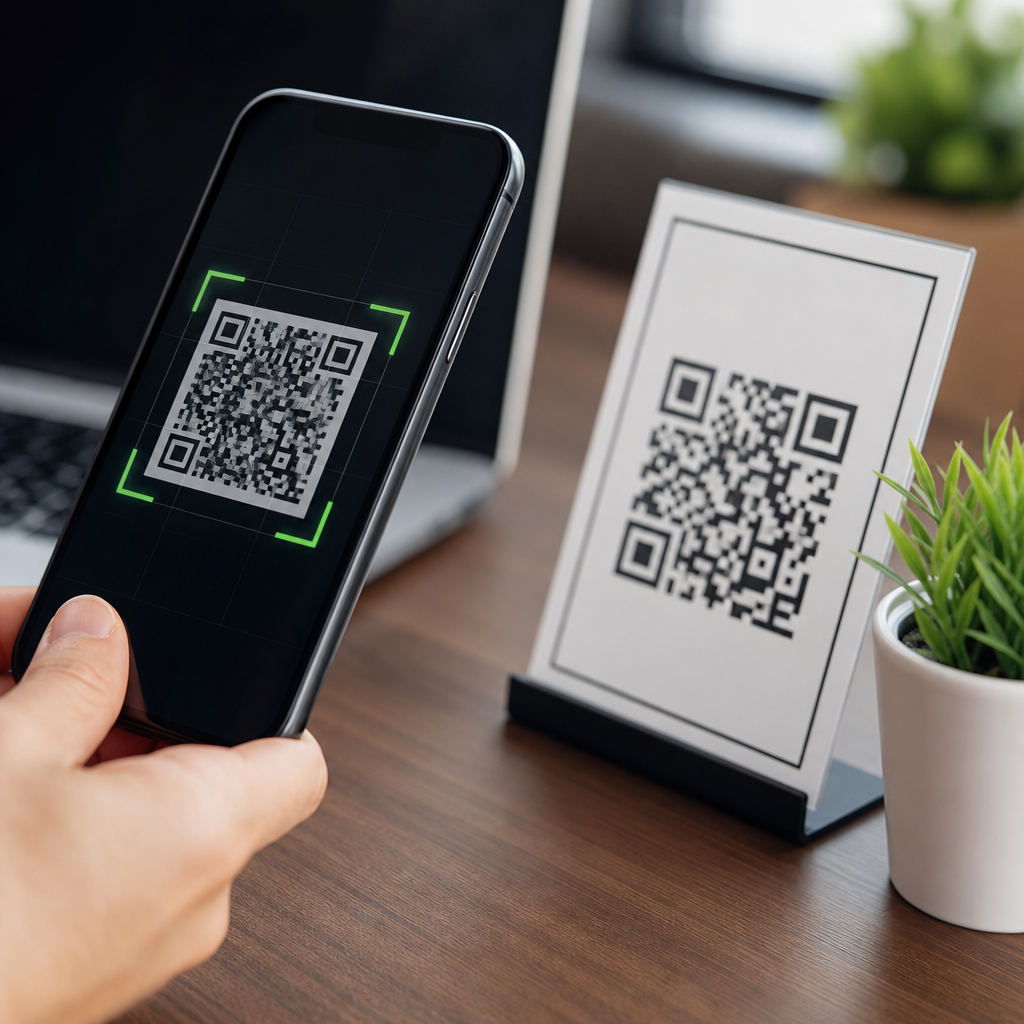
Scanning a QR code feels instant, but several technical steps happen between your camera opening and a website, payment screen, menu, login prompt, or app action appearing. A QR code, short for Quick Response code, is a two-dimensional matrix barcode that stores data in a pattern of black and white squares. Most often, that data is a URL, but it can also contain contact details, Wi-Fi credentials, calendar events, payment instructions, or plain text. Understanding what happens when you scan a QR code matters because the same speed and convenience that make QR codes useful also create security, privacy, and compliance risks when businesses deploy them carelessly or when attackers replace legitimate codes with malicious ones.
In practice, I have seen teams treat QR codes as harmless graphics, then discover too late that the code linked to an outdated landing page, an unsecured form, or a payment flow with weak fraud controls. The code itself is not inherently dangerous. The real risk comes from the action it triggers, the destination it opens, the data it collects, and the trust the user places in a simple scan. That is why the right question is not only, “Are QR codes safe?” but also, “Safe for what purpose, under what controls, and for which users?” A restaurant menu QR code, a factory asset tag, and a healthcare check-in code all have different threat models, legal obligations, and operational consequences.
This article explains the full chain of events after a scan, outlines the main security threats, and clarifies the privacy and compliance issues that organizations must address. It also serves as the hub for broader guidance across QR code security, privacy, and compliance. If you manage printed campaigns, contactless payments, product packaging, visitor check-in, or digital onboarding, this overview will help you assess whether your QR code program is merely convenient or genuinely secure.
What happens technically when you scan a QR code
When you point a smartphone camera at a QR code, the camera app or scanning app first detects the code’s finder patterns, usually the three larger squares at the corners. Software then corrects for angle, perspective distortion, lighting variation, and partial obstruction. QR codes include error correction based on Reed-Solomon coding, which allows successful decoding even if part of the symbol is damaged. Depending on the selected error correction level, a code may remain readable with roughly 7 percent, 15 percent, 25 percent, or 30 percent damage. That resilience is useful for packaging and signage, but it also means a sticker placed over part of a code can still scan if the attacker fully replaces the visible symbol.
After detection, the app decodes the data payload. If the payload is a web address, the phone presents a preview or opens the browser directly, depending on device settings and the scanning method used. If the payload contains a deep link, it may open a specific app. If it contains a Wi-Fi configuration string, the device can offer to join a network. Payment QR codes can launch wallets or banking apps using standards such as EMVCo merchant-presented QR specifications in many markets. On modern phones, the operating system often adds a small but important layer of mediation by displaying the destination domain before opening it. That preview is one of the simplest and most effective defenses available to users.
Once the destination opens, the QR code itself is usually out of the picture. The security posture now depends on the web page, app, form, API, redirect chain, and identity workflow behind it. This is where organizations often underestimate risk. A secure printed code that points to an insecure web form still exposes users. A dynamic code managed through a third-party platform may introduce analytics scripts, redirects, or data processing relationships that change the compliance picture. In other words, scanning is only the first step; the real security question is what the code causes the device and user to do next.
Are QR codes safe? The short answer and the real answer
QR codes are safe when the content behind them is trustworthy, the destination is controlled, and users have enough context to recognize what they are being asked to do. They are unsafe when they obscure the true destination, trigger sensitive actions without verification, or collect personal data without proper safeguards. The symbol is neutral. The ecosystem around it determines the risk.
That distinction matters because many people assume a QR code is more secure than a typed URL simply because it is machine-readable. In reality, QR codes remove a step of human scrutiny. Users can often recognize a suspicious written link, but they cannot visually inspect a matrix barcode to know whether it points to a legitimate domain or a phishing page. This makes QR codes attractive for “quishing,” a form of phishing that uses QR codes to lead victims to fake login portals, malware-hosting pages, or fraudulent payment requests. Security teams increasingly include quishing in awareness training because attackers know employees are now accustomed to scanning codes in offices, restaurants, parking lots, and parcel notices.
For businesses, a safe QR deployment requires the same discipline applied to web security, mobile security, and data governance. Use HTTPS everywhere. Limit redirects. Own the destination domain. Monitor for tampering. Minimize data collection. Add context near the code so users know why they are scanning and what should happen next. When those controls are present, QR codes can be a low-friction interface. When they are absent, the code becomes a fast path to fraud, data leakage, and reputational damage.
The most common QR code security threats
The biggest threat is malicious redirection. Attackers place their own code over a legitimate one on posters, parking meters, restaurant tables, kiosks, or product labels. The victim scans the replacement and lands on a fake payment page or login screen. I have seen this risk treated as theoretical until facilities teams inspect public-facing signage and find peeling stickers layered on top of original codes. Physical tampering is simple, cheap, and effective because scanning is habitual and fast.
A second major threat is credential theft through fake authentication pages. A QR code in an email or printed notice may tell users to scan to reset a password, review a document, or confirm multifactor access. Because the action starts on a phone, users are outside the normal desktop browser protections and may not notice a spoofed domain. Microsoft and other major security vendors have repeatedly warned that QR-based phishing bypasses some secure email gateway detections because the malicious link is embedded as an image rather than plain text.
Other threats include malware delivery, rogue app installation prompts, unsafe Wi-Fi onboarding, and payment fraud. Although modern mobile operating systems have strengthened defenses, a QR code can still direct users to sideloading instructions, mobile configuration profiles, or deceptive support pages. Payment fraud is especially damaging because the user expects urgency and may not pause before approving a transfer. Static payment codes printed once and left unmonitored are common targets.
| Threat | How it works | Typical target | Primary control |
|---|---|---|---|
| Code replacement | Attacker covers legitimate QR with a malicious sticker | Posters, tables, meters, packaging | Tamper checks and routine inspections |
| Quishing | Code leads to fake login or account recovery page | Employees, customers, students | Domain preview, phishing-resistant MFA |
| Payment diversion | Code opens fraudulent wallet or payment destination | Retail, parking, peer-to-peer payments | Verified payee details and signed payment flows |
| Malware or rogue app prompt | Destination urges download or profile installation | Mobile users outside managed environments | Mobile device management and app allowlists |
| Privacy overcollection | Landing page captures more data than necessary | Marketing, events, healthcare intake | Data minimization and clear notice |
Privacy risks after the scan
Most privacy issues do not arise from the symbol itself but from tracking and data collection after the redirect. A QR campaign can log timestamp, approximate location, device type, operating system, language, referral context, and campaign identifier before the user even submits a form. If the landing page adds cookies, pixels, session replay, or third-party analytics, the privacy footprint grows quickly. Marketers sometimes welcome this visibility, but regulated sectors need to ask whether every data point is necessary and disclosed.
Dynamic QR codes deserve special attention. Unlike static codes, which encode the final destination directly, dynamic codes usually point to a short URL or redirect service that can be updated later. This provides flexibility for campaigns, but it also centralizes tracking and creates dependency on the platform provider. If the vendor stores IP addresses, granular scan logs, or user behavior data, that vendor may become a data processor or service provider under privacy laws. Contracts, retention periods, and cross-border transfer terms then matter.
Context also changes privacy expectations. A museum exhibit QR code and a clinic intake QR code are not equivalent. In healthcare, a code that leads to symptom forms or appointment workflows may involve protected health information or special category data, depending on jurisdiction. In workplaces, employee scans linked to attendance or access workflows may create monitoring concerns. Good practice is straightforward: collect the least data needed, disclose why it is collected, secure it in transit and at rest, and avoid combining QR scan data with unrelated profiles unless there is a clear legal basis.
Compliance considerations for organizations using QR codes
QR code compliance is really the compliance of the process behind the code. If a code opens a consent form, payment page, lead capture form, or patient portal, all the normal legal and technical obligations still apply. For privacy regulation, that can include transparent notice, lawful basis for processing, vendor due diligence, retention limits, and user rights handling. For security regulation and standards, it can include encryption, access control, logging, vulnerability management, and incident response. QR codes do not sit outside governance; they are simply another entry point into governed systems.
Accessibility is often missed. If a service depends on scanning, organizations should provide an alternative path for people who cannot easily use a smartphone camera, assistive technology, or mobile data connection. Consumer protection rules may also apply if pricing, terms, or consent are presented only after a scan and not clearly disclosed beforehand. In payment use cases, PCI DSS obligations still matter wherever cardholder data environments are touched, even if the QR code merely initiates the flow rather than stores payment data itself.
Operational control is just as important as legal compliance. Maintain an inventory of every live QR code, its owner, destination, purpose, and review date. Use branded domains instead of generic shorteners when possible. Require change control for dynamic redirects. In audits, I look for orphaned codes in old brochures, trade-show materials, and facility signage because unmaintained codes age into risk. A code with no owner is a security issue waiting to happen.
Best practices to make QR codes safer
Start with destination control. Point codes only to domains your organization owns or explicitly trusts. Use HTTPS and HSTS, remove unnecessary redirect hops, and test on both iOS and Android. Add plain-language context next to the code, such as “Scan to view today’s menu at example.com/menu” or “Scan to pay City Parking only at pay.example.gov.” That small cue helps users detect mismatches.
Protect physical deployments. For public signs, use tamper-evident materials, periodic inspections, and photo baselines so staff can spot alterations quickly. For high-risk scenarios like parking, utilities, and donations, pair the QR with a printed destination domain and customer support channel. On the application side, secure the landing page with standard web controls: content security policy, form validation, rate limiting, logging, and multifactor authentication where accounts are involved.
Choose dynamic QR platforms carefully. Review how redirects are managed, what analytics are stored, whether custom domains are supported, how role-based access works, and whether logs can feed your SIEM. Train staff not to approve ad hoc QR campaigns without security review. Train users to preview links, avoid scanning random codes, and verify payment recipients. The safest QR program combines physical security, web security, vendor governance, and user education rather than relying on any single control.
How users can tell whether a QR code is trustworthy
Users should first examine context. Is the code where you would expect it to be, and does it match the surrounding brand, message, and destination? A code taped over a parking meter label or printed on a paper insert at a bank branch deserves skepticism. Next, preview the URL before opening it. Look for the correct domain, not just familiar words in the path. Attackers rely on deceptive domains such as secure-company-login.example.net or slight misspellings.
Be cautious when the code asks for immediate payment, password entry, or software installation. Those are high-risk actions that justify slowing down and verifying independently. If the code is supposed to belong to a known organization, navigate to that organization’s site manually or use a saved app instead. On managed corporate devices, report suspicious codes to security teams. On personal devices, keep the operating system updated and use built-in protections rather than obscure scanning apps with excessive permissions.
Most importantly, remember that trust comes from the destination and the process, not the barcode format. A well-designed scam can live behind a perfectly scannable code, while a legitimate code can still expose too much data through poor configuration. Users who pause for two seconds to inspect the domain avoid a large share of real-world QR fraud.
Why this topic matters now
QR codes moved from niche industrial labeling to mainstream consumer interaction, then accelerated during contactless adoption in hospitality, retail, events, healthcare, and logistics. That growth changed the threat landscape. Attackers follow habits, and scanning is now a habit. At the same time, organizations increasingly connect QR codes to identity, payments, analytics, and regulated data flows, which raises the stakes well beyond simple website visits.
The practical lesson is clear. QR codes are neither automatically safe nor automatically risky. They are a convenience layer over web, mobile, payment, and data systems that must be designed and governed properly. If you own this channel, treat every code as a published access point with a business owner, a security review, a privacy assessment, and a maintenance plan. If you are a user, verify before you tap. For the rest of this QR Code Security, Privacy and Compliance hub, use this page as your starting point, then review the linked guidance on phishing, payments, tracking, vendor risk, and policy controls to strengthen your program.
Frequently Asked Questions
What technically happens the moment you scan a QR code?
When you point your phone camera at a QR code, your device first captures the image and identifies the square pattern as a machine-readable code rather than a normal photo subject. The scanning software looks for the three larger positioning squares typically found in the corners of the code, uses them to determine orientation, and then maps the smaller black and white modules inside the grid. From there, it decodes the stored data by converting that visual pattern into digital information. In many cases, that information is simply a URL, but it could also be a phone number, email address, Wi-Fi network credential, payment request, calendar entry, or plain text instruction.
Once the data is decoded, your device decides what to do next based on the content type. If it is a website address, your phone may show a preview or offer to open the link in your browser. If it contains payment instructions, it may open a compatible payment app. If it contains contact data, it may prompt you to save a new contact. This process feels instantaneous because modern smartphones handle image recognition and data parsing very quickly, but under the surface there are several distinct stages: image capture, code detection, error correction, data decoding, content interpretation, and then launching the appropriate app or system action.
Does scanning a QR code automatically expose your phone to security risks?
Scanning a QR code by itself is not usually the dangerous part. A QR code is just a visual method of storing information, much like a barcode with more capacity. The real risk comes from what the decoded content tells your device to do. If the code contains a legitimate restaurant menu link, a business contact card, or a secure payment request, the action may be harmless. If it contains a malicious website URL, a deceptive login page, or a trigger that opens an unsafe app flow, then the danger begins after the scan, when you interact with the content.
In practical terms, QR code threats are often a form of phishing or social engineering. Attackers may place fake QR stickers over real ones, especially in public spaces such as parking meters, restaurant tables, flyers, or payment terminals. A malicious QR code can lead you to a fake banking page, a spoofed corporate login screen, or a site that attempts to steal passwords, payment details, or multi-factor authentication codes. Some QR codes may also try to initiate actions such as adding a contact, connecting to a Wi-Fi network, or opening a deep link inside an app. That is why the safest approach is to treat QR results the same way you would treat any unexpected link: inspect the destination, avoid entering sensitive credentials unless you are certain the site is genuine, and be cautious with public or tampered-looking codes.
Can a QR code infect your phone with malware on its own?
In most normal situations, a QR code cannot magically infect a phone just by being scanned. The code itself is not malware; it is encoded data. On modern smartphones, scanning usually results in a prompt, preview, or request to open a link or perform an action. Malware risk generally appears only if the scanned content leads you to a malicious website, persuades you to download a harmful app, exploits an unpatched browser or operating system vulnerability, or tricks you into approving a dangerous action. So the scan is usually the entry point, not the infection itself.
That said, users should not dismiss QR-based malware risks entirely. A malicious QR code can redirect to a fraudulent app download page that imitates a trusted provider, or it can route through shortened or disguised links that conceal the final destination. In enterprise environments, attackers sometimes use QR phishing, also called “quishing,” to bypass email security filters by embedding the malicious link inside an image rather than plain text. The best protection is keeping your device updated, downloading apps only from trusted app stores, using mobile security protections where appropriate, and pausing before approving anything the scan launches. If a QR code unexpectedly asks you to install software, log in urgently, or provide financial information, that is a strong warning sign.
How can you tell whether a QR code is safe before opening what it contains?
You cannot determine whether a QR code is safe just by looking at the black and white pattern itself, because the danger depends on the data inside. What you can do is evaluate the context and the destination before taking action. First, consider where the code came from. A QR code printed on official packaging, displayed inside a verified app, or shown on a company’s authenticated website is generally more trustworthy than one posted on a random sign, sent in an unsolicited message, or stuck over another code in a public place. Physical tampering is common, so if a sticker looks poorly applied, misaligned, or suspiciously layered over an existing label, do not scan it.
Second, pay attention to any link preview your phone shows after scanning. Check the domain carefully, not just the branding in the page title. Attackers often use lookalike domains, extra subdomains, misspellings, or URL shorteners to hide where the link really goes. A safe workflow is to scan, read the destination, and only then decide whether to open it. You should be especially cautious if the page asks for passwords, payment details, account verification, or one-time passcodes. If the action is important, such as making a payment or logging in to a bank or work account, it is often safer to navigate to the service manually through its official app or website rather than trusting the QR code path.
What are the safest best practices for using QR codes in everyday life?
The most effective habit is to treat QR codes as link shortcuts, not trust signals. Just because something is encoded in a QR format does not make it verified, secure, or official. Before interacting with the result, check whether your device provides a preview of the URL or action. Use that preview to confirm the destination and think about whether the request makes sense in context. For example, a QR code on a menu should not suddenly ask you to log in to a financial account, and a parking meter code should not redirect through a chain of unrelated domains.
It is also smart to rely on official channels whenever possible. Use built-in camera scanners or trusted scanning apps rather than obscure third-party tools. Keep your phone’s operating system, browser, and apps updated so known vulnerabilities are patched. Avoid entering sensitive information on pages reached through unexpected QR codes, especially from posters, emails, text messages, or public stickers. If you need to pay, log in, or download something, consider opening the official app directly instead. Finally, if you are responsible for posting QR codes in a business setting, secure their placement, monitor for tampering, and use clear branding so users can better distinguish legitimate codes from fraudulent replacements. These simple precautions dramatically reduce the security risks while still letting you enjoy the convenience QR codes are designed to provide.