
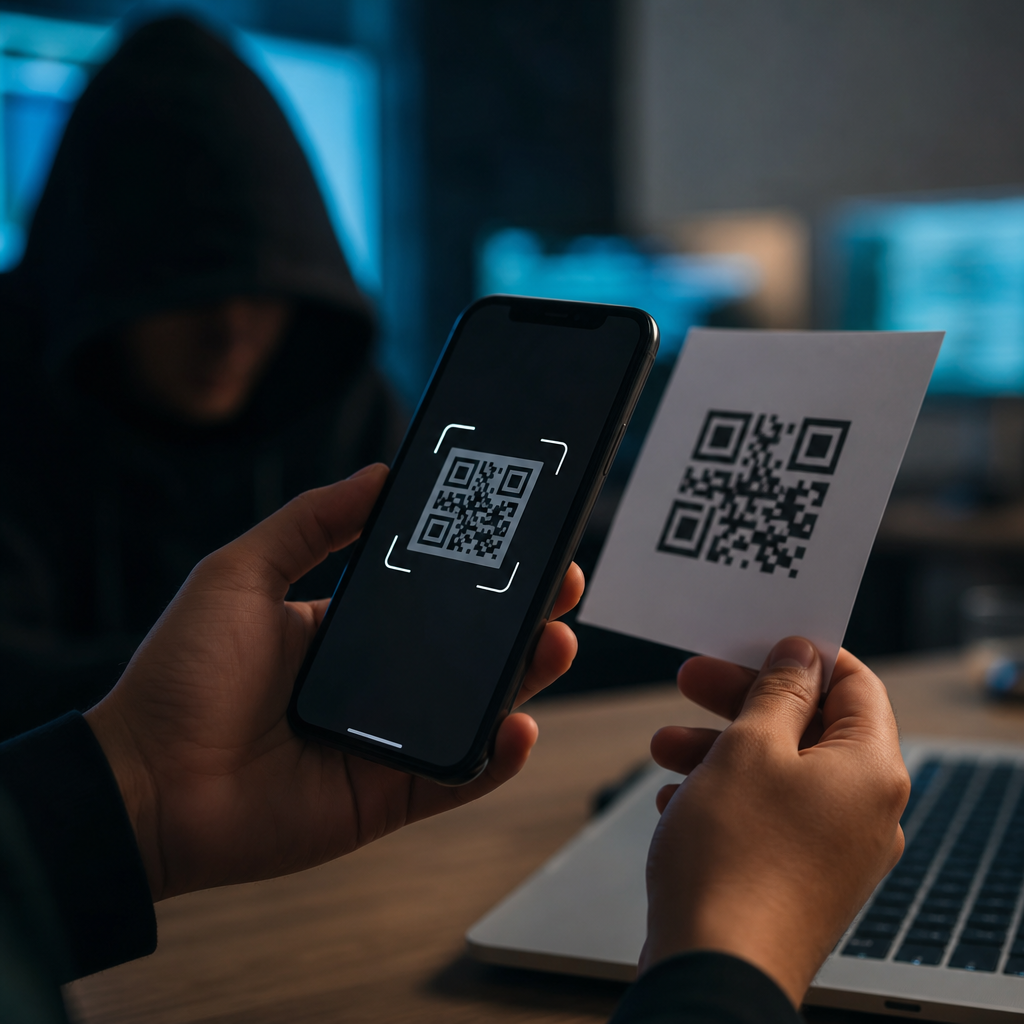
QR codes have become a routine part of daily life, but they have also become a practical delivery system for phishing attacks. A QR code is a machine-readable matrix barcode that stores data such as a website URL, payment request, file location, contact card, Wi-Fi credential, or app deep link. Phishing is a social engineering attack that tricks a person into revealing credentials, payment information, device access, or sensitive business data by impersonating a trusted source. When attackers combine the two, the result is often called quishing: phishing delivered through a QR code.
This matters because QR codes compress risk into a fast, low-friction action. A person scans instead of typing, so they skip the normal habit of inspecting a link. Mobile devices add another weakness: small screens hide full URLs, browser indicators, and security warnings more easily than desktop systems. In incident reviews I have worked on, employees who would never click a suspicious email link still scanned a code on a printed notice, package insert, or fake parking meter sticker because the format felt physical and therefore trustworthy. That false sense of legitimacy is exactly what attackers exploit.
QR code phishing sits at the intersection of mobile security, email security, payment fraud, and identity theft. It affects consumers paying a utility bill, travelers checking into hotels, patients filling medical forms, and employees using multifactor authentication portals. The threat is growing because QR codes are now common in restaurants, logistics, marketing, authentication flows, and contactless payments. Attackers do not need advanced malware to profit. A convincing code, a spoofed login page, and a believable pretext are often enough to steal Microsoft 365 credentials, banking logins, or card details.
As a hub for QR code scams and risks, this guide explains how hackers use QR codes in phishing attacks, where the codes appear, what happens after a scan, and how to reduce exposure without overreacting. It also covers the most common scam patterns, the technical reasons these attacks succeed, and the controls that work in real environments. If you manage security awareness, compliance, fraud prevention, or everyday personal safety, understanding QR-enabled phishing is now essential.
How QR code phishing attacks work
A QR phishing attack usually follows the same sequence. First, the attacker chooses a lure: unpaid invoice, package delivery problem, payroll update, password reset, secure document share, parking payment, or account verification. Next, the attacker generates a QR code that points to a malicious destination. That destination might be a credential harvesting page, a payment page controlled by the attacker, a file download, a deep link into a messaging app, or a website that fingerprints the device before deciding what content to show. The code is then distributed through email, flyers, posters, labels, text messages, social media, or physical replacement stickers placed over legitimate codes.
After the victim scans the code, the mobile device opens the destination with minimal friction. If the page imitates Microsoft, Google, DocuSign, a bank, or an internal company portal, the user may enter credentials. Those credentials are often captured in real time and relayed to the legitimate service. In more advanced cases, the phishing kit proxies the session through a reverse proxy framework, allowing the attacker to steal session cookies and bypass some multifactor prompts. Attackers also use QR codes to direct users to fake card payment pages, where the visible amount appears plausible but the merchant is fraudulent.
One reason these attacks perform well is that many email security controls inspect typed or visible links better than image-embedded destinations. If the malicious URL exists only inside the QR code image, older filtering stacks may miss it unless they apply optical recognition and image decoding. Even when a secure email gateway flags suspicious text, the QR code may remain the actionable element. That gap has been abused in campaigns targeting Microsoft 365 users, where the body text is generic but the image contains the real lure and the real path to compromise.
Attackers also benefit from urgency and context. An employee expects a shared document request, a traveler expects a check-in prompt, and a driver expects a parking payment code. The best phishing pretexts do not look exotic; they look ordinary. That is why QR code risk is not limited to email. It is any environment where scanning seems faster than verification.
Common QR code scam scenarios and where victims encounter them
QR code scams appear in both digital and physical settings. In email, attackers embed a code in a message that says, “Scan to view secure voicemail” or “Scan to update your password because direct links are disabled for security.” In offices, fake codes are printed on posters near printers, conference rooms, or break areas to imitate IT support notices. In public places, scammers place sticker overlays on restaurant menus, parking kiosks, bike rentals, EV chargers, and donation signs. In retail and logistics, a QR code on a package insert may claim there is a delivery fee, warranty registration issue, or refund step.
Payment scams are especially effective because QR payments are designed for speed. A criminal can replace a merchant’s code with one that routes funds to a different wallet or payment account. The victim sees a normal amount, completes the payment, and only learns later that the transaction went elsewhere. This has happened in parking scams across multiple cities, where counterfeit stickers direct drivers to lookalike payment pages. Similar fraud affects charity appeals after disasters, when emotional urgency reduces skepticism.
Credential theft is the dominant enterprise risk. I have seen campaigns where a PDF attachment contains a prominent QR code branded as a document access shortcut. Employees scan on their phones, land on a fake single sign-on page, and enter work credentials outside the monitored desktop environment. Because the authentication event comes from a mobile browser, the login may look less suspicious to the user. Attackers know that many organizations invested heavily in desktop phishing defenses while leaving mobile workflows comparatively under-trained.
| Scenario | Attacker method | Primary target | Likely outcome |
|---|---|---|---|
| Email “secure document” notice | QR code in image or PDF | Work credentials | Account takeover or session theft |
| Parking meter sticker swap | Overlay fake payment code | Card or wallet payment | Fraudulent charge or data theft |
| Restaurant menu replacement | Counterfeit table code | Payment details or malware lure | Payment fraud or malicious download |
| Package delivery problem | Printed insert or SMS image | Identity and card data | Small fee scam leading to larger fraud |
| Fake IT help poster | Code to spoofed support portal | Corporate credentials | Lateral access into business systems |
Social media and messaging apps add another layer. Attackers post event tickets, discount offers, account recovery shortcuts, or crypto airdrop claims with a scannable code. Because the QR code itself is the call to action, victims may never scrutinize the domain before landing on the page. That makes QR code scams unusually adaptable across channels.
Why QR code phishing is hard to spot on mobile devices
The core usability problem is visibility. When users tap a normal link on a desktop, they can often preview the destination, inspect the address bar, or hover before clicking. A QR scan collapses those steps. Some camera apps show a preview, but many users act on the notification immediately. On mobile screens, the registered domain may be truncated, subdomains may be overlooked, and visual similarities such as micros0ft-login.example.com can slip past hurried readers. Internationalized domain abuse, shortened URLs, and redirect chains increase the problem.
Trust cues are also weaker in physical environments. People assume a printed code near a legitimate asset belongs there. A sticker on a parking kiosk looks official because the kiosk is official. The same effect occurs in offices when a code is placed near a badge reader or printer. Attackers borrow trust from the surrounding object rather than from the website itself. This is a classic social engineering principle: use the authority of the environment to reduce scrutiny of the message.
Mobile operating systems have improved defenses, but they do not eliminate risk. Browsers can flag known malicious sites through services such as Google Safe Browsing or Microsoft Defender SmartScreen, yet brand-new phishing domains often remain active long enough to collect victims before blocklists catch up. Attackers rotate domains, use compromised sites, and host phishing pages behind reputable cloud services. A QR code can also encode non-HTTP actions, including SMS drafts, Wi-Fi onboarding data, calendar events, or app links, each with its own abuse potential.
Another challenge is split-device behavior. Many employees receive an email on a laptop, then scan the code with a phone because the email tells them to complete the action there. Security teams lose visibility when the risky step moves from managed desktop controls to a personal mobile device. That shift can bypass browser extensions, endpoint detection, and user habits built around desktop verification.
Technical tactics hackers use after the scan
Not every QR phishing page is a simple fake login. Modern kits use layered tactics to improve conversion and evade detection. Device fingerprinting helps attackers tailor pages by operating system, language, region, and browser. If the victim uses iOS, the site may show an Apple-style prompt; if Android, a Google or carrier-themed experience. Geofencing allows the page to appear harmless to researchers outside the target country while serving the phishing flow only to intended victims. Time-based activation can limit exposure by enabling the malicious redirect only during business hours.
Credential interception is often immediate. Reverse proxy phishing frameworks can sit between the victim and the legitimate sign-in page, capturing usernames, passwords, and authenticated session cookies. This matters because stolen cookies may let attackers hijack sessions even when multifactor authentication is enabled. In business email compromise cases, attackers use that access to create inbox rules, monitor finance conversations, and time payment diversion fraud. The QR code is only the front door.
Some campaigns use QR codes to deliver malicious files or prompt mobile configuration changes. A scan may start a download of a fake mobile device management profile, an APK outside official app stores, or a document that requests enabling macros on a desktop after cross-device transfer. Other attacks abuse QR codes for fraudulent Wi-Fi enrollment, pushing users onto rogue networks where traffic can be observed or manipulated if protective controls are weak. While mobile platform restrictions reduce some risks, unsafe sideloading, profile installation, and consent fatigue still create openings.
Attackers also exploit analytics. A dynamically generated QR code can log scan time, device type, approximate location, and repeat visits. That information helps refine the scam and prioritize live victims. In fraud operations, the best codes are not static images; they are trackable campaign assets tied to a convincing pretext.
How to prevent QR code scams in organizations and everyday life
Prevention starts with changing the default behavior: scan, pause, inspect, then act. Users should preview the destination and verify the registered domain before entering credentials or payment data. If the code claims to be from an employer, bank, delivery service, or government office, open the known app or type the official website manually instead of following the scanned path. For payments in public places, compare signage, look for tampering, and use official apps when available. If a sticker looks newer than the surface beneath it, treat it as suspect.
Organizations need technical and process controls. Secure email gateways should decode QR codes inside images and attachments, then inspect the extracted URLs with URL rewriting, sandboxing, and reputation services. Mobile threat defense tools can add protection on managed devices. Conditional access policies should limit the impact of stolen credentials by checking device compliance, location anomalies, impossible travel, and session risk. Strong phishing-resistant authentication, especially FIDO2 security keys or passkeys bound to the legitimate domain, materially reduces credential theft because the fake site cannot complete the cryptographic exchange.
Awareness training must include physical-world examples, not just email screenshots. In workshops I run, the most effective exercise is comparing a legitimate parking payment sign with a sticker-overlay scam and then showing how the malicious domain differs from the official one. Staff remember concrete scenarios better than abstract warnings. Facilities teams should inspect public-facing codes, and marketing teams should govern how legitimate QR codes are designed, published, and replaced so tampering is easier to detect. For high-risk uses, branded short domains and anti-tamper labels help.
If you scan a suspicious code, do not proceed. Close the page, avoid downloads, and report it. If credentials were entered, change the password immediately from the official site, revoke active sessions, review multifactor settings, and check for unauthorized inbox rules or account changes. If payment data was submitted, contact the card issuer or payment provider at once. Fast response often limits damage.
QR code phishing works because it removes friction at exactly the moment caution is needed. Attackers exploit speed, trust in physical environments, mobile screen limitations, and gaps between email security and smartphone behavior. The most common outcomes are credential theft, payment fraud, malicious downloads, and session hijacking, but the underlying pattern is always the same: a believable code redirects the victim into an action they would have questioned in another format.
The practical defense is not to avoid QR codes entirely. It is to treat them as links that deserve the same scrutiny as any email URL, login page, or payment request. Preview the destination, verify the domain, prefer official apps and bookmarked sites, and be skeptical of urgent instructions to scan. For organizations, combine user training with QR decoding in email security tools, strong conditional access, and phishing-resistant authentication. Those controls turn many successful QR code scams into failed attempts.
As the hub for QR code scams and risks, this topic connects directly to deeper issues such as fake parking payments, malicious QR code stickers, QR code credential harvesting, mobile phishing detection, and QR code compliance controls. Review your current QR code use cases, inspect where codes appear in public or employee workflows, and close the trust gaps now. A simple scan should never become the easiest path into your money, accounts, or business systems.
Frequently Asked Questions
What is QR code phishing, and why do hackers use QR codes in scams?
QR code phishing, often called “quishing,” is a type of social engineering attack in which a malicious QR code directs someone to a fraudulent destination. Instead of asking a target to click a suspicious link in an email or text message, the attacker embeds that link inside a QR code. When the code is scanned, it can open a fake login page, launch a payment request, prompt an app download, connect the device to a malicious service, or trigger another action designed to steal information or compromise access.
Hackers use QR codes because they are familiar, convenient, and widely trusted. People see them on restaurant tables, invoices, posters, parking meters, package inserts, and business materials every day, so they often treat them as harmless. A QR code also hides the true destination from plain sight. Unlike a visible URL, the code does not immediately show whether the destination is legitimate or suspicious. That makes it easier for attackers to bypass the instinctive caution people may apply when they see a strange web address.
QR codes are also useful to cybercriminals because they work well across both digital and physical channels. An attacker can place a malicious code in an email, PDF, presentation, text message, social media post, printed flyer, sticker placed over a real code, or even on a public sign. In each case, the goal is the same: create a moment of trust, curiosity, urgency, or convenience that leads the person to scan first and think later. Once that happens, the attacker has a strong opportunity to capture credentials, payment details, multifactor authentication codes, or other sensitive information.
How do QR code phishing attacks usually work in real life?
In a typical QR phishing attack, the criminal first creates a believable scenario that encourages scanning. For example, they may send an email claiming that the recipient must reauthenticate a Microsoft 365 account, review a secure document, pay an overdue invoice, reset a password, update payroll information, or verify a bank transaction. Instead of including a clickable hyperlink, the message contains a QR code and instructions to scan it with a mobile device. This approach can be especially effective in corporate environments because employees may be used to signing into services from their phones and may be less likely to inspect the destination carefully on a smaller screen.
Another common method is physical placement. Attackers may print a fake QR code and place it over a legitimate one at parking kiosks, restaurant menus, public charging stations, event check-in desks, apartment notices, or donation boxes. A victim scans the code expecting to make a payment or access information, but instead lands on a malicious website designed to collect card details, usernames and passwords, or other personal data. In some cases, the site may imitate a trusted payment platform, cloud service, shipping provider, or government portal.
More advanced attacks can chain multiple steps together. A QR code may lead to a fake single sign-on page that captures credentials, then prompt the victim to enter a multifactor authentication code, approve a login request, or download a mobile app that contains malware. Some attacks use shortened redirects and landing pages that look polished and professional, making detection harder. The core tactic is always deception: the attacker hides the malicious destination behind a routine scanning action and relies on the target to complete the compromise voluntarily.
What are the biggest warning signs that a QR code might be malicious?
One of the strongest warning signs is context that feels unusual, rushed, or out of place. If you receive an unexpected email asking you to scan a QR code to log in, unlock a secure message, confirm payroll details, or fix an account problem, that should immediately raise suspicion. Many legitimate services may use QR codes for convenience, but urgent requests involving credentials, payments, or account recovery deserve extra scrutiny. Attackers often rely on pressure, such as warnings about expiration, failed delivery, suspended service, or unauthorized activity, to push people into scanning without verifying.
Physical clues matter too. A QR code sticker placed on top of another code, a poorly printed label, a code posted in an unusual location, or a sign that appears recently added can all indicate tampering. For instance, if a parking meter or restaurant table has a code that looks misaligned, damaged, or different from nearby branding, it is wise to avoid scanning it. The same caution applies to codes found in public spaces without supporting context, especially if they promise rewards, discounts, free items, or urgent actions.
Device behavior after scanning can also reveal risk. Many smartphones display a preview of the destination before opening it. If the URL looks misspelled, uses an odd domain, includes random characters, or imitates a trusted company with subtle changes, do not proceed. Be suspicious if the page immediately asks for a username, password, payment card, one-time passcode, or app installation. Other red flags include poor grammar, generic branding, unexpected redirects, or a website that does not match the organization the QR code claims to represent. A legitimate organization should not need to trick you into scanning a code to perform a sensitive action without clear verification steps.
Can scanning a QR code by itself infect your phone or steal your information?
In many cases, simply scanning a QR code does not automatically infect a device. A QR code is a container for data, not malware by itself. Most often, the real risk begins after the scan, when the user follows the embedded action, such as opening a malicious website, submitting credentials, approving a payment, downloading an app, connecting to a wireless network, or allowing a device-level prompt. That is why QR phishing is primarily a social engineering threat: it tricks the person into doing something that helps the attacker.
That said, scanning should never be treated casually. Depending on the device, app, browser, and security posture, a QR code can trigger actions that create risk very quickly. It may open a browser to a fraudulent login page, prefill an SMS message, launch a payment app, initiate a phone call, open a map location, or start an app download. If the destination exploits a browser vulnerability or persuades the user to approve dangerous permissions, the scan can become the first step in a larger compromise. On a managed enterprise device, it might also expose business credentials or session access if the victim signs in through a fake corporate portal.
The practical takeaway is that scanning is not automatically harmless just because nothing obvious happens at the moment of capture. The safest habit is to pause before interacting with the result. Review the URL preview, confirm the source, avoid entering credentials or payment details on a page reached through an unexpected QR code, and use official apps or manually typed addresses for sensitive actions whenever possible. The danger usually comes from what the code leads you to do next.
How can individuals and businesses protect themselves from QR code phishing attacks?
For individuals, the best protection starts with verification. Treat QR codes the same way you would treat an unexpected link or attachment. If a code asks you to sign in, pay money, download software, or share sensitive information, stop and verify through an independent channel. Visit the organization’s website manually, use a saved bookmark, call the official number, or open the known app directly instead of relying on the scan. It is also wise to use your phone’s URL preview feature when available, keep the device and browser updated, enable multifactor authentication, and avoid installing apps from prompts that appear immediately after scanning an unknown code.
For businesses, defense requires both user awareness and technical controls. Security training should explicitly cover QR phishing, because many employees know about suspicious links but may not realize that QR codes are simply another way to hide malicious destinations. Staff should be taught to inspect QR-related login requests carefully, especially in email and document workflows involving cloud services, payroll, invoices, and secure file sharing. Email security tools should analyze embedded images and QR content where possible, and mobile device management policies should reduce risky behaviors such as sideloading apps or granting excessive permissions.
Organizations should also monitor for abuse of their own brand. Attackers often impersonate trusted companies, internal departments, and common business platforms in QR phishing campaigns. Strong identity protections, conditional access rules, phishing-resistant authentication methods, and anomaly detection can reduce the damage if a user is tricked. In physical environments, businesses should periodically inspect public-facing QR codes for tampering and design signage so fraudulent overlays are easier to spot. The overall goal is simple: make scanning a verified, low-risk action rather than an automatic reflex. When users slow down, inspect the destination, and confirm the request, QR code phishing becomes much less effective.





