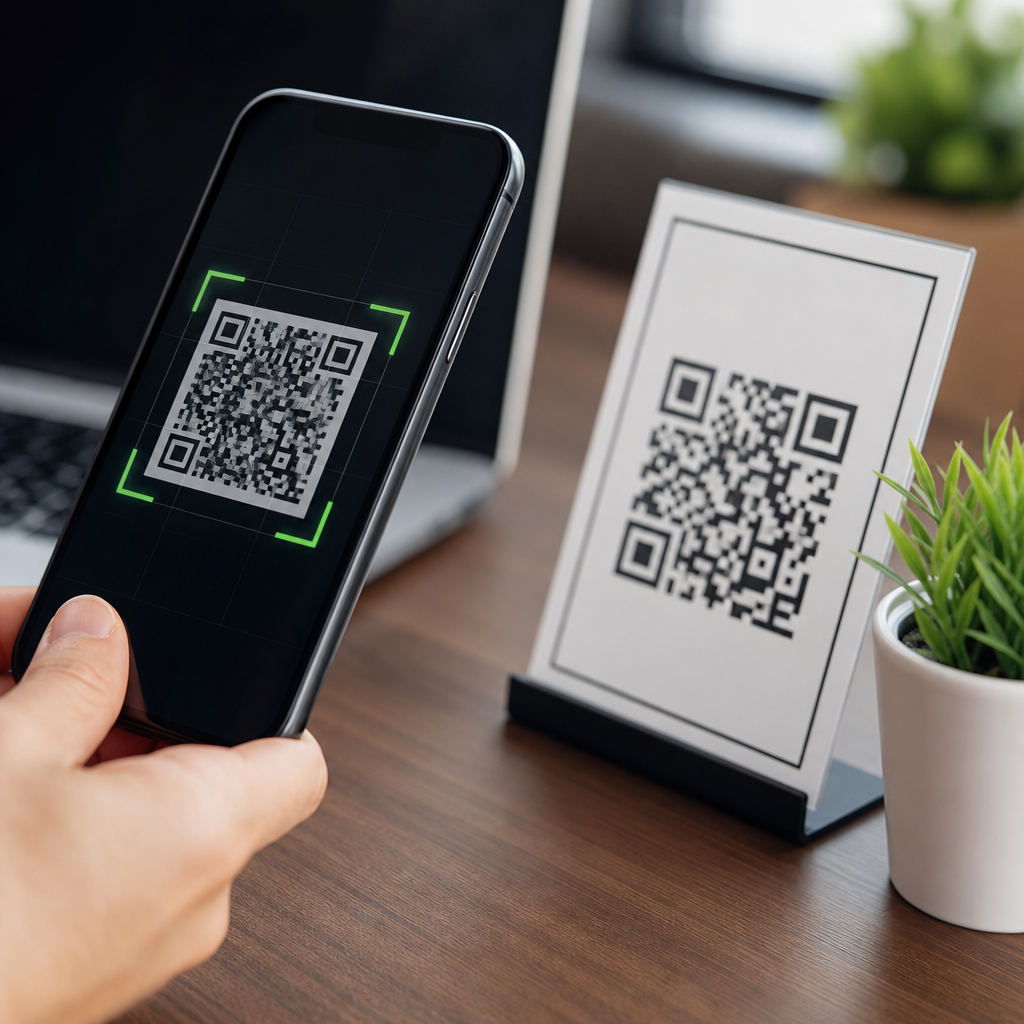
QR codes have become a common payment method in restaurants, parking apps, transit systems, retail counters, and peer-to-peer transfers, but the question “Are QR codes safe for payments?” deserves a precise answer: they can be safe, yet their safety depends on how the code is generated, where it appears, which app scans it, and what controls protect the transaction. A QR code, short for Quick Response code, is simply a machine-readable symbol that stores data such as a payment address, checkout URL, invoice identifier, or tokenized request. The code itself is not automatically trustworthy or dangerous; risk comes from the destination it encodes and the systems around it.
In payment environments, QR codes usually work in one of two ways. A merchant-presented code lets the customer scan and approve payment in a banking app or wallet. A customer-presented code lets a cashier scan the buyer’s wallet token at checkout. Both models reduce hardware costs and speed up transactions, which is why standards bodies and major payment networks have supported QR-based payments globally. EMVCo, the technical body backed by major card networks, has published QR payment specifications to promote interoperability and secure data formatting. In practice, though, security is shaped less by the black-and-white squares and more by authentication, encryption, merchant onboarding, app design, device hygiene, and fraud monitoring.
I have worked with payment flows where a QR code was the simplest bridge between physical and digital checkout, especially for small merchants that could not justify expensive NFC terminals. The pattern was consistent: when the payment app used signed requests, clear merchant identity screens, transaction limits, and strong customer authentication, QR payments were low-friction and dependable. When businesses printed static codes without tamper checks, failed to inspect overlays, or sent users to generic web pages, risk rose quickly. That gap explains why consumers hear both “QR payments are convenient” and “QR code scams are rising.” Both statements are true.
This article serves as the hub for QR code security, privacy, and compliance questions. It explains what makes payment QR codes safe, where they fail, what common scams look like, how regulations and standards apply, and what businesses and consumers should do before trusting a scan. If you manage QR codes across marketing, menus, invoices, or checkout, this page gives the decision framework for the rest of the topic: evaluate the source, inspect the destination, verify identity, limit permissions, and monitor the transaction after payment. Safe QR payments are absolutely possible, but they are never something to treat casually.
How QR code payments work and where the real security boundary sits
A payment QR code is not money and it is not encryption by itself. It is a carrier for payment instructions. Depending on implementation, it may contain a merchant identifier, amount, order reference, deep link to a wallet, URL to a hosted checkout page, or a token that maps to transaction details on a secure server. Dynamic QR codes are generally safer than static ones because they can be created per transaction, expire quickly, and reduce opportunities for tampering or payment misdirection. Static codes stay the same for weeks or months, making them easier to replace with a fraudulent sticker.
The real security boundary sits in the payment application and the backend. A well-designed flow shows the merchant name, amount, currency, and destination before approval. It uses TLS in transit, server-side validation, anti-replay controls, and strong customer authentication such as biometrics, passcodes, or bank app approval. It may also apply tokenization so the scanner never exposes full account details. If a QR code launches a browser page instead of a trusted wallet, risk increases because web pages can imitate brands, request unnecessary data, or hide malicious redirects.
One practical rule I use is simple: the safer the payment experience feels inside a known banking or wallet app, the safer it usually is. If the scan jumps to a generic website asking for card numbers, one-time passcodes, or full identity details, stop immediately. Legitimate QR payments should minimize data entry, not expand it. Good implementations confirm the payee clearly and let the user cancel before final authorization.
Common QR payment threats consumers and merchants need to recognize
The most common QR payment attack is code replacement, often called quishing when it leads to phishing through a QR scan. A criminal places a sticker over a real merchant code on a parking meter, restaurant table, donation sign, or retail counter. The victim scans it, sees a realistic payment page, enters card data or approves a transfer, and the money goes elsewhere. This attack succeeds because people assume printed codes are inert and do not expect physical tampering.
Another threat is malicious redirection. The QR code may send users to a shortened URL or lookalike domain that closely resembles a bank, food delivery service, or payment provider. Attackers rely on small mobile screens where the full URL is harder to inspect. Some codes initiate app downloads, prompting users to install fake wallet or banking apps that harvest credentials. Others embed payment requests with altered amounts or recipient IDs, especially in peer-to-peer scenarios where users are accustomed to quick approvals.
Merchants face a different risk set. Fraudsters can submit counterfeit proof-of-payment screens after scanning a code but never completing the transaction. That is why businesses should verify payment status in their point-of-sale system, not trust a screenshot. Chargebacks are less common in account-to-account push payments than in card-not-present transactions, but mistaken payments and authorized push payment fraud remain serious operational issues. If refund processes are weak, scammers can manipulate staff into sending money back to different accounts.
| Risk | How it happens | Primary impact | Best control |
|---|---|---|---|
| Sticker replacement | Fraudster covers a real code with a fake one | Payment diverted to attacker | Tamper checks and dynamic codes |
| Fake checkout page | QR leads to phishing site | Card or login theft | Use trusted wallet or banking app |
| Amount manipulation | Embedded payment fields are changed | Overpayment or wrong payee | User confirmation screen |
| False payment confirmation | Customer shows edited screenshot | Goods released without payment | Server-side payment verification |
| Malicious app install | QR pushes fake wallet download | Credential compromise | Install only from official stores |
When QR codes are safe for payments and when they are not
QR codes are safest when they are part of a closed, verified payment journey. Examples include scanning a merchant code from inside a regulated banking app, using a well-known wallet that displays verified merchant details, or paying through a dynamic code generated by a point-of-sale system and tied to a single invoice. In these cases, the code serves as a convenient transaction trigger, while authentication, confirmation screens, and backend controls carry the real security load.
They are less safe when the code appears in uncontrolled environments or sends users to open web pages. A poster in a public place, a flyer on a lamppost, a printed invoice sent without validation instructions, or a code shared in a social media direct message all require extra skepticism. The danger is not theoretical. Law enforcement agencies and consumer protection authorities in multiple countries have warned about fake parking payment codes and charity donation scams. Public kiosks and table-service venues are especially attractive because customers expect to scan and pay quickly.
Safety also depends on the transaction type. Low-value purchases through a protected wallet are lower risk than high-value bank transfers to a new payee. Cross-border payments can add complexity if dispute rights, authentication practices, or merchant verification differ by region. A safe approach scales scrutiny with consequence: the more money involved, the more important it is to verify the merchant independently before approving payment.
Consumer best practices for paying safely with QR codes
Consumers can reduce most QR payment risk with a few disciplined habits. First, scan payment codes only with a trusted banking or wallet app when possible, not with a random camera prompt that opens the browser automatically. Second, inspect the merchant name, amount, and recipient before confirming. If the app does not show these clearly, do not proceed. Third, avoid entering full card numbers or online banking credentials on pages opened from QR codes unless you independently know the site is legitimate.
Physical awareness matters too. Look for signs of tampering, such as a sticker placed over another code, mismatched branding, poor print quality, or instructions that feel unusual for the venue. At a restaurant, for example, a table QR code should align with the brand, menu, and payment process staff describe. If anything looks off, ask for another payment method. For parking, it is often safer to use the official app downloaded from the App Store or Google Play rather than a code on the meter.
Device hygiene adds another layer. Keep your phone updated, enable biometric authentication, and turn on transaction notifications so you can spot unauthorized activity immediately. If a QR payment looks suspicious after the fact, contact your bank or payment provider at once, document the merchant, and report the incident. Fast reporting improves the odds of containment and helps fraud teams detect broader patterns.
Merchant controls that make QR code payments trustworthy
Businesses that accept QR payments need both physical and digital controls. Start with dynamic, transaction-specific QR codes whenever feasible. Dynamic codes reduce reuse, support amount binding, and can expire after minutes rather than months. If static codes are necessary for donations or fixed recipients, place them in tamper-evident holders, inspect them regularly, and publish a secondary verification path such as the exact payee name customers should see on approval.
On the software side, integrate QR payments into the point-of-sale or order-management system so staff can verify settlement in real time. Never rely on a customer’s screenshot as proof. Use merchant IDs, signed payloads where supported, and webhook or API confirmation from the payment provider. Reconcile transactions daily and flag mismatches between expected and received amounts. Small operational gaps, not cryptography failures, cause many QR payment losses.
Staff training is equally important. Frontline employees should know how the payment flow should look, what a valid confirmation screen contains, and when to escalate. In one rollout I supported, losses dropped after we introduced a simple shift checklist: inspect every code stand for tampering, confirm the displayed merchant descriptor, and compare accepted payments against the dashboard before handing over high-value goods. Security improved because the process was concrete and repeatable.
Privacy, compliance, and standards behind payment QR codes
Payment QR codes raise privacy questions because they can expose or link transaction metadata, device identifiers, location, order details, and account references. Good design minimizes the data placed directly in the code and keeps sensitive details on secure servers. A code should reference a transaction token rather than embed unnecessary personal information. This matters for data protection laws as well as practical security. If a printed code can be photographed and analyzed by anyone, it should contain as little sensitive information as possible.
Compliance obligations depend on payment architecture. If a QR flow leads to card data entry, the merchant and provider may fall within PCI DSS scope. If it triggers a bank transfer or wallet payment, other financial regulations, know-your-customer controls, and fraud-monitoring obligations may apply. In Europe, Strong Customer Authentication under PSD2 has influenced how many payment apps approve QR transactions. Globally, EMVCo QR specifications help standardize merchant-presented and consumer-presented models, but implementation quality still varies by provider.
The safest conclusion is practical rather than absolute. QR codes are safe for payments when they are embedded in a verified payment ecosystem with clear merchant identity, authenticated approval, secure transport, minimal data exposure, and active fraud controls. They are unsafe when users treat every code as trustworthy, merchants skip verification, or providers hide essential payment details. If you use QR payments, review your current flow, tighten the weak points, and make every scan earn trust before money moves.
Frequently Asked Questions
Are QR codes safe for payments?
Yes, QR codes can be safe for payments, but they are not automatically safe just because they are easy to scan. A QR code is only a container for information, such as a payment URL, merchant checkout page, wallet address, or account reference. The real security depends on what that code points to and what happens after it is scanned. When a trusted business generates the code correctly, displays it in a secure location, and routes the payment through a reputable app or processor with encryption, authentication, and fraud monitoring, QR payments can be very secure and convenient.
The risk appears when attackers tamper with the code, replace it with their own, or trick users into scanning fake payment links. This is why QR payment safety should be evaluated the same way you would evaluate any digital payment method: who created it, where you found it, whether the payment app recognizes the merchant, and whether the transaction details match what you intended to pay. In short, QR codes are not inherently dangerous, but they are only as trustworthy as the system and environment around them.
What are the biggest security risks when using QR codes to pay?
The biggest risks usually involve redirection, tampering, and user deception. One common scam is “QR code replacement,” where a criminal places a fraudulent sticker over a legitimate payment code in a restaurant, parking meter, vending machine, or public kiosk. When the user scans it, the payment may go to the attacker instead of the intended merchant. Because QR codes are visual symbols rather than readable text, many people scan first and verify later, which creates an opportunity for fraud.
Another major risk is being sent to a fake website or checkout page that looks legitimate. A malicious QR code can open a phishing page designed to collect card details, login credentials, or wallet information. In other cases, the code may trigger a payment request to the wrong recipient, especially in peer-to-peer transfers or cryptocurrency transactions where funds can be difficult or impossible to recover once sent. There is also device-level risk if a user scans a code with a camera or app that opens unknown links without sufficient warning. That is why the safest approach is to use trusted payment apps that preview the destination, clearly identify the merchant, and require you to review the payment details before authorizing the transaction.
How can I tell whether a payment QR code is legitimate before I scan it?
Start with the physical and situational checks. If the QR code appears on a printed sign, parking machine, tabletop stand, or checkout counter, look for signs of tampering such as stickers placed on top of other labels, uneven placement, damaged surfaces, poor print quality, or codes that look recently added in an unusual way. In restaurants and retail stores, compare the code to the business name on the receipt, menu, or point-of-sale display. If anything looks inconsistent, ask an employee to confirm the official payment method before scanning.
After scanning, do not rush to approve the transaction. Review what the app or payment page shows you. A legitimate payment flow should identify the merchant or recipient clearly, display the amount if it is a fixed transaction, and use a domain or payment provider you recognize. If the QR code opens a generic website asking for unnecessary information, prompts you to enter sensitive credentials unexpectedly, or shows a recipient name that does not match the business, stop immediately. It is also smart to avoid scanning payment QR codes from random flyers, text messages, email attachments, or social media posts unless you independently verify the sender. The safest payment experience comes from scanning codes presented within trusted apps or verified business environments and then confirming the payee before completing the transaction.
Is it safer to scan QR payment codes with a banking or wallet app instead of a phone camera?
In many cases, yes. Using a trusted banking app, mobile wallet, or official payment app is generally safer than scanning with a generic camera app because dedicated payment apps are built to handle transaction verification more carefully. They often show a payment summary, identify the recipient, validate supported formats, and require a second step such as biometric confirmation, a passcode, or two-factor authentication before money moves. That extra friction is useful because it gives you time to review the details and catch red flags.
By contrast, a standard camera app may simply open a link or prompt your browser to visit a website, which can expose you to phishing pages or misleading payment screens if the QR code is malicious. A secure payment app also tends to operate inside a more controlled environment, with built-in fraud detection, encryption, and transaction records tied to your account. That said, even a trusted app does not eliminate all risk. You still need to verify the merchant name, amount, and destination account. The best practice is to scan payment QR codes only through official apps from reputable banks, wallets, transit systems, parking services, or merchants, and to keep those apps updated so you benefit from the latest security protections.
What are the best practices for using QR codes safely for payments?
The most effective habit is to pause and verify before paying. Make sure the code comes from a trusted source, inspect physical codes for signs of replacement, and confirm that the merchant or recipient shown in the app matches who you intend to pay. Use official payment apps instead of unknown scanners whenever possible, and avoid entering card numbers, bank logins, or wallet credentials on pages that appear unexpectedly after a scan. If the payment amount is editable, confirm that it has not been altered. For peer-to-peer payments, double-check the recipient name because a single mistaken transfer can be hard to reverse.
It also helps to strengthen the security of the device and account you use for scanning. Enable biometric login, strong passwords, and account alerts so you are notified immediately of completed transactions. Keep your operating system, banking apps, and mobile wallet software updated. If a location offers multiple ways to pay and the QR setup seems suspicious, choose a card terminal, tap-to-pay, or another verified method instead. Finally, monitor your statements and in-app transaction history regularly. QR code payment security is strongest when technical safeguards and user caution work together. The technology itself can be efficient and secure, but the safest outcome comes from verifying the source, reviewing the payment details carefully, and only approving transactions you fully recognize.