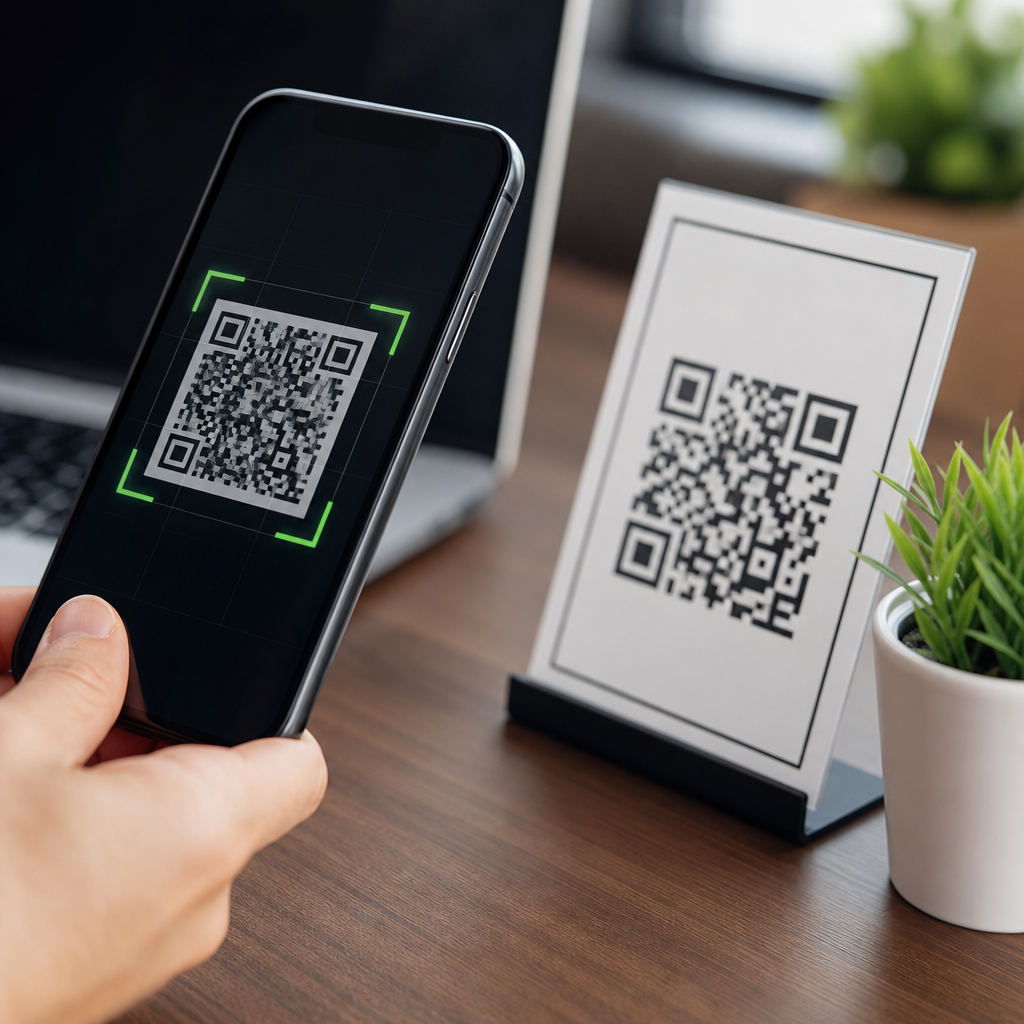
QR codes are safe for personal use in the same way links, apps, and email attachments are safe: the technology itself is neutral, but the destination, context, and handling determine the risk. A QR code, short for Quick Response code, is a two-dimensional barcode that stores information such as a website address, payment request, Wi-Fi credential, contact card, or app deep link. People use them to pay bills, join networks, save event details, verify products, and open menus. Because scanning feels effortless, many users treat a code as more trustworthy than a typed URL. That assumption creates the real security problem.
I have worked on mobile onboarding flows, payment pages, and security reviews where QR codes improved convenience but also introduced new attack paths. The pattern is consistent: users lower their guard when a black-and-white square stands in for a visible web address. Attackers know this, which is why fraudulent stickers appear on parking meters, fake restaurant menus redirect to phishing pages, and scam payment codes circulate in messaging apps. The safety question is not whether QR codes are inherently dangerous. It is whether the person scanning can verify the source, preview the action, and understand what data or money will move next.
For personal use, that matters because QR codes now sit at the intersection of identity, payments, and private data. A single scan can open a malicious site, trigger a wallet request, prefill an email, add a rogue contact, or connect a phone to an untrusted network. At the same time, well-managed QR codes are genuinely useful and often safer than manual entry because they reduce typing errors and can point users to the exact intended resource. The practical answer is balanced: QR codes are generally safe when they come from trusted sources, are checked before opening, and are used with modern phone protections enabled.
This article serves as a hub for the broader subject of QR code security, privacy, and compliance. It explains how QR codes work, where the real risks appear, which warning signs matter most, and what habits make scanning safer on iPhone and Android. It also covers payment safety, privacy implications, business responsibilities, and the difference between static and dynamic codes. If you want a clear standard for everyday use, use this one: trust the source, preview the destination, limit permissions, and never let urgency override verification.
How QR Codes Work and Why They Feel Trustworthy
A QR code encodes data into a machine-readable pattern of squares. Most personal-use codes contain a URL, but they can also store plain text, phone numbers, SMS templates, calendar events, vCard contact data, geolocation, and Wi-Fi settings using standardized formats. Smartphone cameras and dedicated scanner apps decode the pattern and hand the data to the operating system. If the content is a URL, the phone usually opens a browser prompt. If it is a payment link or app deep link, the related app may launch directly.
That process feels safe because the user is not typing anything and because phone operating systems present scanning as a native feature. In practice, QR scanning inherits the same trust issues as clicking any link. The problem is visibility. With a typed website, users can inspect the domain before visiting. With a QR code on a poster, package, or screen, the destination is hidden until after the scan. Some camera apps preview the link clearly; others move quickly into the next step. This reduced transparency is why QR-driven phishing, often called quishing, has grown across consumer and enterprise environments.
Another reason QR codes feel reliable is that many legitimate organizations use them well. Airlines put them on boarding passes, banks use them for payments, and device makers use them for setup flows. Familiarity lowers skepticism. I have seen users scan codes at conferences, retail counters, and apartment lobbies with far less hesitation than they would show toward a shortened URL in email. That behavior is understandable, but it is precisely what scammers exploit.
Real Risks: Phishing, Payment Fraud, Malware, and Social Engineering
The most common QR code threat is phishing. A malicious code sends the user to a fake login page designed to steal passwords, payment card details, or one-time authentication codes. Because the destination may open on a phone browser, the page can look convincing and the smaller screen makes domain inspection harder. Attackers often mimic banks, parcel services, parking providers, and streaming platforms because users expect those brands to use quick mobile flows.
Payment fraud is another major risk. Scammers replace legitimate payment QR codes with their own, especially in public places. A customer thinks they are paying a merchant, charity, or meter operator, but the funds go to a fraudulent account. This is common in regions where account-to-account payments through QR are popular because the transaction can be immediate and difficult to reverse. The risk is not theoretical; consumer protection alerts from banks and local governments regularly warn about tampered codes on public signs and invoices.
Malware delivered directly through QR codes is less common on modern phones than phishing, but it remains possible when a scan leads to a fake app store page, a malicious APK download on Android, or a prompt to install an untrusted configuration profile. Social engineering ties all of this together. The attacker creates urgency: pay now, confirm your account, claim a delivery, join the secure Wi-Fi, or scan to avoid a fine. The QR code is merely the delivery mechanism.
| Threat | How it works | Typical example | Best immediate defense |
|---|---|---|---|
| Phishing | Code opens a fake website that asks for credentials or card details | “Scan to verify your bank account” on a flyer or email | Preview the full domain and navigate to the site manually instead |
| Payment diversion | Scammer swaps a merchant or donation code with a code they control | Sticker placed over a real parking meter QR code | Confirm the payee name in the payment app before sending money |
| Malware lure | Code points to a fake app download or unsafe profile | “Install this security update” from a poster or text message | Install apps only from Apple App Store or Google Play |
| Privacy harvesting | Code opens a form or tracker that collects personal data | Contest entry page requesting unnecessary information | Share only the minimum data required for the task |
Are QR Codes Safe on iPhone and Android?
On both iPhone and Android, built-in camera scanners are usually safer than random third-party scanner apps because the operating system controls the prompt and reduces unnecessary permissions. Apple’s Camera app and Android’s camera implementations typically show the decoded link before opening it. Google Lens can add another layer of context by recognizing text and surfacing the visible URL. These native tools do not make unsafe codes harmless, but they remove some of the extra risk created by ad-heavy scanner apps that ask for contacts, storage, or location permissions they do not need.
The core protections come from the phone’s broader security model. Safe Browsing in Chrome, sandboxing on iOS and Android, app store review, phishing protection in password managers, and multifactor authentication all reduce harm after a bad scan. Still, no mobile platform can fully protect users who willingly enter credentials into a fake page or approve a payment to the wrong recipient. Human verification remains essential.
For everyday users, the safest setup is straightforward. Keep the operating system updated, use the native camera, enable browser fraud warnings, use a reputable password manager that recognizes legitimate domains, and turn on multifactor authentication for important accounts. On Android, avoid sideloading apps prompted by QR codes unless you have a very specific, trusted reason. On iPhone, be cautious with prompts to install profiles or certificates. In both ecosystems, if a code appears in an email or printed notice claiming to be from a bank, hospital, or government agency, go to the organization through its official app or typed website rather than scanning.
Privacy Considerations Most Users Miss
QR code safety is not only about scams. It is also about data collection. Dynamic QR code platforms often track scan time, approximate location, device type, and referral context. For businesses, those analytics are useful. For individuals, they raise privacy questions, especially when scans are tied to loyalty programs, event registrations, medical forms, or payment journeys. A static QR code printed on paper simply contains fixed data. A dynamic code often routes through a management platform before redirecting you elsewhere, which means another party can log the interaction.
This does not automatically make dynamic QR codes unsafe, but users should know what happens. When a restaurant menu code redirects through a link shortener or QR management domain, the operator may collect metrics. When a personal code links to a cloud document, the document service may log access and expose your name if you are signed in. When a QR code joins Wi-Fi, it may reveal the network name and, in some formats, the password to anyone who can inspect the encoded data.
For personal use, privacy-safe habits are simple: avoid oversharing in forms opened by QR codes, prefer direct brand domains over unfamiliar redirect domains, and understand that convenience features usually create logs. If you generate your own QR codes for contact sharing or home Wi-Fi, think about where the image will circulate. A photo of that code on social media can disclose more than you intended.
How to Scan QR Codes Safely in Everyday Situations
Safe scanning starts before the camera opens. Check the physical context. Is the code printed cleanly as part of the original sign, package, or receipt, or does it look like a sticker layered on top? Tampering is a classic red flag, particularly on parking meters, restaurant tables, kiosks, and apartment entry systems. If the code came through email, text, or social media, ask why the sender used a QR code instead of a normal link. Attackers use codes to bypass filters and to hide destinations from people who have learned to inspect URLs.
After scanning, pause on the preview. Look at the domain carefully, not just the page design or logo. Misspellings, unusual country-code domains, excessive subdomains, and generic short links are warning signs. If the action involves money or login credentials, stop and switch to the official app or manually typed site. For payments, verify the merchant or recipient name inside the payment app before approving. Legitimate payment rails usually show who will receive the funds. If that name is wrong or absent, cancel.
I recommend a simple three-step rule for personal use: inspect, preview, confirm. Inspect the physical code for tampering. Preview the digital destination. Confirm any sensitive action independently. This small delay prevents the majority of real-world QR scams because most depend on speed, distraction, or urgency. The safer habit is not avoiding QR codes altogether. It is refusing to let a code make decisions on your behalf.
Using QR Codes for Payments, Wi-Fi, and Personal Sharing
Payment QR codes can be very safe when used inside trusted apps and merchant-controlled environments. Many banking apps, digital wallets, and national instant payment systems support standardized QR payments with recipient verification and transaction records. The safer pattern is scanning inside the app you already trust, not through a browser page launched by a random code. Always check the payee, amount, and purpose line before authorizing. If the code is printed in public, compare it with nearby branding or ask the merchant to confirm it. The same caution applies to donation boxes and peer-to-peer transfers.
Wi-Fi QR codes are convenient at home or for guests, but they should be treated as password distribution. Anyone with the code can join that network unless additional controls exist. Use them for guest networks rather than for a primary home network that reaches personal devices or file shares. For personal contact sharing, vCard QR codes are useful at events, but remember they may expose phone number, email, employer, and address details instantly. Share the minimum profile you want strangers to keep.
If you create your own codes, use reputable generators, prefer direct HTTPS links, and document where each code points. For important destinations, a dynamic code can be helpful because you can update the link later without reprinting the image. The tradeoff is that you are adding a redirect layer and relying on the platform’s security practices. That is manageable when you choose a credible provider and monitor where your codes resolve.
What Businesses and Families Should Do Next
Personal QR code safety improves when households and organizations set simple rules. Families should teach children and older adults that a QR code is just another link, not a badge of legitimacy. Businesses that publish codes should place them in controlled locations, inspect public displays for sticker tampering, and use branded landing pages on clear domains. If a code collects personal data, the form should ask only for necessary information and explain how the data will be used. For regulated sectors such as healthcare, education, and finance, that discipline is not optional; it supports consent, recordkeeping, and basic privacy compliance.
The bottom line is clear. QR codes are safe for personal use when you treat them with the same caution you would give any link, payment request, or login prompt. The strongest protection is not a special scanner app or a perfect checklist. It is a verification mindset backed by updated devices, trusted apps, and careful review of destinations and recipients. Use QR codes for convenience, not blind trust. Audit the codes you create, question the codes you receive, and build a habit of pausing before you tap. That single pause is the difference between fast access and avoidable fraud.
Frequently Asked Questions
Are QR codes safe for personal use?
Yes, QR codes are generally safe for personal use, but only in the same way websites, apps, and email attachments are safe: the technology itself is neutral, while the real risk depends on where the code leads and how carefully you use it. A QR code is simply a machine-readable image that stores data such as a web address, payment request, Wi-Fi login, digital business card, event details, or an app link. By itself, the code is not harmful. The concern begins when a person scans a code without verifying its source, because the scan can instantly open a webpage, prompt a payment, download an app, or trigger another action.
For everyday personal use, QR codes are commonly used in reliable and low-risk situations, such as restaurant menus, package tracking, transit tickets, account logins, and contactless payments. Problems usually arise when scammers hide malicious links inside fake or altered codes, especially in public places, emails, text messages, flyers, or parking meters. In practical terms, QR safety comes down to basic digital caution: know who provided the code, confirm the destination before tapping through, and avoid scanning random codes just because they are convenient. Used with that mindset, QR codes can be a safe and useful tool in daily life.
What are the main risks of scanning a QR code?
The biggest risk is that a QR code can send you somewhere you did not expect. Because the information is encoded visually, you cannot tell at a glance whether it leads to a legitimate site or a fraudulent one. Criminals take advantage of that by using QR phishing, sometimes called “quishing,” to direct people to fake login pages, fake payment portals, malware downloads, or scam forms designed to steal passwords, banking details, or personal information. A code may also trigger an action such as opening a payment app, connecting to a wireless network, or preparing a text or email message, which can create risk if the action is accepted without review.
Another common danger is physical code replacement. A scammer may place a sticker with a fraudulent QR code over a real one on a poster, meter, table tent, or public kiosk. This is especially effective in locations where people are in a hurry and less likely to inspect the label closely. There is also a privacy angle: even a legitimate QR code can collect tracking data when it opens a site, including device information, location indicators, or referral data. None of this means QR codes are inherently unsafe, but it does mean users should treat them the way they treat shortened links or unknown attachments: as potentially useful, but worth verifying before interacting with them.
How can I tell whether a QR code is legitimate before I scan it?
You often cannot confirm with absolute certainty before scanning, which is why context matters so much. Start by looking at where the code appears and who is asking you to use it. A QR code from a bank statement, product packaging, official event badge, or a trusted business website is very different from a code on a random sticker, an unsolicited email, or a flyer posted in public. If the code is printed on top of another label, looks tampered with, appears low-quality, or is placed somewhere unexpected, that is a strong sign to avoid it. If someone is pressuring you to scan immediately to claim a prize, fix an account problem, or avoid a penalty, assume extra risk.
After scanning, many phones display a preview of the destination link before opening it. That preview is one of your best safety tools. Check whether the domain name is spelled correctly, uses the official brand address, and matches what you expected. For example, a payment code from a well-known company should not lead to a strange domain filled with extra words, numbers, or misspellings. If the code opens a login page, asks for payment, requests personal details, or urges you to install something, pause and verify through another channel. You can also go directly to the company’s website or app instead of using the code. In short, legitimacy is judged through source, physical appearance, destination preview, and whether the requested action makes sense.
What are the safest ways to use QR codes for payments, Wi-Fi, and personal information?
For payments, the safest approach is to use QR codes only from trusted businesses or people you already know, and to verify the payee details before approving the transaction. Many payment apps display the recipient’s name, merchant identifier, or amount before you confirm. Review all of that carefully. Be especially cautious with QR codes placed in public areas for parking, donations, or bills, because those are common targets for sticker replacement scams. If anything looks unusual, such as a mismatched business name or an unexpected website, stop and pay through the company’s official app or website instead.
For Wi-Fi access, QR codes can be convenient because they let you join a network without manually typing the password, but you should still trust the source. A code from your own router, a friend, or a reputable business is typically fine. Avoid joining networks from random signs in public unless you are sure they belong to the location. When it comes to personal information, treat QR codes as a shortcut, not as proof of legitimacy. If a code adds a contact card, opens a form, or loads a profile, review what data is being requested before submitting anything. As a general rule, do not use a QR code to enter passwords, financial details, identification numbers, or sensitive account information unless you have independently confirmed you are on the official service page. Safe use is less about avoiding QR codes entirely and more about slowing down before you approve what they are asking you to do.
What should I do if I scanned a suspicious QR code?
If you scanned a suspicious QR code but did not proceed any further, the immediate risk may be low, especially if you closed the page before entering information, downloading anything, or approving a payment. Even so, it is smart to clear the page, avoid interacting with any prompts, and review what happened. If the code opened a browser window, check the address it tried to load. If it attempted to open an app, install software, connect to a network, or start a payment, make sure none of those actions were completed. If you joined a suspicious Wi-Fi network, disconnect from it right away and forget the network on your device.
If you entered credentials, submitted personal data, or approved a transaction, act quickly. Change any affected passwords immediately, especially if you reuse them elsewhere. Contact your bank or payment provider if money may be involved, review recent account activity, and enable two-factor authentication if it is not already active. Run a security scan on your device if you downloaded a file or installed an app after scanning. It is also wise to monitor your email, financial accounts, and online logins for unusual activity over the following days. In more serious cases, such as identity data exposure or confirmed fraud, report the incident to the relevant service provider and local consumer protection or cybercrime channels. Quick action can greatly reduce the impact of a bad scan.