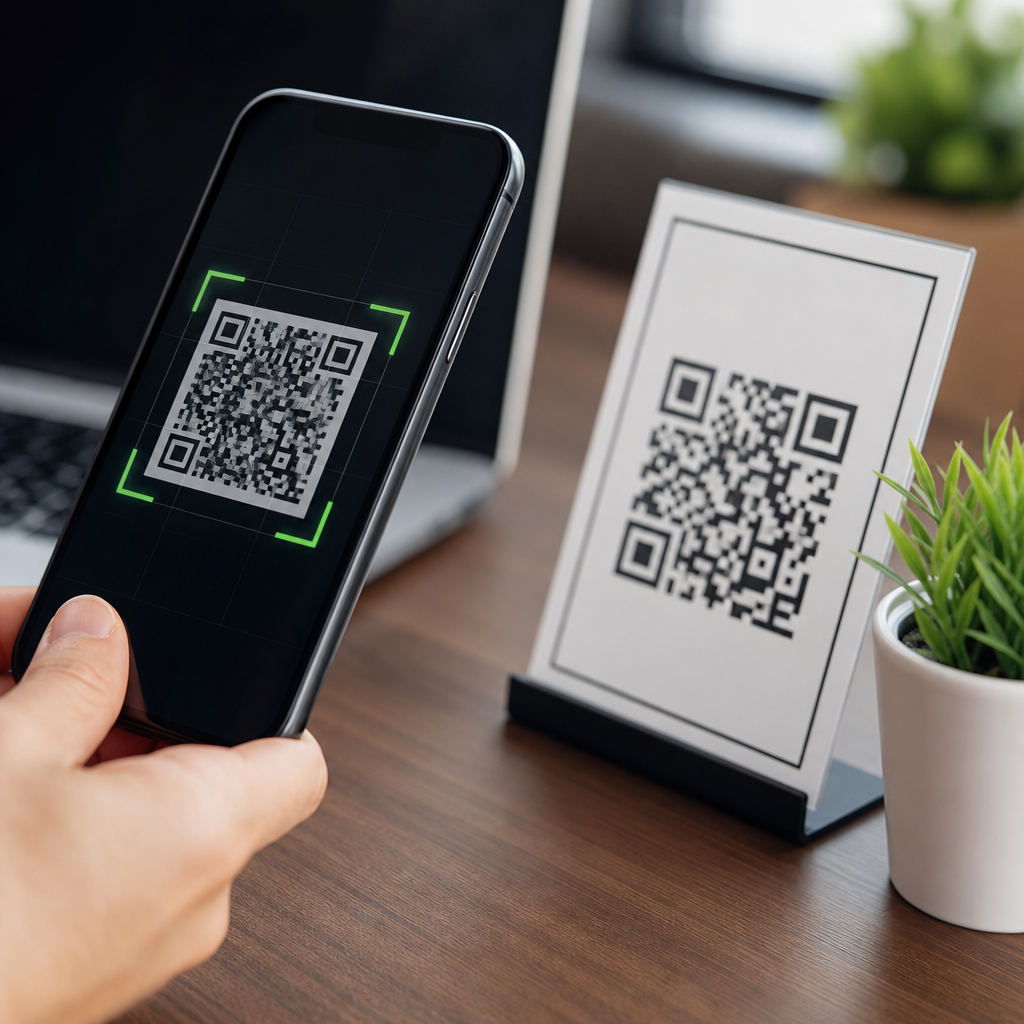
QR codes are convenient, cheap to print, and easy to scan, but they do pose security risks when businesses and consumers treat them as inherently trustworthy. A QR code is simply a machine-readable pattern that stores data, usually a URL, payment instruction, contact record, Wi-Fi credential, or app action. The code itself is not malicious in the abstract; the danger comes from what it makes a phone, browser, wallet, or employee do next. That distinction matters because the safest response is not to avoid QR codes entirely, but to manage the specific risks tied to destination links, redirect behavior, data collection, and physical tampering.
In security work, I have seen QR codes move from restaurant menus and event tickets into invoices, factory floors, identity workflows, and clinical settings. That expansion increases the attack surface. A printed code can send someone to a phishing page. A dynamic code can be changed after distribution. A payment code can redirect funds. A login code can start account takeover. Even a legitimate code can create privacy issues if it logs device details, location, campaign metadata, and behavioral events without clear disclosure. As adoption grows, the practical question is no longer “Are QR codes safe?” but “Under what conditions are QR codes safe enough for this use case?”
This matters for three reasons. First, mobile users scan quickly and often skip the caution they would apply to an email link. Second, the visual format hides the destination, so people cannot judge a URL at a glance unless their camera app shows a preview. Third, QR campaigns are increasingly tied to regulated data flows, including consumer profiling, healthcare information, access credentials, and payments. A useful security review therefore spans cyber risk, fraud risk, privacy risk, and compliance risk. For organizations building or buying QR experiences, the right standard is controlled trust: validate where the code leads, limit what happens after the scan, monitor for abuse, and disclose what data is collected.
How QR code risks actually work
The most common threat is QR phishing, often called quishing. An attacker places a code on a poster, package, parking meter, restaurant table, or email attachment and relies on the user to scan it with a phone. The scan opens a site that imitates a bank, single sign-on page, delivery portal, payroll system, or cloud app. Because the user initiated the action and is already on mobile, they are more likely to enter credentials, approve a push notification, or submit card details. Microsoft and several enterprise email vendors now specifically flag QR code phishing because it bypasses some traditional URL inspection behavior in users and some legacy detection routines in gateways.
Another risk is malicious redirection. Many organizations use dynamic QR code platforms so they can change the destination after printing. That feature is valuable for marketing, packaging, and operations, but it introduces administrative risk. If the account behind the code is compromised, or if a vendor mishandles tenant isolation, a legitimate code on a box, sign, or badge can silently start sending traffic elsewhere. I have also seen simpler failures: expired domains, misconfigured redirects, and URL shorteners that break preview trust because users cannot easily tell where they will land.
Payments create a sharper form of exposure. In markets that use account-to-account transfers, a QR code may encode a payee identifier, payment URI, or merchant profile. Replace that code and the money goes to the attacker. This is not theoretical. Law enforcement agencies in multiple countries have warned about sticker overlays on parking meters and public payment points. The fraud succeeds because the physical code looks official, users are in a hurry, and the payment flow happens inside a trusted wallet or banking app.
There is also a device and app risk, though it is usually overstated. A QR code by itself does not “hack” a phone in normal conditions. Modern mobile operating systems sandbox scanner behavior and require the user to confirm higher-risk actions. However, codes can trigger app deep links, downloads, calendar events, contact imports, Wi-Fi joins, or messaging drafts. If the receiving app has weak validation, that handoff can still produce abuse. The realistic model is not magic compromise from the pattern itself, but exploitation through the destination content, the user decision, or the receiving application.
Are QR codes safe for consumers?
For consumers, QR codes are reasonably safe when the source is verified, the destination preview is checked, and sensitive actions are handled with the same caution used for emailed links. The safest scans come from contexts with strong provenance: product packaging from a known brand, official utility bills, airline boarding flows inside an authenticated app, or museum exhibits run by a visible institution. Risk rises in public places where anyone can place a sticker, in messages from unknown senders, and in urgent payment or login requests.
A simple rule works well: trust the context before you trust the code. If a sign claims to represent a bank, government office, parking authority, or employer, verify through an independent channel before entering credentials or making a payment. Open the official app yourself, type the known web address, or call the published number from a prior statement. Camera apps on iPhone and Android often show the URL before opening it. That preview is useful, but it is not enough by itself because attackers use lookalike domains, subdomain tricks, and shortened links.
Consumers should also expect brands to reduce ambiguity. If a code is supposed to support account login, payment, or personal data collection, the surrounding design should clearly state the domain, purpose, and expected next step. Vague copy such as “scan now” creates unnecessary exposure. Strong brands print recognizable URLs near the code, use HTTPS, avoid generic shorteners, and explain what data will be collected after the scan. Those signals do not eliminate risk, but they materially improve informed consent and fraud resistance.
Business and operational risks for organizations
For organizations, QR code security is an operational discipline, not a design afterthought. The risk profile depends on whether the code is static or dynamic, whether it initiates payments or authentication, and whether it connects to internal systems. A static code printed on packaging that leads to a product manual is low risk if the destination domain is well managed. A dynamic code on invoices that routes to a payment page is high risk because the business impact of tampering includes direct financial loss, customer distrust, chargebacks, and incident response costs.
Brand abuse is common. Fraudsters clone labels, menus, posters, warranty cards, and event materials because copying a QR image is trivial. If customers scan a fake code and encounter malware, credential theft, or counterfeit goods, they often blame the legitimate brand. This creates a measurable customer support burden. Teams then have to investigate scan logs, work with domain registrars, review redirect chains, and answer angry customers who believe the official code was unsafe. In practice, prevention is cheaper than remediation.
Internal use cases add another layer. Many companies now use QR codes for visitor check-in, asset tracking, workstation setup, warehouse routing, and multifactor login handoff. In these environments, a code can become a bridge between the physical world and privileged digital workflows. If an employee scans a spoofed onboarding code that installs the wrong mobile device management profile or opens a fake identity portal, the result can be broader than one stolen password. Mature organizations therefore treat QR-linked processes as part of identity and access management, not merely as convenience features.
Privacy, tracking, and compliance concerns
QR codes raise privacy questions because the scan is often the first event in a measurement pipeline. Marketers frequently attach UTM parameters, unique identifiers, retargeting tags, device fingerprints, and geolocation inferences to understand campaign performance. That may be legitimate, but it can also cross into excessive collection if the user is not clearly informed. A code on a poster in a medical office, for example, can reveal sensitive interest categories when scanned, even before a form is submitted. The same is true for recruitment, financial counseling, addiction support, or legal services.
Compliance obligations vary by jurisdiction and sector, but the pattern is consistent. If the QR experience collects personal data, links activity to an identifiable individual, or initiates regulated transactions, organizations should provide transparent notice, define a lawful basis where required, minimize data, secure processors, and retain records only as long as necessary. In Europe, data protection authorities care about fairness, purpose limitation, and valid consent where consent is used. In the United States, state privacy laws and sector-specific rules can apply depending on the data involved. Healthcare, education, and payment environments require especially careful scoping.
Accessibility also intersects with trust. A QR-only workflow can exclude users with visual, motor, or device limitations, and that exclusion can become a compliance and customer experience issue. Good practice is to provide a short typed URL, NFC alternative, or staffed option. Security benefits too: when users have an alternate route, they are less likely to scan an unverified code out of necessity.
Best practices to make QR codes safer
The safest QR code programs use layered controls. At minimum, organizations should host destinations on domains they control, enforce HTTPS with HSTS, restrict redirect rules, and log administrative changes. Dynamic code platforms should support role-based access control, multifactor authentication, audit trails, and tenant separation. If a vendor cannot explain these basics, it is the wrong vendor for any security-sensitive deployment. For high-risk use cases, add domain monitoring, abuse reporting channels, and routine spot checks of codes in the field.
Design choices matter. Put the destination domain in plain text next to the code. Explain the exact action: “Scan to view the menu at example.com/menu” is better than “Scan here.” Avoid unnecessary shortened links. Use branded short domains only when governance is strong and users recognize them. For payment codes, tie the visual label to the merchant identity and amount where supported, and train staff to inspect for overlays. In facilities and public installations, tamper-evident materials and regular physical inspections are worth the cost.
| Risk area | Typical attack | Effective control |
|---|---|---|
| Phishing | Fake login page after scan | Show full domain, require phishing-resistant MFA, user training |
| Payments | Sticker overlay changes payee | Tamper checks, merchant verification, app-confirmed payee details |
| Dynamic redirects | Account takeover changes destination | MFA, RBAC, audit logs, change alerts |
| Privacy | Hidden tracking and over-collection | Clear notice, data minimization, consent where required |
| Operations | Expired or hijacked destination domain | Domain governance, renewal controls, uptime monitoring |
User education should be specific, not generic. Teach people to preview links, inspect domains carefully, avoid scanning codes from unsolicited messages, and verify any request involving credentials, payroll changes, gift cards, or urgent payments. In enterprise settings, include QR scenarios in phishing simulations because employees behave differently on mobile than on desktop. The goal is to normalize one extra second of verification before a tap becomes a transfer, login, or data disclosure.
When QR codes are appropriate, and when they are not
QR codes are appropriate when they reduce friction without concentrating too much trust in a hidden destination. Product manuals, event schedules, authenticated in-app pairing, boarding workflows, and equipment records are good examples. They are less appropriate as the sole gateway for high-stakes actions unless additional controls are present. If a process involves account recovery, wire instructions, benefits enrollment, or disclosure of sensitive personal information, a QR code should usually be one option among several and should be backed by explicit verification steps.
A practical decision test is to ask three questions. What harm occurs if the code is replaced, redirected, or misunderstood? What signals does the user have to verify legitimacy before acting? What controls exist after the scan to stop fraud or over-collection? If the answers are weak, the deployment needs redesign. Convenience is real, but hidden links always deserve extra scrutiny.
QR codes are not uniquely dangerous, but they are uniquely easy to trust too quickly. Used well, they streamline access and improve customer experience. Used carelessly, they become a compact delivery mechanism for phishing, payment fraud, privacy overreach, and brand abuse. The right conclusion is balanced: QR codes are safe enough for many uses, unsafe for some uses, and dependent on context for most.
For consumers, the core habit is simple: verify the source, preview the destination, and never rush a login or payment after scanning. For businesses, the standard is higher. Govern domains, secure dynamic code platforms, disclose data practices, inspect physical placements, and design every scan flow so a user can tell what should happen next. That is how QR code security, privacy, and compliance work together in practice.
If you manage QR codes as part of your customer journey or internal operations, audit every live code, every destination domain, and every data flow this week. The fastest improvement usually comes from basic controls applied consistently.
Frequently Asked Questions
Do QR codes themselves contain malware or viruses?
Not in the usual sense. A QR code is just a visual pattern that encodes information such as a website address, payment request, contact card, Wi-Fi login, or other machine-readable instruction. On its own, the code is not “infected” like a malicious file might be. The real security risk comes from what happens after someone scans it. If the QR code sends a user to a phishing page, starts a payment to a scammer, prompts an unsafe app action, or tricks someone into handing over credentials, the damage comes from the destination or action, not from the printed square itself.
This distinction is important because it changes how businesses and consumers should respond. The safest approach is not to panic about every QR code, but to stop treating them as automatically trustworthy. A QR code should be viewed the same way you would view any link, attachment, or digital prompt: useful when verified, risky when blindly followed. Good security practice means checking where the code leads, confirming who provided it, and being cautious when the scan triggers logins, payments, downloads, or requests for sensitive information.
What are the most common security risks associated with QR codes?
The most common risk is phishing. Attackers can place a QR code on a poster, email, package insert, menu, parking meter, or payment counter and send people to a fake website that looks legitimate. Once there, users may be asked to sign in, enter payment details, reset a password, or approve a transaction. Because the interaction starts with a scan instead of a typed web address, people are often less likely to notice red flags such as misspelled domains, lookalike brands, or unusual login prompts.
Another major threat is payment redirection. Fraudsters can swap in a malicious code that routes money to their own account instead of the intended business, charity, or landlord. QR codes can also be used for malicious app downloads, fake customer support flows, rogue Wi-Fi connections, or social engineering attacks against employees. In business settings, a seemingly harmless code can be used to push staff toward a spoofed login page for email, payroll, or internal systems. The pattern across all of these examples is the same: the QR code acts as a convenient delivery mechanism that hides the next step until after the scan.
How can consumers tell whether a QR code is safe to scan?
Consumers should start with context. Ask where the code came from, who placed it there, and whether it makes sense in that setting. A QR code on a restaurant menu, utility bill, or product packaging may be legitimate, but that does not mean it is automatically safe. Be especially cautious with codes posted in public places, stuck on top of existing signage, printed in unsolicited mailers, or sent through unexpected emails and text messages. If something feels rushed, urgent, or oddly generic, it deserves extra scrutiny.
After scanning, review the preview before opening the link if your phone allows it. Look closely at the domain name, not just the brand name shown on the page. Watch for misspellings, extra words, unfamiliar country domains, or shortened links that conceal the destination. Avoid entering passwords, payment card numbers, one-time codes, or personal data unless you independently verify the site. If the QR code is supposed to take you to a company you know, it is often safer to visit that company through its official website, app, or customer support channel rather than relying on the scan. In short, safe scanning comes down to the same habits that protect people from bad links: verify the source, inspect the destination, and pause before taking sensitive actions.
What should businesses do to reduce QR code security risks?
Businesses should treat QR codes as part of their broader security and trust strategy, not as a harmless marketing accessory. First, they should control where codes are created, how they are distributed, and who is authorized to publish them. Official QR codes should point to secure, branded domains that customers recognize, and ideally those destinations should use simple, readable URLs rather than confusing redirects. If a code is used for payments, logins, support, or account actions, the surrounding signage should clearly explain what the scan is supposed to do so users can spot abnormal behavior more easily.
Physical protection matters too. Businesses should routinely inspect in-store codes, kiosks, tables, posters, and payment surfaces for tampering or sticker overlays. Digital QR codes in emails, ads, and PDFs should go through the same approval process as other customer-facing links. Employee awareness is also critical, especially in finance, HR, operations, and IT roles where a malicious code could lead to credential theft or fraudulent payments. Strong practices include staff training, URL verification procedures, multifactor authentication, anti-phishing controls, and clear reporting channels for suspicious codes. The goal is not to eliminate QR codes, but to use them in a way that reduces blind trust and increases verifiability.
Are QR codes safe for payments, logins, and other sensitive actions?
They can be safe, but only when the surrounding system is well designed and the user verifies what is happening. QR codes are widely used for legitimate payment flows, device pairing, authentication, and account access because they are fast and convenient. However, those same use cases are high risk because they involve money, credentials, or trusted device actions. If a scammer can replace or imitate the code, they may be able to redirect funds, steal login details, or trick a user into approving something they did not intend.
For sensitive actions, the best protection is layered verification. Users should confirm that the code came from the correct business or app, review any destination URL carefully, and examine payment details before approving a transaction. Businesses should support protections such as transaction summaries, account name checks, signed requests, multifactor authentication, and fraud monitoring. In other words, QR codes should be treated as a starting point for an action, not as proof that the action is safe. When businesses and consumers stop assuming that a scannable code is inherently trustworthy, QR-based payments and logins become much safer to use.