
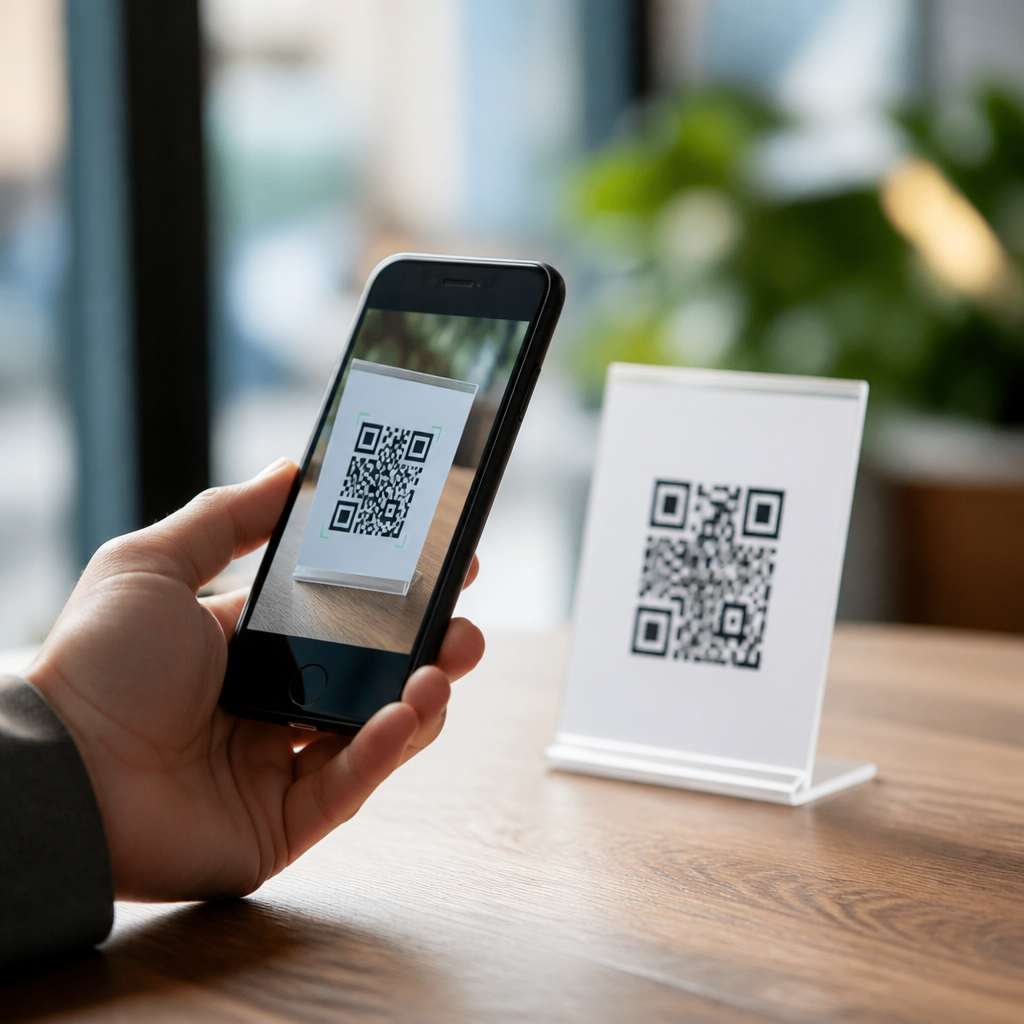
How to increase QR code scan confidence starts with understanding a simple truth: people do not scan codes they do not trust. A QR code is only a visual shortcut to a digital action, but to a user it can also feel like a blind jump. They may wonder where the code leads, whether it triggers a download, whether it collects data, or whether it has been tampered with. Scan confidence is the degree of comfort a person feels before, during, and after scanning. In practice, it is shaped by transparency, design clarity, brand signals, privacy disclosures, and the consistency of the landing experience.
I have worked with QR deployments in retail stores, events, product packaging, and regulated environments, and the same pattern appears repeatedly. Teams obsess over placement and call to action, yet overlook the trust signals that determine whether a person scans at all. A code with high visibility but low credibility underperforms a code that clearly explains what happens next. This matters because QR codes now sit at the intersection of commerce, customer support, mobile payments, authentication, and product information. When trust drops, scan rates fall, conversion falls, and support complaints rise.
User trust and transparency are the foundation of secure QR use because most users cannot inspect a destination before opening it. Unlike a typed web address, a printed code hides its endpoint. That opacity creates risk perceptions even when the campaign itself is legitimate. Increasing confidence means reducing uncertainty with plain language, recognizable branding, visible ownership, and predictable outcomes. It also means acknowledging real threats such as sticker replacement, phishing pages, misleading redirects, and excessive data collection. A trustworthy QR experience does not ask people to hope for the best; it gives them enough evidence to make an informed choice quickly.
For organizations building a hub under QR code security, privacy, and compliance, this topic deserves central treatment because it connects every downstream concern. Secure code generation, governance, privacy notices, accessibility, analytics, and incident response all influence trust. If users feel misled once, future scans suffer across the brand. If they feel informed and protected, codes become a reliable bridge between physical and digital touchpoints. The practical goal is not merely getting more scans. It is creating a scanning experience that feels safe, understandable, and consistent enough that users choose to engage again.
Why QR code trust breaks down
Trust breaks down when users cannot answer three immediate questions: who created this code, where will it take me, and what will happen after I scan? If any answer is unclear, hesitation rises. In field tests I have reviewed, the most common confidence killers were generic black-and-white codes with no surrounding context, placement on temporary signs that looked easy to tamper with, and landing pages that opened on unfamiliar domains. Even a valid campaign can resemble a malicious one if visual and informational cues are weak.
There are also legitimate threat models behind user hesitation. Criminals have used code overlay attacks by placing fraudulent stickers over real codes on parking meters, restaurant tables, and public posters. Payment diversion is especially effective because scanning feels faster than checking details. Another common issue is a shortened or redirected URL that obscures the final destination. Security-aware users know this can hide phishing pages. Confidence is not increased by telling people to trust the brand more. It is increased by designing the interaction so risk is visibly controlled.
Context matters as much as the code itself. A restaurant menu code is expected; a code on an ATM or a login prompt in a public place triggers more suspicion because consequences are higher. The same applies in healthcare, education, and government, where users expect clear consent language and official ownership markers. Organizations should map likely user concerns by scenario, then address those concerns directly in the physical signage and the destination content. Trust is situational, not abstract.
Core trust signals that raise scan confidence
The strongest trust signals are visible before the scan. Start with brand attribution. Users should immediately see the organization name, logo, and a plain-language reason to scan. “Scan to view the warranty registration page” outperforms vague prompts like “Scan me” because it sets expectations. Add destination cues when possible, such as the primary domain or a short explanation of the action: “Opens example.com/product-care in your browser.” This reduces ambiguity and helps the user compare the brand they see with the site they expect.
Physical integrity is another critical signal. Codes should be printed at sufficient size, high contrast, and on materials that do not wrinkle, glare, or degrade. Damaged labels lower trust because they suggest neglect or tampering. For public environments, use tamper-evident labels, secure mounting, and regular inspection schedules. In one retail rollout I advised, replacing low-cost paper shelf tags with laminated branded tags improved both scan reliability and reported comfort because the display looked maintained and official.
Transparency language matters. Users respond well when the sign answers practical questions up front: Is there a download? Is login required? Is payment involved? Will location or camera data be used beyond scanning? A short statement such as “No app required. Opens our mobile site. No payment requested” can remove enough uncertainty to lift engagement materially. Where compliance requires fuller disclosure, link to a concise privacy summary first, then the complete policy. People need the immediate answer before they will consider the detailed one.
Consistency after the scan is equally important. The mobile browser preview, if shown, should match the promised domain. The page title, branding, and design system should be recognizable instantly. If the landing page loads slowly, contains pop-ups, or redirects several times, confidence collapses. The first screen should confirm the user is in the right place and repeat the value proposition. This is not cosmetic. It is an anti-fraud and anti-abandonment measure.
Designing transparent QR experiences from sign to landing page
A high-confidence QR journey is designed end to end, not one asset at a time. The physical prompt should state the purpose, expected destination, and any important conditions. The scan itself should open a secure HTTPS page on a domain the user can recognize. The landing page should immediately confirm identity, explain the next step, and minimize surprise. If the process branches into a form, payment screen, or account flow, each transition should maintain the same naming, styling, and disclosure pattern.
I recommend a simple content model for every QR placement: owner, purpose, destination, data use, and fallback. Owner identifies who operates the experience. Purpose tells users why they should scan. Destination signals the domain or service. Data use explains any collection that goes beyond ordinary web logs. Fallback provides an alternative path such as a typed URL or customer service line. This structure works in hospitality, packaging, healthcare, museums, and B2B events because it addresses the exact uncertainties users feel in the moment.
For example, a product box might say, “Acme Electronics support. Scan to see setup videos on support.acme.com. No app required. Standard website analytics only. Prefer desktop? Visit support.acme.com/start.” That single block gives ownership, benefit, domain recognition, a privacy cue, and an alternative. Compare that with an isolated code and “Get started.” The second version forces the user to infer too much, which is where confidence drops.
Teams should also coordinate QR copy with customer support and legal review. Support teams know the questions that appear after confused scans. Legal teams can simplify mandated wording without burying the action in dense disclaimers. The goal is informed consent in plain terms, not maximum text volume. Good transparency reduces both drop-off and complaint volume.
Implementation practices that make confidence measurable
Raising confidence should be treated as an operational discipline with measurable standards. Create a deployment checklist covering code ownership, URL governance, HTTPS enforcement, redirect policy, visual branding, privacy notice placement, accessibility, and inspection frequency. Use dynamic QR management platforms carefully: they are useful for updating destinations and gathering analytics, but they introduce redirect chains and vendor dependency. If used, ensure the visible brand remains strong and the final destination domain is predictable.
The following controls are the most effective baseline for increasing QR code scan confidence across campaigns:
| Control | What users see | Why it builds confidence |
|---|---|---|
| Branded callout | Company name, logo, clear scan purpose | Shows ownership and reduces ambiguity |
| Visible destination cue | Primary domain or destination description | Helps users judge legitimacy before scanning |
| HTTPS landing page | Secure browser connection on load | Signals basic transport security and authenticity |
| Tamper-resistant placement | Clean, fixed, regularly inspected signage | Reduces suspicion of sticker replacement |
| Plain privacy summary | Short note on data use and app requirements | Removes fear of hidden collection or downloads |
| Consistent mobile experience | Matching branding from sign to page | Confirms the scan led to the expected source |
| Fallback path | Typed URL or support option | Gives control to users who prefer not to scan |
Measurement should combine quantitative and qualitative signals. Track scan-through rate, bounce rate, redirect failures, time to first contentful paint, and conversion completion. Then layer in survey prompts such as “Did this scan feel trustworthy?” or support tags related to suspicious QR concerns. In one event deployment, a brief domain cue added beside the code increased scans among first-time visitors because they knew exactly which site would open. Trust improvements often show up first in reduced hesitation and lower abandonment.
Governance matters too. Assign ownership of every live code, maintain an inventory, and retire outdated destinations promptly. Broken pages, expired promotions, and domain changes erode confidence quickly. If a code is in public circulation for months or years, test it on current devices and browsers on a schedule. Trust is sustained by maintenance, not just launch quality.
Privacy, compliance, and accessibility as trust multipliers
Privacy is not a side note in QR experiences. Users increasingly understand that a scan can expose device type, approximate location, referral information, and behavior on the landing page. If the destination requests contact details, camera permissions, payment credentials, or health information, transparency standards must rise accordingly. The best practice is progressive disclosure: tell users the essential facts before the scan, then present more detailed information at the point where data is requested. This aligns user expectations with the actual exchange of value.
Compliance requirements vary by industry and geography, but the trust principle is consistent. Collect only what is necessary, explain why it is needed, and avoid combining a simple informational scan with unexpected marketing consent. For example, a QR code on medication packaging that leads to safety information should not quietly force newsletter sign-up. In regulated settings, organizations should reference recognized frameworks internally, document lawful processing grounds where required, and ensure vendor contracts cover analytics and hosting responsibilities. Users may never see that governance, but they feel its effects when the experience is clean and respectful.
Accessibility also increases confidence because it signals care and competence. Surrounding text should provide enough context for users who cannot or do not wish to scan. Color contrast, font size, and placement should support low-vision users. Landing pages should follow established accessibility guidance, including clear headings, keyboard support, and descriptive link text. A person who encounters a confusing or unusable page often interprets it as unsafe, not merely inconvenient. Accessible design and trustworthy design reinforce each other.
Common mistakes and the fastest ways to fix them
The most common mistake is treating the QR code itself as the experience. It is not. The experience begins with the first glance at the sign and ends only when the user completes the intended task without surprise. Another frequent error is using a third-party short domain with no brand context. Even if the redirect is benign, unfamiliar domains lower confidence. Wherever possible, use a branded domain strategy and limit redirect hops. If a redirect is necessary for measurement or localization, make the final destination stable and obvious.
Other mistakes include placing codes in insecure-looking environments, failing to inspect for tampering, linking to pages that are not mobile optimized, and overloading the landing page with pop-ups or app-install prompts. Each issue adds friction or suspicion. The fix is usually straightforward: add contextual copy, improve physical presentation, simplify the first-screen experience, and state data practices in plain language. If users must sign in or pay, say so before the scan.
Finally, do not assume that more security jargon improves trust. Most users want clarity, not technical lectures. Tell them what will happen, who is responsible, and how to verify legitimacy. When transparency is specific and consistent, confidence rises naturally.
Increasing QR code scan confidence is ultimately a trust design problem. Users scan when they can quickly verify ownership, understand the benefit, predict the destination, and feel respected in how their data is handled. That is why user trust and transparency belong at the center of any QR code security, privacy, and compliance program. They connect physical design, mobile UX, governance, and communication into one coherent standard that people can believe.
The strongest results come from practical controls, not vague reassurances: branded signage, visible destination cues, HTTPS pages, tamper-resistant placement, clear privacy summaries, accessible content, and disciplined maintenance. When those elements work together, scan rates improve because uncertainty falls. Just as important, repeat engagement improves because users remember that the last scan was safe, useful, and unsurprising.
If you are building this subtopic hub, use this page as the operating model for every supporting article and deployment checklist. Audit each live QR code through the lens of trust and transparency, fix the highest-friction moments first, and document a repeatable standard your teams can follow. Better scan confidence is not accidental. It is designed, measured, and maintained.
Frequently Asked Questions
What does “QR code scan confidence” actually mean?
QR code scan confidence is the level of trust and comfort a person feels before scanning a code, while scanning it, and after landing on the destination. It is not just about whether the code technically works. It is about whether the user feels safe enough to take action without hesitation. Most people understand that a QR code is a shortcut, but they often cannot see where that shortcut leads until after they scan. That uncertainty creates friction. If a user wonders whether the code opens a legitimate website, starts an unwanted download, captures personal information, or has been replaced by someone else, they are far less likely to scan it.
In practical terms, scan confidence is shaped by transparency, context, design, and the user experience that follows the scan. A trustworthy QR code is usually supported by clear messaging around it, recognizable branding, a believable reason to scan, and a destination that matches the expectation set before the scan happened. When all of those signals are aligned, the user feels guided rather than tricked. That sense of predictability is what increases scan confidence and, in turn, improves scan rates and engagement.
Why do people hesitate to scan QR codes in the first place?
People hesitate because scanning a QR code can feel like giving up control. Unlike a standard web link, where the URL is often visible before a click, a printed or displayed QR code hides the destination until the action is already underway. That creates a small but important trust gap. Users may worry about phishing pages, malware, forced app downloads, spammy lead forms, or data collection they did not agree to. Even if the QR code is completely safe, the lack of immediate visibility can make the action feel risky.
There are also situational reasons for hesitation. If the code appears on a poorly designed flyer, an unbranded sign, damaged packaging, or a suspicious sticker placed over another code, people may assume it is unreliable or tampered with. If there is no explanation of what happens after scanning, they may not see enough value to justify the risk. In many cases, hesitation is not caused by the technology itself but by weak communication around it. The more uncertainty users feel, the more likely they are to ignore the code altogether.
What are the best ways to make a QR code feel more trustworthy?
The most effective way to make a QR code feel trustworthy is to remove uncertainty at every stage. Start by clearly explaining what the user will get after scanning. Simple nearby copy such as “Scan to view the menu,” “Scan to verify your booking,” or “Scan to download the event schedule” gives the action a defined purpose. This matters because people are much more willing to scan when they understand the outcome in advance. Vague prompts like “Scan me” create curiosity, but clear prompts create trust.
Branding also plays a major role. A QR code presented alongside a recognizable business name, logo, colors, and professional layout feels more legitimate than a random standalone code. The destination should reinforce that trust. Ideally, the landing page should load quickly, use HTTPS, look consistent with the brand, and match the promise made before the scan. If users scan a code for a product guide and land on a cluttered sales page, confidence drops immediately. If they scan and arrive at exactly what was promised, confidence grows.
Placement and condition matter too. Use QR codes in clean, visible, well-maintained locations where people can comfortably scan them. Avoid placing them where lighting is poor, movement is awkward, or visual clutter makes the code seem accidental. If the code is printed, make sure it is crisp and large enough to scan easily. If it is digital, ensure there is sufficient contrast and screen quality. A code that scans smoothly feels safer than one that requires repeated attempts, because reliability itself communicates professionalism.
How important is transparency when asking people to scan a QR code?
Transparency is one of the most important factors in increasing QR code scan confidence. When users know what the scan will do, where it will lead, and why it is worth their time, they are far more likely to proceed. Transparency reduces the feeling of a blind jump. It replaces suspicion with clarity. Even a short explanation can make a major difference, especially in environments where people are already cautious about digital security.
Good transparency includes telling users what type of destination they should expect, whether a sign-up or payment is involved, and whether any app download is required. For example, “Scan to open our secure customer support page” is stronger than simply presenting a code with no context. If the QR code leads to a form, be honest about that. If it opens a menu, coupon, video, warranty registration, or event check-in page, say so directly. When people feel informed, they feel respected, and that improves both trust and conversion.
Transparency continues after the scan as well. The landing page should confirm that the user has reached the right place and should not surprise them with unrelated offers, aggressive pop-ups, or confusing redirects. A consistent experience from printed prompt to digital destination helps users feel that the scan was safe, intentional, and worthwhile. That consistency is what builds long-term confidence in future QR interactions too.
Can the landing page affect QR code scan confidence?
Yes, the landing page has a direct effect on scan confidence because trust does not stop once the camera recognizes the code. In fact, the post-scan experience often determines whether the user feels reassured or misled. If the page loads quickly, looks secure, matches the brand, and delivers exactly what was promised, the scan feels successful. That positive outcome teaches users that scanning your QR codes is safe and useful. Over time, this strengthens trust in your brand and makes future scans more likely.
On the other hand, if the landing page is slow, broken, cluttered, or unrelated to the stated purpose, users may feel tricked. A poor mobile experience is especially damaging because QR scans typically happen on phones. Pages should be mobile-first, fast, easy to navigate, and free from unnecessary friction. Use secure URLs, clear headings, recognizable branding, and immediate confirmation that the user is in the right place. If a form is required, keep it concise and explain why the information is needed.
The landing page should also support credibility signals such as HTTPS, accurate business information, customer support details, privacy messaging where appropriate, and content that aligns with the original scan prompt. When the destination feels polished and predictable, users are more likely to trust the full journey. In that sense, increasing QR code scan confidence is not only about the code itself. It is about designing a transparent, coherent experience from first impression to final action.





