
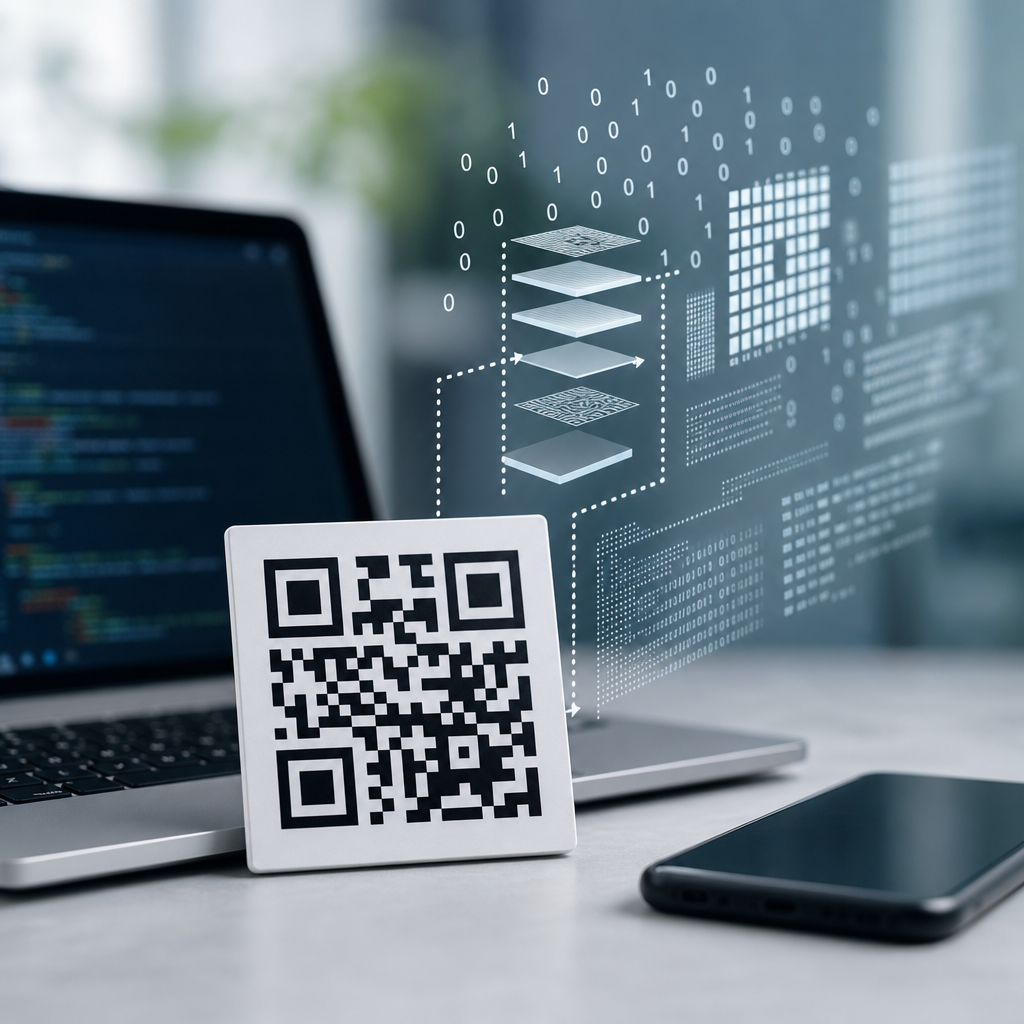
QR codes store data by converting characters, numbers, or binary values into a structured grid of black and white modules that can be read quickly from any direction, even when part of the symbol is damaged. In practical terms, a QR code is a two-dimensional matrix barcode designed to encode more information than a traditional one-dimensional barcode while remaining fast to scan with ordinary cameras. I have implemented QR code generation in production systems for retail menus, equipment labels, and event check-ins, and the same core mechanics always matter: data encoding, error correction, placement rules, and decoding logic. If you understand those four pieces, you understand how QR codes work.
The term QR stands for Quick Response, a name introduced by Denso Wave in 1994 when the format was created for tracking automotive components. The design solved two persistent limits of linear barcodes: small capacity and strict scanner alignment. A QR code can hold numeric, alphanumeric, byte, or kanji data, and scanners can detect it from multiple angles because of the three large finder patterns in the corners. Modern applications extend far beyond manufacturing. Payment flows, digital business cards, Wi-Fi onboarding, ticketing, and logistics all rely on the same symbol architecture. That is why this topic matters for anyone building, printing, or troubleshooting QR code campaigns.
At a technical level, QR codes do not simply “store a link.” They store a sequence of data codewords, error correction codewords, and control patterns arranged according to a formal specification. The scanner captures an image, locates the finder patterns, corrects perspective distortion, samples the module grid, reconstructs the codewords, and uses Reed-Solomon error correction to recover damaged content. Every design choice has tradeoffs. Higher error correction improves resilience but reduces capacity. A larger version stores more data but becomes denser and harder to print at small sizes. The goal of this hub article is to explain the full system plainly, so you can move from a basic idea of QR codes to a working technical understanding.
The Structure of a QR Code
A QR code is built on a square matrix of tiny cells called modules. Each module is either dark or light, and the exact arrangement represents encoded information plus structural metadata needed for decoding. The smallest QR version, Version 1, is 21 by 21 modules. Each higher version adds four modules per side, up to Version 40 at 177 by 177 modules. In practice, version selection depends on data length, mode, and error correction level. If you encode a short URL, you may fit into a low version. If you encode a long vCard or binary payload, the generator may need a much larger symbol.
Several patterns are reserved before actual user data is placed. The three finder patterns in the top-left, top-right, and bottom-left corners help the scanner identify the symbol and orientation. Timing patterns, which alternate dark and light modules, run between finder regions and help determine the module spacing. Smaller alignment patterns appear in larger versions to correct distortion, especially when the symbol is curved on packaging or photographed at an angle. There is also a quiet zone, a blank margin around the code, which is essential. When clients ask why a perfectly generated code will not scan on a crowded poster, the missing quiet zone is often the reason.
Format information and, for larger versions, version information are also encoded into fixed positions. Format bits tell the scanner which error correction level and mask pattern were used. Version bits identify versions 7 through 40. The remaining unreserved modules are filled with data and error correction codewords in a prescribed zigzag pattern, typically moving upward and downward through paired columns from right to left. Because these placements are standardized, any compliant scanner can decode symbols produced by any compliant generator.
How Data Is Encoded Inside the Symbol
QR code encoding starts by choosing the most efficient mode for the input data. Numeric mode packs digits very efficiently. Alphanumeric mode supports digits, uppercase letters, and a limited set of symbols such as space, dollar sign, percent sign, asterisk, plus, hyphen, period, slash, and colon. Byte mode stores general-purpose text and binary data, typically using ISO-8859-1 or UTF-8 depending on the implementation. Kanji mode compresses double-byte Shift JIS characters. Good encoders optimize mode selection automatically, and mixed-mode encoding can reduce symbol size significantly.
After mode selection, the encoder adds a character count indicator, then converts the payload into a bit stream according to the rules for that mode. Numeric mode groups three digits into 10 bits, two digits into 7 bits, or one digit into 4 bits. Alphanumeric mode converts pairs of characters into 11 bits using a 45-character set. Byte mode generally uses 8 bits per character. Terminator bits are appended if space remains, and the stream is padded to complete full codewords of 8 bits each. If the version capacity is not yet filled, predefined pad bytes, commonly 11101100 and 00010001, are alternated until the available data capacity is reached.
One detail that often surprises nontechnical users is that the visible pattern is not a direct visual representation of the text. The final layout looks random because the data passes through several formatting steps before placement. For example, the string “HELLO” in alphanumeric mode becomes a compact sequence of bits, then codewords, then a masked matrix. You cannot inspect a QR code by eye and infer the stored URL or message. That apparent randomness is normal and beneficial because masking reduces problematic visual patterns that can confuse imaging systems.
Error Correction and Why Damaged QR Codes Still Scan
Error correction is one of the defining features that makes QR codes so robust in the real world. Instead of storing only the payload, the symbol also stores redundant codewords generated with Reed-Solomon error correction. This mathematical method treats blocks of data as coefficients in a polynomial over a finite field and produces extra codewords that allow the decoder to reconstruct missing or corrupted information. In operational terms, that means a QR code can often scan even when scratched, partially obscured, printed on textured material, or distorted by glare.
QR codes support four error correction levels: L, M, Q, and H. These are commonly described as recovering about 7 percent, 15 percent, 25 percent, and 30 percent of symbol damage, though actual recoverability depends on where damage occurs and how severe distortion is. Level H is often chosen when a logo is placed in the center, because branding removes modules that the decoder must recover. The cost is reduced capacity. If you need to store more data in the same physical size, a lower correction level may be necessary. That tradeoff is not optional; it is fundamental to the format.
In production, I advise teams to choose the lowest data burden before pushing error correction upward. A dynamic short URL with server-side redirects is usually better than embedding a long parameterized link. Shorter data allows a lower version, larger modules, and more forgiving print performance. Reed-Solomon helps, but it cannot rescue a tiny dense code printed at six millimeters on corrugated cardboard with poor contrast. Error correction is powerful, not magical.
Masking, Placement Rules, and Decoding
Once data and error correction codewords are prepared, the encoder places them into available modules using a fixed traversal pattern. Placement skips reserved areas such as finder patterns and timing patterns. After placement, the matrix is tested against eight possible mask patterns. A mask flips certain modules according to a formula so the final symbol avoids large blank areas, dense clusters, or repeating structures that reduce scan reliability. The encoder calculates a penalty score for each mask based on formal rules, then applies the mask with the lowest penalty. The chosen mask number is stored in the format information so the scanner can reverse it during decoding.
Decoding reverses this process. A scanner first detects likely square markers, usually the finder patterns, within the camera image. It estimates orientation, perspective, and module size, then samples the grid into a normalized matrix. From there, it reads the format information, removes the mask, extracts codewords in the standard order, applies Reed-Solomon correction, and finally interprets the bit stream according to mode indicators and length fields. Libraries such as ZXing and ZBar implement these steps and are widely used in commercial applications, embedded devices, and mobile apps.
Real-world scanning quality depends heavily on symbol geometry and image capture conditions. A high-capacity QR code on glossy packaging may fail because specular highlights wash out modules. A code that scans instantly on screen may fail in print if ink gain causes dark modules to bleed together. Curved bottles, reflective laminates, poor autofocus, motion blur, and low contrast are common failure points. This is why technical teams test printed symbols under realistic distances, angles, and lighting instead of relying only on simulator previews.
| Factor | Technical Effect | Practical Example |
|---|---|---|
| Version size | More modules increase capacity but reduce module size at fixed print dimensions | A long vCard may require a denser code than a short URL |
| Error correction level | Higher redundancy improves recovery but lowers usable payload capacity | Level H is common when adding a centered logo |
| Quiet zone | Blank margin helps scanners separate the symbol from surrounding graphics | A poster border touching the code can prevent detection |
| Contrast | Low contrast weakens edge detection and sampling accuracy | Light gray modules on white packaging often scan poorly |
| Surface distortion | Curvature and glare distort the module grid | A code on a bottle label may need larger modules and stronger testing |
Capacity, Versions, and Common Data Types
The amount of data a QR code can store depends on three variables: encoding mode, error correction level, and version. Numeric mode is most efficient, byte mode is less efficient, and higher error correction consumes space that could otherwise hold payload. At the upper theoretical limit, a Version 40 QR code can store 7,089 numeric characters, 4,296 alphanumeric characters, 2,953 bytes, or 1,817 kanji characters at the lowest correction level. Those numbers drop as error correction increases. In practical design work, usable capacity is often lower because implementation choices, character encoding, and application wrappers add overhead.
Most everyday QR codes store one of a small set of payload types. URLs are by far the most common because they keep the symbol compact and allow content changes through redirects. Contact records may use MECARD or vCard formats. Wi-Fi setup codes usually encode SSID, authentication type, and password in a standardized text string recognized by smartphone operating systems. Payment payloads vary by region and scheme, with EMVCo-based merchant-presented QR standards used widely in mobile payments. The code itself does not care what the content means; it stores bytes and mode information. Interpretation happens in the scanning application.
This is also where static and dynamic QR codes differ operationally. A static QR code contains the final destination directly, such as a full URL. A dynamic QR code usually stores a short redirect URL controlled by a platform. That does not change how the symbol encodes data, but it changes business capabilities. Dynamic links support analytics, destination edits, A/B routing, and expiration logic without reprinting the code. For marketing and operations teams, that distinction is often more important than the symbol math itself.
Standards, Security Limits, and Implementation Best Practices
QR codes are standardized through ISO/IEC 18004, which defines symbol versions, encoding modes, mask patterns, error correction structure, and placement rules. Compliance matters because interoperability depends on predictable behavior. Well-known generators and scanners generally follow the specification closely, but edge cases still appear. Character set handling can differ, especially in byte mode. Extended Channel Interpretation can signal alternate encodings, yet not every scanner supports it uniformly. If a deployment spans multiple scanner apps, kiosk hardware, and operating systems, cross-device testing is mandatory.
Security is often misunderstood. A QR code is not inherently secure or insecure; it is merely a carrier. Risks come from the content and the user experience around scanning. Malicious actors can encode phishing URLs, spoof payment requests, or cover legitimate codes with stickers. Because the symbol is opaque to human inspection, destination transparency matters. Branded domains, HTTPS, mobile OS link previews, and app-layer verification reduce risk. For sensitive workflows, such as device login or payment confirmation, pair the QR code with signed tokens, short expiration windows, and server-side validation rather than trusting the scanned text alone.
Implementation best practices are consistent across industries. Keep payloads short. Maintain a quiet zone of at least four modules. Use strong contrast, ideally dark modules on a light background. Size the printed code based on scan distance; a common field rule is about one tenth of the scanning distance, though testing should decide final dimensions. Avoid placing codes across folds, seams, or curved surfaces without validation. If branding is added, raise error correction and confirm the remaining central area does not obstruct alignment. Most importantly, test with the actual phones and scanner software your audience uses, not just one flagship device.
Why Understanding QR Code Storage Improves Results
When you know how QR codes store data, you make better decisions about content, print design, and scanning performance. You stop treating the symbol as a decorative square and start treating it as a structured data container with engineering constraints. That shift leads to shorter payloads, cleaner layouts, better error correction choices, and fewer failed scans in the field. It also helps you troubleshoot logically. If a code fails, you can inspect quiet zone, contrast, version density, masking artifacts, and surface distortion instead of guessing.
The central takeaway is simple: QR codes work because standardized encoding, fixed structural patterns, masking rules, and Reed-Solomon correction turn digital data into a resilient optical symbol. Capacity depends on mode, version, and redundancy. Scan reliability depends on print quality, contrast, spacing, and environmental conditions. Whether you are publishing menus, labeling assets, enabling payments, or building authentication flows, those principles remain the same. Use this hub as your foundation for the broader “QR Code Basics & Education” topic, then apply the details to generation, printing, analytics, and security decisions. If you manage QR codes professionally, audit one live code today and verify its payload length, error correction level, quiet zone, and real-device scan performance.
Frequently Asked Questions
How does a QR code actually store data inside the black and white squares?
A QR code stores data by translating text, numbers, or binary values into a structured pattern of tiny square modules arranged in a grid. Each module is either dark or light, and together these modules represent encoded bits according to the QR code specification. The process is more sophisticated than simply assigning one square per character. First, the input is analyzed to determine the most efficient encoding mode, such as numeric, alphanumeric, byte, or kanji. Then the data is converted into a bit stream, combined with metadata such as mode indicators and character count information, and padded to fit the chosen symbol size.
Once the data bits are prepared, they are not placed randomly. A QR code includes dedicated functional regions that help scanners interpret the symbol correctly. These include the large finder patterns in three corners for orientation, timing patterns for determining module spacing, alignment patterns for correcting distortion, and format and version information areas. The actual payload is woven through the remaining available cells in a defined zigzag pattern. This layout is what allows a scanner to detect the code from multiple angles and still reconstruct the original message reliably.
In production use, this structured design is exactly why QR codes work so well for things like retail menus and equipment labels. They can hold practical information such as URLs, serial numbers, product IDs, or configuration data in a compact visual form while remaining easy for standard smartphone cameras and industrial scanners to read.
Why can QR codes hold more information than traditional one-dimensional barcodes?
The main reason is dimensionality. A traditional one-dimensional barcode stores data along a single horizontal axis, using variations in line widths and spacing. Because the information only runs in one direction, the amount of data that can fit in a practical symbol is limited. A QR code, by contrast, stores data both horizontally and vertically in a two-dimensional matrix. That means the available storage area grows across the full grid, not just along a single line.
QR codes also support multiple encoding modes, which improves efficiency. Numeric data can be packed more tightly than plain text, and binary data can be stored directly when needed. In addition, QR codes come in multiple versions, each with a larger matrix size than the last. As the version increases, the symbol can store more data, though the tradeoff is a physically denser code that may require better print quality or a closer scan distance.
In practical deployments, this higher capacity is what makes QR codes more flexible than standard linear barcodes. A one-dimensional barcode might be ideal for a short stock-keeping number, but a QR code can hold a complete URL, a product identifier plus batch metadata, maintenance instructions, or other structured content in the same symbol. That added capacity is one of the reasons QR codes have become so useful in operational environments where a small printed label needs to communicate more than just a simple reference number.
What role does error correction play in QR codes, and how can they still work when damaged?
Error correction is one of the most important technical features of a QR code. It is what allows the symbol to remain scannable even if part of it is dirty, scratched, obscured, or poorly printed. Before the QR code is finalized, the original data is processed using Reed-Solomon error correction, which adds redundant codewords to the payload. These extra codewords do not represent new user content; instead, they provide the mathematical redundancy needed for a scanner to reconstruct missing or corrupted portions of the encoded message.
QR codes support several error correction levels, commonly labeled L, M, Q, and H. Higher levels allocate more space to recovery data and less to raw payload capacity. In other words, the more resilient you want the symbol to be, the less room remains for actual content in a given size. Choosing the right level depends on the use case. For a clean digital display, a moderate level may be sufficient. For equipment labels exposed to abrasion, grease, weather, or partial obstruction, a higher level is often worth the reduction in data capacity.
This is especially relevant in real-world systems. On equipment labels, for example, codes are often exposed to wear, uneven surfaces, and less-than-ideal lighting. Error correction provides a practical safety margin that makes the difference between a reliable scan and a failed workflow. It is one of the reasons QR codes are considered robust enough for industrial and commercial applications, not just marketing links and consumer-facing signage.
How does a scanner know the orientation, size, and structure of a QR code so it can decode it quickly?
A scanner identifies a QR code by first locating its fixed visual patterns. The most recognizable of these are the three finder patterns positioned in three corners of the symbol. These large square targets help the scanner detect that the image contains a QR code and determine its orientation, even if the code is rotated. Because the finder patterns are arranged asymmetrically, the decoder can distinguish top from bottom and map the grid correctly.
After orientation is established, the scanner uses the timing patterns, which are alternating dark and light modules running between the finder regions, to estimate the spacing of the grid. For larger QR versions, alignment patterns provide additional reference points that help compensate for distortion caused by angled scans, curved surfaces, or lens perspective. The decoder also reads format information to determine the masking pattern and error correction level, and for larger symbols it may read version information as well.
Once the structural information is known, the scanner samples the modules across the grid, removes the mask pattern, extracts the codewords, and applies error correction to recover the original bit stream. That bit stream is then interpreted according to the encoding mode used. This highly organized architecture is why QR codes can be read so quickly from ordinary cameras, often in fractions of a second, even when the image is not perfectly straight or the environment is less than ideal.
What factors affect how much data a QR code can store and how reliably it scans?
Several factors influence both capacity and scan performance, and understanding the tradeoffs is essential when generating QR codes for production systems. The first factor is symbol version, which determines the overall grid size. Larger versions provide more modules and therefore more storage space, but they also create denser patterns that can become harder to print and scan if the physical label is small. The second factor is encoding mode. Numeric data is more compact than alphanumeric, and alphanumeric is often more compact than full byte mode, so the exact content matters a great deal.
Error correction level is another major variable. Higher error correction improves resilience but consumes space that could otherwise be used for data. Mask selection also matters because the QR standard applies one of several masking patterns to avoid visually problematic arrangements that could confuse scanners, such as large uniform areas or repetitive structures. A good QR generator evaluates mask patterns and chooses the one that produces the most balanced, readable symbol.
Beyond the encoded content itself, real-world scan reliability depends on physical implementation. Print contrast, module size, quiet zone spacing around the code, label material, surface curvature, lighting conditions, camera quality, and scan distance all affect performance. In my experience with production QR code generation for retail menus and equipment labels, the most reliable results come from keeping payloads as short as practical, maintaining generous quiet zones, selecting an appropriate error correction level, and testing with the actual devices and surfaces used in the field. A technically valid QR code is not always operationally robust, so implementation details matter just as much as the encoding theory.





