
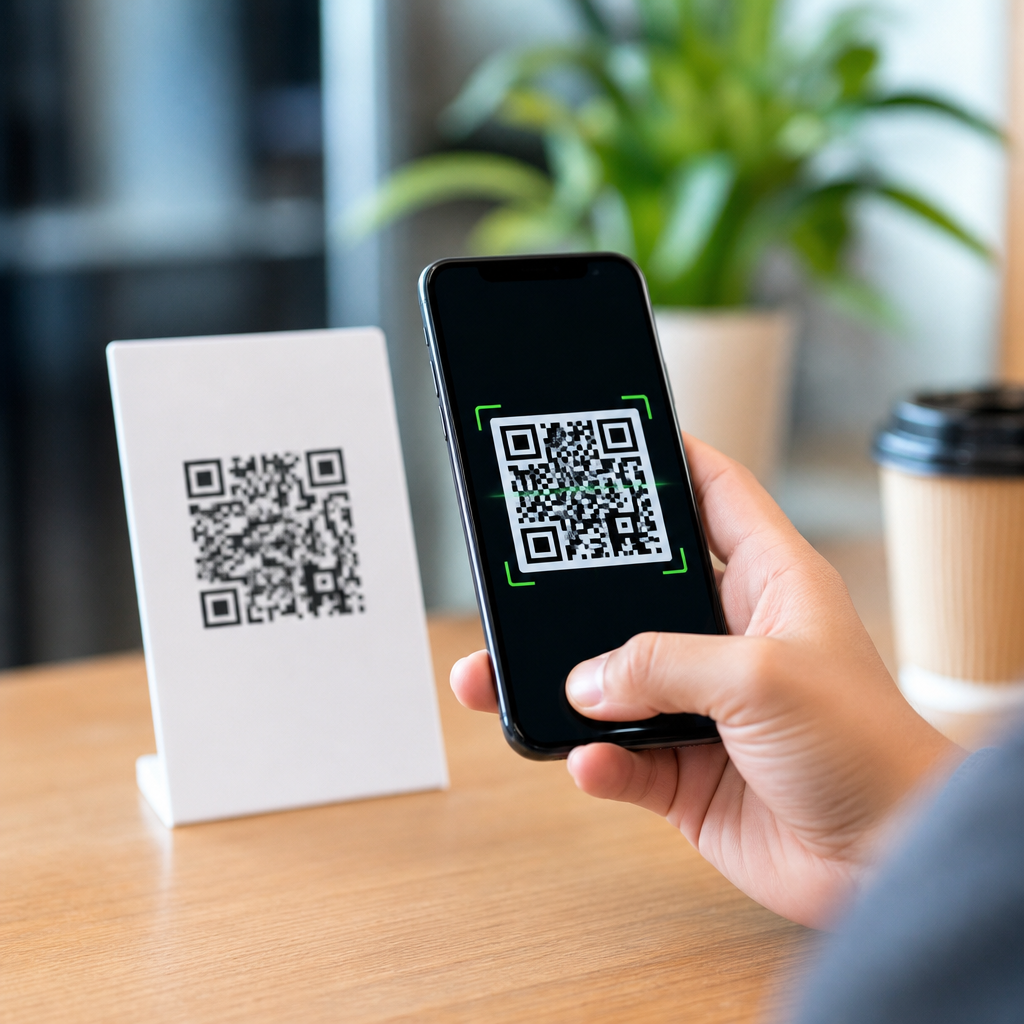
QR codes are everywhere now, from restaurant menus and parking meters to product packaging and patient check-in desks, yet many people still wonder how they actually work and why they became so useful. A QR code, short for Quick Response code, is a two-dimensional barcode that stores information in a grid of black and white squares. Unlike the older one-dimensional barcodes seen on retail products, a QR code can hold much more data and can be scanned rapidly from different angles. I have implemented QR code campaigns for retailers, event teams, and local service businesses, and the same beginner questions always come up: what information is inside the code, how does a phone read it, and why do some damaged codes still scan? Understanding the basics matters because QR codes now connect printed materials to digital experiences in a frictionless way. When you know what they are and how they work, you can use them more safely, design them more effectively, and choose the right type for websites, payments, Wi-Fi sharing, contact cards, downloads, and customer support.
What Are QR Codes and What Makes Them Different?
A QR code is a machine-readable optical symbol made of modules, the small square dots arranged in a square grid. It was created in 1994 by Denso Wave, a Japanese company that needed a faster way to track automotive parts. The design solved two limitations of traditional barcodes: low data capacity and slower scanning. A standard linear barcode stores data across the width of a set of bars, which means it usually holds a short numeric identifier. A QR code stores data both horizontally and vertically, so it can contain numbers, letters, symbols, and encoded binary information. Depending on the version and error correction level, a QR code can hold thousands of characters, although practical use usually favors much less to keep scanning reliable.
For beginners, the easiest way to think about a QR code is as a compact visual container for information. That information may be a web address, plain text, a phone number, an email draft, a digital business card, Wi-Fi network credentials, or a payment request. When a smartphone camera scans the symbol, software interprets the pattern and turns it into an action. If the encoded content is a URL, the phone offers to open a webpage. If it is Wi-Fi information, the phone can prompt the user to join a network. If it is a vCard, the user can save a contact directly. This is why QR codes feel simple to users: the code itself is just the carrier, while the phone handles the next step.
Several visible features make QR codes distinct. The three large squares in the corners are finder patterns that help a scanner detect the code’s orientation. Smaller alignment patterns help the camera compensate for distortion, especially when the code is printed on curved surfaces. Timing patterns, version information, and format information tell the scanner how the symbol is structured and what decoding rules apply. These built-in guides are why a QR code can be scanned quickly even if the camera is slightly tilted or the code is not perfectly centered.
How Do QR Codes Work Step by Step?
When someone asks how QR codes work, the short answer is this: a camera captures the image, software identifies the code’s structure, decodes the stored data, checks and repairs minor errors, then presents the result as a usable action. In practice, several steps happen in less than a second. First, the camera detects contrast between dark and light modules. Good contrast matters, which is why black on white remains the safest design choice. Next, scanning software locates the finder patterns and determines the code’s position, rotation, and approximate grid size. Then it samples the modules across the grid to identify which squares are dark and which are light.
After the grid is mapped, the scanner reads the encoded bit stream. That stream includes payload data and technical metadata. QR codes use standardized encoding modes, including numeric, alphanumeric, byte, and kanji, to represent different content efficiently. The scanner also reads the format information, which specifies the error correction level and masking pattern. Masking matters because certain visual patterns can confuse scanners, so the data is mathematically adjusted to avoid problematic arrangements. Once unmasked, the data can be reconstructed.
Error correction is one of the most important reasons QR codes are reliable. QR codes commonly use Reed-Solomon error correction, which adds redundant data so the original message can still be recovered if part of the symbol is damaged, dirty, or obscured. That is why a scratched code on a poster may still work. The tradeoff is that higher error correction means less room for payload data. In field use, I usually recommend higher correction for packaging, outdoor signage, and labels exposed to wear, while standard correction is often enough for clean digital displays and short-lived event materials.
Scanning also depends on practical factors outside the code itself. Module size, printing quality, lighting, viewing distance, glare, motion blur, and camera focus all affect performance. A code that works perfectly on a desktop monitor may fail on glossy packaging under store lights. That is not because the technology is weak; it is because optical systems depend on contrast and clarity. Testing in the real environment always matters.
What Information Can a QR Code Store?
QR codes can store many types of data, but most beginner use cases fall into a handful of categories. The most common is a URL that opens a website, product page, menu, app download screen, or support form. Another common type stores plain text, such as instructions, serial numbers, or asset identifiers. Contact information can be encoded in vCard or MeCard format, allowing users to add a person or business to their phone with fewer steps. A QR code can also contain an SMS message draft, an email template with subject line, a telephone number, calendar event details, or geographic coordinates for map navigation.
Wi-Fi QR codes are especially useful in homes, offices, clinics, and hospitality settings because they can encode the network name, security type, and password. Instead of reading a long password aloud, a host can place a code on a sign and let visitors connect with a scan. Payment QR codes are another major category. In many countries, banks and payment apps support standardized payment payloads so a user can scan a merchant code, review the amount, and approve the transfer. These codes are widespread across Asia and increasingly common elsewhere because they lower hardware costs compared with traditional card terminals.
Not every QR code works the same way after it is created. A static QR code directly contains the final destination or data, so it cannot be changed once printed. A dynamic QR code points to a short redirect URL managed by a platform, which allows the destination to be updated later without replacing the printed code. Dynamic codes also support analytics such as scan counts, timestamps, device type, and rough location. They are valuable for campaigns, signage, and packaging where the destination may change, but they also create dependence on the service that manages the redirect. If that service fails or the subscription lapses, the code may stop working.
| QR code type | What it stores | Typical use | Main limitation |
|---|---|---|---|
| Static | Final data directly in the code | Permanent URLs, Wi-Fi, contact info | Cannot be edited after printing |
| Dynamic | Redirect link managed by a service | Marketing, packaging, changing destinations | Depends on provider uptime and billing |
| Payment | Payment request or merchant identifier | Retail, donations, peer-to-peer transfers | Requires app and regional support |
| Wi-Fi | SSID, encryption type, password | Offices, hotels, homes, waiting rooms | Works best on supported mobile systems |
Why Are QR Codes So Easy to Scan?
QR codes were designed for speed and resilience. The finder patterns in three corners let the scanner identify the symbol almost immediately, even if it is rotated. Because the code stores data in a square matrix instead of a single line, a camera can capture more information in one frame. The timing patterns and alignment markers help the software interpret the code even when perspective is distorted, such as on a bottle label or a sign viewed from an angle. These features are not cosmetic; they are the reason ordinary smartphone cameras can decode QR codes so quickly.
Another reason QR codes scan well is that modern phones combine decent optics with mature computer vision libraries. Apple integrated QR recognition directly into the iPhone camera years ago, and Android vendors followed with native support or Google Lens integration. Under the hood, scanners rely on proven decoding libraries such as ZXing and proprietary vision systems optimized for mobile devices. The user experience feels simple because the complexity is abstracted away. Point the camera, wait for focus, and tap the prompt. That convenience helped move QR codes from niche industrial tools into mainstream consumer behavior.
Still, ease of scanning depends on good implementation. A code printed too small for the expected scanning distance will frustrate users. A low-contrast color scheme, like pale gray on white, may look elegant but decode poorly. Busy backgrounds, overdesigned logos, excessive compression in digital images, and reflective lamination can all reduce reliability. A useful practical rule is to size the code based on distance: for example, a code viewed from ten times its width is usually more scannable than one pushed beyond that ratio. In real deployments, I print several sizes, test on older phones, and evaluate under the lighting conditions users will actually face.
Common Uses, Benefits, and Risks for Beginners
The reason QR codes matter is that they remove friction between offline and online actions. On packaging, they can open setup guides, ingredient information, authenticity checks, warranty registration, or recycling instructions. In healthcare, they can speed intake forms, patient education, and equipment tracking. At events, they simplify ticket validation, check-in, and lead capture. In restaurants, they can link to menus, ordering systems, allergen details, and review requests. In education, teachers use them for assignment links, lab resources, or audio support for multilingual students. The best uses share one trait: scanning saves time compared with typing, searching, or handling paper forms.
There are also clear benefits for organizations. QR codes are inexpensive to create, easy to deploy on print or screens, and flexible enough for many workflows. Dynamic codes can be updated without reprinting assets. Analytics can reveal whether posters in one store drive more engagement than another location. Inventory teams can label bins, tools, and documents for faster retrieval. Small businesses often start with simple website or payment codes and then expand into review generation, appointment booking, loyalty programs, or support libraries.
Beginners should also understand the risks. A QR code is only as safe as the destination it opens. Attackers sometimes place fraudulent stickers over legitimate codes or send malicious codes in email attachments and printed materials. Because users cannot read a QR code visually, they may trust it too quickly. The safest habit is to preview the destination before opening it, especially for payment requests or login pages. Businesses should use branded domains, monitor physical placements for tampering, and avoid directing users to confusing third-party links when a clean first-party page is possible.
Privacy is another consideration. Dynamic platforms may log scan metadata, which can be useful for measurement but should be handled responsibly. If personal data is collected after the scan, the landing page should explain what is being gathered and why. Accessibility matters too. Not every user can scan a code easily, so printed instructions, short URLs, and human-readable alternatives should remain available. A QR code should improve access, not become the only path.
Best Practices for Creating QR Codes That Actually Work
If you want QR codes that work consistently, start with the user outcome, not the graphic. Decide what should happen after the scan and make that destination fast, mobile-friendly, and obvious. A code that opens a slow desktop page wastes the convenience it promises. Keep encoded URLs short when possible, use HTTPS, and avoid unnecessary redirect chains. Choose static codes for permanent information and dynamic codes when you need editability or analytics. Match error correction to the environment, and do not increase it just to add a large logo unless you have tested the result thoroughly.
Design for scanning first. Use dark modules on a light background, preserve the quiet zone around the code, and avoid warping the square shape. If you place a logo in the center, keep it modest and validate on multiple devices. Print at a size appropriate for distance and context. On outdoor signs, test in sunlight and shade. On product labels, check how the code behaves on curved surfaces and textured materials. On screens, make sure brightness is sufficient and that the code is not reduced by responsive layouts. For campaigns, use tagged landing pages so web analytics can connect scans to downstream conversions.
Finally, test before launch and monitor after deployment. I treat QR implementation like any other customer journey: prototype, validate, publish, then review performance. Scan with iPhone and Android devices, new and old, over Wi-Fi and mobile data. Confirm what happens if the app is missing, the page times out, or the user lacks permission for camera access. If the code is in a public place, inspect it periodically for damage or sticker tampering. Small execution details determine whether a QR code feels effortless or annoying.
QR codes work by combining a smart visual design with standardized data encoding, error correction, and modern camera software, allowing a phone to turn a printed square into an immediate digital action. For beginners, the most important ideas are simple: a QR code stores information in a two-dimensional grid, scanners use built-in patterns to read it quickly, and the destination can be anything from a webpage to Wi-Fi access or a payment request. Once you understand static versus dynamic codes, the role of error correction, and the basics of good design, the technology stops feeling mysterious. It becomes a practical tool for education, commerce, operations, and customer service. As the hub for QR code basics, this guide gives you the foundation needed to explore related topics such as QR code types, sizing rules, security, tracking, and industry-specific use cases. Start by scanning a few examples around you, then create one simple code for your own website or contact details and test it in the real world.
Frequently Asked Questions
What exactly is a QR code, and how is it different from a regular barcode?
A QR code, which stands for Quick Response code, is a type of two-dimensional barcode designed to store information in both the horizontal and vertical directions. That is the biggest difference between a QR code and the traditional one-dimensional barcode most people recognize from retail packaging. A standard barcode stores data in a series of vertical lines and spaces, which limits how much information it can contain. A QR code uses a square grid of black and white modules, allowing it to hold far more data in a compact format.
Because of this design, QR codes can store different kinds of information, such as website URLs, contact details, Wi-Fi login credentials, payment links, product information, or app download links. They are also built for fast scanning, which is why they became so practical in everyday settings like restaurant menus, parking meters, patient check-in desks, event tickets, and product packaging. In simple terms, if a regular barcode is like a short ID number, a QR code is more like a small digital container that can quickly pass useful information from a printed surface to a smartphone or scanner.
How does a QR code actually work when you scan it?
When you scan a QR code with a smartphone camera or barcode reader, the device first detects the square shape and the unique positioning markers, usually the larger squares located in three corners of the code. These markers help the scanner figure out the code’s orientation, size, and alignment, even if the code is tilted or viewed from an angle. This is one reason QR codes are so easy to scan quickly compared with older barcode formats.
Once the scanner identifies the structure of the QR code, it analyzes the pattern of black and white squares inside the grid. Each of these squares represents encoded data. The scanning software converts that visual pattern into digital information using QR decoding rules. If the code contains a web address, the phone may open the browser. If it contains a payment link, it may launch a payment app. If it stores contact information, it may offer to save a new contact. The QR code itself does not “do” anything active; it simply stores data in a machine-readable pattern, and the device interprets that data and decides what action to offer next.
Why are QR codes able to store so much information in such a small space?
QR codes can store a large amount of information because they use a two-dimensional structure rather than a single row of data. Instead of encoding information only across one direction, they encode it across both rows and columns. This makes the available space much more efficient. A small printed square can contain dozens, hundreds, or even thousands of characters depending on the QR code version and the type of data being stored.
Another reason they are so effective is that QR codes use smart data encoding methods and built-in error correction. Error correction means the code can still be read even if part of it is dirty, scratched, creased, or partially blocked. That makes QR codes especially useful in real-world environments where labels may not stay perfect. For beginners, the easiest way to think about it is this: a QR code packs information into a dense visual pattern, and its structure is optimized so scanners can still read it quickly and accurately even when conditions are less than ideal.
Are QR codes safe to use, or can they be dangerous?
QR codes themselves are not inherently dangerous, but the content they point to can be risky if you are not careful. A QR code is simply a storage format. It might contain a legitimate restaurant menu link, a secure payment page, or a harmless product information page. However, scammers can also create QR codes that lead to fake websites, phishing pages, or malicious downloads. That means the real safety issue is not the code pattern itself, but where it sends you and what it asks you to do next.
To use QR codes safely, it helps to follow the same basic security habits you would use with any web link. Check whether the destination looks trustworthy before entering payment details, passwords, or personal information. Many smartphones now preview the URL before fully opening it, which gives you a chance to spot suspicious domains. Be especially cautious with QR codes placed in public areas, on stickers that may have been added over originals, or in messages from unknown sources. In most cases, QR codes are perfectly safe and extremely convenient, but a little attention goes a long way in avoiding scams.
Why did QR codes become so popular, and what makes them so useful today?
QR codes became popular because they solve a simple but important problem: they make it easy to move from the physical world to digital information almost instantly. Instead of typing a long website address, downloading a document manually, or entering payment details by hand, a person can scan a code and reach the right destination in seconds. That speed and simplicity made QR codes valuable across many industries, from retail and healthcare to transportation, hospitality, education, and marketing.
Their popularity grew even more once smartphones with built-in cameras became common. As mobile devices improved, scanning a QR code no longer required a special app in many cases, which removed friction for everyday users. Businesses also appreciated that QR codes are inexpensive to create, easy to print, and flexible enough for many uses. A single code can link to menus, forms, coupons, support pages, product guides, check-in systems, or digital payments. Today, QR codes remain useful because they are simple, scalable, and familiar. For beginners, that is really the key idea: QR codes became widespread not because they are complicated, but because they make everyday digital interactions faster and easier for almost everyone.





