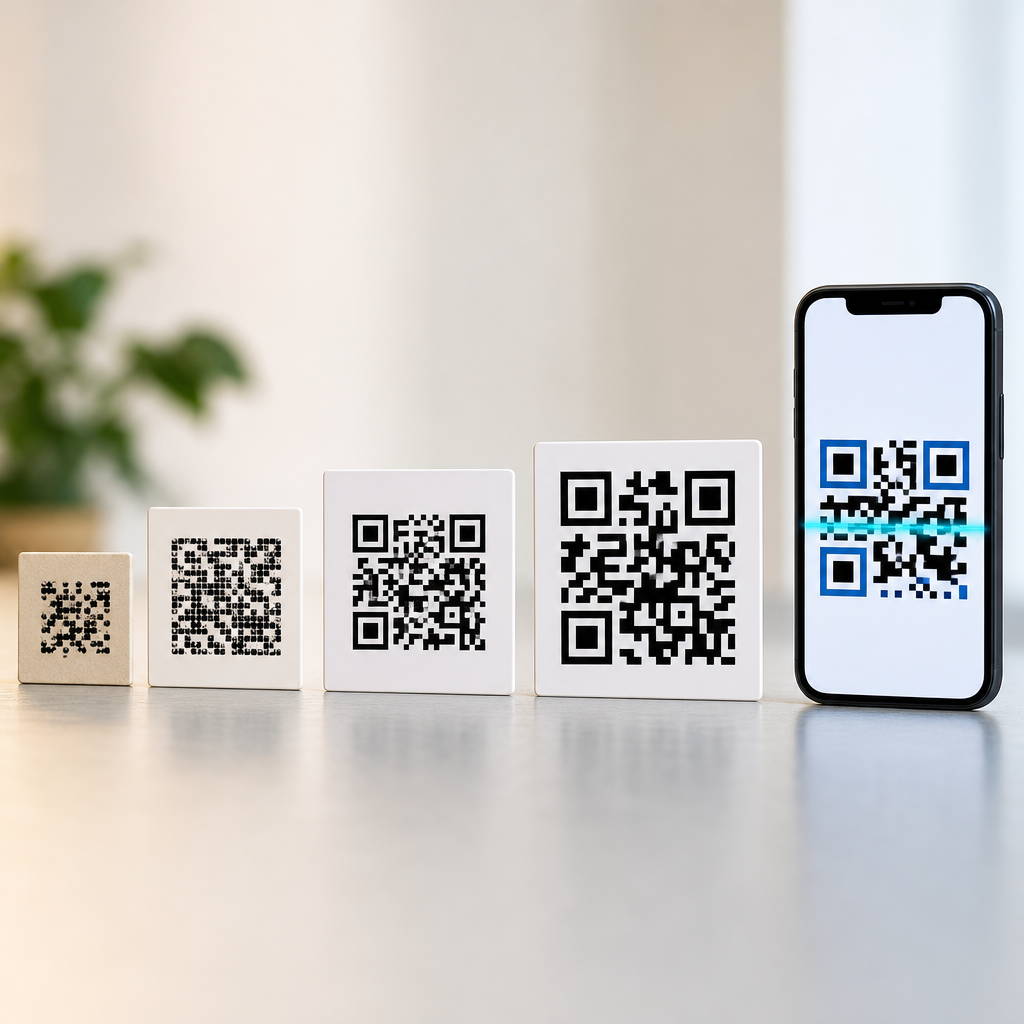

QR codes can work without internet, but whether they do depends entirely on what the code contains and what the scanner needs to do after reading it. A QR code is a two-dimensional matrix barcode that stores data in a grid of black and white modules. When scanned by a phone camera, dedicated scanner, or industrial reader, the device decodes that pattern into information such as plain text, a website address, contact details, Wi-Fi credentials, payment instructions, or app-specific commands. I have implemented QR campaigns for retail stores, event check-in systems, packaging, and internal operations, and the same rule always applies: scanning is local, while the action after scanning may be online, offline, or a mix of both.
This distinction matters because many businesses assume every QR code is “online” by default. That leads to poor customer experience, especially in warehouses, trade shows, transit environments, hospitals, and field service settings where signal is inconsistent. Understanding offline versus online QR code use cases helps you choose the right payload, printing method, and fallback path. It also answers broader questions people ask when learning QR code basics: what are QR codes, how do they store data, what devices read them, and why have they become common on menus, labels, tickets, and ads? At the hub level, the essential idea is simple: a QR code is just a machine-readable container. Its usefulness depends on content design, error correction, scan context, and the software interpreting it.
At a technical level, QR stands for Quick Response, a standard developed by Denso Wave in 1994 for fast decoding in manufacturing. Unlike a traditional one-dimensional barcode, which usually stores a short identifier, a QR code can hold much more information both horizontally and vertically. Common versions support numeric, alphanumeric, byte, and Kanji modes, with capacity varying by size and error correction level. Reed-Solomon error correction allows a damaged code to remain readable even if part of the symbol is obscured. Those fundamentals explain why QR codes are flexible enough for both online and offline use. They are not websites; they are symbols that encode data. If the data is self-contained, the code works offline. If the code points to a web resource, the user needs connectivity to complete the next step.
What Are QR Codes and How Do They Actually Work?
A QR code works in two stages: capture and interpretation. First, a camera or scanner identifies the position markers, alignment patterns, timing patterns, and module grid. Second, decoding software reconstructs the data and checks it against error correction blocks. On smartphones, this happens in milliseconds through the camera app or an integrated scanning framework such as Google Lens, Apple VisionKit behavior in iOS, or OEM camera software. On dedicated devices, specialized image sensors and firmware handle the same process with more consistency in low-light or high-throughput settings.
The important takeaway is that decoding does not require the internet. The camera reads the printed or displayed symbol, and the device converts it into data locally. Internet access becomes relevant only when the decoded result asks the phone to open a webpage, verify a cloud record, authenticate with a remote service, or retrieve fresh content. That is why a QR code containing “Hello,” a vCard, or Wi-Fi network credentials can work entirely offline, while a QR code containing a shortened URL cannot fulfill its purpose without network access.
Several factors affect reliability. Dense codes are harder to scan at small print sizes. Glossy surfaces create reflection problems. Low contrast, curved packaging, and poor quiet zones reduce read rates. In practice, I recommend testing with both flagship phones and midrange Android devices, because scanner behavior varies more than many teams expect. A code that works perfectly in a design review can fail on-site if mounted too high, printed too small, or placed where users have to scan at awkward angles.
Can a QR Code Work Without Internet? The Direct Answer
Yes, a QR code can work without internet if the information inside the code is fully contained in the symbol and the target device can act on it locally. This includes text messages saved as drafts, contact cards, calendar details, geolocation coordinates, inventory IDs, equipment serial numbers, emergency procedures, and wireless network setup credentials. In these cases, the internet is unnecessary for scanning and often unnecessary for using the data.
No, a QR code cannot complete an online task without internet if it points to a web page, cloud file, social profile, online payment page, app store listing, or dynamic content platform. The scanner still reads the code offline, but the experience stops at the moment the phone tries to fetch remote content. This is where user expectations matter. If signage promises “scan to view menu” in a basement bar with weak reception, the QR code itself is not failing; the use case design is.
A useful way to think about it is this: QR code functionality sits on a spectrum. At one end are fully offline payloads that remain useful with zero connectivity. In the middle are hybrid workflows, such as event tickets that scan offline at the door and sync later to a backend. At the other end are fully online experiences like product landing pages and attribution-driven marketing campaigns. Choosing the wrong end of that spectrum creates friction, while choosing the right one makes the code feel instantaneous.
Offline QR Code Use Cases That Work Well in the Real World
Offline QR code use cases are strongest when speed, resilience, and local data access matter more than live web content. Manufacturing is a clear example. A QR code on a component tray can encode part number, batch, workstation instructions, and inspection status. A handheld scanner reads it on the factory floor even where wireless coverage is spotty. The operator does not need a browser; the warehouse management or manufacturing execution app parses the data directly.
Healthcare and safety operations also benefit. Hospitals can place QR codes on crash carts, medical equipment, or room signage that open locally stored checklists and maintenance records on managed devices. In emergency planning, facilities often use QR codes linked to offline PDFs or native app content containing evacuation maps, utility shutoff procedures, and incident contacts. This is preferable to relying entirely on a network during outages, when staff need immediate access.
Consumer scenarios exist too. A Wi-Fi QR code is one of the most practical examples: the code contains the SSID, encryption type, and password, allowing a phone to join a network without manual entry. Another example is digital business cards. A vCard QR code can add a person’s name, phone number, email, and company to contacts even when the device has no service. Museums, campuses, and field teams also use offline QR markers for navigation, asset tagging, and guide apps that preload content before use.
| Use case | What the QR code contains | Internet needed after scan? | Why it works |
|---|---|---|---|
| Wi-Fi setup | SSID, security type, password | No | Phone applies credentials locally |
| Equipment label | Asset ID, serial, service notes | No | Scanner app reads and processes stored data |
| Event ticket validation | Signed token or attendee ID | Sometimes | Can validate offline, then sync later |
| Restaurant menu | Website URL | Yes | Phone must load remote page |
| Product campaign | Dynamic short link | Yes | Redirect and analytics happen online |
Online QR Code Use Cases and Why They Dominate Marketing
Online QR code use cases are popular because they connect the physical world to live digital content. A code on packaging can open a product page, registration form, warranty portal, how-to video, or support chatbot. Restaurants use QR codes to serve web menus that can change daily. Retailers place them in store windows so passersby can browse inventory after hours. Publishers add them to print ads to continue the story on a landing page. In all of these cases, the code is valuable because it acts as a bridge, not because the information is fully embedded.
Dynamic QR systems make online use even more attractive. Instead of encoding the final destination directly, the code points to a managed short URL. That destination can be updated after printing, allowing a brand to change campaigns, fix broken links, route by location, or run A/B tests. Platforms such as Bitly, Beaconstac, Scanova, Flowcode, and Uniqode commonly support tracking, expiration rules, UTM parameters, and access controls. This flexibility is why marketers often choose online QR codes even when an offline payload is technically possible.
There are tradeoffs. Online QR codes depend on connectivity, browser compatibility, page speed, and privacy compliance. A poor landing page can ruin an otherwise good scan experience. If a redirect chain is too long or the page is heavy, users abandon quickly. If analytics scripts are overused, consent requirements become more complicated. For regulated industries, linking to cloud content may also require stronger governance over records retention and data collection. In short, online QR codes are powerful, but they need web discipline behind them.
Static vs Dynamic QR Codes: The Practical Difference
When people ask what are QR codes in a business context, they usually need to understand static versus dynamic designs. A static QR code contains the final data directly in the symbol. If the payload is a website URL, that exact URL is encoded and cannot be changed after printing. Static codes can absolutely work offline when the payload itself is offline-friendly, such as plain text or contact details. They are simple, inexpensive, and durable because there is no dependency on a third-party redirect service.
A dynamic QR code usually encodes a short redirect URL that sends the user to a destination managed on a server. That makes edits and analytics possible, but it also means the scan path depends on the internet and on the platform staying active. I have seen businesses print thousands of brochures only to discover months later that a subscription lapsed and the codes stopped routing correctly. For long-lived assets like packaging, manuals, plaques, or equipment tags, governance matters as much as design.
The rule I use is straightforward. If the content will not change and must survive with minimal dependencies, prefer a static QR code. If you need editing, analytics, segmentation, or campaign control, use a dynamic QR code but plan for service continuity, redirect hygiene, and destination maintenance. Neither format is inherently better; the right choice follows the use case.
How to Choose Between Online and Offline QR Code Strategies
Start by asking what the user needs at the moment of scan. If they need instant access in a low-signal environment, use a self-contained payload or a local app workflow. If they need the latest catalog, a payment page, or a personalized experience, use an online destination. Then assess environment, device mix, print lifespan, and risk tolerance. A bus stop poster, factory asset label, festival wristband, and medicine carton should not be designed with the same assumptions.
Next, define failure modes. What happens if there is no signal? What if the app is not installed? What if the camera reads the code but cannot execute the intended action? Good implementations provide a fallback, such as short human-readable URLs, SMS alternatives, offline summary text, or preloaded app content. In field operations, I often pair QR codes with visible asset numbers so work can continue manually if a device camera fails or the code is damaged.
Finally, test under realistic conditions. Print prototypes at final size. Scan in bright sunlight, low light, and at expected viewing distance. Verify behavior on iPhone and Android. Measure landing page performance with PageSpeed Insights or Lighthouse if the experience is online. For offline workflows, test app parsing logic and local storage behavior when the device is in airplane mode. QR code strategy is not just symbol generation; it is end-to-end interaction design.
Best Practices for QR Code Basics, Education, and Long-Term Performance
Every hub on QR code basics should include the fundamentals that prevent common mistakes. Use sufficient contrast, ideally black on white. Maintain a quiet zone around the symbol, typically four modules wide. Avoid excessive logo intrusion unless error correction has been validated. Size the code according to scan distance; a common field rule is that the code’s minimum size should scale with viewing conditions rather than relying on generic templates. Export in vector format for print whenever possible so edges remain sharp.
Content decisions matter just as much as visual design. Keep URLs short if using static codes, because denser symbols are less forgiving. For sensitive workflows such as payments, tickets, or identity checks, use signed payloads or server validation rather than trusting visible data alone. For enterprise labels, establish naming conventions and retention rules so QR content remains interpretable years later. The best QR deployments are boring in the best sense: they scan quickly, communicate clearly, and keep working after the novelty wears off.
For anyone building out a QR Code Basics & Education content hub, the main lesson is that QR codes are versatile because they are data containers, not because they are inherently internet tools. Some of the strongest applications are entirely offline, especially in operations, safety, and access scenarios. Some of the most measurable applications are online, especially in marketing, support, and commerce. Choose based on user context, technical constraints, and lifecycle management. If you are planning your next QR deployment, audit the scan environment first, then match the payload to the real-world conditions your users face.
Frequently Asked Questions
Can a QR code work without an internet connection?
Yes, a QR code can absolutely work without an internet connection. A QR code is simply a visual way to store data, and scanning it is the process of decoding that stored data from the black-and-white pattern. If the code contains information that can be used immediately on the device, such as plain text, a phone number, SMS template, email draft, calendar event, contact card, or Wi-Fi network credentials, the scan can still be successful even when the device is offline. In these cases, the phone or scanner reads the data directly from the code itself, and no web access is needed just to interpret it.
Where internet becomes necessary is after the scan, if the action depends on an online service. For example, if the QR code contains a URL, the camera can decode the website address without internet, but the user will not be able to open the webpage until a connection is available. The same principle applies to app-linked experiences, online menus, cloud-hosted documents, check-in systems, and dynamic QR codes that redirect through a server. So the most accurate answer is this: scanning and decoding can happen offline, but the final result depends on what the QR code is designed to do.
What types of QR codes can be used fully offline?
QR codes that store self-contained information are the best fit for offline use. Common examples include plain text QR codes, which display a message directly on the device; vCard or contact QR codes, which allow users to save a phone number, email address, or business contact details; Wi-Fi QR codes, which can help a device join a local wireless network without manual typing; SMS and email QR codes, which prefill a message; and event or calendar QR codes, which create a reminder or appointment on the user’s device. These uses do not require the code to “go somewhere” online because the useful information is already embedded inside the symbol.
Offline QR codes are especially valuable in environments where internet access is unreliable, restricted, or unavailable. Manufacturing floors, warehouses, field service operations, trade shows, transportation hubs, classrooms, printed manuals, and emergency signage can all benefit from QR codes that deliver information instantly without depending on connectivity. In industrial settings, QR codes can also encode serial numbers, product IDs, inventory references, work instructions, or machine-readable commands for scanners and software systems operating on a local network or local device. As long as the receiving device or application knows how to interpret the data locally, a QR code can be highly effective without any internet access at all.
When does a QR code need internet to work properly?
A QR code needs internet when the intended outcome depends on accessing online content or communicating with a remote server. The most obvious example is a QR code that contains a website URL. The scanner can read the URL offline, but the page itself lives on the web, so the user needs internet to load it. The same is true for QR codes linked to PDF files stored online, restaurant menus hosted on a website, app download pages, video platforms, social media profiles, payment gateways, cloud forms, customer portals, and authentication workflows. In all of these cases, the code is only the starting point, and the actual experience happens online.
Internet may also be required for tracking, analytics, redirects, personalization, or live updates. This is especially important with dynamic QR codes, which do not usually store the final destination directly in the symbol. Instead, they often point to a short redirect URL managed by a service provider. That provider can then send the user to a different page, log scan data, or change the destination later. Those benefits are useful for marketing and campaign management, but they rely on network access. If there is no internet, the code may still scan, but the redirect and final content will not load until the device reconnects.
What is the difference between static and dynamic QR codes for online and offline use?
Static QR codes store the actual content directly inside the code. That content might be text, contact details, Wi-Fi credentials, or a fixed URL. Because the information is embedded in the symbol itself, static QR codes are often ideal for offline-compatible applications, especially when the stored data can be acted on locally by the device. They are also simple and permanent: once created, the content does not change unless you generate a new code. This makes them reliable for long-term printed materials, asset labels, instructional signage, and operational use cases where consistency matters more than editability.
Dynamic QR codes work differently. They usually contain a short link or identifier that points to a remote service, which then determines what happens next. This allows the destination to be edited later without reprinting the code, and it enables analytics such as scan counts, time, location, and device type. That flexibility is powerful for marketing campaigns, digital menus, event promotions, and customer engagement programs. However, dynamic QR codes are much more dependent on internet connectivity because the redirect logic happens online. If your priority is guaranteed functionality in low-connectivity environments, static QR codes with embedded data are generally the safer choice. If your priority is flexibility, tracking, and updatable destinations, dynamic QR codes are often the better fit, but they are inherently more internet-dependent.
How can businesses choose the right QR code format for offline vs online use cases?
The best approach is to start with the actual user task rather than the QR code technology itself. Ask a simple question: after the scan, does the user need information that can be delivered directly from the code, or do they need content from the internet? If the goal is to show product data, identify equipment, share contact information, connect to Wi-Fi, launch a local action, or support workflows in places with limited connectivity, an offline-friendly QR code with embedded data is often the right solution. This is common in logistics, maintenance, healthcare, education, packaging, and internal operations, where speed and reliability matter more than analytics or remote editing.
If the goal is to send people to a landing page, update destinations over time, measure campaign performance, or connect scans to cloud-based systems, then an online-oriented QR code strategy makes more sense. In those situations, dynamic QR codes are often preferred because they can be edited, tracked, and integrated into broader digital marketing or business systems. Many organizations end up using both approaches: offline QR codes for operational efficiency and online QR codes for customer engagement. The key is matching the code’s payload to the environment, the device capabilities, and the expected action after scanning. When that alignment is clear, QR codes become much more dependable and much more useful.