
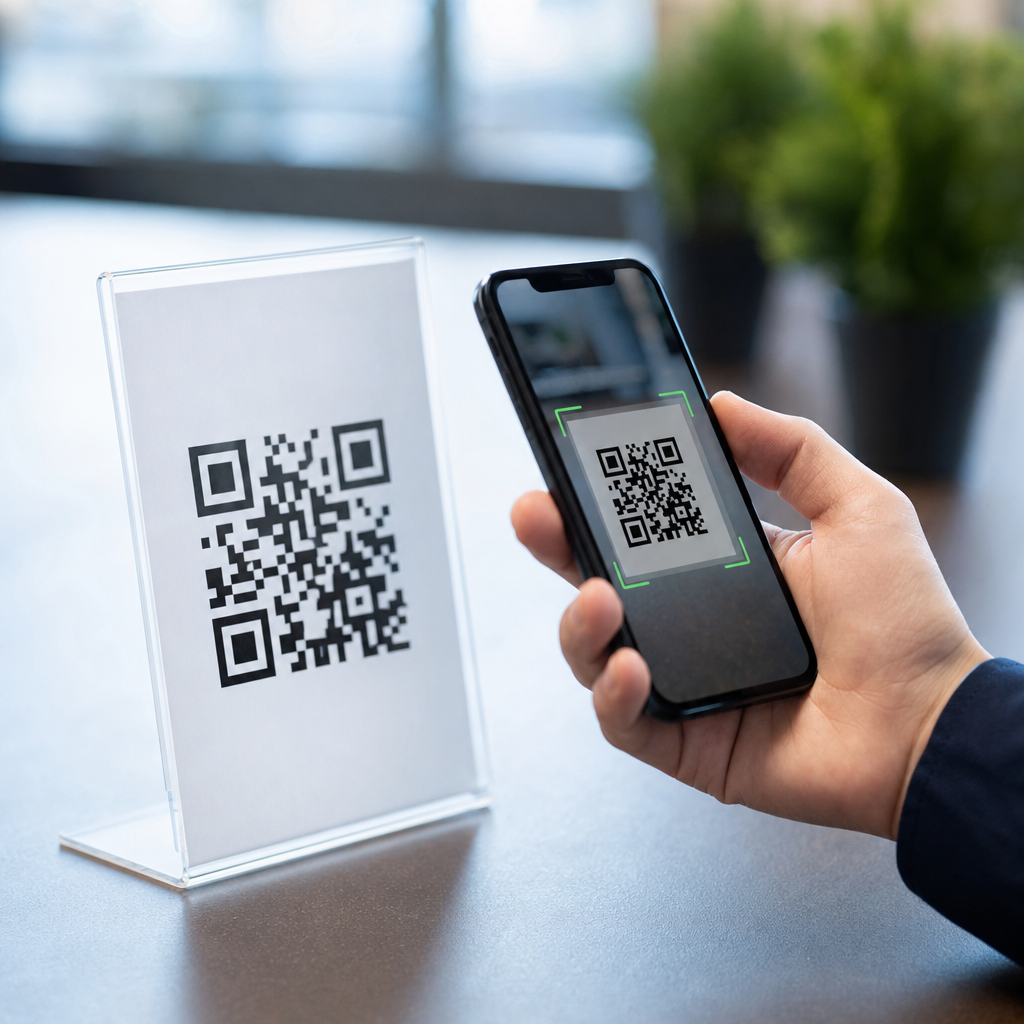
QR codes are safe to use in many everyday situations, but they are not automatically safe, and that distinction matters because millions of people now scan them for menus, payments, tickets, logins, downloads, and product information without stopping to consider the risk. A QR code, short for Quick Response code, is a two-dimensional barcode that stores data such as a web address, contact card, Wi-Fi credential, payment string, or app action. The code itself is just a machine-readable container. Safety depends on what the code does after a scan, who created it, where it appears, and whether the user verifies the destination before taking action.
I have worked with QR campaigns for restaurants, retail packaging, event check-ins, and B2B product documentation, and the biggest misconception I see is the belief that a QR code is either inherently dangerous or inherently trustworthy. Neither view is correct. A printed code on a medicine box from a regulated manufacturer is very different from a sticker placed over a parking meter code by a scammer. The real issue is not the black-and-white pattern. It is the intent behind the encoded content and the controls around distribution, destination, and user behavior.
This matters because QR codes have become frictionless. Camera apps scan them instantly, mobile wallets process them, and businesses use them to remove typing and shorten customer journeys. Convenience creates opportunity, but it also creates attack surface. Cybersecurity professionals often use the term quishing, or QR phishing, to describe scams that route people to fake login pages, fraudulent payment requests, or malware downloads. At the same time, legitimate organizations use QR codes safely every day by combining secure landing pages, brand consistency, HTTPS, short but recognizable domains, and user education. Understanding the myths around QR code safety helps people keep the convenience while reducing avoidable risk.
As a hub article within QR Code Basics and Education, this guide addresses the most common myths and misconceptions people search for: whether QR codes can contain viruses, whether scanning alone can hack a phone, whether dynamic QR codes are less safe than static ones, whether custom branded codes are more trustworthy, and whether businesses should avoid QR codes altogether. The clear answer is that QR codes are tools. Like links in email or buttons in an app, they can be used responsibly or abused. The practical goal is not fear. It is informed scanning, secure implementation, and realistic expectations about what QR codes can and cannot do.
Myth 1: QR codes are dangerous by default
The most persistent myth is that QR codes are inherently unsafe. In reality, a QR code is neutral data representation. It does not execute malicious code by merely existing on paper, packaging, or a screen. When someone scans a code, the scanning device interprets the content and usually offers an action, such as opening a URL, joining Wi-Fi, adding a contact, or starting a payment flow. The risk enters when the encoded action sends the user to a malicious destination or prompts an unsafe download or payment.
This is no different from clicking a shortened link in a text message. The problem is not the link format; it is where the link leads. In my client work, safe QR deployments always begin with destination control. We publish only to domains the business owns, enforce HTTPS, avoid chains of opaque redirects, and test codes across iPhone and Android cameras before launch. Those simple controls dramatically reduce user uncertainty and abuse risk.
A useful way to think about QR code safety is to separate the scan event from the post-scan event. The scan reads data. The post-scan action determines exposure. Most smartphone camera apps show a preview of the destination before opening it. That preview is the user’s first line of defense. If the domain looks unfamiliar, misspelled, or unrelated to the context, do not proceed.
Myth 2: Scanning a QR code instantly infects your phone
People often assume that simply pointing a camera at a QR code can install malware or compromise a device. In normal consumer use, that is not how modern mobile operating systems behave. iOS and Android generally require additional steps before an app installs, a profile downloads, permissions are granted, or a payment is authorized. A scan alone usually triggers a prompt, not a silent takeover. That said, a scan can begin a harmful journey if the user follows prompts on a deceptive site.
For example, a malicious QR code might open a fake Microsoft 365 or bank login page designed to steal credentials. Another could lead to an APK download on Android from an untrusted source, or to a page asking the user to install a mobile device management profile. The phone is not infected because the camera read a pattern; compromise happens when a user authorizes the next step. This is an important distinction because it shifts the discussion from panic to practical defense.
Security guidance from organizations such as the Federal Trade Commission and CISA consistently emphasizes cautious link behavior, verification of domains, and avoiding unexpected credential entry. The same principles apply to QR codes. If a parking sign asks for payment, confirm the app name or web domain matches the city or operator. If a restaurant menu code asks for a credit card before displaying the menu, something is off. Legitimate use cases generally fit user expectations.
Myth 3: Static QR codes are safe, while dynamic QR codes are risky
This misconception comes up often in marketing and operations teams. Static QR codes store the final destination directly in the code. Dynamic QR codes usually point to a short URL or redirect service that forwards the user to a destination managed in a dashboard. Because dynamic codes can be edited after printing, some people assume they are less safe. In truth, dynamic QR codes are not less safe by design; they simply require stronger governance.
When managed properly, dynamic QR codes can be safer operationally because they let teams update broken links, correct errors, pause campaigns, apply analytics, and redirect to secure pages without reprinting materials. I have used them to replace outdated PDF manuals with current documentation after a product revision, which improved both usability and compliance. The tradeoff is that the platform handling redirects becomes part of the trust chain. If the account is poorly secured, domains are generic and unbranded, or redirects are hidden, user trust drops.
Best practice is straightforward: use reputable QR management platforms, secure accounts with multifactor authentication, connect a branded short domain, limit edit permissions, and maintain an audit trail. A static code with a poorly chosen destination can still be dangerous. A dynamic code with strong controls can be highly reliable. Safety depends more on governance than on code type.
Myth 4: Branded or customized QR codes are automatically trustworthy
Custom QR codes with logos, brand colors, and polished design can improve recognition and scan rates, but appearance is not proof of legitimacy. Attackers can copy logos, mimic layouts, and print convincing stickers. I have seen fake QR overlays placed on public posters and tabletop signs that looked close enough to pass a quick glance. Visual branding helps, but it should support verification, not replace it.
Trust comes from layered signals. The physical context should make sense. The destination domain should match the brand. The page should use HTTPS and present the expected content immediately. If a code on a utility bill opens a payment page hosted on an unrelated domain full of ads, users should stop. If a museum exhibit code opens the museum’s official domain and the page title matches the exhibit, that is a strong consistency signal.
Businesses should design QR experiences that make trust easier. Put the destination domain in small text near the code. Use a branded short link instead of a random string. Avoid sending users through multiple unrelated redirects. On landing pages, mirror the branding from the printed material so users can confirm they arrived in the right place.
Myth 5: QR codes are mainly a consumer scam problem
Consumer scams get attention, but organizations face QR code risk too. In corporate settings, fake QR codes have been used in phishing emails, office posters, visitor materials, and equipment labels. Because security gateways inspect email links more easily than images, attackers sometimes embed QR codes in attachments or messages to bypass habit-based defenses. Employees scan with personal phones, enter work credentials, and create an exposure path outside the company laptop environment.
This is why security training now often includes quishing examples. In practice, businesses should treat QR codes like any other link distribution method. Apply approval workflows, publish standards for official domains, and teach employees never to enter company credentials after scanning an unsolicited code. For facilities and field operations, inspect public-facing labels periodically to catch tampering. Simple physical checks matter because sticker replacement remains one of the easiest attack methods.
| Myth | Reality | Safer practice |
|---|---|---|
| Scanning alone hacks a phone | Compromise usually requires extra user action | Review the preview, avoid unexpected downloads or logins |
| Static codes are safe, dynamic codes are not | Both can be safe or unsafe depending on governance | Use MFA, branded domains, and access controls |
| Branded codes prove legitimacy | Branding can be copied by attackers | Verify the domain and context before proceeding |
| Only consumers need to worry | Employees and enterprises are also targeted | Include QR risks in security awareness training |
Myth 6: Businesses should avoid QR codes if they care about security
Avoidance is usually the wrong conclusion. QR codes solve real usability problems. They reduce typing errors, connect offline objects to digital resources, and speed access to payments, manuals, registrations, and support. The better question is how to deploy them responsibly. In regulated or high-trust environments, that means building QR codes into the same control framework used for web links, printed materials, and customer communications.
In healthcare, for instance, QR codes can link patients to appointment instructions or medication information, but they should point only to official patient education pages, not downloadable files from third-party hosts. In manufacturing, equipment labels can route technicians to current service documentation, but version control and access permissions matter. In retail packaging, product authentication pages can fight counterfeiting, but only if the destination domain is clearly owned by the brand and monitored for abuse.
From experience, the safest QR programs share several traits: documented ownership, testing before print runs, branded domains, analytics monitoring for anomalies, and a backup path such as a typed URL for users who prefer not to scan. Security and usability are not opposites here. Good implementation improves both.
How to tell if a QR code is safe before and after scanning
Users often ask for a quick checklist, and the answer is practical. Before scanning, examine the context. Is the code placed where you would expect it? Does it look like an original print or a sticker placed over something else? Is the surrounding text specific and professional, or vague and urgent? In high-risk locations such as parking meters, transit stations, flyers, and public kiosks, be extra cautious because tampering is common and easy to execute.
After scanning, inspect the destination preview. Look for a familiar domain, correct spelling, and a clear connection between the source and the page. Be skeptical of shortened links you do not recognize, sites that immediately ask for credentials, pages that push urgent payment demands, or prompts to install software outside official app stores. If the code is supposed to open a menu, manual, or event page, but instead asks for account verification, stop immediately.
For businesses, the same checklist becomes a publishing standard. Print the brand name and destination near the code, monitor scans for geographic anomalies, and retire or redirect outdated campaigns. A QR code left active for years without oversight can become a liability even if it started safe. Lifecycle management is part of QR code safety.
Common QR code scams and the misconceptions behind them
The most common scams are fake payment requests, credential harvesting pages, malicious app downloads, and account verification fraud. Parking payment scams are a useful example because they rely on several misconceptions at once: users assume public signage is trustworthy, expect mobile payment, and often act quickly. Attackers place a QR sticker over the legitimate one, the victim scans it, lands on a convincing payment page, and enters card details into a fraudulent form.
Another pattern appears in email and printed notices. A message claims there is a missed package delivery, benefits update, secure document, or payroll change, then provides a QR code instead of a hyperlink. This can feel safer to recipients because there is no visible URL to evaluate in the message itself. That feeling is false reassurance. The same verification rules apply, and in some cases QR presentation is specifically chosen to reduce scrutiny.
The broader misconception is that QR codes are modern and therefore vetted. They are not. Anyone can generate one in seconds. That accessibility is useful for legitimate businesses, but it also lowers the barrier for attackers. Safety comes from verification and controls, not from the format’s popularity.
What safe QR code use looks like in practice
Safe use is simple and repeatable. For consumers, scan only when the context makes sense, review the destination before tapping, and never enter sensitive information unless you are certain the domain is genuine. Use official apps for payments when possible. Keep your phone updated, because modern browser and operating system protections reduce risk from known threats. If something feels mismatched, back out and navigate to the brand manually.
For businesses, safe use means owning the full chain from print to destination. Use a trusted QR platform, secure admin access, create landing pages on brand-owned domains, and test every code on multiple devices. In public spaces, inspect materials for tampering and replace damaged signage quickly. In training, teach staff that QR codes are links with a different wrapper. That single mindset shift prevents many mistakes.
QR codes are safe to use when people understand what they are, what they are not, and where the real risk lies. The code pattern is not the enemy; blind trust is. Separate myths from mechanics, and QR codes become a practical tool rather than a source of confusion. If you manage or use them regularly, review your current QR habits today, tighten weak points, and make verification a routine part of every scan.
Frequently Asked Questions
Are QR codes safe to use?
QR codes can be safe to use, but they are not automatically safe just because they are common. A QR code is simply a machine-readable container that stores information such as a website link, payment request, login prompt, contact details, Wi-Fi credentials, or app action. The safety depends on what the code does after you scan it and whether the source is trustworthy. In everyday situations, many QR codes are legitimate, including those used for restaurant menus, event tickets, transit passes, product details, and account sign-ins. However, cybercriminals also use QR codes to hide malicious links, redirect people to fake websites, trigger fraudulent payments, or encourage dangerous downloads. That is why the right question is not whether QR codes are safe in general, but whether a specific QR code comes from a reliable source and leads to an action you expected. Treat a QR code the same way you would treat a shortened link or an unexpected attachment: with a quick moment of verification before you continue.
What are the main risks of scanning a QR code?
The biggest risk is that a QR code can conceal the destination from your eyes until after you scan it. Unlike a printed web address that you can read directly, a QR code turns the destination into a visual pattern, which makes it easier for attackers to hide harmful links. A malicious QR code may send you to a phishing page that imitates a bank, email provider, streaming service, payroll portal, or social platform in order to steal your password or one-time authentication code. It can also direct you to a fake payment page, trick you into sending money to the wrong recipient, or prompt you to download a harmful app or file. In some cases, scammers place fraudulent QR code stickers over real ones in public spaces such as parking meters, restaurant tables, posters, kiosks, or utility payment notices. The danger is often not the code itself but the action it initiates: opening a fraudulent site, sharing personal information, approving a payment, or connecting to an unsafe network. This is why the most effective protection is to pause before entering credentials, downloading anything, or confirming a transaction.
How can I tell whether a QR code is legitimate before I scan it?
You usually cannot confirm with absolute certainty that a QR code is legitimate just by looking at the pattern itself, but you can evaluate the context around it. Start by asking whether the code appears where you would reasonably expect it. A QR code on official packaging, inside a trusted company app, on a secure account page, or at a known business location is generally more reassuring than a random sticker in a public place or a code sent by an unknown contact. Look for signs of tampering, especially stickers placed over other labels, damaged signage, low-quality printing, spelling errors, strange branding, or instructions that create urgency. If you scan the code, your phone may show a preview of the destination before opening it. Read that preview carefully. Check whether the domain name matches the organization you intended to reach, and watch for subtle misspellings, extra words, unusual subdomains, or unfamiliar URL shorteners. If anything seems off, do not proceed. Instead, visit the website manually through your browser, use the company’s official app, or contact the organization directly. Verification before action is the safest habit.
Is it safe to use QR codes for payments, logins, and downloads?
It can be safe, but those uses deserve extra caution because they involve money, account access, or software installation. For payments, the main concern is that a malicious code could redirect funds to a scammer instead of the intended merchant. Before approving a payment, confirm the recipient name, amount, business identity, and transaction details inside your payment app. For logins, QR codes are often used by legitimate services to simplify sign-in across devices, but you should only use login codes presented inside official websites or apps that you opened yourself. If a random page asks you to scan a code to log in, verify the site first. For downloads, be especially careful. A QR code that leads to an app install page, software file, or configuration profile should be treated with the same skepticism you would apply to any download link. Only install apps from official app stores and trusted publishers, and avoid sideloaded files unless you have a clear reason and understand the risk. In all three cases, the safest approach is to verify the source, read the destination preview, and review the final action before confirming it.
What are the best safety tips for using QR codes securely every day?
The most practical way to use QR codes safely is to combine convenience with a few simple verification habits. First, scan codes only when they come from a trusted source or appear in a context that makes sense. Second, check the destination preview before tapping through, and inspect the web address carefully for misspellings, odd domains, or anything that does not match the brand or service you expected. Third, never enter passwords, banking details, or personal information on a page you reached through a QR code unless you are confident the site is genuine. Fourth, double-check payment details before approving any transfer. Fifth, avoid downloading apps or files from QR-driven pages unless they point to an official app store or a verified company source. It also helps to keep your phone updated, use built-in browser security protections, enable multi-factor authentication on important accounts, and rely on mobile security tools if appropriate for your device. Most importantly, do not let urgency override judgment. Scammers depend on people acting quickly. A few extra seconds of review can prevent credential theft, payment fraud, and other avoidable security problems.





