
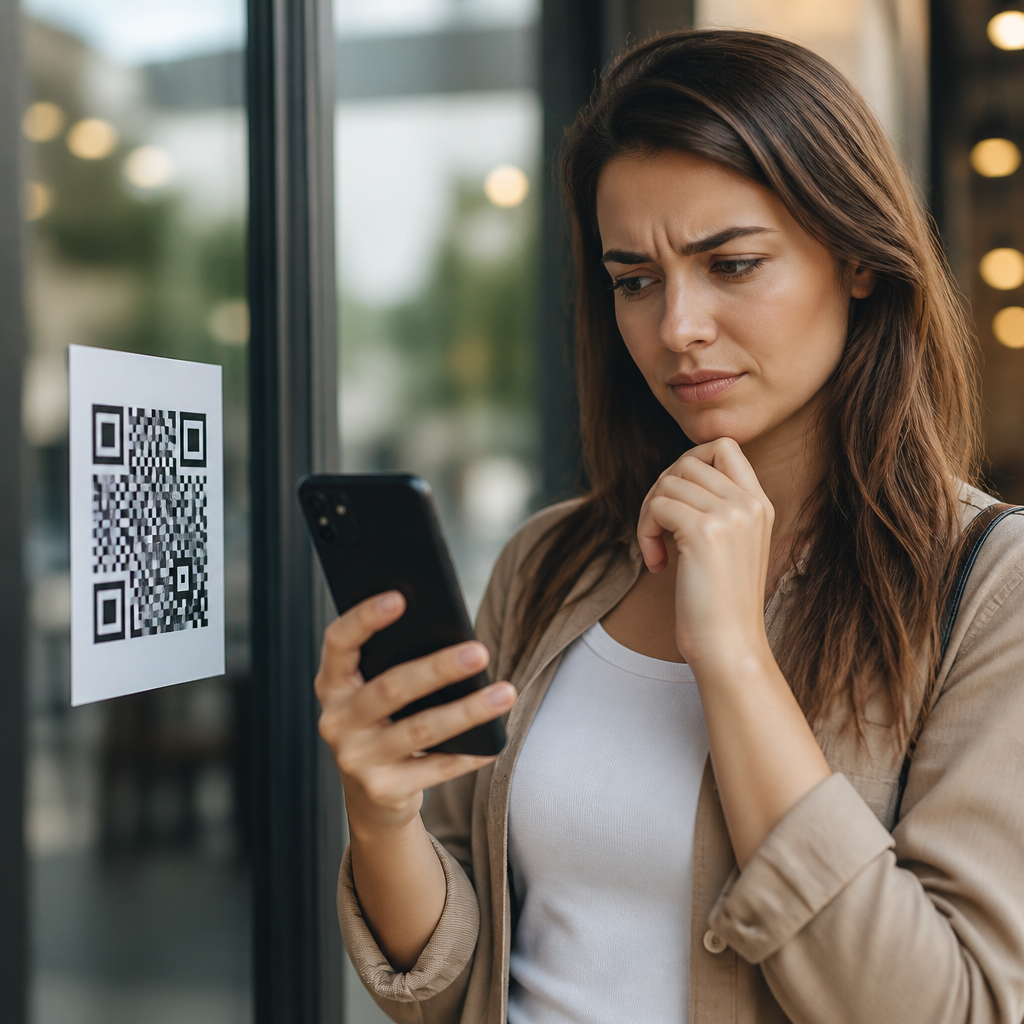
QR codes promised frictionless access, but many users still pause before scanning because the square pattern hides information, shifts risk to personal devices, and asks for trust before offering proof. In the context of QR code security, privacy, and compliance, user trust and transparency describe the practical conditions that make people feel safe enough to scan: clear destination disclosure, recognizable branding, contextual explanation, honest data practices, and visible safeguards against fraud. I have seen this hesitation repeatedly in retail stores, event check-ins, healthcare waiting rooms, restaurant tables, and product packaging audits; the pattern is consistent across industries. People do not reject convenience itself. They reject uncertainty.
That uncertainty matters because QR codes are now embedded in payments, authentication, onboarding, marketing, support, and physical-to-digital customer journeys. A printed sign can send someone to a menu, a tax form, a Wi-Fi login, a payment page, or a credential phishing site, and the code itself gives no human-readable clue. When users hesitate, completion rates fall, campaigns underperform, service queues slow down, and support teams absorb preventable questions. More importantly, when users scan without confidence, they become vulnerable to quishing, malicious redirects, fake app prompts, and unnecessary data collection. Building trust is therefore not a cosmetic issue. It is a core requirement for performance, compliance, and brand protection.
This hub article explains why users hesitate to scan QR codes and what organizations must do to reduce that hesitation responsibly. It covers the hidden nature of QR destinations, the psychology of risk, the role of visual and contextual trust signals, the impact of privacy expectations, and the compliance obligations that shape transparent implementation. It also maps the practical standards that make QR experiences credible in the real world. If your organization uses QR codes anywhere in the customer journey, understanding these trust barriers is the difference between a smooth scan and a missed interaction.
The Core Trust Problem: QR Codes Conceal the Destination
The main reason users hesitate to scan QR codes is simple: they cannot see where the code will take them before they act. A blue hyperlink on a website at least exposes a visible domain on hover or in the browser status bar. A printed QR code does not. To the user, every code looks broadly similar regardless of whether it opens a legitimate support page, a mobile wallet payment request, a PDF, a deep link into an app, or a credential harvesting site. That opacity creates an information asymmetry. The organization knows the destination and the purpose; the user does not.
In practice, this hidden-destination problem shows up most strongly in public or semi-public spaces. A poster in a train station, a flyer on a counter, or a sticker placed over another sticker gives the scanner almost no way to verify authenticity in advance. Attackers exploit exactly this gap through quishing, where a malicious QR code is used to lure users into phishing flows. Security agencies and enterprise awareness teams now routinely train employees to treat unsolicited QR codes with the same caution as suspicious email links. Users may not know the term quishing, but they understand the instinct: if I cannot inspect it, I should be careful.
Even legitimate deployments inherit this trust deficit. A restaurant menu code, for example, might be genuine, yet the user still wonders whether it will trigger a download, request camera permissions, open a payment page, or collect location data. Unless the business actively reduces ambiguity, hesitation is rational behavior. Trust begins when the destination, purpose, and expected outcome are made legible before the scan rather than after it.
How Risk Perception Shapes Scan Behavior
User hesitation is not only technical. It is psychological. People scan QR codes through a quick risk-reward calculation: What do I gain, what could go wrong, and how confident am I in the source? Behavioral research on trust consistently shows that uncertainty increases perceived risk, especially when consequences are invisible until after the action. QR codes are a textbook case. The reward might be modest, such as viewing a menu or claiming a coupon, while the perceived downside includes malware, fraud, spam, or privacy loss. When the benefit is low and the risk feels open-ended, many users defer.
I have seen the same code perform very differently depending on context. A QR code printed on official appointment paperwork inside a hospital usually earns more scans than the same code placed on a generic lobby poster, because the surrounding environment provides institutional cues. Likewise, a payment QR code at a staffed checkout desk tends to outperform one taped to a window after hours. The code did not change; the trust context did. This is why user trust and transparency cannot be treated as isolated design details. They are properties of the whole interaction, including placement, timing, supervision, and explanation.
Familiarity also matters, but it does not erase concern. During the pandemic, many people became comfortable scanning codes for menus, vaccine information, and check-ins. That normalized the act, yet it also expanded awareness that QR codes can redirect to almost anything. Increased usage brought increased caution. Experienced users are often more skeptical than first-time scanners because they have encountered broken links, cluttered landing pages, forced app installs, or unclear consent requests. Hesitation, in other words, is not always ignorance. Often it is learned caution.
Trust Signals That Increase Scan Confidence
Organizations can significantly reduce hesitation by providing explicit trust signals around the code. The most effective signals are concrete, not decorative: a clearly printed destination domain, a short description of what will happen after scanning, brand consistency, and a reason the scan is useful now. “Scan to view today’s menu at cafeexample.com/menu” is dramatically better than “Scan me.” In deployment reviews, I treat every unlabeled QR code as a missed trust opportunity because it forces the user to supply confidence that the organization should have provided.
Brand recognition helps, but only when it is credible and consistent. A code placed next to official signage, staffed instructions, or known packaging inherits legitimacy from those assets. Conversely, poor printing quality, generic labels, unexplained shortened links, and off-brand landing pages erode trust immediately. The first screen after the scan is especially important. If the page title, domain, certificate status, visual identity, and content purpose align, users proceed. If the page looks improvised or requests information too early, abandonment rises fast.
Below are the trust elements that most reliably improve scan rates without pressuring users:
| Trust element | What users want to know | Effective implementation | Common mistake |
|---|---|---|---|
| Destination clarity | Where will this go? | Print the primary domain beside the code | Using an unexplained short link |
| Purpose statement | Why should I scan? | State the outcome in one sentence | Vague copy such as “Learn more” |
| Brand consistency | Is this really from the organization? | Match signage, logo, tone, and landing page design | Sending users to an unrelated microsite |
| Security assurance | Is it safe? | Use HTTPS and a well-maintained domain | Redirect chains and certificate warnings |
| Privacy explanation | What data will be collected? | Link to a concise privacy notice before form entry | Requesting personal data with no context |
| Contextual legitimacy | Why is the code here? | Place it where the action makes sense operationally | Posting codes in random high-traffic areas |
These trust signals work because they answer the user’s immediate questions before friction starts. They also support better accessibility and lower support burden. When users know what the scan does and why it is there, they are less likely to mistrust the process or abandon midway.
Privacy Concerns Are Often Stronger Than Security Concerns
Many organizations assume users fear malware above all else, but in everyday consumer scanning, privacy concerns are often just as influential. Users increasingly understand that a scan can trigger analytics collection, device fingerprinting, location inference, app deep linking, retargeting, and form capture. A QR code on packaging might appear harmless, yet the landing page can still collect campaign parameters, timestamp, user agent, approximate geography, and behavioral events. None of that is necessarily improper, but failing to explain it makes people suspicious.
Privacy hesitation rises sharply when the requested data is not proportionate to the task. If a code is meant to open a menu, users do not expect a registration wall. If it is meant to provide warranty information, they do not expect marketing consent to be bundled into access. This is where transparency must be operational, not rhetorical. Say what data is collected, why it is needed, how long it is retained, and whether it is shared. Under frameworks such as GDPR and CCPA, these are not just goodwill gestures. In many cases they reflect legal obligations around notice, lawful basis, consent, purpose limitation, and consumer rights.
From experience, the fastest way to damage trust is to overreach on first contact. A QR code should earn more sensitive interaction gradually. Start with the promised content. Then, if additional data is genuinely necessary, ask clearly and minimally. Progressive disclosure aligns with privacy expectations and produces better conversion quality because users who continue have understood the value exchange. Trust grows when organizations demonstrate restraint.
Physical Environment and Tampering Risks Matter More Than Teams Expect
User trust is heavily influenced by the physical environment in which a QR code appears. Unlike a website navigation menu, a printed code can be replaced, covered, moved, or duplicated. Sticker tampering is one of the oldest and simplest attack methods. Criminals have placed fraudulent payment codes over legitimate ones in parking meters, restaurant displays, and public kiosks. Even where no attack exists, users know that public surfaces are easy to alter, so they bring skepticism with them.
This means trust strategy must include physical controls. Staff should inspect posted codes regularly, especially in unattended spaces. Packaging and signage should be designed to make tampering obvious, for example through print integration rather than add-on labels. In higher-risk settings such as payments, tickets, or identity workflows, organizations should provide a second verification path, such as a printed URL, NFC alternative, or instruction to use only the official app. If the scan initiates payment, display the payee name clearly before confirmation. Payment service providers and digital wallet interfaces already support identity cues for this reason.
Context can either mitigate or magnify suspicion. At a conference registration desk, attendees can ask staff whether the code is official. On a street poster, they cannot. In a pharmacy, users may trust health information but still hesitate if the code sits next to unrelated promotions. The operational lesson is straightforward: place QR codes where their legitimacy is self-evident, monitored, and connected to a real-world process the user already understands.
Designing Transparent QR Journeys From Scan to Outcome
Transparency is not a sentence printed near the code. It is the continuity of trust from pre-scan expectation to post-scan outcome. The best QR experiences are predictable at every stage. Before the scan, users understand the destination and purpose. At the scan, their device previews a recognizable domain. On landing, the page loads quickly over HTTPS, matches the stated purpose, and avoids surprise actions such as auto-downloads or full-screen permission requests. If a form appears, the fields are limited to what the task requires. If tracking occurs, notice is easy to find and written in plain language.
Several implementation choices consistently support this kind of transparency. Use a stable, branded domain rather than a generic shortener wherever possible. Keep redirect chains minimal because they slow page loads and make link inspection harder. Test on both iOS and Android native camera behavior, since preview handling differs by device and app. Maintain destination governance so that old codes do not silently begin redirecting to unrelated campaigns. Review analytics configuration to ensure parameters and tags match your privacy notice. If the QR code points to downloadable files, label file type and size in advance.
Metrics should also be interpreted carefully. A low scan rate is not always a creative failure; it can be a trust signal. If users are seeing the code but not scanning, the problem may be ambiguity, poor placement, weak context, or prior bad experiences with your brand’s mobile journeys. I advise teams to pair scan metrics with on-site observation, brief intercept interviews, landing-page bounce analysis, and security review findings. Trust problems rarely surface in one dashboard alone.
What This Means for Brands, Compliance Teams, and Future Content
For brands, the practical takeaway is clear: trust is a prerequisite for QR code performance, not a secondary design layer. For compliance teams, QR deployments should be treated as data-collection touchpoints subject to the same scrutiny as web forms, cookies, SMS capture, and payment pages. For security teams, every public-facing code is a potential spoofing target that requires ownership, inventory, and monitoring. The strongest programs bring these functions together instead of leaving QR codes to a single campaign owner.
As a hub within the broader QR code security, privacy, and compliance topic, this page anchors the user trust and transparency subtopic. The deeper supporting articles should examine specific issues such as quishing prevention, safe payment QR design, branded links versus short links, privacy notices for scan flows, physical tamper controls, accessible QR signage, consent in mobile landing pages, and audit checklists for regulated environments. That structure matters because hesitation is multi-causal. Users may resist scanning because of destination opacity, data concerns, poor design, environmental risk, or prior fraud exposure, and each factor deserves focused treatment.
The central principle remains consistent across all of them: people scan when organizations make risk understandable and value immediate. If you want more successful QR interactions, start by removing uncertainty. Label the destination. Explain the purpose. Use recognizable domains. Minimize data requests. Monitor physical placement. Keep the landing experience aligned with the promise made beside the code. Audit the journey regularly. When trust is designed into the entire flow, users stop guessing and start engaging. Review your current QR touchpoints with that lens, and you will find the friction points worth fixing first.
Frequently Asked Questions
Why do so many users hesitate before scanning a QR code?
Many users hesitate because a QR code is visually opaque: it does not reveal its destination, purpose, or level of risk at a glance. Unlike a printed web address, phone number, or branded call to action, the square pattern hides information until the user takes action on a personal device. That creates a trust gap. In practical terms, the user is being asked to open a link, trigger an app, or begin a data exchange before they can verify where it leads. For security-conscious users, that uncertainty raises immediate questions about phishing, malware, credential theft, fake payment pages, and unwanted tracking.
Hesitation also comes from context. If a QR code appears on a poster, restaurant table, package, parking meter, email, or public sign, users often wonder whether it is legitimate, recently replaced, or tampered with. Because malicious actors can overlay fraudulent codes on top of real ones, the scan itself can feel like a moment of exposure. The user is not just evaluating the code; they are evaluating the environment around it, the brand behind it, and whether the experience feels professionally managed. If any of those signals are weak, hesitation increases.
Another factor is that the risk is shifted to the user’s own device. People understand, even if only intuitively, that scanning can lead to browser sessions, app prompts, downloads, permissions requests, payment flows, or location-based interactions. That means the phone becomes the place where consequences happen. In QR code security and privacy discussions, this matters because users are not simply deciding whether to access information; they are deciding whether to trust an unknown interaction with their device, data, and online identity. The more transparent the destination and intent, the more likely users are to feel comfortable scanning.
What security concerns make QR codes feel risky to users?
The biggest security concern is destination uncertainty. A QR code can send a user to a malicious website that imitates a trusted brand, asks for login credentials, requests payment, or delivers harmful content. This form of attack is often discussed as QR phishing, or “quishing,” and it is effective because the code itself conceals the URL. A user may only see the full destination after scanning, and by then they may already be inside a rushed, misleading, or emotionally persuasive interaction designed to reduce careful review.
Users also worry about manipulation in physical spaces. Printed codes can be replaced, covered, or redirected without obvious signs. A scammer can put a fake QR code on a parking kiosk, flyer, utility notice, or restaurant menu and capture payments or personal details from unsuspecting users. This is one reason visible safeguards matter so much. People look for cues such as sealed signage, secure placement, official branding, maintenance standards, and short explanatory text that confirms what the code is for and what should happen next.
There is also concern about what happens after the scan. Some QR interactions request app installations, permissions, contact information, payment details, or account authentication. Even if the destination is technically safe, the experience may still feel risky if the user does not understand why data is being requested or how it will be used. From a compliance and trust standpoint, vague collection practices create friction. Users are far more comfortable when organizations disclose the destination clearly, explain the purpose before the scan, minimize data collection, and avoid asking for sensitive information without a strong, obvious reason. Good security posture is not only about blocking fraud; it is about reducing ambiguity at every step of the user experience.
How do privacy and data collection concerns affect willingness to scan?
Privacy concerns play a major role because users increasingly understand that a simple scan can begin a data trail. Depending on the setup, a QR code interaction may capture device information, IP address, location signals, referral context, campaign attribution data, browsing behavior, form submissions, or account activity. Even when this information is collected for legitimate analytics or service delivery, users can feel uneasy if they are not told what is being gathered and why. The hesitation often comes less from the existence of data collection and more from the lack of transparency around it.
Users also associate QR codes with moments of convenience, and convenience can make people suspicious when the experience suddenly becomes data-heavy. For example, someone may scan a code expecting to view a menu, verify a product, or open event details, but instead they encounter a sign-up wall, a permission request, or a form asking for more information than seems necessary. That mismatch creates distrust quickly. In privacy terms, users want proportionality: if the task is simple, the data request should be simple too. When the exchange feels imbalanced, people pause or abandon the interaction entirely.
Compliance expectations reinforce this behavior. Users increasingly expect brands to follow clear data practices, whether driven by internal policy, sector regulations, or broader privacy laws. They respond better when a QR code is accompanied by plain-language disclosure, recognizable branding, a link preview or destination hint, and an explanation of what information will be collected after scanning. Even small trust signals help, such as stating that no app download is required, that payment is processed securely, or that personal data will not be sold or shared beyond the stated purpose. Privacy confidence grows when users feel informed before they act, not surprised afterward.
What makes a QR code experience feel trustworthy and safe?
Trustworthy QR code experiences are built on visible transparency. The first step is clear destination disclosure. Users should have a strong idea of where the code leads before they scan, whether that means displaying the domain name, naming the page purpose, or describing the expected outcome in simple language. A short line such as “Scan to view our official warranty page at brandname.com” is far more reassuring than “Scan here.” It narrows uncertainty and gives users a way to judge legitimacy before involving their device.
Recognizable branding is equally important. When the QR code appears alongside consistent logos, colors, typography, tone, and official contact details, users can connect the code to a known organization rather than an anonymous square. Contextual explanation also matters. People want to know why the code exists, what benefit they will receive, and whether scanning will trigger a browser, app, payment flow, download, or form. The more specific that explanation is, the less the user has to guess. Guesswork is where hesitation lives.
Visible safeguards complete the trust picture. These can include tamper-resistant placement, printed verification cues, secure short-link practices, mobile-friendly landing pages, HTTPS destinations, privacy notices, and support information in case something seems wrong. Honest data practices matter as well. If information will be collected, the organization should say so clearly and collect only what is necessary. In QR code security, privacy, and compliance, trust is not created by asking users to be less cautious. It is created by giving them enough proof, context, and control to make a confident decision.
How can businesses reduce hesitation and improve QR code adoption?
Businesses can reduce hesitation by designing the entire QR interaction around reassurance rather than mere convenience. That starts before the scan. Every code should be paired with a clear explanation of its purpose, the value to the user, and the destination they should expect. If possible, show the brand domain near the code and make sure the landing experience matches that brand exactly. Consistency between the printed environment and the digital destination is crucial because users are subconsciously checking whether the experience feels coherent or suspicious.
It is also important to limit unnecessary friction after the scan. If a code is meant to provide information, let it provide information immediately instead of forcing account creation or excessive form completion. If the interaction involves payments, logins, or sensitive data, clearly explain why those steps are needed and what protections are in place. Users are far more willing to proceed when the request feels proportionate, expected, and professionally presented. Mobile optimization is part of trust as well. Slow pages, broken redirects, intrusive pop-ups, and confusing layouts make people question legitimacy, even if the code itself is safe.
Finally, businesses should treat QR code deployment as part of a broader security, privacy, and compliance strategy. That means monitoring for tampering, using secure and well-managed URLs, providing customer support channels, publishing straightforward privacy disclosures, and training internal teams to think about trust signals in physical and digital environments. The goal is not simply to get more scans. The goal is to create conditions in which users feel that scanning is informed, low-risk, and worthwhile. When organizations offer proof before asking for trust, hesitation drops and adoption improves.





