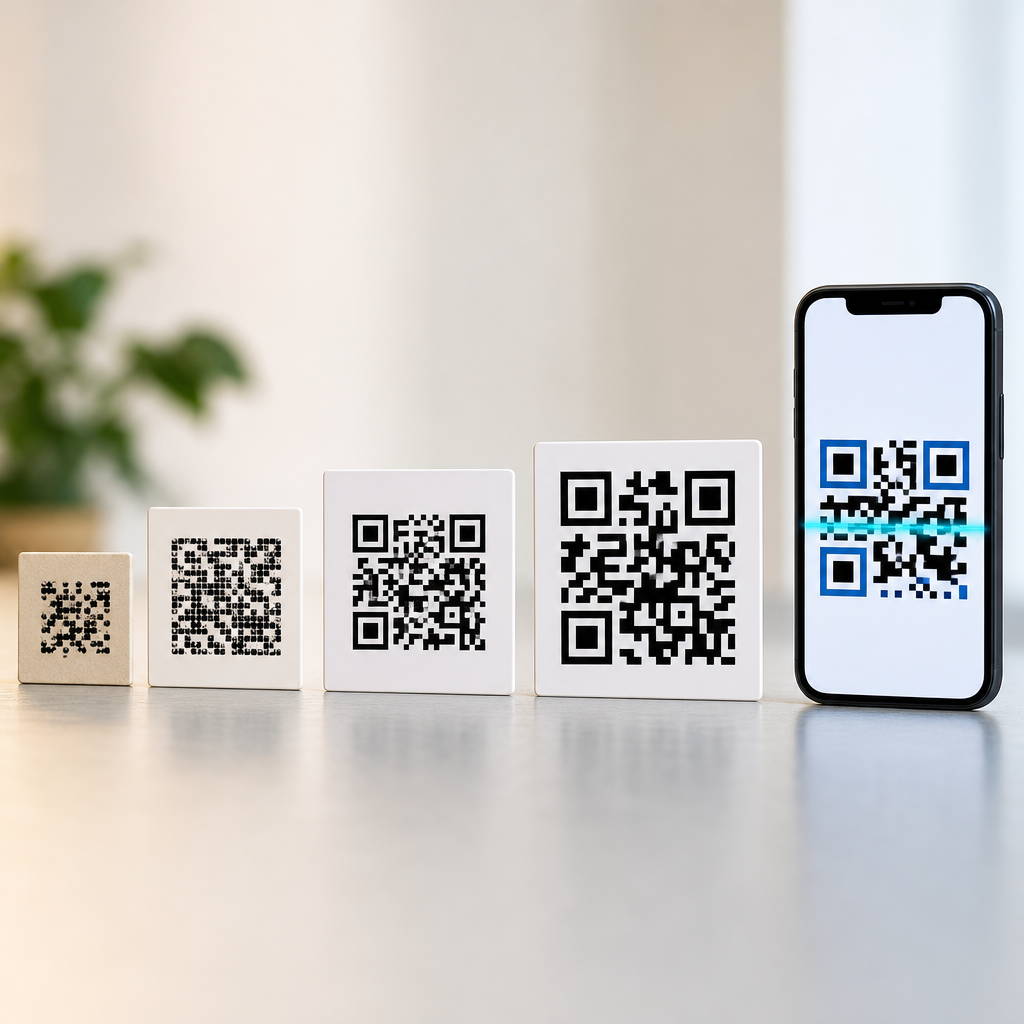

QR codes use three large corner squares because those patterns let a scanner find the symbol quickly, determine its orientation, estimate its size, and correct for perspective distortion before decoding any data. In practical terms, the three prominent boxes are the reference points that make the rest of the code readable under real-world conditions such as glare, angled camera views, motion blur, and inconsistent printing. For anyone learning how QR codes work, those corner squares are the best place to start because they reveal that a QR code is not just a random grid of black and white modules, but a carefully engineered machine-readable symbol defined by the ISO/IEC 18004 standard.
A QR code, short for Quick Response code, is a two-dimensional matrix barcode made of square modules arranged on a square grid. Unlike a traditional one-dimensional barcode, which stores information in the widths and spaces of parallel lines, a QR code stores information both horizontally and vertically. That design allows far greater data capacity and faster scanning. In my work creating codes for packaging, menus, equipment labels, and event check-in systems, I have seen the same misconception repeatedly: people assume the large corner squares contain the actual website or text. They do not. Their role is structural. They help the scanner understand where the symbol is, how it is rotated, and how to sample the smaller cells correctly.
This matters because scanning reliability determines whether a QR code feels effortless or frustrating. A code that works instantly can move a customer from packaging to product instructions, from a poster to a ticketing page, or from a machine label to a service manual. A code that fails wastes attention and trust. Understanding why QR codes use three large corner squares also opens the door to understanding the rest of the symbol: timing patterns, alignment patterns, format information, version information, masking, data encoding, and Reed-Solomon error correction. Together, these elements explain how QR codes work and why they remain effective even when partially damaged or scanned from imperfect angles.
The three large corner squares are finder patterns
The three large corner squares are called finder patterns. Each finder pattern is a fixed arrangement of dark and light modules: a 7×7 square structure with a dark outer border, a light inner border, and a dark 3×3 center. Around each finder pattern is a clear margin of light modules known as a separator. These patterns appear in three corners only: top left, top right, and bottom left. The missing fourth corner is intentional. By placing finder patterns in three corners, the QR code gives the scanner enough geometric information to identify the symbol uniquely and infer which corner is which.
Scanners look for the finder patterns first because they stand out visually at multiple scales. Image-processing software searches for the distinctive ratio of black and white runs associated with the pattern, often simplifying the camera image into a binary form and then detecting likely candidates through line scans or contour analysis. Once the software finds three matching candidates with the correct spatial relationship, it can confirm that the image contains a QR code rather than a checkerboard, logo, or unrelated square graphic. This is one reason QR codes scan so quickly compared with less structured visual markers.
The three-corner arrangement also resolves orientation. If a code had four identical finder patterns, software could still detect it, but the extra symmetry would make orientation handling less efficient and add unnecessary visual overhead. With three finder patterns, the scanner can determine which side is top, which side is left, and how the grid should be mapped. That decision is foundational because every later step, including reading format information and applying the correct mask, depends on knowing the symbol’s orientation exactly.
How scanners use the corner squares to locate and straighten the symbol
When you point a phone camera at a QR code, the software does much more than capture a picture. It estimates edges, searches for finder patterns, calculates distances between them, and builds a transformation model to map the photographed shape back into an ideal square grid. In plain terms, the scanner straightens the code before reading it. The three large corner squares make that possible because they provide fixed anchor points with known dimensions and known placement relative to the overall symbol.
Perspective correction is essential in real use. A QR code on a tabletop, shipping carton, storefront window, or curved product label is rarely viewed perfectly head-on. The scanner uses the three finder patterns to estimate rotation, skew, and scale. Then it samples the module grid at expected intersections instead of guessing pixel by pixel. In field testing, I have seen mediocre print quality still decode cleanly when the finder patterns were crisp and the quiet zone was preserved. Conversely, beautifully printed codes often fail when artwork intrudes on those structural regions.
The scanner also uses timing patterns to extend this geometric understanding across the symbol. These are alternating dark and light modules running between finder patterns horizontally and vertically. Once the finder patterns establish the frame, the timing patterns help the scanner count rows and columns of modules and maintain spacing accuracy. This is especially important as versions increase. A Version 1 QR code is 21×21 modules, while each higher version adds 4 modules per side, up to Version 40 at 177×177 modules. The larger the matrix, the more valuable precise grid estimation becomes.
Why there are only three and not four large corner squares
The simplest answer is efficiency. Three points define a plane and are sufficient for locating a square symbol, determining orientation, and supporting perspective correction. A fourth large corner square would consume data area without adding proportional benefit. QR code design balances robustness against capacity. Every module reserved for structure cannot carry payload data or error-correction codewords. The three finder patterns are therefore the minimum high-visibility anchors needed for dependable detection in ordinary imaging conditions.
There is also a decoding logic advantage. The absent fourth finder pattern leaves room for other functional patterns and reduces ambiguity. Instead of filling all corners with the same large marker, the specification uses smaller alignment patterns in larger versions where needed. Alignment patterns help correct local distortion, especially when the code is printed on flexible surfaces or viewed with lens distortion. They are not substitutes for finder patterns, but they complement them. This layered approach is more space-efficient than repeating the same large marker in every corner.
Historically, QR codes were developed by Denso Wave in the 1990s for high-speed component tracking in manufacturing. The code needed to be read rapidly from different angles and in motion. The three-finder-pattern layout solved that industrial problem elegantly. Decades later, smartphone cameras inherited the benefit. The fact that consumers can now scan restaurant menus and payment links with the same basic symbol is a direct result of those original engineering choices.
The other patterns that make a QR code work
Finder patterns are the most visible part of a QR code, but they are only one component in a coordinated system. Timing patterns, alignment patterns, format information, version information, data modules, and error-correction modules all occupy specific locations. The scanner expects these regions to exist in exact positions based on the standard. If a custom design obscures them, decoding reliability falls sharply.
| Element | What it does | Where it appears |
|---|---|---|
| Finder patterns | Help the scanner detect the code and determine orientation | Top left, top right, bottom left corners |
| Separators | Create a light boundary around finder patterns | Immediately around each finder pattern |
| Timing patterns | Define row and column spacing for the module grid | Between finder patterns horizontally and vertically |
| Alignment patterns | Correct local distortion and improve sampling accuracy | In larger versions at defined internal positions |
| Format information | Stores error-correction level and mask pattern | Near finder patterns |
| Version information | Stores the symbol version for larger codes | Present in Version 7 and above |
| Data and error-correction modules | Carry the encoded payload and recovery information | All remaining available modules |
Format information is especially important because it tells the decoder which of the eight mask patterns was applied and which error-correction level is used: L, M, Q, or H. Those levels recover roughly 7 percent, 15 percent, 25 percent, or 30 percent of damaged codewords respectively, though actual recoverability depends on the location and nature of the damage. Version information appears on Version 7 and above because smaller versions can be inferred from dimensions alone.
How data is encoded inside the grid
After reserving the structural areas, the encoder converts the payload into binary data according to a mode. Common modes include numeric, alphanumeric, byte, and kanji. Numeric mode is the most space-efficient for digits, alphanumeric mode supports a defined character set including uppercase letters and several symbols, and byte mode is commonly used for URLs and UTF-8 text. The encoder adds a mode indicator, character count indicator, payload bits, terminator bits, and pad bytes as needed to fill the available data capacity for the chosen version and error-correction level.
That stream is then split into codewords and processed with Reed-Solomon error correction, a well-established method used in storage and communications systems. The resulting data and error-correction codewords are interleaved and placed into the matrix in a prescribed zigzag pattern moving upward and downward through pairs of columns. Masking is then applied to improve visual balance and reduce patterns that could confuse scanners, such as large blank areas or misleading run lengths. The selected mask is the one that produces the lowest penalty score under the standard’s evaluation rules.
This process explains why the payload is not stored in the finder patterns themselves. The visible corner squares are more like calibration marks than content containers. Their purpose is to make decoding the content possible. Once people understand that distinction, many common design mistakes become obvious, such as covering a finder pattern with a logo or changing its geometry in ways that break the expected black-white ratios.
What makes QR codes reliable in the real world
QR codes work well in messy environments because several design choices reinforce one another. The finder patterns provide fast detection. The timing and alignment patterns support accurate grid sampling. Error correction restores data when parts of the symbol are damaged. Masking improves readability. The quiet zone, a blank margin around the code, prevents nearby graphics from interfering with symbol detection. Remove any one of these protections and scan performance can degrade significantly.
In practical deployments, print quality still matters. Use strong contrast, ideally black on white, although dark-on-light alternatives can work. Preserve the quiet zone at a minimum of four modules on all sides. Size the code based on scanning distance; for example, a common rule of thumb is that scanning distance can be roughly ten times the code width under favorable conditions. Test across different phones and lighting situations. I routinely validate codes with both iPhone and Android devices because camera processing pipelines vary.
Dynamic QR codes add another operational layer. The printed symbol usually contains a short redirect URL, while the destination can be updated later through a management platform. That is useful for campaigns, manuals, and packaging that outlive a specific webpage. Static QR codes encode the final destination directly and cannot be edited once printed. Both rely on the same structural patterns, including the three large corner squares, because the scanning process is identical even though the business workflow differs.
Common questions and design mistakes
Can you remove one of the large corner squares? No. A standard QR code requires all three finder patterns. Can you replace them with circles or branded icons? Sometimes slight styling works if the essential contrast and geometry are preserved, but aggressive customization often causes failures, especially on low-end cameras or small prints. Can a logo sit in the middle? Often yes, if error correction is high and the logo does not obscure critical patterns, but every design should be tested at final size and on the intended material.
Another frequent mistake is assuming error correction makes any customization safe. It does not. Error correction recovers damaged data modules, not broken structural logic. If the scanner cannot reliably locate the symbol because a finder pattern is distorted or the quiet zone is missing, decoding may never begin. Likewise, inverted light-on-dark codes can work, but not every scanner handles them equally well. Curved surfaces, reflective laminates, and textured substrates introduce further risk, which is why physical testing matters more than theoretical capacity charts.
If your goal is dependable performance, treat the three large corner squares as untouchable infrastructure. Keep them sharp, high contrast, and clear of decoration. Preserve spacing around them. Choose an appropriate version instead of overcompressing content. Use a trusted generator and verify output with multiple devices. Those habits solve most scanning problems before they reach users.
The reason QR codes use three large corner squares is straightforward: those finder patterns let scanners detect the symbol quickly, identify its orientation, measure its scale, and correct perspective so the encoded data can be read accurately. They are the visual anchors that make the entire system work. Once you understand their function, the rest of the QR code becomes easier to understand because every other component supports the same goal: reliable decoding under imperfect real-world conditions.
As a hub for understanding how QR codes work, this topic comes down to a few core principles. Structural patterns guide detection. The grid organizes data. Encoding modes convert content efficiently. Reed-Solomon error correction adds resilience. Masking improves scanability. Quiet zones and sensible design preserve usability. Whether you are creating labels, packaging, menus, tickets, or support links, these principles determine whether a code scans instantly or fails at the worst moment.
Use this knowledge when reviewing any QR code before it goes live. Check the three finder patterns first, then verify contrast, quiet zone, size, destination behavior, and device testing. If you build on that foundation, you will produce QR codes that are easier to scan, easier to trust, and more effective in every channel where they appear.
Frequently Asked Questions
Why do QR codes have three large corner squares instead of just one?
The three large corner squares, often called finder patterns, are what allow a scanner to recognize a QR code quickly and reliably. A single reference point would not provide enough information for a camera or decoding algorithm to understand the code’s full position and orientation. With three distinct markers placed in three corners, the scanner can tell where the symbol begins and ends, how it is rotated, and whether it is being viewed straight on or at an angle. That is essential because QR codes are rarely scanned under perfect conditions. They may be tilted, partially blurred, printed on curved packaging, or viewed in uneven lighting.
Using three large squares also creates a predictable geometric structure. Once the scanner detects those three reference points, it can map out the rest of the symbol grid with much greater confidence. In effect, the three squares act like anchors that define the code’s shape in space. This gives the decoding system enough information to correct distortion before it even begins reading the encoded data. That is why QR codes use three large corner squares instead of one: the goal is not just to identify a symbol, but to make it readable in fast, real-world scanning situations.
What exactly do the three corner squares help a scanner determine?
Those three corner squares help the scanner determine four critical things: location, orientation, scale, and perspective. First, they make it possible to locate the QR code within a larger image. A phone camera may see an entire poster, product label, or sign, so the scanner needs a fast way to isolate the QR symbol from everything around it. The bold, high-contrast corner patterns are designed to stand out immediately.
Second, they reveal orientation. Because the finder patterns appear in three specific corners rather than all four, the scanner can tell which side is up and how the code is rotated. That matters because the data inside the QR code must be interpreted according to the correct grid alignment. Third, the spacing between the squares helps estimate scale, which tells the decoder how large each module, or tiny square cell, should be. Finally, the triangular arrangement of the three markers helps the software measure perspective distortion. If the code is viewed at an angle, the corners will not appear perfectly square in the image, but the scanner can use their relative positions to mathematically correct that distortion. Together, these functions are what make QR codes so robust and easy to scan.
Why are there only three large corner squares and not four?
Three is the minimum number of reference points needed to define a plane and establish orientation in a reliable way. In practical terms, three finder patterns give the scanner enough information to determine the QR code’s position, angle, and shape without adding unnecessary visual overhead. A fourth large corner square is not required for basic detection and would take up space that could otherwise be used for data or other functional patterns.
This design is also intentional because QR codes already include additional alignment and timing features elsewhere in the symbol. The three large finder patterns handle rapid detection and orientation, while other built-in structures help refine the grid and maintain accuracy, especially in larger codes. So the absence of a fourth large corner square is not a limitation. It is a balanced engineering decision. The QR code standard was designed to maximize readability while preserving data capacity, and three large finder patterns achieve that balance very effectively.
How do the corner squares help QR codes work under difficult real-world conditions?
In ideal conditions, almost any high-contrast grid might be readable. The challenge is that real-world scanning is rarely ideal. QR codes are often photographed at an angle, printed on reflective materials, placed on moving objects, or captured in poor lighting. The three large corner squares are what make scanning possible despite those problems. Because they are bold and highly distinctive, they remain easier to detect than the smaller data modules even when the image is slightly blurred, overexposed, or skewed.
Once those patterns are identified, the scanner can compensate for many imperfections. If the code appears stretched because the camera is off-center, the reference points help correct perspective. If the image is shaky, the large squares are still more likely to remain recognizable than the fine internal grid. If printing is inconsistent, the finder patterns provide stable landmarks the software can use to estimate the spacing of the rest of the code. This is why those corner squares are so important: they are the practical reference system that turns a potentially messy camera image into a structured symbol that can be decoded accurately.
Are the three corner squares the most important part of understanding how QR codes work?
For beginners, they are often the best place to start because they visually explain the logic behind QR code scanning. The three corner squares are the first thing both humans and machines notice. They illustrate that a QR code is not just a random collection of black and white blocks. It is a carefully engineered symbol with built-in navigation features that guide the scanner before any actual data is read.
That said, they are not the only important part. A complete QR code also includes timing patterns, alignment patterns in some versions, format information, error correction data, and the encoded content itself. Still, the three large corner squares are foundational because they make the rest of the symbol usable. Without them, a scanner would struggle to find the code quickly, determine how it is positioned, and correct distortion well enough to interpret the remaining modules. So while they are one part of a larger system, they are absolutely central to understanding why QR codes are so dependable in everyday use.