
Where do people scan QR codes most often? In practice, scans cluster around moments of waiting, moving, buying, and verifying. After reviewing campaign dashboards, retail footfall reports, event activations, and packaging performance across multiple QR deployments, I have seen the same pattern repeatedly: people scan where the next action feels easy and the payoff is immediate. That simple principle explains why some codes get ignored while others outperform print, email, and even paid social in conversion efficiency.
For teams working on QR code analytics, tracking, and optimization, understanding scan behavior matters as much as design. A QR code is not just a graphic; it is a bridge between a physical touchpoint and a digital journey. “Heatmaps” in this context refer to the spatial and contextual patterns that show where scans concentrate, how device users interact with placement, and which environments create the highest scan intent. Heatmaps can be literal, such as location-based visual overlays from in-store analytics, or behavioral, such as dashboards that reveal the touchpoints generating the highest scan density.
This topic matters because QR performance is highly uneven. Two codes with identical landing pages can produce drastically different outcomes based on placement height, line-of-sight, dwell time, congestion, lighting, trust cues, and the reason a person is present in that space. A code on product packaging may attract repeat scanners seeking instructions or authenticity checks, while a code on a street poster may produce curiosity scans but lower completion rates. If you only count total scans, you miss the operational insight needed to improve campaigns.
Scan behavior also reveals intent. In my work, high-performing QR programs consistently align code placement with a real user job: pay, learn, redeem, register, verify, review, or navigate. The best-performing locations are not random high-traffic areas; they are high-intent environments. That distinction is crucial for marketers, retailers, venue operators, product teams, and analysts trying to link physical media to measurable digital outcomes. When you know where people scan QR codes most often, you can design placements, build attribution models, and prioritize testing with far greater accuracy.
Retail shelves, product packaging, and point-of-purchase displays drive the most consistent scans
Retail is one of the strongest environments for QR code scanning because shoppers already expect to compare, evaluate, and act. The most frequent scans usually happen in three retail zones: on-pack labels, shelf-edge displays, and checkout-adjacent signage. Each zone corresponds to a different customer question. On packaging, the question is often “What is this?” or “Can I trust it?” At the shelf, it becomes “Which option is better?” Near checkout, it shifts to “Can I save money, join, or pay faster?”
Packaging scans are especially strong for food, cosmetics, electronics, and supplements. Consumers use QR codes to view ingredient sourcing, tutorials, compatibility details, warranty registration, and authenticity verification. In beauty, I have seen tutorial-linked packaging codes outperform generic homepage links because users want product-specific guidance in the moment of evaluation. In electronics, setup videos and serial verification pages reduce support load after purchase, which means packaging can generate scans both in-store and at home.
Shelf talkers and endcap displays create another concentrated scan zone. Dwell time matters here. A shopper standing still and comparing options is more likely to scan than a shopper walking past a poster in a corridor. If a store uses digital planograms or video analytics, those systems often confirm the same result: scan density rises in areas where pause behavior is already high. This is why QR codes next to comparison claims, ratings, how-to content, or limited-time offers often outperform codes placed on broad brand signage.
Checkout areas also produce dependable scans when the use case is friction reduction. Payment QR codes, loyalty enrollment, coupon redemption, and digital receipt opt-ins work because the next step is obvious. In regions where wallet-based QR payments are common, scan volume around the till can exceed every other store location. Even in markets where QR payment is less dominant, checkout remains a strong zone because the user’s decision window is already open.
Restaurants, cafés, and hospitality venues generate scans during waiting time
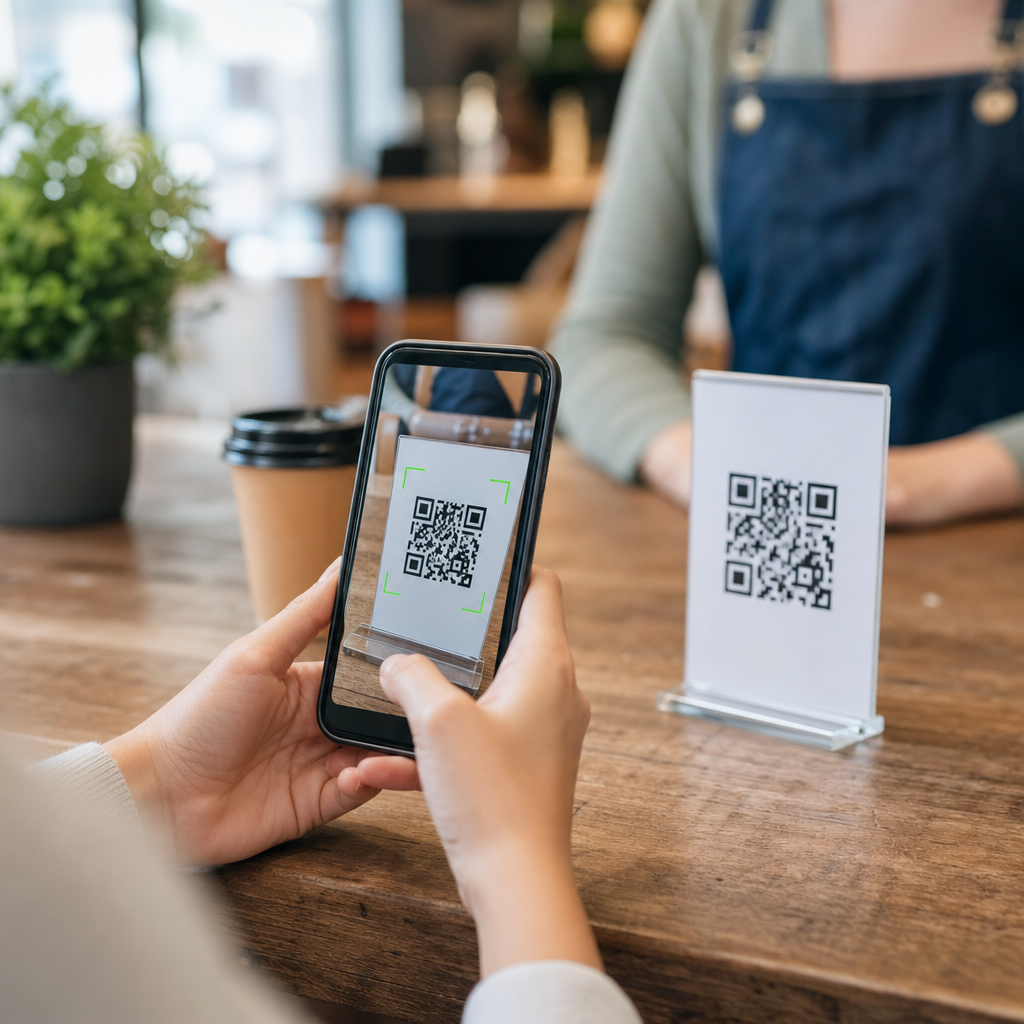
Restaurants became a mainstream QR scanning environment through digital menus, but the lasting lesson is broader: people scan most often when they are seated, paused, and motivated to continue a service interaction. Tabletop stands, check presenters, counter cards, hotel room collateral, and lobby signage all perform well because they combine idle time with clear utility. Waiting is not a barrier when the value exchange is immediate.
In casual dining, menu QR codes work best when they load fast, display well on mobile, and solve a clear need such as browsing, ordering, allergen review, or split payment. Scan heatmaps in restaurant groups often show tighter concentration on two surfaces: table tents and receipt holders. Wall posters generally underperform because they sit outside the decision zone. The customer does not want to leave the meal flow to hunt for information across the room.
Hotels and resorts show similar patterns. Guests scan in-room codes for Wi-Fi access, service directories, late checkout requests, or local recommendations because they are already in a service context. Front-desk codes can help with queue management, but the highest engagement often comes from codes placed where a guest naturally pauses: elevators, room desks, minibar areas, conference registration points, and spa waiting zones. When the content is context-specific, scans rise sharply.
Hospitality also demonstrates why trust cues matter. A branded frame, short action prompt, and recognizable destination can significantly lift scans compared with an unbranded code. Guests are less likely to scan if the destination is unclear or the code appears detached from the venue’s official materials. In scan behavior analysis, ambiguity suppresses action faster than poor visual design.
Events, transit hubs, and public spaces produce high volume but mixed intent
Events, stations, airports, and outdoor media can generate impressive scan counts, but they require careful interpretation. These are high-traffic environments, not always high-intent ones. The difference shows up in downstream metrics. A conference badge wall may attract thousands of scans for agenda access because attendees need that information now. A transit shelter poster may attract many curiosity scans, yet produce weaker conversion if the landing page asks for too much effort while the user is in motion.
At live events, the best scan locations are usually registration counters, session entrances, exhibitor booths, and wayfinding points. People scan for schedules, lead capture, map access, prize draws, and content downloads. I have repeatedly seen booth-side QR codes outperform aisle-facing banners because staff interaction builds trust and prompts action. A verbal cue such as “Scan for the case study” often doubles response compared with passive display alone.
Transit and commuter environments behave differently. People do scan while waiting on platforms, inside stations, and at airport gates, but timing, reach, and network conditions influence results. A code that works at a bus shelter may fail on a moving vehicle because scanability drops with distance and motion. In airports, gate areas can be excellent for lounge offers, destination content, and app downloads because dwell time is predictable. Security lines and baggage claim also present scan opportunities, though the message must respect stress and distraction.
Outdoor placements deserve a caution: volume can look healthy while quality lags. If your analytics show high scan numbers but weak completion, examine context before blaming the offer. People scanning on the street may intend to “save for later,” not complete a form immediately. Dynamic QR codes, campaign tagging, and deferred conversion tracking are essential here to understand true value.
Healthcare, education, and workplace settings favor task-based scans
In healthcare, schools, and offices, QR codes work best where they reduce administrative friction. The strongest scan zones are check-in points, noticeboards tied to a specific process, room-level signage, and printed materials that continue a task digitally. These are not entertainment scans; they are utility scans. That distinction affects both design and measurement.
Clinics often use QR codes for appointment check-in, patient forms, prescription information, or aftercare instructions. The highest scan frequency usually appears at reception, waiting areas, and printed discharge documents. Patients are more willing to scan when the code clearly shortens a process they already need to complete. Generic awareness posters in hallways typically produce less engagement because they ask for attention without a pressing need.
Educational institutions show similar behavior. Students scan on classroom doors for attendance, in libraries for resource access, on campus posters for event registration, and inside course materials for supplemental content. The most effective locations sit close to the point of action. A code on a lecture slide can work if it remains visible long enough and the task is simple. A code on a crowded campus noticeboard competes with too many messages and often underperforms.
Workplaces use QR codes for visitor registration, equipment manuals, safety reporting, desk booking, and internal communications. In warehouses and manufacturing sites, scan behavior is tightly linked to workflow design. Codes attached to machines, pallets, or station signage can drive strong adoption because the operational value is immediate. Here, scan heatmaps often align with process bottlenecks, making QR data useful beyond marketing.
What heatmaps and scan behavior data actually reveal
Heatmaps answer a practical question: where is intent strongest, and where is friction highest? To get that answer, combine scan counts with supporting signals such as timestamp, device type, referral parameters, geographic clustering, and completion rate. A hotspot with many scans but low downstream engagement suggests curiosity or confusion. A smaller hotspot with high completion often indicates a more valuable placement.
The most useful heatmaps are layered, not isolated. Store operators may merge scan data with footfall counters, queue metrics, shelf cameras, or POS data. Event teams may compare scans by booth position, session timing, and staff prompts. Product teams can segment scans by packaging batch, retail channel, or region. The goal is not simply to know where the code was seen, but to understand why people scanned there and what happened next.
Several variables repeatedly shape scan behavior: distance from the user, viewing angle, code size, surrounding contrast, lighting, movement, congestion, and mobile connectivity. Prompt language matters too. “Scan to view ingredients” usually outperforms “Scan me” because the reward is explicit. Destination quality is equally important. If the landing page loads slowly, requires pinch-zoom, or asks for unnecessary data, the scan environment cannot save it.
| Location type | Why people scan there | Typical high-performing use cases | Main optimization priority |
|---|---|---|---|
| Product packaging | Evaluation, trust, setup, authenticity | Tutorials, verification, ingredients, warranties | Clear value proposition on pack |
| Retail shelf or display | Comparison during dwell time | Reviews, specs, coupons, product demos | Placement at eye level near decision point |
| Restaurant table or counter | Ordering and service continuation | Menus, payment, loyalty, allergen info | Fast mobile experience with obvious next step |
| Event booth or registration area | Information capture and lead exchange | Schedules, downloads, demos, entry forms | Staff prompting and campaign-specific landing pages |
| Healthcare, education, workplace task points | Administrative efficiency | Check-in, forms, manuals, attendance, reporting | Reduce steps and align with existing process |
When teams ask where people scan QR codes most often, the accurate answer is: where the environment supports immediate, low-effort action. Heatmaps make that visible. They show not just traffic, but context, intent, and friction. That is why this subtopic sits at the center of QR optimization. Once you know the hotspots, you can test copy, placement, size, destination, and timing with precision instead of guesswork.
How to optimize placements using scan behavior insights
Start with the user job. Every QR code should answer one urgent question in one location. If a placement serves multiple goals, split it into separate codes with separate tracking. Use dynamic QR codes so you can update destinations without replacing physical materials, and tag every deployment with consistent UTM parameters or equivalent campaign taxonomy. Without structured tracking, heatmaps become anecdotal.
Next, test physical variables systematically. In retail, compare eye-level versus waist-level placement, shelf-edge versus endcap, and branded frame versus plain code. In hospitality, compare tabletop, receipt, and wall placements. At events, compare staffed prompts against self-serve signage. Measure scans, unique users, time-to-scan, bounce rate, and conversion, not scans alone. A lower-volume placement may be the better investment if completion is significantly higher.
Then refine the mobile journey. The landing page should match the exact promise on the sign or package, load quickly over cellular, and minimize form friction. If the user is standing in a store aisle, a long lead form is the wrong experience. If the user is at home scanning packaging, richer content may be appropriate. Context determines acceptable effort.
Finally, treat scan behavior as an operational feedback loop. If one zone consistently underperforms, inspect the physical environment before changing the offer. Is the code too small? Is glare interfering? Are people moving too quickly? Is trust too low? The most successful teams review scan heatmaps alongside qualitative observation, then iterate quickly. If you manage QR code analytics, tracking, and optimization, this hub topic should guide every placement decision across your broader program. Map the moments, test the hotspots, and improve the journey where people are already ready to act.
Frequently Asked Questions
Where are QR codes scanned most often in everyday life?
QR codes are scanned most often in places where people are already primed to take a quick next step without much effort. In real-world performance, that usually means retail stores, product packaging, restaurants, event venues, transit environments, and public signage. These are all moments where a person is waiting, browsing, deciding, or verifying something, so the scan feels natural rather than disruptive. A shopper might scan a shelf tag to compare products, a diner might scan a table tent to view a menu, or an attendee might scan event signage for schedules, maps, or exclusive content. The common thread is convenience. When the code appears at the exact moment someone wants more information, a discount, a faster checkout, or proof that something is legitimate, scan rates rise. By contrast, codes placed where there is no immediate reason to engage tend to underperform, even if the design is visually strong.
Why do QR codes perform so well in retail stores and on product packaging?
Retail and packaging consistently rank among the strongest QR scan environments because they sit close to purchase intent. In-store, shoppers are already evaluating options, comparing prices, checking availability, and looking for reassurance before buying. A well-placed QR code can instantly answer those questions by linking to reviews, product demos, ingredient details, sizing guides, warranty information, or limited-time offers. On packaging, the scan often happens during or after the buying decision, which makes it useful for onboarding, setup instructions, loyalty enrollment, reordering, care guides, or product authentication. These touchpoints work especially well because the value exchange is obvious: scan now, get something useful immediately. That is a powerful contrast to channels that ask for attention without offering an instant benefit. Packaging also extends the life of the interaction beyond the store, turning a one-time purchase into an ongoing digital relationship if the landing experience is relevant and well designed.
Do people scan QR codes more when they are waiting or when they are actively shopping?
Both situations generate strong scan activity, but they work for slightly different reasons. Waiting moments tend to increase willingness to explore, while shopping moments increase willingness to act. When people are standing in line, sitting in a lobby, riding transit, waiting for food, or arriving early to an event, they have a small pocket of idle attention. That makes them more open to scanning a code for entertainment, offers, menu access, registrations, or extra information. During active shopping, the motivation is more transactional. People scan because they want to make a better decision, save money, verify quality, or complete a task faster. In campaign data, the best-performing QR placements often combine both forces: a person is waiting and also close to a decision. For example, checkout lines, fitting room areas, product displays, and venue entrances are strong because they align attention, curiosity, and immediate payoff in the same moment.
What makes one QR code location outperform another?
The highest-performing QR code locations usually win because they reduce friction and make the reward obvious. Placement matters, but context matters more. A code tends to outperform when it appears where the user naturally pauses, where lighting and visibility are good, where the phone can easily be used, and where the reason to scan is instantly understandable. Clear call-to-action language is critical. People are far more likely to scan when the code promises something specific such as “See pricing,” “View menu,” “Get 10% off,” “Track authenticity,” or “Watch setup guide.” Strong performance also depends on what happens after the scan. If the landing page loads quickly, matches the promise, and is optimized for mobile, conversion rates improve. If the destination is slow, generic, or confusing, even a great location will underdeliver. In other words, the best QR placements succeed because location, timing, message, and post-scan experience all support the same user goal.
Are QR codes better for immediate actions like buying and checking in, or for education and brand engagement?
They are usually strongest when tied to immediate actions, but they can also support education and brand engagement when the timing is right. In most deployments, QR codes generate the highest response when the user can do something useful right away, such as pay, check in, claim an offer, access a menu, confirm product authenticity, or get directions. That is because the benefit is tangible and immediate. However, education and deeper brand storytelling can also perform well when they are attached to a relevant real-world moment. A shopper considering a premium product may happily scan for sourcing information, comparison charts, or expert reviews. A customer opening a new device may scan for setup tutorials. An event attendee may scan for behind-the-scenes content or sponsor experiences. The key is that the educational or brand content still needs to feel like the next logical step. QR codes are not just effective because they are scannable; they are effective because they connect a physical moment to a digital action that feels timely, easy, and worth it.




