
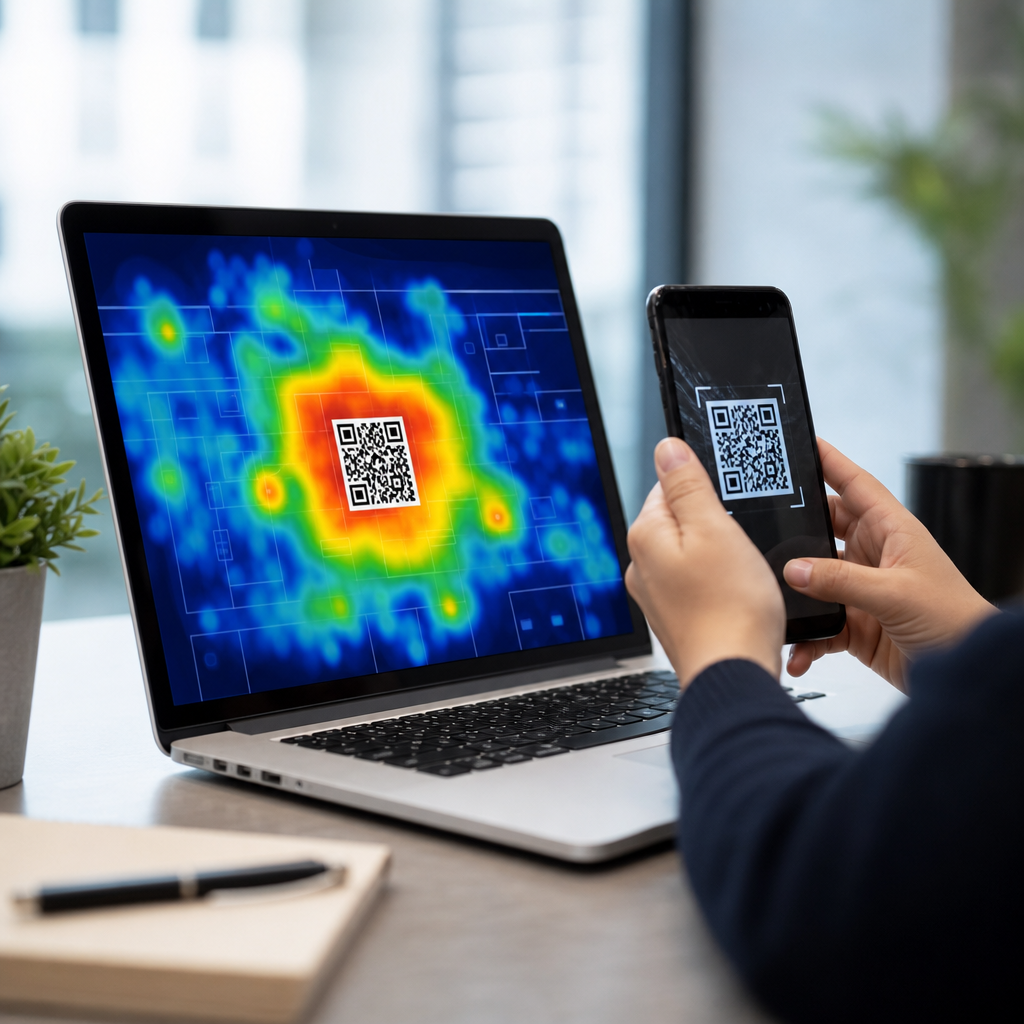
Understanding QR code heatmaps and scan behavior starts with a simple reality: a QR code is never scanned in a vacuum. Every scan happens in a place, at a time, on a device, and within a moment of user attention. Heatmaps translate those moments into visual patterns, while scan behavior analysis explains why some codes attract steady engagement and others are ignored. Together, they turn a static square into a measurable touchpoint that marketers, operators, and product teams can improve.
In practice, QR code heatmaps show where scans cluster across locations, pages, packaging layouts, events, or screen zones. Scan behavior refers to the surrounding user actions and conditions: how far people stand from a code, whether they scan on first exposure or after repeated impressions, which devices they use, what time they scan, and what they do after landing. When I audit QR deployments, these two views almost always reveal the same truth: performance problems rarely come from the code itself. They come from placement, context, friction, and weak intent matching.
This matters because QR codes now sit across retail shelves, restaurant tables, direct mail, out-of-home advertising, product packaging, event signage, television screens, and in-app journeys. A code can connect offline attention to digital conversion, but only if teams understand visibility and user motivation. Heatmap analysis helps answer direct questions fast: Which store entrances drive the most scans? Which page of a brochure gets interaction? Which poster position performs best at a trade show? Which packaging panel triggers repeat engagement after purchase?
As a hub topic within QR code analytics, tracking, and optimization, heatmaps and scan behavior connect several disciplines: campaign attribution, conversion rate optimization, mobile UX, geospatial analysis, and privacy-aware measurement. Good analysis does more than count total scans. It separates unique from repeat scans, identifies scan density by location, compares time windows, and links engagement to landing-page outcomes. The result is actionable guidance on where to place codes, how large to print them, which calls to action convert, and when to refresh creative before performance decays.
What QR Code Heatmaps Actually Show
A QR code heatmap is a visual layer that maps scan concentration. Depending on the platform, that layer may represent geographic regions, store-level activity, event zones, shelf positions, poster placements, brochure pages, or screen coordinates in a digital experience. The color intensity usually reflects scan volume, unique scans, conversion-adjusted scans, or engagement quality. The best systems let analysts switch between raw counts and normalized views, because a high-traffic venue naturally generates more scans than a niche location. Normalization reveals which locations outperform expectations rather than simply reflecting footfall.
There are two broad categories. Geographic heatmaps display scans by city, ZIP code, district, venue, or latitude-longitude clusters. Placement heatmaps show where a code sits within a physical or digital asset, such as the top-right corner of a flyer versus the lower center, or the back label of packaging versus the side panel. Geographic maps answer where demand exists; placement maps answer where attention forms. Teams often confuse them, but they solve different problems. If a campaign underperforms nationally, geographic analysis may identify weak regional distribution. If a specific poster underperforms, placement analysis usually points to visibility or friction.
The most useful heatmaps are linked to metadata. Each QR code instance should carry campaign identifiers, creative version, placement notes, channel, print run, store or venue, and activation dates. With that structure, a scan hotspot becomes explainable. For example, a beverage brand might see unusually high scans from convenience stores near transit hubs between 7:00 and 9:00 a.m. That pattern suggests commuter behavior and supports breakfast-oriented messaging. Without metadata, the map only shows that “something happened” in a place.
Core Scan Behavior Metrics That Matter
Scan behavior analysis begins with metric discipline. Total scans are useful, but they are not enough. Analysts need unique scans, repeat scans, scan-to-visit rate, bounce rate, dwell time, conversion rate, device type, operating system, time of day, day of week, and location. If the destination page includes event tracking, add micro-conversions such as coupon reveal, add-to-cart, menu view, video play, app install, form start, and form completion. These measures separate curiosity from meaningful engagement.
Distance and angle also matter, even when they are inferred indirectly. A code placed above eye level on a station poster may receive fewer scans not because demand is weak, but because users cannot align their camera comfortably. Similarly, reflective surfaces on laminated packaging can suppress scans despite strong shopper interest. In field testing, I have seen the same destination produce sharply different results after moving a code from a glossy curved surface to a matte flat panel with more white space.
Behavior should also be segmented by intent. A restaurant table code scanned to view a menu carries different urgency than a product registration code scanned after purchase. A museum label invites educational browsing, while a direct mail code may promise a limited-time discount. Comparing these use cases without context leads to bad conclusions. Benchmarks must be channel-specific, and the post-scan experience must match the user’s expected next step.
| Metric | What it reveals | Common optimization use |
|---|---|---|
| Unique scans | Reach across distinct users or devices | Measure true audience exposure |
| Repeat scans | Ongoing interest or user friction | Separate loyalty behavior from rescans caused by failed loads |
| Scan-to-visit rate | Whether the scan successfully opens the destination | Diagnose redirect issues, poor connectivity, or slow pages |
| Conversion rate | How many visits complete the intended action | Evaluate landing-page relevance and call-to-action quality |
| Time and location clusters | When and where intent peaks | Adjust staffing, media timing, or local offers |
How Placement Shapes Heatmaps
Placement is the strongest controllable factor in most QR campaigns. The code must be visible, reachable, understandable, and worth the effort. That means adequate size, strong contrast, quiet zone protection, and a clear call to action placed next to the code, not elsewhere on the asset. ISO/IEC 18004 governs QR code symbology, but practical performance depends on environment. A technically valid code can still fail in the field if it competes with clutter, sits in shadow, or appears where users have no time to react.
On packaging, front-of-pack codes generally drive awareness interactions, while side or back-panel codes attract more intentional scans from shoppers already evaluating the product. On posters, center-right placement often performs well because many layouts reserve the lower edge for legal text and the upper area for headlines. At events, entrance signage captures broad traffic, but booth-level codes usually deliver higher-intent scans because users are already self-selecting into interest. In restaurants, table tents outperform wall posters for menu access because the scan occurs at the exact point of need.
Size must match viewing distance. A common rule in production is to increase code size roughly in proportion to expected scan distance, but teams should validate with live testing rather than rely on formulas alone. Motion environment matters too. A code on a moving bus shelter display or a crowded concourse requires faster recognition than one on a static countertop. Heatmaps often expose these realities immediately: broad cold zones across high-traffic assets usually indicate poor readability, not poor audience fit.
Location, Time, and Context Patterns
Strong scan behavior always reflects context. Geographic heatmaps are most valuable when layered with store traffic, media flight dates, weather, event calendars, and inventory conditions. If scans spike in one district during a promotion, that may reflect stronger offer relevance, better in-store execution, or simply more product availability. I have seen regional rollouts misjudged as creative failures when the real issue was that participating stores had inconsistent signage installation for the first ten days.
Time-series patterns add another level of clarity. Commute hours, lunch windows, weekend shopping peaks, and evening leisure periods produce different scan motivations. A cinema poster might perform best from Thursday evening through Sunday night, while a B2B trade show code will cluster around session breaks and registration periods. If a code on packaging sees scans seven to fourteen days after purchase, that often signals onboarding, support, or loyalty interest rather than initial conversion intent.
Seasonality matters as well. Travel-related codes surge during holiday planning periods. Allergy medication packaging may see strong educational scans in spring. Back-to-school retail displays have narrow timing windows, so underperformance after the peak is not always a placement problem. Good analysis compares campaigns against the right baseline: similar season, similar channel, similar audience, and similar offer complexity.
From Heatmap Insight to Optimization Decisions
The purpose of a heatmap is not visualization for its own sake. It is decision support. Once hotspots and cold zones are clear, teams should change one variable at a time and measure the result. The most common optimization levers are code position, size, nearby copy, incentive framing, destination speed, page relevance, and local targeting. If scans are high but conversions are low, the problem is usually after the scan. If impressions are high and scans are low, the problem is usually before the scan.
A practical workflow starts with a deployment inventory, then a scan baseline, then segmented comparison. Group assets by venue type, placement type, and objective. Identify top performers and weak performers within each group. Visit representative locations physically when possible. In my experience, field observation catches issues dashboards miss: glare at 2:00 p.m., blocked sightlines from product stacks, dirty acrylic holders, poor cellular signal, or a call to action printed too far from the code.
Optimization should also include landing-page mechanics. Mobile pages should load fast, preserve campaign parameters, and reduce form friction. Deep links should open the correct in-app screen when the app is installed and provide a graceful fallback when it is not. Redirect chains must be minimized. Many “scan behavior” problems are actually mobile web problems that only appear in QR analytics because the handoff is immediate and intent is fragile.
Tools, Data Quality, and Privacy Considerations
Reliable QR code heatmaps depend on clean instrumentation. Dynamic QR codes are essential because they allow destination updates and server-side scan logging without reprinting assets. Most teams combine QR platform analytics with web analytics tools such as Google Analytics 4, Adobe Analytics, Matomo, or Snowflake-based event pipelines. Campaign parameters should be standardized across every code, and event naming must be consistent enough to compare regions, channels, and creative versions without manual cleanup.
Data quality issues appear quickly when governance is weak. Duplicate code generation, undocumented redirects, mixed naming conventions, and untagged landing pages all distort heatmaps. Bot traffic is usually lower in QR campaigns than in open web traffic, but internal scans from store staff, agencies, and QA teams can still contaminate results. Exclusion filters, test codes, and activation windows help keep reporting trustworthy.
Privacy deserves equal attention. Exact location can be sensitive, especially when linked to persistent identifiers. Good practice limits retention, aggregates reports where possible, and avoids collecting more than the campaign requires. Regional laws may shape consent and disclosure requirements, particularly when a scan leads to personalized experiences or loyalty enrollment. Teams should be able to explain clearly what is measured, why it is measured, and how long it is stored.
Common Scan Behavior Mistakes to Avoid
The most common mistake is treating every scan as success. A scan is only the start of a journey. Another mistake is using one QR code everywhere and expecting meaningful insight. Separate codes by channel, asset, and placement so performance can be compared cleanly. Teams also underestimate creative clarity. “Scan me” is weaker than “Scan to see ingredients,” “Scan for setup help,” or “Scan for today’s menu.” Specific value propositions outperform generic prompts because they answer the user’s question before the camera opens.
Other mistakes include printing codes too small, placing them on curved or reflective surfaces, sending users to generic homepages, and failing to test across iPhone and Android devices. Offline conditions matter too. In venues with weak connectivity, a lightweight page can save a campaign. In regulated industries, required disclosures should not overwhelm the action area. The best-performing QR experiences reduce uncertainty at every step.
As the hub for heatmaps and scan behavior within QR code analytics, this topic anchors smarter deployment decisions across packaging, print, retail, events, and out-of-home media. Heatmaps show where attention converts into action. Scan behavior explains why that action happens and what blocks it. Used together, they help teams move beyond vanity counts toward reliable operational insight.
The main benefit is practical optimization. When you understand where scans cluster, when they occur, which devices are involved, and what users do next, you can improve placement, sharpen messaging, speed up mobile experiences, and allocate budget with confidence. That is how QR codes become measurable conversion points instead of decorative add-ons.
Start by auditing every live code, separating placements clearly, and connecting scan data to post-scan outcomes. Then review the related articles in this subtopic to go deeper into placement testing, geographic reporting, time-based analysis, mobile landing-page performance, and privacy-safe measurement. Better QR performance begins with better observation, and heatmaps are where that observation becomes action.
Frequently Asked Questions
What is a QR code heatmap, and what does it actually show?
A QR code heatmap is a visual way to understand where scan activity is concentrated across locations, placements, campaigns, or time periods. Instead of looking at a spreadsheet full of scan counts, a heatmap makes performance easier to interpret by highlighting patterns such as high-engagement zones, underperforming placements, and clusters of repeated activity. Depending on the platform, a heatmap may show geographic scan density, on-page interaction hotspots, or differences in scan frequency by venue, store, product display, or event area.
What makes heatmaps useful is that they add context to raw scan numbers. A code with 500 scans might look successful at first glance, but a heatmap can reveal whether those scans came from one busy location while every other placement underperformed. It can also surface practical insights, such as whether users scan more often near entrances, checkout counters, product shelves, transit stops, or printed materials placed at eye level. In other words, a heatmap does not just say how many scans happened; it helps explain where attention was captured and where it was lost.
Why is scan behavior important when evaluating QR code performance?
Scan behavior matters because a QR code is part of a real-world user journey, not just a digital asset. Every scan reflects a decision made in a specific environment: someone noticed the code, understood why it was relevant, had enough time to act, and believed the destination was worth opening. Looking only at total scans misses the deeper story. Scan behavior analysis helps uncover when people scan, what devices they use, how often they return, which placements create action, and where friction may be preventing engagement.
This kind of analysis is especially valuable for optimization. For example, if scans spike during lunch hours but fall off in the evening, the issue may be audience timing rather than code design. If one poster gets far more scans than another with the same destination, placement, visibility, surrounding messaging, or call to action may be the difference. If many users scan but quickly abandon the landing page, the problem may not be the QR code at all. Understanding scan behavior allows marketers, operators, and product teams to move beyond simple reporting and make informed improvements to placement, messaging, creative, and user experience.
What factors most commonly influence whether a QR code gets scanned?
Several factors influence scan behavior, and they usually work together rather than independently. Visibility is one of the biggest. If a code is too small, poorly printed, placed in low light, distorted, or positioned where people do not naturally look, scan rates will suffer. Context also matters. Users are more likely to scan when the purpose is immediately clear, such as accessing a menu, claiming an offer, tracking a package, downloading an app, or getting product details. A strong call to action can dramatically improve engagement because it answers the user’s first question: “Why should I scan this?”
Timing and environment are equally important. A code on packaging may be scanned at home, while a code in a transit station competes with speed and distraction. Device readiness, internet connectivity, trust, and landing page quality all affect outcomes as well. If users suspect the code leads to something irrelevant, slow, or unsafe, they are less likely to act. Heatmaps and scan behavior data help identify which of these factors are having the greatest impact in practice. When combined, they reveal not just whether a code is being scanned, but whether the placement and surrounding experience are aligned with user intent.
How can businesses use QR code heatmaps to improve campaigns and customer experience?
Businesses can use QR code heatmaps as a decision-making tool rather than just a reporting feature. The most immediate use is placement optimization. If scan density is consistently higher in certain physical locations, teams can shift signage, packaging emphasis, in-store displays, or promotional materials toward those high-performing areas. Heatmaps can also support A/B testing by comparing scan activity across different calls to action, design treatments, print sizes, or installation points. This helps teams understand what actually drives engagement in the field instead of relying on assumptions.
Beyond campaign performance, heatmaps can improve customer experience by revealing where users are most motivated to engage and where they encounter friction. For example, if a venue sees scans concentrated near entry points but very few in deeper sections, that may suggest a visibility issue, poor signage continuity, or a mismatch between visitor flow and QR placement. If product packaging codes perform well in one retail environment but poorly in another, local context may be influencing user behavior. These insights can lead to better instructions, clearer value propositions, faster landing pages, and more strategically placed codes. Over time, businesses can use this data to create more predictable, measurable, and user-friendly QR experiences across channels.
What should you look for when analyzing QR code data beyond the heatmap itself?
A heatmap is powerful, but it is only one part of a complete QR performance analysis. To understand scan behavior fully, it helps to look at supporting metrics such as total scans, unique versus repeat scans, scan time by hour or day, device type, operating system, location data, conversion rate, bounce rate, and post-scan actions. These metrics show whether scans are casual, intentional, repeated, or valuable. For instance, a hotspot on a heatmap may indicate strong visibility, but if those scans do not lead to conversions, the issue may lie in the landing page, offer quality, or user flow after the scan.
It is also important to separate meaningful patterns from misleading spikes. A sudden burst of scans may come from a one-time event, staff testing, internal traffic, or a temporary promotion rather than sustained user interest. Comparing scan behavior over time helps identify trends that are actually actionable. The best analysis connects physical context with digital outcome: where the code was seen, why it was scanned, what device was used, and what happened next. When businesses evaluate heatmaps alongside broader behavioral data, they gain a more accurate picture of attention, intent, and performance, which leads to smarter optimization and better results.




