
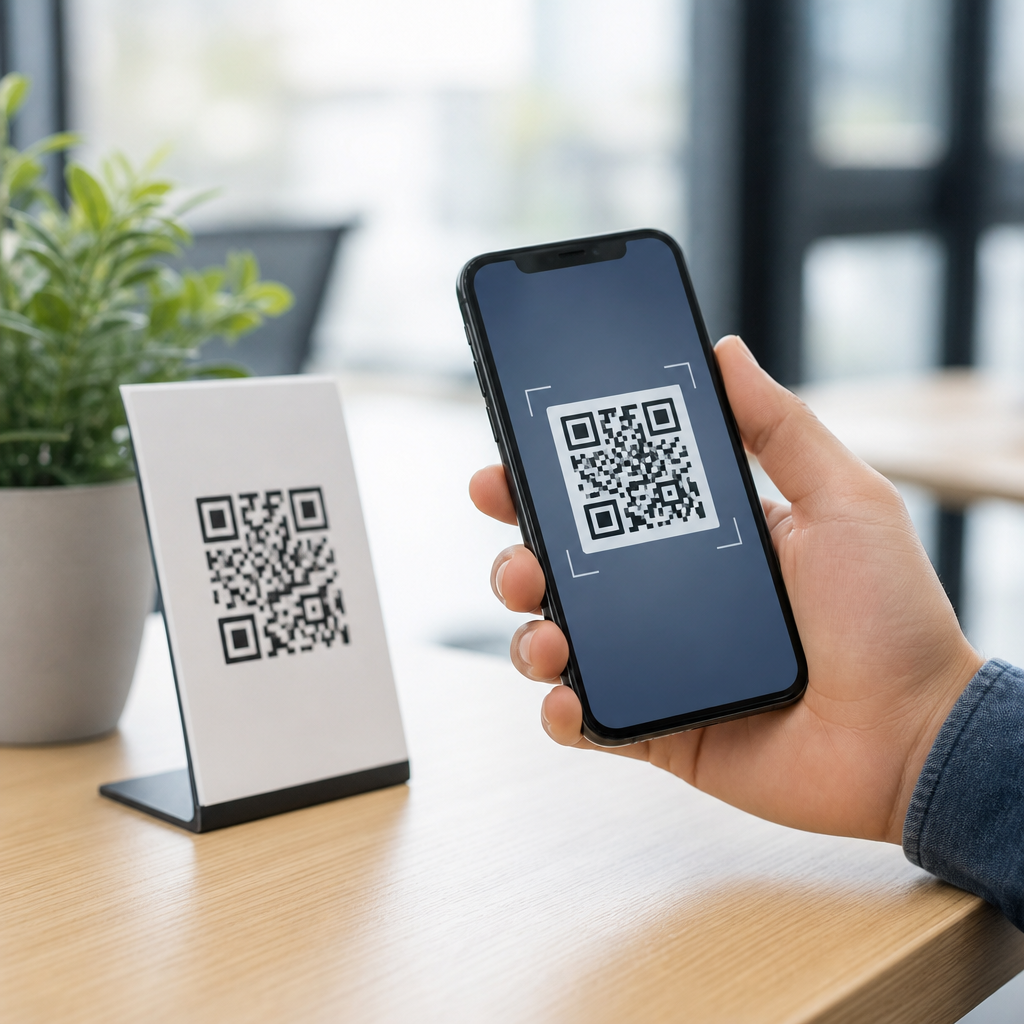
An SMS QR code is a scannable code that opens a mobile phone’s text messaging app with a recipient number, a prewritten message, or both already filled in. Within QR Code Basics & Education, it sits inside the broader category of QR code types, alongside URL, vCard, email, Wi-Fi, app download, payment, and file-sharing codes. I have implemented QR campaigns for retailers, service teams, and event organizers, and SMS QR codes consistently stand out for one reason: they remove friction at the exact moment a person is ready to act. Instead of asking someone to type a short code, remember a number, or compose a message manually, the scan launches the next step instantly.
To define the term precisely, an SMS QR code usually encodes an instruction using the SMS URI scheme. When scanned on a compatible smartphone, the device opens the default SMS application and inserts the destination number and optional body text. A simple example is a code that opens a message to 5551234567 with the text “BOOK APPT.” That sounds small, but reducing a process from several manual steps to one scan can materially improve response rates, especially in offline environments such as posters, packaging, menus, direct mail, storefront windows, and trade show booths.
Why does this matter? Because QR code strategy is not just about whether a code scans. It is about matching the code type to the action you want the user to take. An SMS QR code is best when the conversion event is a text message: appointment requests, product support, coupon redemption, voting, lead capture, check-in, or mobile opt-in. It is not automatically the best QR code for every campaign. If your goal is to send users to a landing page with analytics, a URL QR code may be stronger. If your goal is to save contact information, a vCard QR code is more appropriate. Choosing correctly is the difference between a code that generates measurable results and a code that adds one more step.
As a hub article for the types of QR codes topic, this guide explains what an SMS QR code is, how it works, when to use it, how it compares with other QR code types, and what technical and compliance details matter in real deployments. It also connects the concept to the broader taxonomy of QR codes, because most organizations do not need just one format. They need the right format for each use case, backed by clear calls to action, reliable scan behavior, and realistic expectations about analytics, device compatibility, and privacy.
How an SMS QR code works and what it contains
An SMS QR code stores text that mobile operating systems interpret as an instruction to open the SMS app. In practice, the payload often follows a pattern such as sms:+15551234567 or SMSTO:+15551234567:BOOK APPT. Exact behavior varies by scanner app and operating system. On many native camera apps, scanning prompts the user to open Messages with the number and message body populated. On some older Android devices or third-party scanner apps, formatting differences can affect whether the number, body, or both appear correctly. That is why testing on current iPhone and Android devices is mandatory before printing at scale.
The code itself can be static or dynamic. A static SMS QR code directly contains the SMS instruction and cannot be edited after creation. A dynamic implementation usually places a short redirect URL inside the QR code, then detects the device and launches an SMS flow or fallback page. Static codes are simple and low cost, but dynamic codes are usually better for enterprise campaigns because they support analytics, updates, and graceful fallback. If a message keyword changes, a static code printed on ten thousand flyers becomes a problem; a dynamic code can be updated without reprinting.
In production, I recommend treating the message body as part of the conversion design, not an afterthought. Short, explicit text performs best. “TEXT JOIN” or “TEXT SERVICE” is clearer than a long sentence. Carriers, messaging apps, and users all respond better to concise inputs. Also avoid special characters unless you have tested them thoroughly, because character encoding and app handling can be inconsistent across devices.
When SMS QR codes are the right choice
SMS QR codes work best when the user’s fastest path to conversion is a text message, not a web visit. Common examples include restaurant waitlists, real estate inquiries, event RSVPs, customer support, and field service scheduling. A property sign can say “Scan to text for a viewing” and open a message to the agent with “Interested in 14 Oak Street.” That is faster than loading a full website, waiting for a form, and typing details on a sidewalk. In high-intent moments, speed matters more than extra page content.
They are also effective where mobile connectivity is limited or inconsistent. A text message can be more resilient than a heavy web page, especially in stadiums, festivals, or rural locations. For local businesses, this matters. I have seen simple “Scan to text us a photo of the issue” stickers outperform mobile forms for repair requests because customers did not need to navigate a site, create an account, or search for a support number.
However, SMS QR codes are not ideal when you need rich tracking, long-form information, multimedia, or complex branching logic. In those cases, a landing-page QR code often wins. The best selection rule is simple: if the desired action is sending a text, use an SMS QR code; if the desired action requires reading, comparing, browsing, paying, downloading, or filling a form, choose another QR code type.
How SMS QR codes compare with other QR code types
The broader types of QR codes category exists because different payloads trigger different behaviors. URL QR codes open webpages and are the most flexible option for campaigns, content hubs, menus, and tracking. Email QR codes open an email client with recipient, subject, and body prepared. Telephone QR codes initiate a call. vCard QR codes save contact details. Wi-Fi QR codes join a network. App store QR codes route users to an app download. PDF or file QR codes deliver documents. Payment QR codes pass transaction data into compatible wallet or banking apps. Location QR codes open map coordinates. Each type reduces friction for a specific action.
Compared with those options, SMS QR codes occupy a middle ground between immediacy and simplicity. They are more direct than URL codes for one-tap outreach, but less informative because the user sees the message composer rather than a full page. They can feel more personal than email, because text messaging is native, fast, and habit-based. But they carry compliance and expectation issues. Users may worry about texting fees, privacy, or whether they are subscribing to a program. Clear labeling is essential.
| QR code type | Primary action | Best use case | Main limitation |
|---|---|---|---|
| SMS | Open text message with number and message | Fast inquiries, opt-ins, support, booking | Limited content and inconsistent analytics |
| URL | Open webpage | Campaign pages, menus, forms, tracking | Requires a web experience to convert |
| Open email draft | Formal inquiries, B2B contact | Slower response and more drop-off on mobile | |
| vCard | Save contact details | Business cards, networking, sales teams | Not designed for immediate conversation |
| Wi-Fi | Join wireless network | Hotels, cafes, offices, events | Useful only on-site and security-sensitive |
| Payment | Launch payment flow | Retail, peer payments, invoices | Depends on wallet and regional standards |
For a sub-pillar hub, the key takeaway is that SMS QR codes should be understood relative to the entire landscape. They solve one very specific problem exceptionally well: turning offline attention into a text-based action with minimal effort.
Best practices for creating an effective SMS QR code
Start with the action and the audience. Decide exactly what the text should accomplish. Are users joining a waitlist, requesting a quote, confirming attendance, or redeeming an offer? Then write the shortest possible default message that communicates that intent. “QUOTE HVAC” is better than “Hello, I would like to request an estimate for heating and cooling service.” The shorter version reduces friction and standardizes inbound requests for staff or automation tools.
Design for scan reliability. Use a high-contrast code, preserve the quiet zone, and avoid placing the QR code on curved or glossy surfaces when possible. For print, a practical minimum is around 2 x 2 centimeters for close-range scanning, but larger is safer for posters or windows viewed at distance. Error correction matters if you add a logo, though too much styling can reduce reliability. ISO/IEC 18004 defines the QR code specification, and staying close to standard module patterns consistently improves real-world performance.
Support the code with plain-language instructions. Never assume the user knows what will happen after scanning. Label it with a direct call to action such as “Scan to text our support team” or “Scan to reserve by text.” If there are messaging rates, hours, or consent implications, state them nearby. This is especially important for promotional messaging in regulated markets where opt-in rules apply.
Compliance, privacy, and operational considerations
Any SMS campaign touches legal and platform rules. In the United States, businesses using text messaging for marketing should understand TCPA requirements, carrier policies, and CTIA messaging principles. Consent is not optional. If scanning the code can enroll someone in recurring promotional texts, disclosures should be clear, conspicuous, and adjacent to the code, including message frequency, “message and data rates may apply,” and opt-out instructions where required. Transactional use cases such as appointment confirmations are usually more straightforward, but they still require careful data handling.
Privacy matters as much as compliance. A user scanning an SMS QR code is opening a personal communication channel. Teams need a plan for response times, data retention, and access controls. If inbound messages contain names, phone numbers, or issue details, route them into a secure CRM or help desk rather than leaving them unmanaged on one employee phone. Tools such as Twilio, Sinch, MessageBird, Zendesk, HubSpot, and Salesforce can structure inbound SMS workflows, but the implementation should match the sensitivity of the data involved.
Operationally, decide who receives the message and how replies are handled outside business hours. One of the most common failures I see is a beautifully printed SMS QR code that sends messages to a mailbox nobody monitors. The code is not the system; it is the trigger into the system. Without staffing, automation, and escalation rules, the customer experience breaks immediately.
Measurement, limitations, and how SMS fits a broader QR strategy
Marketers often ask whether SMS QR codes are measurable. The honest answer is yes, but not always as cleanly as web-based QR campaigns. Static SMS codes provide almost no native analytics beyond the messages you receive. Dynamic implementations can track scans, time, device type, and geography before handing off to the messaging app, but once the user moves into SMS, downstream attribution depends on your messaging platform and CRM setup. If detailed reporting is a priority, consider a hybrid flow where the QR code opens a lightweight landing page with a prominent text button and tracking parameters.
There are also user-experience limitations. Some people prefer not to text businesses. Others may use tablets or desktop scanners that do not support SMS well. International number formatting can introduce errors if not standardized with country codes. And because smartphone camera and messaging behaviors differ, no single payload format is perfectly universal. For this reason, mature teams test multiple devices, provide fallback contact methods, and use dynamic routing when possible.
Within a complete QR code strategy, SMS QR codes are one tool among many. They are excellent for immediacy, urgency, and mobile-first engagement. They are weaker for education, storytelling, and analytics-rich journeys. The strongest programs map each offline touchpoint to the right QR code type rather than forcing one format everywhere. A product box might use a URL QR code for setup instructions, a Wi-Fi QR code for device pairing, and an SMS QR code for fast support. That combination reflects how people actually behave.
An SMS QR code is best understood as a specialized bridge between the physical world and a text conversation. It works by launching the user’s SMS app with a number and optional message already prepared, cutting out manual steps that commonly slow conversion. That makes it especially useful for bookings, support, opt-ins, event responses, and other situations where speed and simplicity matter more than a full web experience.
As part of the wider types of QR codes ecosystem, SMS belongs beside URL, email, vCard, Wi-Fi, payment, file, app, and location codes rather than replacing them. The right choice depends on the action you want after the scan. If the next best step is sending a text, SMS is usually the clearest fit. If users need more context, richer content, or deeper analytics, another QR code type may serve the goal better.
The practical lesson is straightforward: choose SMS QR codes deliberately, write a concise default message, test on real devices, label the code clearly, and build the response workflow behind it before launch. Do that, and a simple square graphic becomes a reliable conversion tool. If you are building your QR code education library or planning a campaign, use this article as your hub, then map each use case to the most effective QR code type and start testing with real users today.
Frequently Asked Questions
What is an SMS QR code and how does it work?
An SMS QR code is a type of QR code that launches a mobile device’s default text messaging app when scanned. Instead of sending someone to a website, it opens a new SMS draft with the recipient phone number, a prewritten message, or both already populated. That means the user does not have to manually type a number, spell a keyword, or compose the first message from scratch. They simply scan, review the message, and tap send.
From a technical standpoint, the QR code stores SMS-specific data in a format that compatible smartphones can interpret. When the phone camera or QR scanning app reads the code, the operating system recognizes that the code is meant to trigger an SMS action. Depending on how the code is configured, it may open a message addressed to a business number, a support line, a sales team, or an event contact. In many cases, the draft also includes a preset message such as “I’d like a quote,” “Send me event updates,” or “I need help with my order.”
In practical use, SMS QR codes are valuable because they reduce friction at the exact moment a person is ready to take action. I have seen this matter in retail, field service, and event environments where speed and simplicity directly affect response rates. If someone has to remember a number, switch apps, and type a message manually, many will drop off. An SMS QR code removes those extra steps and turns offline interest into an immediate mobile interaction.
What information can be included in an SMS QR code?
An SMS QR code can include a destination phone number, a prewritten text message, or both. The simplest version opens the messaging app with only the phone number filled in, leaving the user to write their own message. A more strategic version includes a ready-made message that helps guide the conversation and standardize incoming inquiries. For example, a business might use a preset text like “I’m interested in booking a consultation” or “Please send pricing information.”
This flexibility is one of the reasons SMS QR codes fit so well within the broader category of QR code types. Just as a URL QR code opens a webpage and a Wi-Fi QR code connects users to a network, an SMS QR code is designed around a very specific action: starting a text conversation. Because the message can be customized, organizations can use different codes for different campaigns, locations, teams, or customer intents. A retailer might create one code for product inquiries and another for loyalty signups. An event organizer might use separate codes for volunteer registration, attendee support, and exhibitor questions.
It is also worth thinking carefully about the wording of the prefilled message. The best SMS QR codes make the next step obvious while still feeling natural to the user. Clear prompts improve lead quality, help teams route conversations faster, and make campaign performance easier to interpret. If every incoming message starts with a consistent phrase, staff can quickly identify the source and purpose of the inquiry.
When should businesses use an SMS QR code instead of another type of QR code?
Businesses should use an SMS QR code when the goal is to start a direct, low-friction conversation by text. It is especially useful when the desired action is immediate communication rather than browsing a webpage, downloading a file, or saving contact details. If you want someone to request a quote, ask a question, confirm attendance, join a waitlist, or get support quickly, SMS is often a stronger fit than a standard URL QR code.
In my experience, SMS QR codes perform best in situations where convenience and speed matter most. Retailers use them on shelf tags, window displays, and packaging to drive product inquiries or customer service requests. Service teams place them on invoices, vehicles, and job-site materials so customers can text for updates or follow-up support. Event organizers use them on signage, badges, and printed programs to handle attendee questions, schedule changes, or opt-ins for reminders. In all of these cases, the advantage is the same: texting feels fast, familiar, and easy on mobile devices.
That said, SMS is not always the right answer. If the main objective is to educate users with rich content, display menus, collect complex form data, or process online payments, another QR code type may be more effective. URL, payment, file-sharing, and app download QR codes each serve different needs. The strongest campaigns match the QR code type to the user’s intent. Choose SMS when a conversation is the conversion point.
Do SMS QR codes work on all phones and are there any limitations?
SMS QR codes work on most modern smartphones, especially devices with native QR scanning built into the camera app. In general, when a user scans the code, their phone recognizes the SMS action and opens the default messaging app. This broad compatibility is one of the reasons SMS QR codes are so accessible for everyday marketing, support, and operational use.
However, there are a few limitations to keep in mind. Phone behavior can vary slightly by device, operating system, and messaging app. On some phones, the message draft opens exactly as intended with both the number and the text field filled in. On others, the user may still need to confirm one step before sending. International number formatting can also affect reliability if the phone number is not configured properly. It is a best practice to test the code on multiple devices before printing or launching it in a campaign.
Another consideration is user intent and privacy. Scanning the code does not automatically send a text message; it only prepares the draft. The user still decides whether to send it. That is a good thing from a trust perspective, but it also means your call to action should be clear enough to encourage completion. Also remember that SMS charges may apply depending on the user’s carrier plan, and some users may prefer messaging apps other than standard SMS. Even with these limitations, SMS QR codes remain highly effective when they are well tested, clearly labeled, and used in the right context.
What are the best practices for creating an effective SMS QR code campaign?
The best SMS QR code campaigns start with a specific goal and a clear user prompt. Before generating the code, define exactly what action you want people to take. Are they requesting a quote, asking for support, joining a text alert list, or confirming event attendance? Once the objective is clear, write a short prefilled message that reflects that intent. A strong message reduces hesitation, improves lead quality, and helps your team respond faster because the context is already built into the incoming text.
Placement and visibility matter just as much as setup. Put the QR code where users can scan it easily in the moment they are most likely to act. That could be on product packaging, storefront signage, trade show booths, direct mail pieces, service documents, posters, or tabletop displays. Pair the code with a direct call to action such as “Text us for pricing,” “Scan to get support,” or “Scan to receive event updates.” People are much more likely to engage when the benefit is immediate and obvious.
It is also important to test the full experience from the user’s perspective. Scan the code on different phones, verify that the messaging app opens correctly, confirm that the number and prefilled message appear as intended, and make sure the receiving team is ready to respond promptly. Beyond launch, track outcomes wherever possible. Use distinct phone numbers, unique prewritten messages, or campaign-specific codes to measure performance by location, audience, or offer. In practice, the most successful SMS QR code campaigns combine low friction, strong intent, clear copy, and fast follow-up. That is what turns a simple scan into a real business conversation.





