
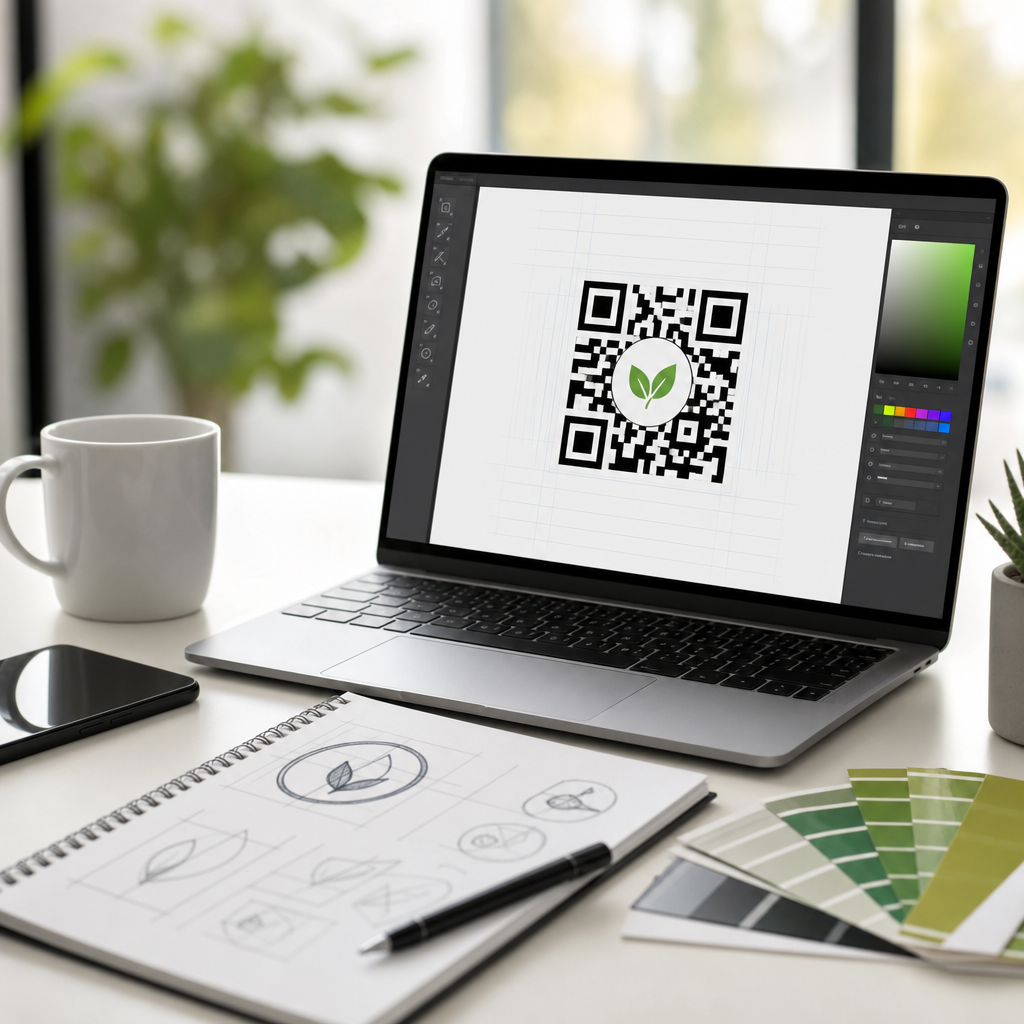
Logo QR codes combine scannable matrix symbols with embedded brand marks, turning a functional asset into a recognizable touchpoint. In practice, a logo QR code is a standard QR code that includes a company icon, monogram, or badge in the center or within a styled frame while preserving enough contrast, quiet zone, and error correction to remain readable. This matters because branded codes routinely outperform plain black squares in real campaigns: people are more likely to trust, notice, and scan a code that looks intentional and clearly tied to a known business. After building QR campaigns for retail packaging, restaurant menus, event signage, and direct mail, I have seen one pattern repeatedly: design choices that support brand recognition increase scan confidence, but design choices that crowd the symbol reduce performance. The best tools for creating logo QR codes help teams balance both goals. They provide precise control over color, eyes, frames, export formats, and landing page behavior, while protecting technical essentials such as Reed-Solomon error correction, module spacing, and contrast ratios. As a hub topic within QR Code Design and Branding, logo integration sits at the center of several related decisions: whether to use static or dynamic codes, how much of the symbol a logo can safely cover, what file type works best for print, and how analytics should guide future revisions. Choosing the right software is not a cosmetic decision. It affects scan rate, brand consistency, production speed, and compliance across packaging, point of sale, digital ads, and outdoor media.
What makes a tool good for logo QR code design
The best logo QR code generator does more than place an image in the middle of a code. It must preserve scan reliability under real conditions, including glare, angled scans, low light, and lower-end smartphone cameras. At minimum, strong tools support dynamic QR codes, high error correction, vector export such as SVG, transparent backgrounds, and editable design layers. They should also offer frame text like “Scan to view menu” or “Get warranty,” because a call to action consistently increases scan intent. In client work, I look for five core capabilities before recommending a platform: branding controls, scan safety, campaign management, export quality, and analytics. Branding controls include custom colors, rounded modules, gradients used carefully, and logo placement rules. Scan safety includes live validation, warning prompts when contrast is too low, and the ability to test across multiple devices. Campaign management matters when codes route to changing destinations, such as seasonal promotions or store locators. Export quality matters because a code that looks crisp on screen can break down on corrugated packaging or vinyl if it is not generated as a scalable file. Analytics matter because you cannot improve what you do not measure.
Another mark of a strong tool is documentation. The better platforms explain safe logo sizing, usually recommending that the logo occupy a modest center area rather than dominate the symbol. They also clarify when to increase error correction to level H, when to avoid reversing colors, and when dense data content should be replaced by a short dynamic URL. That guidance is valuable because logo integration is not just decoration; it changes the tolerance envelope of the code itself.
Top tools for creating logo QR codes
Several platforms stand out for logo integration in QR codes, but they serve different needs. QR Code Generator Pro is a strong choice for marketing teams that need dynamic campaigns, templates, and reliable branded customization without advanced design work. Its interface makes it easy to add a central logo, adjust frames, and export production-ready files, which is why it appears often in restaurant, retail, and events workflows. Beaconstac is one of the most capable platforms for enterprises that need governance, analytics, bulk creation, and API access. For organizations running QR programs across locations or franchises, its centralized controls save time and reduce brand drift. Flowcode is widely used by creators and consumer-facing brands because it pairs attractive design options with simple reporting and mobile-first landing experiences. It is especially effective for social, creator commerce, and lightweight campaign use cases.
For users who prioritize design polish, QR TIGER offers strong customization, including logo upload, color control, frame options, and dynamic editing. It also supports bulk operations and file exports suitable for print. Scanova is another dependable option for businesses that want campaign control, editable destinations, and branded visual styling without overcomplicating setup. If your needs are basic and budget is a primary concern, Canva can work surprisingly well for lightweight branded QR design, especially when the surrounding layout is being designed in the same workspace. However, Canva is best used carefully: it is excellent for assembling marketing assets, but dedicated QR platforms usually provide better validation, analytics, and long-term management. Adobe Express is similar in that it integrates naturally into creative workflows and helps small teams produce polished branded assets quickly, though serious campaign owners will still want more robust redirect and reporting features.
| Tool | Best for | Logo integration strengths | Main limitation |
|---|---|---|---|
| QR Code Generator Pro | Marketing teams | Easy branding, dynamic codes, solid exports | Less enterprise governance than top-tier platforms |
| Beaconstac | Enterprise programs | Bulk creation, analytics, API, brand controls | More features than small teams may need |
| Flowcode | Consumer campaigns | Clean styling, mobile focus, approachable reports | Less design depth than specialized tools |
| QR TIGER | Flexible SMB use | Strong customization, logo upload, dynamic editing | Interface choices can feel crowded to new users |
| Scanova | Business operations | Reliable management, branded visuals, tracking | Creative options are good, not best in class |
| Canva | Simple branded assets | Fast design workflow, easy layout integration | Limited validation and campaign analytics |
How logo integration affects scan performance
A logo QR code works because QR symbols include built-in redundancy. Error correction allows a scanner to reconstruct missing or distorted areas, which is why a center logo can be added at all. In practical terms, most branded QR designs perform best when the logo covers a limited central area and the code uses high contrast with a light background and dark foreground. The three position markers in the corners must remain visually distinct, and the quiet zone, the blank margin around the code, must stay clear. When teams ignore those rules, scan failures spike quickly. I have seen attractive proofs fail on reflective product labels because a gradient reduced contrast near the edges, and I have seen oversized logos block too many modules for lower-end Android devices to decode.
Good tools reduce these risks by previewing density and warning users when the design moves outside safe bounds. They also let you shorten the encoded destination through dynamic routing, which decreases complexity. That matters because dense QR codes leave less room for aesthetic changes. If your destination is a long URL with tracking parameters, a dynamic short link is usually safer than encoding the entire address directly. Print context matters too. A code that scans fine at 400 pixels on a laptop may fail when reduced on a bottle neck tag or embroidered on fabric. Reliable tools therefore support vector output and provide sizing guidance based on viewing distance.
Design rules every brand should follow
Successful logo integration in QR codes follows repeatable design rules. First, prioritize contrast over style. Dark code elements on a light background remain the safest choice, and white-on-black reversals should be tested rigorously before deployment. Second, keep the quiet zone untouched. Many scan failures come not from the logo itself but from nearby text, borders, or decorative patterns that intrude on the margin. Third, choose a logo mark that remains legible at small size. A simplified icon usually performs better than a detailed wordmark. Fourth, maintain consistent brand color use without compromising readability. If your primary palette includes low-contrast colors, use them in frames or surrounding artwork instead of the modules themselves. Fifth, pair the code with a clear instruction. In print testing, “Scan to see sizes,” “Scan for menu,” and “Scan to register” all outperform unlabeled codes because they answer the user’s first question immediately.
File choice is another design rule that gets overlooked. For professional print, SVG or EPS is preferable because it scales cleanly. PNG works for many digital placements, but low-resolution exports can soften module edges and reduce scanning reliability. Teams should also test the final asset in its real environment: on matte and glossy stock, indoors and outdoors, close-up and at distance. Standards bodies and major mobile platforms have made scanning easier than it was several years ago, but environmental factors still decide whether a beautifully branded code actually works.
Choosing the right tool for your use case
The right QR code logo generator depends on how the code will be used, who manages it, and how often the destination changes. A local café replacing paper menus may need an affordable dynamic tool with simple logo upload, editable links, and printable table-tent exports. An ecommerce brand adding codes to packaging needs vector files, landing page control, and campaign analytics to measure repeat scans after delivery. A franchise system needs role permissions, bulk creation, and brand templates so every location uses approved colors, frames, and logo treatments. These are different jobs, and no single platform is ideal for all of them.
When I evaluate a tool, I start with operational questions rather than design questions. Do you need dynamic redirects? Will multiple people create codes? Are codes being printed once or updated often? Is there a compliance review? Do you need first-party analytics integration with Google Analytics or CRM platforms? Once those answers are clear, design choices become easier. For most small and midsize teams, a platform like QR TIGER, Scanova, or QR Code Generator Pro covers the essential middle ground between branding flexibility and reliable management. For larger deployments, Beaconstac is often worth the extra cost because administrative controls, API connectivity, and scalability matter more than novelty styling. For one-off creator assets or social promotions, Flowcode or Canva can be perfectly appropriate if the code is thoroughly tested before launch.
Common mistakes and how to avoid them
The most common logo QR code mistakes are predictable. Teams use too many colors, shrink the code below practical size, insert complex logos, remove the quiet zone, or export a raster file too small for print. Another frequent error is assuming that because one phone scans the code, the campaign is ready. Real validation means testing on current iPhone and Android devices, under bright and dim conditions, with the code placed on the actual material and at the actual size. I also regularly see brands forget the landing-page experience. A beautiful branded QR code that opens a slow, unoptimized page wastes the trust the design created.
Avoid these problems with a simple workflow. Generate a dynamic code whenever possible, set high error correction, insert a simplified logo, export as SVG, and print a prototype before full production. Then test scan distance, glare, and page load speed. If scans are mission critical, track completion events, not just scans, because the business goal is usually a menu open, form submit, purchase, or app install. The strongest tools support this broader view by pairing code design with redirect management and analytics. That combination turns logo integration from a visual flourish into a measurable business asset.
Logo integration in QR codes works best when design and engineering are treated as partners. The right tool lets you add a brand mark confidently without sacrificing readability, and the right process ensures that a polished code still performs on packaging, signage, mailers, and screens. Across the leading options, the pattern is clear. Dedicated platforms such as Beaconstac, QR Code Generator Pro, QR TIGER, Scanova, and Flowcode deliver the strongest mix of logo support, dynamic control, testing safeguards, and analytics. Design-first tools like Canva and Adobe Express are useful for lighter workflows, but they are usually complements rather than full campaign systems. The practical rules are equally clear: preserve contrast, protect the quiet zone, keep the logo modest, export for the final medium, and test in real conditions before launch.
As the hub page for Logo Integration in QR Codes, this topic connects directly to deeper decisions about dynamic versus static codes, print sizing, color safety, analytics, packaging applications, and call-to-action framing. If you choose your platform based on use case instead of novelty, you will produce branded QR codes that people trust and phones can read. Start by shortlisting two or three tools from this guide, build the same logo QR code in each, and compare scan reliability, export quality, and management features before you commit.
Frequently Asked Questions
1. What should I look for in a tool for creating logo QR codes?
The best logo QR code tools balance branding flexibility with reliable scan performance. At a minimum, look for a generator that supports logo upload, color customization, shape editing, and export in high-resolution formats such as PNG, SVG, or PDF. SVG support is especially useful if you plan to scale the code for packaging, signage, print ads, or other large-format uses without losing sharpness. A strong platform should also let you adjust error correction levels, because logo placement in the center of a QR code works best when enough redundancy is built into the symbol to protect readability.
It is also important to evaluate usability and testing features. Good tools provide a live preview, mobile scan testing guidance, and warnings if design choices reduce readability. Some platforms include quiet-zone protection, contrast checks, and safe logo sizing recommendations, which are extremely helpful for non-designers and marketers working quickly. If the article is comparing top tools, the strongest options will usually make it easy to produce a branded code that still follows best practices instead of leaving every technical decision to the user.
Finally, think beyond the design editor. If you are using QR codes in campaigns, look for dynamic QR support, analytics, edit-after-print capabilities, campaign management, and team access. Static QR codes are fine for simple use cases, but dynamic QR codes are more practical when you may want to update a destination URL later without reprinting the code. The best tool depends on your workflow: a small business may prioritize affordability and templates, while a larger brand may need bulk generation, tracking dashboards, and tighter design controls.
2. Do logo QR codes scan as well as regular QR codes?
Yes, logo QR codes can scan just as well as standard QR codes when they are designed correctly. A QR code does not become unreliable simply because a logo is added. The key is preserving the technical structure that scanners rely on, including sufficient contrast between foreground and background, a clear quiet zone around the code, and an appropriate amount of error correction. Most well-made logo QR codes place a small brand mark in the center where some data can be safely obscured, while the built-in redundancy helps maintain readability.
Problems usually happen when branding takes priority over function. If the logo is too large, the colors are too light, the background is busy, or the code is overly stylized with decorative shapes and gradients, scan rates can drop. This is why top QR code tools matter so much: they help users stay within safe design limits. Strong platforms often guide users toward practical defaults, such as darker modules on a light background, moderate logo sizing, and tested frame layouts that keep the code recognizable and machine-readable.
The smartest approach is to treat scan performance as something to verify, not assume. Test the code on multiple devices, in different lighting conditions, and at the size it will actually appear in print or on screen. A code that scans instantly on a laptop may behave differently on product packaging, a poster in sunlight, or a social media graphic viewed on an older phone. When built with best practices and tested properly, a logo QR code can deliver both brand recognition and dependable usability.
3. Are dynamic QR code tools better than static QR code tools for branded campaigns?
In most branded marketing campaigns, dynamic QR code tools are the better choice because they give you flexibility after the code is published. A static QR code points directly to a fixed destination, which means the content cannot be changed later without generating and replacing the code everywhere it appears. A dynamic QR code, by contrast, uses a redirect layer that lets you update the destination URL, landing page, form, video, or offer without changing the printed or shared code itself. This is incredibly valuable for campaigns that evolve over time.
Dynamic tools also tend to offer analytics, which is a major advantage when measuring performance. Depending on the provider, you may be able to track scan counts, time of scan, approximate location, device type, and campaign-level engagement. For marketers comparing top tools for creating logo QR codes, this matters because branding is only half the equation. If a branded QR code attracts more attention and trust, you want a platform that can help confirm that with data. Tracking can reveal which placements, designs, or calls to action are producing the most scans and conversions.
That said, static QR code tools still have a place. They are often simpler, cheaper, and sometimes fully free, making them a good fit for evergreen information such as a permanent homepage link, Wi-Fi credentials, contact details, or a stable PDF. If you do not need edits or analytics, a static code may be perfectly adequate. But for professional campaigns, seasonal promotions, product packaging, events, or any situation where performance tracking and future updates matter, dynamic QR code tools usually provide significantly more long-term value.
4. What design mistakes make a logo QR code hard to scan?
The most common mistake is making the logo too large. While QR codes have error correction that allows some data loss, that margin is limited. If the center logo covers too much of the symbol, scanners may fail or take longer to read it. A related issue is over-styling the modules, such as turning every square into dots, stars, or heavily rounded forms without checking readability. Some styling is fine, but excessive customization can interfere with the patterns scanning apps expect to detect.
Color choices are another major source of failure. Low contrast is one of the biggest problems in branded codes, especially when brands want to use light grays, pastels, metallic tones, or transparent backgrounds. In general, the code’s data modules should be noticeably darker than the background. Reversing that relationship or placing the code over photography, texture, or gradients can create ambiguity for scanners. The quiet zone, which is the empty margin around the QR code, is equally important. If text, borders, icons, or background elements crowd that space, the scanner may struggle to isolate the code.
Size and placement also matter more than many people realize. A code that works on a desktop mockup may fail when printed too small on labels or viewed from a distance on signage. If a code will be used across multiple channels, it should be tested in each context. The best tools help reduce these risks by enforcing cleaner layouts, recommending safe logo dimensions, and previewing export quality. A good branded QR code should look custom and on-brand, but it should never sacrifice fast, effortless scanning.
5. Which types of tools are best for businesses, designers, and marketers creating logo QR codes?
The ideal tool depends on who is using it and what the QR code needs to accomplish. For small businesses and solo creators, the best tools are usually simple web-based generators with logo upload, color editing, downloadable files, and optional dynamic links. These platforms are valuable because they make it easy to create a polished branded code without needing technical expertise. If the goal is to add a logo QR code to menus, flyers, business cards, packaging inserts, or storefront signage, ease of use and reliable output are often more important than advanced enterprise features.
Designers typically benefit most from tools that offer stronger visual control and vector exports. They may want custom module shapes, frame styles, typography around the code, transparent backgrounds, and SVG files that can be refined further in design software. For this group, the top tools are the ones that combine creative flexibility with guardrails that protect scanability. A beautiful QR code that fails in the real world is not successful design, so professional-grade export options and testing support are crucial.
Marketers and larger organizations usually need a broader campaign platform rather than just a QR code generator. The strongest tools for them include dynamic management, editable destinations, analytics dashboards, A/B testing possibilities, user permissions, bulk creation, and integrations with broader marketing systems. In these cases, a logo QR code is not just a graphic element; it is a measurable conversion touchpoint. That is why the best tool category for teams is often one that unites branding, performance tracking, and lifecycle management in a single system. Choosing the right platform means matching the tool not only to design needs, but also to your distribution channels, reporting requirements, and growth plans.





