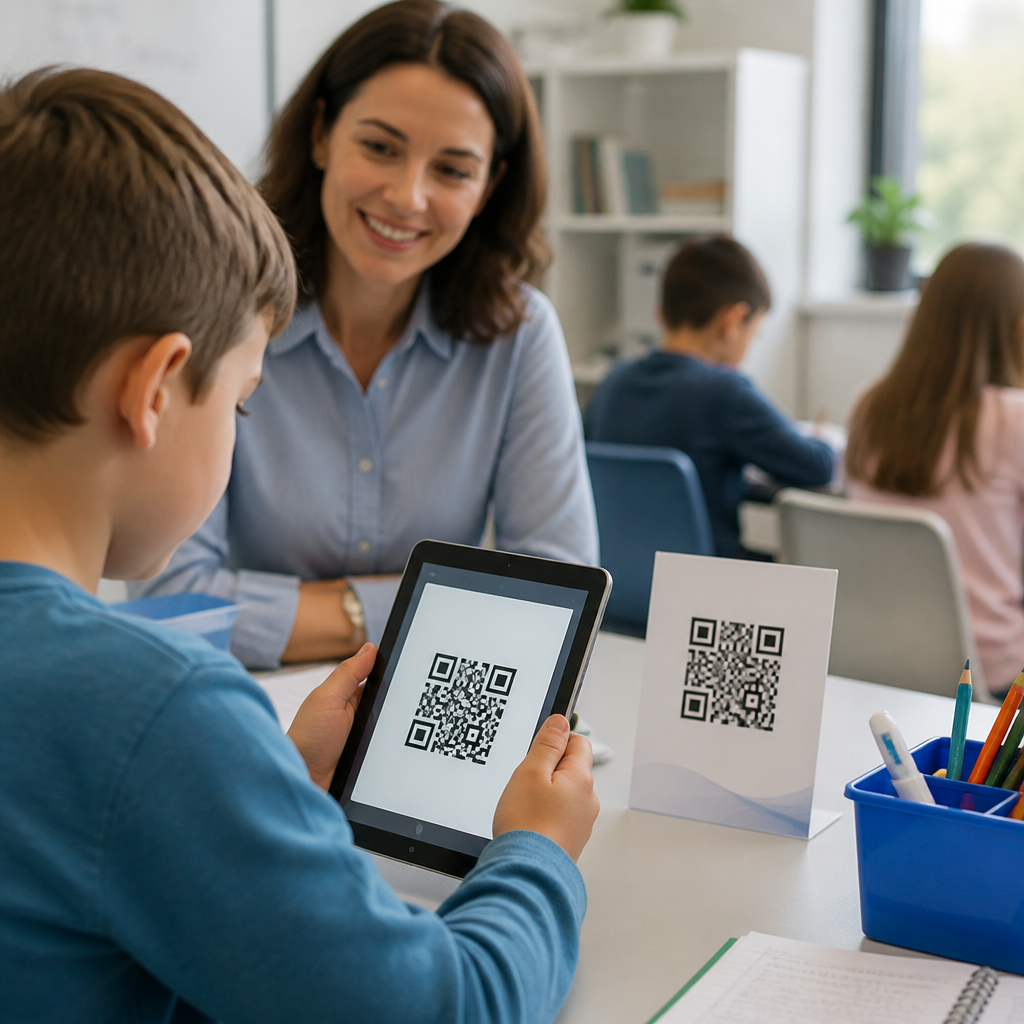
QR codes for classroom learning and resources give educators a fast, low-friction way to connect printed materials, physical spaces, and student devices to digital content. In practical terms, a QR code is a scannable two-dimensional barcode that opens a web page, file, video, form, map, or app action when a phone, tablet, or laptop camera reads it. In schools, that simple scan can turn a worksheet into an interactive lesson, a bulletin board into a multilingual family resource center, or a science lab station into a guided activity with safety instructions, data sheets, and submission forms.
I have used QR codes in training environments and school support projects because they solve a stubborn classroom problem: learning happens across paper, screens, rooms, and schedules, but students need one clear path to the right resource at the right moment. Teachers also need methods that work under real constraints, including limited prep time, mixed device access, changing class rosters, and varying levels of digital literacy. A well-placed QR code reduces search time, removes typing errors, and helps students move from instruction to action without unnecessary friction.
This matters because education increasingly depends on blended learning. Students move between face-to-face instruction, learning management systems, shared documents, assessment platforms, and multimedia resources. Families expect instant access to calendars, permission slips, and translated information. Administrators want measurable engagement, while teachers want tools that are easy to maintain. QR codes support all of those goals when they are deployed with a clear instructional purpose, reliable destinations, and accessible design. They are not a gimmick. They are a delivery mechanism that can improve participation, classroom flow, and resource discovery across K-12, higher education, tutoring, libraries, and campus programs.
As a hub topic within QR codes in marketing, education deserves special attention because schools use many of the same principles as marketers: placement, call to action, audience segmentation, conversion tracking, and content relevance. The difference is the outcome. Instead of driving a sale, the code may drive lesson completion, parent communication, attendance at events, reading practice, or submission of student work. Understanding those education-specific use cases helps schools choose the right QR code strategy, avoid common mistakes, and build systems that scale from one classroom to an entire district.
How QR Codes Support Teaching and Learning
QR codes support classroom learning by reducing the number of steps between a prompt and a resource. When a student scans a code on a handout and immediately opens a teacher-recorded explanation, a vocabulary deck, or a digital exit ticket, cognitive energy stays focused on the task rather than on navigation. This matters most in elementary and middle school settings, where long URLs create avoidable errors, but it also matters in high school and college courses with complex digital workflows. In my experience, students use a resource more consistently when the path to it is visible, immediate, and embedded in the physical learning environment.
Instructionally, QR codes work well for station rotation, flipped learning, retrieval practice, and differentiated instruction. A reading teacher can place separate codes next to text passages so one group opens an audio recording, another opens comprehension questions, and a third opens extension prompts. A math teacher can print worked examples beside problem sets, letting students self-select support without asking publicly for help. In science, each lab station can link to a short protocol video, hazard notes, and a shared data collection form. In art, a code near a display can open artist statements or process videos. The pattern is the same: one scan connects students to context-specific guidance exactly where they need it.
QR codes also improve continuity outside class. Homework packets can include codes to office hours, assignment rubrics, and tutorial clips. Hallway displays can link to student portfolios or library recommendations. Substitute teacher folders can contain codes to seating charts, emergency procedures, and lesson plans stored in cloud drives. These small efficiencies add up. When teachers remove repetitive explanation and access barriers, class time shifts toward feedback, discussion, and practice.
Core Education Use Cases Across Grade Levels
The strongest education use cases share two traits: the destination is genuinely useful, and the code appears at the moment a learner or family member is most likely to act. In early elementary classrooms, QR codes often support emergent readers by linking pictures or task cards to audio instructions. Students can scan a center activity card and hear directions repeated as needed, which builds independence and reduces teacher interruption. For multilingual classrooms, a second code can open translated guidance for caregivers or paraprofessionals.
In upper elementary and middle school, teachers commonly use codes for reading logs, spelling practice, classroom libraries, and review games. A library shelf label can open book trailers, Lexile information, or genre recommendations. A social studies timeline posted on the wall can link each event to a primary source excerpt. In one effective implementation I saw, a teacher attached QR codes to anchor charts so absent students could scan them later and watch a two-minute recap tied to that lesson objective.
High schools and colleges expand the model further. Syllabi can include codes to assignment calendars, citation guides, lab manuals, and tutoring services. Career and technical education programs can place codes on equipment for operating instructions, safety checklists, and maintenance logs. Campus departments use them for orientation, event registration, advising appointments, and wayfinding. Student services teams use QR codes on posters to direct learners to mental health resources, scholarship applications, and anonymous reporting forms. These are high-value deployments because they meet users in physical spaces where a need already exists.
Best Formats for Classroom Resources
Choosing the right destination matters more than the code itself. In most classrooms, the best QR code destinations are mobile-friendly, fast-loading, and easy to understand without extra explanation. Google Forms, Microsoft Forms, Canvas pages, Google Classroom materials, PDF guides, YouTube or unlisted video lessons, Flip recordings, Nearpod lessons, Padlet boards, and district knowledge-base articles are common choices. If the destination requires login, test it from a student account before printing anything. A QR code that opens a permission error is worse than no code because it interrupts trust and momentum.
Static and dynamic QR codes serve different needs. A static code permanently points to one destination and is suitable for links that will not change, such as a durable policy page or a long-term classroom library form. A dynamic code redirects through a management platform, allowing the destination URL to change without reprinting the code. For schools, dynamic codes are usually better for newsletters, rotating assignment pages, event details, and temporary campaigns because teachers and staff can update links after posters, handouts, or signs are distributed.
| Use case | Best destination | Why it works in education |
|---|---|---|
| Homework support | Short teacher video or FAQ page | Students get just-in-time clarification at home without searching |
| Lab stations | Protocol page plus safety checklist | Instructions stay attached to the task and reduce setup confusion |
| Parent communication | Translated form or event page | Families access current details from printed notices immediately |
| Library displays | Catalog record or book trailer | Browsing turns into discovery and checkout intent rises |
| Student portfolios | Published slide deck or project page | Physical displays gain depth without cluttering bulletin boards |
| Attendance and check-in | Mobile form with timestamp | Staff collect consistent records quickly at events and tutoring sessions |
File type matters too. PDFs are dependable for policies and reference sheets, but they are weak for interaction on small screens. Forms are better when you need responses. Videos are excellent for modeling procedures but should be short, captioned, and paired with text. If you want repeat use, create a simple landing page with choices rather than linking directly to a single file. That one decision makes a classroom QR code system easier to update and far more resilient over time.
Implementation Standards That Prevent Failure
Most QR code problems in schools are operational, not technical. The first rule is clarity. Every code needs a visible label that tells users exactly what happens after scanning, such as “Scan for lab safety video” or “Scan to submit exit ticket.” Never post an unlabeled code and assume students will trust it. The second rule is testing. Scan with iOS and Android devices, from student and staff accounts, on school Wi-Fi and guest networks if relevant. Confirm load time, login access, and mobile formatting before launch.
Print quality and placement are equally important. Codes should have enough contrast, quiet space around the edges, and a size appropriate to scanning distance. A small code on a desk tent may work at close range, while a poster in a hallway needs a much larger code. Avoid glossy lamination if glare is likely. Place the code where users naturally pause, not where traffic blocks scanning. In classrooms, that often means station signs, handout corners, whiteboard side panels, notebook stickers, or door displays.
Accessibility and privacy cannot be afterthoughts. Any essential information delivered through a QR code should also be available in another format. Some students may not have a compatible device, may use assistive technology, or may be restricted from scanning at certain times. Videos should have captions. Linked documents should use readable headings and alt text where applicable. For minors, avoid linking to public tools that expose names, locations, or submissions without district approval. Follow FERPA-aligned data handling practices, district procurement rules, and platform permissions. If a form collects student information, keep fields minimal and explain the purpose plainly.
Governance helps at scale. Districts and schools should standardize branding, approved generators, naming conventions, expiration reviews, and ownership of each code. I recommend maintaining a simple spreadsheet with the code purpose, destination, owner, creation date, and review date. That one document prevents “orphaned” codes pointing to deleted drives, retired teachers, or outdated event pages.
Measurement, Engagement, and Resource Management
Schools should measure QR code performance the way they measure any instructional or communication intervention: by usage, completion, and outcome quality. Dynamic QR platforms can report scans by date, device type, and location trend. Those metrics are useful, but they are not enough on their own. A poster may earn many scans and still fail if families do not complete the form or students do not understand the resource. Pair scan data with completion data from forms, LMS analytics, attendance records, or assignment submission rates.
For example, if a teacher adds QR codes to weekly homework sheets linking to mini-lessons, the meaningful question is not only “How many scans occurred?” but also “Did missing assignment rates drop?” If a school places QR codes on event flyers for parent registration, compare registrations before and after deployment, and segment results by language group when translated pages are available. In libraries, measure checkouts for books with QR-enhanced displays against baseline circulation. In tutoring programs, compare sign-ups and recurring attendance after codes are added to ID cards, posters, or counselor handouts.
Resource management also improves with the right setup. Dynamic QR codes allow staff to update a destination without replacing classroom posters or thousands of printed handbooks. URL parameters can distinguish whether scans came from a hallway poster, a syllabus, or a mailed flyer. Bitly, QR Code Generator, Beaconstac, Flowcode, and some district communications platforms offer management features, though schools should review data practices and procurement requirements before adoption. The operational goal is straightforward: create fewer links, manage them centrally, and keep destination content current.
As this education hub expands, related topics naturally branch into classroom posters, school event promotion, digital worksheets, student portfolios, admissions communications, campus wayfinding, library engagement, and parent outreach. That is why QR codes for classroom learning and resources sit at the center of the education use-case cluster: they connect instructional design with communication strategy in one practical system.
Common Mistakes and High-Impact Best Practices
The most common mistake is using QR codes because they seem modern rather than because they solve an access problem. If students are already working inside a single LMS module, adding a code may add redundancy, not value. Another mistake is linking directly to unstable destinations such as personal drive files, draft documents, or pages requiring permissions that students do not have. Schools also overestimate willingness to scan when the payoff is unclear. A strong call to action, concise benefit statement, and immediate utility are what make a code worth using.
Best practice starts with one question: what barrier does this code remove? If the answer is confusion, use a short explainer video. If the answer is logistics, use a form or event page. If the answer is discovery, use a curated landing page. Keep destinations lightweight, maintain ownership, and review codes on a schedule. In classrooms, start with three durable implementations: assignment help, station instructions, and family communication. Those usually produce visible gains quickly and give teachers evidence worth expanding.
QR codes are most effective in education when they are treated as infrastructure, not decoration. They make lessons easier to enter, school resources easier to find, and communication easier to act on. For educators building a scalable system, the next step is simple: audit one classroom routine or family touchpoint with repeated access friction, create a clearly labeled mobile-friendly destination, and deploy one well-tested QR code that solves that exact problem.
Frequently Asked Questions
What are QR codes, and how do they support classroom learning?
QR codes are scannable two-dimensional barcodes that instantly connect a printed item or physical space to digital content. When a student, teacher, or family member scans a code with a phone, tablet, or laptop camera, it can open a website, video, slideshow, audio recording, digital worksheet, quiz, map, form, or app-based activity. In a classroom setting, that simple action removes friction. Instead of typing a long web address, searching for the right file, or navigating through multiple menus, learners go directly to the resource they need in seconds.
That speed and simplicity make QR codes especially useful for instruction. Teachers can place them on worksheets, lab stations, anchor charts, reading corners, homework packets, classroom doors, bulletin boards, and take-home family communication materials. A printed handout can become an interactive lesson by linking to a tutorial video, a text-to-speech version of directions, an extension activity, or a quick formative assessment. In the same way, physical classroom spaces can become more informative and engaging, such as a science display linked to experiment demos or a library shelf linked to book reviews and read-alouds.
QR codes also support differentiated learning. Because each code can point to a different resource, teachers can provide multiple pathways for students who need enrichment, language support, remediation, or alternate formats. For example, one group might scan for a foundational review video while another accesses a challenge task. This helps educators deliver personalized instruction without adding unnecessary complexity to classroom routines.
How can teachers use QR codes in practical, everyday classroom activities?
Teachers can use QR codes across nearly every part of the school day because they work well with both instructional materials and classroom management systems. One of the most common uses is linking printed assignments to digital supports. A worksheet can include a code that opens directions, a worked example, a vocabulary list, or a short teacher-recorded explanation. This is helpful for students who need to revisit instructions independently and for teachers who want to reduce repeated whole-class clarification.
QR codes are also effective in stations, centers, and project-based learning. In literacy centers, students might scan codes to hear fluent reading models, access comprehension questions, or respond in a digital journal. In math, a code at each station can open manipulatives, problem-solving hints, or self-check answer keys. In science and social studies, QR codes can turn displays into interactive experiences by linking to primary sources, diagrams, experiment demonstrations, timelines, and virtual field trips. They are equally useful for scavenger hunts, gallery walks, and choice boards, where students move through content at their own pace.
Beyond instruction, QR codes help streamline routines. Teachers can post codes for classroom procedures, sign-up forms, absent work folders, behavior reflections, and parent resources. A bulletin board can serve as a family information hub with links to translated newsletters, calendar updates, volunteer forms, and curriculum overviews. Because QR codes are easy to print and place anywhere, they provide a flexible bridge between offline and online learning without requiring complicated technology systems.
What are the main benefits of using QR codes for students, teachers, and families?
The biggest benefit of QR codes is convenience. They reduce the number of steps required to access learning materials, which saves time and lowers frustration for everyone involved. Students do not have to type long URLs, search through learning platforms, or rely on memory to find the correct resource. Teachers can guide learners to the exact content they want used in a lesson. Families can quickly access classroom updates, translated information, schedules, and support materials from a paper sent home or a sign posted at school.
QR codes also improve accessibility and engagement. A single print resource can connect to audio directions, captioned videos, multilingual supports, enlarged text, and interactive activities. This makes it easier to support different learning needs, language backgrounds, and levels of independence. For many students, scanning a code feels intuitive and engaging, which can increase participation and make classroom materials feel more dynamic without requiring a major shift in instruction.
Another major advantage is flexibility. Teachers can use QR codes with low-tech materials already in circulation, including notebooks, task cards, posters, lab sheets, textbooks, and hallway displays. That means schools can add digital depth to existing resources rather than replacing them. In many cases, dynamic QR codes also allow the destination link to be updated later, so the printed code stays useful even when the underlying content changes. This makes QR codes a practical long-term tool for classroom learning, communication, and resource sharing.
Are QR codes safe and appropriate to use in schools?
Yes, QR codes can be safe and highly appropriate for school use when educators follow common-sense digital safety practices. A QR code itself is simply a shortcut to content, so the main safety consideration is the destination it opens. Teachers and school staff should only link to trusted, school-approved websites, videos, cloud files, forms, and apps. Before printing or posting a code, it is important to test it on multiple devices and confirm that the destination is accurate, age-appropriate, free of unnecessary ads, and aligned with school privacy expectations.
It is also wise to think about student data and access permissions. If a QR code leads to a form or online assignment, educators should make sure students are not being asked to share sensitive personal information unnecessarily. Links should work within the school’s approved platforms and device management systems. If content requires a login, that should be clear so students are not confused after scanning. Schools may also want to establish internal guidelines for where codes are posted, who creates them, and how linked resources are reviewed and maintained.
From a classroom perspective, QR codes can actually support more controlled access to online materials because they send students directly to a selected destination instead of asking them to search the open web. With clear expectations, vetted links, and regular testing, QR codes are a safe, efficient way to connect physical classroom resources with digital learning tools.
What should educators consider when creating effective QR codes for classroom resources?
To make QR codes effective in education, teachers should start with purpose. Each code should solve a clear problem or improve a specific experience, such as giving faster access to directions, adding language support, sharing enrichment, or connecting families to important information. When the instructional goal is clear, the QR code becomes a useful learning tool rather than just a novelty. It also helps to link codes to mobile-friendly resources, since many users will scan them on phones or tablets.
Design and placement matter as well. QR codes should be large enough to scan easily, printed with strong contrast, and placed where lighting and camera access will not be an issue. Short labels are essential so users know what they are scanning before they scan it. A code that says “Watch the lab demo,” “Listen to chapter audio,” or “Parent resources in Spanish” is far more effective than an unlabeled square. Teachers should also test every code from student devices and family-facing devices to confirm it works reliably in real classroom conditions.
Educators should also plan for maintenance and accessibility. If resources may change over time, dynamic QR codes can be especially valuable because they allow the destination to be updated without reprinting materials. Whenever possible, linked content should include accessibility supports such as captions, readable formatting, audio options, and translations. Finally, it is smart to provide a backup access method, such as a short printed URL, for users who may have scanning limitations. When created thoughtfully, QR codes become a durable, low-friction system for linking classroom learning and resources in a way that is practical, inclusive, and easy to scale.