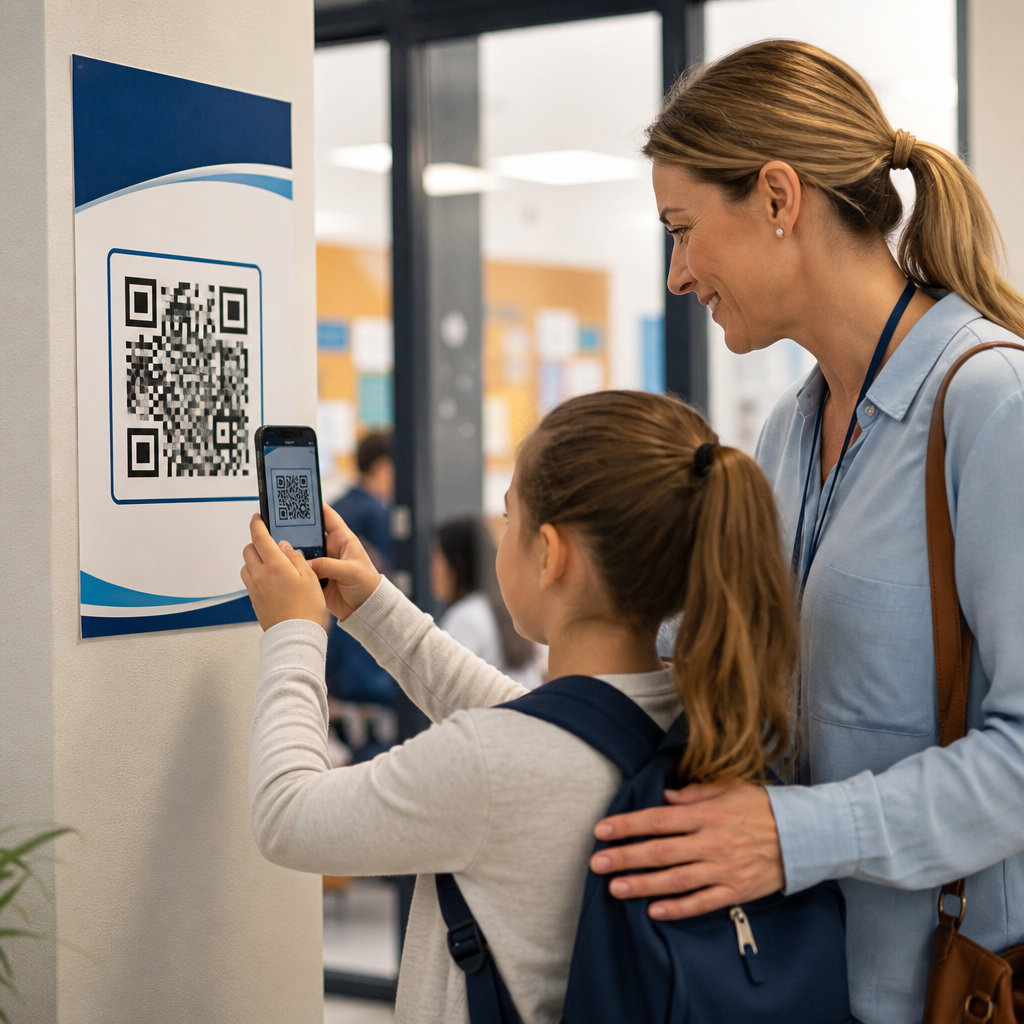
Schools use QR codes for communication because they solve a simple but persistent problem: families, students, staff, and visitors need fast access to accurate information without friction. A QR code is a scannable two-dimensional barcode that opens a webpage, file, video, form, map, calendar, or contact card on a phone. In education, that means a printed flyer can become a live registration form, a hallway poster can become a counseling resource, and a parent handout can open translated instructions in seconds. I have seen districts reduce missed messages and improve event turnout simply by placing well-managed codes where people already look: report cards, classroom doors, lanyards, buses, newsletters, and athletic programs.
This matters because school communication is unusually complex. A single campus may serve hundreds or thousands of people with different languages, schedules, devices, and access needs. Traditional methods still matter, but paper alone goes stale, email gets buried, and app adoption is uneven. QR codes bridge physical and digital communication at low cost. They also support measurable workflows. When a school uses dynamic QR codes tied to trackable links, administrators can see which messages are being accessed, when, and from which materials. Used well, QR codes make communication faster, more inclusive, easier to update, and easier to analyze.
For education teams, the key terms are straightforward. A static QR code points to a fixed destination and cannot be edited after printing. A dynamic QR code points to a short redirect link, so the destination can be changed later without replacing the printed code. That distinction matters in schools because dates, policies, forms, and staff contacts change constantly. Another important term is scan rate, the percentage of viewers who actually scan. Good scan rates depend on placement, clear labeling, mobile-friendly landing pages, and trust. Families will scan when they know exactly what they will get and why it is useful.
As a hub topic within QR codes in marketing, school communication deserves special attention because education combines audience segmentation, community trust, recurring events, and compliance requirements. The best implementations are not gimmicks. They are operational systems that support enrollment, attendance, family engagement, emergency updates, fundraising, and student services. They must also respect privacy laws, accessibility expectations, and the realities of shared devices. When schools treat QR codes as part of a communication architecture rather than an isolated tactic, results improve across the entire parent and student journey.
Why QR codes work in school communication
QR codes work because they remove steps. Instead of asking a parent to type a long URL from a paper sheet, a school can offer one scan to reach a mobile-ready page. In practice, fewer steps means higher completion rates for forms, volunteer signups, transportation requests, and event RSVPs. The effect is strongest when the destination is immediate and task specific. A code labeled “View bus delay updates” should open that exact page, not a district homepage. The same principle applies to student use. A code on a lab bench should open the experiment guide, not a general class folder.
They also work because schools communicate in many physical environments where digital links alone are weak. Cafeterias, front offices, gym entrances, car pickup lanes, bulletin boards, backpacks, and mailed postcards all become usable touchpoints when paired with a code. During open houses, I have watched families scan grade-level maps, teacher contact cards, and translated schedules rather than waiting at crowded tables. For schools with limited staff capacity, that matters. A printed sign with a code can answer routine questions at scale while still directing people to human help when needed.
Another reason is update flexibility. Dynamic QR codes let communication teams keep one printed asset in place while changing the destination behind it. That is useful for rotating announcements, revised bell schedules, substitute bus routes, weather closures, and changing event details. A code on a permanent stadium sign can point to this week’s athletic schedule today and next month’s playoff bracket later. Because the visible code stays the same, the school avoids reprint costs and reduces outdated materials circulating in the community.
Core use cases across the education lifecycle
The strongest school QR code programs cover the full communication lifecycle, from prospective families to alumni. During enrollment season, schools place codes on postcards, yard signs, brochures, and community center flyers that lead to admissions pages, school tour booking forms, or language-specific enrollment guides. This is especially effective for charter schools, private schools, and districts promoting magnet programs because offline interest can be captured immediately. A parent seeing a poster at a library can scan and complete an inquiry form on the spot rather than forgetting later.
Once families are enrolled, recurring communication becomes the main use case. Teachers use codes on syllabi, classroom doors, and weekly newsletters to share assignment calendars, supply lists, conference booking links, and behavior expectations. Front offices use them for visitor check-in instructions, attendance reporting forms, handbook acknowledgments, and meal program information. Counselors use them to provide anonymous referral forms, scholarship databases, and mental health resources. Athletics departments use codes for schedules, ticketing, spirit wear, livestream links, and booster club signups. Each department communicates differently, but the mechanism is the same: reduce friction, clarify the action, and connect print to live information.
Community engagement is another major category. Schools regularly promote book fairs, performances, STEM nights, fundraising drives, and PTA meetings. QR codes turn every poster or take-home sheet into a measurable campaign asset. If the district uses UTM parameters in the underlying URLs and tracks visits in Google Analytics 4 or another analytics platform, the team can compare turnout from hallway posters versus email versus social posts. That is practical marketing intelligence, not theory. It helps schools know which channels actually reach families and where to invest limited communication time.
| School communication goal | Best QR code destination | Why it works |
|---|---|---|
| Enrollment inquiries | Mobile inquiry form or tour scheduler | Captures interest immediately from offline materials |
| Parent event attendance | RSVP page with calendar add option | Reduces missed deadlines and boosts turnout |
| Student support access | Counseling, tutoring, or reporting form | Provides discreet, direct help pathways |
| Athletics updates | Live schedule or ticketing page | Handles frequent changes without reprinting signs |
| Emergency information | Status page or alert hub | Gives one trusted destination during disruptions |
Communication scenarios by audience
Students, parents, staff, and visitors do not need the same information, so schools should design QR code communication by audience. For students, speed and context matter most. Codes in classrooms can link to lesson recaps, digital exit tickets, lab safety videos, library catalogs, makerspace booking forms, and device troubleshooting. In secondary schools, codes on ID cards or planners can connect students to tutoring schedules, course registration help, or campus maps. These use cases are most effective when the destination requires minimal login steps and works on district-managed devices.
For parents and caregivers, trust and clarity are the deciding factors. Labels should tell them exactly what they are scanning: “Read the field trip policy in Spanish,” “Report an absence,” or “Reserve a parent-teacher conference time.” I recommend placing parent-focused codes on printed items that already command attention, such as report card envelopes, pickup placards, lunch menus, carline signs, and event programs. Schools serving multilingual communities should route one code to a language selector or use separate clearly labeled codes by language. Translation quality matters; a code is only as useful as the page it opens.
For staff, QR codes streamline internal communication in physical spaces. Maintenance teams can scan room-based codes to report issues. Substitute teachers can scan a code inside the classroom to view emergency procedures, attendance instructions, seating charts, and tech login guidance. Nurses can use codes for health form access. Administrators can place codes in workrooms for professional development calendars, IT support tickets, and HR resources. For visitors, the value is orientation. Campus maps, visitor policies, parking guidance, and event seating instructions reduce confusion and shorten lines at the front desk.
Best practices for implementation, trust, and accessibility
Effective school QR code communication depends on execution details. First, use dynamic codes managed in a central system, not random free generators controlled by individual staff members. Districts need ownership, editing rights, expiration rules, and analytics continuity when employees change roles. Established platforms such as Bitly, QR Code Generator, Beaconstac, or similar enterprise tools can support branded short links, scan reporting, and destination updates. Second, every code needs a plain-language call to action. “Scan for more” is weak. “Scan to RSVP by Friday” performs better because it sets expectation and urgency.
Third, optimize the landing page for mobile use. Most scans happen on phones, often in busy environments. The destination should load quickly, use large tap targets, avoid dense PDFs when possible, and put the main action at the top. If a PDF is unavoidable, make sure it is searchable, accessible, and readable on a small screen. Fourth, preserve trust. Families are increasingly cautious about scams. Branded destinations, district logos, and clear explanations help reassure users. Avoid covering a code with lamination glare, placing it too high to scan, or printing it too small. In most cases, at least 1 by 1 inch is a practical minimum, and more space is better for distance scanning.
Accessibility and compliance cannot be an afterthought. A QR code should never be the only way to access essential information. Provide a short URL beneath the code and maintain alternative channels such as printed instructions, email, or phone support. For users with visual impairments, screen-reader-friendly landing pages are mandatory. For public schools in the United States, communication practices intersect with FERPA, website accessibility obligations, and district privacy policies. Do not encode sensitive student data directly in a QR code. Link to secure systems instead, with proper authentication and minimal data exposure.
Measurement, governance, and common mistakes
Schools should measure QR code communication the way strong marketing teams measure campaigns: by outcomes, not novelty. Useful metrics include scans, unique scans, scan location by asset, form completion rate, RSVP rate, attendance lift, and time to information during operational disruptions. A district may learn that codes on backpack flyers drive more kindergarten enrollment inquiries than social posts, or that codes on stadium banners generate ticket sales but not booster memberships. Those insights should inform future budget and design choices. Without tracking, schools cannot separate useful deployments from decorative ones.
Governance is equally important. I advise districts to create a simple standard covering naming conventions, approved generators, ownership, destination rules, review frequency, and archive procedures. Every code should have a documented purpose, responsible department, and expiration or review date. Otherwise, schools accumulate dead links and confusing experiences. One of the most common mistakes I have seen is linking codes to generic homepages. Another is sending users into portals requiring credentials they do not have. A third is failing to test on both iPhone and Android across school Wi-Fi and cellular connections before launch.
Schools also underestimate environmental context. A code meant for a carline sign must be readable from a vehicle. A code on a stage program should lead to something useful during the event, such as translations, cast bios, or donation links, not a long navigation maze. Emergency communication deserves extra discipline. If a campus plans to use QR codes during closures or incidents, the linked page must be maintained as a single source of truth and supported by other channels like SMS, email, robocalls, and posted alerts. QR codes are a connector, not a substitute for comprehensive communication planning.
Building a scalable hub strategy for education content
Because school communication spans many departments, this topic works best as a hub with connected supporting pages. A central article on how schools use QR codes for communication should link to focused resources on enrollment marketing, event promotion, classroom management, athletics, fundraising, alumni relations, campus signage, and emergency updates. That structure matches how education buyers and administrators actually research the topic. A principal may start broadly, while an activities director may need only ticketing and sponsorship examples. Organized internal linking helps each audience reach the right depth without forcing everything into one page.
A strong hub also reflects operational reality. The same QR code principles apply across education, but implementation varies by institution type. K-12 districts prioritize parent communication, attendance, transportation, and multilingual access. Colleges and universities use codes heavily for campus tours, admissions events, wayfinding, residence life, library services, and student recruitment campaigns. Private schools often emphasize advancement, donations, and admissions conversion. Trade schools and continuing education programs may focus on lead capture, course catalogs, and certification information. Segmenting content by these use cases makes the resource more useful and more discoverable.
Schools use QR codes for communication most effectively when they treat them as a durable bridge between printed touchpoints and live digital information. The core benefits are clear: fewer barriers, faster access, easier updates, better measurement, and broader reach across students, families, staff, and community members. The practical requirements are just as clear: use dynamic codes, label them precisely, send users to mobile-friendly pages, provide accessible alternatives, and manage everything through simple governance. When those pieces are in place, QR codes become a reliable communication layer rather than a novelty.
If you manage school communications, start with three high-value use cases: attendance reporting, event RSVPs, and multilingual parent resources. Track scans and completions for one semester, then expand into enrollment, athletics, counseling, and fundraising. Build the hub, connect related resources, and standardize ownership before the program grows. Schools that do this well communicate with less confusion and more confidence. That is the real advantage, and it is available with tools most districts can adopt quickly.
Frequently Asked Questions
Why do schools use QR codes for communication?
Schools use QR codes because they make important information easier to access in the exact moment someone needs it. Instead of asking families to type a long web address, search through emails, or keep track of printed papers, a QR code lets them scan and go directly to the right resource on a phone. That resource might be a registration form, a lunch menu, a school calendar, a transportation update, a field trip permission form, a teacher contact page, or a translated family guide. In practical terms, QR codes reduce friction. They help schools share accurate, up-to-date information quickly with parents, students, staff, and visitors while also cutting down on confusion caused by outdated handouts or lost flyers. For busy school communities, that speed and simplicity make QR codes a highly effective communication tool.
What types of school information can a QR code link to?
A school QR code can link to almost any digital resource that supports communication. Common examples include event registration pages, attendance forms, emergency updates, newsletters, digital handbooks, student support resources, maps for visitors, volunteer sign-ups, athletics schedules, cafeteria information, tutoring details, and counseling services. Schools also use QR codes to open videos, downloadable PDFs, calendar subscriptions, contact cards, and multilingual information pages for families who prefer another language. This flexibility is one of the biggest reasons QR codes are so useful in education. A single printed poster in a front office, classroom, hallway, or car pickup area can instantly connect someone to the exact page or form they need without requiring extra instructions.
How do QR codes improve communication with parents and families?
QR codes improve family communication by removing barriers that often prevent parents and guardians from accessing school information quickly. Many families are reading notices while commuting, during work breaks, at pickup, or while helping children after school. A QR code allows them to scan a flyer or sign and immediately open the correct page on their phone, which is often much easier than typing a website manually. Schools can also use QR codes to direct families to translated resources, digital forms, enrollment instructions, event reminders, meal program information, and parent-teacher conference sign-ups. Because the destination can often be updated without changing the printed code, schools can keep communications more current and reliable. The result is better participation, fewer missed deadlines, and a smoother experience for families trying to stay connected.
Are QR codes better than traditional paper handouts in schools?
QR codes are not necessarily a complete replacement for paper handouts, but they make printed communication much more useful and efficient. A traditional handout is static, which means the information can become outdated quickly and may require a full reprint if details change. A QR code turns that same handout into a bridge to live information, such as an updated webpage, editable form, or current schedule. This is especially valuable when schools need to share changing details about events, policies, registration timelines, or student services. QR codes can also reduce printing costs, limit clutter, and give schools more ways to track engagement when linked to digital platforms. In many cases, the best approach is a hybrid one: keep the printed notice for visibility and accessibility, then add a QR code so families and students can take action immediately.
What should schools do to make QR code communication effective?
To use QR codes effectively, schools should focus on clarity, accessibility, and trust. First, every QR code should include a short label explaining exactly what the scan will open, such as “Scan to Register,” “Scan for Bus Routes,” or “Scan for Spanish Family Resources.” This helps users feel confident about scanning and reduces guesswork. Schools should also make sure the linked content is mobile-friendly, easy to read, and current, since most people will open it on a phone. Placement matters as well; codes should appear in high-traffic areas like entryways, classrooms, front offices, pickup zones, newsletters, and event signage. It is also important to test codes regularly to confirm they work correctly and lead to the intended destination. Finally, schools should remember that QR codes work best as part of a broader communication strategy that includes email, text, websites, and printed materials, ensuring families have multiple ways to receive essential information.