
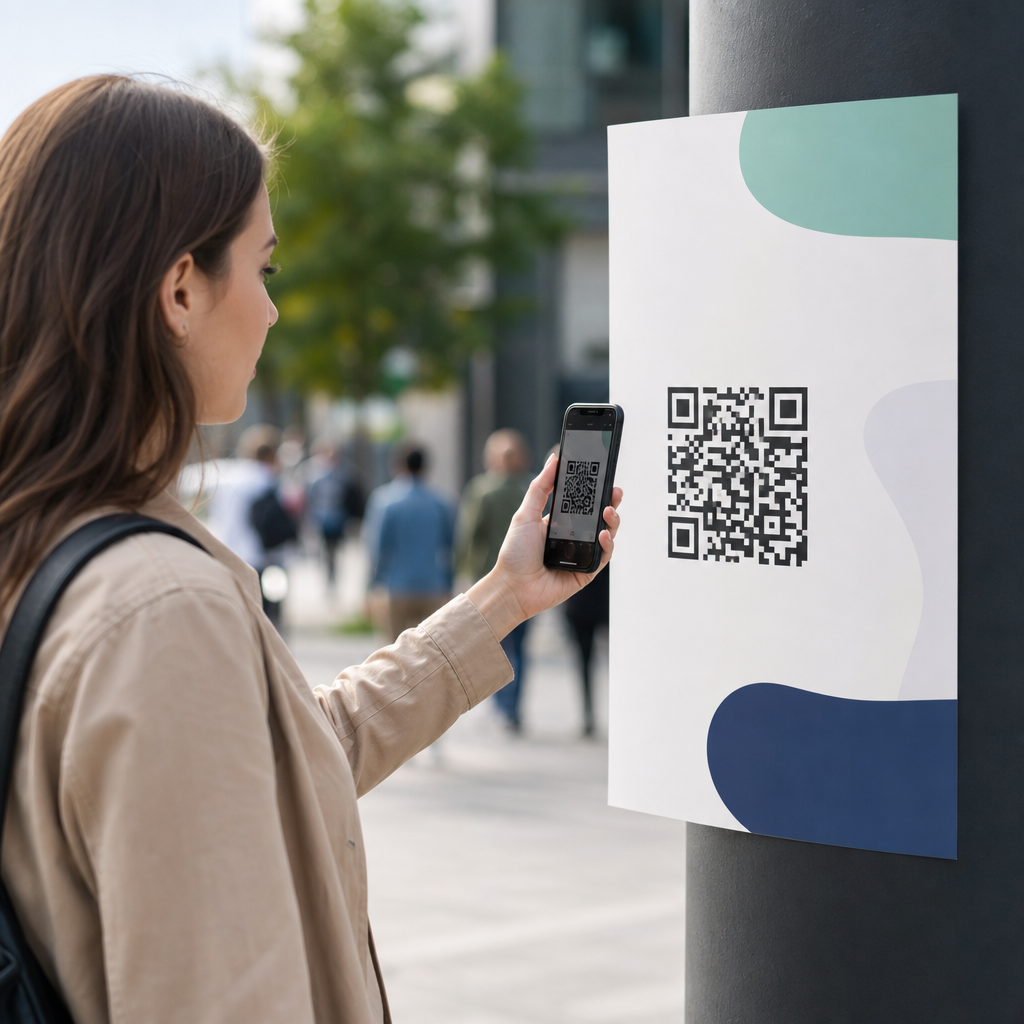
QR codes are now a standard tool in public campaigns, used on posters, transit ads, product packaging, event signage, political leaflets, museum labels, and nonprofit fundraising materials. Their appeal is obvious: a quick scan can move someone from offline attention to an online action in seconds. Yet the same speed that makes QR codes effective also creates risk. When a campaign invites the public to scan a code, it is asking for trust, and trust can be lost fast through phishing, redirects, privacy missteps, broken links, or inaccessible design.
Safely using QR codes in public campaigns means designing, deploying, and managing codes in ways that protect users, preserve brand credibility, and meet legal and operational requirements. In practice, that includes using secure destinations, choosing the right code type, preventing tampering, minimizing data collection, maintaining uptime, and planning for incident response. I have worked on QR rollouts for events, retail environments, and civic outreach, and the same lesson comes up every time: the code itself is only a small part of the security picture. The full system around it determines whether the campaign is reliable.
This article serves as a hub for secure QR code practices within the broader topic of QR code security, privacy, and compliance. It explains what public campaign teams need to get right before launch, during distribution, and after scans begin. If you are responsible for marketing, communications, operations, or compliance, the goal is simple: make every scan predictable, transparent, and safe. That approach improves conversion rates, reduces support issues, and lowers the chance that a public-facing campaign becomes a security incident or reputational problem.
At a technical level, a QR code is just a machine-readable encoding of data, usually a URL. The risk enters when users cannot easily inspect the destination before opening it, especially on mobile devices. Threat actors exploit that gap by placing malicious stickers over legitimate codes, creating lookalike landing pages, or using open redirects to send people somewhere unexpected. Public campaigns are attractive targets because they operate at scale, appear in uncontrolled physical environments, and often depend on fast, low-friction user actions. A secure campaign addresses each of those realities directly.
Start with destination security and URL control
The safest public QR campaign begins with a tightly controlled destination. In most cases, the QR code should point to a URL on a domain your organization owns or clearly manages, protected by HTTPS with a valid TLS certificate. Users should be able to recognize the domain instantly. A short branded domain can work well when space is limited, but it should still be obviously connected to the campaign owner. Avoid generic URL shorteners for public-facing codes because they hide the destination and reduce user confidence.
Landing pages should use standard web security controls: HSTS, secure cookie settings, content security policy where practical, and routine vulnerability management. If the code leads to a form, collect only the minimum necessary information and transmit it securely. If it opens an app deep link, test fallback behavior carefully so users are not pushed into confusing prompts or untrusted app stores. One common failure I see is a campaign that routes scans through multiple tracking layers, affiliate tools, and third-party redirects. Every extra hop increases latency, introduces break points, and creates another place where a misconfiguration can expose users.
Open redirects deserve special attention. If your website accepts a parameter that forwards users to another destination, attackers can abuse that trusted domain to mask a malicious endpoint. Security teams should audit redirect logic before campaign launch and restrict allowed destinations through a firm allowlist. Public campaigns should also avoid sending users to login pages unless the need is explicit and expected. A QR code on a street poster that lands on a sign-in form looks suspicious even when legitimate, and that mismatch hurts completion.
Choose the right QR code architecture
Public campaign teams often ask whether to use static or dynamic QR codes. The answer depends on operational control, measurement needs, and risk tolerance. Static codes embed the final destination directly and cannot be edited after printing. Dynamic codes point to a managed redirect that can be updated later. For one-time printed assets distributed widely, dynamic codes are usually safer operationally because they let you fix broken links, rotate destinations after an incident, and pause traffic if abuse is detected. The tradeoff is that the redirect service becomes critical infrastructure and must be secured accordingly.
When I plan dynamic deployments, I treat the redirect layer like a production application. Access should use role-based permissions, strong authentication, and change logging. If an agency, printer, platform vendor, and internal team all touch campaign assets, define ownership clearly. Many QR problems are not hacks; they are governance failures, such as someone reusing an old code, changing a destination without approval, or deleting a landing page while printed materials remain in circulation. Version control and asset registers reduce these errors.
Expiration rules also matter. Some campaign codes should stay live indefinitely, such as codes on permanent exhibits or packaging inserts. Others should expire cleanly at the end of a promotion and send users to a neutral page explaining that the campaign has ended. Never let expired codes fall into a server error or parked-domain state. That creates confusion and can become a security weakness if the domain is later repurposed or lapses.
| Decision Area | Safer Practice | Why It Matters in Public Campaigns |
|---|---|---|
| Destination URL | Use a branded HTTPS domain you control | Improves trust and reduces phishing risk |
| Code Type | Use dynamic codes for printed campaigns with long lifespans | Lets teams update links, pause traffic, and recover quickly |
| Redirects | Allowlist destinations and remove open redirect behavior | Prevents trusted domains from masking malicious endpoints |
| Access Control | Require MFA and role-based permissions on the QR platform | Reduces unauthorized edits and accidental changes |
| Campaign End State | Redirect expired codes to an explanatory page | Prevents dead links, confusion, and domain misuse |
Protect physical placements from tampering
Physical tampering is one of the most overlooked QR code threats. A malicious sticker placed over a legitimate code can redirect hundreds of people before anyone notices. Parking meters, restaurant tables, bus shelters, kiosks, and campus noticeboards are especially vulnerable because they are unattended and scanned at close range. For high-traffic public campaigns, tamper resistance should be part of the production spec, not an afterthought.
Use installation methods that make overlays obvious. Examples include printing the code directly onto the substrate, laminating under a protective layer, adding branded borders or microtext, and placing the code within complex artwork that is difficult to replicate cleanly. Some teams add a short human-readable URL beside the QR code so users can compare the domain preview before opening it. That small detail is practical because most smartphone cameras display the destination domain before launch, and users are more likely to spot a mismatch when they know what to expect.
Field inspections should be scheduled based on risk. A museum wall label may need monthly checks, while a city-center poster campaign may need daily spot inspections in its first week. Document code locations, assign ownership, and give field staff a simple method for reporting damage or suspicious overlays. In one retail activation I supported, a location audit checklist caught not only tampered signage but also glare issues that stopped cameras from reading the code. Security and usability often fail together in public environments.
Design for user trust, privacy, and accessibility
People scan QR codes more readily when the next step is obvious. Every public code should include context: what the user will get, who is providing it, and whether data will be collected. A label such as “Scan to view event schedule on cityarts.org” is far safer than “Scan here.” Clear intent reduces hesitation and discourages opportunistic spoofing because the legitimate action is explicitly stated. If the landing page requests email, payment, location, or identity information, the sign should say so in plain language.
Privacy should be minimized by design. Campaign analytics can often be measured with aggregate metrics such as scans by date, location, device type, and conversion events, without collecting unnecessary personal data. If cookies, pixels, or remarketing tools are in use, the landing page must handle consent and notice requirements applicable to the audience and jurisdiction. Teams running public campaigns across regions should review obligations under laws such as the GDPR, the CCPA and CPRA, and sector-specific rules where relevant. The exact legal standard varies, but the practical principle is consistent: disclose clearly, collect sparingly, and retain only what has a defined purpose.
Accessibility is also a security issue because users who cannot easily interpret or complete a scan may resort to risky workarounds. Provide enough contrast around the code, avoid placing it too high or too low, and ensure the landing page works with screen readers and mobile keyboards. Include an alternative access path, usually a short URL, for people using assistive technology or devices that cannot scan reliably. Public campaign safety is not just about blocking abuse; it is about making the intended experience dependable for as many people as possible.
Build measurement and monitoring without creating new risk
Campaign teams want scan data, but measurement must not compromise safety. Reliable QR analytics usually come from server logs, redirect-layer events, and tagged destination URLs in tools such as Google Analytics 4, Adobe Analytics, or Matomo. That setup can show scan volume, approximate geography, referral patterns, and downstream behavior. What it should not do is create an opaque chain of third-party trackers that slows the page or shares data more widely than expected.
Monitoring should cover both performance and abuse. Watch for spikes in scans from unexpected regions, sudden drops in conversion, unusual user-agent patterns, and redirect changes outside approved workflows. A code on a local transit poster that suddenly receives heavy overnight traffic from another country warrants investigation. The cause may be benign testing, automated bots, or copied images circulating elsewhere, but those explanations need verification. Integrating campaign monitoring with existing security operations, if available, makes response faster.
Uptime matters because broken experiences erode trust quickly. Use page monitoring and alerting for every high-visibility destination. I recommend setting service-level expectations before launch, especially for campaigns tied to live events or payment flows. If the destination depends on APIs, map those dependencies in advance. Many public QR failures occur not at the code level but because a downstream form provider, ticketing service, or consent tool goes offline. The user does not distinguish between those components; they only remember that the scan did not work.
Establish governance, vendor controls, and incident response
Secure QR code practices require ownership across marketing, IT, legal, and operations. Someone must approve domains, someone must manage the redirect platform, someone must review privacy language, and someone must inspect physical placements. Write these responsibilities down. A lightweight governance model is enough for many campaigns, but it should include asset inventories, approval workflows, and retirement procedures for old codes and domains. This article acts as the hub because teams usually need companion guidance on QR phishing, code lifecycle management, mobile landing page security, privacy notices, and vendor due diligence.
Vendor review is essential when agencies or SaaS platforms generate, host, or analyze QR campaigns. Ask where redirect data is stored, whether logs are retained, what access controls are supported, and how quickly the provider can disable a compromised code. Confirm export capability so campaign data and destinations are not trapped in one system. If printed materials outlast a vendor contract, your team needs continuity. I have seen organizations lose control of campaign redirects simply because an outside partner created the codes under its own account.
Finally, prepare for incidents before launch. A practical response plan includes a kill switch for dynamic codes, a fallback landing page, a process for replacing compromised signage, and templated communications for customer support or social channels. For static codes, mitigation may require reprinting, covering, or redirecting users through alternate published URLs, so the threshold for static use should be higher in uncontrolled environments. The best outcome is not pretending public QR campaigns are risk free. It is building them so problems are detected early, contained quickly, and explained clearly to the audience.
Safe public QR campaigns combine clear user intent, controlled destinations, secure infrastructure, privacy-aware measurement, and disciplined operations. The code on the poster is only the visible layer; the real safety comes from the systems and decisions behind it. Use branded HTTPS domains, limit redirects, protect physical placements, publish context next to every code, and monitor performance after launch. Those practices reduce phishing exposure, support compliance, and improve conversion because people trust what they understand.
As a hub for secure QR code practices, this page should guide your next steps across the full lifecycle: planning, production, launch, monitoring, and retirement. If your team treats QR codes as durable public entry points rather than disposable graphics, campaign quality rises immediately. Audit one live code today, check where it leads, what data it collects, who owns it, and how it would be disabled in an incident. That simple review is often the fastest way to make every future scan safer.
Frequently Asked Questions
1. What are the main security risks of using QR codes in public campaigns?
The biggest risk is that most people cannot tell where a QR code will send them until after they scan it. That makes QR codes convenient, but it also makes them an attractive tool for phishing, malicious redirects, fake donation pages, malware delivery, and data harvesting. In a public campaign, a bad actor may place a sticker over a legitimate code on a poster, transit ad, event sign, or product display. A person scanning that altered code may think they are interacting with your organization when they are actually landing on a fraudulent website designed to steal login credentials, payment details, or personal information.
Another risk is brand trust erosion. Even if your campaign itself is secure, a confusing redirect chain, an unfamiliar domain, or a poor mobile experience can make users feel unsafe. Public campaigns depend on immediate confidence. If the page looks suspicious, asks for too much information too quickly, or fails to load properly, people may assume the QR code was compromised. That can damage participation rates and the credibility of the campaign as a whole.
There are also privacy and compliance concerns. QR campaigns often track scans, locations, devices, or conversions, which can be useful for measurement but risky if handled carelessly. If users are sent to pages that collect personal data without clear consent, disclosure, and protection, organizations may face legal exposure as well as reputational harm. In short, the main risks are not limited to technical compromise. They include impersonation, user confusion, weak landing-page security, poor data practices, and the long-term loss of public trust.
2. How can organizations make QR codes safer before putting them on posters, packaging, or public signage?
Safety starts well before the code is printed. First, link the QR code to a secure destination using HTTPS and a domain that clearly belongs to your organization. Avoid random short links or unfamiliar third-party URLs when possible. If you need dynamic QR functionality for analytics or updating destinations, configure it through a trusted platform and keep the visible redirect path consistent with your brand. The user should be able to recognize the destination at a glance once their phone previews it.
Second, create landing pages specifically for QR traffic rather than sending people to a generic homepage. A dedicated page reduces confusion and makes it easier for users to verify they are in the right place. It should match the wording, design, and purpose of the physical campaign material. If a transit ad says “Scan to donate $5 to local food banks,” the landing page should immediately reinforce that exact message, display your organization name prominently, and explain what the user can expect next.
Third, treat the QR campaign like any other public-facing digital asset: test it thoroughly, secure it properly, and monitor it continuously. That means checking mobile usability, certificate validity, page speed, form security, redirect behavior, and analytics setup. It also means limiting who can edit the destination URL, using strong account security on QR management tools, and documenting approval workflows so links cannot be changed casually or without review. Once deployed, inspect physical placements regularly for tampering, especially in high-traffic areas where stickers or overlays are easy to apply.
Finally, add trust signals directly to the printed material. Include your domain name near the code, explain what the scan does, and tell users what action they are taking, such as registering, learning more, downloading a guide, or donating. A QR code without context asks for blind trust. A QR code with clear branding, a visible URL, and a specific call to action gives people the information they need to make a safer decision.
3. What information should appear next to a QR code so people feel confident scanning it?
A public QR code should never stand alone. At minimum, it should be accompanied by the name of the organization, a short explanation of what the code does, and a visible destination domain or branded web address. These elements reduce uncertainty and help users verify legitimacy before they scan. For example, “Scan to view event schedule at example.org/schedule” is far more trustworthy than a bare code with no context. People are much more likely to engage when they know who is asking, why they are being asked, and where they are going.
It is also smart to include a plain-language description of what happens after the scan. Will the user make a donation, sign up for updates, open a map, download a museum audio guide, claim a discount, or read a policy statement? Clarity matters because it aligns the physical message with the digital experience. If users feel surprised by the result, they may abandon the page or suspect fraud. In sensitive contexts such as political campaigns, healthcare outreach, or nonprofit fundraising, transparency is especially important because users may assume a scam if the landing page requests money or personal details too early.
Where appropriate, include alternatives for people who do not want to scan. A short URL, campaign hashtag, text-to-join option, or printed contact method gives users another way to verify the campaign independently. This is good for accessibility as well as security. It shows that your organization is not forcing a single interaction path and respects that some people will be cautious about QR codes. In many cases, that extra transparency increases trust and ultimately improves participation.
4. How can campaign teams monitor and respond to QR code tampering or misuse in public spaces?
Monitoring should be both physical and digital. On the physical side, teams should schedule routine inspections of posters, displays, donation boxes, museum placards, product labels, and event signage to check for sticker overlays, altered print materials, or damaged codes. Tampering is often low-tech. Someone may simply place a fraudulent code on top of the original. High-traffic locations such as transit stations, street-facing windows, campus bulletin boards, and event entrances deserve especially frequent checks because they are easy targets and attract quick, anonymous interference.
On the digital side, monitor scan analytics, traffic patterns, redirect logs, and landing-page behavior for anomalies. Sudden changes in geographic distribution, unusual bounce rates, spikes at odd hours, or sharp drops in conversions may indicate that something is wrong. Use website monitoring and security tools to detect unauthorized changes, certificate issues, or suspicious redirects. If dynamic QR codes are in use, access to destination editing should be tightly restricted, logged, and reviewed. A compromised QR management account can be just as damaging as a physical sticker swap.
If misuse is detected, respond quickly and visibly. Replace compromised materials, disable or update the destination if necessary, and communicate clearly if the public may have been affected. Internal teams should know who owns the response across marketing, IT, legal, field operations, and customer support. Prepare that plan in advance, not after a problem occurs. A strong incident process includes verifying the scope of exposure, restoring a safe destination, notifying stakeholders, and documenting what happened so future campaigns can be improved. In public campaigns, speed matters because every extra hour of exposure can affect many people.
5. What are the best practices for balancing convenience, privacy, and trust in a QR code campaign?
The best campaigns make the scan feel easy without making the user feel vulnerable. That begins with data minimization. Only collect the information you truly need for the campaign objective. If someone scans a code to read a guide, they should not have to hand over extensive personal details. If a donation or sign-up is necessary, ask for information in a staged and transparent way, and explain why it is needed. The less friction and the less unnecessary data collection, the more credible the experience feels.
Trust also depends on what happens after the scan. The landing page should load fast, work well on mobile devices, clearly match the campaign branding, and immediately explain what the user can do next. Avoid aggressive pop-ups, excessive permissions, hidden subscription language, or long redirect chains. If analytics or cookies are used, disclose that appropriately and follow relevant privacy requirements. Public-facing QR campaigns often reach broad audiences, including minors, tourists, donors, commuters, and first-time visitors, so clear privacy communication is not just a compliance issue. It is a trust-building tool.
Finally, think of QR code safety as part of campaign design, not a last-minute technical detail. The physical material, destination page, data handling, maintenance plan, and user messaging should all work together. When people see a well-branded code, understand where it leads, arrive on a secure and familiar page, and are not asked for more than the situation justifies, they are far more likely to engage confidently. Convenience is what makes QR codes powerful in public campaigns, but trust is what makes them sustainable and effective over time.





