
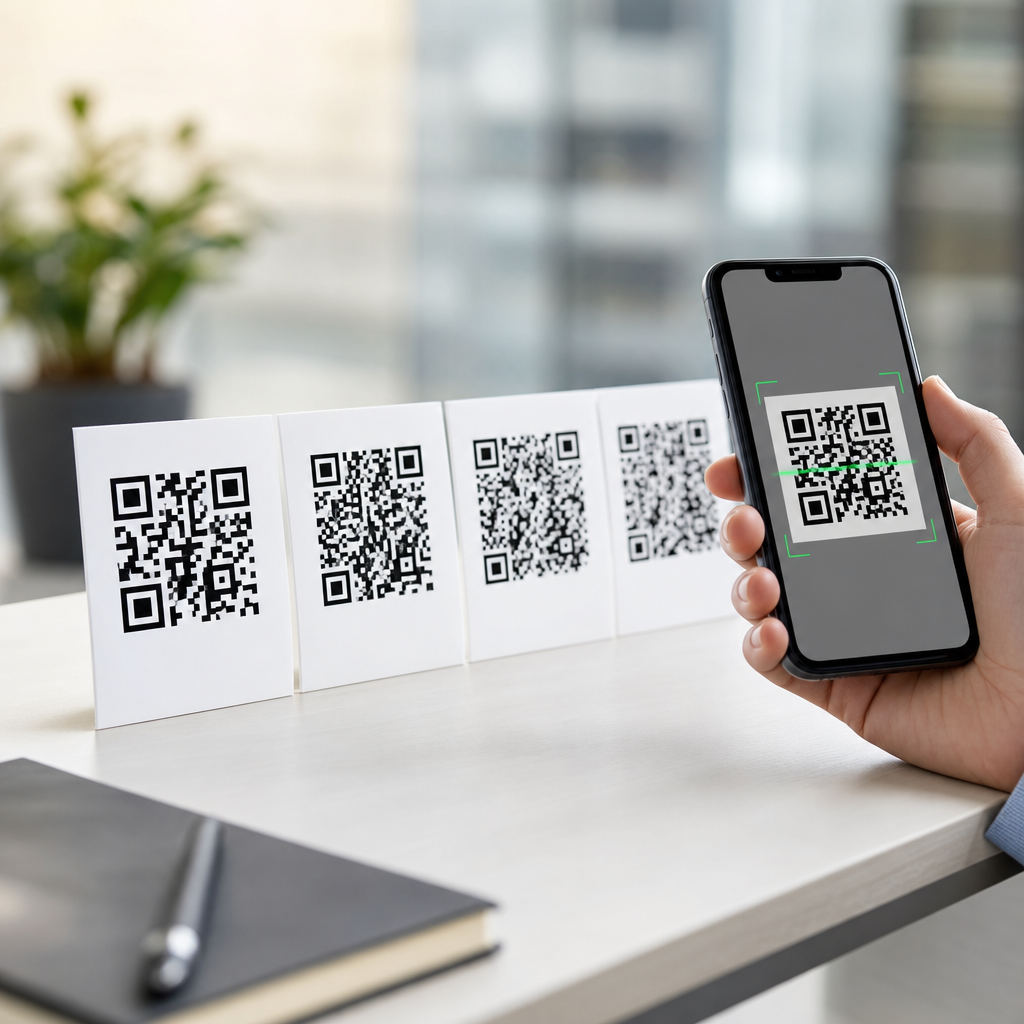
QR code error correction levels determine how much damage, dirt, distortion, or printing loss a symbol can tolerate while still scanning correctly. In practical terms, the four levels—L, M, Q, and H—control how much redundant data is added to the code, which directly affects resilience, symbol density, and design flexibility. If you create, print, test, or specify QR codes, understanding these levels is not optional; it is central to reliable performance across packaging, posters, labels, menus, tickets, and industrial marking.
A QR code is a two-dimensional matrix barcode defined by ISO/IEC 18004. It stores data in black and white modules arranged within a square grid, together with finder patterns, alignment patterns, timing patterns, format information, and error-correction codewords. Error correction is the mechanism that lets a scanner reconstruct missing or corrupted portions of the encoded message. The four selectable settings are named L, M, Q, and H. They are commonly described as restoring about 7 percent, 15 percent, 25 percent, and 30 percent of codewords respectively, though real-world scan outcomes vary with damage location, print quality, quiet zone compliance, camera quality, and decoding software.
This topic matters because QR code performance is rarely limited by theory alone. In my own production work, the biggest failures come from mismatched choices: a marketing team wants a tiny, highly branded code on glossy packaging, but the generator is left at a default level without considering print gain, curvature, low light, or logo placement. Error correction levels are the control point that balances robustness against capacity and size. They also connect to broader QR code technology and standards questions, including version selection, masking, character encoding, structured data, and scanner compatibility. Used correctly, they improve scan success. Used blindly, they create avoidable failures.
What the four QR code error correction levels mean
The four QR code error correction levels represent increasing amounts of redundancy. Level L is the lightest setting, optimized for maximum data capacity and the smallest possible symbol for a given payload. Level M is the general-purpose middle ground and is often the default in many generators because it offers a practical balance of capacity and resilience. Level Q adds substantially more redundancy, making it useful when codes may be partly obscured, printed on uneven surfaces, or stylized with moderate branding. Level H uses the highest redundancy and is the preferred choice when you expect physical wear, aggressive customization, or poor environmental conditions.
The percentages attached to L, M, Q, and H are often misunderstood. They do not mean a code can lose exactly 7, 15, 25, or 30 percent of visible area in any shape and still scan. They refer to the approximate fraction of codewords that can be recovered through Reed-Solomon error correction under standard assumptions. Damage concentrated over finder patterns, timing patterns, format information, or a large contiguous block can cause failure sooner than those headline figures suggest. Conversely, scattered specks, scratches, or minor print defects may be corrected easily, even if they look significant to the eye.
For a simple mental model, think of error correction as backup instructions woven into the symbol. The higher the level, the more backup instructions are present, but the more modules are needed to carry them. That tradeoff increases the symbol version or module density when the data content stays the same. In other words, higher resilience usually means either a larger printed QR code or a busier grid. This is why choosing H for every use case is not automatically best.
How QR codes recover damaged data
QR codes use Reed-Solomon error correction, a well-established method also used in storage media, digital communications, and other barcode families. The encoder breaks the payload into codewords, calculates additional correction codewords, and organizes them into blocks. During decoding, the scanner reads the symbol, applies the mask pattern indicated by format information, separates data and correction codewords, detects inconsistencies, and uses the Reed-Solomon algorithm to reconstruct missing or corrupted values where possible. The result is a system that remains functional despite partial loss.
This matters because not all damage is equal. A coffee stain that touches only data modules may be recoverable at M or Q, while a torn corner that destroys a finder pattern can make the symbol unreadable regardless of level. Likewise, low contrast, motion blur, glare, warped surfaces, and undersized quiet zones are not simply “damage” in the mathematical sense; they can prevent accurate sampling before correction even begins. Error correction helps after the symbol has been detected and interpreted with enough confidence. It does not compensate for every imaging or design mistake.
In field testing, I have seen the same encoded URL printed at level M and level H behave very differently on corrugated shipping labels. The H version survived abrasion and tape overlap better, but once both symbols were shrunk below a practical x-dimension, scan speed collapsed on older warehouse handhelds. That is the real operational lesson: resilience depends on the whole system, not just the level setting.
Capacity, symbol size, and scan reliability tradeoffs
Higher error correction reduces usable data capacity. If the content is fixed, the QR code often needs to move to a larger version to fit the additional correction codewords. QR code versions range from Version 1, which is 21 by 21 modules, to Version 40, which is 177 by 177 modules. As versions increase, the grid gets denser. Dense symbols can still scan well when printed large and sharply, but they become less tolerant of poor printing, camera noise, and distance. That is why a smaller payload paired with a redirecting short URL often performs better than embedding long raw data directly.
Character mode also affects the result. Numeric mode is the most efficient, alphanumeric is next, byte mode is broader but less space-efficient, and Kanji mode is specialized for certain character sets. A URL with uppercase letters, lowercase letters, punctuation, and tracking parameters usually forces byte mode, which increases symbol complexity. If you then raise error correction from M to H and add a logo, the code may jump several size steps. Designers sometimes blame the generator for producing a “too busy” symbol when the real cause is content length combined with an aggressive correction target.
The practical standard I use is straightforward: first reduce payload length, then choose the lowest correction level that matches the risk environment, then size the printed code based on test distance and scanner quality. This sequence produces more reliable outcomes than selecting a level in isolation.
When to use L, M, Q, or H in real deployments
Each level has a legitimate place. Level L works well when the code is large, cleanly printed, and unlikely to be damaged, such as on digitally displayed boarding links, internal documents, or controlled industrial workflows where symbol quality is tightly managed. Level M is suitable for many everyday uses including brochures, business cards, product inserts, and in-store signage. It is often the safest starting point when no severe environmental risk exists.
Level Q is a strong option for consumer packaging, restaurant table tents, window decals, and posters where some wear, glare, curvature, or design treatment is expected. It is also a sensible choice when a small central logo is required, provided the logo does not interfere with critical patterns. Level H is best for harsh handling, outdoor exposure, event badges, return labels, asset tags, and heavily branded codes that intentionally cover part of the center area.
| Level | Approximate recovery | Best use case | Main tradeoff |
|---|---|---|---|
| L | 7% | Clean, controlled environments with short data | Least damage tolerance |
| M | 15% | General marketing and office printing | Moderate redundancy only |
| Q | 25% | Packaging, mild branding, uneven conditions | Larger or denser symbol |
| H | 30% | Logos, wear, outdoor use, rough handling | Highest capacity penalty |
These recommendations are not absolute. For example, a factory-direct part mark may use L if the symbol is physically large and read with fixed-position imagers, while a retail flyer may need Q because it will be folded, scuffed, and photographed in low light. The right level comes from the use environment, the payload, the print process, and the expected scanner.
Design, branding, and logo placement considerations
Branded QR codes are where error correction levels are most frequently misapplied. Teams often assume that choosing H gives unlimited freedom to insert a large logo, recolor modules, round corners, remove the quiet zone, or use low-contrast palettes. It does not. The quiet zone should generally be at least four modules wide, finder patterns must remain clear and high-contrast, and the module grid must stay distinct enough for binarization and sampling. Error correction can help recover covered data modules, but it cannot rescue a design that breaks fundamental detection rules.
A safer branding workflow is to start with a short destination URL, generate the symbol at Q or H, place a modest logo in the center, keep dark modules significantly darker than the background, and test across multiple devices and lighting conditions. In practice, logos that occupy around 10 to 15 percent of the symbol area are often manageable when the code is otherwise well designed, but there is no universal safe percentage because outcomes depend on version, mask pattern, and where the covered modules fall. The only responsible rule is empirical testing.
Print method matters as much as graphic design. Flexographic packaging can spread ink and close small gaps. Thermal transfer labels can lose edge definition with poor ribbon settings. Direct part marking on metal introduces reflectivity and surface texture. On-screen codes face moiré effects, display brightness variation, and screenshot recompression. In every case, raising the correction level helps only if the base symbol remains optically readable.
Standards, testing methods, and common mistakes
The governing standard for QR code structure is ISO/IEC 18004, while print quality evaluation commonly relies on ISO/IEC 15415 for two-dimensional symbols. These standards define how symbols are encoded and how quality can be graded using parameters such as symbol contrast, modulation, fixed pattern damage, grid nonuniformity, and decode performance. For organizations deploying QR codes at scale, verification is more dependable than casual phone testing because it measures whether the printed symbol meets objective criteria instead of merely scanning once on a modern camera.
The most common mistakes are predictable. First, encoding too much data when a short URL would suffice. Second, choosing H without increasing physical size, which creates a dense symbol that is harder to scan than a larger M code. Third, adding logos or decorative shapes before confirming baseline readability. Fourth, violating quiet zone requirements. Fifth, printing below the resolution limits of the process. Sixth, testing on one flagship phone and assuming universal compatibility.
A sound test plan includes different devices, operating systems, and scan distances; bright and dim lighting; fresh and intentionally worn samples; and, when relevant, the actual scanner fleet used in stores, warehouses, hospitals, or field service. If scan speed matters, measure first-read success and time-to-decode, not just whether a code eventually opens. Those metrics reveal whether your chosen error correction level supports the real task.
QR code error correction levels are a core part of QR Code Technology & Standards because they link mathematical encoding to physical performance. L, M, Q, and H are not abstract labels; they are operational choices that affect data capacity, symbol size, branding flexibility, print tolerance, and scan reliability. The right level depends on where the code will appear, how much data it carries, how it will be printed or displayed, and what devices will read it.
The clearest takeaway is this: choose the correction level after you simplify the payload and define the environment, not before. Use L for clean controlled cases, M for general use, Q for moderate risk and light branding, and H for heavy wear or intentional occlusion. Then verify the result with realistic testing. That process consistently produces better QR codes than relying on defaults or visual guesswork.
If you are building a broader understanding of QR Code Basics & Education, treat this page as your hub for the standards side of the subject. From here, review symbol versions, masking, character modes, quiet zone requirements, print verification, and dynamic versus static implementation choices. Apply those principles together, and your QR codes will scan faster, fail less often, and perform reliably in the real world.
Frequently Asked Questions
What do the QR code error correction levels L, M, Q, and H actually mean?
QR code error correction levels define how much damage or data loss a code can tolerate and still scan correctly. The four levels are L, M, Q, and H, and each one represents a different amount of redundant data built into the symbol. In general, Level L can recover from about 7% data loss, Level M from about 15%, Level Q from about 25%, and Level H from about 30%. That added redundancy allows scanners to reconstruct missing or obscured portions of the QR code when parts of it are dirty, scratched, faded, wrinkled, poorly printed, or partially covered.
In practical use, these levels are a tradeoff between capacity and durability. Lower correction means less redundancy, so the QR code can store more data in a smaller or simpler symbol. Higher correction means more redundancy, so the code becomes more resilient, but it also grows denser or requires a larger printed area to remain easy to scan. This is why error correction level is not just a technical setting in a generator. It directly affects whether a code performs well on packaging, posters, menus, labels, product inserts, and other real-world surfaces where wear, glare, distortion, or imperfect printing can interfere with readability.
How does a higher error correction level affect QR code size, density, and scan reliability?
When you increase the error correction level, the QR code must reserve more of its available space for recovery information rather than original content. That means the symbol either becomes denser at the same physical size or larger if you want to preserve comfortable scanning conditions. In both cases, the visual complexity of the QR code increases. More modules are packed into the pattern, and that can make the code less forgiving if it is printed too small, displayed on a low-resolution screen, or reproduced with soft edges and weak contrast.
At the same time, higher error correction usually improves real-world reliability when the code may be exposed to abuse. If a code is likely to be scratched, folded, smudged, curved around a bottle, exposed to outdoor conditions, or partially blocked by design elements, levels Q or H often provide a better safety margin. However, higher error correction does not automatically mean better scanning in every case. A tiny, overly dense QR code with Level H can perform worse than a larger, cleaner code with Level M if the print quality or viewing conditions are poor. Reliable performance depends on the full combination of data length, physical size, quiet zone, contrast, surface material, distortion, and testing, not error correction alone.
Which QR code error correction level should I choose for packaging, posters, labels, menus, and other printed materials?
The best error correction level depends on how and where the QR code will be used. Level M is often a strong default because it offers a practical balance between resilience and symbol efficiency. It works well for many general-purpose applications where print quality is decent and the code is not likely to suffer major damage. For example, brochures, table tents, menus, flyers, and indoor signage often perform well with Level M if the code is large enough and printed with solid contrast.
Level L may be appropriate when you need maximum data capacity and the code will be printed or displayed in controlled conditions with little risk of damage. Level Q or H is typically better for challenging environments, such as product packaging that may be scuffed in transit, labels on curved containers, industrial assets, outdoor posters, or branded designs where a logo or central graphic will cover part of the code. If users might scan from a distance, under poor lighting, or after the print has aged, moving up to Q or H can be a smart decision. The key is to match the correction level to the actual risk profile of the application rather than picking the highest setting by habit. Good QR specification comes from expected use conditions, not guesswork.
Does higher error correction make it safe to add a logo or customize the QR code design?
Higher error correction gives you more flexibility for customization, but it does not make the QR code impossible to break. Many branded QR codes rely on Level Q or H because those settings leave more room for partial obstruction, such as a logo placed in the center, color treatments, decorative framing, or minor stylistic changes to module shapes. The added redundancy can help compensate when small portions of the code are intentionally covered or visually altered.
That said, customization must still be handled carefully. Error correction is only one part of scannability. If the quiet zone is reduced, contrast is too low, module shapes become too abstract, gradients interfere with edge definition, or the logo covers critical areas, the QR code may fail even at Level H. Good design practice means keeping finder patterns clear, preserving strong contrast between foreground and background, maintaining adequate white space around the symbol, and testing across multiple phones and lighting conditions. In other words, higher correction improves design tolerance, but it is not a license to ignore established QR code readability rules. If the code matters commercially or operationally, it should be validated under realistic print and scan conditions before release.
Why is testing so important if the QR code already uses error correction?
Error correction helps recover from missing or damaged data, but it does not solve every scanning problem. Many failures happen for reasons that have little to do with recoverable damage. A QR code may be too small for the intended scanning distance, printed on reflective material, wrapped around a highly curved surface, placed where shadows fall across it, reproduced with weak contrast, or generated with too much encoded data for its final size. In those situations, a higher correction level may not rescue the symbol at all. The code might technically contain enough redundancy, yet still be difficult for cameras and decoding software to detect and interpret.
Testing matters because it reveals how the code performs in the actual environment where people will use it. A QR code on packaging should be tested on the final substrate, not just on an office printer. A restaurant menu code should be checked under indoor lighting and from typical user distances. A poster code should be evaluated at the intended mounting height and viewing angle. Testing should include different phone models, camera qualities, and operating conditions. This is how you confirm whether Level L, M, Q, or H was the right choice and whether the final size, contrast, placement, and design support dependable scanning. In professional use, error correction is an important safeguard, but field testing is what turns a technically valid QR code into a reliably usable one.





