
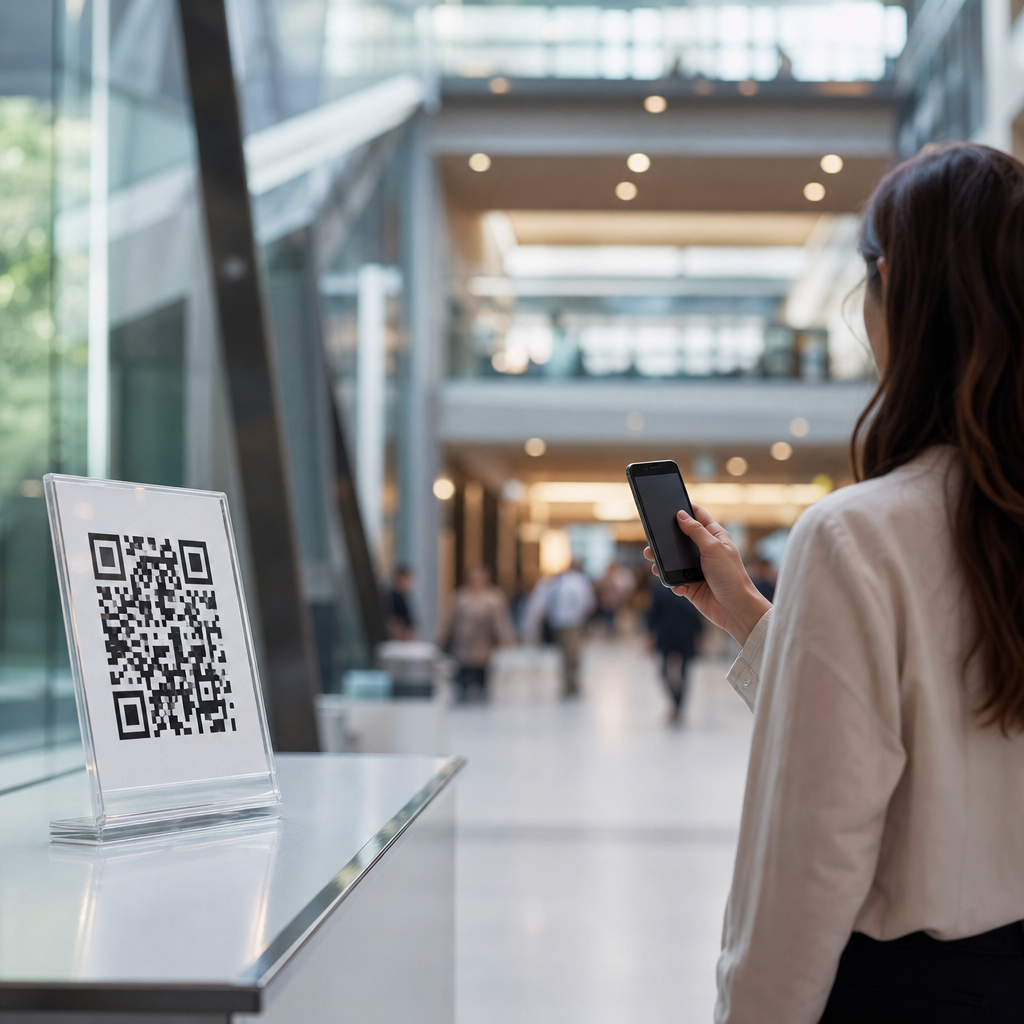
How distance impacts QR code design is the practical question behind every successful scan, whether the code appears on a product label, a storefront poster, a trade show banner, or a mobile screen. Distance determines how large the code must be, how much data it should carry, what level of error correction is appropriate, and which visual treatments remain safe. In QR code design, distance means the expected space between the scanner and the code at the moment of capture. Print vs digital design considerations describe how those distance rules change when a code is printed on physical materials versus displayed on screens. I have tested QR codes on packaging, menus, event signage, and digital ads, and the same pattern always holds: a visually attractive code that ignores viewing distance underperforms. This matters because scan friction reduces conversions, weakens campaign measurement, and damages brand trust. A user rarely blames their camera; they blame the business that published a code that was too small, too dense, too low in contrast, or poorly placed. The hub topic of print vs digital design considerations starts with this core principle: design for the scan environment first, then apply branding without compromising readability.
Why viewing distance is the first design variable
Viewing distance is the first design variable because it governs symbol size, quiet zone visibility, camera focus demands, and the time a user is willing to spend trying to scan. In practical terms, a QR code meant for hand-held interaction at 8 to 16 inches can be much smaller than one placed on a wall several feet away. A useful field rule is a roughly 10 to 1 ratio between scanning distance and code size, meaning a code scanned from 10 feet should be about 1 foot wide. It is not a formal standard, but it is a reliable planning baseline before live testing. ISO/IEC 18004 defines QR Code symbol structure, finder patterns, alignment patterns, timing patterns, data modules, and quiet zone requirements, and those technical features only work when the camera can resolve them clearly.
Distance also changes user behavior. At close range, people can steady their phones, tap to focus, and try again. At longer range, they expect instant recognition. That is why a code on shelf packaging may succeed at 25 millimeters while a code on a transit shelter may fail at 100 millimeters if it contains too much data or competes with cluttered artwork. The farther away the user stands, the more conservative the design must become. Lower data density, stronger contrast, larger module size, and unobstructed placement are not optional refinements; they are the foundation of scan reliability.
How print design changes QR code requirements
Printed QR codes face physical constraints that digital codes do not. Ink spread can soften module edges, paper texture can introduce noise, folding can distort geometry, and production variation can reduce contrast. When I prepare codes for packaging or signage, I always treat print resolution, substrate, and finishing method as part of the design brief. A code printed on corrugated cardboard behaves differently from one printed on coated brochure stock or a vinyl window cling. Even when the file is mathematically perfect, the final printed result can lose crispness. That is why print QR code design generally needs more safety margin than screen-based display.
Distance amplifies every print defect. A small amount of dot gain on a tiny business card code may still scan at arm’s length, but the same proportional loss on a poster viewed from six feet away can make modules merge visually. Quiet zone protection is especially important in print because surrounding graphics, trim lines, and folds often creep too close to the symbol. The standard minimum quiet zone is four modules on all sides, and in busy layouts I often exceed that. Print also requires discipline around color. Black on white remains the best performer because smartphone cameras detect luminance contrast more reliably than brand color combinations with similar brightness values.
Placement matters as much as size. On menus, table tents, and product labels, users typically scan from close range while seated or holding the item, so moderate sizes can work if the code is simple and isolated. On posters, endcaps, billboards, and storefront windows, users scan while standing, walking, or driving slowly past. Those scenarios demand larger symbols, shorter URLs, and stronger environmental contrast. Gloss lamination and reflective glass can create glare that effectively increases scanning distance by reducing visible detail. In print, the correct question is not merely how big should the QR code be. The correct question is how big must it be after printing, lighting, and material effects reduce clarity.
How digital display affects scanning performance
Digital QR code design introduces a different set of constraints. Screens do not suffer from ink spread, but they do create moire effects, pixel interpolation artifacts, brightness inconsistencies, and viewing-angle issues. The positive tradeoff is flexibility. A code on a landing page, presentation slide, kiosk, smart TV, or in-app screen can be resized, updated, and A/B tested quickly. In campaigns I have managed, digital placement made it possible to test not only code size but also surrounding call-to-action language, screen brightness, and dwell time. That agility is one reason digital QR activations can outperform print when teams monitor performance closely.
Distance still rules the design. A QR code shown on a smartphone to be scanned by another smartphone needs enough size for the camera to resolve modules on a luminous surface. A code embedded in a webinar slide must remain scannable from the attendee’s laptop camera or from a phone pointed at the monitor. In digital out-of-home, brightness and refresh rate can influence readability, especially in sunlight or when the code appears alongside motion graphics. The safest practice is to avoid scaling a dense code too small and to maintain sharp export settings, preferably as SVG for web or high-resolution raster for controlled environments. Blurry screenshots and compressed images routinely break scans.
Digital experiences also allow dynamic QR codes, where the destination URL can be changed without reprinting the symbol. That is useful for campaigns, but it does not remove distance constraints. If anything, dynamic usage often tempts teams to encode more tracking parameters, route through longer URLs, or place codes in more experimental layouts. The scanner does not care about campaign ambition. It cares about whether the finder patterns are visible, modules are distinct, and the surrounding interface does not distract from the task.
Choosing the right size, data load, and error correction
The mechanics of QR code performance come down to three linked decisions: physical size, encoded data volume, and error correction level. More data means a denser symbol. Denser symbols require larger display sizes to preserve module clarity at the same scanning distance. Error correction adds redundancy that helps scanners recover data when part of the code is damaged or obscured, with levels L, M, Q, and H offering increasing recovery potential. In branded design, many teams default to high error correction because they want to insert a logo or stylize modules. That can be appropriate, but high error correction also increases density, which may force a larger code.
For close-range print, a short URL encoded at level M or Q is often sufficient. For long-range signage, reducing data payload is usually the smarter choice than increasing visual complexity. URL shorteners, dynamic QR management platforms, and campaign-specific redirects are practical tools because they keep the symbol simpler. I prefer to think in module size rather than total code width alone. A large overall code can still fail if version complexity makes each module too small for the camera to distinguish at the expected distance. This is where many design reviews go wrong: stakeholders approve dimensions in inches or pixels without considering symbol version and module count.
| Use case | Typical scan distance | Recommended design approach | Main risk |
|---|---|---|---|
| Product packaging | 8 to 18 inches | Small to medium code, short URL, strong contrast, matte finish if possible | Curved surfaces and print noise |
| Restaurant menu | 10 to 20 inches | Moderate size, quiet zone protection, clear label above code | Low light and lamination glare |
| Poster or window sign | 2 to 6 feet | Larger code, minimal data, uncluttered placement | Reflections and background distraction |
| Trade show banner | 4 to 10 feet | Large code, high contrast, simple CTA, test from aisle distance | Overly dense branded styling |
| Presentation slide | 3 to 20 feet | Large on-screen code, static display for several seconds, short destination | Insufficient dwell time |
| Mobile screen to mobile scan | 4 to 12 inches | Generous pixel dimensions, crisp rendering, high screen brightness | Screenshot blur or low brightness |
Branding decisions that help or hurt scannability
Branding is where print vs digital design considerations become most visible. Marketing teams want custom colors, logo overlays, rounded modules, decorative frames, and campaign artwork integrated around the code. Some of these enhancements work well. Others sabotage performance, especially as distance increases. The nonnegotiable principle is that scanners read contrast and geometry before they appreciate branding. A code can be branded, but it must still preserve the finder patterns, alignment structure, quiet zone, and clear distinction between dark and light modules.
In close-range digital placements, moderate customization often performs well because screens can display clean edges and users can adjust position easily. On printed materials viewed from farther away, I recommend restraint. Brand colors should be checked for luminance contrast, not just hue difference. Light gray on white, pastel on cream, or metallic ink on dark stock may look sophisticated in mockups and fail instantly in the real world. Logo overlays should stay modest and be validated with live-device testing across iPhone and Android camera apps, not only within one QR scanner application. Rounded modules, gradients, and inverse color schemes can sometimes work, but they reduce safety margin. The farther the expected scan distance, the less experimental the styling should be.
Calls to action are part of design, not afterthoughts. A code without explanatory text often gets ignored. Labels like “Scan to view menu,” “Scan for setup guide,” or “Scan for 10% off” increase scan intent because they reduce ambiguity. On digital displays, surrounding copy should remain visible long enough for users to unlock phones and open cameras. On print, the CTA should sit close enough to the code to be associated with it but not invade the quiet zone. Good branding clarifies purpose and reinforces trust. Bad branding competes with the symbol and makes scanning feel uncertain.
Testing methods for print and digital QR codes
No QR code should go live without environment-specific testing. I use a simple validation process: test the final asset at actual size, in actual lighting, with multiple devices, from realistic distances, and with native camera apps first. Print proofs should be examined after finishing, not only as press PDFs. A matte proof and a gloss proof can produce different results. For digital placements, test on the actual screen type, brightness setting, and software environment. A code that scans well on a design monitor may perform differently on a conference projector, LED wall, or low-cost kiosk screen.
Distance testing should include motion and time pressure. Can someone scan the poster while walking past? Can an attendee in the back half of a meeting room capture the code before the slide changes? Can a shopper scan a bottle on a curved surface under store lighting? Analytics then close the loop. Dynamic QR code platforms can report scans by time, location, and device, helping identify whether low engagement reflects weak offer design or poor scannability. If impressions are high and scans are low on one placement but not another, design conditions are usually the first thing to audit. Successful QR code design is iterative. The best-performing programs treat every deployment as a testable interface, not a static graphic.
Conclusion
Distance impacts QR code design more than any visual preference because it determines whether a camera can resolve the symbol quickly and reliably. That single factor shapes size, data density, error correction, contrast, placement, branding freedom, and testing requirements. In print, material, finish, and production quality add friction, so designers need larger safety margins and stricter control over quiet zones and contrast. In digital, screen sharpness, brightness, dwell time, and rendering quality matter more, but the same basic rule applies: the farther the user is from the code, the simpler and larger the design should be.
As the hub for print vs digital design considerations, this topic connects packaging, signage, presentations, mobile interfaces, and branded campaign assets under one practical framework: start with scan distance, then adapt the design to the medium. Teams that do this consistently see better scan rates, fewer user complaints, and cleaner campaign data. Before publishing your next QR code, test it at real size, in real conditions, from the real distance you expect. That one step will improve performance more than any decorative tweak.
Frequently Asked Questions
1. Why does scanning distance matter so much in QR code design?
Scanning distance affects almost every practical design decision behind a QR code. The farther away a person is when they scan, the larger the code must be and the easier it must be for a camera to recognize its structure quickly. A QR code is not just a graphic element; it is a machine-readable pattern made of small modules, and those modules must remain clear enough for a phone camera to distinguish at the expected viewing distance. If the code is too small for the environment, the camera may struggle to focus, detect the finder patterns, or separate the code from the surrounding design.
Distance also influences how much encoded data the code should carry. More data creates a denser QR code with smaller modules, which reduces scanning reliability at longer ranges. For example, a code on a product label scanned from a few inches away can often handle more density than a code on a storefront window meant to be scanned from the sidewalk. In that storefront scenario, simplicity matters more than data capacity. Short URLs, dynamic QR codes, and clean layouts typically perform better because they keep the code less complex.
In real-world use, distance interacts with lighting, camera quality, motion, glare, and placement angle. A code on a trade show banner may need to scan from several feet away while people are walking past, which means the design must compensate for less-than-ideal conditions. That is why distance is not a minor detail in QR code design. It is a foundational variable that determines size, density, error correction choices, and how aggressively you can apply branding or visual customization without hurting performance.
2. How do I determine the right QR code size for the expected scanning distance?
The right size depends on the distance from which users are most likely to scan, not just on available design space. A common practical guideline is to make the QR code side length roughly 1/10 of the scanning distance. So if users will scan from 10 inches away, the code should be about 1 inch wide. If they will scan from 10 feet away, the code should be closer to 12 inches wide. This rule is a useful starting point, but it is not a guarantee because environmental conditions can require a larger code.
You should also factor in the complexity of the code. A simple QR code containing a short URL can often scan more reliably at a smaller printed size than a dense code containing long text or many parameters. The denser the code, the smaller its modules become, and the more difficult it is for a camera to resolve them from farther away. That means two QR codes with the same overall dimensions may perform very differently if one carries much more data than the other.
Context matters as well. A product label, restaurant table tent, or packaging insert is usually scanned at close range, so the code can be relatively small as long as print quality is high and quiet space is preserved. A wall poster, window sign, airport display, or event banner typically needs a much larger code because the user will often scan from several feet away, sometimes at an angle. On digital screens, screen resolution, brightness, reflections, and scaling behavior also affect perceived size. The safest approach is to estimate the real scanning distance, size the code accordingly, and then test it under actual use conditions with multiple phones before publishing or printing at scale.
3. Does scanning distance affect how much data a QR code should contain?
Yes, and this is one of the most important but overlooked parts of QR code design. The more data you place inside a QR code, the more modules it needs to encode that information. As the pattern becomes denser, each individual module gets smaller relative to the overall size of the code. At short distances, that may still be acceptable, especially on high-quality print or a sharp digital display. At longer distances, however, dense codes become harder for phone cameras to resolve quickly and accurately.
That is why distance usually pushes designers toward simpler payloads. Instead of embedding long URLs with tracking parameters, plain text, contact cards, or detailed instructions, it is often better to use a short redirect link or a dynamic QR code platform that keeps the visible symbol compact. This reduces density, increases module size, and improves scan reliability across a wider range of devices and conditions. It also gives you more flexibility to update the destination later without changing the printed code.
This matters especially for posters, storefront graphics, billboards, trade show booths, and public signage. In those settings, users are rarely perfectly still, perfectly aligned, or standing at the ideal distance. A low-density code gives the scanner a better chance to lock on quickly. Even in close-range use cases, less data is often better because it improves speed and tolerance. If scan performance is a priority, the best practice is to encode only what is necessary and move complexity behind the destination URL rather than inside the QR symbol itself.
4. How does distance influence error correction and visual customization choices?
Distance affects how much visual risk a QR code can tolerate. Error correction allows part of the code to be damaged, obscured, or stylized while remaining scannable, but it does not make a poorly sized or overly customized code safe in every scenario. At longer scanning distances, the camera already has less detail to work with, so aggressive styling becomes more dangerous. Rounded modules, heavy logo overlays, low contrast color combinations, decorative backgrounds, and altered finder patterns may still work at close range but fail when the user is farther away.
Error correction levels can be useful when you need some protection against wear, print imperfections, or partial obstruction, and they are often necessary when adding a logo. However, higher error correction also increases code density, which can reduce long-distance readability if the code size does not increase proportionally. This creates a tradeoff. You gain resilience against damage or design interference, but you may lose readability if the modules become too small for the expected scan distance.
For close-range applications such as packaging, menus, or instruction cards, moderate customization is often workable if contrast remains strong and the quiet zone is intact. For medium- to long-distance applications such as posters, retail windows, event graphics, and banners, simpler is usually better. Use a dark code on a light background, preserve the standard shape and alignment patterns, avoid busy imagery behind the symbol, and increase physical size before relying on error correction to solve performance issues. In other words, when distance increases, visual discipline matters more than decorative ambition.
5. Are QR code design rules different for print versus digital displays when distance is involved?
Yes, because print and digital surfaces introduce different constraints even when the scanning distance is similar. In print, the key variables include physical size, ink spread, material texture, finish, lighting, and placement. A glossy poster behind glass may create glare, while a small code on flexible packaging may distort slightly. In these cases, distance compounds the challenge because any loss in edge clarity becomes more noticeable when users scan from farther away. Print also locks in your choices, so testing before production is critical.
Digital displays create a different set of issues. Screen brightness, pixel density, scaling behavior, refresh artifacts, and reflections all influence scanning performance. A QR code displayed on a large presentation screen across a room may look visually big, but if the image is compressed, blurred, or scaled poorly, it may scan worse than a well-printed version. On mobile screens, the code may be scanned from close range, but surrounding interface elements, low brightness, or limited display area can still reduce usability. Distance matters here too because users may not hold devices perfectly still or may scan from awkward angles.
The best approach is to design for the actual environment rather than assuming one QR code works equally well everywhere. For print, confirm minimum size, contrast, quiet zone, and material finish under real lighting conditions. For digital, export the code sharply, avoid resizing that softens edges, maintain strong contrast, and verify performance on different screen types and brightness levels. In both cases, expected scanning distance should drive the final design. A code intended for close-up mobile use can be denser and smaller, while a code meant for across-the-room scanning should be larger, cleaner, and less visually complicated.





