
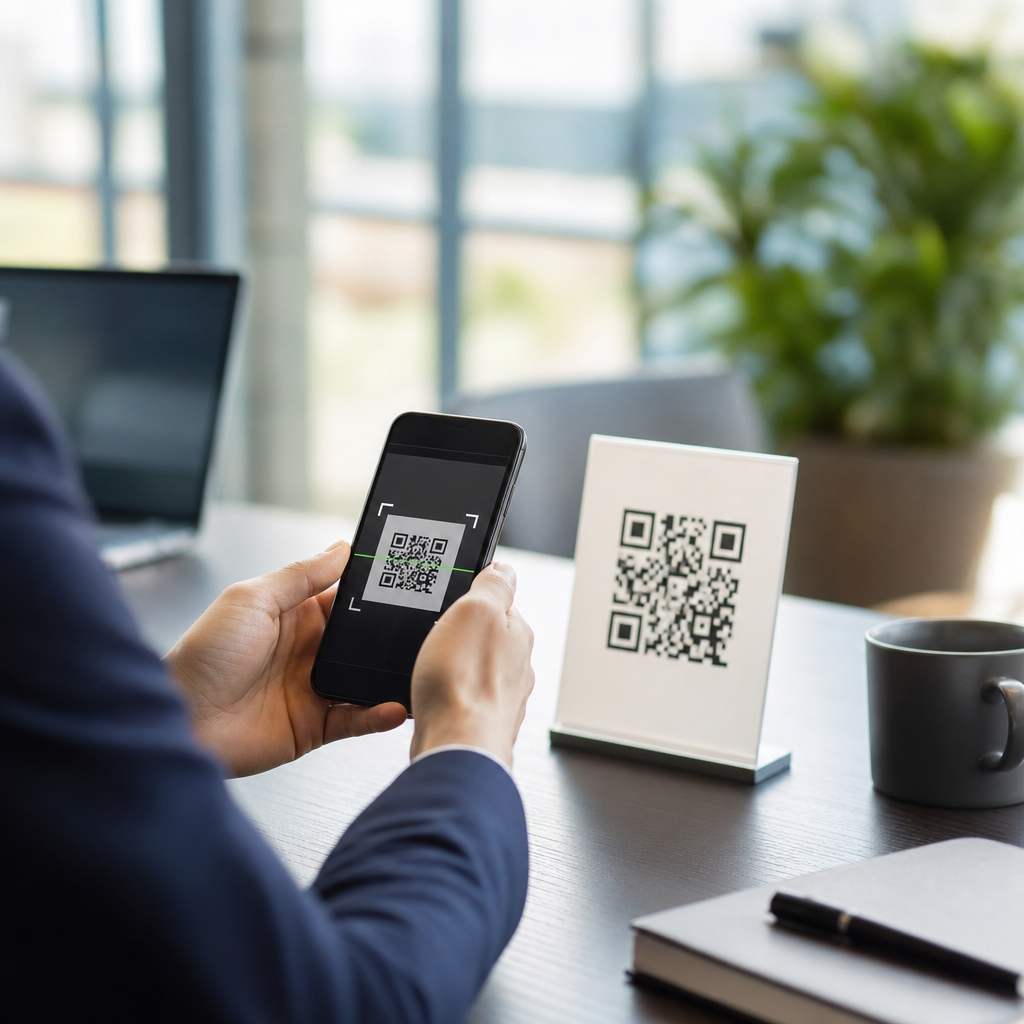
QR codes have become a routine bridge between printed materials and digital actions, but that convenience has created a fast-growing fraud channel that many organizations still underestimate. A QR code scam happens when a criminal uses a malicious or misleading code to send someone to a fake website, trigger a fraudulent payment, download malware, or expose sensitive data. Businesses need to understand these threats because the same codes used for menus, payments, product details, loyalty programs, and equipment tracking can also be copied, replaced, or weaponized. In my work with digital campaigns and operational signage, I have seen teams treat QR codes like harmless graphics when they should be managed like clickable links with real security implications.
Preventing QR code scams starts with recognizing that the risk is both physical and digital. A printed poster in a store can be tampered with using a sticker placed over the original code. A phishing email can include a code instead of a suspicious hyperlink to bypass employee caution and email filters. A customer can scan a code on packaging, parking meters, invoices, event signage, restaurant tables, or public kiosks and be taken to an impostor page that looks legitimate. Because the destination is hidden until after the scan, QR attacks exploit trust and speed at the same time. That makes prevention a cross-functional responsibility involving marketing, IT, security, operations, customer service, and compliance.
For businesses, the stakes are practical and measurable. A successful scam can lead to payment fraud, credential theft, account takeover, malware infections, brand damage, chargebacks, privacy complaints, and regulatory scrutiny. The FBI has warned that criminals use QR codes in payment and credential theft schemes, and security teams now track this tactic under the broader category of “quishing,” or QR phishing. The good news is that most QR code scams are preventable when organizations apply basic governance, secure code management, destination controls, staff training, and customer-facing verification measures. This hub explains the main QR code scams and risks, then shows how businesses can reduce exposure without giving up the speed and convenience that made QR technology valuable in the first place.
What QR code scams look like in the real world
QR code scams are not one single attack. They are a delivery mechanism for multiple forms of fraud. The most common version is a malicious redirect. A user scans a code expecting a menu, invoice, app download, product registration page, or payment portal and lands on a spoofed site instead. That site may capture card data, login credentials, one-time passcodes, or personal information. I have seen this pattern most often in hospitality, retail, events, and field operations because those environments rely on quick scans and low-friction interactions.
Another common tactic is physical code replacement. Criminals print a fraudulent code and place it over the legitimate one on parking meters, fuel pumps, point-of-sale displays, locker systems, or public notices. The victim believes the code belongs to the business because the surrounding branding is real. Static printed codes are especially vulnerable if they are left in public for long periods without inspection. Even internal settings are at risk. Warehouses, office badges, machine labels, and onboarding documents can all become attack surfaces if no one verifies that displayed codes still match approved destinations.
There is also QR phishing in email and messaging. Instead of embedding a suspicious URL that can be filtered, the attacker inserts a QR code image that directs the employee to a fake Microsoft 365, Google Workspace, payroll, or VPN login page. This works because many users scan on a personal phone, outside the protections of managed browsers and endpoint tools. Security teams increasingly treat these attacks as credential phishing with a mobile pivot, not as a niche curiosity. If employees use bring-your-own-device practices, the separation between personal scanning and business risk becomes even thinner.
Why businesses are attractive targets
Businesses attract QR scammers because they concentrate three things criminals want: trust, traffic, and transactions. A company logo beside a QR code increases the likelihood of a scan. High-footfall locations such as storefronts, airports, hospitals, campuses, hotels, and events offer scale. Payment flows, account logins, and loyalty programs create immediate opportunities for fraud and data collection. Criminals do not need to defeat encryption if they can simply redirect people before they reach the legitimate site.
Operational complexity also works in the attacker’s favor. In many organizations, one team designs printed collateral, another manages the landing page, a vendor prints signage, and a third party runs analytics or payments. That fragmentation creates weak ownership. When I audit QR deployments, common issues include missing inventories of active codes, no change-approval process for destinations, no inspection schedule for physical placements, and no standard wording telling users what they should expect after scanning. Without governance, even well-intentioned campaigns become difficult to verify and defend.
Industry use cases shape the risk. Restaurants face fake menu and payment pages. Real estate agencies face fraudulent property listing links. Healthcare providers must worry about privacy exposure if patient check-in or records access is redirected. Manufacturers can see warranty registration or product authentication hijacked. Schools and municipalities face reputational damage quickly because public signage is easy to alter and widely trusted. The lesson is simple: if a QR code leads to money, credentials, personal data, or operational instructions, it deserves the same level of control as any other customer-facing digital asset.
Core prevention controls every business should implement
The most effective way to prevent QR code scams is to manage QR codes as governed links, not decorative images. Start with an inventory of every business-issued code, including where it appears, who owns it, what URL it resolves to, whether it is static or dynamic, and what action the user is expected to complete. Dynamic QR platforms are usually safer operationally because you can update the destination without reprinting materials, disable compromised links quickly, and review scan analytics for anomalies. Reputable providers also support custom domains, HTTPS, password protection for some workflows, and role-based access controls.
Destination security matters as much as code management. Every landing page should use HTTPS, display recognizable branding, and live on a domain that customers already associate with the business. Shortened or unfamiliar domains increase risk because they remove context. I strongly recommend using a dedicated branded subdomain such as scan.company.com or go.company.com rather than a generic link shortener. Pair that with DNS monitoring, certificate management, and web application protections. If a QR code leads to payment, use well-known payment service providers, tokenization where appropriate, and visible cues that reassure users they are still inside the legitimate payment flow.
Physical protection is often overlooked. Use tamper-evident labels for high-risk placements, place codes behind acrylic where feasible, and design signage so unauthorized overlays are obvious. Train frontline staff to inspect public-facing codes during routine checks, just as they already inspect safety notices or point-of-sale equipment. Internal teams should know what each official code looks like and where it belongs. A simple photographic baseline stored in a shared system helps employees spot unauthorized changes quickly.
| Control | What it prevents | Practical example |
|---|---|---|
| QR code inventory | Unknown or unmanaged codes staying active | Marketing maintains a central register of all campaign and permanent codes |
| Branded custom domain | User confusion and spoofed destinations | All customer scans resolve only to links under scan.company.com |
| Dynamic QR management | Slow response after compromise | A compromised event code is redirected to a warning page within minutes |
| Physical inspections | Sticker overlays and code replacement | Store managers check entrance, tables, and checkout signage each shift |
| Mobile-safe login policies | Credential theft through quishing | Employees must use passwordless authentication with phishing-resistant MFA |
| Customer verification text | Blind trust in any visible code | Sign says “After scanning, you should land on pay.company.com only” |
How to secure customer-facing QR experiences
Customers need clear signals that a QR code is genuine. The best defense is predictability. Tell users exactly what the scan does, where it should lead, and what they should never be asked to provide. For example, a parking sign can state that payment is handled only through pay.company.com and that staff will never ask for banking credentials after a scan. A restaurant table card can say that the menu opens without requiring an app download. That small amount of expectation-setting reduces the success rate of fake pages because users know what normal looks like.
Design also influences trust. Place QR codes within branded layouts that are hard to replicate casually, include human-readable URLs near the code, and avoid clutter that hides tampering. If a scan initiates a sensitive action such as payment or account login, consider adding a confirmation step on the landing page that restates the business name, location, and purpose. For app downloads, direct users to official Apple App Store or Google Play listings rather than side-loaded files. If your use case involves product authentication, pair the code with serial verification or signed data rather than relying on the QR alone.
Monitoring matters after launch. Review analytics for spikes in scans from unexpected geographies, sudden drops in conversions, or unusual device patterns. Those signals do not prove fraud by themselves, but they often reveal campaign misconfigurations or abuse. Customer support channels should tag complaints involving QR scans so patterns surface quickly. If several users report a strange payment page or login prompt, that is an incident until proven otherwise.
How to protect employees from quishing attacks
Employee awareness training should specifically cover QR phishing because traditional anti-phishing education often focuses only on suspicious links and attachments. Show staff real examples: a fake MFA reset email with a QR code, a counterfeit shared document notice, or an HR benefits update asking them to scan with a mobile phone. Teach them to pause before scanning any code received through email, chat, text message, or printed handouts. The rule should be straightforward: if the request involves credentials, payments, payroll changes, or device enrollment, go directly to the known portal instead of scanning.
Technical controls should support that training. Microsoft Defender for Office 365, Google Workspace security controls, mobile device management platforms, secure web gateways, and identity providers can all reduce exposure when properly configured. Phishing-resistant multi-factor authentication, such as FIDO2 security keys or passkeys tied to the legitimate origin, materially limits account takeover even if an employee reaches a fake page. Conditional access policies can also require managed devices or block risky sign-ins from unfamiliar locations after mobile credential capture attempts.
Incident response procedures need a QR-specific branch. If an employee reports scanning a suspicious code, security should capture the destination URL, preserve the message or image, reset affected credentials if entered, revoke active sessions, review sign-in logs, and assess whether the device needs further inspection. Fast containment matters because QR phishing often aims for cloud accounts with broad access. Treat reported scans seriously; the hidden nature of the destination means employees may not recognize the attack until after they have interacted with it.
Governance, compliance, and long-term risk reduction
Long-term prevention depends on governance. Assign clear ownership for every production QR code, require approval for destination changes, and document retention periods for campaign materials so outdated codes are removed instead of lingering in public. Vendor management is part of this. Printers, agencies, payment processors, and QR platform providers should have defined responsibilities for change control, access management, breach notification, and logging. If a third party can alter destinations or generate codes under your brand, that relationship is part of your attack surface.
Privacy and compliance should shape design decisions. If a QR campaign collects personal data, disclose what is collected, why it is needed, and how it is protected. Follow applicable laws and frameworks such as GDPR, CCPA, PCI DSS for payment environments, and sector-specific requirements in healthcare or education. Minimize data collection on landing pages, avoid requesting information that is unnecessary for the task, and make sure analytics tools do not expose more user data than intended. Good security and good privacy usually reinforce each other because simpler flows leave fewer opportunities for abuse.
Businesses that perform well over time build QR security into existing processes rather than treating it as a one-off checklist. Add QR reviews to campaign launches, store audits, phishing simulations, and incident tabletop exercises. Link this hub to deeper internal guidance on safe payments, branded short links, mobile device security, and physical signage controls so teams can act consistently. QR codes are useful and here to stay. The organizations that benefit most are the ones that combine convenience with disciplined controls, visible trust signals, and fast response. Review your active codes, tighten ownership, and make every scan verifiable before attackers test the gaps.
Frequently Asked Questions
What is a QR code scam, and why should businesses take it seriously?
A QR code scam happens when a criminal uses a malicious, altered, or deceptive QR code to send someone to a harmful destination or prompt an unsafe action. That destination might be a fake login page designed to steal credentials, a payment screen that routes money to a fraudster, a malware download, or a phishing form that collects customer or employee information. Because QR codes are now widely used for menus, invoices, product details, authentication, event check-ins, loyalty programs, and contactless payments, they give attackers a simple way to exploit trust in everyday business interactions.
Businesses should take this seriously because QR codes often remove the normal warning signs people rely on. When someone clicks a standard web link, they may inspect the URL first. With a QR code, the destination is hidden until after the scan, and many users move quickly without verifying where they are being sent. That creates an ideal opening for social engineering. A scammer can place a fake code over a real one on a poster, table tent, package, kiosk, or payment terminal and redirect victims in seconds.
The impact can extend far beyond one fraudulent transaction. A successful QR code scam can lead to stolen customer data, account compromise, payment disputes, reputational damage, regulatory exposure, and costly incident response work. For businesses, the issue is not just technical; it is operational, financial, and brand-related. Treating QR codes like any other customer-facing digital touchpoint is essential. If an organization secures websites, payment systems, and communications but overlooks QR code use, it leaves an avoidable gap that attackers can exploit.
How do criminals typically use QR codes to target businesses, employees, and customers?
Attackers use QR codes in several common ways, and most of them depend on deception rather than highly advanced hacking. One of the most frequent tactics is code replacement or code overlay. A criminal prints a malicious QR code and places it on top of a legitimate one in a restaurant, parking meter, retail display, lobby sign, shipment, or event booth. The victim believes they are scanning an official code, but they are instead taken to a fraudulent website or payment page.
Another common method is phishing through QR codes, sometimes called “quishing.” In this scenario, the code appears in an email, flyer, invoice, direct mail piece, or posted notice and instructs the person to scan it to verify an account, update payroll details, claim a refund, reset a password, or review a secure document. Because many email security tools are better at screening clickable links than image-based QR codes, this technique can sometimes bypass traditional defenses and push the attack onto a mobile device where users may be less cautious.
Fraudsters also use QR codes to redirect payments. For example, a fake code on a bill or checkout sign can send a customer to a counterfeit payment portal or transfer funds to a criminal-controlled wallet. In other cases, the code may lead to a spoofed login page for a cloud service, bank, HR platform, or customer account portal. Once the victim enters credentials, the attacker can access systems, steal data, or launch further attacks.
Some scams involve malware or device compromise. While modern mobile operating systems have improved protections, users can still be tricked into downloading malicious apps, enabling unsafe permissions, or visiting compromised sites that attempt browser-based exploitation. The broader lesson is that criminals use QR codes as a delivery mechanism for familiar threats: phishing, credential theft, payment fraud, malware, and impersonation. Businesses need to secure the entire journey from the printed or displayed code to the final digital destination.
What practical steps can businesses take to prevent QR code scams?
The most effective approach is to combine physical security, digital controls, employee awareness, and customer guidance. Start by creating a clear inventory of where your organization uses QR codes. That includes storefront displays, tables, packaging, invoices, shipping materials, posters, badges, customer emails, product labels, kiosks, and payment points. Many companies use QR codes in more places than they realize, and you cannot protect what you have not documented.
Next, standardize how official QR codes are created and managed. Use a controlled process so codes are generated by approved personnel or trusted vendors, linked only to legitimate business domains, and reviewed before deployment. Whenever possible, direct QR codes to short, memorable URLs on your own domain rather than unfamiliar third-party links. Consistent branding around the landing page, such as your company name, HTTPS protection, and recognizable design, helps users identify authentic destinations.
Physical inspection matters as much as digital security. Employees should routinely check signs, tables, counters, labels, and terminals for tampering, especially in public-facing environments. A sticker placed over an existing code is one of the simplest and most common attack methods. Businesses should also consider tamper-evident materials, secure placement, durable printing, and regular audits in high-traffic or unattended locations.
On the digital side, secure the destination behind the code. Use HTTPS everywhere, keep websites updated, protect forms with strong authentication and anti-phishing controls, and monitor for lookalike domains that imitate your brand. If QR codes are used for payments, route users through trusted payment processors and confirm that the payment flow is clearly branded and easy to verify. For internal use, such as device onboarding or authentication, apply the same governance you would use for any sensitive access method.
Finally, educate both employees and customers. Train staff to inspect URLs after scanning, avoid entering credentials on unfamiliar pages, and report suspicious codes immediately. Give customers simple instructions such as “scan only codes displayed by staff” or “confirm the website shows our official domain before paying.” Prevention works best when businesses reduce both opportunity and confusion. The goal is to make legitimate QR code interactions easy and trustworthy while making unauthorized substitutions easier to spot and harder to exploit.
How can businesses help customers and employees recognize a suspicious QR code before damage is done?
Recognition starts with teaching people that QR codes are not automatically safe just because they are common. A suspicious code may appear as a sticker placed over another code, be poorly aligned on signage, use generic wording, or direct the scanner to an unexpected action such as urgent payment, password entry, account verification, or app installation. If the request feels out of place for the setting, that is a warning sign. For example, a restaurant menu code should not suddenly ask for banking details, and an HR notice should not send employees to a domain unrelated to the company.
One of the best habits is to pause and preview the destination before proceeding. Many phones display the URL before opening it, and users should be encouraged to look carefully at the domain name. Misspellings, extra characters, random strings, unusual subdomains, or domains that do not match the brand are strong indicators of fraud. A legitimate business can reinforce this by telling users exactly what domain they should expect to see when scanning an official code.
Businesses should also train staff to notice environmental clues. If a code appears damaged, recently added, inconsistent with company branding, or placed in an unusual location, it deserves closer review. Frontline employees in retail, hospitality, events, healthcare, and logistics are especially important because they are often the first to see tampered materials. Giving them a simple escalation path for reporting suspicious codes can prevent widespread harm.
It also helps to normalize verification. Customers and employees should feel comfortable asking, “Is this your official QR code?” or “Should this scan take me to this website?” That kind of quick confirmation can stop fraud before any information is entered. The key message is straightforward: scanning a QR code should be treated like clicking an unfamiliar link. A short pause to verify the source, the purpose, and the destination can prevent compromised accounts, fraudulent payments, and stolen data.
What should a business do if it discovers a fake or compromised QR code?
Act quickly and treat the situation as both a security incident and a customer trust issue. First, remove or disable the malicious code as fast as possible. If the code is physical, take down the sign, label, sticker, or display immediately and inspect nearby materials for additional tampering. If the code appears in digital content such as emails, PDFs, online listings, or marketing assets, stop distribution and replace the affected material. At the same time, identify the legitimate destination that was supposed to be used and verify that it has not also been compromised.
Next, assess who may have been affected and what risks were introduced. Determine whether the fake QR code led to credential theft, fraudulent payments, malware downloads, or data collection. Review web logs, payment records, customer service reports, and employee reports to estimate the scope. If credentials may have been exposed, force password resets where appropriate, review account access, and strengthen authentication controls. If payments were diverted, work with payment providers, banks, and legal or fraud teams right away to contain losses and support possible recovery efforts.
Communication is critical. Notify impacted employees, customers, partners, or visitors in a clear and practical way. Explain what happened, what information or actions may be at risk, what warning signs to watch for, and what steps they should take next, such as changing passwords, monitoring accounts, or contacting support. Transparent communication helps limit secondary harm and protects long-term trust. Depending on the nature of the incident and applicable





