
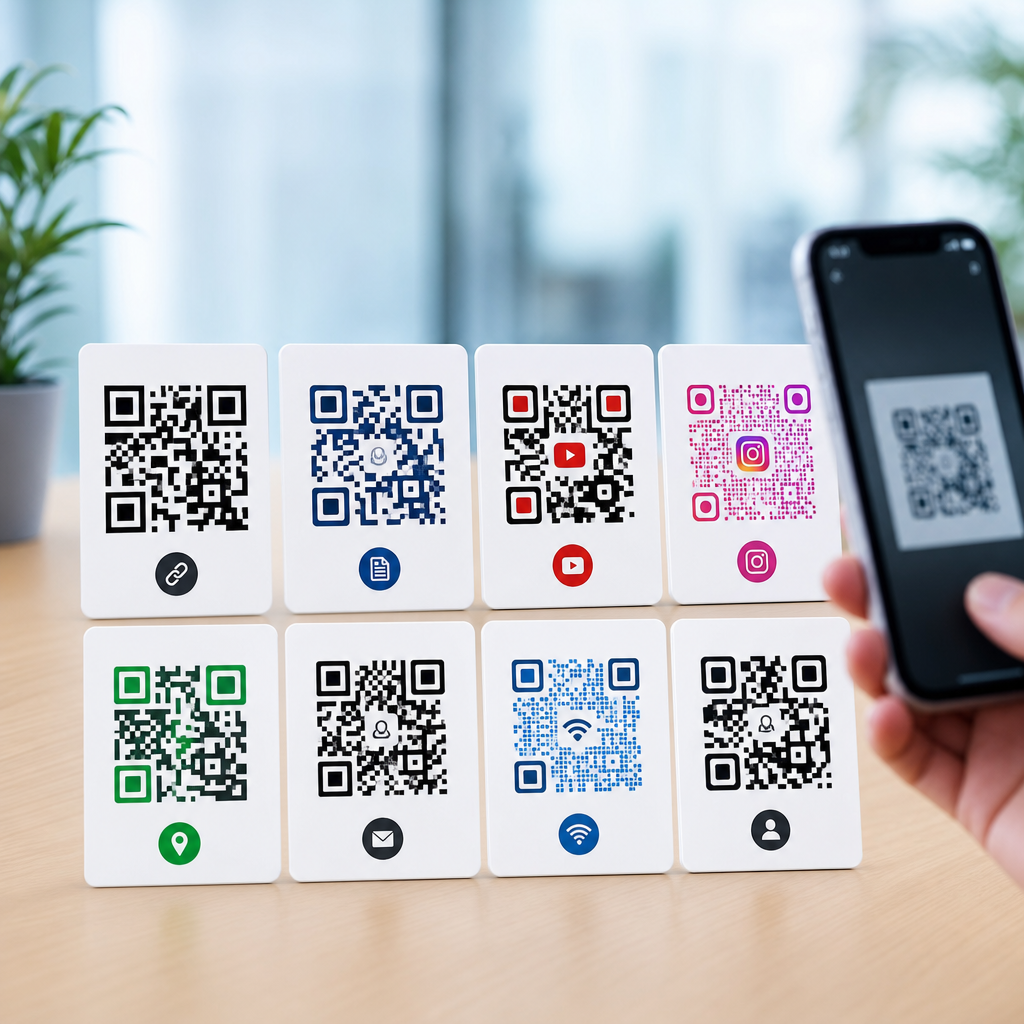
QR codes are everywhere now, but most people still treat them as one simple tool instead of a family of formats with different capabilities, limits, and business uses. In practice, understanding the different types of QR codes matters because the wrong format can break a campaign, limit editing, reduce scan rates, or create compliance risks. I have helped teams deploy QR codes on packaging, menus, event badges, direct mail, product labels, and equipment tags, and the pattern is consistent: when people know which QR code type they need, implementation becomes cheaper, tracking improves, and fewer codes need to be reprinted.
A QR code, short for Quick Response code, is a two-dimensional barcode invented by Denso Wave in 1994. Unlike a traditional one-dimensional barcode, which stores data in lines of varying width, a QR code stores data in both horizontal and vertical directions. That design allows a QR code to hold much more information, including URLs, text, phone numbers, Wi-Fi credentials, payment data, and app deep links. Modern smartphones can read most QR codes directly with the camera app, which is one reason adoption accelerated across retail, hospitality, healthcare, manufacturing, and marketing.
When people ask about types of QR codes, they usually mean one of three things. First, they may mean static versus dynamic QR codes, which is the most important practical distinction for businesses. Second, they may mean content-based types such as URL, vCard, PDF, SMS, email, Wi-Fi, or app store QR codes. Third, they may mean technical variations within the QR family, including Model 1, Model 2, Micro QR, iQR Code, SQRC, and FrameQR. A complete guide should cover all three, because choosing a QR code involves both the data it carries and the technical behavior behind it.
This matters for search visibility, analytics, customer experience, and long-term maintenance. A restaurant that prints a static menu QR code tied directly to one PDF has no easy way to update prices later. A manufacturer that uses a dynamic QR code for equipment manuals can redirect scans to the latest documentation without replacing labels. A marketer running print ads can compare scan performance by region, time, and device if the code routes through a dynamic platform. Meanwhile, an IT team sharing guest network credentials can use a Wi-Fi QR code to remove friction and reduce support tickets. The code looks similar in each case, but the type and setup determine whether it remains useful over time.
Static vs dynamic QR codes: the foundation of every decision
The clearest way to explain types of QR codes is to start with static and dynamic. A static QR code contains the final destination or content directly inside the pattern. If the code points to a URL, that exact URL is encoded into the image. Once created and printed, it cannot be changed. Static codes are simple, low-cost, and useful when the information is permanent, such as a fixed webpage, plain text instruction, or a personal contact card that will not change. They also do not require an external management platform after creation.
A dynamic QR code works differently. Instead of encoding the final content directly, it usually encodes a short redirect URL managed by a QR code platform. When someone scans it, the platform sends the user to the current destination. That means the destination can be edited later without changing the printed code. Dynamic QR codes also support analytics such as total scans, unique scans, time of day, approximate location, device type, and campaign attribution, depending on the provider and privacy settings. In real deployments, this flexibility is usually worth the platform cost.
There are tradeoffs. Static QR codes are durable because they do not depend on a vendor account, subscription, or redirect service staying online. Dynamic QR codes are operationally superior for campaigns, but they introduce vendor dependency and governance requirements. If a subscription lapses or a provider shuts down, scans may fail. For that reason, serious organizations review redirect ownership, custom domain support, export capability, and data retention before standardizing on a QR code generator.
| Type | How it works | Best for | Main limitation |
|---|---|---|---|
| Static QR code | Encodes final content directly | Permanent links, simple labels, one-time use | Cannot be edited after printing |
| Dynamic QR code | Encodes a managed redirect URL | Marketing, packaging, manuals, analytics | Depends on provider infrastructure |
As a rule, use static QR codes only when the destination is unlikely to change and analytics are unnecessary. Use dynamic QR codes when the asset will remain in circulation for months or years, when multiple teams need control, or when scan measurement matters. That one decision resolves most confusion around QR code types.
Common QR code content types and what each one does
Once you choose static or dynamic behavior, the next question is what the QR code should open or transmit. The most common type is the URL QR code, which sends users to a website, landing page, file, product page, form, menu, support article, or video. URL QR codes are the default in marketing because they work on almost every smartphone without special apps. If you want the broadest compatibility, a mobile-optimized HTTPS landing page is usually better than embedding large amounts of text directly into a code.
vCard QR codes store contact information such as name, company, title, phone number, email, address, and website. They are common on business cards, conference booths, and trade show signage because they let users save details without typing. A vCard QR code should follow standard field formatting so devices can import it correctly. If contact details may change, a dynamic landing page with a contact-save option is safer than a static embedded vCard.
Email, SMS, and telephone QR codes trigger device actions. An email QR code can prefill the recipient, subject, and message body. An SMS QR code can prefill a text message and recipient number, which is useful for support lines, voting, appointment confirmations, and lead capture. A telephone QR code starts a call. These action-based QR code types reduce friction, but they should be used only when the user clearly understands what will happen after scanning.
Wi-Fi QR codes encode the network name, encryption type, and password so users can join a network with one scan. They are extremely useful in hotels, offices, clinics, classrooms, and homes. The format typically uses SSID, WPA or WPA2 security details, and the password in a standardized string. Because network credentials can change, laminated signs with static Wi-Fi QR codes should be updated carefully, or managed through a guest portal if frequent rotation is required.
File QR codes, often labeled PDF QR codes, link users to downloadable documents such as menus, manuals, event programs, safety sheets, and warranty information. In practice, these should usually be dynamic, because files are revised often and old versions create confusion. Calendar QR codes, payment QR codes, social media QR codes, and app store QR codes are also common. Payment implementations vary by region and standard, including EMVCo-based merchant-presented flows used in many wallets and banking apps.
Technical QR code formats within the broader QR family
Beyond use cases, there are technical types of QR codes defined by design and data capacity. Model 2 is the standard format most people mean when they say QR code. It is the version used in mainstream generators and smartphone scans. It supports finder patterns in three corners, multiple data modes, and Reed-Solomon error correction. Versions range from 1 to 40, where higher versions have more modules and can store more data, though larger, denser codes are harder to scan when printed small or in low contrast.
Micro QR is a smaller variant designed for limited spaces such as small components, electronics, or compact labels. It uses only one finder pattern instead of three, which reduces space requirements but also limits capacity. In manufacturing and inventory contexts, Micro QR can work well when only a short identifier needs to be encoded. However, not all consumer scanning apps support it as consistently as standard Model 2 QR codes.
iQR Code is a newer family variation developed to improve flexibility in size and shape. It can be printed as square or rectangular and can hold more data in some configurations than standard QR codes. SQRC adds restricted reading functionality, allowing some data to be read only by authorized scanners. FrameQR reserves a central space for graphics, letters, or illustrations while preserving scanability. These specialized formats are useful in controlled enterprise environments, but they are far less common in everyday marketing because general smartphone support and generator availability are more limited.
Error correction levels also create meaningful variation inside standard QR codes. The four levels are L, M, Q, and H, allowing approximately 7 percent, 15 percent, 25 percent, and 30 percent of the code to be restored if damaged or obscured. Higher error correction supports logos and harsher environments, but it increases density. That tradeoff matters on packaging, posters, and industrial tags. A code on a factory floor may need stronger resilience, while a code on a large retail sign can prioritize simpler patterns and faster scans.
How to choose the right QR code type for business and everyday use
The best QR code type depends on content stability, scan environment, device compatibility, and reporting needs. Start with one question: will the destination ever change? If yes, use a dynamic QR code. Next, ask what action should occur after the scan. For broad access, choose a URL QR code leading to a mobile-friendly page. If the goal is saving contact details, use vCard. If the goal is instant network access, use Wi-Fi. If the goal is checkout, choose a payment-compatible format supported by the merchant processor and local wallet ecosystem.
Print context matters more than many teams expect. On corrugated boxes, curved bottles, reflective labels, and outdoor signage, even a well-generated code can fail if quiet zone spacing is too tight or contrast is poor. ISO/IEC 18004 provides the core standard for QR code symbology, while print quality is often assessed with verifier methods under ISO/IEC 15415. In practical terms, use dark modules on a light background, preserve the quiet zone, and test at final print size on the actual material before rollout.
For campaigns, I recommend dynamic URL QR codes with a custom domain, UTM parameters, and a destination page built for the exact intent of the scan. A poster in a subway station should not send users to a generic homepage. It should open a page with one clear action, such as buying tickets, claiming an offer, or downloading a guide. For operations, use durable labels and simple payloads. A maintenance tag can link to a current manual, service history, and parts list, but only if the backend owner is assigned and the links are governed.
Security and trust also influence type selection. Users are more likely to scan codes that include clear branding and context, but adding too much design can hurt readability. More importantly, dynamic QR codes should route through reputable domains, preferably a branded short domain, because unknown redirects can trigger suspicion. If sensitive data is involved, do not embed private information directly in a static code. Use authenticated destinations, access controls, and expiring links where appropriate.
Best practices, mistakes to avoid, and where this hub leads next
The most common QR code mistake is encoding too much data directly into the symbol. Large payloads create dense patterns that are harder to scan, especially on small prints. In most business cases, it is better to encode a short secure URL and let the webpage carry the full content. Another common mistake is skipping testing. Teams often approve a QR code on a desktop screen, then discover later that glare, distance, low light, or a matte versus glossy finish changes scan behavior in the real world.
Another avoidable problem is treating all destinations as equal. A menu QR code, a lead generation QR code, and a product authentication QR code should not be managed the same way. Menus need frequent updates. Lead generation pages need attribution and form optimization. Authentication flows may require serialization, anti-counterfeit controls, and backend validation. The type of QR code is not just the visible image; it is the combination of payload, governance, print context, and intended user action.
As a hub for the broader topic of QR code basics and education, this guide should help you navigate deeper questions with confidence. The next logical areas to explore are static versus dynamic QR codes in detail, QR code sizing and print guidelines, QR code tracking and analytics, Wi-Fi and vCard setup, branded QR code design, QR code security risks, and industry-specific uses in restaurants, retail, manufacturing, and events. Each of those topics builds on the classification framework explained here.
Different types of QR codes are not interchangeable, and choosing well has practical consequences. Start by deciding between static and dynamic, then match the content type to the user action, and finally verify that the technical format fits the printing and scanning conditions. When you make those decisions deliberately, QR codes become reliable tools instead of guesswork. Review your current use cases, map them to the right QR code types, and update any outdated codes before your next campaign or print run.
Frequently Asked Questions
What are the main types of QR codes, and how are they different?
The two most important categories to understand are static QR codes and dynamic QR codes. A static QR code stores the final destination or data directly inside the code itself. That means if it points to a URL, contains Wi-Fi credentials, or stores contact details, that information is permanently embedded once the code is created. Static codes are simple, inexpensive, and useful for cases where the content will never need to change, such as a permanent product serial reference, a fixed PDF link, or basic contact information. The downside is that if the URL changes, the landing page is moved, or a typo slips in, the printed code has to be replaced.
Dynamic QR codes work differently. Instead of storing the final content directly, they typically store a short redirect URL that sends the scanner to a destination managed through a platform. This gives businesses much more control. You can update the destination after printing, run different campaigns from the same printed code, track scan activity, and in some systems even route users based on language, location, device type, or time. That flexibility is why dynamic codes are commonly used in marketing, packaging, restaurant menus, event operations, and ongoing product support.
Beyond static versus dynamic, there are also functional content types. A QR code can be configured for websites, PDFs, app downloads, payment requests, digital business cards, Wi-Fi access, SMS, email, calendar events, forms, maps, inventory records, authentication, and more. There are also different technical standards in the broader QR family, including Model 1, Model 2, Micro QR, and more specialized industrial or secure variants, though most everyday business applications use standard Model 2 codes. In practical terms, when people ask about “types of QR codes,” they usually mean either editable versus non-editable codes or the intended use case the code supports. Both matter, because choosing the wrong type can affect maintenance, analytics, user experience, and long-term reliability.
Should I use a static or dynamic QR code for business and marketing campaigns?
For most business, operational, and marketing use cases, dynamic QR codes are the safer and more scalable choice. The biggest reason is flexibility. Campaigns change. Landing pages are updated. Promotions expire. Product instructions evolve. Compliance language gets revised. If you print a QR code on packaging, signage, menus, event materials, labels, or direct mail, there is a strong chance something will need to change after distribution. A dynamic code lets you preserve the printed asset while updating what happens after the scan. That can save considerable time and money, especially at scale.
Dynamic codes also support measurement, which is critical if the QR code is tied to a campaign or customer journey. Depending on the provider, you may be able to track total scans, unique scans, device types, approximate locations, time-of-day performance, and conversion behavior when integrated with analytics tools. This makes it much easier to understand whether a code placement is performing well, whether the call to action is clear, and whether one medium outperforms another. For example, a QR code on packaging may drive product education, while one on direct mail may drive a seasonal offer. Without dynamic tracking, those insights are much harder to capture.
Static codes still have a valid place. If the encoded information is truly permanent and there is no need for analytics or post-print editing, a static code may be perfectly adequate. Common examples include internal equipment IDs, permanent access to a machine manual hosted on a stable URL, or simple Wi-Fi login credentials for a fixed environment. Even then, it is worth being cautious. Many businesses assume a URL will remain stable, only to redesign a website later and break thousands of printed codes. As a rule, if the QR code supports anything customer-facing, revenue-related, regulated, or likely to change over time, dynamic is usually the better choice.
What kinds of information can a QR code store?
QR codes can store much more than just website links. They can encode plain text, URLs, phone numbers, email addresses, SMS messages, vCard contact data, Wi-Fi network credentials, geographic coordinates, event details, payment information, and app deep links. In enterprise and industrial settings, they may also point to asset records, maintenance logs, training documents, service portals, inventory systems, batch-level traceability pages, or authentication workflows. This wide range of options is one reason QR codes have become useful across so many industries.
That said, there is an important distinction between storing data directly and linking to data externally. A static QR code that contains a long block of text or a large amount of structured information becomes denser and harder to scan, especially when printed small or on low-quality materials. In many real-world applications, it is better to keep the encoded payload compact and use the scan to open a mobile-friendly landing page where the full content lives. This improves readability, preserves design flexibility, and makes updates easier.
Capacity also depends on the type of data and error correction level used. QR codes can store thousands of numeric characters, fewer alphanumeric characters, and fewer still if special characters or binary data are involved. But maximum capacity is rarely the practical target. A code that is technically valid may still perform poorly if it becomes too visually dense for the print size, viewing distance, or scanning environment. In practice, the best-performing QR codes are usually the ones that encode only what is necessary and hand off the richer experience to a well-designed destination page or system.
Why do some QR codes scan easily while others fail or perform poorly?
Scan performance is influenced by a combination of technical setup, visual design, print quality, placement, and the user’s environment. One of the most common problems is data overload. When too much information is packed into the code, the pattern becomes denser, which makes it harder to scan quickly, especially on small labels, curved packaging, glossy surfaces, or damaged materials. This is one reason dynamic QR codes often outperform static ones in campaigns: they can encode a short redirect instead of a long destination, resulting in a cleaner symbol.
Size and contrast matter just as much. A QR code should be large enough for the expected scanning distance and printed with strong contrast between the foreground and background. Black on white is still the most reliable choice. Light colors, reflective surfaces, patterned backgrounds, or low-contrast brand styling may look attractive in a mockup but reduce real-world usability. Quiet zone is another frequent issue. Every QR code needs empty space around it so scanners can distinguish it from surrounding graphics. When that margin is cut too tightly, the code may become unreliable.
Placement can also make or break results. Codes on folded packaging, bottle necks, curved labels, moving equipment, poorly lit menus, outdoor signage with glare, or materials likely to crease or tear all face extra scanning friction. In addition, many businesses focus on the code itself and ignore the experience after the scan. A code that opens a slow, non-mobile-optimized page often gets blamed for “poor QR performance” even though the scan worked. Strong results usually come from treating the whole interaction as a system: choose the right code type, keep the data payload efficient, print at an appropriate size, preserve contrast and quiet zone, place it where phones can see it clearly, and send users to a fast, relevant destination with a clear call to action.
Are there security, privacy, or compliance risks when using different types of QR codes?
Yes, and the risks increase when QR codes are deployed without governance. Because a QR code hides its destination until scanned, users have less immediate visibility than they do with a printed URL. That creates opportunities for misuse, including phishing, malicious redirects, sticker replacement attacks in public spaces, or codes that send users to insecure destinations. From a business perspective, dynamic QR codes introduce additional considerations because they often rely on third-party platforms to manage redirects, analytics, and campaign controls. If that platform is misconfigured, discontinued, or not contractually vetted, the organization may face broken links, data exposure, or operational disruption.
Privacy is another major issue. Many dynamic QR systems collect scan metadata such as time, device information, approximate location, and referral context. That data can be useful, but it may also trigger privacy obligations depending on jurisdiction, audience, and how the information is combined with other identifiers. If a QR code is used on product packaging, medical materials, event badges, loyalty programs, or workplace assets, businesses should evaluate whether scans could be considered personal data, whether consent notices are required, and how long data is retained. Regulated industries may also need stronger controls around destination changes, audit trails, and content approval workflows.
Best practice is to treat QR codes as part of the broader digital and compliance environment, not as harmless print graphics. Use reputable providers, secure destination URLs with HTTPS, maintain ownership of linked domains, test for redirect integrity, and document who can edit dynamic destinations. For customer-facing uses, make the expected action clear so people know what they are scanning and why. In sensitive environments, consider tamper-resistant placement, visual branding that makes unauthorized replacement easier to detect, and landing pages that reinforce trust immediately after the scan. The right type of QR code can absolutely improve operations and customer experience, but only when it is managed with the same discipline you would apply to any other public digital entry point.





