QR code marketing can turn a poster, package, menu, direct mail piece, or storefront into a measurable digital touchpoint, but small execution errors often destroy response rates before a campaign has a fair chance. A QR code is simply a scannable matrix barcode that sends a smartphone user to a digital destination, yet successful use depends on much more than generating the code itself. In practice, performance comes down to placement, contrast, landing-page quality, analytics, offer design, and the context in which people encounter the code. I have audited campaigns in retail, events, restaurants, and B2B trade shows, and the same patterns appear repeatedly: brands ask people to scan without a clear reason, send them to slow pages, or print codes that are difficult to read. These are not minor details. They determine whether a campaign becomes a useful acquisition channel or an ignored square on a flyer. For marketers building a broader library on QR code campaign ideas and case studies, understanding failures and lessons learned is essential because mistakes are where the most durable improvements come from. This hub article explains the most common QR code marketing mistakes, why they happen, how to prevent them, and what strong campaigns do differently.
Using QR Codes Without a Clear User Benefit
The most common QR code marketing mistake is assuming the code itself is compelling. It is not. People scan when the value exchange is immediate and obvious. If the call to action says only “Scan me,” response will usually be weak because the user cannot predict the outcome. Effective campaigns state the benefit in plain language: “Scan for 15% off today,” “Scan to see ingredients,” “Scan to watch the setup video,” or “Scan to reserve your seat.” The sharper the promise, the better the conversion rate.
I have seen this issue in in-store displays where brands expected curiosity to carry the campaign. A beverage brand placed codes on shelf talkers with no explanation beyond “Discover more.” Scan data showed heavy impressions and almost no engagement. After changing the message to “Scan for recipes and a coupon valid this weekend,” scans increased because the reward was concrete. The lesson is straightforward: pair every QR code with a specific outcome, a time horizon, and a reason to act now.
Poor Placement, Size, and Scanability
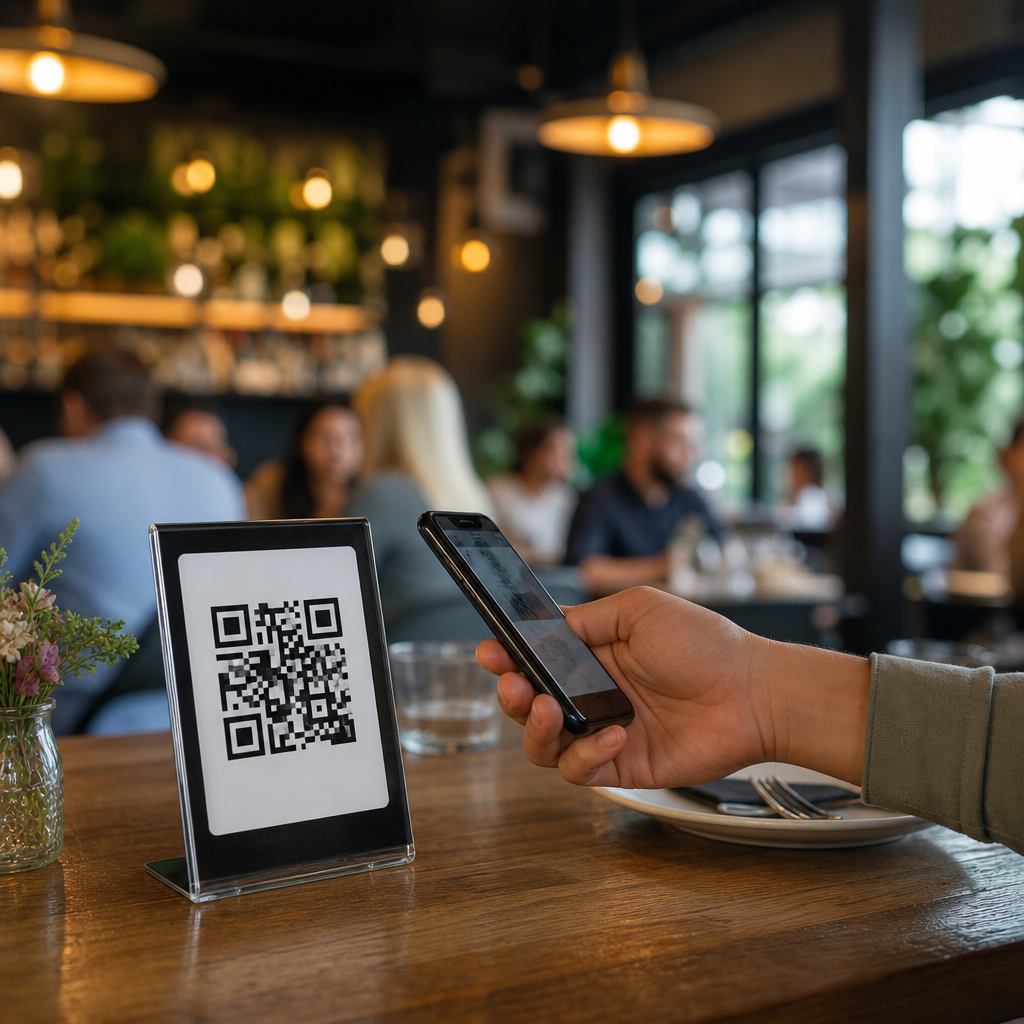
A technically valid code can still fail in the real world if placement ignores distance, lighting, movement, or screen angle. On a product package, a small code may work because the customer holds it in hand. On a roadside billboard, it is effectively useless because drivers cannot scan safely, and the code is too far away to capture quickly. On restaurant tables, glossy finishes and low light often create reflection issues. On event banners, folds and curved surfaces distort the code grid and interfere with recognition.
Best practice starts with environment. A code viewed from a few inches away can be small; a code viewed from several feet away must scale up significantly. Maintain strong contrast, preserve a quiet zone around the code, and test with multiple phone models before printing. Dynamic QR code platforms such as Bitly, QR Code Generator Pro, Beaconstac, and Scanova make it easy to swap destinations later, but they cannot rescue poor physical execution. Print quality still matters. So does material selection. Matte stock generally scans more reliably than reflective lamination in bright retail spaces.
Another common failure is overdesign. Marketers add logos, custom shapes, brand colors, or decorative backgrounds until the code no longer scans consistently. Customization can work, but only within error-correction limits and after device testing. If your creative team wants a branded code, run field tests under realistic conditions: low battery camera performance, older Android devices, cracked screens, and weak signal environments. A campaign should be built for normal human conditions, not ideal studio lighting.
Sending Traffic to a Weak Mobile Landing Page
A QR code scan usually happens on a phone, often in a distracted moment. That means the landing experience must be mobile-first, fast, and singular in purpose. One of the costliest mistakes is linking to a desktop page, a generic homepage, or a PDF that opens slowly and forces pinching and zooming. When the user has already completed the friction of scanning, every extra second of load time wastes hard-won intent.
The destination should match the context of the scan. If someone scans on product packaging, they may want instructions, warranty registration, authenticity verification, or reorder options. If they scan in a venue, they may need tickets, schedules, or a map. If they scan from direct mail, they may be responding to an offer and should land on a prefilled form or a short redemption page. In my experience, the highest-performing campaigns reduce choices and move the visitor toward one action only.
Google’s Core Web Vitals are relevant here because load speed, layout stability, and responsiveness affect bounce rate. So does message match. If the print piece promises a discount, the landing page should show that discount immediately, not force the visitor to navigate. A practical rule is this: the first screen should confirm the promise, explain what happens next, and offer one obvious action button. If you need more detail, place it below the fold rather than in the primary path.
Failing to Track the Right Metrics
Many teams generate a QR code, launch the campaign, and then measure success only by total scans. That is incomplete. Scan count is a top-of-funnel metric, not proof of business impact. What matters is the path after the scan: visits, engaged sessions, form completions, purchases, redemptions, bookings, app installs, or assisted conversions. Without proper tracking, marketers cannot tell whether the issue is the code, the placement, the offer, or the page experience.
Use tagged URLs with campaign parameters, connect them to analytics platforms such as Google Analytics 4, and define conversion events before launch. Dynamic codes are particularly valuable because they provide scan timestamps, rough location data, device type, and sometimes repeat-scan patterns. These signals help diagnose performance. For example, high scans with low landing-page engagement usually indicate poor message match or page speed issues. Low scans with strong conversion rates often point to good intent but weak placement or insufficient reach.
The table below summarizes common QR code campaign failures and the operational fix that usually produces the fastest improvement.
| Mistake | What It Looks Like | Likely Cause | How to Avoid It |
|---|---|---|---|
| Weak call to action | People see the code but do not scan | No clear user benefit | State the reward, action, and timing beside the code |
| Low scan reliability | Users try multiple times or give up | Small size, glare, low contrast, distorted print | Increase size, keep a quiet zone, use matte materials, field-test devices |
| High bounce after scan | Traffic arrives then exits quickly | Slow or irrelevant mobile page | Use a fast, mobile-first landing page with one primary action |
| No attribution clarity | Team cannot prove ROI | Missing campaign parameters and event setup | Track scans, sessions, conversions, and assisted revenue |
| Stale destination | Printed code points to expired content | Using static links for evolving campaigns | Choose dynamic codes and maintain destination governance |
Ignoring Context and Customer Intent
QR code marketing fails when brands treat every scan as if it happens in the same mindset. Context determines intent. A shopper in a store aisle has seconds. An attendee waiting for a keynote may have several minutes. A diner at a table expects convenience. A technician scanning equipment documentation wants precision, not promotion. When the destination does not fit the user’s situation, conversion suffers.
This is why the strongest QR code campaign ideas begin with a use case rather than a format. A museum may use codes beside exhibits to deliver audio commentary in multiple languages. A CPG brand may use packaging codes to offer recipes, sourcing information, and loyalty enrollment. A real estate agent may use window signage to route prospects to listings, financing calculators, and appointment forms. Each example succeeds because the scanned experience solves the next obvious need. The failure pattern is the inverse: the campaign interrupts the moment instead of helping it.
Context also affects compliance and accessibility. In healthcare, finance, alcohol, and regulated consumer categories, a QR code may lead to disclosures, age gates, or consent flows. Those steps must be simple enough to complete on mobile. If legal requirements are unavoidable, write the path clearly so the user understands why extra information is needed. Hidden friction feels deceptive; explained friction feels legitimate.
Using Static Codes When Campaigns Need Flexibility
Static QR codes permanently encode one destination. They are fine for long-term links that are unlikely to change, such as a durable instruction page. They are risky for active marketing campaigns. If an offer expires, a product page moves, or regional routing needs to change, every printed asset becomes obsolete. That is one of the most expensive avoidable failures in QR code marketing.
Dynamic codes solve this by separating the printed code from the destination URL. The marketer can update the target page, swap in a seasonal offer, route by location, or pause a campaign without reprinting materials. In retail rollouts and event programs, this flexibility is often the difference between a campaign that improves over time and one that decays after launch. It also supports testing. You can compare two landing pages or offers while keeping the same printed code live in market.
That said, dynamic infrastructure adds operational responsibility. Someone must own redirects, destination health, expiration rules, analytics exports, and privacy review. I recommend a simple governance checklist: name the code clearly, document its placement, set the owner, define success metrics, and schedule periodic destination checks. Broken links are preventable, but only if there is process behind the print.
Overlooking Trust, Security, and Brand Confidence
Consumers have learned that QR codes can be abused in phishing schemes, especially when stickers are placed over legitimate codes in public spaces. That means trust signals matter. If a code appears without branding, explanation, or visible destination cues, some users will avoid it. This is a rational reaction, not resistance to technology.
Brands can reduce this concern by placing codes in clearly branded layouts, using recognizable domains, and previewing the destination purpose. “Scan to verify warranty at brand.com” is more trustworthy than a standalone square with no context. In physical environments, inspect placements regularly to catch tampering. In restaurants and transit settings, where stickers are easy to overlay, staff should know what official codes look like and where they belong.
Security also affects internal operations. If a code collects personal data, ensure the form uses HTTPS, discloses data use, and requests only necessary fields. A lead-generation page asking for excessive information will depress conversion and raise privacy concerns. Short forms convert better because they respect the value of the moment. Ask only what the campaign truly needs now; gather the rest later through follow-up.
Treating QR Codes as a Tactic Instead of a System
The final mistake is organizational. Teams often treat QR codes as one-off creative elements instead of part of a repeatable acquisition and service system. As a result, codes are generated by different departments, naming conventions are inconsistent, analytics are fragmented, and no one builds a library of lessons learned. That makes it hard to scale successful QR code campaign ideas or to avoid repeating failed ones.
A better approach is to standardize. Create templates for calls to action, landing pages, campaign tagging, print specifications, and QA testing. Build a central inventory of live codes with owners and expiration dates. Review campaigns by channel: packaging, in-store signage, events, direct mail, outdoor, and post-purchase support. Then compare performance against the objective for each context. A code designed for customer education should not be judged by the same metric as one designed for immediate sales. Clear intent leads to fair measurement.
When teams adopt this discipline, failures become useful. You can identify whether scan rate, engagement rate, or conversion rate is the constraint, then fix the exact step that is underperforming. That is how mature programs improve. They do not guess. They instrument, test, and iterate.
Common QR code marketing mistakes are rarely caused by the code itself. They come from weak value propositions, bad placement, poor mobile destinations, incomplete tracking, context mismatch, inflexible infrastructure, and avoidable trust issues. The encouraging part is that these failures are fixable. When you define the user benefit, design for real scanning conditions, send traffic to a fast mobile page, track beyond scan count, and manage codes as part of a broader campaign system, QR becomes a dependable bridge between physical media and digital conversion. For teams building out the failures and lessons learned side of a QR code campaign ideas and case studies hub, this page should serve as the foundation: diagnose the stage where friction occurs, document the lesson, and apply it to the next launch. Review your current QR placements, test them with fresh eyes, and fix the weakest step first. Small improvements in clarity, usability, and measurement often produce outsized gains in performance.
Frequently Asked Questions
1. What is the most common QR code marketing mistake businesses make?
The most common mistake is treating the QR code itself as the campaign, instead of seeing it as just the entry point to a larger customer experience. Many businesses generate a code, place it on a poster, package, menu, flyer, or storefront, and assume scans will follow automatically. In reality, people scan when the value is obvious, the code is easy to use, and the destination feels relevant to the context. If there is no clear reason to scan, response rates usually stay low no matter how many impressions the code gets.
Another major issue is failing to connect the code to a specific goal. A QR code should support a measurable action, such as claiming an offer, viewing a menu, downloading an app, watching a product demo, leaving a review, joining a loyalty program, or booking an appointment. When businesses link to a generic homepage instead of a focused landing page, they create friction and make the scan feel pointless. People expect speed and clarity. If they scan and land on a page that does not immediately continue the promise made offline, they often abandon it within seconds.
To avoid this mistake, start with the customer journey before you create the code. Ask what the user is seeing, what problem they are trying to solve in that moment, and what action you want them to take next. Then build the QR experience around that intent. Use a strong call to action next to the code, explain the benefit in plain language, and direct scanners to a mobile-friendly destination designed specifically for that campaign. The best-performing QR code marketing is not just scannable; it is useful, relevant, and intentionally built to convert.
2. Why do some QR codes get very few scans even when they are displayed prominently?
Low scan volume usually comes down to a few preventable execution problems. The first is poor placement. A code may be visible, but not actually scannable in real-world conditions. For example, placing a QR code too high on a wall, too low on a shelf, behind reflective glass, on a moving vehicle, in dim lighting, or in a cramped corner can make scanning inconvenient or impossible. Prominent placement only helps if users can comfortably notice the code, understand why they should scan it, and scan it without effort.
Design issues are another common reason. A QR code needs enough contrast, a clean quiet zone around the edges, and sufficient size for the expected scanning distance. Over-stylized codes, low-contrast color combinations, cluttered backgrounds, and tiny print sizes can reduce readability. Marketers sometimes prioritize branding over usability by placing the code on a busy image or heavily customizing its shape without testing reliability. A QR code can look attractive and still perform badly if it does not scan quickly on a typical smartphone camera.
Just as important, many low-performing codes lack a compelling call to action. If the surrounding text does not tell people what they will get, why it matters, and what happens next, they have little reason to engage. “Scan me” is weak; “Scan for 15% off today,” “Scan to see the full menu,” or “Scan to watch the 30-second demo” is much more persuasive. To improve scans, make the code easy to access, keep the design technically sound, and pair it with a clear, specific value proposition. Then test the code in the same environment where customers will encounter it, using multiple devices and lighting conditions.
3. What should a QR code link to in order to maximize conversions?
A QR code should usually link to a dedicated mobile landing page that matches the exact intent of the offline moment. This is one of the biggest opportunities in QR code marketing and one of the most overlooked. When someone scans from packaging, direct mail, signage, or a restaurant table, they are taking an immediate action based on a specific context. Sending them to a homepage forces them to search for the next step, which increases bounce rates and lowers conversions. The destination should feel like a seamless continuation of the message that triggered the scan.
The best landing pages are simple, fast, and focused on a single primary action. If the code promotes a discount, the page should present the offer instantly and explain how to redeem it. If the code appears on product packaging, the landing page might show setup instructions, warranty registration, how-to videos, upsells, or reorder options. If it appears on a retail display, it could open product comparisons, reviews, or inventory availability. For a menu QR code, it should load the menu immediately, not require multiple extra taps. Every element on the page should support the user’s likely intent at that moment.
Conversion optimization also depends on technical performance. The page should load quickly, display well on mobile screens, avoid unnecessary pop-ups, and make forms as short as possible. Include campaign tracking so you can attribute scans, conversions, and behavior accurately. Dynamic QR codes are often the better choice because they allow you to update the destination URL and monitor performance without reprinting the code. In short, the highest-converting QR code destinations are not generic websites. They are fast, relevant, mobile-first experiences aligned with a clear business objective.
4. How can businesses measure whether a QR code campaign is actually working?
Measurement starts by defining success before launch. Too many businesses print QR codes without deciding what result they want to track. Scans alone are useful, but they are not enough. A campaign might generate a lot of scans and still produce weak business results if users do not complete the next step. Depending on the campaign, the most important metrics may include landing page visits, click-through rate, form completions, coupon redemptions, purchases, reservations, app installs, calls, or email signups. The key is to connect scan activity to meaningful outcomes.
The most effective approach is to use trackable URLs, analytics platforms, and campaign-specific landing pages. Dynamic QR codes make this easier because they can provide scan data such as time, location, and device information while also allowing destination changes after printing. Add UTM parameters or equivalent tracking tags so website analytics can separate QR traffic from other channels. If you are running multiple placements, such as posters, packaging, direct mail, and in-store signage, use unique codes or tagged links for each source. That way, you can identify which placements, offers, and creative variations drive the strongest engagement and conversions.
Businesses should also look beyond raw numbers and evaluate the full experience. If scans are high but conversions are low, the issue may be the landing page, weak offer, slow load time, or poor message match. If impressions are high but scans are low, the problem may be placement, visibility, or call to action. Testing is essential. Compare different offers, wording, page layouts, and locations, then refine based on data. QR code marketing works best when it is treated like a performance channel rather than a print accessory. The real goal is not just to get scanned, but to generate measurable business results and improve them over time.
5. What are the best ways to avoid QR code marketing mistakes before launching a campaign?
The best way to avoid costly mistakes is to follow a pre-launch checklist that covers strategy, design, technical function, and user experience. Start with the fundamentals: define the goal, identify the target audience, choose the right destination, and write a clear call to action. Then evaluate whether the code fits the environment where it will appear. A QR code on a storefront window, product package, table tent, billboard, or direct mail piece each creates a different user situation. Distance, lighting, movement, available time, and internet access all affect scan behavior, so the campaign should be designed around real usage conditions rather than assumptions.
Next, test the code thoroughly. Scan it on both iPhone and Android devices, in bright and low light, from expected distances, and with different camera apps. Verify that the code resolves instantly, the page loads quickly, and the destination displays properly on multiple screen sizes. Check visual details like contrast, white space, print quality, and code size. If you are using a branded or customized QR code, confirm that the design changes have not reduced readability. Also review the copy around the code. The best campaigns explain exactly what users get when they scan and why it is worth their time.
Finally, build in flexibility and measurement from the beginning. Whenever possible, use a dynamic QR code so you can update links, fix errors, and collect analytics without reprinting materials. Set up campaign tracking, assign unique codes to different channels, and create a follow-up plan for optimization once real data comes in. It is also smart to include a backup option, such as a short URL or text instruction, for users who prefer not to scan. Businesses that avoid QR code marketing mistakes are usually the ones that plan carefully, test rigorously, and treat the scan as the start of a well-designed conversion path rather than the end of the job.