
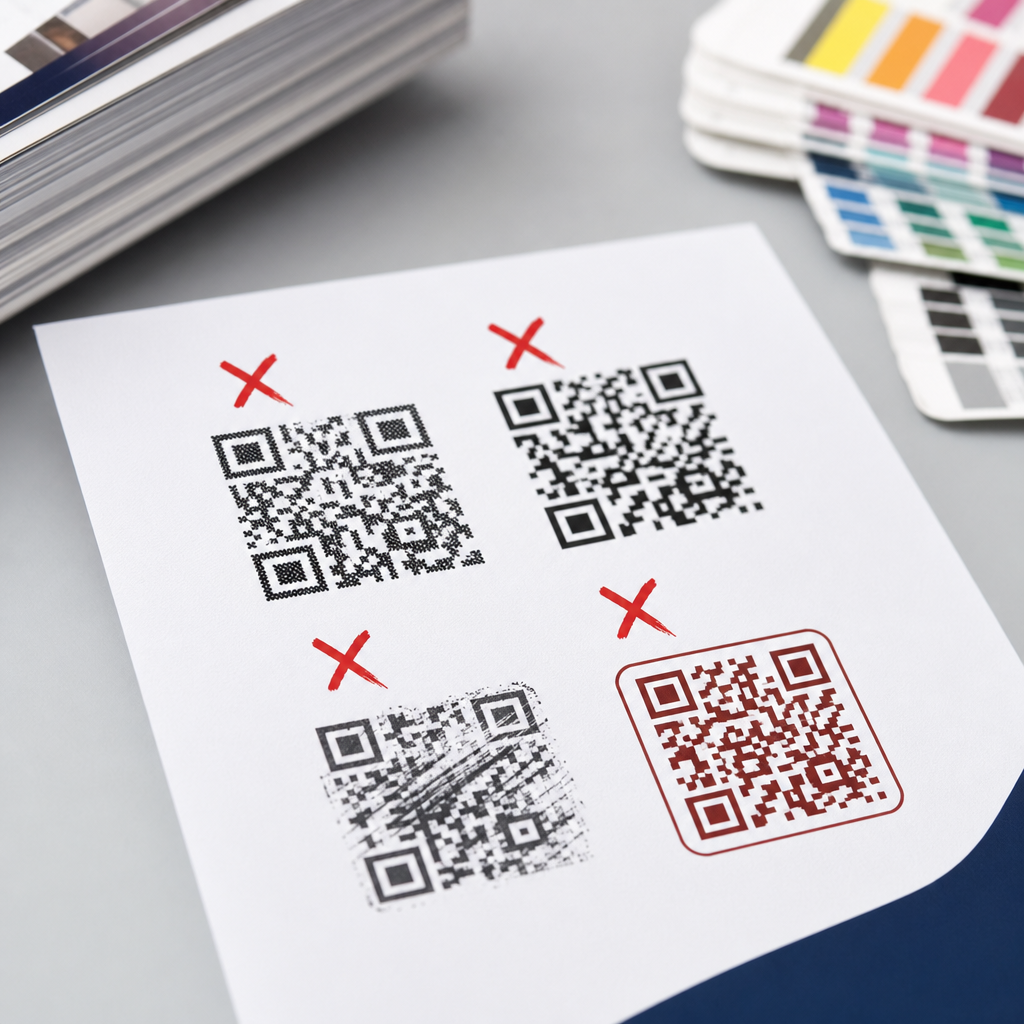
Common print QR code mistakes to avoid starts with understanding a simple fact: a code that scans perfectly on your screen can fail badly once it is printed on paper, packaging, labels, posters, or signage. Print QR code design sits at the intersection of graphic design, mobile camera behavior, substrate choice, and real-world viewing distance. I have helped teams troubleshoot campaigns where thousands of brochures, menus, and product boxes had to be reprinted because one overlooked production detail made the QR code unreliable. That is why print vs digital design considerations matter so much. Digital display is backlit, resolution-flexible, and easy to update; print is fixed, affected by ink gain, contrast loss, glare, curvature, and physical size. A print QR code must survive the entire chain from artwork setup to press output to user scanning conditions. When marketers, designers, and production teams know the common failure points, they can create codes that scan quickly, preserve brand consistency, and protect campaign ROI.
A QR code is a two-dimensional barcode that stores data in a matrix of dark and light modules. In practice, most branded campaigns use dynamic QR codes that redirect through a managed short URL, allowing destination updates and scan tracking without changing the printed symbol. Whether the code leads to a menu, product page, app download, payment screen, coupon, or support form, the printed version has one job: scan instantly under ordinary conditions. The challenge is that choices that look attractive in a mockup can weaken machine readability in print. A low-contrast color palette, an undersized code, a glossy finish, or poor quiet zone spacing may not be obvious to a human reviewer, yet they are major scanning risks. This hub article explains the core print vs digital design considerations, the most common print QR code mistakes to avoid, and the practical standards that keep codes dependable across brochures, posters, retail displays, direct mail, packaging, and outdoor media.
Why print QR codes fail more often than digital ones
The biggest difference between print and digital QR code performance is control. On a website or app screen, you control pixel rendering, brightness, scale, and often the surrounding layout. In print, you lose that control the moment the file leaves your design application. A code may be output through offset, digital toner, flexographic, thermal, or inkjet printing, each with different dot behavior and edge sharpness. Paper stock can absorb ink and soften detail. Lamination can introduce glare. Curved bottles can distort module geometry. A poster may be viewed from six feet away in dim light, while a mailer may be scanned under warm indoor lighting with a midrange phone camera. Every one of those variables matters.
Another reason printed codes fail is that designers often evaluate them as visual assets first and machine-readable symbols second. That reverses the priority. In digital layouts, users can click a button if the QR code is awkward. In print, the code itself is the interface. If it does not scan, the experience ends. I have seen beautiful package designs with embossed varnish over the code, subtle beige-on-cream contrast, and oversized center logos that reduced error correction headroom. On screen, these looked premium. On shelf, they were scan-resistant. Print QR code design must assume imperfect conditions and build margin into contrast, size, spacing, and placement.
Size, distance, and resolution mistakes that break scanability
The most common print QR code mistake is making the symbol too small for the expected scan distance. A practical rule used by many production teams is a scanning distance ratio of roughly 10:1, meaning a 1 inch code is comfortable at about 10 inches away. If a poster is meant to be scanned from 5 feet away, the code needs to be much larger than a business-card code. For small packaging, 0.8 x 0.8 inches is often treated as a floor, but that is not a universal safe size. Dense codes carrying long URLs or complex tracking parameters need more modules and therefore need more physical space to preserve each module after printing.
Resolution problems also cause avoidable failures. A QR code should be exported as vector whenever possible for print, typically in PDF, EPS, or SVG within the production workflow, so it scales cleanly without interpolation artifacts. Raster files can work if they are high resolution, but low-quality PNG or JPG assets copied from presentation decks are risky, especially when resized by non-designers. Compression can blur edges and introduce ringing. For offset and high-quality digital print, keeping sharp module edges matters more than decorative styling. If a code must be rasterized, use sufficient effective resolution at final print size and test the final imposed artwork, not just the source file.
Color, contrast, and finish errors that reduce readability
High contrast is non-negotiable in print QR code design. Dark modules on a light background remain the safest combination because most scanners interpret luminance contrast, not brand intention. Black on white is the benchmark, but dark navy, deep green, or rich plum on a white or very pale background usually performs well if the contrast ratio is strong. Trouble starts when brands reverse that logic with pastel modules, metallic inks, transparent overlays, or dark backgrounds behind light modules. Some phones can decode inverted codes, but many print scenarios still show inconsistent performance. If the campaign matters, do not rely on inversion.
Finish choice is another overlooked print vs digital design consideration. On a monitor, glossy effects can make a code look modern. In print, gloss coating, foil, spot UV, and laminated films can create specular glare that blinds a camera sensor. I have seen restaurant table tents fail under overhead lighting because the QR code was covered in shiny laminate. Matte finish usually scans better because it diffuses reflections. Uncoated stocks can also help, though very absorbent papers may soften edges. Metallic inks and low-opacity colors are particularly risky because they alter contrast depending on viewing angle. If branding requires specialty finishes nearby, keep the code itself flat, matte, and free of reflective treatments.
| Mistake | Why It Happens | Better Print Choice |
|---|---|---|
| Code too small | Designed for screen preview, not viewing distance | Size by expected scan distance and data density |
| Low contrast colors | Brand palette prioritized over luminance contrast | Use dark modules on a very light background |
| Gloss or foil over code | Premium finish chosen without scan testing | Keep the code matte and non-reflective |
| Insufficient quiet zone | Code crowded by copy, icons, or borders | Maintain clear space on all four sides |
| Static destination | URL embedded directly into printed code | Use a dynamic code with redirect management |
Quiet zone, placement, and layout problems on printed pieces
The quiet zone is the blank margin around the QR code, and removing it is one of the fastest ways to kill scan performance. The standard recommendation is at least four modules of clear space on every side. Designers often violate this by placing text, borders, illustrations, dielines, or background textures too close to the symbol. In digital environments, neighboring elements can be tuned later. In print, once the code is crowded, camera software may struggle to isolate it from the surrounding artwork. This is especially true on busy packaging where claims, legal copy, nutrition panels, and decorative shapes compete for space.
Placement on the physical object matters as much as layout on the page. Avoid folds, seams, perforations, bottle curves, gussets, corners, and areas likely to wrinkle or scuff. A code placed near a package edge may distort during converting or become partially hidden on shelf. On direct mail, avoid the address block and postal markings. On posters, do not place the code so low that users must crouch or so high that they create perspective distortion while scanning. If the code leads to a conversion action such as payment or signup, place it where the user naturally pauses and has enough room to frame it with a phone camera.
Branding customizations that go too far
Branded QR codes can work extremely well in print when customization is disciplined. Adding a logo in the center, shaping the corner eyes, or recoloring the modules can improve trust and visual fit. The mistake is assuming the error correction feature exists so designers can take unlimited liberties. Error correction restores data when parts of the code are obscured or damaged, but it is not a license to overbrand. Large center logos, decorative module replacements, heavy rounding, or frames that intrude into the quiet zone reduce the scanner’s margin for error. In print production, where dot gain and substrate texture already consume tolerance, that margin disappears quickly.
The safest approach is to customize one variable at a time and test each version at final size on final material. If you add a logo, keep it modest. If you recolor the code, preserve strong contrast. If you stylize modules, leave the finder patterns clear and recognizable. Most enterprise QR platforms such as Bitly, QR Code Generator Pro, and Beaconstac provide branded templates, but the preview is not proof of print performance. Real confidence comes from physical testing across several phone models, both iPhone and Android, under realistic lighting. Good branding supports recognition; it should never compete with readability.
Using the wrong destination, file workflow, or campaign setup
Many print QR issues are not visual at all. They start with the destination strategy. Teams sometimes print static QR codes that contain a long final URL with UTM parameters, then discover after launch that the landing page changed, the campaign slug was incorrect, or analytics were fragmented. In print, that mistake is expensive because the symbol cannot be edited after production. Dynamic QR codes solve this by placing a short redirect URL inside the code, letting marketers change the final destination later, add geotargeting, run A/B tests, or pause a broken page without reprinting materials.
Landing page design is another print vs digital design consideration that often gets missed. A QR code on print is usually scanned on a mobile device, so the destination must be mobile-first, fast, and context-matched. If a user scans a poster for an event, they should land on the ticket page, not the homepage. If they scan packaging for ingredients, they should not be forced through a generic navigation menu. I recommend testing the full flow: scan, load time, consent prompts, autofill behavior, and conversion completion. Use tools such as Google Analytics 4, Adobe Analytics, or campaign dashboards from your QR provider to confirm that scans translate into sessions and conversions, not just curiosity.
Testing methods that catch problems before the print run
The best way to avoid print QR code mistakes is to build testing into the production process. Start with preflight checks inside the artwork file: vector quality, color mode, quiet zone, final size, and placement clear of trim, folds, and varnish layers. Then produce a physical proof on the actual or closest available substrate. Scan it with multiple devices, including older phones with weaker cameras, because campaigns must work beyond flagship models. Test in bright light, low light, and at the intended viewing distance. A code that scans only when held perfectly flat under ideal lighting is not ready for mass printing.
I also advise teams to test for operational durability. Rub the printed area lightly to see whether thermal labels smear. Check whether condensation on chilled packaging affects contrast. Confirm that curved surfaces still scan when the product is fully assembled. For outdoor signage, inspect from the user’s approach angle, not just from straight on. If the code is part of a regulated or high-stakes workflow such as payments, healthcare forms, or product authentication, document the test results and signoff criteria. That discipline prevents subjective approval based on appearance alone. Final takeaway: treat the QR code like functional infrastructure. Audit your next printed piece, test it in the real world, and fix weak spots before they reach the press.
Frequently Asked Questions
What is the most common reason a QR code works on screen but fails after printing?
The most common reason is that print changes the real-world conditions under which a QR code is scanned. On a screen, the code is usually crisp, high contrast, evenly lit, and viewed straight on at close range. Once printed, that same code may be reduced too much, softened by ink spread, placed on textured material, distorted by packaging curves, or surrounded by distracting graphics. Mobile cameras do not scan the abstract “design intent” of a QR code; they scan the actual printed result, including any flaws introduced during production.
Another frequent issue is that teams approve the code based on a digital proof rather than a physical test. A file can look perfect in a PDF and still perform poorly when printed on uncoated paper, corrugated board, glossy labels, or fabric signage. Factors like insufficient quiet zone, low contrast, poor color choices, and tiny module size often go unnoticed until the piece is in the field. That is why the safest approach is to treat print QR codes as production-sensitive assets, not just graphics. Always test the final printed version at actual size, on the intended material, under realistic lighting, and from the expected scanning distance before committing to a full print run.
How big should a printed QR code be for reliable scanning?
There is no single universal size, because the right dimensions depend on scanning distance, data density, print quality, and placement. A small code on a business card can work well if it contains a short URL and is printed sharply with strong contrast. That same size may fail on a poster viewed from several feet away. As a practical rule, the farther away someone will stand, the larger the code needs to be. Many designers use a distance-based rule of thumb, increasing code size in proportion to the expected scanning distance, but even then, physical testing matters more than theory.
Data density is just as important as overall size. A QR code that contains a long URL, tracking parameters, or embedded text becomes more complex, which means each individual square module gets smaller. Even if the code itself looks “big enough,” the modules may become too fine for the print method and camera to resolve consistently. This is why using a short, clean URL is often better than encoding a long destination directly. In practice, choose the simplest payload possible, print larger than the bare minimum, preserve a proper quiet zone around the code, and test it with multiple phones. If the code will appear on packaging, menus, labels, posters, or window signage, do not rely on guesswork—print samples at several sizes and validate which one scans fastest and most consistently in real conditions.
Do colors, contrast, and design customization affect QR code performance in print?
Yes, significantly. The safest printed QR codes use dark modules on a light background with strong contrast. While modern QR generators allow branded colors, gradients, rounded shapes, logos, and stylized patterns, each customization reduces the margin for error. What scans reliably in ideal conditions may become inconsistent once combined with imperfect lighting, reflective surfaces, lower-end smartphone cameras, or slight print shifts. If the code is too decorative, the scanner may struggle to distinguish the data modules clearly enough to decode it quickly.
Color choice causes many avoidable failures. Light-on-light combinations, metallic inks, glossy varnishes, low-contrast brand palettes, and transparent overlays can all interfere with detection. A common mistake is assuming that if the code is visible to the human eye, it is machine-readable. Cameras interpret contrast differently than people do, especially under glare, shadow, or warm indoor lighting. Another issue is placing a QR code over busy photography, patterns, or tinted backgrounds without maintaining a clean quiet zone around it. If you want a branded look, customize conservatively: keep the contrast high, avoid complex gradients, protect the quiet zone, and test the exact printed output on the actual substrate. Brand alignment matters, but scan reliability should always take priority over visual styling.
What print production issues can make a QR code unreadable even if the design is technically correct?
Several production variables can degrade a QR code after the design phase. Ink gain can cause the dark modules to spread and fill in fine detail. Low-resolution output can soften edges. Misregistration in multi-color printing can create fuzzy boundaries. Laminates, varnishes, and glossy finishes can introduce glare that obscures the code under certain angles. On textured or absorbent materials, edges may print unevenly, making the code harder for a camera to interpret. Even substrate color can affect contrast more than expected, especially on recycled, kraft, or tinted stocks.
Placement is another major production concern. Codes printed across folds, seams, bottle curves, box corners, perforations, or crinkled flexible packaging often become distorted in use. A code may scan well on a flat press sheet but fail once the piece is assembled. Similarly, trimming too close can reduce the quiet zone, and scaling during prepress can unintentionally alter the code size. This is why QR code quality control should be part of the production workflow, not an afterthought. Review the code in final mechanical files, verify it is placed on a flat and stable area whenever possible, avoid finishes that create excessive reflection, and test post-production samples—not just press proofs. The goal is to validate the code in its final physical form exactly as customers will encounter it.
What is the best way to test a printed QR code before approving a large run?
The best approach is a structured real-world test, not a quick office scan from one phone. Start by generating the code with the final destination URL and locking the artwork so it will not be resized or altered later. Print samples at actual production size on the intended material, using the same print method and finishing process whenever possible. Then test those samples under realistic conditions: indoor and outdoor lighting, direct light and shadow, flat and angled viewing, and the expected scanning distance. If the code will be used on packaging, test it after the package is folded, filled, or wrapped. If it will be placed in a store or restaurant, test it where people will actually stand and scan.
Use multiple devices and camera apps, because scan performance varies across phones. Measure not just whether it scans eventually, but how quickly and consistently it scans. A code that only works after several attempts is a poor user experience and should be treated as a failure. Also confirm that the landing page is mobile-friendly, loads quickly, and matches the campaign intent, since a technically scannable QR code can still underperform if the destination is weak. Finally, keep a checklist: correct URL, adequate size, strong contrast, intact quiet zone, suitable placement, no glare issues, and successful scans across several devices. That process may feel cautious, but it is far less expensive than reprinting brochures, labels, menus, cartons, or signage after a preventable QR code mistake slips into production.





