
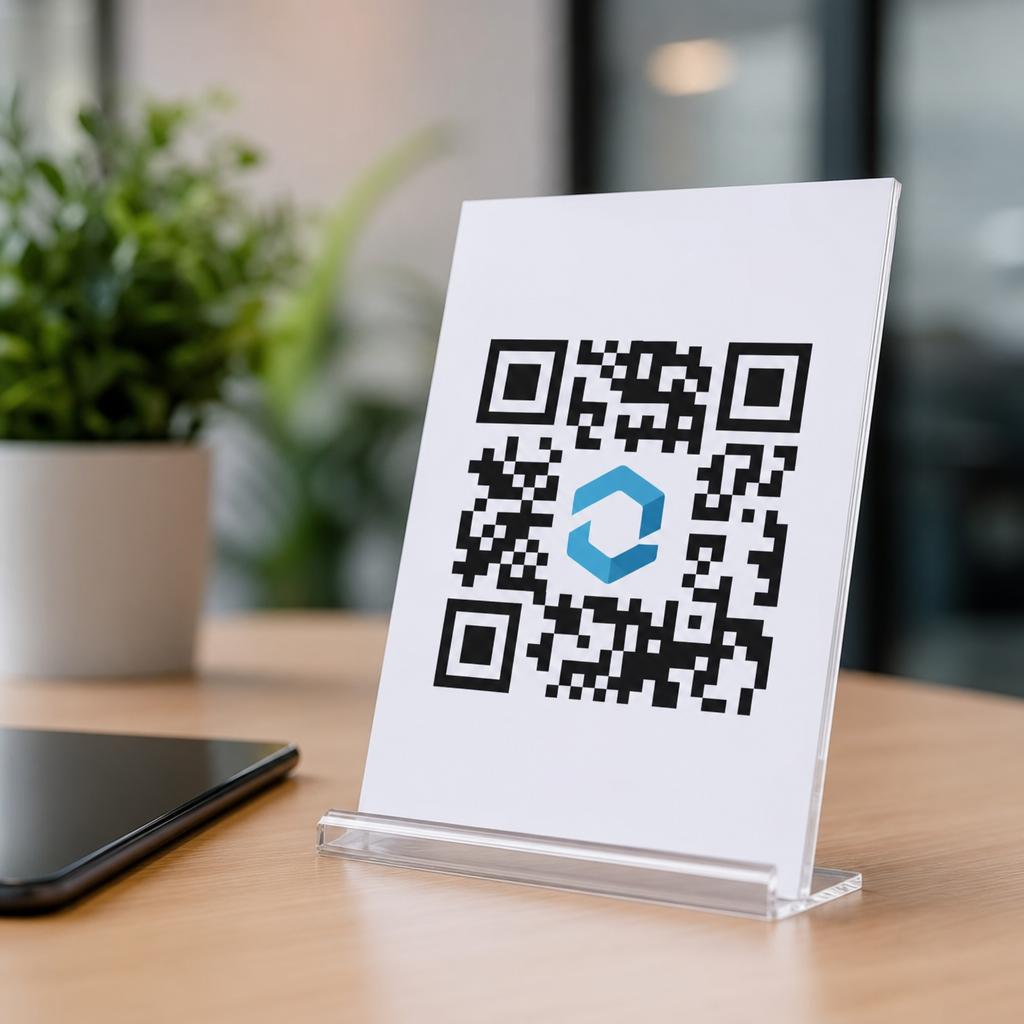
Adding a logo to a QR code is possible, common, and often effective, but only when the design respects how QR codes store data and how scanners read contrast, alignment, and error correction. In practical terms, a branded QR code can improve recognition and trust, yet it can also become unreadable if the logo covers too much of the symbol, if colors reduce contrast, or if decorative styling interferes with the code’s core patterns. For marketers, designers, and print teams, that tradeoff matters because a QR code that looks polished but fails to scan costs attention, conversions, and credibility.
Logo integration in QR codes means placing a brand mark, icon, or emblem inside the code, usually in the center, while preserving enough machine-readable data for reliable scanning. The key technical concept is error correction, the built-in redundancy defined by the ISO/IEC 18004 standard for QR codes. Error correction lets a code survive partial damage or obstruction. At the highest level, commonly called H, roughly 30 percent of the code can be restored under ideal conditions. That figure is not a design allowance for a giant logo. It is a recovery threshold affected by size, data density, print quality, camera performance, quiet zone spacing, and contrast. In other words, the margin is real, but it is smaller in live campaigns than many templates imply.
I have tested branded QR codes across product packaging, retail signage, direct mail, restaurant menus, trade show booths, and mobile landing page campaigns. The pattern is consistent: logo QR codes work best when branding supports scanability instead of competing with it. Teams get into trouble when they treat the code like a poster graphic instead of a functional interface. A QR code is not judged by aesthetics alone. It has one job: scan fast from ordinary phones in ordinary lighting, by people who are not standing perfectly still.
This topic matters because branded QR codes sit at the intersection of design and performance. A plain black-and-white code may scan well, but some brands worry it looks generic or suspicious. A tasteful logo can increase recognition, signal legitimacy, and tie the scan experience to a campaign. That can lift engagement, especially on packaging and out-of-home placements where users decide in seconds whether to trust the destination. The best QR code design makes the code feel native to the brand while preserving compatibility across iPhone and Android camera apps, third-party scanners, and different print conditions.
How logo integration works without breaking the code
A QR code is built from modules, the small square dots that encode data, along with fixed structural elements such as finder patterns, alignment patterns, timing patterns, and the quiet zone around the symbol. When you place a logo over the center, you are obscuring modules. The reason this can still scan is that error correction reconstructs some missing information. However, not all modules are equally expendable in practice, and not every scanner is equally forgiving. Dense codes with long URLs or tracking parameters have less visual flexibility than short dynamic URLs because more of the symbol is used for data.
The safest workflow is straightforward. First, shorten the payload by using a dynamic QR code or a branded short URL rather than embedding a long destination string. Second, set error correction high, usually H for logo use. Third, place the logo near the center and avoid finder patterns in three corners and the alignment pattern areas used by larger versions. Fourth, preserve a clean quiet zone, ideally at least four modules wide. Fifth, test the final asset at real size, real distance, and real lighting before release.
Dynamic QR codes are especially useful because they reduce data density and allow destination updates without reprinting the symbol. In campaigns I have worked on, moving from a long UTM-tagged URL embedded directly in the code to a short redirect often changed a fragile branded code into one that scanned instantly. The design looked similar, but the underlying matrix had more breathing room. That is why professional QR platforms such as Bitly, QR Code Generator Pro, Beaconstac, Flowcode, and Uniqode emphasize short links, error correction, and testing rather than logo placement alone.
How much logo area is actually safe
There is no single universal maximum logo size, because safety depends on version, payload, contrast, output size, and scanner quality. Still, useful practical rules exist. A center logo covering about 10 to 15 percent of the total code area is usually manageable when the code uses high error correction, strong contrast, and a short payload. Pushing toward 20 percent can still work in controlled conditions, but it increases failure risk quickly, especially on small print or glossy surfaces. Once teams go beyond that range, they are no longer designing conservatively; they are gambling on ideal scan conditions.
Area percentage is also less informative than module disruption. A simple square logo with generous white padding may scan better than an irregular mark with thin strokes that creates visual noise. Padding matters because it separates the logo from adjacent modules and helps phone cameras distinguish the code’s structure. I usually recommend placing the logo inside a white knockout box or badge rather than dropping a transparent logo directly onto the matrix. That small design choice improves readability more than many people expect.
| Design factor | Safer choice | Higher-risk choice | Why it matters |
|---|---|---|---|
| Payload length | Short dynamic URL | Long static URL with parameters | Shorter payload creates a less dense matrix and leaves more resilience for logo coverage |
| Error correction | Level H | Level L or M | Higher redundancy improves recovery when central modules are obscured |
| Logo treatment | Centered logo with white padding | Transparent logo touching modules | Padding preserves separation and reduces visual interference |
| Color | Dark code on light background | Low-contrast brand colors | Scanners detect contrast first, branding second |
| Output size | Large enough for distance | Tiny code on crowded layout | Small symbols lose detail and become harder to decode |
For a concrete example, a two-centimeter QR code on a business card has far less room for error than a six-inch code on a poster. The same logo treatment that works on packaging viewed from hand distance may fail on a window cling scanned from across a storefront. Scan distance changes the minimum viable module size. As a rule, larger placement gives you more freedom, while small-format print requires restraint.
Design rules that preserve scanability
The most important rule is contrast. Use a dark foreground and a light background. Black on white remains the benchmark because it works across low-end cameras, motion blur, dim lighting, and reflective print. Brand colors can work, but they must preserve strong luminance contrast, not just look different to the eye on a calibrated screen. Navy on white is usually safe. Yellow on white is not. Metallic inks, gradients, and translucent overlays often test well in the studio and fail in stores because glare and exposure flatten contrast.
The second rule is protecting the structural patterns. The three large finder patterns in the corners help scanners locate and orient the code. Do not place a logo, graphic flourish, or background element over them. The quiet zone, the blank margin around the code, is equally essential. Designers sometimes crop it to fit a layout or place the code on a busy photograph. That is a common failure point. Without a clear quiet zone, scanners struggle to separate the symbol from surrounding content.
The third rule is limiting stylistic distortion. Rounded modules, custom eyes, and frame shapes can be effective, but each modification consumes tolerance. If you also add a logo, use restraint elsewhere. In my experience, brands break codes when they stack too many treatments at once: a logo in the center, gradient modules, custom corner eyes, a dark photo background, and a tiny print size. Any one change may be acceptable. All of them together create cumulative risk.
The fourth rule is matching the code to the use case. Restaurant tables, warehouse labels, apparel hangtags, and event badges all create different scanning conditions. If the code may be smudged, bent, or viewed under fluorescent lighting, build in more redundancy and simpler styling. If it will appear on television or digital signage, test motion, moiré, and screen brightness. Good QR code branding is not a fixed template; it is context-aware design.
Common mistakes that make logo QR codes fail
The most common mistake is using the logo to compensate for weak campaign planning. If the landing page is unclear, the call to action is vague, or the placement is awkward, a logo will not fix performance. The code must still promise a useful next step, such as “View menu,” “Track shipment,” or “See product specs.” Clear intent improves scan rates more reliably than decorative treatment.
Another frequent mistake is exporting at inadequate resolution. Vector formats such as SVG, EPS, or PDF are best for print because they preserve sharp module edges at any size. Raster images can work if generated at high resolution, but compressed PNG or JPEG assets passed between design tools often soften edges and introduce artifacts. I have seen approved proofs fail in production because someone pulled a low-resolution screenshot of the QR code from a slide deck instead of using the source vector file.
A third mistake is testing only on one phone. Modern smartphone cameras vary in autofocus behavior, sharpening, exposure, and QR detection logic. Native camera apps on iPhone and flagship Android devices are usually forgiving, but older midrange phones may not be. Test with multiple devices, operating systems, and angles. Include real users if possible. If a code only scans after a second attempt by the person who designed it, the design is not ready.
Finally, teams often ignore print substrate and finishing. Matte stock generally produces more reliable scans than glossy laminate under overhead lights. Curved surfaces can warp module geometry. Fabric labels can wrinkle. Transparent stickers placed on glass may lose contrast depending on what sits behind them. These are not edge cases. They are routine production realities, and they should influence how aggressively you integrate a logo.
Best practices for branded QR code performance
If you want a logo in a QR code without breaking it, use a repeatable checklist. Start with a short destination, preferably dynamic. Choose high error correction. Keep the logo centered and modest in size. Add white padding around the mark. Maintain a full quiet zone. Use dark-on-light contrast. Export the final asset as vector for print. Then run tests at actual size in the environment where the code will live. This sequence prevents most failures before they reach customers.
Measurement matters too. Scan rate, successful redirect rate, bounce rate, and conversion rate tell you whether branding is helping. A logo can improve trust and attention, but if added styling reduces first-attempt scans, overall performance may decline. In one packaging rollout I observed, a cleaner branded code with fewer decorative effects outperformed a more visually elaborate version because shoppers could scan it faster while holding the product in one hand. Function won, and branding still remained visible.
It also helps to align the logo treatment with brand hierarchy. The QR code should support the packaging or ad, not dominate it. If your logo already appears nearby at normal size, the center mark inside the QR code can be very small or omitted entirely. Sometimes the strongest branded QR code is a standard high-contrast symbol framed by brand color, headline, and call to action. Logo integration is one tool in the broader QR code design and branding system, not a requirement for every asset.
When to use a logo, and when to skip it
Use a logo when recognition and trust are central to the interaction: consumer packaging, in-store signage, business cards, event collateral, and direct mail are strong candidates. In these settings, a modest center logo can reassure users that the destination is official and relevant. It is also useful when several QR codes appear in the same space and users need a quick visual cue to distinguish yours from others.
Skip or minimize the logo when reliability is mission critical or conditions are harsh. Examples include industrial labels, medical workflows, warehouse operations, small coupons, and any code likely to be scanned quickly from awkward angles. In those cases, durability and speed should outweigh decorative branding. You can still brand the surrounding label, sign, or interface while keeping the code itself simple.
The practical answer to the headline question is yes: you can put a logo in a QR code without breaking it, but only if you design for scanability first and branding second. Keep the payload short, use strong error correction, protect contrast and quiet zones, size the logo conservatively, and test on real devices in real conditions. That approach produces branded codes that users trust and cameras read quickly.
As the hub for logo integration in QR codes, this page should guide every related decision you make across packaging, print, digital displays, and campaign landing pages. Start with the technical limits, apply disciplined design rules, and validate performance before launch. If you are redesigning branded QR assets now, audit one live code today: check its payload length, error correction, contrast, logo coverage, and real-world scan rate, then improve the weakest factor first.
Frequently Asked Questions
Can you put a logo in a QR code without making it unscannable?
Yes, you can add a logo to a QR code without breaking it, but only if the code is designed with scannability as the top priority. QR codes are built with error correction, which allows scanners to recover missing or damaged data even when part of the symbol is obscured. That is what makes logo placement possible in the first place. In most cases, the logo is placed in the center because that area is less critical than the three corner finder patterns and other alignment features scanners rely on to identify and read the code.
The important point is that error correction is not a free pass to cover as much of the code as you want. A logo that is too large, too opaque, or placed without enough surrounding contrast can quickly push the symbol past what scanners can recover. The safest approach is to use a moderate logo size, maintain a clear white buffer around it, and generate the QR code at a high error correction level when branding is part of the design. When done correctly, a logo-enhanced QR code can still scan quickly while looking more polished and trustworthy to users.
How much of a QR code can a logo safely cover?
There is no single percentage that works in every situation, because the safe logo size depends on the amount of data in the QR code, the error correction level selected, the final print or display size, and the conditions in which people will scan it. That said, a common best practice is to keep the logo relatively small and centered so it does not interfere with the structural elements the scanner needs to lock onto the code. The three large corner squares, timing patterns, and alignment areas should always remain completely visible and undistorted.
In practical design workflows, many teams treat the logo as a conservative overlay rather than a dominant visual feature. If the code contains a long URL or extra tracking parameters, there is less room for visual modification because the symbol is already denser. If the code contains a short URL, there is more flexibility. This is why shortening the destination URL often improves the chances of a branded QR code remaining readable. The most reliable rule is to test several versions across different phones, distances, lighting conditions, and print sizes before approving the final artwork for production.
What design choices are most likely to break a QR code with a logo?
The most common failure is simply making the logo too large, but that is only one of several design problems that can ruin performance. Low contrast is another major issue. Scanners need a strong difference between the dark modules and the light background, so using pastel colors, metallic inks, gradients, or placing the code on a busy image can make detection difficult. A QR code may look attractive on screen and still fail in real-world scanning because the camera cannot clearly distinguish the pattern.
Another major risk is over-styling the code itself. Rounded dots, custom shapes, decorative frames, and color inversions can work, but only within limits. If these changes distort the finder patterns, alter spacing, or remove the quiet zone around the code, scan reliability drops fast. The quiet zone is the blank margin surrounding the QR code, and it is essential for helping scanners separate the code from the surrounding design. Print quality also matters. Small codes, blurry edges, poor ink spread, glare from glossy surfaces, or low-resolution exports can all cause problems even if the digital proof looks fine. In short, the biggest mistakes are oversizing the logo, weakening contrast, and treating a functional code like pure decoration.
Does error correction guarantee that a branded QR code will still scan?
No, error correction improves your margin for design changes, but it does not guarantee success. QR codes can be generated with different error correction levels, and higher levels allow a greater portion of the code to be damaged or obscured while still remaining readable. This is why branded QR codes with logos are often created using high error correction. However, error correction only helps if the remaining visible parts of the symbol are still clear enough for the scanner to interpret accurately.
In other words, error correction cannot fully compensate for weak contrast, missing quiet zones, distorted finder patterns, poor print quality, or a logo that blocks too much of the code’s data area. It also cannot overcome bad usage conditions, such as a tiny code printed on packaging, a reflective surface, or a scan attempt from too far away. The right way to think about error correction is as a safety net, not a design license. It gives you room to brand the code more confidently, but the final test is always real-world performance across multiple devices and environments.
What is the best way to create a QR code with a logo for marketing or print use?
The best process starts with function, not aesthetics. First, keep the encoded data as short as possible, ideally by using a clean short URL or dynamic QR code platform. Less data usually means a less dense symbol, which gives you more flexibility for branding. Next, generate the code with a suitable error correction level, typically a higher setting if you know a logo will be added. Then place the logo in the center at a restrained size, preserve the corner markers exactly as generated, and maintain a generous quiet zone around the entire code.
From there, focus on contrast and output quality. Use a dark foreground on a light background whenever possible, avoid busy imagery directly behind the code, and export the asset at a resolution appropriate for its final use. For print, vector output is usually the safest choice because it preserves sharp edges at any size. Finally, test extensively. Scan the code on both iPhone and Android devices, in bright and dim lighting, from realistic user distances, and on the actual material where it will appear. A branded QR code is successful when it supports recognition and trust without slowing the scan. If people hesitate, reposition their phone, or have to try twice, the design needs refinement.





