
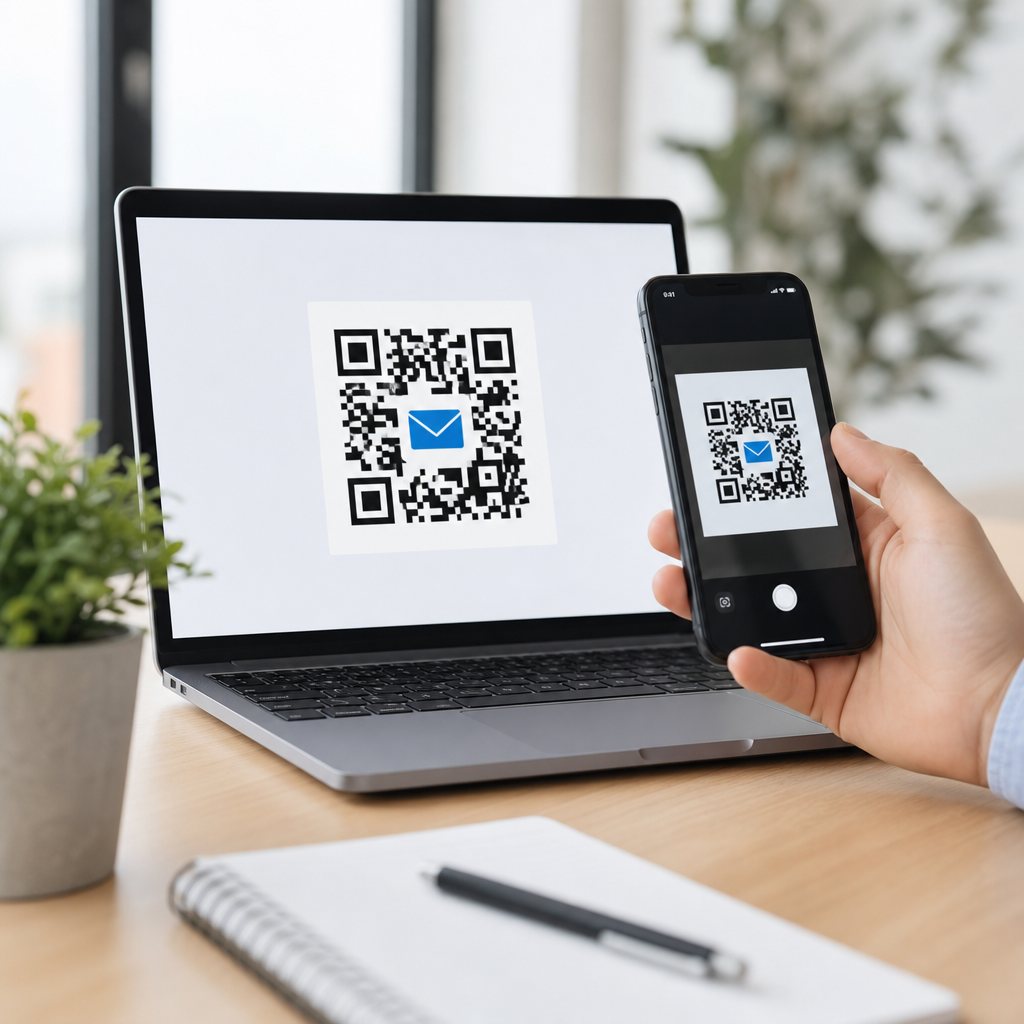
An email QR code is a scannable code that opens an email draft on a user’s device, usually with the recipient address, subject line, and sometimes body text already filled in. Within QR Code Basics & Education, it sits inside the broader category of types of QR codes, alongside URL, vCard, Wi-Fi, SMS, app download, and payment codes. I have implemented these codes in product packaging, event signage, printed brochures, and support workflows, and the same pattern appears every time: when the next action is “send us an email,” removing typing friction lifts response rates and reduces errors.
To define the term precisely, most email QR codes encode a mail action using a mailto format. When scanned, the phone or computer reads the data and hands it to the default email application. A simple version contains only an address, such as support@example.com. A more useful version adds a subject like “Warranty Claim” or “Wholesale Inquiry,” helping teams route messages faster. Some campaigns also prefill body copy with prompts such as order number, location, or preferred callback time, which improves data quality and shortens back-and-forth.
This matters because email remains a standard business channel for customer service, sales outreach, registrations, documentation, and compliance-sensitive communication. Yet typing an address from a poster, package, invoice, or storefront sign is tedious and error-prone, especially on mobile. QR codes bridge the offline-to-digital gap. In practice, that means a restaurant can collect catering requests from a table tent, a manufacturer can direct distributors to technical support from a machine label, and a school can let parents contact an office from a printed newsletter without asking anyone to manually copy an address.
As a hub topic, email QR codes are also useful for understanding how different QR code types work. Some QR codes open content in a browser, some launch native device features, and some initiate communication workflows. Email QR codes belong to that last group. They are action-oriented rather than informational. Instead of displaying a webpage, they trigger a composed message. That distinction affects how you design, test, measure, and secure them. It also explains when another code type may be better, such as a form QR code for structured intake or a URL QR code for multi-step conversion tracking.
How an Email QR Code Works
An email QR code works by encoding a mail instruction into the QR symbol. The scanner reads the matrix, decodes the text string, and passes it to the operating system. If the string uses a mailto scheme, the device opens the default email client and creates a new draft. In the field, this process usually takes seconds, which is why email QR codes are effective in physical environments where user attention is brief. A trade show attendee, for example, can scan a booth sign and send a follow-up request before walking away.
The essential fields are straightforward: recipient address, subject, and body. A common pattern is mailto:sales@example.com?subject=Demo%20Request&body=Company%20Name%3A. Special characters must be encoded correctly, or the result can break on some apps. That technical detail matters. I have seen otherwise polished campaigns fail because spaces, ampersands, or line breaks were not escaped properly. Good QR code generators handle this automatically, but experienced teams still test across iPhone Mail, Gmail, Outlook mobile, Samsung Internet, and common QR scanner apps because behavior differs by device and browser.
There are two implementation paths: static and dynamic. A static email QR code contains the mail instruction directly and cannot be changed after printing. A dynamic version points to a short URL or redirect service that can update the destination behavior later, sometimes leading to a landing page that then launches an email flow. Strictly speaking, a pure mailto email QR is usually static. Dynamic platforms add flexibility, analytics, expiration controls, password protection, and campaign management, but they may introduce an extra tap and depend on the provider’s infrastructure.
Where Email QR Codes Fit Among Types of QR Codes
Understanding types of QR codes helps businesses choose the right user journey. Email QR codes are best when the desired outcome is a human message sent through an email client. URL QR codes are best when you want a landing page, video, knowledge base article, or e-commerce destination. vCard QR codes save contact details. Wi-Fi QR codes connect users to a network. SMS QR codes draft a text message. App store QR codes route by device to the correct installation page. Payment QR codes encode billing details or payment requests.
In real deployments, the decision often comes down to structure versus flexibility. If a warranty claim requires photos, serial numbers, and proof of purchase, a form QR code linked to a web page may outperform an email QR code because it standardizes inputs. If the issue is nuanced and users need to explain context, email is often better. For lead generation, a URL code usually wins because analytics are richer and conversion paths can branch. For personal outreach, especially B2B inquiries, email feels familiar and low pressure, which can improve completion.
Another useful distinction is immediacy. SMS and phone QR codes drive urgent, short exchanges. Email supports longer-form communication, attachments, and asynchronous handling. That makes it suitable for support, procurement, media inquiries, and documentation requests. It is less ideal for time-sensitive actions like emergency maintenance dispatch, where a call QR code is stronger. As a hub topic under types of QR codes, email codes illustrate an important principle: the best code type is not the most advanced one, but the one that matches the user’s intent, context, and device behavior.
| QR code type | Primary action | Best use case | Main limitation |
|---|---|---|---|
| Opens a prefilled email draft | Support, inquiries, documentation requests | Depends on the user having a configured email app | |
| URL | Opens a webpage | Campaigns, forms, product pages, downloads | Requires a well-designed landing page to convert |
| vCard | Saves contact information | Business cards, sales reps, networking | Limited storytelling and weak analytics in static form |
| Wi-Fi | Joins a wireless network | Hotels, cafés, offices, events | Must be updated if network credentials change |
| SMS | Drafts a text message | Short responses, appointment confirmations | Character limits and lower suitability for detailed requests |
| Payment | Initiates a payment flow | Retail, invoices, donations | Compatibility varies by region and payment system |
Common Use Cases and Real-World Examples
Email QR codes are most effective when users are already near a physical touchpoint and need a simple communication path. On product packaging, they can route customers to support with the model number prefilled in the subject. In property management, a code posted in a lobby can let residents email maintenance with apartment and issue type prompts already inserted. At conferences, exhibitor signage can invite attendees to request a brochure or pricing sheet. Because the action opens a familiar email draft rather than a dense form, it feels fast and low commitment.
I have seen strong results in after-sales support. A medical device distributor used equipment stickers with separate email QR codes for service, training, and documentation. Each code prefilled a unique subject token, letting the shared inbox auto-route messages in Outlook rules and Zendesk triggers. Resolution time improved because technicians no longer had to interpret vague inbound emails. Another example came from a museum, where gallery placards included an email QR code for accessibility feedback. Visitors could send comments on the spot, while the institution maintained an auditable email record for follow-up.
Education and nonprofit settings also benefit. A school can print an email QR code on permission slips so parents can contact the office with the student name and class already prompted in the body. A charity can place one on event signage for sponsorship inquiries, using a prefilled subject that separates donor relations from volunteer coordination. In B2B manufacturing, spec sheets often include QR codes for engineering support; when the body template asks for machine model, installation date, and country, first-response quality improves dramatically because customers know what information to provide.
Benefits, Limitations, and Design Best Practices
The core benefit of an email QR code is friction reduction. Users avoid typing long addresses, mistyping domains, or wondering what to include. For organizations, prefilled subjects create cleaner inbox triage, and body templates improve consistency. Another advantage is channel appropriateness: email supports attachments, formal records, and multi-person threads. In regulated industries, that record can matter. The code itself is also lightweight. A simple mailto string does not require a web page, hosting, or app development, making it cost-effective for small organizations and fast-moving campaigns.
Its limitations are equally important. Not every device handles mailto in the same way. Some users rely on webmail without a configured default email app, so scanning may produce a confusing prompt or no obvious action. Analytics are weaker than with a landing page because the send action happens inside the email client. Message quality depends on user follow-through; opening a draft is not the same as sending it. Body text can also become too prescriptive. If you overfill the draft, users may hesitate to edit it or abandon the action entirely.
Best practice starts with concise setup. Use one clear recipient, a short subject line, and a body template that prompts the minimum required details. Add visible instructions near the code, such as “Scan to email support.” Keep contrast high, preserve a quiet zone, and size the code for scanning distance; on posters, I generally start around 1.2 inches minimum and scale up based on viewing range. Test under glare, low light, and curved surfaces. If the use case is critical, add the plain email address beneath the code as a fallback for accessibility and reliability.
How to Create, Track, and Secure an Email QR Code
Creating an email QR code is simple, but doing it well requires process discipline. Start by mapping the exact action you want: a general inquiry, a support request, a quote request, or a department-specific contact. Draft the recipient, subject, and body prompts. Then build the code in a reputable generator such as QR Code Generator, Bitly, Beaconstac, or Flowcode, or generate it directly through a marketing platform if you need governance. Before publishing, scan with multiple devices, send test emails, and confirm that routing, autoresponders, and mailbox permissions work as intended.
Tracking requires realistic expectations. A static mailto code offers almost no native analytics beyond what your inbox can infer from subject tags, aliases, or body parameters. If measurement matters, use unique recipient aliases, plus-addressing, or standardized subject tokens for each placement, such as store01, boothA, or manual-v2. Dynamic QR platforms can log scans before passing users onward, but the cleanest measurement often comes from a short landing page that offers “Email us” as a button. That extra step trades a little friction for much better attribution, A/B testing, and campaign reporting.
Security and privacy deserve attention. Never promise confidentiality just because the action uses email; standard email is not inherently encrypted end to end. Avoid collecting sensitive health, financial, or identity data in the prefilled body. If the communication involves protected information, direct users to a secure portal instead. Protect brand trust by using recognizable domains and avoiding URL shorteners that look suspicious. For printed materials, maintain version control so outdated addresses do not remain in circulation. Finally, monitor mailboxes actively. A QR code that invites contact but leads to a neglected inbox damages credibility faster than no code at all.
Email QR codes are one of the most practical examples in the broader family of types of QR codes because they solve a simple, common problem with minimal technical overhead. They let people move from print, packaging, signage, or in-person environments directly into a drafted email, often with the right recipient and context already in place. When used thoughtfully, they improve user convenience, reduce address-entry errors, and help teams organize inbound communication with cleaner subject lines and more complete first messages.
The key takeaway is not that email QR codes are universally best, but that they are best for a specific job. Use them when the desired outcome is a human conversation, attachment-friendly workflow, or documented inquiry. Choose a URL or form QR code when you need stronger analytics, structured intake, or a richer conversion path. Keep implementation simple, test across devices, provide a visible fallback address, and avoid asking users to send sensitive data through ordinary email unless you have secure handling in place.
As a hub within QR Code Basics & Education, this topic also clarifies how to evaluate every QR code type: start with user intent, match the action to the context, and design for reliability first. If you are building printed materials, support assets, or event collateral, audit where people currently have to type an email address by hand. Replace that friction point with a well-tested email QR code, then compare response quality, routing speed, and user effort. That small operational change often delivers immediate, measurable value.
Frequently Asked Questions
What is an email QR code and how does it work?
An email QR code is a type of QR code that, when scanned, opens the default email app on a user’s device and starts a new draft automatically. In most cases, the draft is pre-filled with a recipient email address, a subject line, and sometimes a short message in the body. Technically, the code usually contains a mailto link, which tells the phone, tablet, or computer exactly what information to place into the email composer. Instead of typing an address manually or copying details from a printed page, the user simply scans and taps send after reviewing the message.
That makes email QR codes especially useful when the goal is to reduce friction. In real-world use, they work well on product packaging for warranty or support requests, on event signage for registrations or sponsor inquiries, in brochures for sales follow-up, and in customer service workflows where you want to guide people toward a specific contact point. Within QR Code Basics & Education, they are part of the broader family of QR code types, alongside URL, vCard, Wi-Fi, SMS, app download, and payment QR codes. The key difference is that an email QR code is designed specifically to start a communication action rather than send someone to a webpage or instantly transfer data.
What information can you include in an email QR code?
An email QR code can include several common email fields, depending on how it is created. The most basic version includes only the recipient’s email address. More advanced versions can also pre-fill the subject line and body text, which is often where the real usability benefit appears. For example, a support QR code on packaging might open a draft addressed to support@company.com with a subject like “Product Setup Help” and body text such as “Hello, I need help with the following product:”. That structure helps the user begin quickly while also helping your team receive more consistent, organized inquiries.
You can also tailor the message to the context where the code appears. On event signage, the subject might indicate the event name. In brochures, it might identify the product or campaign. In service environments, the message body can prompt customers to add order numbers, serial numbers, or other key details. The important best practice is to keep the pre-filled content helpful but not overly long. If the message body is too detailed, it may feel robotic or cluttered on mobile devices. A short, clear prompt usually performs better because it gives users direction without removing their ability to personalize the message before sending it.
When should you use an email QR code instead of another type of QR code?
You should use an email QR code when your main objective is to start a direct email conversation with as little effort as possible. It is a strong choice when the desired action is clear and personal, such as contacting support, requesting a quote, asking for product information, submitting partnership inquiries, or following up after an event. If you know that users are likely to have a question and that email is the preferred communication channel, an email QR code can be more efficient than asking them to type an address manually or navigate through multiple contact pages.
That said, it is not always the right format. If you want people to browse information first, a URL QR code is usually better. If you want to share contact details for saving into a phone, a vCard QR code makes more sense. If the goal is instant text communication, an SMS QR code may be a better fit. Email QR codes are most effective when the user benefits from having a draft prepared and when your organization benefits from receiving structured messages tied to a specific product, location, campaign, or workflow. In practice, they perform best when the call to action is simple, the context is clear, and users understand exactly why they are being prompted to send an email.
What are the main benefits of using an email QR code in packaging, signage, brochures, or support materials?
The biggest benefit is convenience. An email QR code removes several small but important points of friction: no one has to type an email address, remember a subject line, or guess what details to include. That convenience often leads to more completed actions, especially on mobile devices where typing can feel slow or error-prone. In packaging, this can improve support access and reduce customer frustration. On event signage, it can make sponsor or exhibitor outreach more immediate. In brochures, it can turn passive print material into an actionable lead generation tool. In support workflows, it can guide users toward the correct team with a clearer, more consistent message format.
Another major advantage is organization. Because you can pre-fill subject lines and message prompts, incoming emails can be easier to sort, route, and respond to. A business can create different email QR codes for product lines, departments, campaigns, or physical locations, then use those identifiers to improve response workflows. This also helps teams understand which assets are driving inquiries. While traditional email links can do something similar in digital environments, QR codes extend that functionality into offline spaces. That bridge between physical materials and digital action is why email QR codes continue to be practical in customer-facing use cases where speed, clarity, and low-friction communication matter most.
Are there any limitations or best practices to know before creating an email QR code?
Yes. The first limitation is device behavior. An email QR code depends on the user having a compatible device and a configured email app. In most cases, scanning works smoothly, but the exact experience can vary depending on the phone, operating system, browser, or default mail client. Some users may scan the code and be prompted to choose an app, while others may have no default email app set up at all. Because of that, it is smart to place a short instruction near the code, such as “Scan to email support” or “Scan to contact sales,” so the user knows what to expect before scanning.
Best practices are straightforward but important. Use a clear call to action, keep the pre-filled content concise, and make sure the recipient address is monitored by the right team. Test the code on both iPhone and Android devices before printing it at scale. Avoid overly long body text, as it can create messy formatting or a poor user experience. Make the QR code large enough to scan easily and place it in a context where the purpose is obvious. If possible, customize the subject line so incoming messages are easy to categorize. Most importantly, think about the user’s intent at the moment of scanning. The strongest email QR code implementations succeed because they meet a real need right away, with minimal effort and maximum clarity.





