
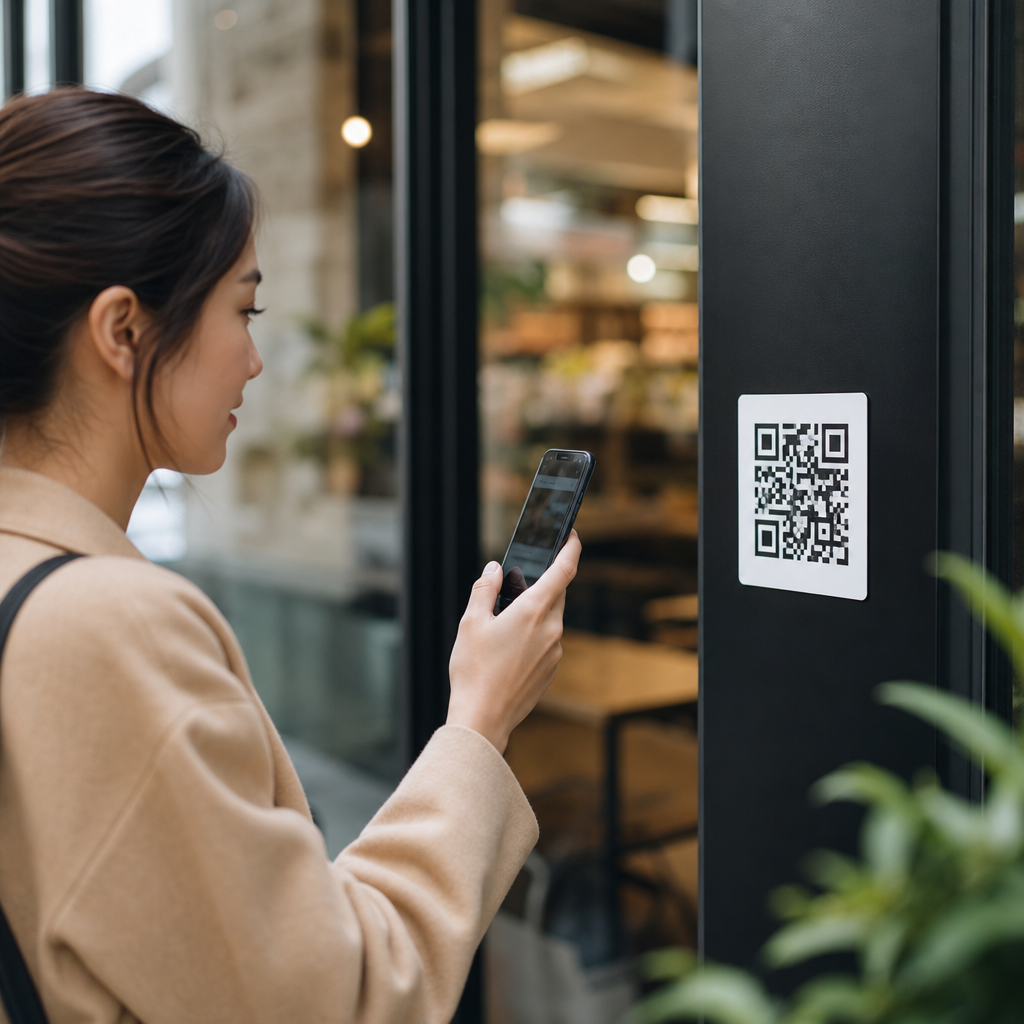
QR code performance is shaped as much by placement as by design, and location often determines whether a code gets ignored, noticed, or scanned repeatedly. In QR code analytics, location means the physical environment where a code appears, the exact spot within that environment, and the context surrounding the scan moment. Heatmaps and scan behavior analysis translate those real-world choices into measurable patterns, showing where people notice a code, when they engage, and which placements generate meaningful action instead of empty impressions. I have seen the same campaign produce weak results on one sign and excellent results on another simply because the code moved from a low-visibility corner to an eye-level position near a point of decision.
This matters because QR codes sit at the intersection of offline and digital behavior. A poster, product label, countertop display, receipt, mailer, vehicle wrap, or event badge may all carry the same destination URL, yet each placement creates different visibility, friction, and intent. Good location strategy improves scan rate, completion rate, and downstream conversion. Poor placement creates avoidable failure: glare on glass, low contrast under dim lighting, distance that exceeds camera capability, or timing that asks users to scan while walking, driving, or juggling bags. Heatmaps help reveal these issues by connecting scan clusters to physical space, while scan behavior data explains how time, device, traffic flow, and user intent change performance.
For teams working on QR code analytics, tracking, and optimization, location analysis is the operational core of improvement. It answers practical questions directly: Where should a QR code be placed? What height works best? Which side of a package drives more scans? Do entrance displays outperform checkout counters? Are scans concentrated in one store zone, one venue gate, or one transit platform? This hub article explains how location impacts QR code performance, how to read heatmaps and behavior patterns, which variables matter most in the field, and how to turn scan data into better placement decisions across retail, events, packaging, out-of-home media, and print.
What Heatmaps and Scan Behavior Reveal About QR Code Location
A QR code heatmap is a visual representation of where scans occur across a physical layout, campaign footprint, or geographic area. Depending on the platform, it may map scans by GPS coordinates, store zones, booth sections, building floors, city blocks, or campaign asset locations. Scan behavior adds the time-based and user-based layer: scan frequency, repeat scans, device type, operating system, time to landing page load, and actions completed after the scan. Together, these views show not only where attention exists but also where intent turns into measurable interaction.
In practice, heatmaps are most useful when linked to named assets and distinct placements. If ten codes all point to one landing page without unique tracking parameters, location insight disappears. When each sign, shelf talker, poster, table tent, or package panel uses a dynamic QR code with separate identifiers, patterns become actionable. You can see that the endcap display in aisle three drove more scans than the freezer-door cling, or that the event registration banner outperformed the stage-side screen. Platforms such as Google Analytics 4, Bitly, QR Code Generator PRO, Beaconstac, Flowcode, and custom UTM frameworks are commonly used to connect scans to assets and outcomes.
One consistent lesson from field campaigns is that scan volume alone is incomplete. A busy location may generate many scans but poor conversion if users are rushed, distracted, or unable to complete the next step. A quieter location may convert better because the user has time, signal strength, and clear intent. This is why high-performing QR code placement balances exposure with usability. Heatmaps show concentration. Behavior metrics show quality. The strongest decisions come from reading both together.
Core Location Factors That Change Scan Performance
Several physical variables consistently affect QR code performance. Visibility is first. Users must be able to detect the code quickly within the visual field. Eye-level placement generally performs well in retail, hospitality, and event environments because it reduces search effort. Reach is next. A code can be visible but still hard to scan if it is too high, too low, behind glass, curved around a bottle, or placed where people cannot stop safely. Distance matters because smartphone cameras need enough pixel detail and a stable frame to decode the symbol reliably.
Lighting conditions are equally important. Direct sunlight can wash out low-contrast codes. Glossy surfaces create reflections that obscure modules. Dim restaurants, transit shelters at night, and tinted windows can suppress scans even when foot traffic is strong. Contrast between code and background should remain high, ideally dark modules on a light, matte surface. Quiet zones, the clear margins around the code required by the ISO/IEC 18004 standard, should never be compromised by decorative borders or crowded layouts.
User intent changes by context. A product package in a shopper’s hand supports detailed engagement because the user controls distance and angle. A billboard on a highway almost guarantees poor behavior because scanning safely is impossible. A restaurant table tent benefits from dwell time. A museum placard benefits from curiosity and close proximity. A checkout receipt may be seen after the purchase decision, making it better for loyalty enrollment than for product discovery. Location is never just coordinates; it is the combination of movement, attention, physical access, and motivation at the moment of scan.
| Placement context | Typical behavior pattern | Primary location risk | Best optimization move |
|---|---|---|---|
| Retail shelf | Fast comparison scanning | Low visibility among clutter | Move to shelf edge at eye line |
| Product packaging | High-intent, close-range scanning | Curved or reflective surfaces | Use flat matte panel with strong contrast |
| Event signage | Burst traffic at peak times | Crowding and short dwell time | Place in queue zones, not exits |
| Restaurant table tent | Longer dwell, repeat exposure | Grease, wear, poor lighting | Refresh print and improve table lighting |
| Outdoor poster | Variable scan quality by time of day | Glare and weather | Test morning and afternoon exposure |
How Physical Placement Changes Attention and Accessibility
Within any environment, micro-placement has outsized effects. On printed posters, the upper right corner may be noticed less than a centered lower-third position because users read the headline first, then seek a call to action near the natural stopping point of the layout. On product packaging, the back panel often attracts more information-seeking scans, while the front may support promotional scans if the code is integrated without blocking branding. On window decals, inside-facing placement can fail because reflections and street glare make the code unreadable from outside.
I have repeatedly found that the best location is usually near a decision point rather than simply in the highest-traffic area. For example, a QR code for product details works better at the shelf edge than at the store entrance because the user is already evaluating options. A code for event agenda downloads performs better near registration or queue lines than on the main stage backdrop because attendees have hands free and time to scan. A code for service feedback works better near the payment terminal or exit than on a wall by the restroom because the experience is freshest there.
Accessibility also affects scan behavior. Placement should consider wheelchair users, shorter users, and people using one hand. If a code requires awkward body movement, crouching, or stretching, scans decline. In public settings, users also avoid placements that force them to stand in the way of others. This is one reason aisle intersections, queue rails, and narrow entrances can underperform despite traffic. The code may be seen, but the social friction of stopping there suppresses engagement.
Reading Heatmaps Across Retail, Events, Packaging, and Outdoor Media
Retail heatmaps often reveal hotspots around endcaps, promotional islands, and shelf zones adjacent to bestsellers. These are not always the places with the highest conversion, however. When scan data is linked to add-to-cart, coupon redemption, or store locator visits, mid-aisle placements sometimes outperform front-of-store displays because the shopper is farther along in the buying process. In grocery, beverage, beauty, and electronics categories, comparing scans by shelf height can uncover large differences between top shelf, eye-level shelf, and lower shelf performance.
At events, heatmaps usually show concentrated activity during registration, session transitions, and expo hall dwell periods. Codes on badges can support networking and lead capture, but scans often cluster in low-crowd zones where attendees can pause. Stage screens frequently generate fewer completed scans than expected because users are seated at a distance, the code appears briefly, or mobile data is congested. Queue-line signage, program guides, and booth counters usually produce stronger behavior because the code stays visible and users have a clear reason to act.
Packaging heatmaps work differently because the geography is distributed. Brands often compare scans by retailer region, SKU, and package panel rather than by one map of a single site. Here, scan behavior can reveal where education, recipes, warranty registration, or authenticity verification resonates most. Outdoor media adds time and motion as dominant factors. Transit station posters can perform very well because commuters wait in place. Street furniture can outperform large-format displays if the code is within easy scanning distance. Moving assets such as buses and taxis generally deliver weaker direct scans unless the audience encounters them while stationary.
Tracking Methods That Make Location Data Useful
Reliable location analysis starts with instrumentation. Each physical asset should have its own dynamic QR code, even if multiple assets send users to the same landing page. Dynamic codes allow destination changes, preserve the printed symbol, and support asset-level reporting. UTM parameters should identify campaign, medium, source, placement, and creative version. For example, a retailer might use source=store17, medium=qrcode, campaign=summer_skincare, content=endcap_a. Without that discipline, heatmaps become guesswork.
Landing pages should also be tuned for the scan context. A code scanned from a shelf should open a mobile page that loads quickly on cellular and immediately confirms relevance. If bounce rate is high in one location, the issue may not be the placement alone; it may be a mismatch between expectation and destination. I have seen scan rates rise after moving a code, but conversion rates rise even more after aligning the page headline with the exact sign text the user just read.
When possible, blend QR platform data with broader analytics. Google Analytics 4 can track sessions and events, while point-of-sale, CRM, event lead systems, or app analytics can measure downstream value. Store audits, staff observations, and time-stamped photos add essential qualitative context. If a heatmap shows a sudden drop in one location, the cause may be practical: a display was moved, blocked by merchandise, damaged, or placed under a spotlight that created glare. Data improves when the physical environment is documented with the same rigor as the digital funnel.
Optimization Tactics Based on Real Scan Behavior
The fastest wins usually come from changing one location variable at a time. Move the code to eye level. Reduce scanning distance. Shift from glossy to matte stock. Reposition from an entrance wall to a dwell zone. Increase surrounding white space. Add a short call to action that explains the benefit, such as “Scan for ingredients,” “Scan for setup guide,” or “Scan to join loyalty.” People scan more when the reward is explicit and immediate. Heatmaps then confirm whether the revised placement broadens engagement or merely relocates a small group of existing scanners.
Structured testing works best in matched environments. In a chain retail program, compare similar stores with different shelf placements. In restaurants, compare table tent versus receipt placement. At events, compare registration-desk signage with session-room signage. Measure scan-through rate, landing page engagement, and conversion, not just raw scans. A lower-scan placement can still win if users complete more high-value actions.
Teams should also watch for repeat scans. Multiple scans from the same location can signal strong interest, but they can also indicate friction, such as poor page load, failed app deep links, or ambiguous next steps. Time-of-day patterns matter too. A code near a café counter may peak in the morning; one near a returns desk may peak in late afternoon. These behaviors help determine staffing, signage refresh timing, and when to promote seasonal or limited-time calls to action.
Common Location Mistakes and How to Avoid Them
The most common mistake is treating the QR code as a decorative add-on rather than a functional interface. Designers tuck it into corners, reduce its size, or place it over imagery that weakens contrast. Operations teams then install the asset wherever space is available instead of where scanning is comfortable. Another frequent error is using one code across many placements, which destroys attribution and hides location-level performance differences.
Unsafe placements are another problem. Codes on moving vehicles, roadside billboards, or busy stairways invite attention at the wrong moment. Even when they earn impressions, they rarely produce high-quality scans. Small-format codes used at long distance are similarly flawed. As a rule, the farther the user stands, the larger the code must be, and the simpler the environment should be. Testing with several phone models under actual field lighting is not optional; it is the quickest way to catch failures before launch.
Finally, many teams ignore maintenance. Printed materials fade, wrinkle, tear, or get covered. Counter displays shift. Window decals collect scratches. Packaging runs can vary in print quality. Heatmaps are valuable partly because they highlight these operational issues. When one asset underperforms compared with similar placements, inspect the physical object before rewriting the campaign strategy.
Location impacts QR code performance because scanning is a physical behavior first and a digital behavior second. The best-performing codes appear where people can notice them easily, approach them safely, and understand the benefit instantly. Heatmaps show where attention concentrates, while scan behavior explains whether that attention becomes useful action. When teams assign unique tracking to every asset, compare placements in context, and inspect the real environment, location stops being a vague variable and becomes a controllable lever for growth.
For anyone building a stronger QR code analytics, tracking, and optimization program, the practical takeaway is simple: measure by placement, not just by campaign. Use dynamic codes, consistent parameters, mobile-ready destinations, and field testing under real conditions. Then read heatmaps alongside conversion data to find the placements that do more than attract scans. They drive outcomes.
This subtopic hub is the foundation for deeper work on zone analysis, shelf-level testing, event scan mapping, package panel performance, and physical-to-digital attribution. Start by auditing your current placements, label every asset clearly, and identify one high-traffic environment where a location test can run this month. Small placement changes often produce the clearest gains, and the data will tell you exactly where to move next.
Frequently Asked Questions
Why does location matter so much for QR code performance?
Location matters because a QR code is only effective when people can easily notice it, understand why it is there, and scan it without friction. A well-designed code can still underperform if it is placed in an area with poor visibility, awkward foot traffic, weak lighting, or too many competing messages. In practice, location affects every stage of engagement: whether the code is seen, whether it feels relevant in the moment, and whether the person has enough time and motivation to act on it.
In QR code analytics, location is not just the building or venue. It also includes the exact physical placement within that environment, such as eye level on a retail display, near a checkout counter, on product packaging, on a window, or inside a waiting area. It includes surrounding context as well, like whether the code appears next to a clear call to action, whether the person is standing still or moving, and whether scanning makes sense in that specific moment. These details shape scan behavior in measurable ways.
When businesses study scan data alongside placement, patterns become clear. Codes in high-attention areas often generate more scans, while codes in busy but visually cluttered zones may be ignored despite heavy traffic. The strongest placements usually combine visibility, relevance, and convenience. That is why location is often the factor that determines whether a QR code becomes a useful conversion tool or just another overlooked graphic.
What types of physical locations usually produce the best QR code scan rates?
The best-performing locations are usually places where people naturally pause, have a clear line of sight, and can act without feeling rushed. Waiting areas, tables, checkout counters, product displays, event booths, hotel lobbies, transit shelters, and packaging that people hold in their hands often perform well because they create a natural opportunity to scan. In these settings, the user is not just seeing the QR code; they are also in a mindset that supports taking the next step.
Context is what separates a high-traffic location from a high-performing one. For example, a poster in a crowded hallway may receive a lot of impressions but relatively few scans if people are moving too quickly. By contrast, a smaller display in a seated waiting room may generate more engagement because people have the time and attention to respond. The same principle applies in retail. A QR code near the shelf may work well for product details and comparisons, while a code near the register may be better for loyalty signups or post-purchase offers.
Environmental quality also plays a major role. Locations with good lighting, limited glare, strong contrast, and enough space for a person to stop and use a phone tend to outperform cramped or visually noisy areas. The most effective placements are usually those that match the user’s intent in that moment. If someone is exploring, comparing, waiting, or deciding, the QR code has a much better chance of being scanned than if they are hurrying past with no reason to engage.
How do heatmaps and scan behavior analysis help improve QR code placement?
Heatmaps and scan behavior analysis turn physical placement decisions into actionable data. Instead of guessing where a QR code should go, marketers and business owners can see where scans cluster, which areas are being ignored, and how engagement changes by time, traffic flow, or display position. A heatmap makes it easier to visualize performance across locations, revealing which placements attract attention and which ones fail to convert visibility into action.
Scan behavior analysis adds another layer by showing when people scan, how often they return, and which environments lead to stronger engagement. For example, a brand might discover that a code near a storefront window gets many impressions but few completed scans because of glare or awkward sidewalk flow. Another code inside the store, positioned near a product demonstration, may produce fewer views but a much higher scan rate because the audience is more interested and better positioned to act. These insights help teams optimize based on actual user behavior rather than assumptions.
Over time, this data supports better testing and smarter placement strategies. You can compare front-of-store versus point-of-sale, lobby versus elevator, menu versus table tent, or indoor versus outdoor placements. You can also identify patterns related to time of day, seasonal traffic, and customer intent. The real advantage is that heatmaps and scan analytics connect the physical world to measurable outcomes, allowing businesses to refine QR code strategy with the same discipline used in digital marketing.
What placement mistakes most often hurt QR code performance?
Some of the most common mistakes are placing QR codes where people cannot comfortably stop, making them too small to scan easily, positioning them in poor lighting, or surrounding them with too much competing information. A code may technically be visible and still perform badly if users have to twist their phone, step into traffic, deal with reflections, or guess what the scan will do. Friction is one of the biggest enemies of QR code performance, and poor placement creates friction immediately.
Another major issue is lack of contextual relevance. A QR code works best when it feels like a natural extension of the environment and the user’s current goal. If it appears in a place where the next step is unclear, or if there is no incentive to scan, people often ignore it. For example, putting a code on a wall with no explanation, no value proposition, and no call to action usually leads to weak results. Users want to know whether they are getting a menu, coupon, video, registration page, instructions, or product details before they commit to scanning.
Businesses also underestimate how exact placement affects outcome. A code moved a few feet higher, placed at eye level instead of knee level, or shifted from a busy entrance to a slower decision point can significantly improve performance. Other mistakes include placing codes where mobile signal is weak, using them outdoors without accounting for weather and glare, and failing to test performance across real-world conditions. The strongest QR code campaigns succeed because placement is treated as a strategic decision, not an afterthought.
How can businesses choose the best location for a QR code and keep improving results over time?
The best approach is to start with user intent, not just available space. Businesses should ask where the audience is most likely to notice the code, why they would want to scan at that moment, and whether the environment makes the action easy. A QR code should be placed where attention, relevance, and convenience meet. That could mean near a product for comparison shopping, at a restaurant table for ordering, in a reception area for check-in, or on packaging for instructions and reorder options. The right location depends on the goal of the campaign and the behavior of the audience in that setting.
From there, testing is essential. Instead of relying on one placement, businesses should compare multiple locations, formats, and call-to-action styles. Dynamic QR codes and analytics tools make this much easier by allowing teams to track scans by placement, time, and campaign variant. This helps identify whether a problem is tied to the code itself, the creative around it, or the environment where it appears. Even small adjustments to height, angle, nearby messaging, or distance from decision points can change performance meaningfully.
Long-term improvement comes from treating QR code placement as an ongoing optimization process. Review scan trends regularly, use heatmaps where possible, and watch for patterns tied to traffic flow, time of day, and physical context. If one location produces repeated scans while another gets ignored, that is a signal to reallocate space and refine strategy. The businesses that get the strongest results are usually the ones that combine thoughtful physical placement with continuous measurement, making location a core part of QR code performance rather than a secondary consideration.




