
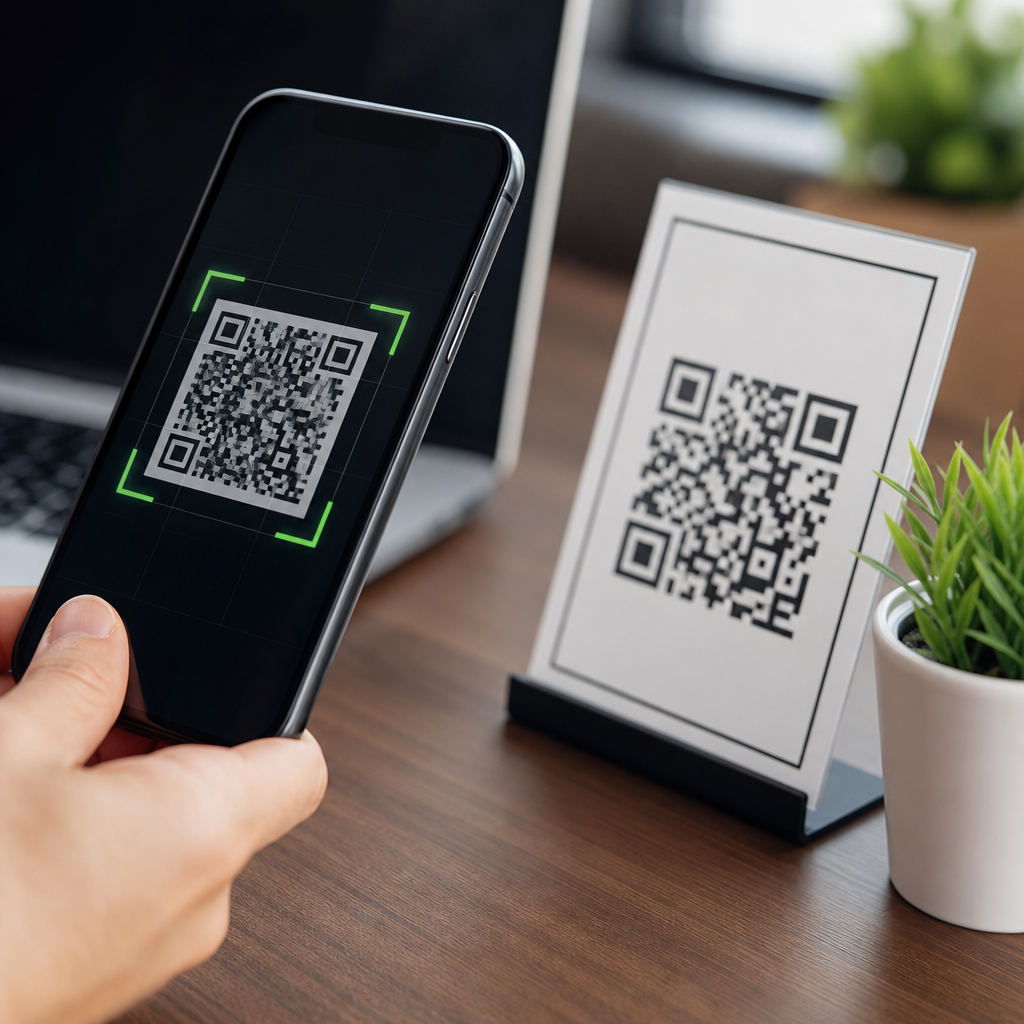
QR codes themselves do not contain viruses or malware, but they can direct people to malicious websites, unsafe downloads, fraudulent payment pages, or data-harvesting forms, which is why QR code safety matters for every business and consumer using them today. A QR code is simply a machine-readable pattern that stores information such as a web address, contact card, Wi-Fi credential, phone number, or payment instruction. In my work with digital campaigns, event signage, and mobile onboarding flows, I have seen the same misunderstanding repeatedly: people assume the black-and-white square is dangerous on its own, when the real risk sits in the destination it opens or the action it triggers. That distinction is critical because it shapes how organizations should assess risk, educate users, and design safer QR experiences.
The question “are QR codes safe?” deserves a direct answer. Yes, QR codes are generally safe as a format, but scanning any unknown code carries the same kind of risk as clicking an unfamiliar link in an email or text message. The code acts as a delivery mechanism, not the malware itself. Cybercriminals exploit this gap in user awareness through “quishing,” a form of phishing that uses QR codes to hide malicious links from immediate human review. Since smartphone cameras and scanner apps often open destinations quickly, users may move from scan to action before checking the URL, domain reputation, or page legitimacy.
This topic matters because QR codes now sit inside payments, restaurant menus, identity verification, product packaging, healthcare check-ins, logistics labels, and marketing campaigns. Their convenience has made them standard infrastructure across industries. At the same time, security teams have had to address new attack surfaces: sticker replacement on public posters, fake codes added to parking meters, misleading codes in emails, and cloned codes on packaging or printed invoices. Regulators and standards bodies have also paid attention. The Federal Trade Commission has warned consumers about QR-related scams, and organizations align controls with broader security frameworks such as NIST guidance, secure mobile device management, anti-phishing training, and domain governance.
For a hub article on QR code security, privacy, and compliance, the goal is not to create fear. It is to separate technical fact from practical risk. This page explains what QR codes can and cannot do, how attackers misuse them, where privacy issues arise, what safe implementation looks like for organizations, and what consumers should check before scanning. If you understand the difference between a harmless data container and a harmful destination, you can use QR codes confidently while reducing the most common threats.
What a QR code can actually do
A QR code stores encoded data. Most often that data is a URL, but it can also contain plain text, a vCard, an SMS template, geolocation coordinates, email fields, a calendar event, or a deep link into an app. On its own, the image does not execute code in the way a malicious program does. It has no active computing capability. Think of it as a barcode with more storage and faster mobile usability. The scanner interprets the pattern, extracts the data, and then asks the phone or app to take an action based on that data.
That is why the phrase “QR code virus” is technically inaccurate. A QR code cannot infect a device merely by existing. However, if the encoded content is a link to a compromised site, the user could be exposed to credential theft, social engineering, drive-by download attempts, or deceptive prompts asking for app installation or payment approval. In practice, the QR code is one step in the attack chain. The same principle applies to shortened URLs: the threat is hidden until the destination is revealed.
Modern smartphones add some protection. Native camera apps on iOS and Android usually show a preview before opening a link, and mobile browsers apply safe browsing checks against known malicious domains. Security products from vendors such as Microsoft, Google, and Cisco can further filter risky destinations. Still, these controls are imperfect. Newly registered domains, compromised legitimate websites, and highly targeted scams can bypass reputation systems long enough to harm users. Security depends on layered checks, not blind trust in the format.
How criminals misuse QR codes
The main abuse patterns are straightforward and increasingly common. Attackers place fake QR stickers over legitimate ones in public spaces, send QR codes in phishing emails to evade URL filters, print codes on fake invoices, or post codes in social media promotions that redirect to counterfeit login pages. In one common parking scam, a driver scans a code on a meter or sign, lands on a payment page that imitates the local authority or parking app, enters card details, and never realizes the payment went to a criminal. The attack succeeds because the page looks familiar and the user feels urgency.
Another pattern targets business credentials. A user receives a message claiming their Microsoft 365 password has expired. Instead of a clickable link, the email includes a QR code and instructs the recipient to scan it with their phone. This can bypass some desktop-focused email defenses and shifts the login attempt to a personal device that may not have the same monitoring or browser protections. The destination page captures credentials and, in advanced attacks, prompts for multifactor authentication codes in real time.
Attackers also exploit trust in physical environments. I have audited campaigns where legitimate posters remained up for months in transit stations and storefronts with no inspection process. That creates an opening for sticker substitution. A criminal does not need to breach a server if they can alter the printed code that thousands of people scan. This is one reason secure QR code deployment is not just a cybersecurity issue; it is also a physical security, brand protection, and operations issue.
| QR code use case | Main risk | Typical attacker method | Best control |
|---|---|---|---|
| Restaurant menu | Fake ordering or payment page | Sticker replacement on table or window | Tamper checks and branded short domain |
| Parking payment | Card theft | Counterfeit payment site | Official app verification and HTTPS domain review |
| Email verification | Credential phishing | QR code embedded in phishing email | Email filtering, user training, MFA-resistant authentication |
| Product packaging | Counterfeit goods or data harvesting | Cloned packaging and altered destination | Serialized codes and destination monitoring |
| Event check-in | Privacy leakage | Third-party tracking or fake forms | Data minimization and vetted registration platform |
Are QR codes safe for consumers?
For consumers, QR codes are safe when the source is trustworthy, the destination is verified, and the requested action matches the context. A code on sealed product packaging from a known brand is lower risk than a random code on a utility pole. A code presented inside an official app is safer than one sent through an unsolicited text. Context is the first filter. If the code appears where you would reasonably expect it and supports a normal task, the risk is lower, though not zero.
Before scanning, users should inspect the environment. Is the code printed directly on the original material, or does it look like a sticker placed over something else? After scanning, check the domain carefully before submitting credentials or card details. Look for misspellings, odd subdomains, and pages that rush you into action. A secure connection icon is not enough; phishing sites use HTTPS too. If a code asks you to log in, install an app, approve a payment, or share personal information unexpectedly, stop and navigate manually through the company’s website or app instead.
Consumers should also keep devices updated. Mobile operating system patches, browser protections, and reputable security apps reduce exposure to known threats. Password managers help because they usually autofill only on the correct domain, which can reveal a phishing page immediately. Multi-factor authentication adds resilience, though attackers can still proxy sessions if users approve prompts on fake sites. The strongest practical habit is simple: treat QR scans like links, not like trusted objects.
Are QR codes safe for businesses?
Businesses should treat QR codes as part of their digital trust surface. When a company places a code on packaging, signage, receipts, posters, or email, it is asking users to move from the physical world into a digital workflow. That transition must be governed. Safe implementation starts with domain strategy. Use a short, readable, branded domain that customers can recognize at a glance. Avoid obscure URL shorteners for customer-facing campaigns because they hide destination clarity and weaken trust.
Redirect management matters too. Many marketing teams use dynamic QR codes so they can change destinations without reprinting materials. That is useful, but it creates a high-value control point. If the redirect platform is compromised or poorly governed, every printed code can send traffic somewhere malicious. Access should be protected with strong authentication, role-based permissions, change logs, and domain monitoring. Teams should also test links regularly, especially for long-running campaigns in retail, transportation, and hospitality environments.
Physical inspection is often overlooked. If codes appear in public, assign ownership for spot checks. Restaurant operators should inspect table tents and window decals. Facilities teams should verify parking and visitor signage. Event staff should review badge kiosks and directional posters. In high-risk settings, tamper-evident materials or integrated printed designs make sticker replacement easier to spot. Secure QR code management is operational discipline, not just a design task handed to marketing.
Privacy and compliance issues around QR codes
QR code privacy concerns usually involve what happens after the scan. A code can lead to a landing page that collects personal data, drops analytics cookies, tracks location, or ties a scan to a specific campaign segment. None of that is inherently improper, but organizations need clear disclosure, lawful basis where required, and data minimization. If a simple menu or brochure download does not require a user’s email, do not ask for it. If a contact-tracing, healthcare, or workplace access flow does require identity data, collect only what is necessary and secure it appropriately.
Compliance obligations depend on jurisdiction and sector. In the European context, personal data collection linked to scans can trigger obligations under the GDPR, including transparency, purpose limitation, retention control, and processor oversight. In California, businesses may need to provide required notices and honor consumer rights under applicable privacy laws. In healthcare and finance, sector-specific requirements may apply when QR workflows expose regulated information. The compliance lesson is consistent: the code is only the entry point; the full downstream data flow must be reviewed.
Third-party QR platforms deserve scrutiny. Some provide detailed analytics, editable redirects, device fingerprinting, or lead capture forms. Those features can be useful, but they expand risk. Review vendor security practices, data processing terms, hosting locations, incident response commitments, and export capabilities. If you cannot explain exactly what data is collected when someone scans your code, you do not have adequate governance.
Best practices for safe QR code deployment
The most effective QR code security program combines technical controls, content controls, and user education. First, use branded domains and destination pages that match your visual identity. Consistency helps users identify impostors. Second, secure the systems behind dynamic codes with strong authentication, least-privilege access, and audit trails. Third, monitor destination URLs and certificates so unauthorized changes are detected quickly. Fourth, create inspection routines for physical placements. Fifth, train staff and customers to verify domains and report suspicious codes.
There are also design choices that improve trust. Add plain-language context next to the code: “Scan to view our menu at brandname.com/menu” is safer than presenting an unexplained square. Where practical, provide a manual URL beneath the code so cautious users have another route. For payments, prefer established wallets or official apps over browser-based forms reached from anonymous codes. For authentication, avoid workflows that train users to scan a code from email and enter corporate credentials on a personal device.
Incident response should include QR-specific playbooks. If a malicious sticker is found or a destination is compromised, teams should know how to disable redirects, rotate domains, notify affected users, and preserve evidence. This is especially important for distributed brands with many physical locations. A QR code campaign is not finished when it is printed; it requires lifecycle management from creation through retirement.
Common myths and the practical answer
The first myth is that scanning a QR code automatically infects a phone. False. Infection, if it happens, occurs through the destination or download, not the code image itself. The second myth is that QR codes are inherently unsafe. Also false. They are neutral containers, comparable to links or barcodes. The third myth is that only tech-savvy users are targeted. In reality, QR scams work because they exploit convenience and context, not technical ignorance alone. Busy travelers, drivers, office workers, and restaurant customers are all plausible targets.
The practical answer to “Do QR codes contain viruses or malware?” is no, but they can lead you to places that do. That is the point every organization and consumer should remember. Safe use depends on source trust, destination verification, secure platform management, privacy-conscious design, and routine monitoring. If you manage QR codes as part of your broader security and compliance program, they remain a fast, useful bridge between offline and online experiences.
Use this article as your starting point for evaluating every QR workflow you publish or scan. Review where your codes point, how they are governed, what data they collect, and how users can verify legitimacy before taking action. When convenience is supported by clear domains, controlled redirects, physical inspections, and sensible privacy practices, QR codes are not just usable—they are reliably safe.
Frequently Asked Questions
Can a QR code itself contain a virus or malware?
No. A QR code by itself does not contain a virus or malware in the way a malicious software file does. It is simply a visual, machine-readable pattern that stores data, such as a website URL, phone number, contact information, Wi-Fi credentials, payment details, or a short text string. Think of it as a barcode with more storage capacity. The danger is not usually inside the QR code image itself, but in what the code tells your device to do after it is scanned.
For example, a QR code can open a webpage, prompt a file download, launch a payment screen, or prefill a form. If the destination behind that action is deceptive or compromised, the user may be exposed to phishing, fraudulent payment requests, fake login pages, or unsafe downloads. That is why the most accurate answer is that QR codes do not carry malware themselves, but they can act as a gateway to malicious content. For businesses and consumers alike, the real security question is not “Is the pattern infected?” but “Is the destination trustworthy?”
How do malicious QR codes actually put people at risk?
Malicious QR codes usually create risk by sending users somewhere harmful or tricking them into taking an unsafe action. A scammer might place a fake QR code sticker over a legitimate one on a restaurant table, parking meter, event sign, product display, or public poster. When scanned, the code may direct the person to a convincing but fraudulent website designed to steal passwords, collect card information, harvest personal data, or trigger a download of unwanted software.
Common examples include fake payment pages, imitation login portals, malware-laced app download pages, and forms requesting sensitive information under false pretenses. In some cases, a user may be tricked into joining a rogue Wi-Fi network or calling a scam phone number. Because QR codes are difficult to interpret visually, people often scan first and verify later, which gives attackers an advantage. This is exactly why QR code safety matters in digital campaigns, event environments, retail signage, and mobile onboarding flows: the code itself looks neutral, but the destination may not be. Strong security depends on inspecting the preview link, recognizing trusted branding, and avoiding any scan that feels unexpected or rushed.
What are the warning signs that a QR code may be unsafe?
There are several practical red flags to watch for before and after scanning a QR code. One of the biggest is context. If a QR code appears in an unusual place, covers another code with a sticker, is printed poorly, or seems disconnected from the brand or organization around it, pause before scanning. A legitimate business usually presents QR codes clearly, consistently, and in a way that matches its official design, messaging, and domain name.
Another warning sign is the destination URL. Many smartphones now show a preview link before opening it, and that preview is one of your best defenses. Be cautious if the link uses a strange domain, a misspelled brand name, excessive random characters, or a shortened URL that hides the real destination. Also be alert if the page immediately asks for login credentials, payment information, one-time passcodes, or a download you were not expecting. Pressure tactics, urgent warnings, prize claims, and “verify now” messages are classic scam indicators.
For businesses, these same warning signs matter from the brand protection side as well. If customers are likely to scan codes in public spaces, companies should monitor placements, prevent code tampering, and make official destinations easy to recognize. Trust is built when users know what should happen after a scan and can quickly spot when something looks off.
How can businesses and consumers use QR codes safely?
The safest approach is to treat QR codes the same way you treat links in email or text messages: convenient, but worth verifying. For consumers, best practices include scanning only codes from trusted sources, reviewing the preview URL before opening it, avoiding downloads from unfamiliar pages, and never entering personal, payment, or login information unless the website is clearly legitimate and secure. Keeping your phone’s operating system, browser, and security settings up to date also reduces risk if you encounter a suspicious destination.
For businesses, safe QR code use starts with control and transparency. Use codes that point to official domains, avoid unnecessary redirects, and make the destination easy for users to recognize. Place codes in secure, monitored environments so they cannot be easily replaced or covered. If the QR code is used for payments, account access, event check-in, or onboarding, explain exactly what the scan will do before the user scans it. That kind of context improves both security and conversion.
It is also smart for organizations to test codes regularly, track destination integrity, and educate staff on QR-related fraud risks. In campaigns, signage, and mobile experiences, a trustworthy QR implementation is not just about convenience. It is part of customer safety, brand credibility, and fraud prevention. The goal is to remove uncertainty so users feel confident scanning only what is authentic.
Are QR codes safe for payments, logins, and sharing information?
They can be safe, but only when the system behind them is secure and the user verifies the destination. QR codes are widely used for contactless payments, account sign-ins, event registration, app downloads, and information sharing because they reduce friction and speed up mobile interactions. The technology itself is not the problem. The risk comes from impersonation, tampering, and user trust being exploited.
For payments, the biggest concern is being redirected to a fake payment page or sending money to the wrong recipient because a legitimate code was replaced. For logins, attackers may use QR codes to mimic authentication steps and capture credentials on a spoofed page. For forms and data collection, a fake QR code can lead users to disclose names, email addresses, company details, or financial information without realizing they are interacting with a fraudulent source.
That said, QR-based payments and authentication can be very secure when tied to official apps, verified merchants, trusted platforms, and well-managed campaign assets. Businesses should use HTTPS destinations, recognizable domains, protected code placement, and clear user instructions. Consumers should confirm who is requesting the scan, inspect the URL, and avoid completing sensitive actions on pages that look unfamiliar or poorly branded. In short, QR codes are safe tools when they are implemented responsibly and scanned thoughtfully, but they should never be treated as automatically trustworthy just because they are easy to use.





