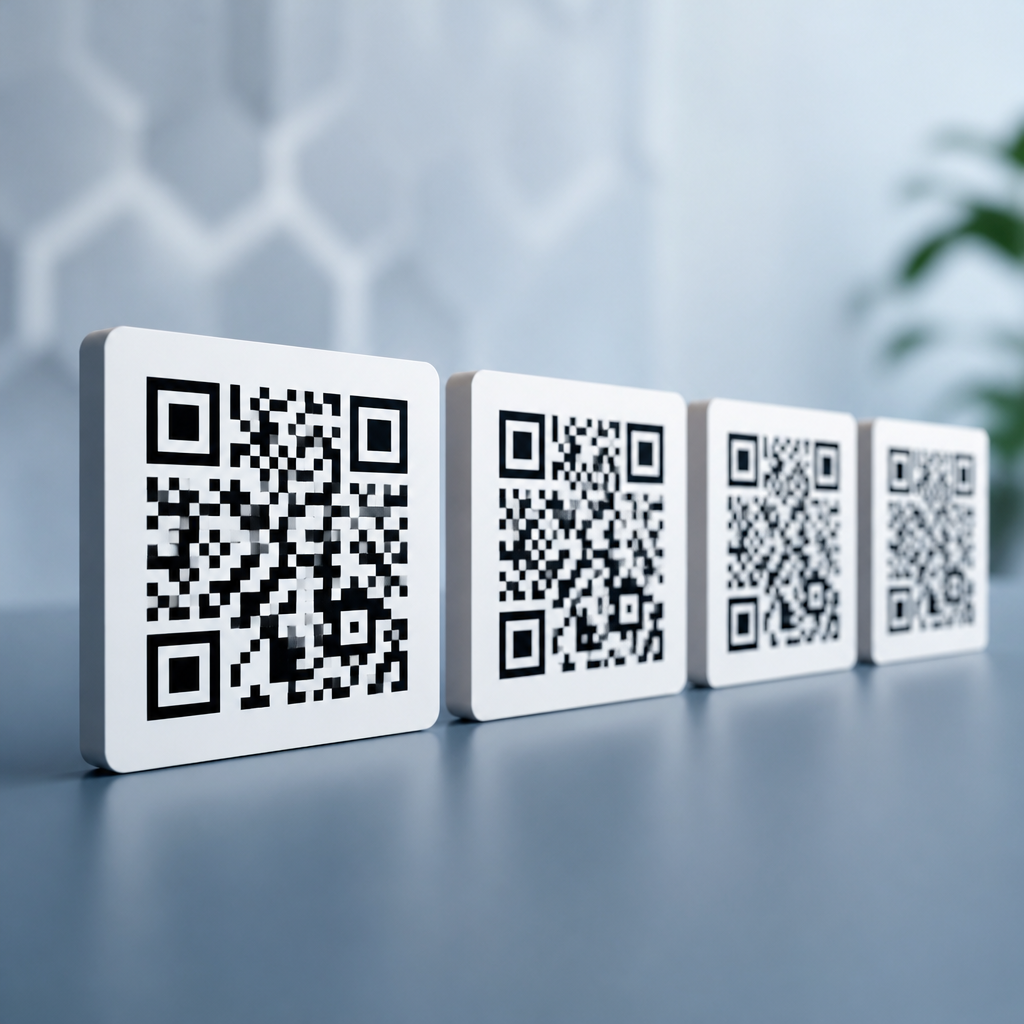
QR error correction levels determine how much damage, dirt, distortion, or logo coverage a QR code can tolerate while still being scanned correctly. In practical terms, the four levels—L, M, Q, and H—represent increasing amounts of built-in redundancy, and that redundancy is what lets a phone recover the original data even when part of the symbol is missing. If you work with packaging, menus, posters, product labels, or ticketing, understanding these levels is not optional; it directly affects scan reliability, symbol size, design freedom, and printing cost.
This topic sits at the center of QR code technology and standards because error correction is not an add-on. It is embedded in the QR Code specification itself, alongside version sizing, data encoding modes, finder patterns, alignment patterns, masking, and quiet-zone rules. I have had to troubleshoot failed deployments where the real issue was not the landing page, the analytics tag, or the print vendor, but an error correction level chosen without considering logo placement, substrate quality, or expected scanning distance. A QR code can look clean on screen and still underperform in stores, warehouses, or outdoor environments if the technical settings do not match the use case.
At a basic level, the four options mean this: Level L can restore roughly 7% of damaged codewords, M about 15%, Q about 25%, and H about 30%. Those percentages are often quoted as if they describe visible area loss, but that shorthand can mislead people. The system actually works at the codeword level using Reed-Solomon error correction, a mathematical method that adds recovery data to the encoded payload. Because damage is rarely distributed evenly, a code with 30% theoretical recovery can still fail if a critical region is blocked, blurred, or cropped. That is why standards knowledge matters as much as the percentage figures themselves.
For teams building a durable QR code strategy, this article serves as the hub for QR code technology and standards. It explains what L, M, Q, and H mean, how Reed-Solomon error correction works in plain language, how the levels affect QR code capacity and size, and how to choose correctly for print, packaging, marketing, operations, and design-heavy applications. It also clarifies common misconceptions, including whether higher error correction is always better and whether adding a logo automatically requires level H. If you need a practical foundation for every later decision about QR codes, start here.
What the four QR error correction levels actually mean
The four QR error correction levels are standardized settings defined in the ISO/IEC 18004 QR Code specification. Each level controls how many error correction codewords are added to the symbol, which then determines how much damage the scanner can reconstruct. The levels are L, M, Q, and H, commonly interpreted as low, medium, quartile, and high. In real deployments, they represent a tradeoff between resilience and data capacity. As correction increases, the code becomes more forgiving, but it also needs more modules to store the same payload.
The percentages attached to these levels are useful starting points: L recovers about 7%, M about 15%, Q about 25%, and H about 30% of codewords. If your QR code is on a clean product insert viewed indoors, level M is often sufficient and is widely used. If the code will be printed on corrugated cardboard, exposed to scratches, or partially covered by branding, Q or H may be justified. Level L is efficient when maximizing capacity matters more than durability, while H is common in promotional designs where a central logo removes part of the pattern.
One of the biggest mistakes I see is treating the percentages as a guarantee. They are not. A scanner does not measure damage as a simple missing-area percentage. It decodes format information, reads timing patterns, interprets masked data, and uses error correction after sampling the module grid. If blur merges modules together, if the quiet zone is violated, or if contrast is weak, even a high-level code can fail. Error correction protects data integrity, but it cannot rescue every problem caused by poor printing, bad lighting, perspective distortion, or undersized modules.
How Reed-Solomon error correction works inside a QR code
QR codes use Reed-Solomon error correction, the same family of coding used in barcodes, storage media, and digital communications. In simple terms, the data you want to encode—such as a URL, serial number, or payment string—is divided into codewords. The encoder then calculates extra codewords using polynomial arithmetic over a finite field. Those extra codewords do not repeat the message verbatim; they create mathematically related recovery information. When a scanner reads the symbol and finds corrupted or unreadable codewords, it can reconstruct the original data if the number of errors stays within the designed correction limit.
This matters because QR code recovery is more sophisticated than many users realize. The symbol is not just a picture. It includes structural regions such as finder patterns in three corners, timing patterns that define the sampling grid, alignment patterns in larger versions, format information that identifies the error correction level and mask pattern, and the encoded data interleaved with correction codewords. Interleaving spreads the risk so localized damage does not wipe out one continuous block of payload. That is why a code with a coffee stain across the middle may still scan, while one with a clipped quiet zone may not.
In production settings, this is the point where standards discipline pays off. A technically valid QR code can still become operationally weak if the print process causes dot gain, if reflective laminate creates glare, or if the code is reproduced from a compressed screenshot instead of vector artwork. Reed-Solomon gives QR codes impressive resilience, but it is not a substitute for proper symbol generation, sufficient contrast, adequate quiet space, and testing across real devices. Error correction should be viewed as one layer in a system, not a license to ignore the rest of the standard.
How error correction levels affect size, capacity, and scan performance
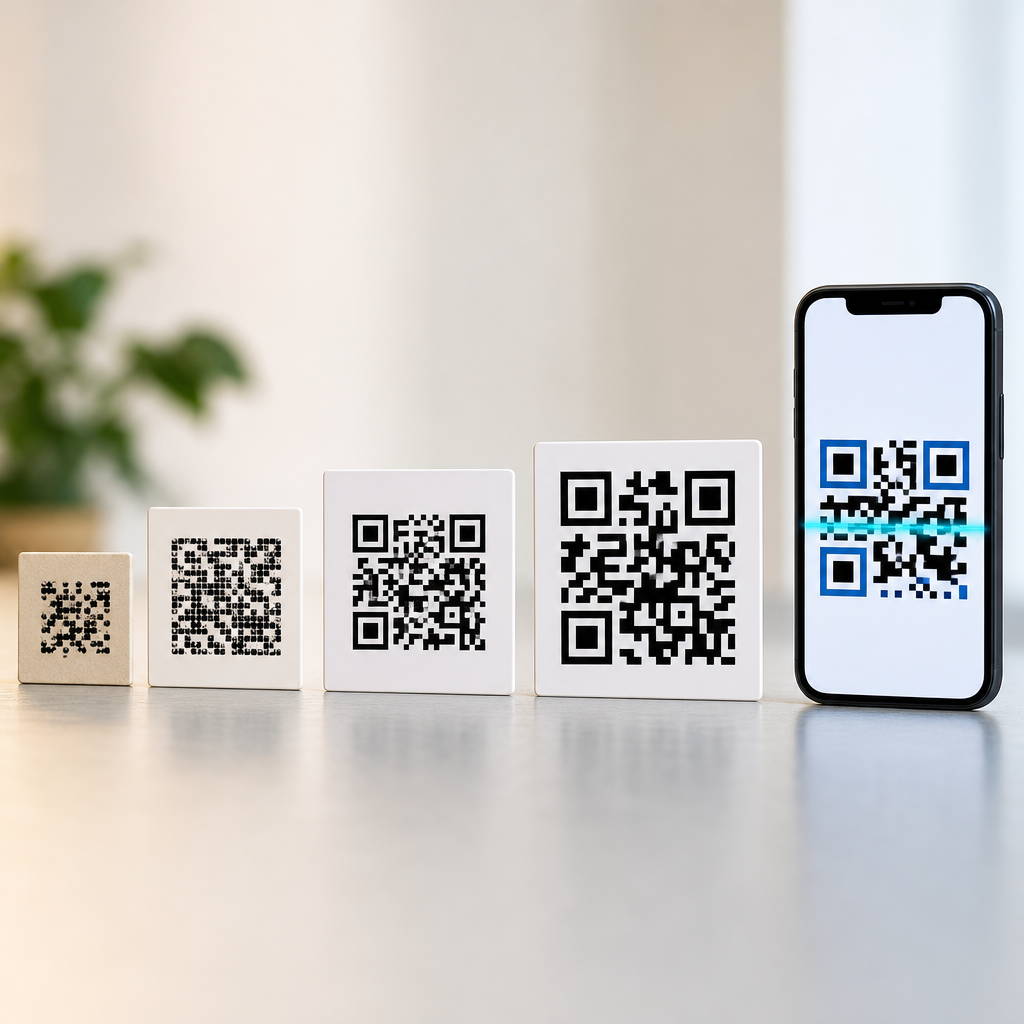
Choosing L, M, Q, or H changes more than durability. It also changes how much data fits into a given QR version and, in turn, how large the printed code must be to remain readable at the intended distance. A QR code’s version runs from 1 to 40, with each step adding modules to the grid. When you increase the error correction level, more of those modules are allocated to recovery codewords instead of payload. If the payload stays the same, the generator may need to move up to a larger version. That can increase print footprint and reduce margin for small-label applications.
Capacity also depends on encoding mode. Numeric data is the most efficient, alphanumeric is next, and byte mode typically consumes more space because it is designed for broader character support. A short numeric ID at level H may fit comfortably in a compact symbol, while a long URL with tracking parameters may balloon into a much denser code at the same level. This is why experienced teams shorten URLs, remove unnecessary query strings, or use dynamic QR platforms when they need analytics without burdening the symbol with excessive characters.
| Error correction level | Approximate recovery | Best fit | Main tradeoff |
|---|---|---|---|
| L | 7% | Clean environments, maximum data capacity | Lowest tolerance for damage or obstruction |
| M | 15% | General-purpose print and everyday marketing | Moderate resilience with moderate capacity loss |
| Q | 25% | Rougher handling, some design customization | Larger symbol for the same payload |
| H | 30% | Logos, damaged surfaces, harsh conditions | Largest size and lowest payload efficiency |
Scan performance is therefore a balancing act. Higher correction can improve real-world reliability when codes face wear, but if the symbol becomes too dense for the print method or too small for the camera to resolve, performance can get worse, not better. I have seen tiny label codes become unreadable after teams switched to H without increasing print dimensions. The better approach is to optimize the total system: shorten the content, choose the lowest correction level that fits the environment, preserve a four-module quiet zone, and test scan speed on both iPhone and Android devices at realistic distances.
When to use L, M, Q, or H in real-world applications
Level L is best when capacity is the priority and the environment is controlled. Examples include internal manufacturing labels protected under clear film, equipment tags scanned at close range, or digital displays where the QR code is rendered sharply on screen. If the code contains more data than usual and you need to avoid moving to a larger version, L can be appropriate. It is not the right choice for public-facing prints that may be scratched, folded, or photographed under inconsistent lighting.
Level M is the practical default for many business uses. Restaurant table tents, brochures, retail signage, conference badges, invoices, and direct-mail pieces often perform well at M because it offers a sensible middle ground between resilience and efficiency. If someone asks me for a starting point without unusual design constraints, M is usually where I begin. It aligns with the reality that most scanning failures come from a combination of moderate wear, imperfect focus, and average print conditions rather than severe symbol destruction.
Level Q is useful when you expect more abuse or some controlled visual intervention. Think shipping cartons, industrial labels, outdoor posters, or packaging where a small logo or decorative treatment overlaps noncritical modules. It is also a strong option when distribution conditions are unpredictable. Level H is the premium resilience setting for cases with deliberate obstruction or elevated risk: branded consumer packaging with a central mark, event tickets that may crease, equipment exposed to grime, or campaigns where scan reliability is worth a larger symbol. Even then, H should be validated through print proofs and device testing rather than assumed.
Common misconceptions, standards rules, and design limits
The most common misconception is that higher error correction is always better. It is not. Higher levels reduce payload efficiency and often force a denser or larger symbol. If the final printed size does not increase accordingly, each module becomes smaller, and camera systems have a harder time distinguishing the grid. In that situation, a level H code can scan worse than a level M code carrying the same destination. Better engineering beats reflexively choosing the maximum setting.
Another misconception is that error correction alone makes logo QR codes safe. In reality, logo placement interacts with finder patterns, alignment patterns, timing patterns, contrast, and quiet-zone integrity. Covering the center is usually safer than touching functional patterns, but there is no universal “safe area” percentage that works for every version and payload. Professional generators simulate placement and preserve structure, yet final success still depends on output size, color contrast, substrate texture, and the cameras your audience uses.
Standards rules remain nonnegotiable. Maintain adequate quiet space, preserve strong dark-light contrast, avoid extreme inversions unless tested carefully, and generate symbols with reputable software libraries or platforms that follow the specification. Useful tools include ZXing-based implementations, Segno, and enterprise QR platforms that expose version and correction controls. The strongest workflow is simple: choose the shortest practical payload, select the lowest correction level that matches risk, export clean artwork, print to specification, and test under the real conditions in which people will scan. For teams building QR code standards across products or campaigns, document those choices and review scan data regularly. Start with a test matrix, not a guess, and use this hub as the foundation for deeper articles on versions, quiet zones, masking, print sizing, and logo-safe QR design.
Frequently Asked Questions
What do the QR error correction levels L, M, Q, and H actually mean?
QR error correction levels describe how much damage or visual obstruction a QR code can tolerate and still scan successfully. The four levels are L, M, Q, and H, and they represent increasing amounts of built-in redundancy. In simple terms, redundancy means the QR code stores extra recovery data alongside the main encoded content. If part of the code is scratched, dirty, warped, covered by a logo, or printed poorly, a scanner can use that recovery data to reconstruct the missing information.
Level L provides the least error recovery, Level M offers a moderate amount, Level Q gives a higher margin of protection, and Level H provides the most resilience. These levels are often associated with approximate recovery capacities of about 7% for L, 15% for M, 25% for Q, and 30% for H. Those percentages are helpful as a rule of thumb, but they should not be treated as a guarantee in every real-world condition. Scan performance also depends on print quality, code size, contrast, lighting, distortion, and the camera being used.
The practical takeaway is straightforward: higher error correction makes a QR code more forgiving, but it also increases the code’s complexity. That complexity can require a larger printed symbol or reduce the amount of data you can store before the code becomes too dense. So these levels are not just technical labels. They are design and usability decisions that directly affect whether a code will scan reliably in the environment where people encounter it.
How do I choose the right error correction level for a QR code?
The right error correction level depends on where the QR code will appear, how likely it is to be damaged, and whether you plan to place graphics or branding over part of it. If the code will be printed in a controlled environment with strong contrast and minimal wear, such as on a clean document or inside an app interface, Level L or M may be perfectly appropriate. These lower levels keep the symbol simpler and often allow more compact designs, which can help when space is limited.
If the QR code will appear on packaging, menus, posters, product labels, shipping materials, event signage, or tickets, conditions become less predictable. Codes may get scratched, bent, smudged, faded, or partially hidden by glare and shadows. In those cases, Level M or Q is often a safer choice because it builds in more recovery capacity without always forcing the code to become dramatically larger. Many businesses use M as a general-purpose baseline because it balances resilience and efficiency well.
Level H is typically chosen when durability is especially important or when a logo or design element will intentionally cover part of the code. It is common in branded marketing materials where scan reliability still needs to be preserved despite custom styling. That said, selecting the highest level by default is not always the best answer. Higher correction increases data density, and if the code becomes too small or too crowded, that can create new scanning problems. The best approach is to match the level to the use case, print the code at an appropriate size, and test it on real devices under real conditions before publishing at scale.
Does higher error correction always make a QR code better?
No. Higher error correction makes a QR code more resistant to damage, but it does not automatically make the code better in every situation. The main tradeoff is that additional redundancy takes up space. As the error correction level rises, the QR code may need to use a larger version of the symbol or become denser with more modules packed into the same area. A denser code can be harder to scan if it is printed too small, viewed from a distance, or captured by a lower-quality camera.
This is why a Level H code is not universally superior to a Level M code. If you are encoding a long URL or a large amount of data and also choosing high error correction, the resulting code may become visually complex. On a business card, product tag, or narrow label, that complexity can reduce scan reliability instead of improving it. In other words, more protection against damage can be offset by worse readability if the final printed size is too small for the density of the code.
The best QR code is the one that scans consistently in its actual environment. Sometimes that means using a lower correction level to keep the code simpler and larger relative to the available space. Other times it means using a higher level because the code will be exposed to wear, distortion, or logo coverage. Reliability comes from balancing error correction with size, contrast, quiet zone, content length, and physical placement. The strongest-performing codes are usually the result of thoughtful optimization, not simply choosing the highest setting.
Can I place a logo in the middle of a QR code because of error correction?
Yes, but only within reason. Error correction is the feature that makes logo placement possible, because it gives the QR code enough redundancy to survive partial obstruction. When a logo covers some of the modules, the scanner may still be able to recover the original data using the remaining visible portions of the code. This is one of the main reasons designers often choose Level Q or Level H for branded QR codes.
However, error correction is not a free pass to cover as much of the symbol as you want. The actual scan result depends on several variables, including where the logo is placed, how much area it covers, whether critical patterns remain untouched, and how cleanly the code is printed. The finder patterns, alignment structures, contrast, and surrounding quiet zone all matter. If the logo is too large, the code too small, or the design too stylized, the code may fail despite using a high correction level.
A good practice is to treat Level H as a support mechanism, not a guarantee. Keep the logo modest in size, preserve high contrast between dark and light areas, avoid interfering with the essential corner patterns, and test across multiple phones and scanning apps. If the code will be used on packaging or signage, also test it after resizing, printing, and placing it on the actual material. A branded QR code should still behave like a functional tool first and a design element second.
How do error correction levels affect real-world scanning on packaging, menus, posters, labels, and tickets?
In real-world use, error correction levels directly influence whether a QR code remains scannable after it has been exposed to the imperfections of production, handling, and environment. On packaging, a code might sit on curved surfaces, textured materials, reflective coatings, or areas prone to scuffing. On menus, it may be splashed, creased, or stained. On posters, it may be viewed from different distances and angles under inconsistent lighting. On labels and tickets, it may be partially wrinkled, torn, or printed at very small sizes. Error correction provides a margin of safety in all of these scenarios.
That said, error correction works best as part of a broader quality strategy. A high correction level cannot fully compensate for poor contrast, inadequate quiet zones, extremely small print sizes, low-resolution output, or bad placement. For example, a Level H QR code printed too small on a glossy label can still fail if glare washes out the pattern. Likewise, a Level Q code on a poster may struggle if the URL is long enough to create a dense symbol that users must scan from several feet away.
For most practical business applications, choosing the level should be tied to the expected risk profile. Lower-risk environments may work well with L or M. General commercial printing often benefits from M or Q. Harsh handling, brand overlays, or higher chances of damage may justify Q or H. The most reliable workflow is to choose the level based on real conditions, keep the encoded content as short as possible, size the code appropriately for scanning distance, and test the final printed piece before launch. In operational terms, error correction is not a minor setting. It is one of the key factors that determines scan success in the field.