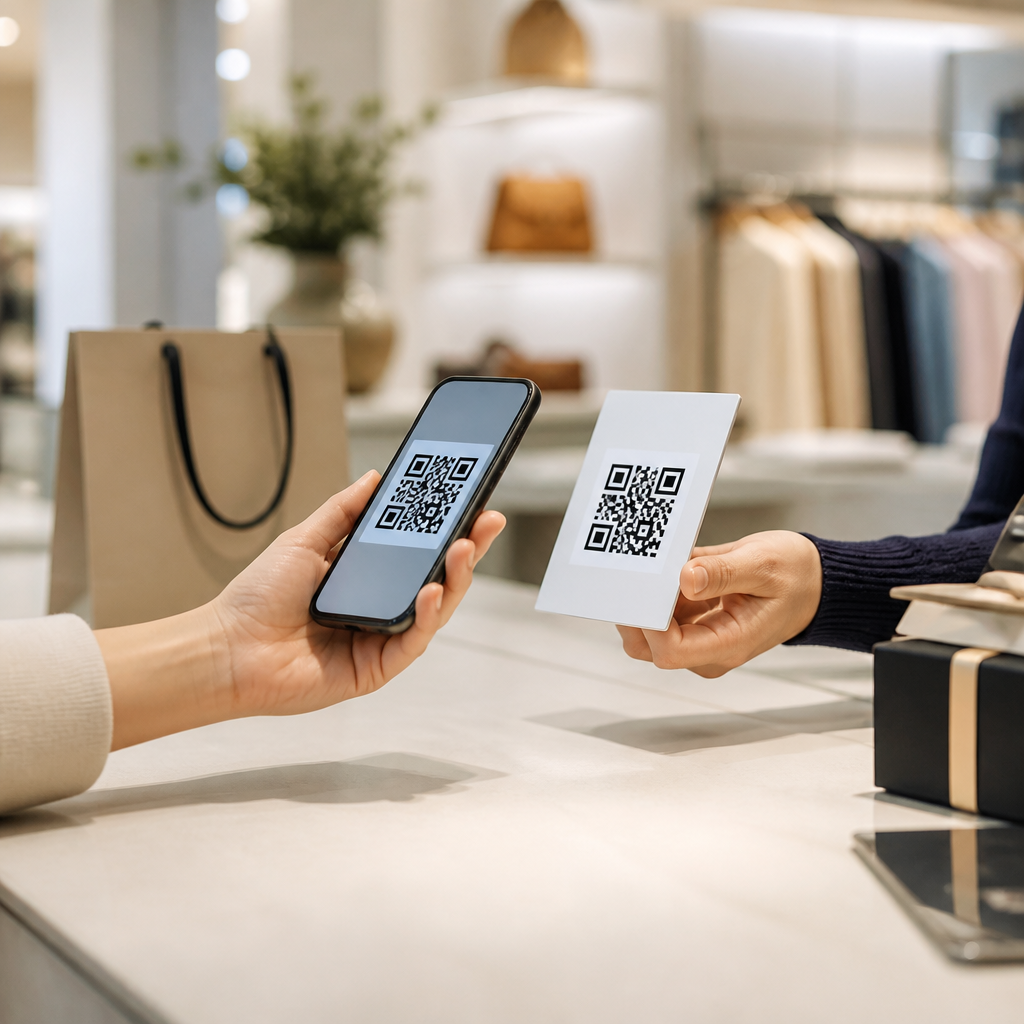
Using QR codes for event check-ins has moved from a novelty to an operational standard because it shortens lines, improves attendance data, and creates a cleaner arrival experience for guests, staff, sponsors, and exhibitors. In practical terms, a QR code event check-in system lets an attendee present a scannable code from a registration email, mobile wallet, event app, badge, or printed ticket, and then confirms identity against a live registration database in seconds. For organizers, that simple scan replaces clipboards, spreadsheet lookups, and manual badge marking with a structured workflow that can trigger badge printing, session access, lead capture, and post-event reporting. I have implemented these systems for trade shows, association conferences, private brand activations, and internal company summits, and the pattern is consistent: when the check-in flow is designed well, arrival feels fast and professional; when it is not, bottlenecks form immediately.
The basic concept is straightforward, but the execution matters. A QR code is a two-dimensional barcode that stores encoded information, usually a unique attendee ID linked to a registration record. During check-in, a camera-based scanner or mobile device reads the code, validates it against the event platform, and updates attendance status in real time or when connectivity resumes. This matters because events have little tolerance for friction at the entrance. A conference that begins with long queues creates a poor first impression, strains staffing, delays opening sessions, and reduces sponsor value if attendees miss exhibit hall time. Efficient event check-in is not only a logistics issue; it is part of marketing, customer experience, and revenue protection.
As a hub page within the broader topic of QR codes in marketing, this article covers the full landscape for events and conferences: where QR check-ins work best, which workflows to choose, what technology stack to evaluate, how to manage privacy and fraud risks, and how to measure results. It also answers the practical questions event planners ask first: Do attendees need an app? What happens if Wi-Fi fails? Can one QR code handle badges, session scans, and lead retrieval? The short answer is yes, often, but only if the organizer matches the system to the event format, venue constraints, and data goals. The rest of this guide explains how to do that with confidence.
How QR code event check-ins work in real event operations
A QR code event check-in workflow begins before event day, during registration. Each attendee is assigned a unique record inside the registration platform or customer relationship management system. That record can include ticket type, payment status, session selections, dietary preferences, consent fields, and badge details. The platform then generates a QR code tied to that record and delivers it by confirmation email, ticket PDF, Apple Wallet or Google Wallet pass, event mobile app, or printable pass. At the venue, staff use dedicated scanning hardware, tablets with the event platform’s check-in app, or smartphones running a secure scanner application.
When the code is scanned, the system performs several checks. It confirms that the code is valid, that the attendee is registered, that the ticket has not already been redeemed, and that any access rules are met. If badge printing is enabled, the scan can automatically send the attendee’s name, company, title, and access level to an on-demand printer. If the event uses multiple access points, the same record can govern general admission, VIP lounge entry, breakout session attendance, meal redemption, or shuttle boarding. In larger conferences, this single source of truth reduces duplicate records and gives operations teams a live attendance dashboard by hour, entrance, ticket class, and program track.
From experience, the difference between a smooth launch and a chaotic one is not the QR code itself but the operational design around it. Organizers need a separate lane for unresolved registrations, a fallback manual lookup process, clear signage that tells attendees to open their code before reaching the scanner, and staff trained to distinguish between check-in, badge reprint, and on-site registration issues. Good queue design typically combines pre-scan line management, multiple scan stations, and one troubleshooter per several scanners. At a 5,000-person conference, shaving even ten seconds off each arrival interaction can reduce queue time dramatically during the morning surge.
Best use cases across conferences, trade shows, festivals, and corporate events
QR codes work across almost every event format, but the benefits show up differently by industry and audience. At association conferences, the top value is speed plus accurate continuing education or session attendance tracking. At trade shows, the focus expands to badge printing, exhibitor lead capture, and controlled access to premium areas. At music or food festivals, organizers care about fast throughput and fraud resistance at multiple gates. At corporate events, internal security and attendee verification often matter as much as convenience, especially when executive sessions or facility access are involved.
One of the strongest use cases is multi-day conferences with layered access rules. An attendee may have a full-conference pass, while another has expo-only admission and a third has speaker credentials with backstage privileges. A properly configured QR code system checks those permissions instantly. Another excellent fit is invite-only brand events where the guest list changes until the final hour. Since QR records can update dynamically, planners avoid the risk of reprinting static badges for every change. For roadshows and city-by-city activations, the same QR framework can standardize check-in across venues while preserving location-specific reporting.
Hybrid and companion use cases are also important. QR check-ins can support self-service kiosks for low-touch arrival, session scanning for breakout rooms, sponsor activations where attendees unlock demos or giveaways, and post-event nurture campaigns based on actual participation. For example, if a registrant checked in but skipped the product workshop, marketing can send a follow-up recording; if they attended the sponsor breakfast and visited two booths, sales can prioritize outreach. This is why QR codes belong in the events and conferences playbook not only as an entry tool, but as an attribution and engagement layer.
| Event type | Primary check-in goal | Typical QR workflow | Key operational note |
|---|---|---|---|
| Association conference | Fast arrival and attendance tracking | Email ticket scan to badge print and session scans | Map scans to accreditation or education records |
| Trade show | Badge production and exhibitor access | Registration QR to print badge and hall entry validation | Separate exhibitor, attendee, and VIP permissions |
| Festival | High-volume gate throughput | Mobile or printed pass scanned at multiple entrances | Offline mode is essential for unstable connectivity |
| Corporate event | Identity verification and security | Preapproved guest QR matched to internal list | Coordinate with security and reception protocols |
Choosing the right setup: apps, kiosks, badge printers, and offline scanning
Most organizers need to decide between four common deployment models: staffed scanning on tablets or phones, self-service kiosks, integrated badge-print stations, and mixed deployments that combine all three. Staffed scanning is the fastest to launch and usually the best option for mid-size events because it requires less hardware and lets staff solve issues immediately. Self-service kiosks can reduce labor costs and appeal to tech-comfortable audiences, but they still need nearby support staff, especially for first-morning peaks. Badge-print stations are ideal for conferences where printed credentials are required, though printer placement, label stock, and spare units matter more than many first-time planners expect.
Offline capability deserves special attention. Venues routinely promise robust Wi-Fi, yet I have seen packet loss and bandwidth congestion disrupt check-in during the exact thirty-minute window when reliability matters most. A professional QR code event check-in system should support cached attendee lists, encrypted local validation rules, and queued sync once connectivity returns. Organizers should also test camera performance in low light, scanner response speed on cracked phone screens, and print quality for home-printed passes. Small technical variables can create outsized delays when multiplied across hundreds of arrivals.
The software stack should integrate with the rest of the event operation. Strong platforms connect registration, payment, badge design, on-site check-in, session scanning, and analytics in one environment or through stable APIs. Commonly used tools in this space include Cvent, Eventbrite, Bizzabo, Splash, Swoogo, and RFID or lead retrieval add-ons from specialist vendors. The best choice depends on event scale and complexity, not brand recognition alone. A 300-person workshop may do well with a lightweight system and mobile scanners, while a 20,000-attendee expo needs redundant hardware, role-based permissions, and enterprise reporting.
Data quality, privacy, and fraud prevention at the entrance
QR code check-ins improve data quality because they reduce manual entry errors and create timestamped attendance records automatically. That said, better data is only valuable if the underlying registration records are clean. Standardize required fields, deduplicate records before the event, and decide which systems own identity, consent, and attendance status. If marketing wants campaign attribution while operations wants fast check-in, the answer is not collecting every possible field at the desk. The answer is structuring data upstream so front-of-house staff can move quickly without sacrificing reporting integrity.
Privacy and security should be designed in from the start. The QR image itself should not expose sensitive personal information in plain text when a simple unique token will do. Access to scanner apps should require authenticated staff accounts, and exported attendee lists should follow the organization’s retention policies and regional compliance obligations, including GDPR or CCPA where applicable. If an event handles minors, health information, or executive travel details, apply tighter access controls and audit logs. Trust erodes quickly when attendees feel their registration data is being handled casually.
Fraud prevention is another real concern, especially for high-demand or paid events. A screenshot of a valid QR code can be shared unless the system checks redemption status instantly and invalidates duplicates. Dynamic codes, identity matching, or photo badges add further protection for sensitive events. For festivals and large expos, anti-passback rules can flag repeated entry attempts. None of these safeguards should create unnecessary friction, but they should exist. In practice, the best fraud strategy is layered: unique tokens, real-time validation, exception handling, and staff escalation procedures for suspicious cases.
Measuring success and connecting check-ins to marketing outcomes
The most useful check-in metrics go beyond total attendance. Measure average processing time per guest, peak queue length, arrival distribution by fifteen-minute interval, percentage of attendees who used mobile versus printed QR codes, duplicate scan rate, badge reprint rate, no-show rate by ticket type, and session conversion from registrant to attendee. These metrics reveal whether the event check-in experience was merely functional or genuinely efficient. They also improve future forecasting for staffing, signage, and entrance placement.
From a marketing perspective, QR code check-ins close an important attribution gap. Registration alone does not prove attendance, and attendance alone does not prove engagement. When arrival scans connect to session scans, booth visits, app activity, and post-event conversions, marketers can see which audiences actually progressed through the event journey. For example, a software company might learn that operations leaders who checked in before 9:00 a.m., attended the automation keynote, and scanned into two product labs converted to demos at twice the rate of general attendees. That insight directly informs targeting, sponsorship packaging, and content strategy for the next event.
Successful teams review these findings in a post-event debrief within days, not weeks. Compare planned versus actual staffing, note every check-in failure point, and document fixes while details are fresh. Then use the results to strengthen related assets across the events and conferences content cluster: guides on badge printing, session tracking, exhibitor lead capture, mobile wallet tickets, privacy compliance, and offline scanning readiness. If you are building or upgrading your event program, start with one objective: make check-in fast, accurate, and measurable. Then choose the QR code workflow that supports that goal at your scale.
Frequently Asked Questions
How does a QR code event check-in system work at an event?
A QR code event check-in system works by connecting each attendee’s registration record to a unique scannable code. That code can be delivered in several convenient ways, including a registration confirmation email, an event app, a mobile wallet pass, a badge, or a printed ticket. When the attendee arrives, staff use a scanner, smartphone, tablet, or dedicated check-in device to read the code. The system then instantly matches it against the live registration database, confirms the person’s status, and marks them as checked in.
This process is much faster than manually searching names on a list or checking paper rosters. It reduces entry bottlenecks because staff do not have to spell-check names, sort alphabetically, or troubleshoot avoidable registration errors at the front of the line. In most setups, the check-in platform can also display useful details such as ticket type, VIP level, session access, meal selections, payment status, or badge-printing instructions. That means the same scan can support both speed and accuracy.
For organizers, the real advantage is operational visibility. Because scans update in real time, event teams can see attendance numbers as they happen, identify peak arrival windows, monitor no-shows, and coordinate staffing more effectively. Instead of treating check-in as a simple gatekeeping task, QR codes turn it into a reliable data collection point that improves the overall arrival experience for guests, staff, sponsors, and exhibitors alike.
What are the main benefits of using QR codes for event check-ins instead of manual check-in methods?
The biggest benefit is speed. QR codes dramatically reduce the time it takes to verify an attendee, which helps shorten lines and create a smoother first impression. At busy conferences, trade shows, corporate events, and festivals, arrival flow matters. Long waits at the entrance can affect attendee satisfaction before the event even begins. A scan-based process allows staff to move people through quickly and consistently, especially during peak check-in periods.
Another major benefit is accuracy. Manual methods often rely on handwritten lists, printed spreadsheets, or staff searching through registration records one by one. That creates more opportunities for misspelled names, duplicate entries, incorrect status updates, and confusion over ticket types. A QR code system reduces those errors by pulling the exact record associated with the attendee’s registration. This leads to cleaner attendance data and fewer disputes at the entrance.
QR code event check-ins also improve reporting and decision-making. Organizers can track who has arrived, when they arrived, and in some systems, which sessions or zones they accessed. That information is valuable for event operations, post-event analysis, sponsor reporting, staffing adjustments, and future planning. It can also help with safety and accountability, since teams can see real-time occupancy and attendee movement more clearly than with paper-based systems.
Finally, the guest experience is simply better. Attendees appreciate being able to present a code from their phone or printed pass and move on without delay. Staff benefit from simpler workflows, and sponsors or exhibitors benefit from a more organized event environment. In that sense, QR code check-in is not just a technology upgrade; it is a practical improvement to the professionalism, efficiency, and scalability of event operations.
Do attendees need a smartphone to use QR codes for event check-in?
No, attendees do not always need a smartphone to use a QR code event check-in system. While many guests prefer to pull up their code from an email, event app, or mobile wallet, organizers can also provide printed tickets, mailed badges, or on-site reprint options. The core requirement is not the phone itself, but access to the attendee’s unique scannable code or registration record.
This flexibility is one reason QR code check-in works well across different event types and audiences. At a tech conference, most attendees may use mobile codes without any issue. At a community event, association meeting, or multi-generational gathering, some guests may be more comfortable bringing a printed confirmation. A well-planned check-in system accommodates both digital and physical formats so no attendee feels excluded or delayed.
It is also important for organizers to have fallback procedures. If a guest cannot find their email, has a dead phone battery, or arrives with a damaged printout, staff should be able to search by name, email address, company, or registration ID. The best event check-in operations combine QR scanning with a live registration lookup function, ensuring that convenience does not come at the expense of accessibility or customer service.
In practice, the most successful events communicate these options clearly before arrival. Let attendees know where to find their QR code, whether screenshots are acceptable, whether printed copies can be used, and what to do if they have trouble accessing their pass. That small amount of pre-event communication can prevent confusion and help the entry process remain fast and orderly for everyone.
Can QR code check-in improve event security and reduce fraud?
Yes, QR code check-in can significantly improve event security when it is tied to a live registration system and managed properly. Each code is typically linked to a specific attendee record, making it much easier to verify that the person checking in is associated with a valid registration. Compared with paper guest lists or visually inspected tickets, scanning a unique code creates a more controlled and trackable entry process.
One important advantage is duplicate-use prevention. Many event platforms can flag or reject a QR code that has already been scanned, which helps reduce unauthorized re-entry or ticket sharing. If someone attempts to use the same code twice, staff can be alerted immediately. Organizers can also configure permissions based on ticket types, access levels, or event zones, which adds another layer of control for VIP areas, breakout sessions, exhibitor access, or private functions.
That said, security depends on implementation. A screenshot of a QR code can sometimes be forwarded if the system is not set up with additional safeguards. For higher-security events, organizers may pair QR scans with ID checks, photo verification, badge printing, or dynamic ticketing rules. The goal is to match the level of verification to the event’s risk profile rather than assume that the QR code alone solves every security concern.
QR code systems also support stronger audit trails. Organizers can review exactly when a person checked in and, in some cases, where they scanned throughout the venue. This is useful not only for fraud prevention, but also for compliance, crowd management, and incident response. In short, QR codes do not just speed up entry; they help create a more secure, accountable, and professionally managed check-in environment.
What should organizers look for when choosing a QR code event check-in solution?
Organizers should start with reliability and ease of use. A check-in solution must work quickly under real event conditions, especially when large groups arrive at once. The scanning interface should be intuitive for staff, the attendee lookup function should be fast, and the platform should sync with the live registration database without lag. If the system is confusing or slow, even a well-designed QR workflow can turn into a bottleneck.
Offline capability is another key consideration. Not every venue has dependable internet connectivity, and check-in should not collapse if Wi-Fi becomes unstable. Strong event platforms offer offline or low-connectivity modes that allow scans to continue and then sync once the connection is restored. This is especially important for outdoor events, large convention spaces, pop-up venues, and multi-entrance locations.
Integration features also matter. The best QR code event check-in tools connect with registration platforms, CRM systems, badge printers, payment records, mobile apps, and reporting dashboards. That integration reduces manual data handling and gives organizers a more complete picture of attendance and engagement. If an event includes sponsors, exhibitors, breakout sessions, or lead retrieval, it is worth choosing a solution that can support those operational needs beyond the front door.
Finally, evaluate support, scalability, and reporting. Organizers should ask whether the system can handle the expected attendee volume, support multiple entry points, manage staff permissions, and provide real-time attendance insights. Good customer support, pre-event training, and clear documentation can make a major difference during setup and on event day. A strong QR code check-in solution should do more than scan people in; it should help the entire event run more smoothly, with better data, fewer delays, and a more polished attendee experience.