
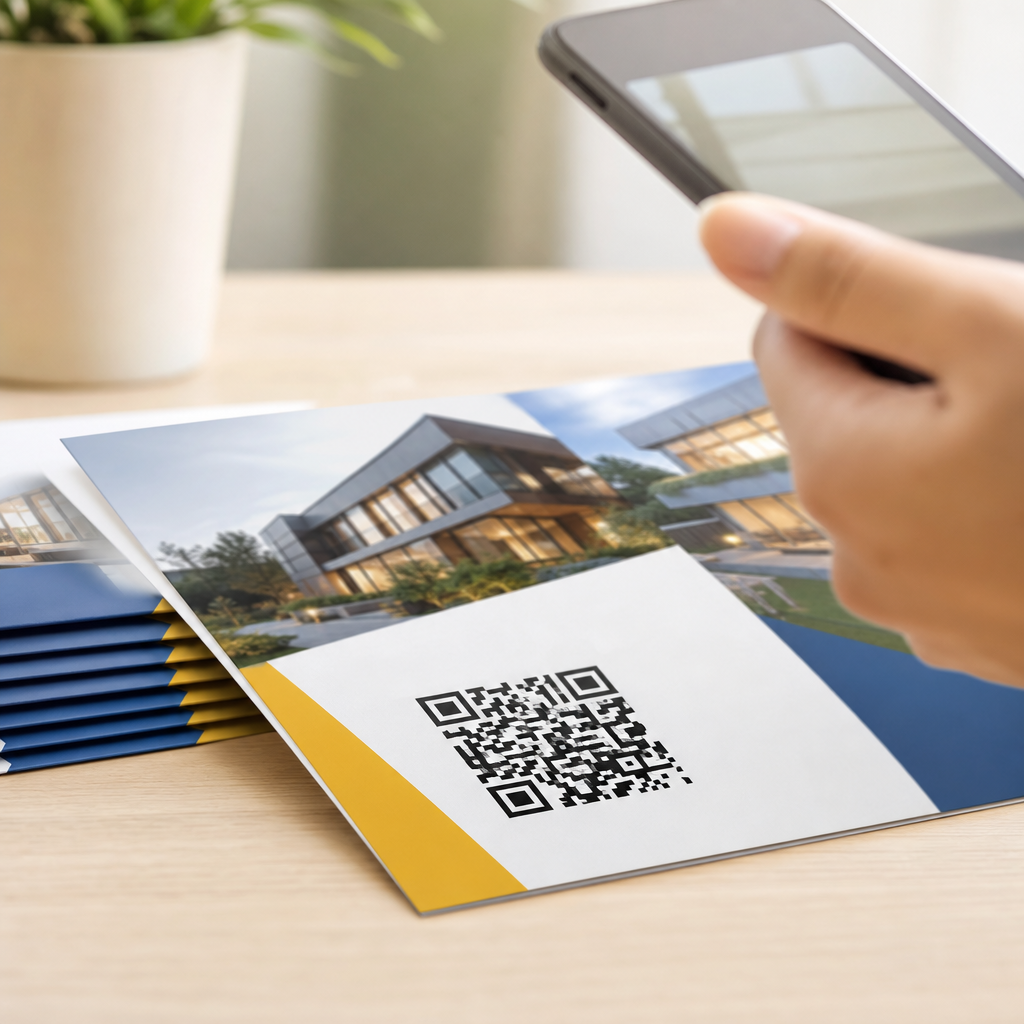
Designing QR codes for print materials requires a different mindset than designing them for websites, apps, email, or social posts. A code that scans instantly on a backlit phone screen can fail on corrugated packaging, a glossy brochure, or a storefront poster because print introduces physical constraints: ink spread, viewing distance, lighting, curvature, paper texture, and production tolerances. In practice, the best printed QR codes are not simply exported from a generator and dropped into a layout. They are engineered for real-world scanning conditions, tested across devices, and integrated into the printed piece with the same care given to typography, color, and brand marks.
A QR code is a two-dimensional matrix barcode made of dark and light modules arranged around three position markers. Smartphones decode the pattern through contrast, alignment, and error correction. For print, several terms matter. Quiet zone means the clear space around the symbol; without it, scanners struggle to isolate the code from surrounding graphics. Module size refers to the smallest square unit in the code; if modules print too small, dot gain and blur reduce readability. Error correction describes the built-in redundancy levels, commonly L, M, Q, and H, that allow partial damage or stylization without breaking the code. Landing page, redirect, and scan analytics also matter because the printed symbol is only the doorway to an experience.
This topic matters because printed QR codes bridge physical media and digital action. I have seen high-budget campaigns underperform because the code was beautiful in a mockup but unscannable at shelf distance, and I have seen plain black-on-white codes drive strong response because placement, size, and destination were right. On packaging, retail signage, direct mail, menus, event badges, catalogs, and trade show graphics, scan success depends on design decisions made long before the file reaches the printer. Understanding print versus digital design considerations helps teams protect usability, preserve branding, and improve measurable outcomes such as visits, signups, downloads, payments, and product education.
Why print QR code design is different from digital design
Digital environments are forgiving. Screens emit light, maintain sharp edges, and preserve contrast at pixel-level precision. Printed materials do not. On paper or substrate, every variable in production and use can reduce scan reliability: uncoated stock softens edges, varnish creates glare, folded panels distort geometry, and large-format viewing distances change how big the code must be. A QR code designed for a phone screen at 300 pixels wide may look crisp digitally yet become unreadable when reduced on a business card or reversed out of a tinted background.
The practical difference is control. In digital placements, you largely control resolution, contrast, and screen rendering. In print, the code passes through export settings, RIP processing, plate making or digital press interpretation, substrate behavior, finishing, shipping, and the user’s environment. That chain introduces risk. A restaurant menu under warm low light needs more contrast than an emailed PDF. A code on a bus shelter must account for weathering, reflections, and longer stand-off distance. Designers who treat printed QR codes as production objects, not just visual assets, consistently get better scan rates.
Print also changes user intent. A code in a brochure competes with nearby copy and images, while a code on packaging often supports one specific action: verify authenticity, watch setup instructions, register a warranty, or join loyalty. The printed context should guide the destination and call to action. In other words, print QR code design is partly symbol engineering and partly conversion design.
Core technical rules for printed QR codes
The safest baseline is simple: high contrast, adequate size, clean quiet zone, minimal distortion, and a tested destination URL. Start with dark modules on a light background. Black on white remains the most reliable choice because phone cameras and decoding libraries handle it consistently. Colored codes can work, but contrast is the deciding factor, not brand preference. If you use brand colors, verify luminance contrast in grayscale because scanners effectively interpret tonal separation, not marketing intent.
Quiet zone is non-negotiable. Follow a minimum of four modules of clear space on all sides, and increase it when the code sits over busy layouts. I routinely expand beyond the minimum on direct mail and packaging because surrounding text, borders, or patterns can interfere with detection. Avoid adding decorative frames that intrude into this space. Many failed print QR codes are technically correct inside the symbol but impossible to isolate visually because the layout crowds them.
Size should be based on scanning distance. A common rule used in production is that the scanning distance divided by ten gives a workable minimum code size. If users scan from 20 inches away, aim for roughly 2 inches square. For handouts viewed up close, 0.8 to 1 inch may work if the data payload is short and printing is sharp. For posters, trade show walls, or window graphics, go much larger. Complex codes that encode long URLs require more modules, so the same physical size results in smaller individual squares and lower tolerance. That is one reason dynamic QR codes using short redirect URLs often outperform static codes in print.
Error correction deserves deliberate selection. Level M is a practical default for many print applications. Use Q or H when inserting a logo, applying shape customization, or expecting abrasion on packaging. Higher correction helps recover missing data, but it also increases symbol density, which can make small print sizes less forgiving. The right choice depends on print size, customization, and expected wear. There is no single best setting for every job.
Choosing sizes, materials, and finishes for real-world scanning
Substrate and finishing change how a QR code performs. On uncoated paper, ink can spread slightly into the white gaps between modules, reducing separation. On glossy stock or laminated surfaces, overhead lights can create specular highlights that wash out portions of the symbol. Flexible packaging can wrinkle and curve, distorting the square geometry the camera expects. Fabric hangtags may fray at edges. Each material calls for adjustments in size, contrast, and placement.
I use a conservative approach on difficult surfaces. If the piece is uncoated or textured, I enlarge the code and avoid thin module counts caused by long URLs. If the piece will receive gloss UV, foil, embossing, or spot varnish nearby, I keep the code itself matte and flat. On bottles and tubes, I place the code on the flattest panel possible rather than wrapping it around curvature. For outdoor posters, I increase size for distance and test in daylight and at night because lighting changes the camera’s ability to lock onto contrast.
| Print context | Primary risk | Recommended design response |
|---|---|---|
| Business card | Code too small for data density | Use dynamic URL, keep code at least 0.8 inch, preserve quiet zone |
| Brochure or flyer | Crowded layout reduces detection | Separate from copy, use clear CTA, maintain strong contrast |
| Product packaging | Curvature, abrasion, production variation | Place on flat panel, use higher error correction, test press proof |
| Poster or signage | Long scan distance and glare | Increase size substantially, choose matte finish, test under site lighting |
| Window decal | Reflection and backlighting | Use opaque high-contrast print, avoid transparent backgrounds |
These decisions are not cosmetic. They directly affect whether the camera can distinguish modules fast enough for a convenient scan. If users need to tilt their phone, step closer, or try multiple times, response rates fall sharply. Ease is the metric that matters.
Branding without breaking scan performance
Branded QR codes can work well in print when the visual treatment respects decoding rules. The safest customizations are color changes with strong contrast, rounded modules used sparingly, and small center logos supported by higher error correction. The risky customizations are gradient-heavy fills, low-contrast palettes, transparent overlays, decorative backgrounds inside the quiet zone, and excessive reshaping of position markers.
In campaigns I have audited, the most common branding mistake is prioritizing style over first-scan success. A designer chooses a mid-tone brand color on a cream background because it matches the identity system, but the tonal contrast is too low in average indoor lighting. Another common mistake is placing the code over photography. Even when the photo appears muted, local contrast shifts behind the modules can confuse detection. If you need integration with imagery, put the code in a solid light panel rather than floating it directly over the image.
Logo insertion is often requested by marketing teams. It is viable if the logo is small, centered, and does not overwhelm the data area. As a working rule, keep the logo footprint modest and increase physical code size to compensate. Preserve all three finder patterns and the alignment structure. Also remember that print magnifies imperfections: a logo that looks neat on screen may bleed or lose edge fidelity on press. Always review at 100 percent print size and test from the intended distance.
A useful design standard is to make the code identifiable as branded from a few feet away while remaining ordinary to a scanner. Humans should perceive brand fit; cameras should perceive a clean symbol. If those goals conflict, scanning wins.
Placement, calls to action, and destination alignment
Where you place a QR code on printed material determines whether people notice it, understand it, and trust it enough to scan. Effective placement follows natural reading flow and physical ergonomics. On flyers, lower right or near the primary offer often works because the viewer reads headline, benefit, then action. On packaging, the side or back panel may be better than the front if the front is visually busy. On menus, place codes where a phone can hover comfortably without blocking the entire item list. On event signage, avoid floor-level placements that force awkward body position.
Every printed QR code needs a specific call to action. “Scan me” is weaker than “Scan to view installation video,” “Scan to claim 10% off,” or “Scan to verify this product.” The instruction should set expectation and reduce hesitation. I have repeatedly seen scan volume improve when the CTA answers two questions directly: what will I get, and why should I care now? If privacy or data capture is involved, say so clearly on the landing page.
Destination alignment is equally important. A print QR code should lead to a mobile-optimized page that loads quickly and continues the promise made in print. Sending users to a generic homepage is one of the most expensive mistakes in QR campaigns because the code did its job and the experience failed afterward. Use short redirect links managed in a platform that supports analytics, UTM tagging, and post-print destination changes. Platforms such as Bitly, QR Code Generator Pro, Beaconstac, and Flowcode are commonly used for this reason. They allow the printed asset to remain fixed while the target evolves with campaigns, regions, or inventory.
Testing, production checks, and performance measurement
Testing printed QR codes should happen in stages: on-screen proofing, physical mockup, press proof when possible, and in-context field testing. Scan with iPhone and Android devices, using native camera apps and at least one third-party scanner. Test under bright office light, dim indoor light, and the actual placement environment. Measure first-scan success, time to scan, and behavior from typical distances. A code that technically scans after three attempts is not production-ready.
Before release, inspect export and print settings. Vector output is preferred because it preserves edge sharpness at any size. If raster is necessary, use sufficient resolution and avoid compression artifacts. Do not stretch the code disproportionately. Confirm overprint settings, knockout behavior, and color builds, especially on CMYK jobs where rich black recipes or registration issues can soften edges. Ask for hard proofs on the actual stock for high-volume jobs. That step catches glare, gain, and placement problems before thousands of units are printed.
After launch, measure performance. Track scans, unique visitors, device type, location when appropriate, bounce rate, and conversion to the intended action. Compare placements and CTAs across versions of print pieces. Direct mail, packaging inserts, shelf wobblers, and posters often perform very differently even with the same landing page. Those differences teach you where print context supports intent. The best hub strategy for this subtopic is to treat every printed QR code as a testable channel: optimize symbol design, placement, and destination together, then document what works by format. If you are designing QR codes for print materials, start with usability, adapt for substrate and distance, brand carefully, and test before you scale. That discipline turns print from a scan risk into a reliable conversion path.
Frequently Asked Questions
What makes QR code design for print different from QR code design for digital screens?
Print changes the entire scanning environment. On a phone, tablet, or computer screen, the QR code is backlit, high contrast, perfectly flat, and usually displayed at a size and sharpness the device can render consistently. Printed materials introduce real-world variables that directly affect scan reliability. Ink can spread slightly on press, small details can fill in, paper stocks can absorb or soften edges, glossy finishes can create glare, and textured or corrugated surfaces can distort the code’s shape. A QR code that looks crisp on a monitor may become much less readable once it is printed on packaging, labels, posters, menus, or brochures.
Viewing conditions also matter far more in print. A code on a flyer may be scanned from arm’s length, while a code on a window sign, trade show banner, or transit poster may need to work from several feet away. That means the correct physical size depends not just on the data inside the code, but also on expected scanning distance, placement height, and user behavior. A printed QR code has to perform under varied lighting conditions, camera angles, and movement, which is why print-first design decisions are so important.
Another major difference is production tolerance. In print, you must account for bleed, trimming, material warping, folds, seams, and placement near edges or package curves. Even a technically valid QR code can fail if it is reduced too much, surrounded by distracting graphics, or placed on a surface that bends the square modules out of proportion. In short, designing QR codes for print is less about making the code look attractive in a layout file and more about preserving the structural integrity the scanner needs in the final physical object.
How large should a QR code be on printed materials?
There is no single universal size, but the correct answer starts with how far away people will scan it. A common rule of thumb is that the scanning distance should be roughly ten times the width of the QR code. So if a user will scan from about 10 inches away, a code around 1 inch wide may work. If the code is intended to be scanned from 5 feet away, it needs to be dramatically larger. This is why a code on product packaging can be relatively small, while a code on a poster, shelf sign, or storefront display often needs much more space to scan comfortably.
Data density also affects size. A QR code that only points to a short URL contains fewer modules and can remain readable at smaller dimensions. A code packed with lots of encoded characters becomes visually denser, which means each square module gets smaller and is more vulnerable to ink gain, softness, or camera interpretation issues. For print, it is usually best to keep the encoded content minimal and use a short redirecting URL or dynamic QR code when appropriate. This allows the printed code to stay cleaner and more tolerant of production variation.
In practice, many designers treat around 0.8 to 1 inch as a rough minimum for close-range handheld scanning, but that should never replace testing. Material, print method, contrast, and finish can all shift the practical minimum upward. A better approach is to print test samples at final size on the actual substrate whenever possible. Scan them with multiple phones, under realistic lighting, and from the expected user distance. If the scan requires users to move closer, tilt their phone repeatedly, or wait for focus, the code is too small, too dense, or both.
What colors and contrast work best for printed QR codes?
The safest choice is still a dark code on a light background, with strong contrast between the modules and the surrounding field. Black on white remains the most reliable standard because it gives smartphone cameras the clearest separation between the code pattern and the background. In print, this matters even more because paper color, coating, lighting, and ink behavior can reduce apparent contrast in ways that are not obvious on screen. A design that looks stylish in a mockup may lose enough separation in production to make scanning inconsistent.
While branded colors can work, they should be used carefully. Deep navy, dark green, or other saturated dark tones can often perform well if placed on a very light, even background. Problems tend to appear when both the foreground and background are mid-tone, when gradients pass through the code, or when metallic, fluorescent, or reflective inks are introduced. Similarly, reversing the code to light modules on a dark background can sometimes work, but it is much riskier in print and should always be validated with physical proofs. Not every scanning app handles stylized or reversed treatments equally well.
Background control is just as important as foreground color. Busy photography, patterns, or textured artwork behind the code can interfere with detection, even if the code itself seems visually prominent. Preserve a clean quiet zone around the code and avoid placing it over complex imagery. Matte finishes are often more forgiving than high-gloss coatings because glare can wash out parts of the symbol under direct light. If brand expression matters, customize around the QR code, not at the expense of the code’s clarity. Reliability should always win over decoration in a printed application.
How much clear space should a printed QR code have around it?
A printed QR code needs a clear quiet zone around all four sides so scanning software can recognize where the code begins and ends. As a general standard, that clear space should be at least four modules wide, measured using the size of one small square within the QR code itself. This margin should remain free of text, borders, images, patterns, folds, die lines, or other visual elements. Without enough separation, the scanner may struggle to isolate the code from the surrounding layout, especially under imperfect real-world conditions.
In print design, quiet zones often get compromised unintentionally. A code may be tucked too close to a headline, placed inside a colored badge, framed with a decorative border, or pushed near the edge of packaging where trim variation can cut into the margin. Even when the code itself remains untouched, reducing the surrounding clear area can make it significantly less reliable. This becomes even more critical on small items such as labels, business cards, or compact cartons, where every millimeter of space is under pressure.
The best practice is to treat the quiet zone as functional space, not optional whitespace. Build it into your layout early instead of squeezing it in at the end. If a logo, call to action, or instruction appears near the code, keep it outside the quiet zone and ensure it does not visually merge with the symbol. For packaging and folded pieces, also consider how creases, seams, perforations, and curvature affect this area. A well-protected quiet zone gives the scanner room to detect the code quickly, which improves user experience and reduces failed attempts.
What are the most important steps to test a QR code before sending print materials to production?
The most important step is to test the code in its final physical context, not just as a digital preview. A QR code that scans perfectly from a PDF on your laptop can still fail once printed at actual size, on the intended stock, with the chosen finish and production method. Start by printing prototypes or press proofs at 100% scale. Use the actual substrate whenever possible, especially for challenging surfaces like kraft paper, corrugated board, textured labels, glossy brochures, or curved packaging. Then scan the code under realistic use conditions rather than ideal studio conditions.
Test with multiple devices and scanning methods. Different phone cameras, operating systems, and default camera apps do not all behave the same way. Try older and newer phones, both iPhone and Android if possible, and scan in varied lighting environments such as bright daylight, indoor retail lighting, and lower-light conditions. Check whether the code scans quickly from the expected distance and angle, and whether users can do it naturally without hunting for focus. If a code only works after several attempts, the design is not production-ready.
You should also verify what happens after the scan. Make sure the destination URL loads quickly, is mobile-friendly, and matches the printed call to action. If you are using a dynamic QR code, confirm the redirect works correctly and that tracking or analytics settings are configured properly. Finally, review production placement carefully. Ensure the code will not fall into folds, seals, bottle curvature, glare-heavy zones, or trim risk areas. Thorough testing is what separates a QR code that merely exists on printed materials from one that actually performs for real users in the field.





