QR codes in education have moved from novelty to infrastructure, giving schools, universities, publishers, and edtech brands a low-cost bridge between physical materials and digital learning experiences. A QR code, or quick response code, is a scannable two-dimensional barcode that sends a user to a web page, video, document, app download, form, or payment screen. In education, that simple mechanic solves stubborn problems I have seen repeatedly in campaigns and campus deployments: printed materials go stale, students miss links, teachers need frictionless access, and institutions want measurable engagement. This makes a brand case study on QR codes in education especially valuable. It shows not just that the technology works, but how branded programs use it to improve access, track adoption, support learning, and strengthen institutional identity across classrooms, libraries, events, and student services.
This hub article covers brand case studies in the broadest sense: universities using QR codes for orientation and campus navigation, textbook publishers linking print to companion resources, museums and school partners adding self-guided learning layers, and training providers turning posters, handouts, and ID cards into digital gateways. The topic matters because educational buying cycles are long, budgets are tight, and stakeholders demand proof. Administrators want measurable outcomes. Faculty want minimal setup. Students want speed on mobile. Parents want clarity. When a QR campaign succeeds in this environment, it usually succeeds because the brand aligned the code with a real task, such as attendance, assignment access, safety information, tutoring signup, or event registration. That is why education is one of the most instructive sectors for QR code campaign ideas and case studies.
To evaluate these examples properly, define the key terms. A static QR code points to a fixed destination and cannot be edited after printing. A dynamic QR code routes through a managed short link, so the destination can change and scans can be measured by time, device, and location. Branded QR codes add custom colors, logos, and design treatments, but still must maintain contrast and quiet zones for reliable scanning. Conversion in education may mean a student downloads a worksheet, registers for a webinar, completes a health form, visits a library guide, or watches a lecture recap. Success is rarely one metric alone. In my experience, the strongest education campaigns combine scan rate, completion rate, return visits, and operational outcomes such as fewer help-desk requests or shorter lines at key service points.
What follows is a practical hub for the subtopic “Brand Case Studies” within QR code campaign ideas and case studies. It explains the campaign patterns that repeatedly work, the brand categories leading adoption, the metrics that matter, and the design rules that separate effective educational QR codes from decorative ones. It also highlights tradeoffs. QR codes are powerful, but they do not fix weak content, poor mobile design, or inequitable access. Schools still need alternative paths for users without smartphones or stable internet. Used well, however, QR codes give education brands a rare combination of reach, speed, measurability, and continuity between physical and digital touchpoints.
How Education Brands Use QR Codes Across the Student Journey
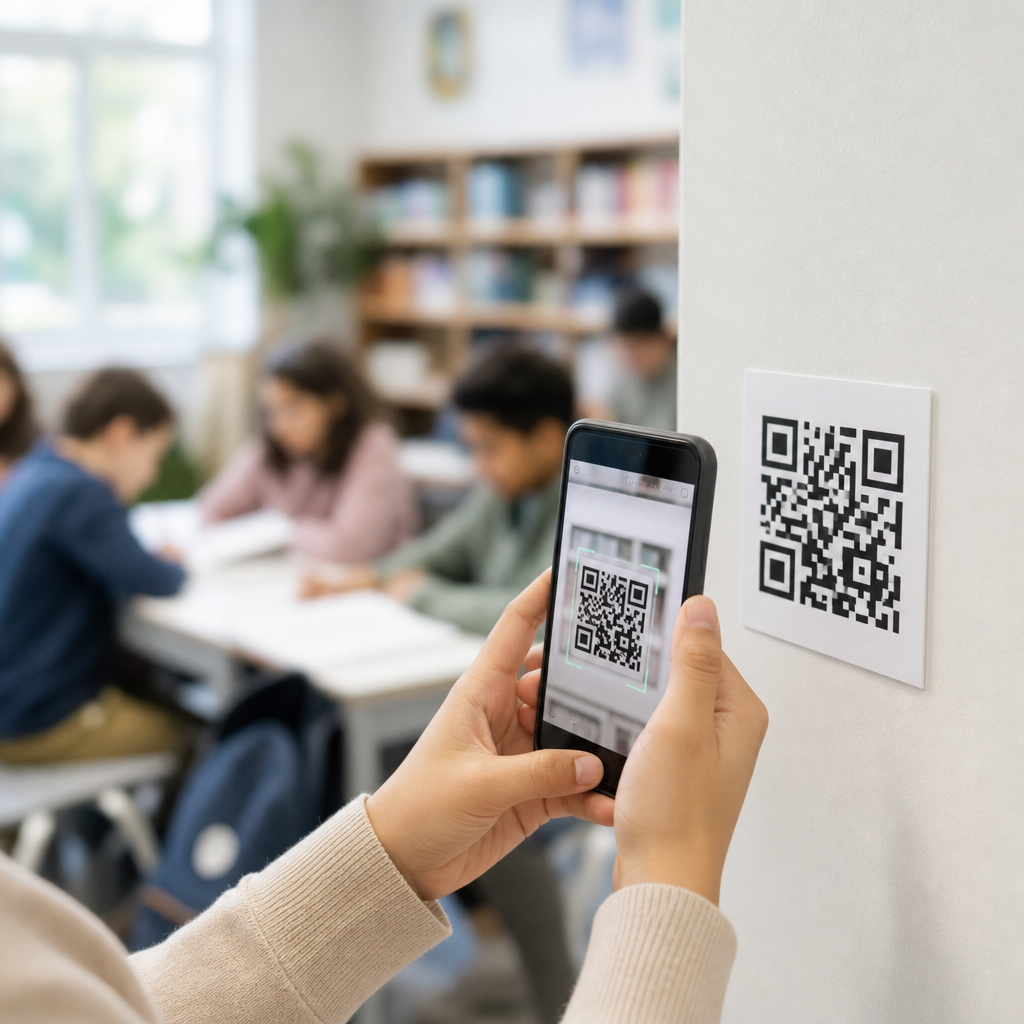
The most useful way to understand QR code case studies in education is to map them to the student journey. Awareness campaigns use codes on posters, brochures, direct mail, and social graphics to move prospects into open day registration pages or virtual tour experiences. During enrollment, schools place codes on acceptance packets, financial aid instructions, housing forms, and orientation schedules. Once students arrive on campus, the volume of use expands quickly: classroom slides link to assignments, lab equipment links to safety instructions, library shelves link to subject guides, cafeteria tables link to menus and balance top-ups, and student support offices link to appointment booking. Each use case removes a typing step, which matters more than many marketers assume. Reducing friction by even one step often lifts participation significantly among mobile-first users.
Higher education brands were early adopters because campuses are dense information environments. A single university can deploy thousands of signs, handouts, and service points. I have seen orientation teams use dynamic QR codes on welcome banners to route students to maps in August, then switch the same printed assets to event calendars in September. That is a clear example of why dynamic management matters. K-12 schools often use codes differently. Their campaigns tend to focus on parent communication, homework access, reading logs, lunch payments, transportation updates, and multilingual information. In both settings, the winning pattern is the same: place the code where a question naturally occurs and send the scanner to the exact answer, not to a generic homepage.
Publishers and education technology brands add another layer. A workbook brand may place QR codes beside exercises to open pronunciation audio, answer explanations, or enrichment videos. A STEM kit brand can print codes on packaging that launch assembly tutorials and troubleshooting guides. Testing and certification providers use codes in prep books, at conference booths, and on completion certificates that verify authenticity. Museums, science centers, and nonprofit education partners also use branded QR codes to extend field trips with interactive trails, teacher packs, and post-visit assignments. Across these examples, the code works because it is not the campaign itself. It is the access point to a well-matched learning asset or service.
What Strong Brand Case Studies Have in Common
Not every education QR initiative deserves to be called a strong case study. The best ones share several structural traits. First, they begin with a narrow objective. “Increase engagement” is too vague. “Raise orientation session check-ins by 25 percent” or “cut paper worksheet distribution by half” gives the campaign a measurable target. Second, they use mobile-first destinations. A beautifully designed desktop page is a failed landing page if students are scanning on older phones in bright hallways with poor reception. Third, they align placement and intent. A code on a chemistry lab bench should lead to a specific protocol or safety checklist, not the department homepage.
Fourth, strong campaigns account for governance. Someone owns the QR inventory, destination links, naming conventions, UTM tracking, and retirement process. This is where many institutions struggle. Codes get printed, staff change roles, and after one semester the destination breaks or the form closes. The brands that avoid this treat QR codes as managed assets. They maintain a spreadsheet or dashboard with code purpose, owner, print location, launch date, and destination history. Fifth, they test with actual users. I have watched teams approve a code that scans perfectly in a conference room but fails on glossy posters under sunlight or on a curved bottle in a campus store. Real-world testing catches these issues before rollout.
Finally, strong case studies tie scans to outcomes. Scan count alone is only top-of-funnel activity. Educational brands need to know what happened next. Did students submit the form, watch most of the video, attend the event, or complete the module? Tools such as Google Analytics 4, Bitly, QR Code Generator PRO, Uniqode, and CRM integrations help connect scan activity to downstream behavior. That connection is what turns a simple implementation story into a credible brand case study that other institutions can learn from.
Representative Education QR Code Use Cases by Brand Type
Because this page serves as a hub, it helps to group brand case studies by organization type. The patterns below appear repeatedly in real deployments and provide a framework for evaluating future examples.
| Brand type | Common QR use case | Primary goal | Key metric |
|---|---|---|---|
| Universities | Orientation maps, event check-in, student service booking | Reduce friction during onboarding | Completed check-ins or bookings |
| K-12 schools | Parent notices, homework links, lunch payments | Improve communication and completion | Form submissions or parent visits |
| Publishers | Audio, video, answer keys, companion downloads | Extend print into interactive learning | Resource opens and repeat scans |
| Edtech brands | App downloads, trial activation, tutorial access | Drive product adoption | Activated accounts |
| Museums and nonprofits | Exhibit guides, field trip activities, teacher packs | Deepen educational engagement | Guide completions or downloads |
University case studies often focus on operational efficiency and experience quality at scale. For example, a campus may replace printed rooming lists and repeated email reminders with residence hall posters containing floor-specific codes. Students scan once and land on the exact move-in checklist, map, and support contact for their building. That reduces queue pressure and repetitive questions. K-12 case studies are usually more communication-driven. A school district can place multilingual QR codes on report card envelopes, bus passes, and event flyers, linking families to language-specific portals and reducing confusion for households that rely on mobile access rather than desktop email.
Publisher case studies are especially compelling because they connect product design and learning outcomes. Consider language learning materials with page-level QR codes that open audio tracks and pronunciation models. The print product becomes interactive without requiring students to search manually. In science and technical education, codes can open simulation videos, lab setup guidance, or revision quizzes. Edtech brands use the same principle for activation. I have seen conference handouts with QR codes outperform short vanity URLs simply because scanning is faster than typing while walking between sessions. Museums and nonprofit partners often use QR trails to turn a passive visit into a structured learning sequence with prompts, quizzes, and downloadable teacher resources.
Measurement, Attribution, and Compliance in Educational Settings
Measurement is where education QR campaigns either become strategic assets or remain one-off tactics. The baseline metrics are scans, unique scans, device type, time of day, and destination completion. More advanced programs segment by placement. A code on a campus tour sign should not be lumped with a code in an admitted-student mailer. Attribution improves when each placement has its own dynamic code, tagged with UTM parameters and tied to a meaningful conversion event in analytics. If a university wants to know whether printed open-day posters drive applications, it should not send every poster to the same generic URL. It should create campaign-specific destinations or at least campaign-level tracking.
Educational settings also demand stronger governance around privacy and accessibility than many commercial campaigns. If QR codes lead to forms collecting student information, institutions may need to consider FERPA in the United States, and possibly COPPA for younger users, along with standard privacy disclosures and consent practices. For European audiences, GDPR considerations apply. Accessibility matters just as much. A QR code alone is not accessible content. Printed materials should include a short URL or alternative instruction, and the landing page should meet WCAG expectations for readable text, keyboard navigation, alt text, and adequate contrast. In practice, the most responsible brands treat QR as one route, not the only route.
Technical reliability matters too. Dynamic code platforms should support HTTPS, redirect speed, exportable analytics, role-based permissions, and domain consistency. I strongly recommend using a branded short domain where possible, because unfamiliar redirects can reduce trust. Error handling is another overlooked factor. If a campaign ends, do not leave a dead page. Redirect to a current resource or an archive page that explains the change. Broken educational links damage trust quickly because users assume the institution is disorganized. The best case studies show disciplined maintenance, not just creative launch ideas.
Best Practices for Building a QR Code Education Case Study Hub
As the hub page for brand case studies on QR codes in education, this content should help readers move from examples to implementation. That means organizing related articles by brand type, campaign objective, and stage of the student journey. A useful internal structure would connect this page to deeper case studies on university orientation campaigns, textbook companion content, school-parent communication, museum learning trails, and edtech activation programs. The hub should also answer practical questions readers ask before committing budget: What type of QR code should we use? How do we track results? What size should the code be? How do we keep it accessible? Which departments should own it?
From my work on rollout planning, the most effective guidance is simple and specific. Use dynamic QR codes for anything printed at scale or likely to change. Keep destination pages lightweight and mobile optimized. Place a clear call to action beside the code, such as “Scan for today’s lab guide” or “Scan to book advising.” Print at a size appropriate to scanning distance; a common rule is roughly one inch of code width for every ten inches of scanning distance. Avoid low-contrast brand colors that harm readability. Test on both iPhone and Android devices, on school Wi-Fi and cellular networks, before approving final print. And always assign an owner to every live code.
Done well, a brand case study hub does more than inspire. It reduces risk for readers who need evidence, templates, and realistic expectations. That is exactly why QR codes in education deserve a dedicated resource. The best examples show how a small interface choice can improve access, simplify communication, and make physical environments digitally responsive. If you are building or auditing an education campaign, start by identifying the moments where students, parents, teachers, or visitors hesitate, search, or queue. Then design QR experiences that answer that moment directly, measure the outcome, and keep improving. Explore the related case studies in this hub and use them to build a QR program that is practical, trackable, and genuinely useful.
Frequently Asked Questions
How are QR codes used in education today?
QR codes are now used across education as a practical link between printed materials and digital resources. Schools and universities place them on worksheets, posters, textbooks, ID cards, library displays, lab stations, campus signage, event materials, and admissions collateral to help students, teachers, and families access information instantly. Instead of typing long URLs or searching manually, a student can scan a code and open a lesson video, assignment page, attendance form, tutoring schedule, digital syllabus, campus map, or mobile app download page in seconds.
What makes QR codes especially valuable in education is that they solve a real operational problem: physical materials often become disconnected from the digital systems students are expected to use. A printed worksheet may reference online practice. A campus flyer may promote a registration page. A textbook may need supporting media. QR codes make those transitions frictionless. In practice, that means better engagement, fewer drop-offs, and easier access to learning content, especially in environments where time, device attention, and clarity all matter.
They are also being used in more strategic ways by publishers, edtech brands, and institutions. Publishers can add QR codes to books to unlock supplementary videos, quizzes, or updated references. Universities can use them in recruitment campaigns to connect brochures to virtual tours or inquiry forms. Teachers can place them around classrooms for station-based learning, differentiated instruction, or quick formative assessment. In short, QR codes in education have evolved from a novelty into reliable infrastructure that supports teaching, communication, administration, and student experience.
What are the biggest benefits of QR codes for schools, universities, and edtech brands?
The biggest benefit is convenience. QR codes reduce friction at the exact moment someone is ready to act. If a student sees a poster for a workshop, scans a code, and lands directly on the signup page, that process is faster and more effective than expecting them to remember a link later. The same applies to parents opening school calendars, teachers accessing training resources, or prospective students viewing program information from a printed brochure. The easier the path, the higher the likelihood of engagement.
Another major advantage is cost-efficiency. QR codes are inexpensive to create and easy to deploy across both large and small campaigns. A school district can add them to existing print assets without major redesign costs. A university can integrate them into campus communications, orientation materials, and student services without investing in new hardware systems. For edtech brands and publishers, QR codes extend the value of printed products by making them interactive, measurable, and update-friendly.
They also support stronger measurement and optimization. When dynamic QR codes are used, institutions and brands can track scans, compare campaign performance, and refine placement or messaging over time. That means a university can test whether a code on event signage performs better than one in mailed materials, or a publisher can see which chapters generate the most engagement with supplemental content. Beyond marketing metrics, QR codes can improve educational access by simplifying entry points to resources, helping users reach the right content with less confusion and less digital friction.
Why are QR codes especially effective in printed educational materials?
Printed educational materials have a built-in limitation: once they are distributed, they cannot easily respond to new information, multimedia needs, or changing links. QR codes solve that problem by turning static materials into flexible access points. A textbook can remain physical and durable while still connecting students to updated videos, article links, simulations, discussion boards, or downloadable worksheets. A handout can direct students to the exact digital activity their teacher wants them to complete, rather than relying on verbal instructions or manually entered web addresses.
This is especially important in classrooms and campus environments where attention is fragmented and instructions need to be simple. Every extra step creates a drop-off point. If students must type a long URL, search through a learning platform, or look for a resource later, many will not complete the action. A well-placed QR code reduces that cognitive and logistical burden. It creates a clear, immediate bridge from page to screen, which is exactly why it works so well in books, packets, bulletin boards, assignment sheets, lab manuals, and event programs.
For publishers and education brands, QR codes also help protect the relevance of print. Rather than treating printed materials as isolated products, organizations can use them as gateways into broader digital ecosystems. That ecosystem may include subscriptions, companion resources, assessments, course communities, support content, or product onboarding. In a case study context, this often becomes the key insight: QR codes do not replace printed educational materials; they increase their usefulness, measurability, and lifespan.
What should a brand or institution include in a successful QR code education campaign?
A successful QR code campaign in education starts with a clear purpose. The code should lead to one specific, useful destination that matches the user’s context. If the code appears on a classroom worksheet, the linked content should support that lesson directly. If it appears on admissions mailers, it should guide prospective students to a high-conversion landing page such as a program overview, campus tour, application resource hub, or inquiry form. Relevance is what drives scan-through success.
Placement and user instruction are just as important as the destination. QR codes should be large enough to scan easily, positioned where the audience naturally looks, and paired with short call-to-action language such as “Scan to watch the lesson recap,” “Scan to register,” or “Scan to access the digital workbook.” Without context, many users will ignore the code. With a specific promise, they are far more likely to engage. Mobile optimization is also essential, since most scans happen on smartphones. The landing page must load quickly, display cleanly, and make the next step obvious.
From a brand and operations standpoint, the strongest campaigns also use dynamic QR codes, analytics, and ongoing maintenance. Dynamic codes allow teams to update the destination without reprinting materials, which is critical in education where schedules, links, and programs change frequently. Analytics reveal where and when scans happen, helping teams improve future deployments. And because educational trust matters, every linked experience should feel secure, accurate, and current. A successful campaign is not just about generating scans; it is about creating a smooth, useful experience that supports learning or decision-making at the exact moment the user needs it.
Are there any challenges or best practices to consider when using QR codes in education?
Yes, and addressing them well is what separates a smart implementation from a gimmick. One common challenge is linking to content that is not mobile-friendly, loads slowly, or requires too many additional steps. If a student scans a code and lands on a confusing login screen or a cluttered page, the value of the code disappears quickly. Another issue is poor placement or design. Codes that are too small, printed with low contrast, distorted by branding, or buried in crowded layouts often go unused. A QR code works best when it is easy to notice, easy to scan, and tied to a clear benefit.
Accessibility and equity also matter. Not every student has the same device access, data plan, or comfort level with scanning. QR codes should enhance access, not become the only route to essential information. Best practice is to provide a backup option, such as a short URL or printed instructions, especially for core academic or administrative content. Institutions should also think carefully about privacy, particularly when codes connect to forms, attendance check-ins, payments, or student data systems. Secure destinations, trusted domains, and transparent expectations are critical in educational settings.
The best practices are straightforward but important: use dynamic codes when possible, test them across devices, keep destination pages current, add clear call-to-action text, and monitor analytics to understand real-world behavior. It is also wise to align QR code use with broader educational goals rather than treating it as a standalone tactic. When the code genuinely saves time, reduces confusion, or expands access to learning content, adoption tends to be strong. That is why the most successful education case studies usually show the same pattern: a simple scan experience tied to a practical user need, supported by thoughtful implementation and measurable outcomes.