
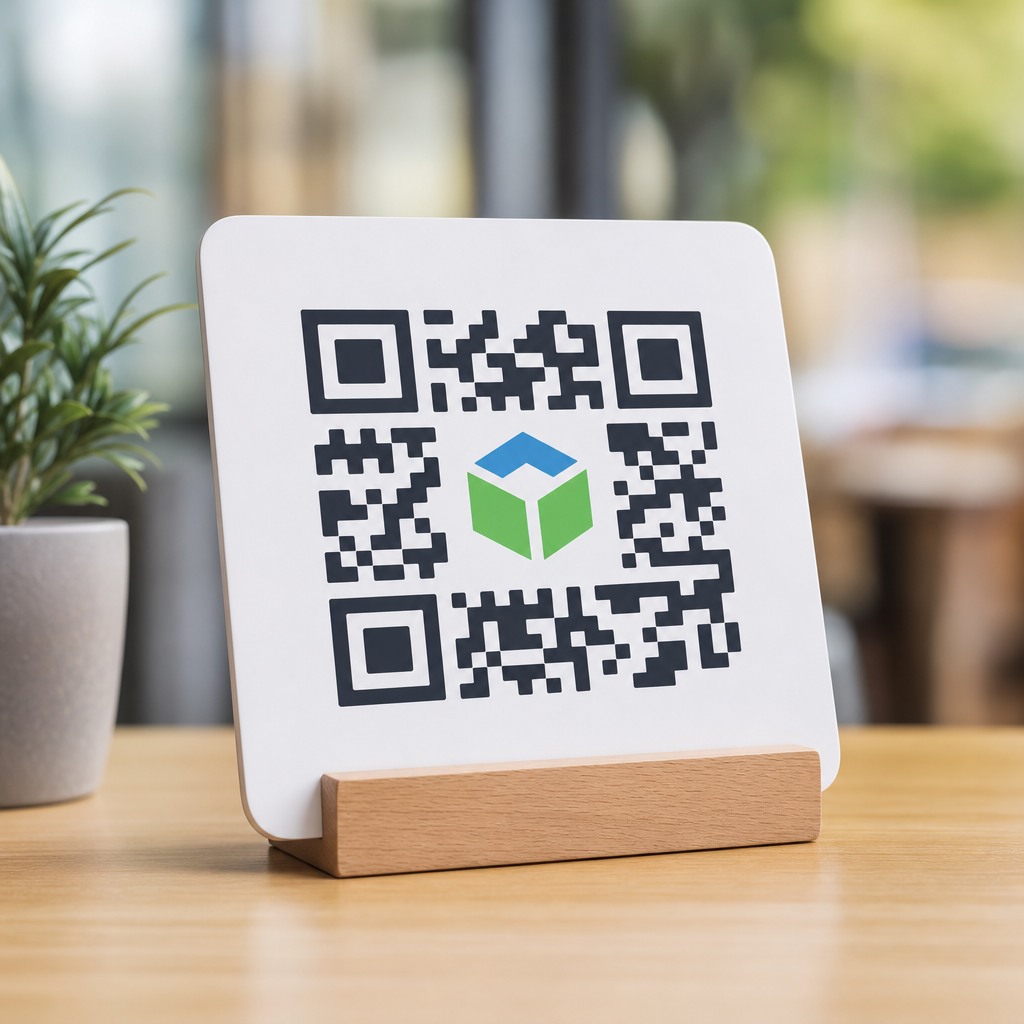
Best practices for logo placement in QR codes start with one central rule: branding should never make the code harder to scan. A QR code is a machine-readable symbol first and a marketing asset second, yet the strongest branded codes respect both jobs at once. When I design or audit branded QR campaigns, the highest-performing codes are usually not the most decorative ones. They are the ones that preserve error correction, contrast, quiet zone spacing, and module integrity while placing the logo where scanners can still decode reliably across different phones, cameras, lighting conditions, and print materials.
Logo integration in QR codes means embedding a brand mark, icon, or monogram into the code without breaking readability. In practice, that usually means placing a small logo in the center, reserving enough white space around it, raising error correction to compensate for covered modules, and testing scans under real conditions. This matters because a branded QR code can increase recognition and trust, especially on packaging, retail displays, event signage, menus, direct mail, and product inserts. People are more likely to scan a code that looks intentional and belongs to a recognizable brand. At the same time, a failed scan creates immediate friction, and one bad interaction can cancel out the branding benefit.
For teams building a QR Code Design & Branding program, this topic sits at the center of the workflow. Logo placement affects visual hierarchy, file export settings, print production, landing-page attribution, and analytics quality. It also connects to related design decisions such as color selection, size, margin control, vector output, and campaign-specific calls to action. As a hub topic, logo integration in QR codes gives structure to those decisions by answering the questions marketers, designers, and print vendors ask most often: how big can the logo be, where should it go, what type of file works best, and how do you test a code before launch?
The short answer is clear. Keep the logo centered, modest in scale, surrounded by breathing room, and supported by high contrast and strong error correction. The fuller answer requires understanding how QR codes work. A QR code is built from modules, the small square cells that encode data. The three large finder patterns in the corners help scanners locate the symbol. Alignment patterns support distortion correction. Timing patterns help establish the grid. A quiet zone around the outer edge separates the code from surrounding graphics. If a logo interferes with these structural elements, decoding reliability drops quickly. Good logo placement works because it respects the architecture of the symbol rather than fighting it.
How QR Code Structure Determines Safe Logo Placement
The safest place for a logo is the center area because it is farthest from the finder patterns and least likely to interfere with how scanning software identifies orientation. Most modern QR generators place logos there for that reason, but automatic placement is not enough by itself. You still need to judge coverage area, surrounding padding, and export quality. In my experience, teams often assume error correction gives unlimited freedom. It does not. Error correction can restore missing data up to a point, but if the logo covers too many critical modules or creates ambiguous edges, scanners struggle even when the code appears visually clean.
QR codes commonly use four error correction levels: L, M, Q, and H. H allows the greatest recovery, often cited at roughly 30 percent of symbol damage or obscuration under ideal conditions. For logo integration, H is usually the correct choice because it provides the largest recovery margin. However, using H does not mean a logo should cover 30 percent of the code. Real-world performance varies with data density, print sharpness, camera quality, and environmental glare. A practical design rule is to keep the logo block substantially smaller than the theoretical recovery limit and then validate through aggressive testing.
Data density changes the available room for branding. A short dynamic URL encoded into a large symbol leaves more open visual tolerance than a long static URL packed into a small symbol. That is why dynamic QR codes are often better for branded campaigns. They usually encode a shorter redirect domain, which reduces complexity and leaves larger modules for cameras to read. Larger modules mean better tolerance for logo masking, color styling, and imperfect printing. If you want a branded code on corrugated packaging or a shop window where glare and angle are unpredictable, reducing data density is one of the most effective reliability improvements you can make.
Another structural factor is the quiet zone, the blank margin around the QR code. ISO/IEC 18004 defines the QR standard, and the quiet zone requirement is foundational. Designers sometimes crop it tightly so the code fits a layout, then add a center logo and wonder why scans fall. The scanner needs separation between the code and nearby text, borders, photography, or patterns. When a logo is added, preserving the outer quiet zone becomes even more important because the code is already asking the scanner to tolerate one interruption inside the symbol. Do not compensate for a large logo by stealing margin from the perimeter.
Recommended Logo Size, Position, and Clear Space
If you need a direct recommendation, start with a centered logo occupying about 12 to 18 percent of the total code area, including the padding box around it. Many generators describe logo size as a percentage of width; in practice, area matters more than width alone, because a wide rectangular mark can cover more modules than a compact square icon. For most production uses, especially print, I advise keeping the visible logo itself closer to 10 to 15 percent of the code area and allowing the rest of the reserved space to be white padding. That padding acts as a buffer so the logo reads as a distinct object instead of blending into nearby modules.
Center placement is standard because it minimizes conflict with the finder patterns and timing information. Off-center logos can work, but they are harder to validate and easier to break when layouts are resized by downstream teams. If you must offset the logo to accommodate a shape or campaign concept, never place it near the three corner finder patterns, and avoid crossing timing paths. A common mistake is dropping a circular badge partly over a finder pattern to create a “sticker” effect. It may still scan on one flagship phone under studio lighting, but reliability usually collapses across midrange Android devices, lower-resolution front cameras, and glossy prints.
Padding around the logo should be intentional and visible. I prefer a white knockout box, usually with slightly rounded corners if the brand style allows, because it creates contrast and prevents the logo edges from merging with dark modules. The padding should be thick enough that the logo remains optically separate even when the code is printed small. Transparent logo backgrounds are risky unless the logo itself is extremely simple and the code underneath is removed cleanly. Semi-transparent marks are worse: they can create low-contrast interference that looks refined on screen but causes inconsistent scans in the field.
| Design factor | Best-practice recommendation | Why it helps scanning |
|---|---|---|
| Logo position | Center of the symbol | Avoids finder patterns and reduces orientation conflicts |
| Logo area | About 12–18% including padding | Preserves enough modules for reliable decoding |
| Error correction | Use level H for branded codes | Provides the highest recovery tolerance for covered modules |
| Padding box | White knockout around logo | Separates logo edges from encoded data |
| Quiet zone | Keep full outer margin clear | Helps scanners distinguish the symbol from nearby graphics |
| Data strategy | Prefer dynamic short URLs | Reduces density and increases module size |
Shape matters too. A simple monogram or icon is easier to integrate than a detailed horizontal wordmark. If brand rules require the full logo, consider using a compact symbol version inside the code and placing the full wordmark beside the code in the surrounding layout. This usually produces a stronger result overall: the symbol provides recognition within the code, while the full logo remains legible outside it. I have seen luxury packaging teams insist on tiny serif wordmarks inside QR codes, only to discover that the text turns into noise at production size. Small logos should be bold, simplified, and recognizable in one glance.
Color, Contrast, and File Preparation for Branded QR Codes
The most reliable branded QR codes still use dark modules on a light background. Black on white remains the benchmark because smartphone cameras and decoding software are tuned for strong luminance contrast. Brand colors can work well, but they must preserve contrast. Navy on white, dark green on cream, or deep burgundy on pale beige can scan reliably. Yellow on white, pastel gray on blush, or metallic ink on reflective stock often fails. When evaluating color, look at contrast in grayscale, not just on a calibrated monitor. Camera sensors decode tonal separation more than brand intent.
Inverted codes, such as white modules on a dark background, can scan on many devices but remain less forgiving when a logo is added. Gradients are another common source of trouble. A subtle single-direction gradient across the whole code may work at large sizes, but mixed gradients or texture overlays can create uneven module contrast. The same caution applies to patterned fills, photos inside modules, and heavy rounded styling. Each visual treatment consumes part of the code’s tolerance. A center logo already spends some of that tolerance budget, so the rest of the design should be conservative unless testing proves otherwise.
File choice affects sharpness. For print, vector formats such as SVG, EPS, or PDF are preferred because they preserve hard module edges at any size. Raster exports like PNG can work for digital use, but low-resolution files are a frequent cause of scan issues after logos are inserted and assets are resized in design software. If the code must be rasterized, export at high resolution and avoid resampling. I also recommend flattening the final approved artwork and testing the exact delivered file, not only the generator preview. Production errors often appear between the generator, the designer’s layout file, the RIP, and the final substrate.
Logo files need the same discipline. Use a simplified vector mark when possible. Remove tiny taglines, legal symbols, and fine strokes that will disappear at actual QR size. If the logo contains multiple colors, ask whether all of them are necessary inside the code. Often a single-color version performs better and looks cleaner. The job of the logo inside a QR code is recognition, not full identity expression. Full brand storytelling can happen in the surrounding packaging, sign, ad, or landing page. Inside the code, economy wins.
Testing Methods That Prevent Scan Failures After Launch
The only trustworthy answer to “Will this branded QR code scan?” is testing. Not one scan, and not one phone. A proper test matrix includes multiple devices, camera apps, distances, angles, and lighting conditions. At minimum, test current iPhone and Android models, plus one or two midrange or older devices that represent the lower end of real user capability. Native camera apps should be tested first because that is how most people scan now, but if your audience commonly uses retail or payment apps with embedded scanners, include those too. Their decoders can behave differently.
Physical testing matters more than screen previews. A code that scans on a laptop display may fail when printed on kraft board, laminated labels, acrylic signage, or fabric banners. Test at final size and on final material whenever possible. For example, glossy menu cards introduce reflections, corrugated cartons soften module edges, and window clings may be viewed at oblique angles. I once helped troubleshoot a store poster that scanned perfectly in the studio but poorly in storefront windows after installation. The culprit was afternoon glare combined with a centered silver foil logo. Changing the logo to flat white within a knockout box fixed the issue immediately.
Distance testing should reflect the expected use case. A product insert might be scanned from 20 centimeters, while a transit poster might be scanned from two meters. As scanning distance increases, module size becomes more important and tolerance for decorative choices drops. A practical rule is to size the QR code so that every module remains crisp at the intended viewing distance, then revisit logo size if scans are inconsistent. Also test damaged scenarios: slight creases, smudges, low ink coverage, and compression artifacts for digital images. A robust branded code should survive ordinary handling, not just ideal conditions.
Analytics can expose hidden design problems after deployment. If a QR code appears in a high-traffic location but scan volume is weak relative to impressions, the issue may be placement, call-to-action wording, or scanability. Dynamic QR platforms such as Bitly, QR Code Generator, Beaconstac, Flowcode, and Scanova can help monitor results, though the platform matters less than disciplined interpretation. Compare scan rates across placements and materials. If one print batch underperforms, inspect contrast, logo coverage, and trimming before assuming audience disinterest.
Common Logo Integration Mistakes and Smarter Alternatives
The biggest mistake is treating the QR code like a canvas instead of a functional symbol. Oversized logos, decorative frames that invade the quiet zone, low-contrast brand palettes, and compressed exports are the usual offenders. Another mistake is relying on one successful internal scan as proof of readiness. Teams see the code work on the designer’s phone and move to production, overlooking that consumers use different devices in messy environments. A third mistake is forgetting context. If the code sits on busy packaging, a logo inside the code may be unnecessary because the surrounding pack already delivers branding. In that case, a cleaner code often performs better.
Smarter alternatives exist when a logo cannot fit safely. Place the brand mark above or below the QR code while keeping the symbol itself plain. Add a short call to action such as “Scan to register” or “Scan for setup guide” to reinforce trust and purpose. Use a branded landing page domain in the short URL so users see brand continuity after scanning. If recognition is the priority, a custom frame or caption around the code may deliver more value than forcing a complex logo into the center. Good branding is not about inserting the logo everywhere; it is about making the scan feel credible, easy, and connected to the brand experience.
For teams building a QR Code Design & Branding hub, the practical takeaway is simple. Start with a compact center logo, high error correction, strong contrast, and a preserved quiet zone. Use dynamic URLs to reduce density, export vectors for print, and test on real devices in real conditions. When scans weaken, reduce visual ambition before blaming the medium. QR codes reward disciplined design. If you are refining your logo integration in QR codes, audit one live code this week against these standards and rebuild any version that asks too much of the scanner.
Frequently Asked Questions
What is the safest place to put a logo in a QR code?
The safest and most common place to put a logo in a QR code is the center. A centered logo works best because it avoids the three critical finder patterns located in the corners, which scanners rely on to detect orientation and read the code accurately. Placing a logo in the middle also makes it easier to predict how much of the symbol is being covered, which helps preserve scan reliability. That said, “center” does not automatically mean “safe” in every case. The logo still needs to be small enough that it does not block too many data modules, and the QR code should be generated with an appropriate error correction level so the covered area can be tolerated. In practice, the best branded QR codes use a center logo with generous clear space around it, strong black-on-white or dark-on-light contrast, and no interference with the outer quiet zone. If branding is the goal, the logo should enhance recognition without competing with the primary job of the code, which is to scan quickly and consistently across different devices, angles, lighting conditions, and print surfaces.
How large can a logo be before it makes a QR code difficult to scan?
There is no universal percentage that guarantees success in every use case, but a good rule is to keep the logo modest relative to the total code area and test aggressively before deployment. Many successful branded QR codes keep the logo within roughly 15% to 20% of the code’s total visual area, though the acceptable size depends on the data density, version of the QR code, print quality, scan distance, and error correction setting. A code carrying a short URL with high error correction can usually tolerate more logo coverage than a dense code containing long text or complex parameters. The main mistake is assuming that error correction gives unlimited freedom. It does not. Covering too much of the symbol can still break scanning, especially when the code is printed small, viewed in low light, displayed on reflective packaging, or scanned by older smartphone cameras. The safest approach is to minimize the payload by using a short redirect URL, increase the physical size of the code if possible, apply a higher error correction level such as Q or H when appropriate, and then test real-world scans across iPhone and Android devices. A logo should never be sized based on aesthetics alone. It should be sized based on what the scanner can still read under imperfect conditions.
Why are contrast and quiet zone spacing so important when adding a logo to a QR code?
Contrast and quiet zone spacing are two of the most important technical requirements in QR performance, and both become even more important once a logo is introduced. Contrast refers to the visual difference between the dark modules and the lighter background. Scanners need that separation to distinguish the pattern cleanly. If a logo introduces gradients, transparency, low-contrast brand colors, shadows, or busy design elements, the code can become visually attractive but mechanically unreliable. In most cases, the best practice is still to use a dark foreground on a light, solid background. The quiet zone is the empty margin around the outside of the QR code. It gives the scanner a clean boundary so it can isolate the symbol from surrounding text, graphics, or packaging clutter. If the quiet zone is reduced, crowded, or interrupted by decorative branding elements, the scanner may struggle before it even reaches the logo area. This is why strong branded QR codes usually keep customization focused inward and leave the perimeter disciplined and clean. If you want a logo to feel integrated, do it without sacrificing edge clarity, module definition, or the required empty border. In short, contrast helps the scanner see the code, and the quiet zone helps it recognize where the code begins and ends.
Does a higher error correction level make logo placement safe by default?
No. Higher error correction improves tolerance, but it does not make logo placement automatically safe. QR codes include built-in redundancy so they can still be read when part of the symbol is damaged or obscured, and higher settings such as Q or H allow more recovery than lower settings such as L or M. That is exactly why branded QR codes often use stronger error correction. However, this safety margin has limits. Error correction must compensate not only for the logo itself, but also for every other source of degradation: small print sizes, ink spread, screen glare, low contrast, curved surfaces, poor lighting, motion blur, and imperfect camera focus. If the logo is too large or badly positioned, even the highest error correction setting will not save the code. There is also a tradeoff to consider: increasing error correction can make the QR code denser, which means the modules become smaller and potentially harder to scan when reproduced at limited sizes. The smartest strategy is to think of error correction as one layer of protection, not a permission slip to overdesign. Use it to support a conservative logo treatment, not to justify one that pushes technical limits. Then validate performance with practical testing in the environment where the code will actually be used.
What are the best testing steps before publishing a QR code with a logo?
The best testing process is deliberate, device-diverse, and based on realistic conditions rather than perfect studio previews. Start by testing the code on multiple smartphones, including both iPhone and Android models, because camera quality and scanning behavior vary. Scan from different distances and angles, and test in bright light, dim indoor light, and situations with glare or reflections if the code will appear on glossy materials. If the QR code is going to be printed, test the actual printed version at final size rather than relying only on a digital proof. Packaging texture, paper stock, ink density, and finish can all affect readability. If the code will appear on screens, test it on different display brightness levels and screen resolutions. You should also test the code after placing it in the full design layout, because surrounding graphics can interfere with the quiet zone or visually compete with the symbol. Another smart step is to verify the destination experience: make sure the URL resolves quickly, the page is mobile-friendly, and any tracking parameters function correctly. A QR code that scans but leads to a poor landing page still underperforms. Finally, test for speed, not just success. The highest-performing branded QR codes do not merely scan eventually; they scan almost instantly. That is the standard worth aiming for when balancing logo placement with usability.





